- Electric and Telecom Plans Free
- Fire and Emergency Plans Free
- Floor Plans Free
- Plant Layout Plans Free
- School and Training Plans Free
- Seating Plans Free
- Security and Access Plans Free
- Site Plans Free
- Sport Field Plans Free
- Business Process Diagrams Free
- Business Process Mapping Free
- Classic Business Process Modeling Free
- Cross-Functional Flowcharts Free
- Event-driven Process Chain Diagrams Free
- IDEF Business Process Diagrams Free
- Logistics Flow Charts Free
- Workflow Diagrams Free
- ConceptDraw Dashboard for Facebook Free
- Mind Map Exchange Free
- MindTweet Free
- Note Exchange Free
- Project Exchange Free
- Social Media Response Free
- Active Directory Diagrams Free
- AWS Architecture Diagrams Free
- Azure Architecture Free
- Cisco Network Diagrams Free
- Cisco Networking Free
- Cloud Computing Diagrams Free
- Computer Network Diagrams Free
- Google Cloud Platform Free
- Interactive Voice Response Diagrams Free
- Network Layout Floor Plans Free
- Network Security Diagrams Free
- Rack Diagrams Free
- Telecommunication Network Diagrams Free
- Vehicular Networking Free
- Wireless Networks Free
- Comparison Dashboard Free
- Composition Dashboard Free
- Correlation Dashboard Free
- Frequency Distribution Dashboard Free
- Meter Dashboard Free
- Spatial Dashboard Free
- Status Dashboard Free
- Time Series Dashboard Free
- Basic Circle-Spoke Diagrams Free
- Basic Circular Arrows Diagrams Free
- Basic Venn Diagrams Free
- Block Diagrams Free
- Concept Maps Free
- Family Tree Free
- Flowcharts Free
- Basic Area Charts Free
- Basic Bar Graphs Free
- Basic Divided Bar Diagrams Free
- Basic Histograms Free
- Basic Line Graphs Free
- Basic Picture Graphs Free
- Basic Pie Charts Free
- Basic Scatter Diagrams Free
- Aerospace and Transport Free
- Artwork Free
- Audio, Video, Media Free
- Business and Finance Free
- Computers and Communications Free
- Holiday Free
- Manufacturing and Maintenance Free
- Nature Free
- People Free
- Presentation Clipart Free
- Safety and Security Free
- Analog Electronics Free
- Audio and Video Connectors Free
- Basic Circuit Diagrams Free
- Chemical and Process Engineering Free
- Digital Electronics Free
- Electrical Engineering Free
- Electron Tube Circuits Free
- Electronic Block Diagrams Free
- Fault Tree Analysis Diagrams Free
- GHS Hazard Pictograms Free
- Home Automation and Wiring Free
- Mechanical Engineering Free
- One-line Diagrams Free
- Power Сircuits Free
- Specification and Description Language (SDL) Free
- Telecom and AV Circuits Free
- Transport Hazard Pictograms Free
- Data-driven Infographics Free
- Pictorial Infographics Free
- Spatial Infographics Free
- Typography Infographics Free
- Calendars Free
- Decision Making Free
- Enterprise Architecture Diagrams Free
- Fishbone Diagrams Free
- Organizational Charts Free
- Plan-Do-Check-Act (PDCA) Free
- Seven Management and Planning Tools Free
- SWOT and TOWS Matrix Diagrams Free
- Timeline Diagrams Free
- Australia Map Free
- Continent Maps Free
- Directional Maps Free
- Germany Map Free
- Metro Map Free
- UK Map Free
- USA Maps Free
- Customer Journey Mapping Free
- Marketing Diagrams Free
- Matrices Free
- Pyramid Diagrams Free
- Sales Dashboard Free
- Sales Flowcharts Free
- Target and Circular Diagrams Free
- Cash Flow Reports Free
- Current Activities Reports Free
- Custom Excel Report Free
- Knowledge Reports Free
- MINDMAP Reports Free
- Overview Reports Free
- PM Agile Free
- PM Dashboards Free
- PM Docs Free
- PM Easy Free
- PM Meetings Free
- PM Planning Free
- PM Presentations Free
- PM Response Free
- Resource Usage Reports Free
- Visual Reports Free
- House of Quality Free
- Quality Mind Map Free
- Total Quality Management TQM Diagrams Free
- Value Stream Mapping Free
- Astronomy Free
- Biology Free
- Chemistry Free
- Language Learning Free
- Mathematics Free
- Physics Free
- Piano Sheet Music Free
- Android User Interface Free
- Class Hierarchy Tree Free
- Data Flow Diagrams (DFD) Free
- DOM Tree Free
- Entity-Relationship Diagram (ERD) Free
- EXPRESS-G data Modeling Diagram Free
- IDEF0 Diagrams Free
- iPhone User Interface Free
- Jackson Structured Programming (JSP) Diagrams Free
- macOS User Interface Free
- Object-Role Modeling (ORM) Diagrams Free
- Rapid UML Free
- SYSML Free
- Website Wireframe Free
- Windows 10 User Interface Free

Business Process Diagrams
Business Process Model and Notation (BPMN) is a common standard for modeling the business processes, it describes the set of intuitively understandable elements and symbols for representation the business processes in a form of diagrams. Graphical notation provided by BPMN is applied when the Business Process Diagrams are designed for analyzing and process improvement, uncovering and elimination problems, for solving new challenges and goals in organizational development, for reducing costs, increasing profits, enhancement quality and performance. BPMN allows defining simple and complex semantic structures, it is focused on the technical experts and developers responsible for implementation the processes, the business users and business analysts that create and improve the processes, and managers that monitor the processes and manage them. Consequently, the BPMN is intended to serve as a link between the phase of the business process design and the phase of its realization.
The Business Process Diagram or Business Process Flowchart in BPMN notation represents the algorithm of process execution. They graphically represent the actions and steps in a process, depict relations between the major parts of the system, sequence of executed steps using the lines and arrows, and also connections between various systems. Each process, if necessary, can be decomposed into the lower levels.
Business Process Diagrams solution extends the ConceptDraw DIAGRAM BPM software with RapidDraw interface, templates, samples and numerous libraries based on the BPMN 1.2 and BPMN 2.0 standards, which give you the possibility to visualize equally easy simple and complex processes, design business models, quickly develop and document in details any business processes on the stages of project’s planning and implementation.
-
Install this solution Free -
What I need to get started -
Solution Requirements - This solution requires the following products to be installed:
ConceptDraw DIAGRAM v18 - This solution requires the following products to be installed:
-
Compatibility - Sonoma (14), Sonoma (15)
MS Windows 10, 11 - Sonoma (14), Sonoma (15)
-
Support for this Solution -
Helpdesk
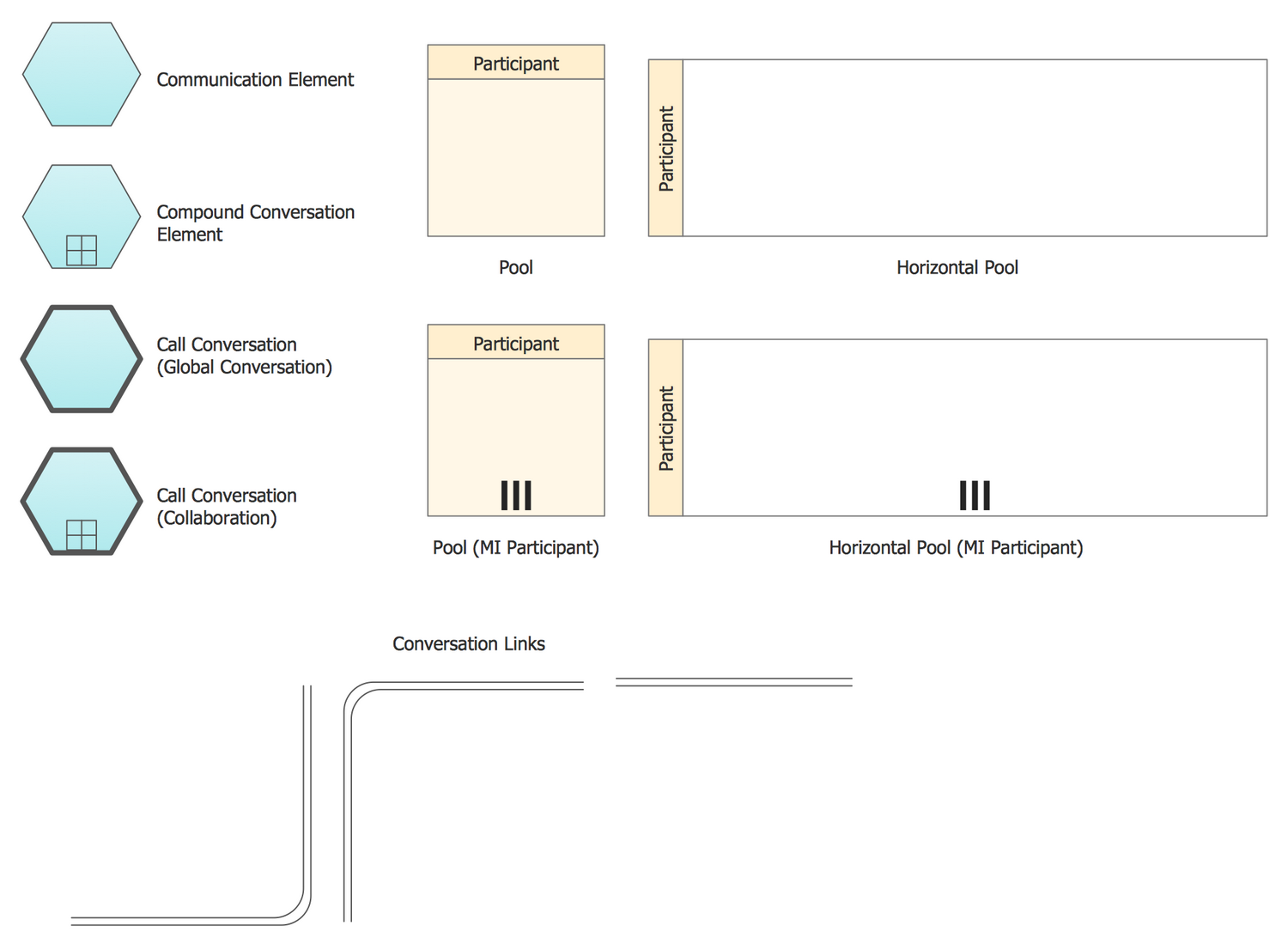
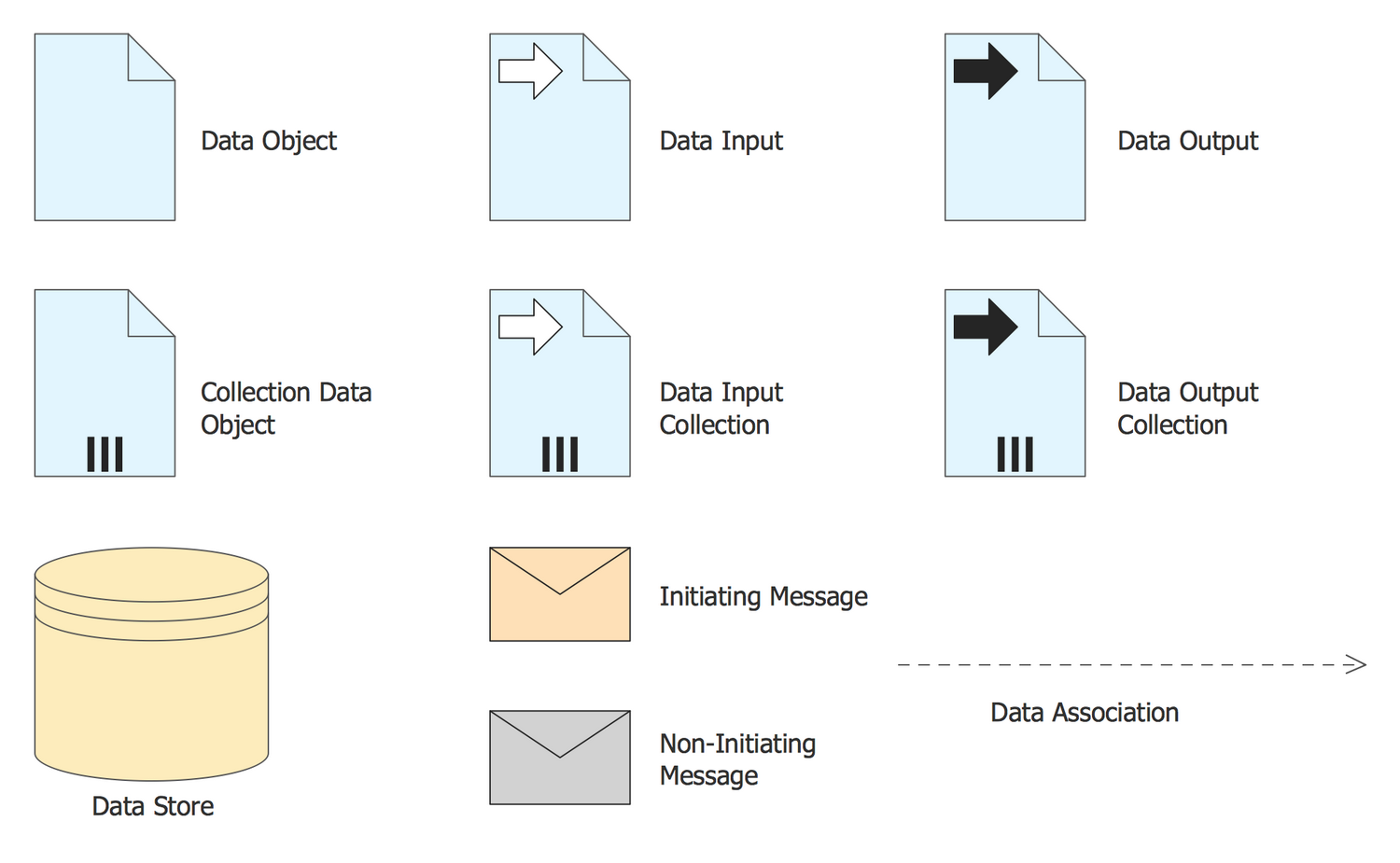
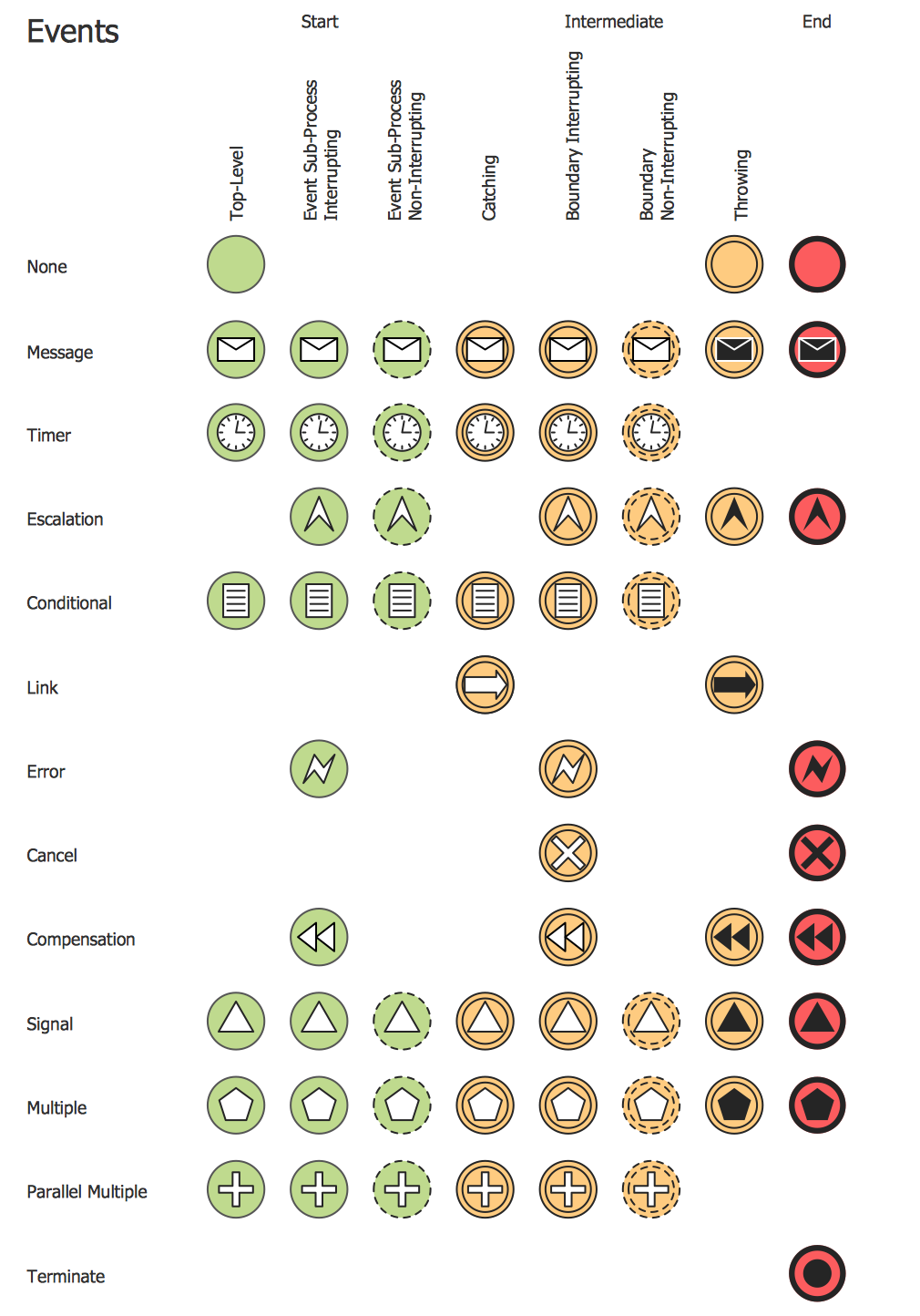
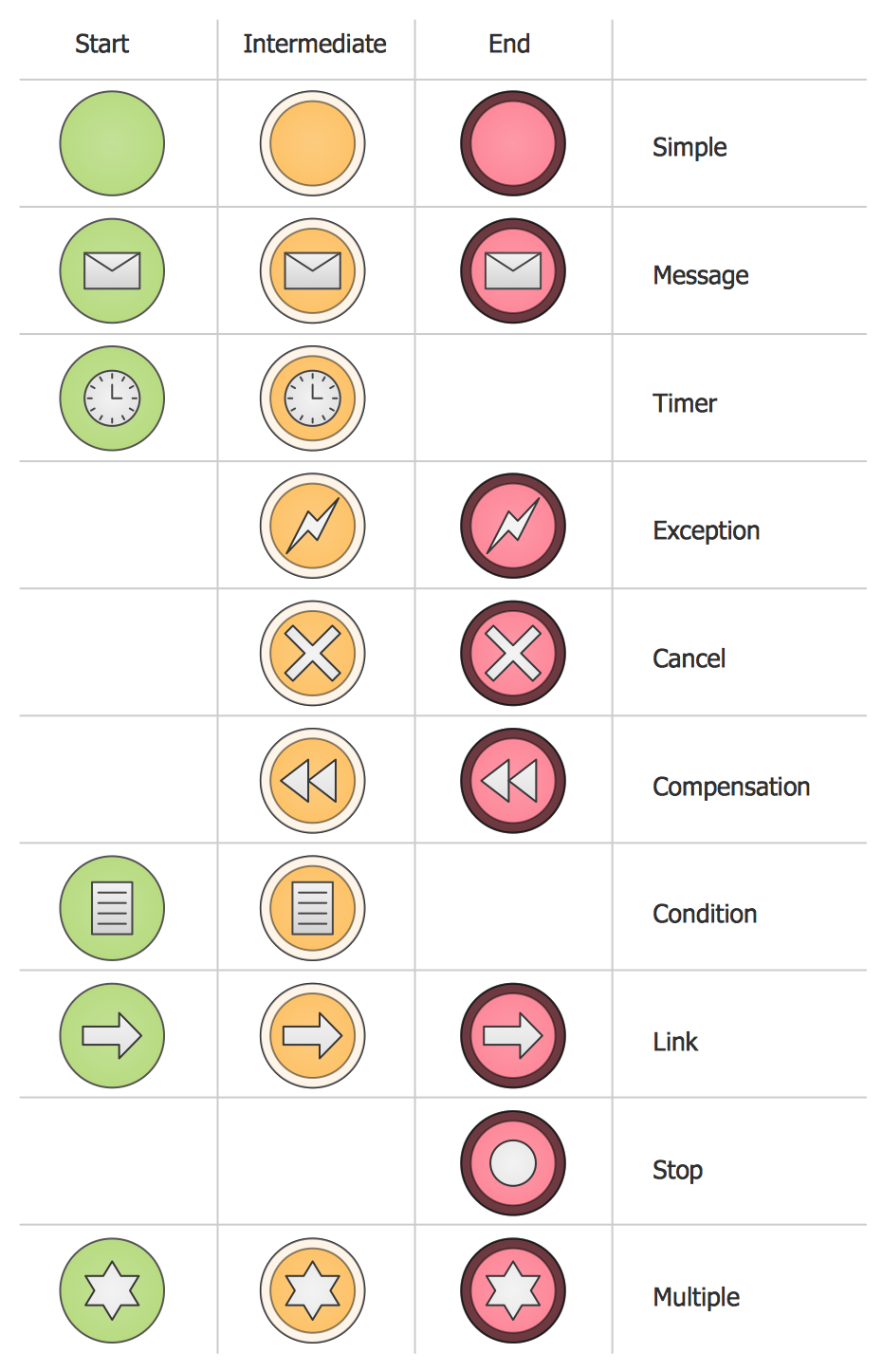
There are 16 stencil libraries containing 230 vector objects for BPMN 1.2 and BPMN 2.0 solution.
Design Elements BPMN 1.2 — Activities

Design Elements BPMN 2.0 — Activities
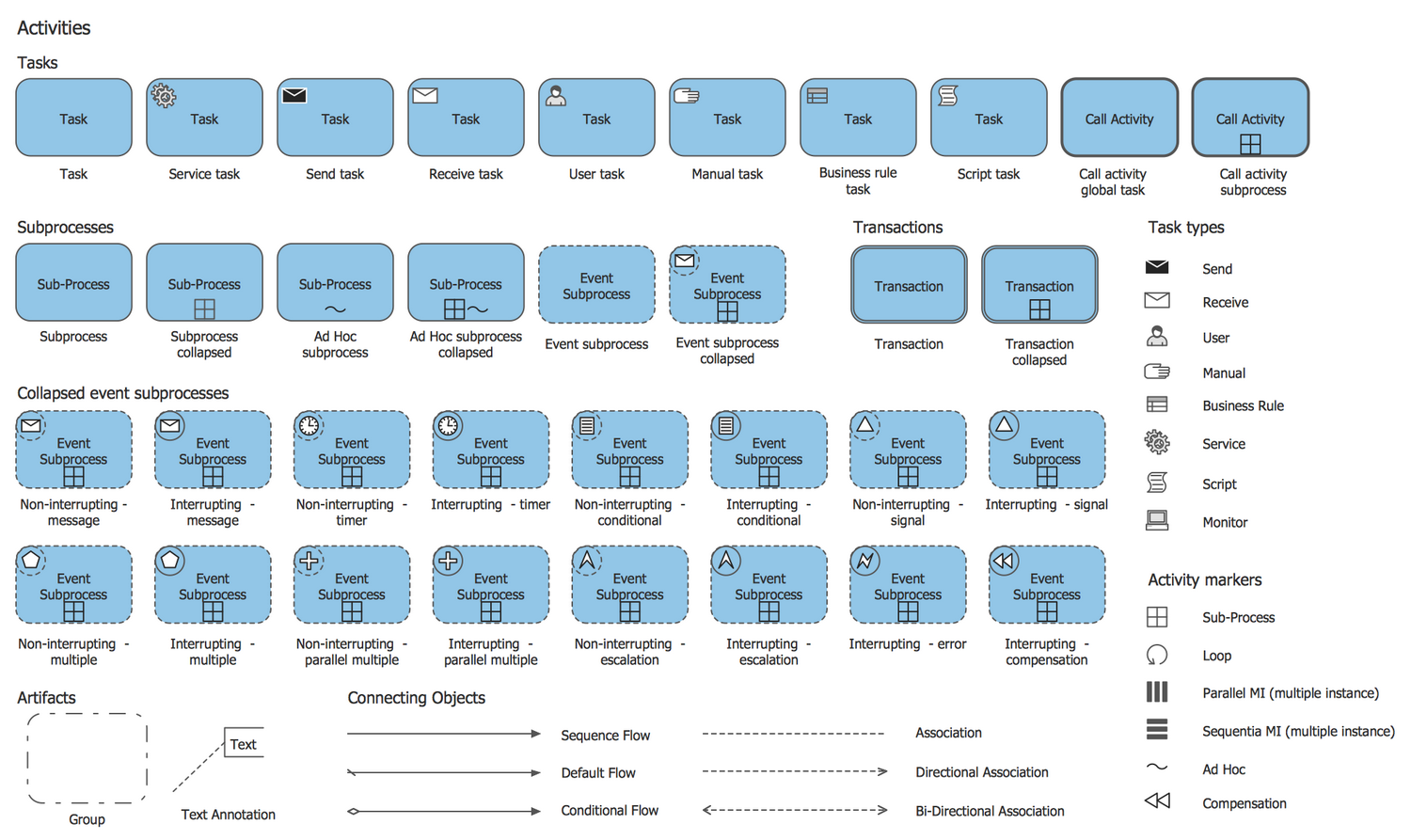
Design Elements BPMN 1.2 — Rapid Draw
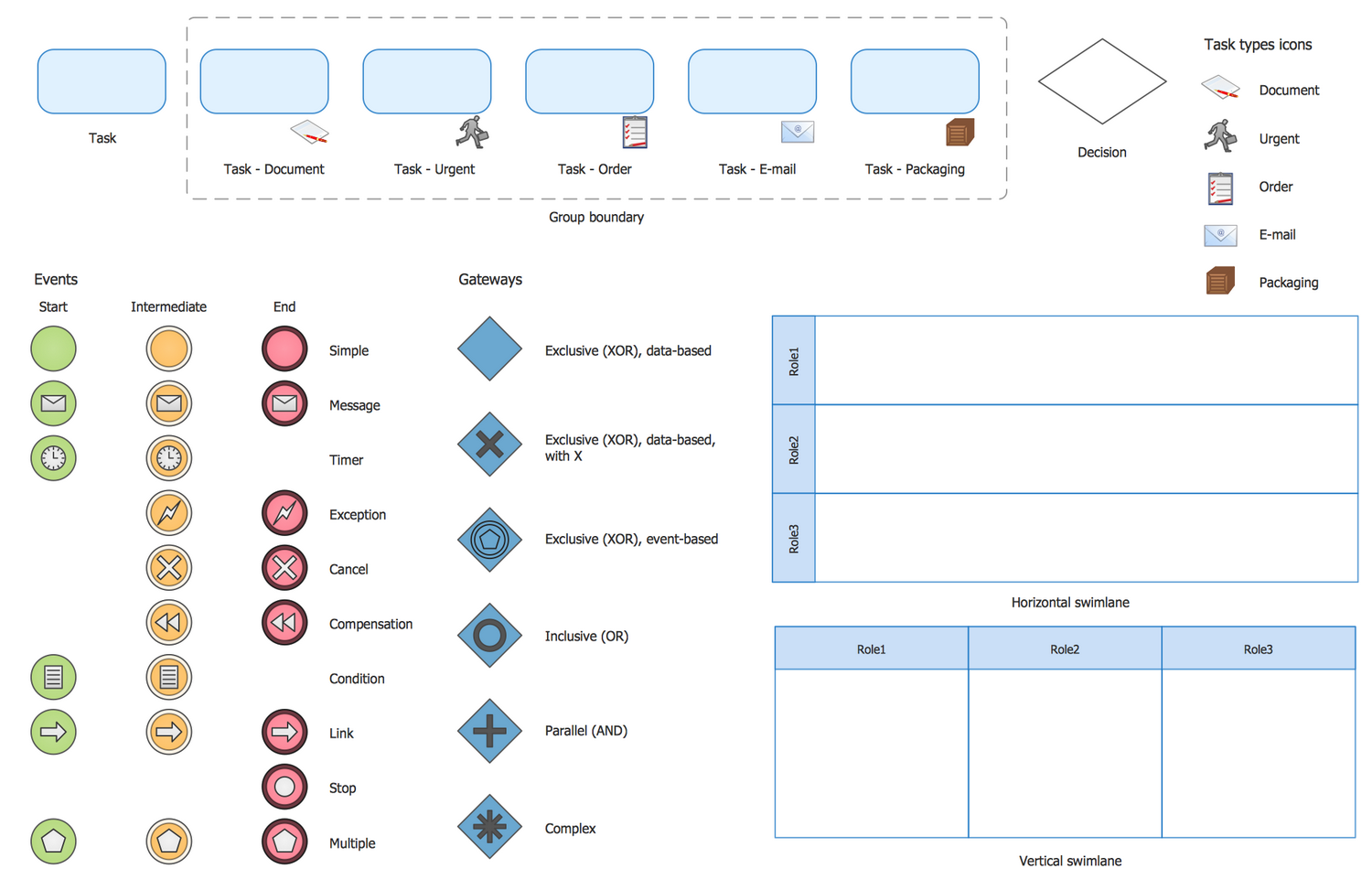
Design Elements BPMN 2.0 — Choreographies
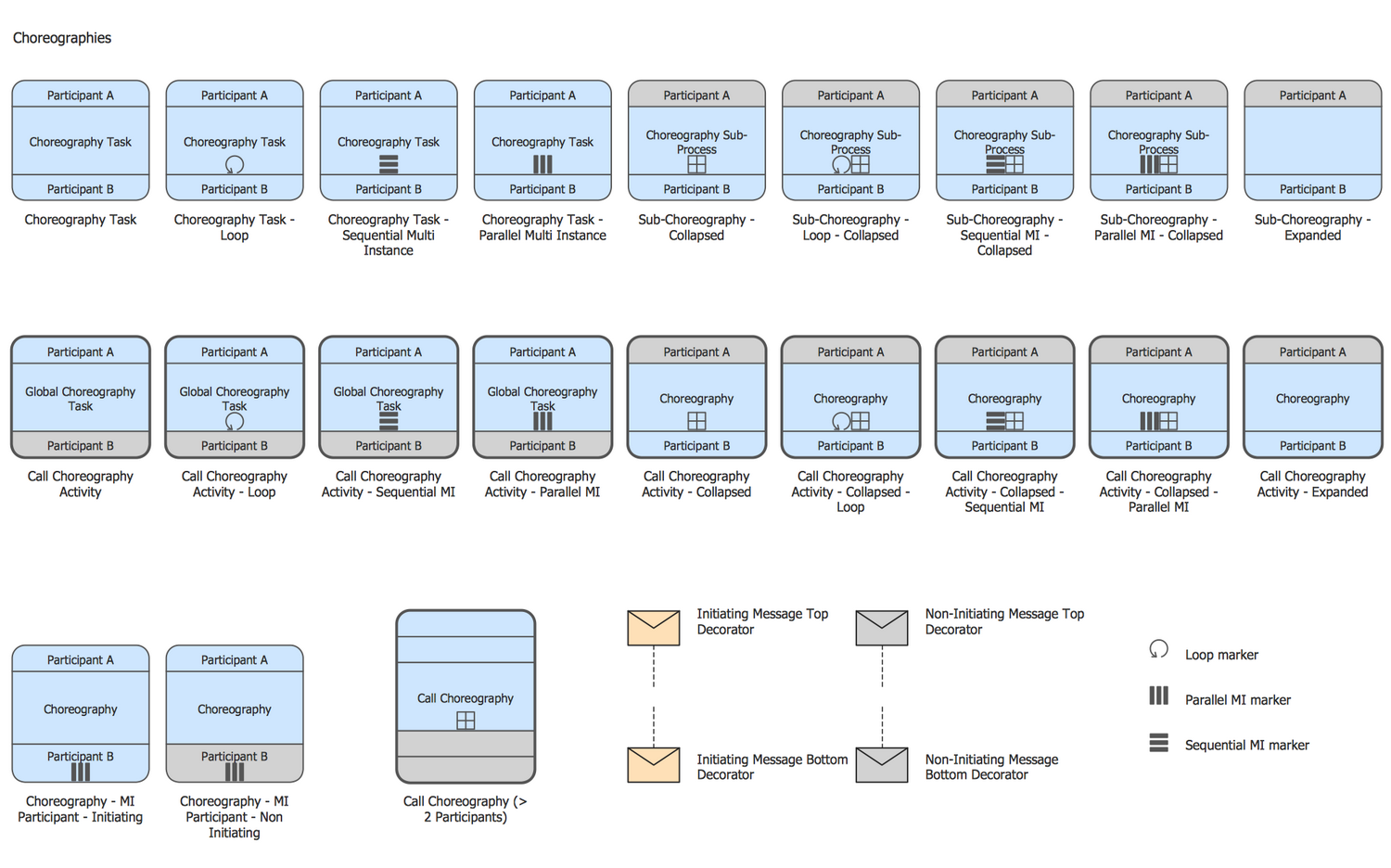
Design Elements BPMN 1.2 — Connections
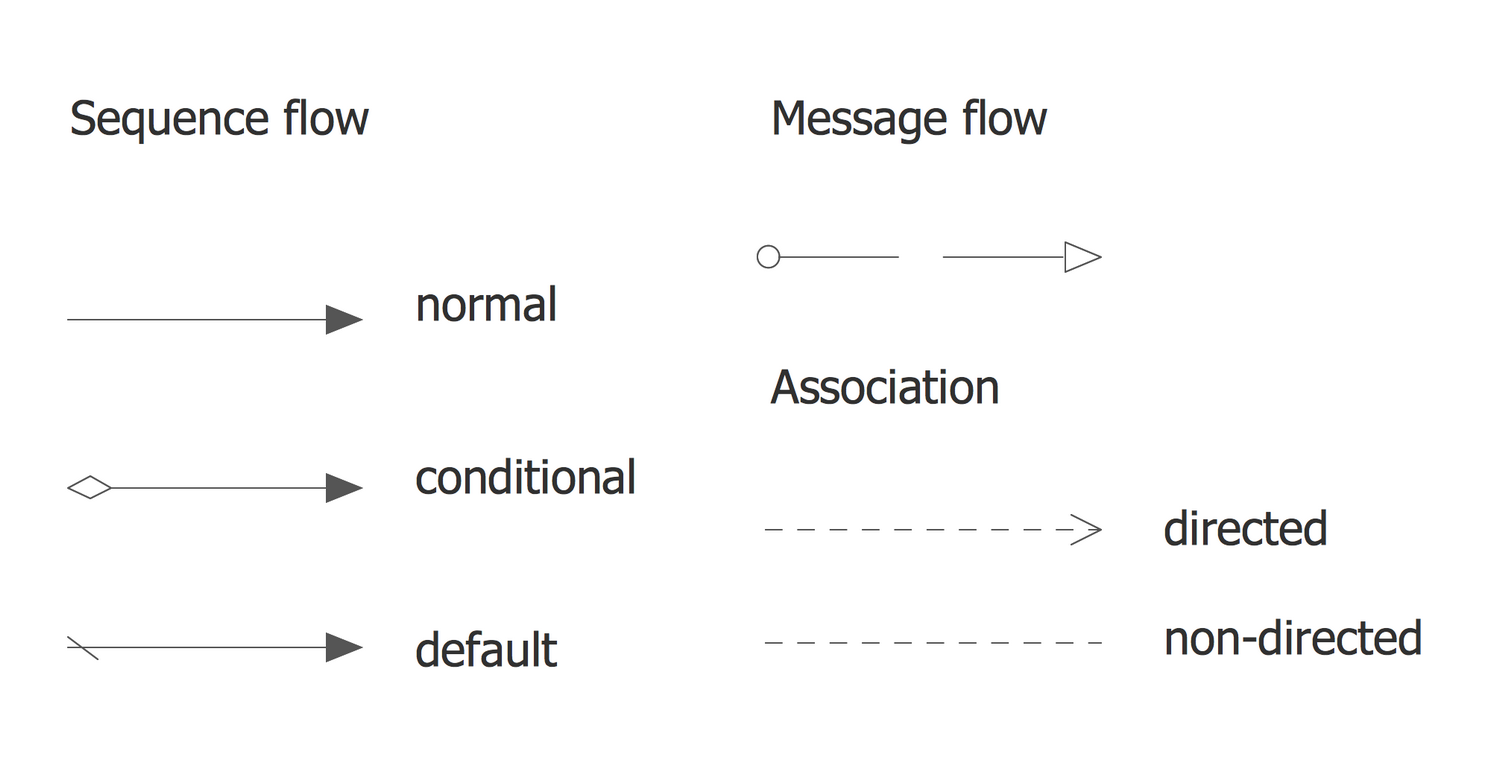
Design Elements BPMN 2.0 — Conversations
Design Elements BPMN 2.0 — Data
Design Elements BPMN 2.0 — Events
Design Elements BPMN 1.2 — Events
Design Elements BPMN 1.2 — Expanded Objects
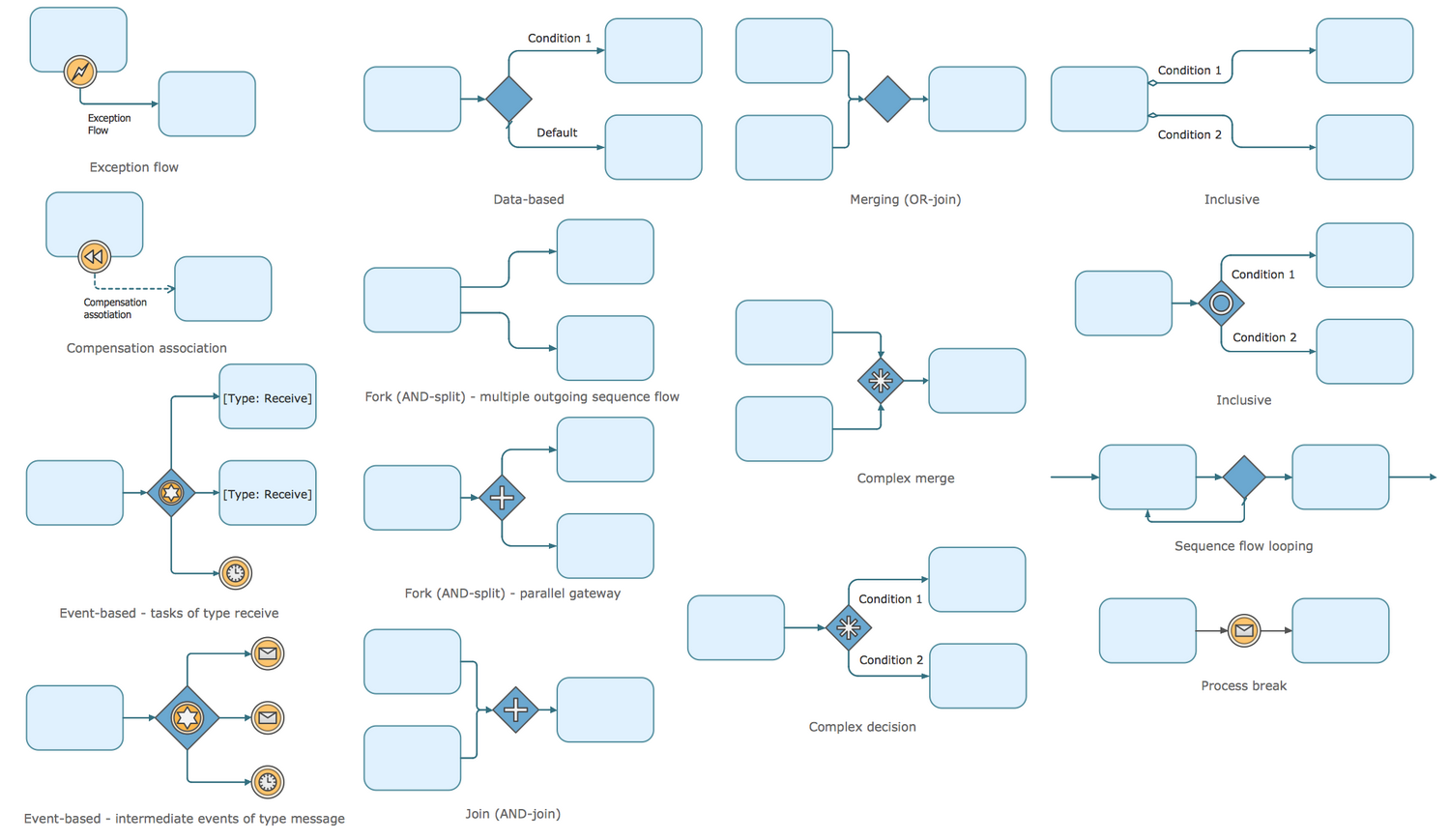
Design Elements BPMN 2.0 — Expanded Objects
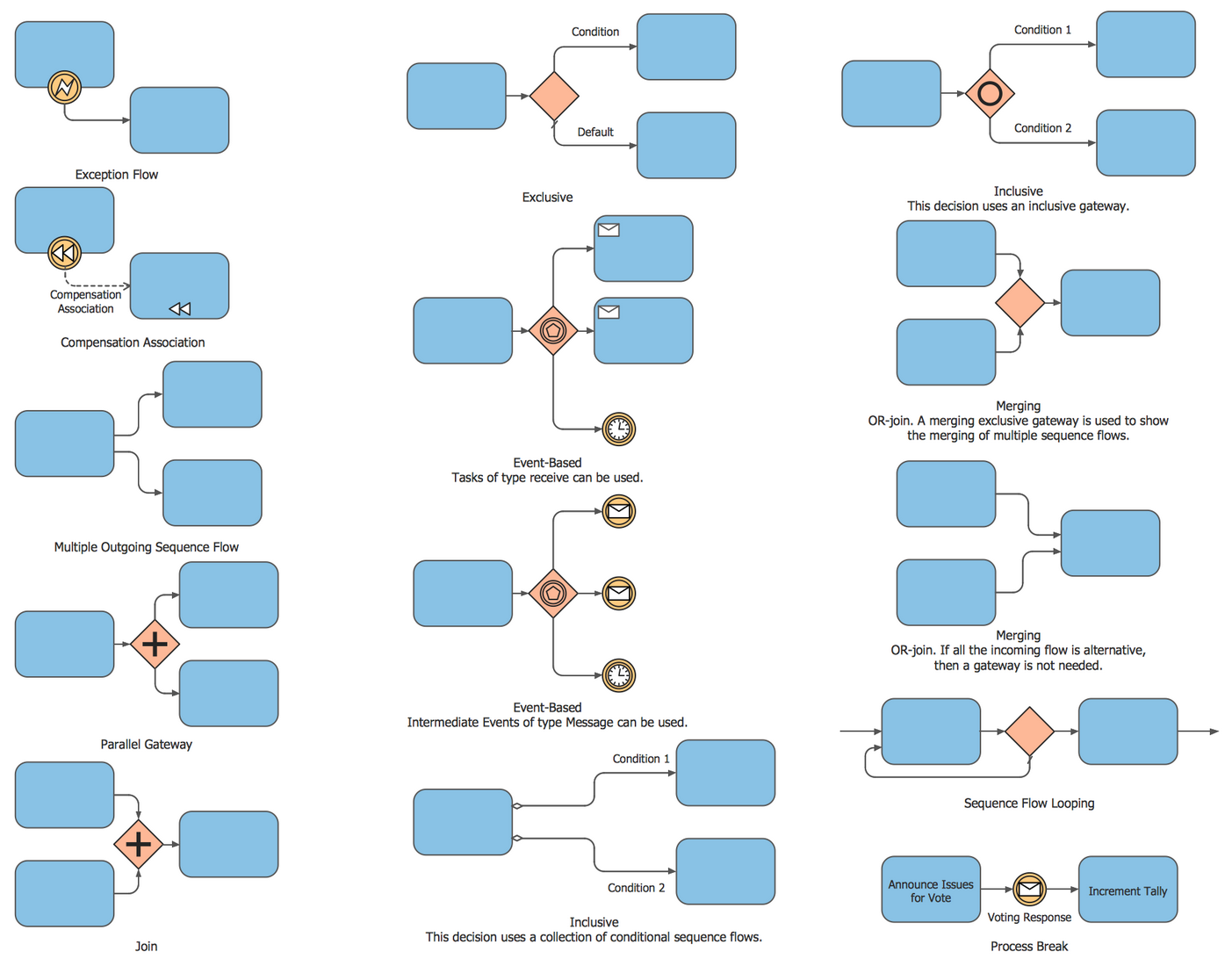
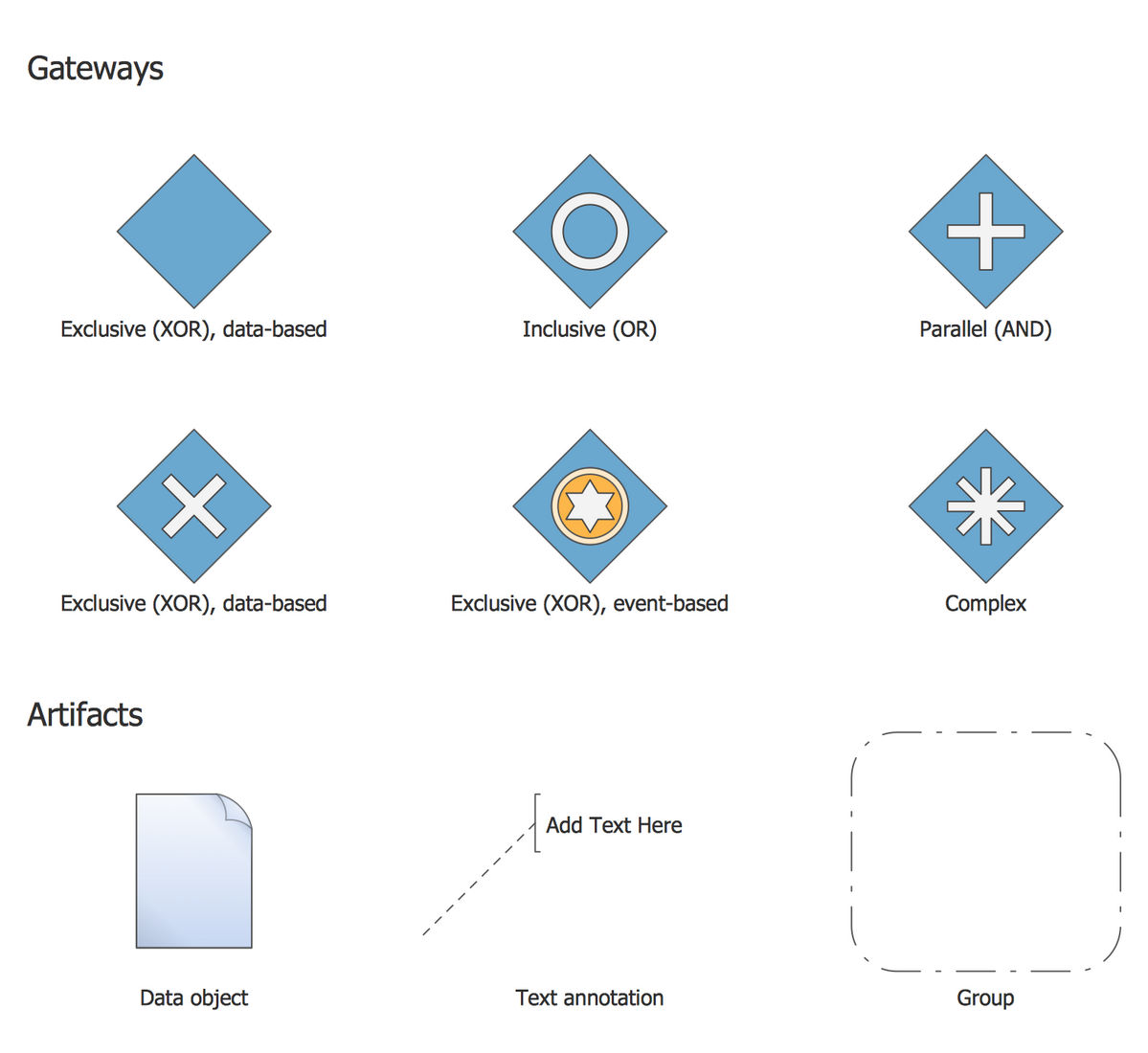
Design Elements BPMN 1.2 — Gateways and Artifacts
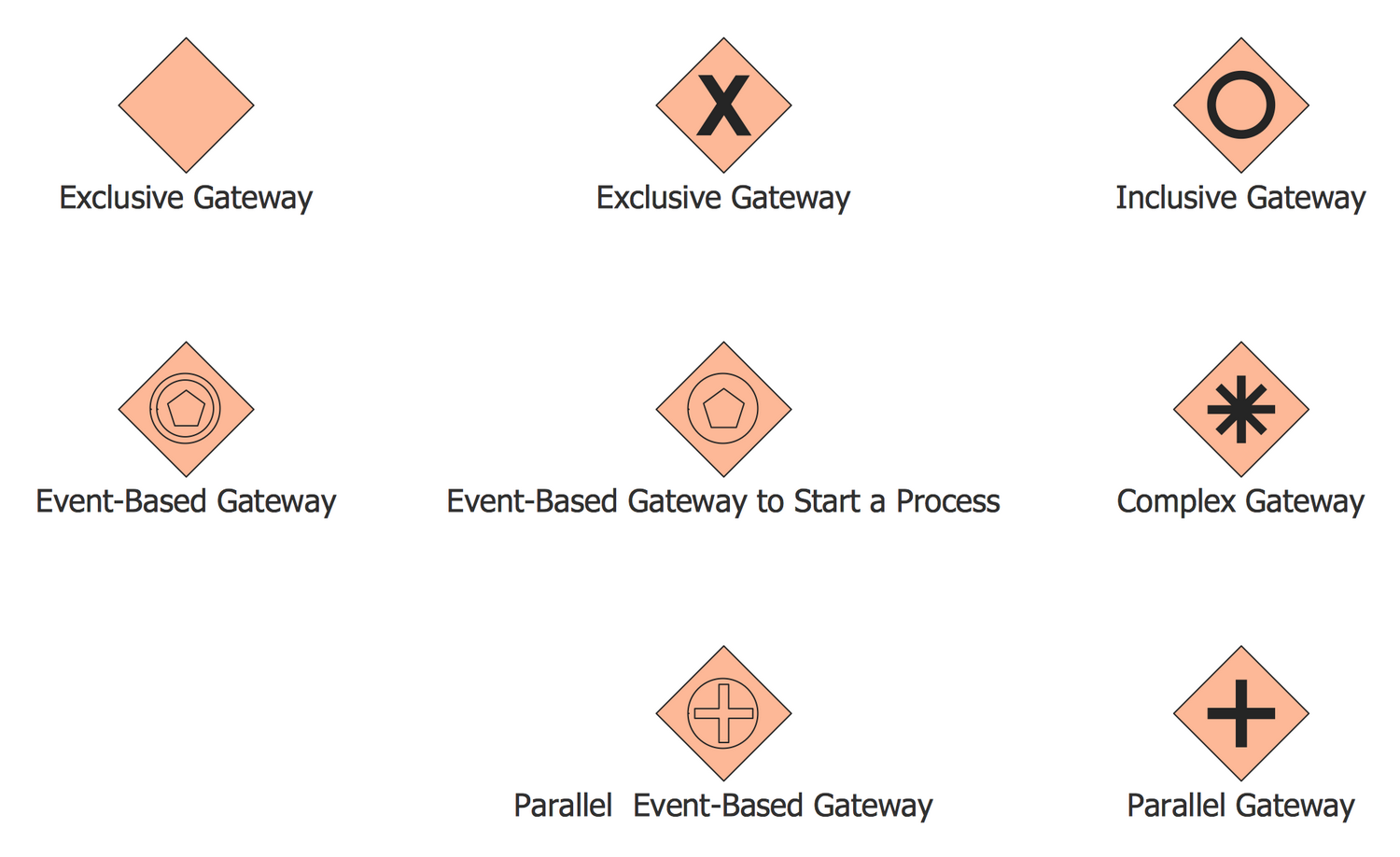
Design Elements BPMN 2.0 — Gateways
Design Elements BPMN 1.2 — Swimlanes
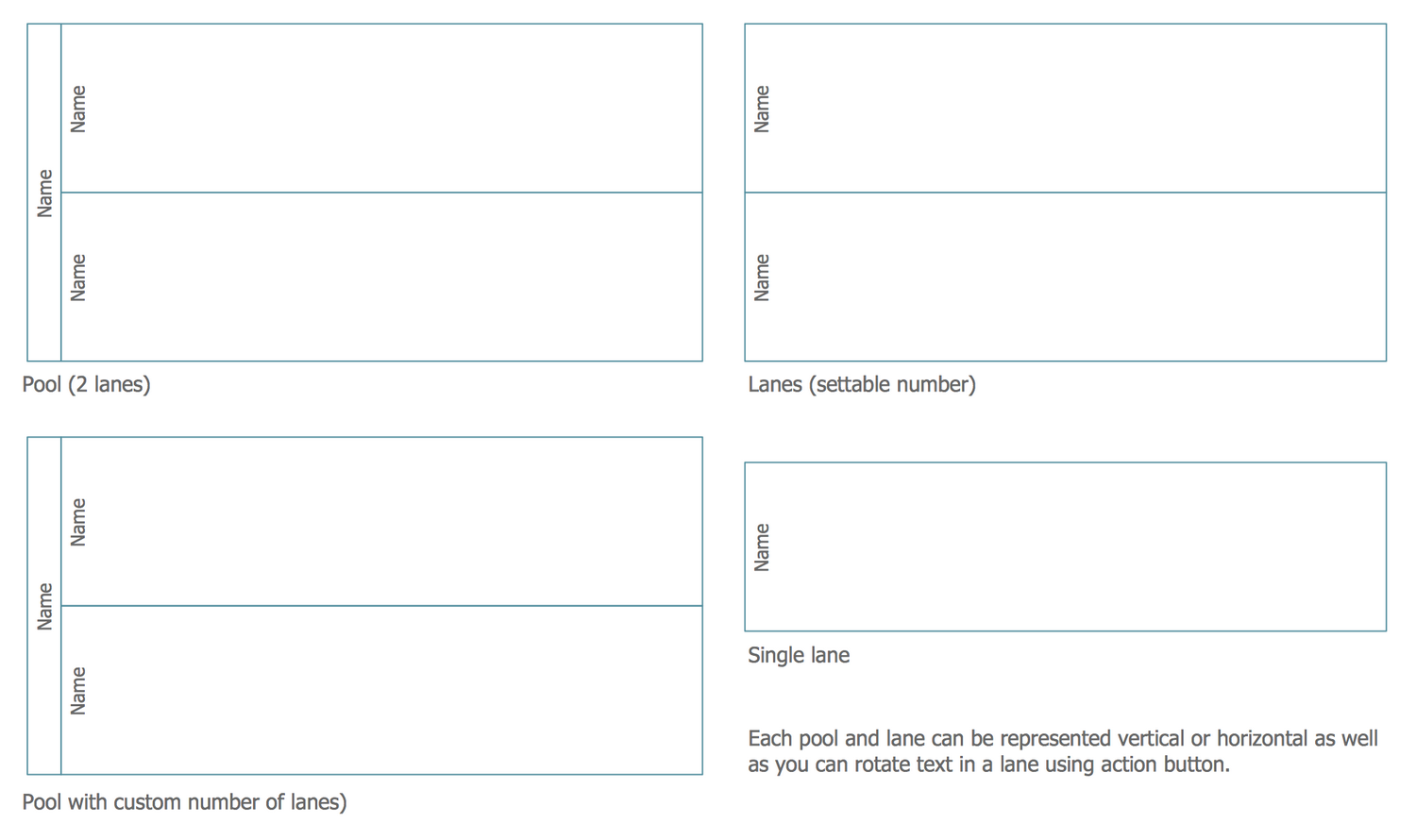
Design Elements BPMN 2.0 — Swimlanes

Related News:
New Business Process Diagram Solution: Business Process Modeling Notation Made Easier than Ever
Business Process Diagrams Examples
There are a few business process diagram examples that you see on this page which were created in the ConceptDraw DIAGRAM application by using the Business Process Diagram solution. Some of the solution's capabilities as well as the professional results which you can achieve are all demonstrated here on this page.
All source documents are vector graphic documents which are always available for modifying, reviewing and/or converting to many different formats, such as MS PowerPoint, PDF file, MS Visio, and many other graphic ones from the ConceptDraw Solution Park or ConceptDraw STORE. The Business Process Diagram solution is available to all ConceptDraw DIAGRAM users to get installed and used while working in the ConceptDraw DIAGRAM diagramming and drawing software.
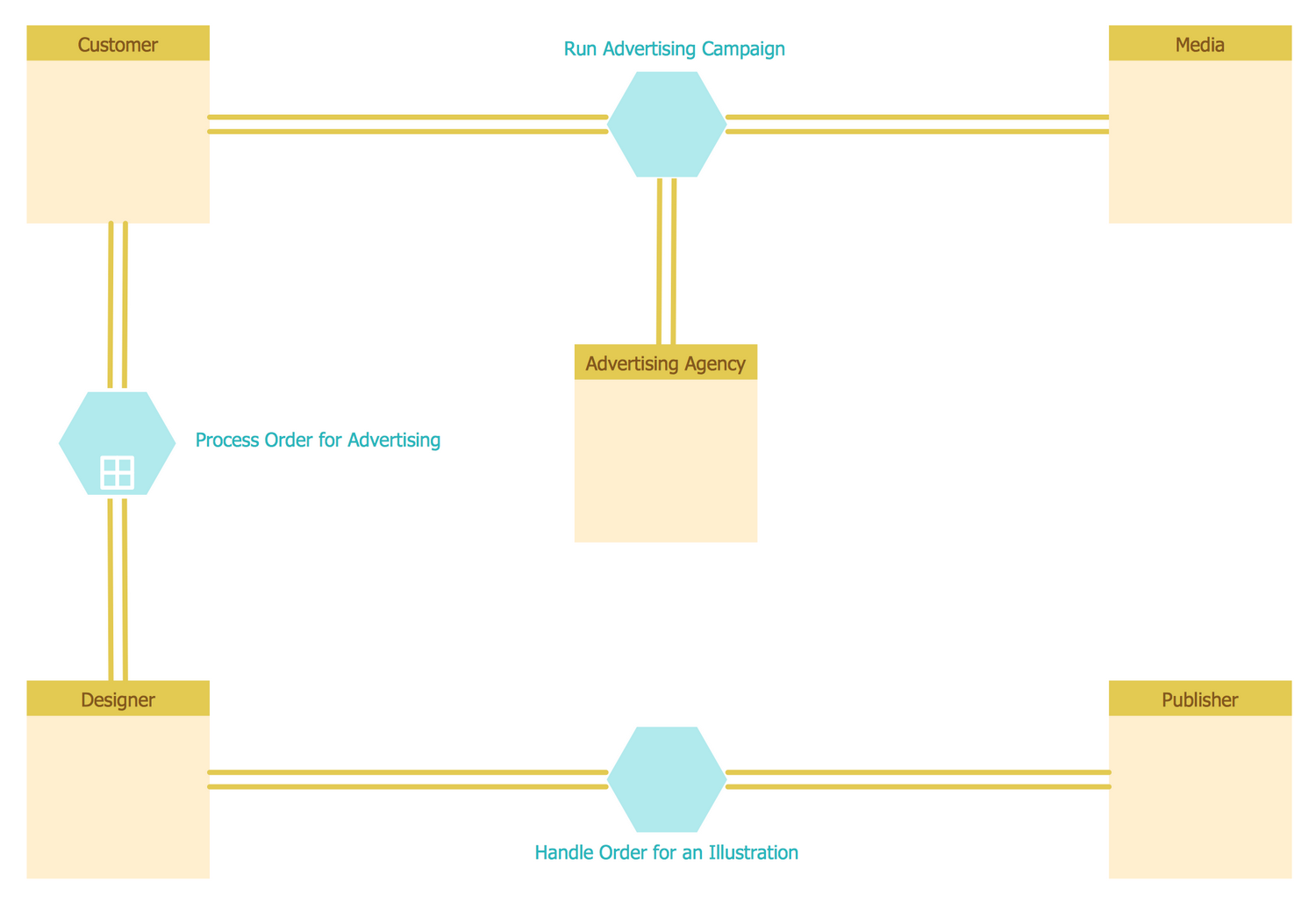
Example 1: Conversation BPMN 2.0 Diagram — Advertising Creation Process
This business process diagram example was created in ConceptDraw DIAGRAM using the Conversations library from the Business Process Diagrams solution. An experienced user spent 2 minutes creating this sample.
Conversation diagrams are used to visualize the messages exchange and communications between the pools. This sample is an example of BPMN (Business Process Model and Notation) 2.0 Conversation diagram that shows the workflow involved with a process of creation an advertising campaign. This is a very topical example, because it is quite difficult to imagine the modern world without advertising that accompanies us everywhere, when we turn on the computer, TV or radio, when we get out of the house to the street, go to the stores, connect to the Internet, get on a transport, and so on. Thus, we are faced with various types of advertising wherever we are. Advertising is very useful and effective tool for manufacturers, that use it as a means for promotion goods and services, as well as for buyers helping them to get comfortable in abundance of goods on the market and to solve the problem of choice.
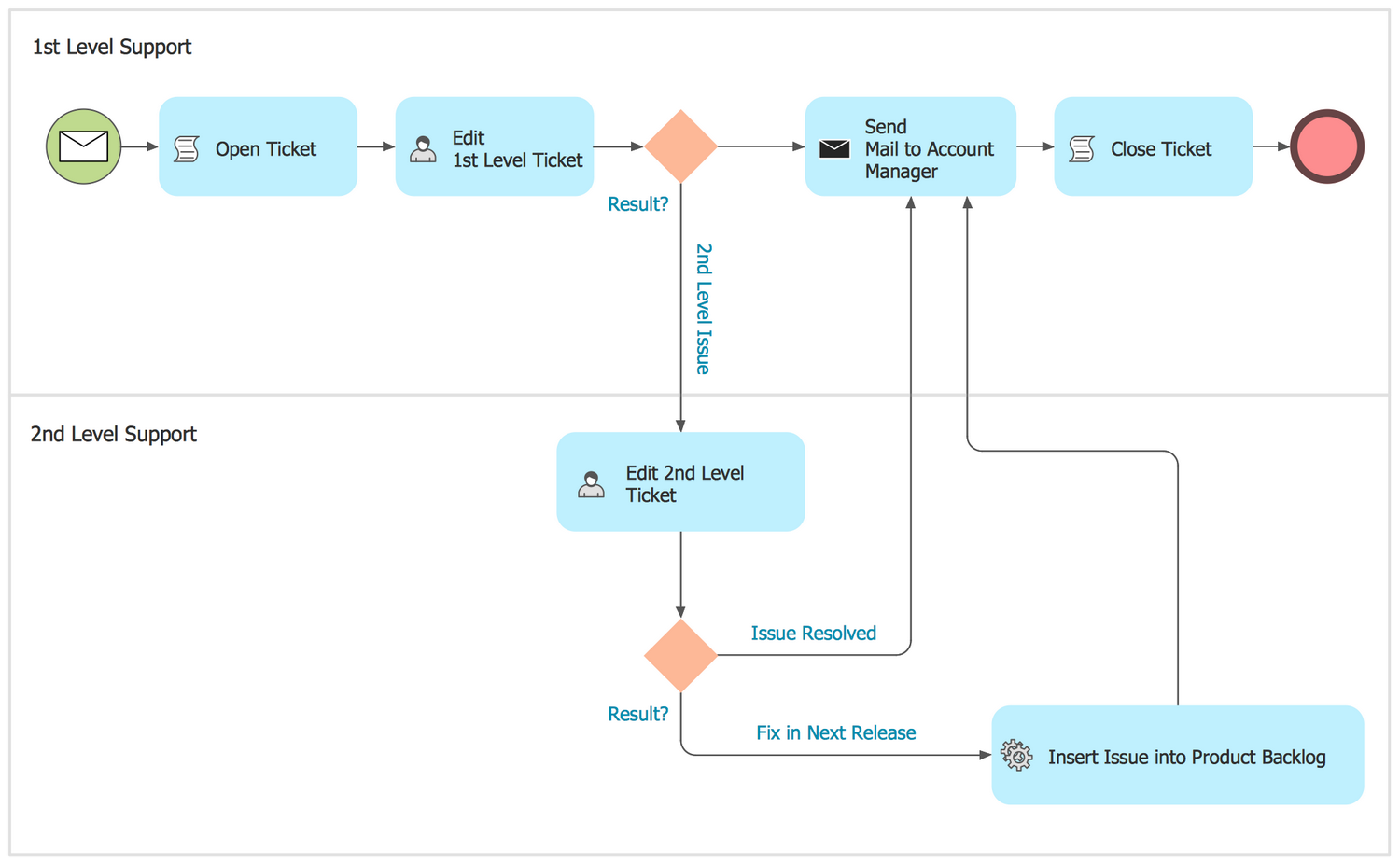
Example 2: BPMN 2.0 Diagram — Trouble Ticket System
This diagram was created in ConceptDraw DIAGRAM using the Internal Business Process template from the Business Process Diagrams solution. An experienced user spent 5 minutes creating this sample.
This Business Process Diagram is based on the standard BPMN 2.0 and illustrates workflow for a trouble ticket system or issue tracking system. It shows the sequence of events beginning from when a customer service issue is opened to the fixing and resolution. The trouble ticket system is software package used to maintain, to update and to manage the lists of issues. These systems are very popular for use in customer support call centers, they help effectively resolve issues that are reported by customers and even by the employees of a given organization. The ticket at the trouble ticket system is an element, that represents a report on a particular problem with information about its unique reference number, status and other relevant data. The reference number of a ticket helps users and employees quickly identify and add issues, to find and to communicate about the statuses of user's requests.
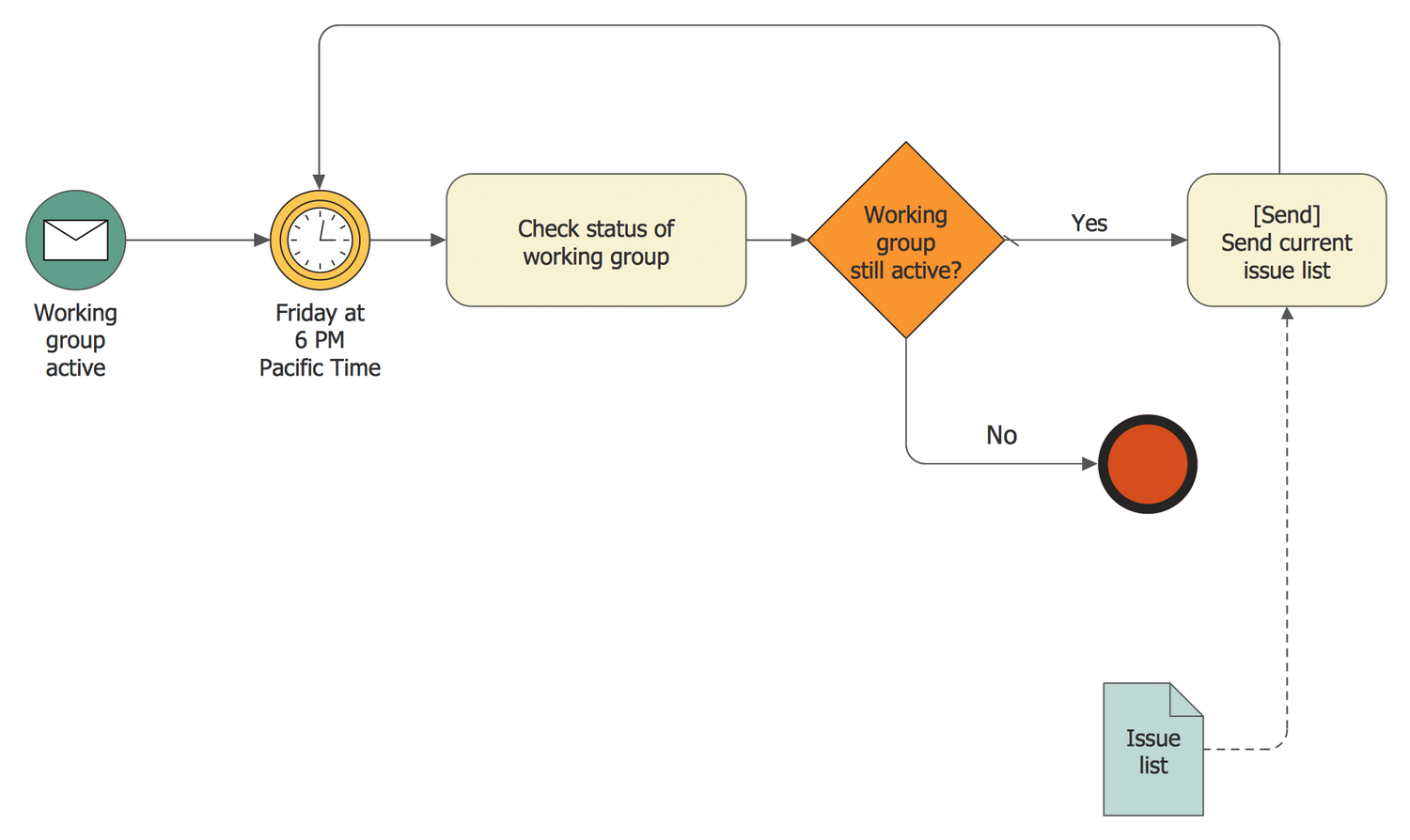
Example 3: A Process with Normal Flow
This diagram was created in ConceptDraw DIAGRAM using the set of libraries from the Business Process Diagrams solution. An experienced user spent 5 minutes creating this sample.
A normal flow refers to the flows in which all flow objects, such as events, activities, gateways, and others are connected via a sequence flow. A normal flow begins from the Start event and follows in the course of progress the actions, by the alternative and parallel routes to their complete at the End event. A normal flow must to be completely transparent, it describes the core structure of a process and does not include the compensation flow and exception flow. This sample visualizes the BPMN diagram of a process with a normal flow. You can easily follow the process progress from its beginning to the end, including all elements of a flow and flows of operations. This diagram created in ConceptDraw DIAGRAM software is relatively simple diagram, but if you need, you can always specify additional information and data using such BPMN elements as artifacts, swimlanes, exception flows, etc.
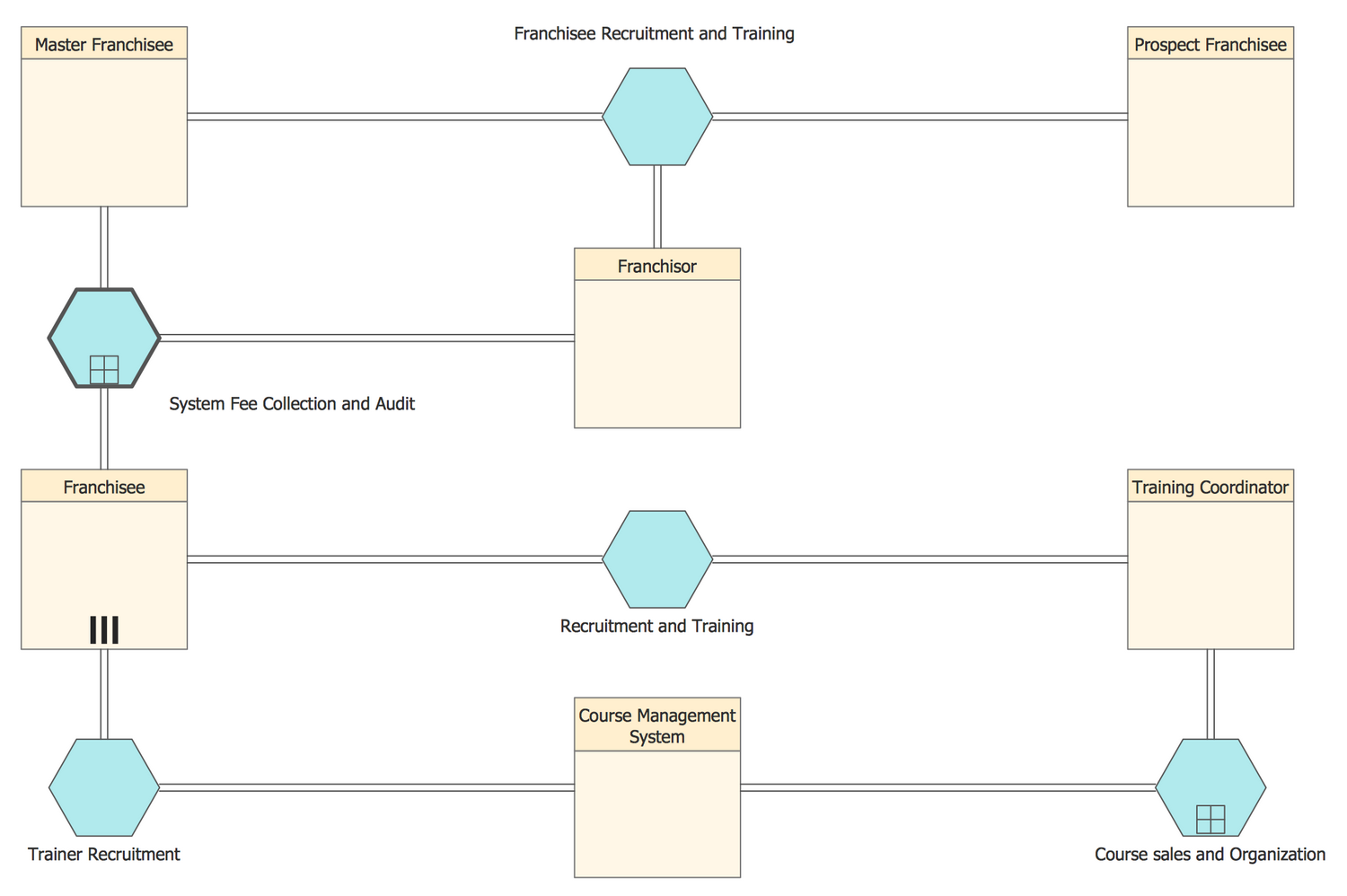
Example 4: Conversation BPMN 2.0 Diagram — Recruitment and Training
This diagram was created in ConceptDraw DIAGRAM using the set of libraries from the Business Process Diagrams solution. An experienced user spent 5 minutes creating this sample.
Franchising is a method of managing business, at which the owner (franchisor) provides for the independent businessman or company (franchisee) the right on the selling certain products or services of this company. At this the franchisee is obliged to use the specified technologies, to observe the quality characteristics, to create the products in accordance with quality standards and according to the developed scheme, to conduct the trade in location specified by the franchisor and under a certain trademark. Thus, the franchisee receives a ready viable business model, in complete with set of technological solutions and unique developments. One of the main elements of franchising is a franchise, paid by franchisee. Franchising is a great solution for those who decided to pursue new business, while for franchisors it is a way to distribute investments and responsibility. This BPMN (Business Process Model and Notation) conversation diagram sample shows the franchisee recruitment and training workflow.
Example 5: Group in Active Plenary
This business process flow diagram was created in ConceptDraw DIAGRAM using the set of libraries from the Business Process Diagrams solution. An experienced user spent 5 minutes creating this sample.
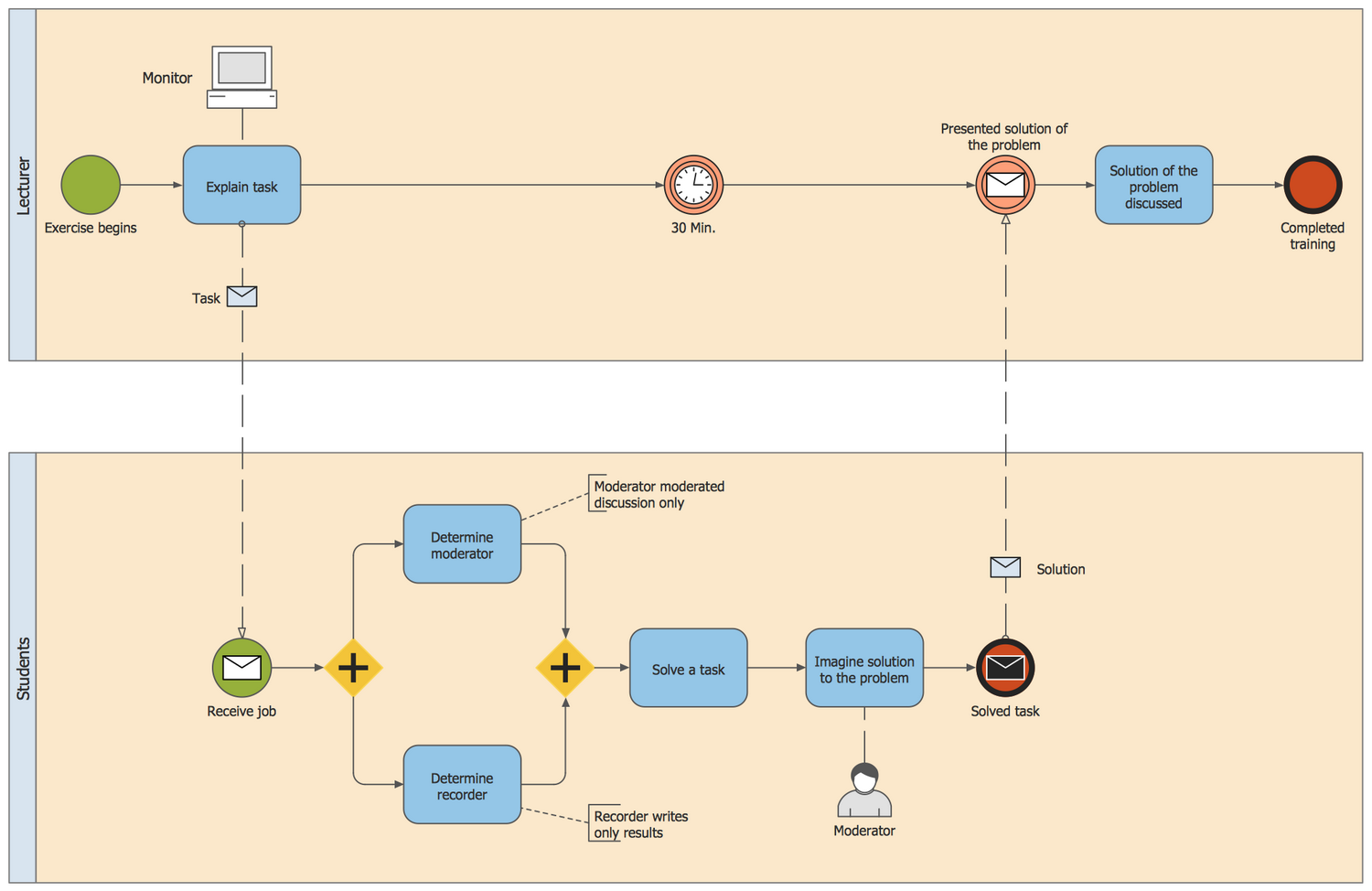
BPMN (Business Process Modeling Notation) is one of the most common methods of description the processes and business processes. The use of single standard allows to create diagrams understandable for everyone. The basic elements of BPMN are events, activities, gateways and flows. Event is denoted as a circle and is used to display the start, end and intermediate events. Activities in the modeling are usually represented by rectangles, in which are inscribed the essences of the actions that must be performed at a certain stage of the business process. Flows are indicated as arrows and depict the sequence of actions, clearly showing which action after which need to be made. This BPMN diagram example shows the process of problem solving by the group of students in the active plenary, which gives the lecturer accompanying coaching. The Start event on this diagram is named as Exercise begins, the End event as Completed training.
Example 6: BPMN 1.2 Diagram — Hiring Process
This diagram was created in ConceptDraw DIAGRAM using the set of libraries from the Business Process Diagrams solution. An experienced user spent 5 minutes creating this sample.
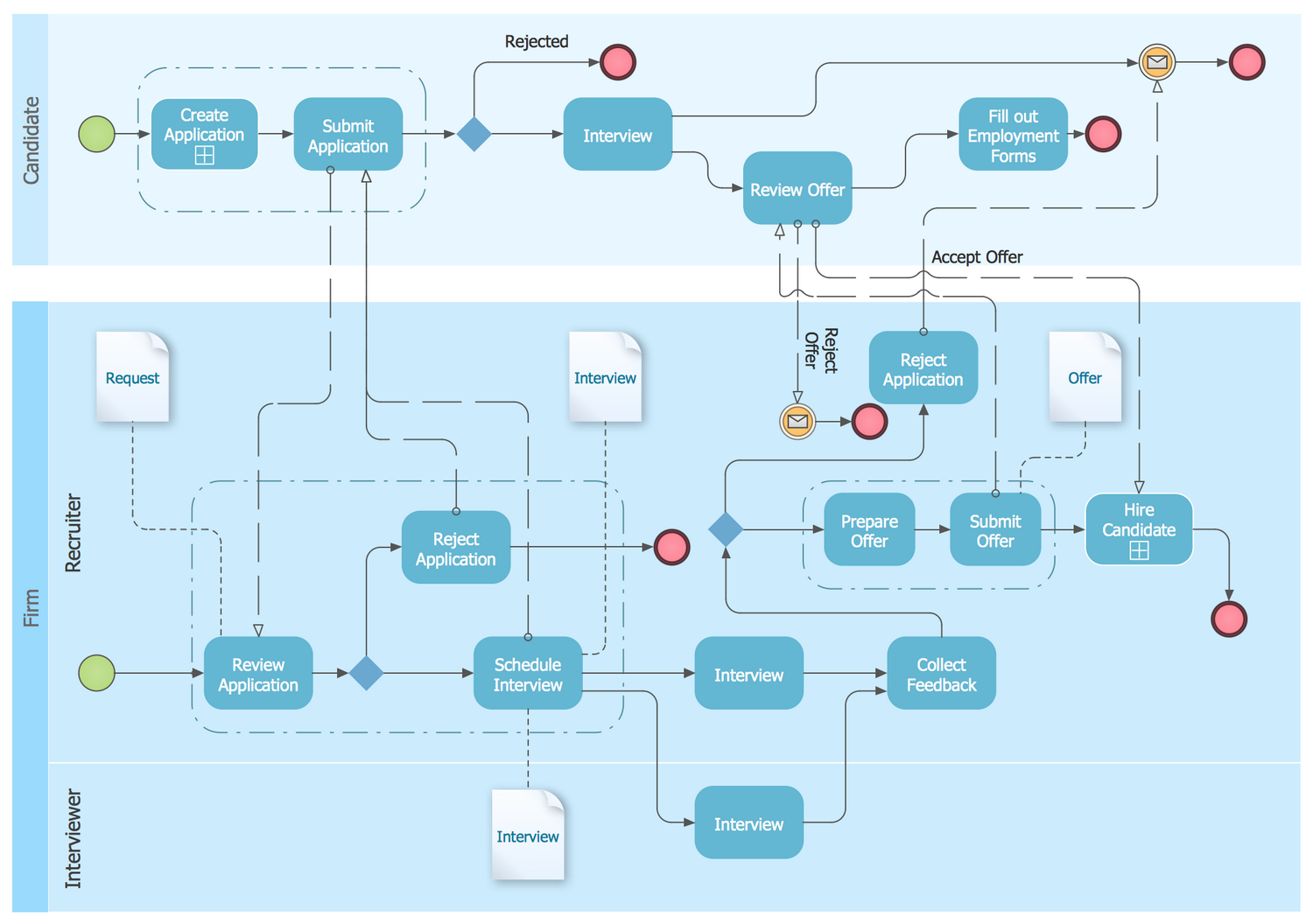
The management by the company's staff and qualitative staff recruitment are some of key directions in work of any company. The process of making a reliable team begins with search and selection people required for a company. Recruitment is a business process, which is one of the main responsibilities of HR-managers or recruiters. It is complicated, precise and responsible process, because the right choice of candidates helps in increasing the productivity and profits. The manager must be clear which people he needs to hire, which to advance in work, to reposition, to dismiss, etc. Large part of stable companies structure their business processes, including a sphere of HR management. This BPMN diagram example shows the recruitment or hiring process workflow. It is a quite complex diagram, which describes in details the business process of recruitment, depicts the entire chain of actions and establishes the rules for interactions on issues of employment and hiring between firm and candidates.
Example 7: BPMN 2.0 Diagram — Logistics Choreography
This diagram was created in ConceptDraw DIAGRAM using the set of libraries from the Business Process Diagrams solution. An experienced user spent 5 minutes creating this sample.
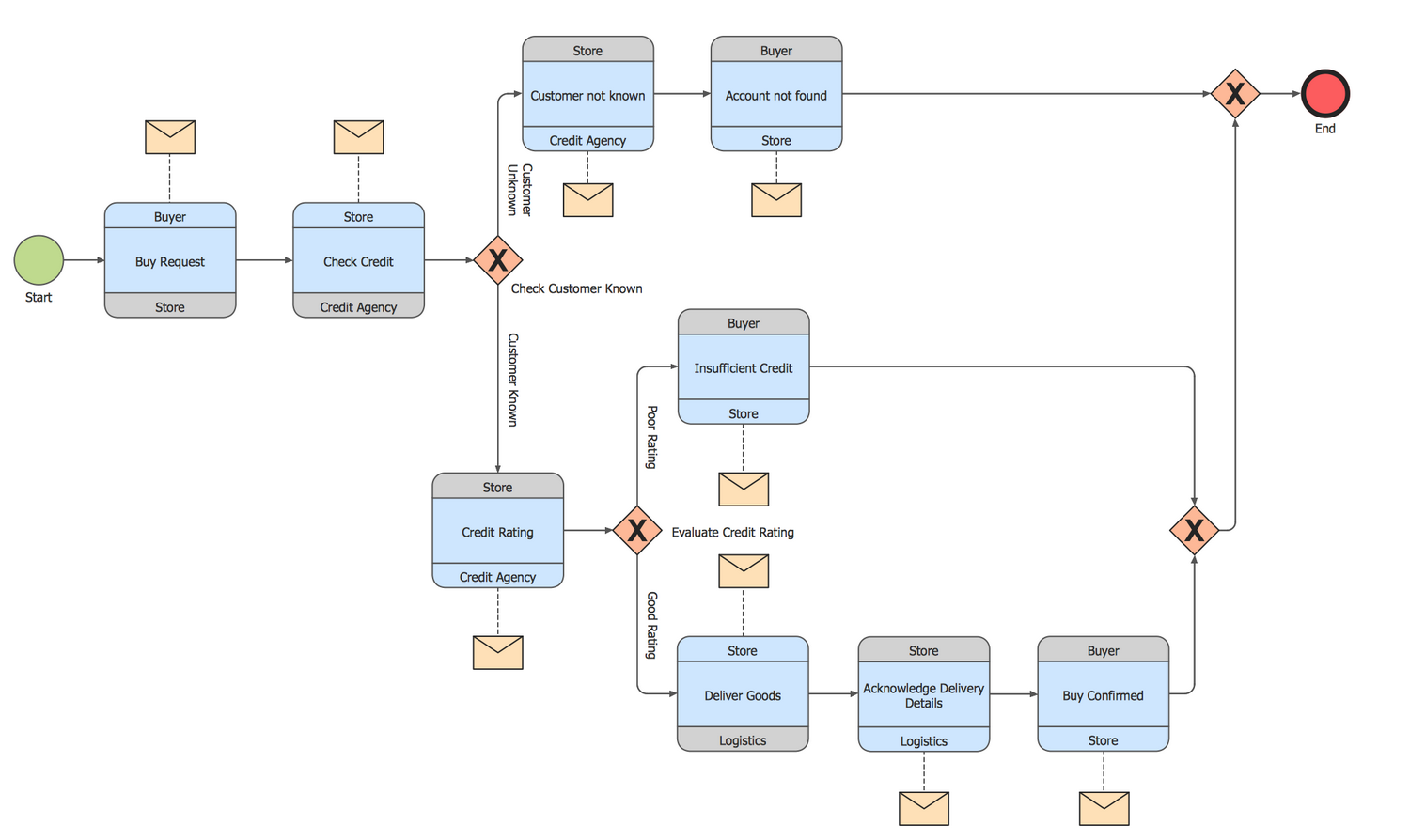
Logistics is the process of management the flow of goods between points of their origin and consumption, the goal of which is to meet the certain requirements. The purpose of logistics activity is achieved if are met six conditions: the right product, of the right quality, in the right quantity, is delivered at the right time, in the right place and with minimal costs. It is a complex process, that's why the modelling of processes is especially useful at this field. The logistics processes can be easily modeled, visualized, analyzed, and optimized with help of Business Process Modelling tools. This choreography BPMN (Business Process Model and Notation) diagram sample shows the logistics workflow with help of ready-to-use vector objects from the Business Process Diagrams solution libraries. Use of the ConceptDraw’s RapidDraw and Business Process Diagrams solution to create the business process models and design the workflows with Business Process Diagrams, is an intuitive and time-saving way.
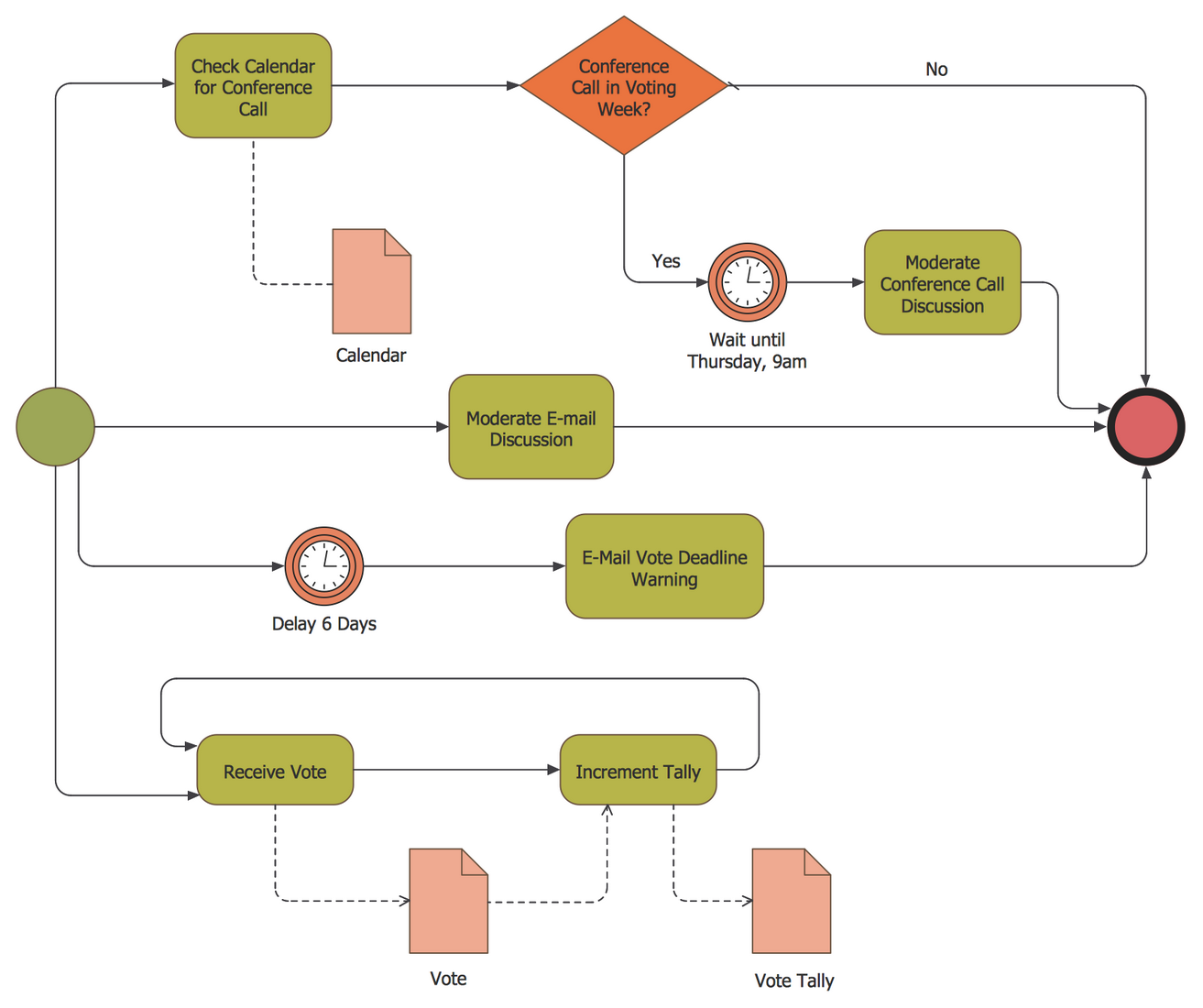
Example 8: Business Process Diagram — Votes Collection Process
This diagram was created in ConceptDraw DIAGRAM using the set of libraries from the Business Process Diagrams solution. An experienced user spent 5 minutes creating this sample.
This sample shows the Business Process Diagram illustrating votes collection process. The Business process modelling (BPM) helps to describe any business process, that's why the Business Process Diagrams find their application in many areas. In particular, development and use of Business Process Diagram for votes collection process lets better understand this process, and helps to guarantee the clarity and correctness of its execution. The data collection in any area is important process, which helps the teams to focus on objective information about the process, to assess its health, to test correctly the working assumptions about a given process. Besides, all actions and efforts on the improvement the process and decision making, are also founded on the collected data. Each product or service is characterized by certain key quality characteristics and information about them is very important. The process of data collection helps effectively improve the product's or service's key quality characteristics.
Example 9: Collaboration BPMN 2.0 Diagram — Invoicing
This diagram was created in ConceptDraw DIAGRAM using the set of libraries from the Business Process Diagrams solution. An experienced user spent 10 minutes creating this sample.
An invoice is the main commercial document confirming the transaction of purchase and sale, it is a document compiled in a special form prescribed by legislation and is filled by the seller. The invoice is used usually at the execution the large bulk purchases and contains the information about seller and buyer, as well as information about the product, its quantity and price on the moment of the sale to the buyer. This collaboration BPMN diagram depicts the sequence flow of handling and invoicing processes, and collaboration with clients. All participants' interactions throughout an application handling and invoicing process are clearly reflected on this diagram. Use obligatory the completely ready-made vector elements when designing your Business Process Diagrams, which are provided by solution's libraries in huge quantity and make easier your work. Place them in a needed order, change their color and size without changing the quality, and combine to achieve desired effect. An invoice is the main commercial document confirming the transaction of purchase and sale. This collaboration BPMN diagram depicts the sequence flow of handling and invoicing processes and collaboration with clients.

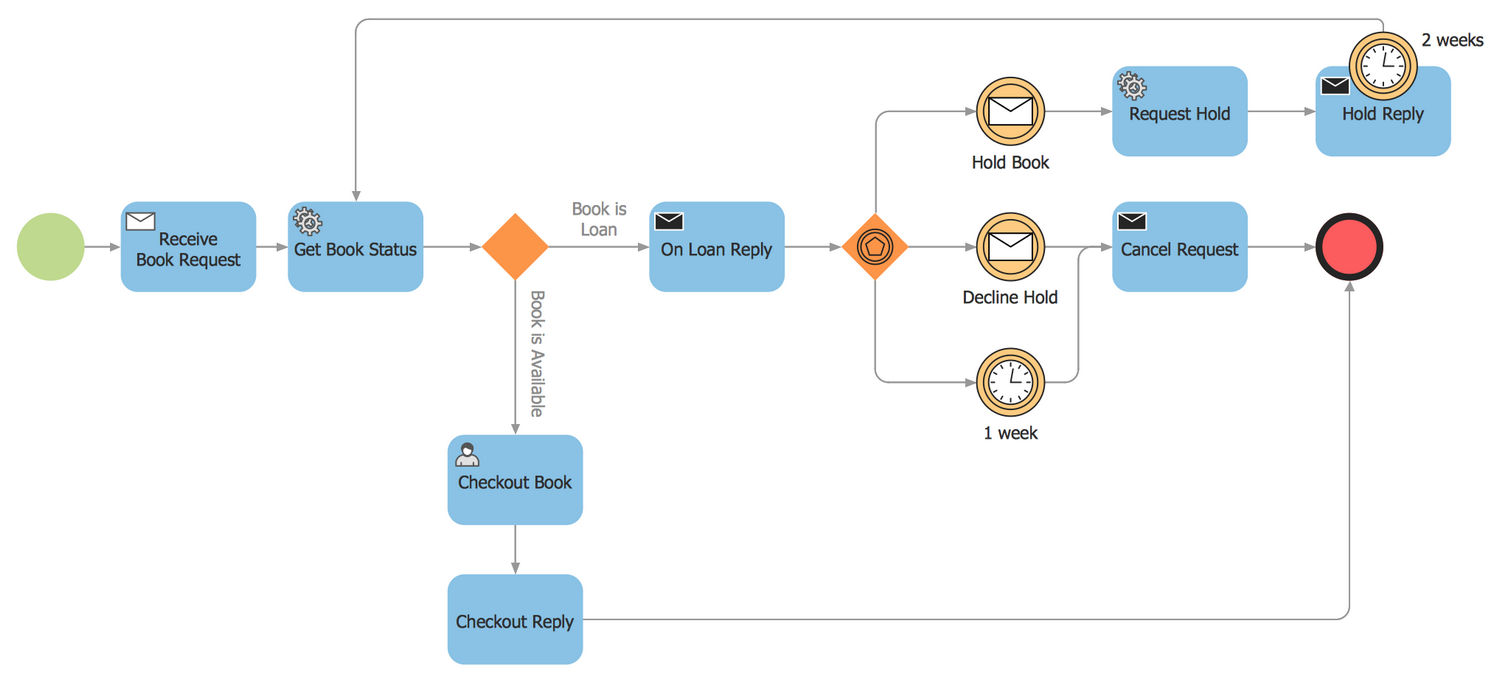
Example 10: BPMN 2.0 Diagram — Booking Process
This diagram was created in ConceptDraw DIAGRAM using the set of libraries from the Business Process Diagrams solution. An experienced user spent 5 minutes creating this sample.
The Business process modelling (BPM) lets the business analysts and managers effectively model any processes of enterprises working in absolutely different areas. Thanks to the Business process diagrams, we have a possibility to comprehend better and to explain with great precision the essence of the current process, even if it is a complex process, to analyze and to improve it in future, to enhance the process efficiency and quality. One of the main factors that contributes to BPMN development is a simple mechanism of creation the business process models of any complexity. What sequence of actions you should take to book something? This BMPN 2.0 diagram sample constructed with ready-to-use vector objects from the Business Process Diagrams solution libraries, illustrates in details all steps of the booking process. For designing this diagram were used the common objects defined by Business Process Modeling Notation (BPMN), that ensures its clearness for audience.
Example 11: Collaboration BPMN 2.0 Diagram — Public Process
This diagram was created in ConceptDraw DIAGRAM using the set of libraries from the Business Process Diagrams solution. An experienced user spent 5 minutes creating this sample.
The business process modeling is a way to represent and to communicate variety of information to wide audience, it lets to model the end-to-end business processes allowing each from audience to orient between the sections of a BPMN diagram in a moment. The Collaboration (global) process is one of types of sub-models within the end-to-end BPMN model. It describes the interactions between two or more business entities and defines them as a sequence of messages exchange between involved entities. This Collaboration BPMN (Business Process Model and Notation) 2.0 diagram sample depicts the interactions between customer, travel agent and cab driver, which are defined as a sequence of activities, and represent the message exchange during a cab booking process. It is designed according to the rules of construction the BPMN Collaboration diagrams, three participants of these interactions are visually distributed on the diagram's lanes, that easier the diagram's perception by audience.

Example 12: BPMN 2.0 Diagram — Order Process
This diagram was created in ConceptDraw DIAGRAM using the set of libraries from the Business Process Diagrams solution. An experienced user spent 5 minutes creating this sample.
The process modeling suggests description of the process models using the selected methodology and notation. ConceptDraw DIAGRAM software and its Business Process Diagrams solution with powerful tools lets professionally model the processes using the BPMN, allowing any stakeholders easy manage them and improve. This BPMN (Business Process Model and Notation) diagram sample illustrates the order processing workflow. The order is a widespread term in business and commerce, it is a stated intention to implement a commercial transaction with some goods or services, which is expressed in a written or spoken form. This intention can be stated by a buyer, then it is called a purchase order and expresses the intention to buy something, or by seller and at this case it is called a sales order and correspondingly expresses the intention to sell something. When both seller and buyer orders are agreed, is made a contract between the buyer and seller.
Example 13: BPMN 1.2 Diagram — Taxi Order Process
This diagram was created in ConceptDraw DIAGRAM using the set of libraries from the Business Process Diagrams solution. An experienced user spent 10 minutes creating this sample.
The BPMN describes numerous objects, among which are the objects named swimlanes. These are rectangular boxes representing participants of a business process, each swimlane contains the flow objects corresponding to its participant. The swimlanes can be arranged horizontally or vertically. This BPMN (Business Process Model and Notation) diagram sample shows the taxi order process workflow and is based on the pool object with swimlanes located horizontally. The process flows from left to right, from the Start event to the End event. Optionally, you can use vertical location of swimlanes and the flow will be placed from top to bottom. On this diagram, you can see two End events – Request is Rejected and Request is Made. It is a frequent situation, the processes can contain multiple End events according to the circumstances, but in any case, if the diagram contains Start event, it must include at least one End event.

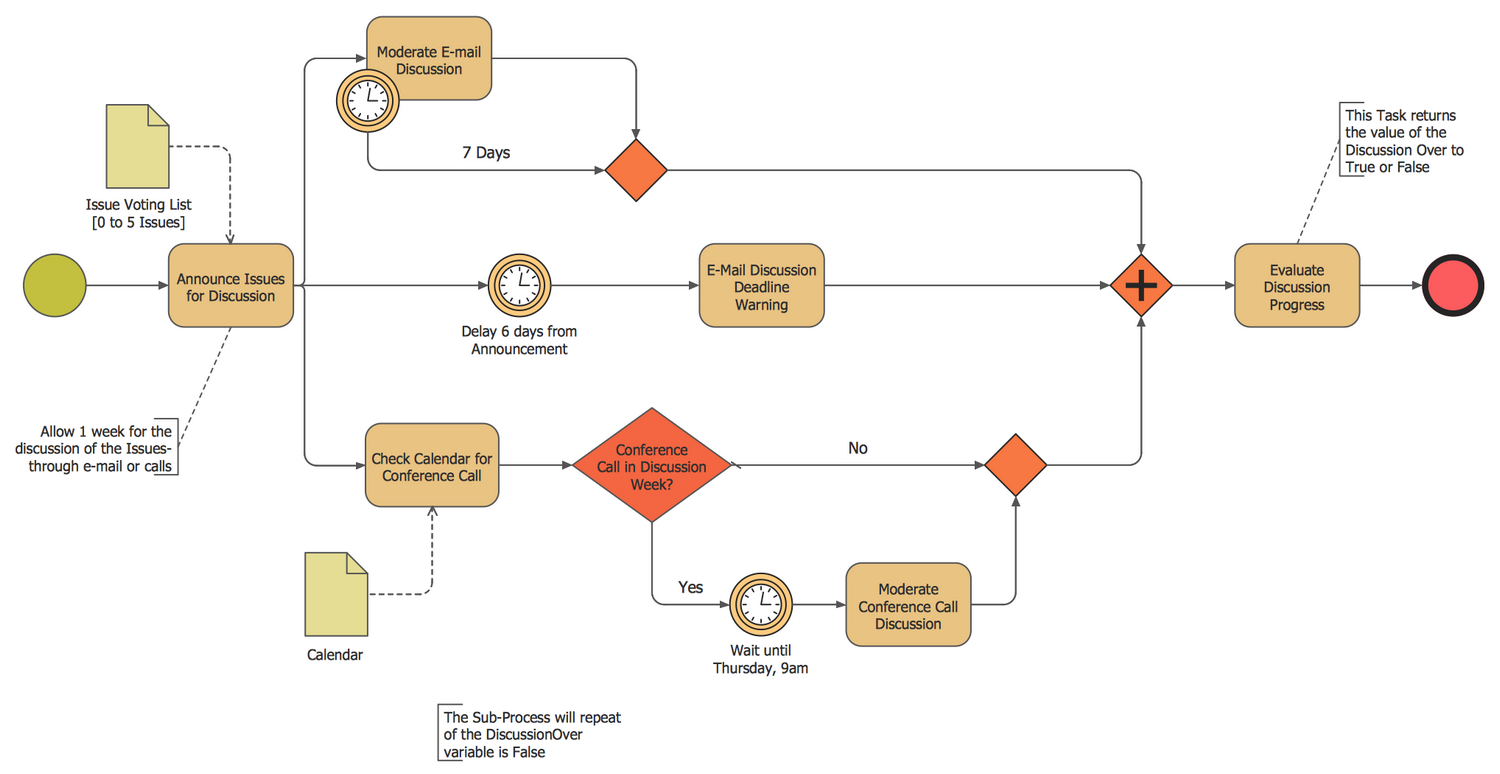
Example 14: Discussion Cycle Process
This diagram was created in ConceptDraw DIAGRAM using the set of libraries from the Business Process Diagrams solution. An experienced user spent 10 minutes creating this sample.
The Business Process Modeling Notation (BPMN) provides graphical notation for designing the Business Process Diagrams (BPD) to visualize and to model the business processes. This Business Process Diagram sample was designed in ConceptDraw DIAGRAM software using the BPMN notation and shows the discussion cycle business process workflow. According to your desire you can create diagrams representing the business processes in general view or decompose them into several sub-processes with own attributes and construct detailed diagrams. This Business Process Diagram is a diagram with sub-processes. From the first look, we can observe three separate parallel paths after the first task Announce Issues for Discussion, which are synchronized downstream. Turn attention for the objects used on this Business Process Diagram, among the Start event and End event objects, tasks and gateways objects, data objects there are timer events objects that model events occurring regularly in time, the moments in time, periods and timeouts.
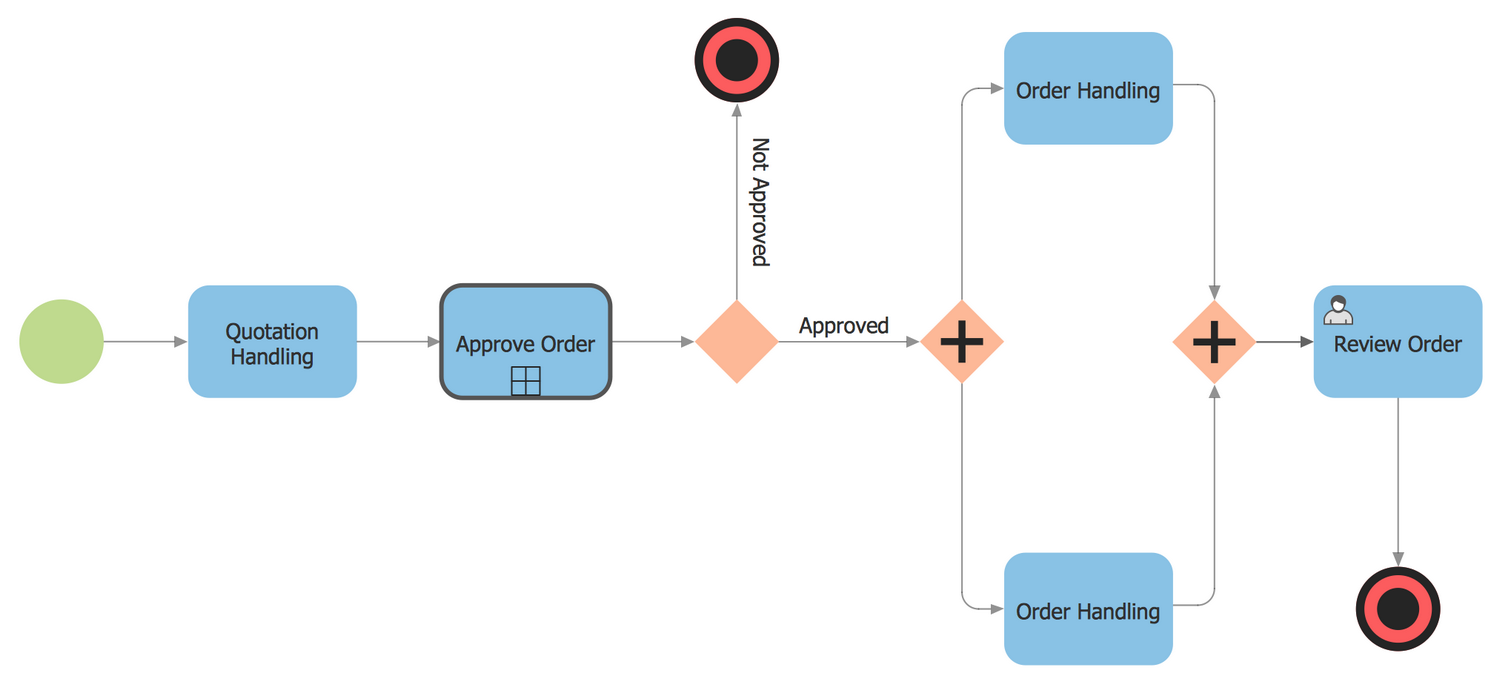
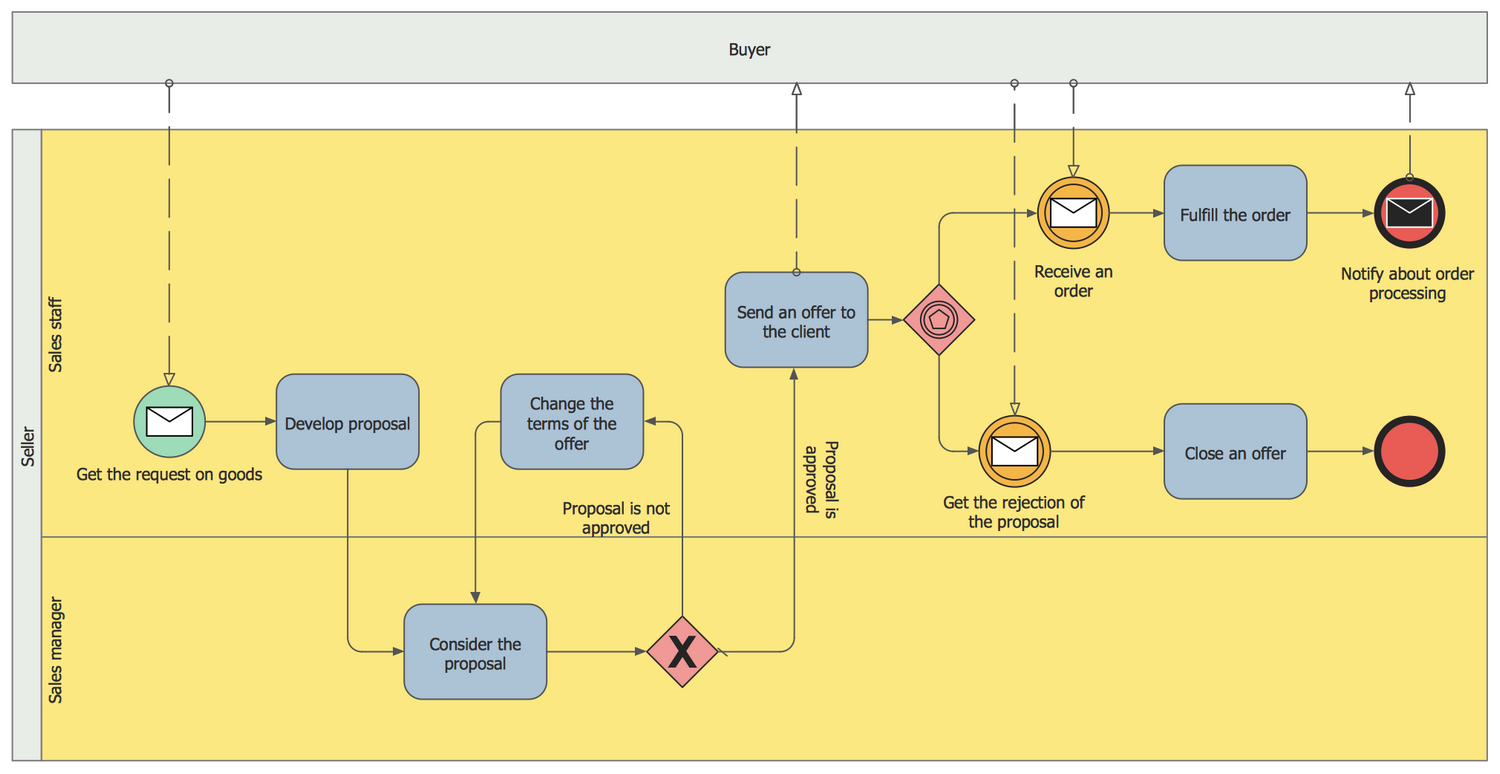
Example 15: Quotation BPMN Example
This diagram was created in ConceptDraw DIAGRAM using the set of libraries from the Business Process Diagrams solution. An experienced user spent 10 minutes creating this sample.
Construction of this and similar Business Process Diagrams at ConceptDraw DIAGRAM diagramming and vector drawing software begins with the ConceptDraw's pool objects. At one pool are specified the business process participants and the flow elements depicting the works that need to be performed within a modeled process. An other pool hasn't no content, it is named a blackbox pool and represents the entity external in respect to the modeled business process. The internal flow of this external entity doesn't influences on the modeled process, that's why we can fully focus on the processes at the main pool and don't need to represent the information at the blackbox. This BPMN diagram example shows the quotation process workflow. In a given case, the process is focused on the actions of Sales manager and Sales staff that strive to sell the goods, the actions of buyer don't interest us, that's why buyer is represented as a blackbox.
Example 16: BPMN 1.2 Diagram — Taxi Service Order Procedure
This diagram was created in ConceptDraw DIAGRAM using the set of libraries from the Business Process Diagrams solution. An experienced user spent 10 minutes creating this sample.
The business process is a set of related and structured activities or tasks, which serve to common goal to produce some particular product or service oriented on a defined customer. The most convenient way to visualize the business process is to design the flowchart, which helps to illustrate a sequence of activities. There are three main types of business processes: management processes, operational processes, and supporting processes. The ConceptDraw's Business Process Diagrams solution is supplied with all needed tools to model and to represent in details the process of any of these types. This example shows the BPMN (Business Process Model and Notation) diagram representing the taxi service order procedure. Look at this diagram from the different sides, certainly it is precise, clear, accurate, and at the same time attractive and colorful. This Business Process Diagram is an example of exceptional drawing capabilities of ConceptDraw DIAGRAM diagramming and vector graphics software.
Inside
What I Need to Get Started
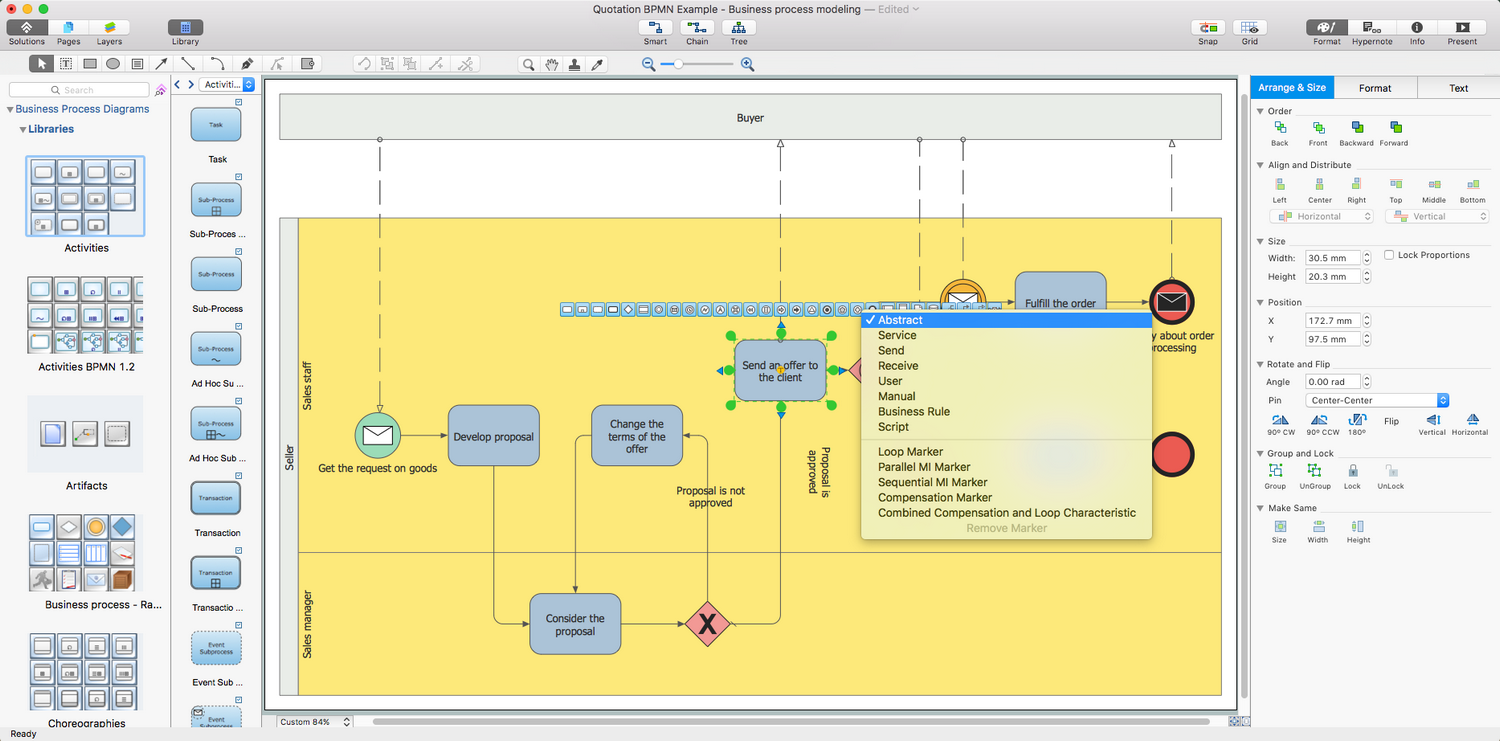
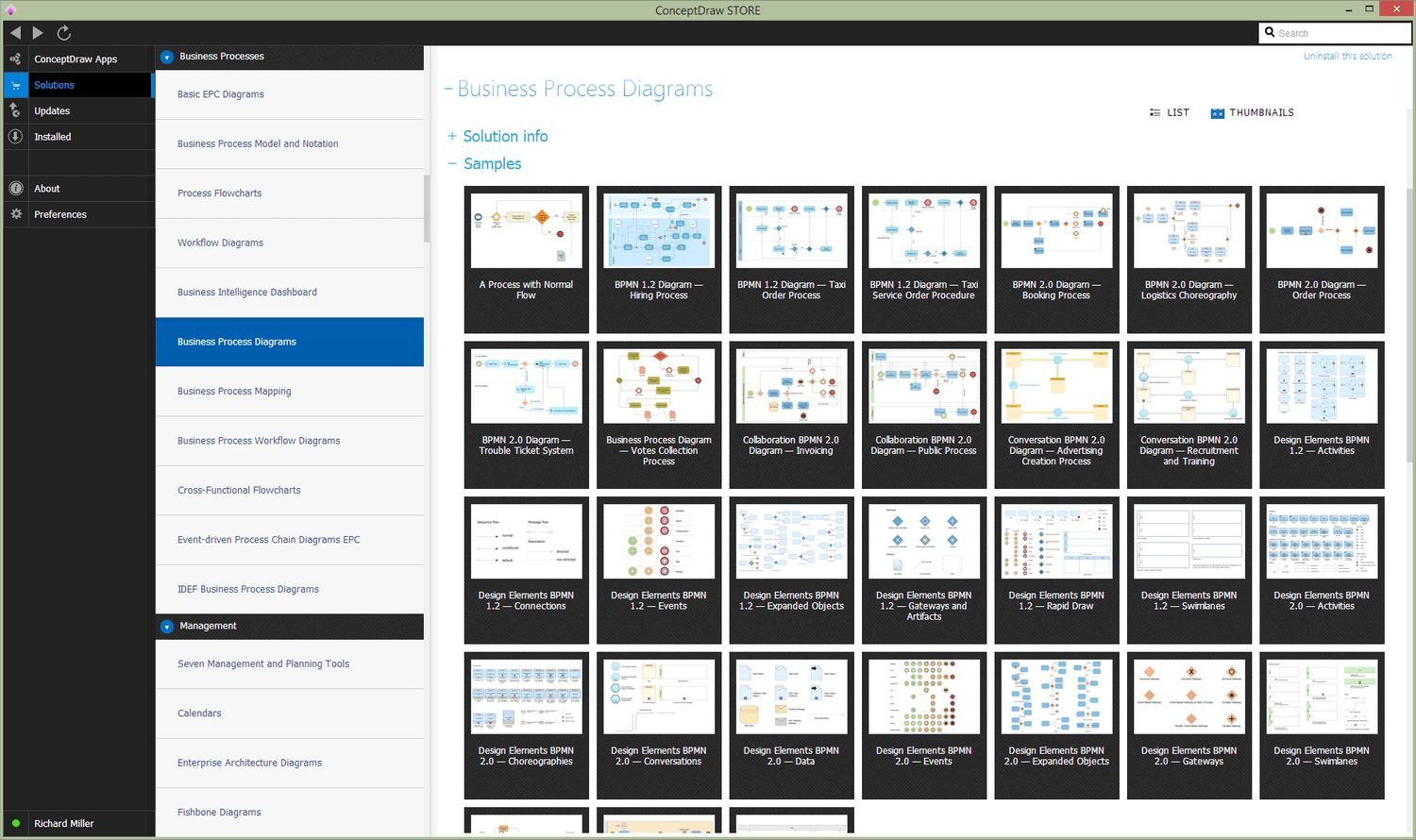
Both ConceptDraw DIAGRAM diagramming and drawing software and the Business Process Diagrams solution can help creating the business processes diagrams you need. The Business Process Diagrams solution can be found in the Business Processes area of ConceptDraw STORE application that can be downloaded from this site. Make sure that both ConceptDraw DIAGRAM and ConceptDraw STORE applications are installed on your computer before you get started.
How to install
After ConceptDraw STORE and ConceptDraw DIAGRAM are downloaded and installed, you can install the Business Process Diagrams solution from the ConceptDraw STORE..

Start using
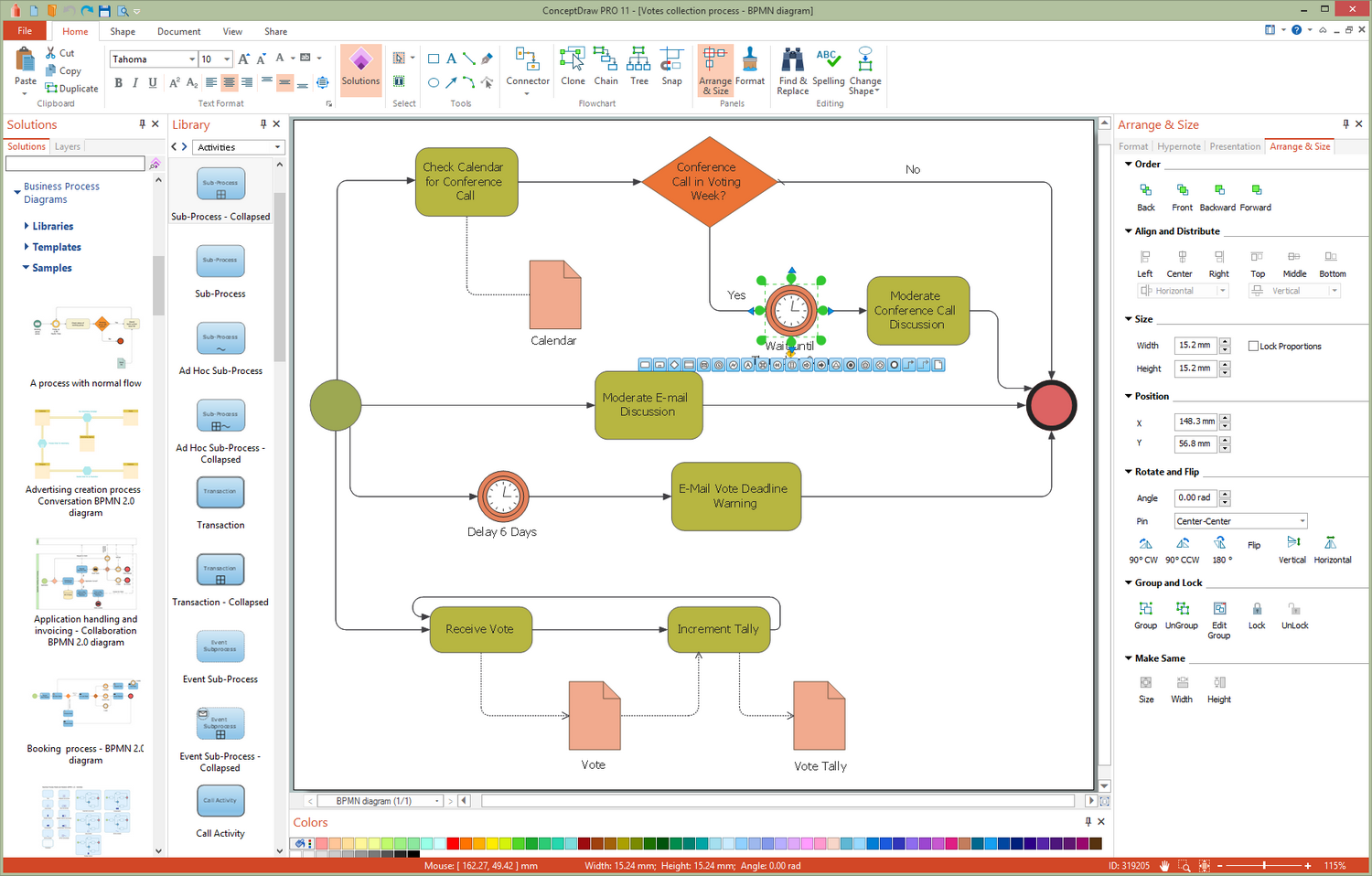
To make sure that you are doing it all right, use the pre-designed symbols from the stencil libraries from the solution to make your drawings look smart and professional. Also, the pre-made examples from this solution can be used as drafts so your own drawings can be based on them. Using the samples, you can always change their structures, colors and data.
About
Benefits: The Business Process Diagram solution gives you the ability to swiftly specify business processes based on BPMN 2.0.
Objective: Remove the laborious and time intensive aspects of creating business process diagrams — ConceptDraw RapidDraw simple point-and-click design helps create professional, presentation-ready business process diagrams quickly and efficiently.
Solution Purpose: The Business Process Diagram solution supports BPMN 2.0 and the creation of both simple and complex (nested) models of processes. These process diagrams can then be printed or converted to a web-page, PDF or PowerPoint presentation.
Intended For: Business process practitioners, business analysts, business architects, or business consultants.
Products and Methods: The Business process Diagram solution is based on the BPMN 2.0 standard. The solution contains pre-designed libraries and templates supported with the ConceptDraw RapidDraw interface.
Business process modeling with Business Process Model and Notation (BPMN) v2.0 diagrams
The key to an effective and smoothly run business is the efficiency and cohesive integration of its business processes. A business process describes the steps taken to complete any objective, task or service within a business. Processes can be divided into three distinct categories:
- Management processes — processes that describe business strategy and organizational structure.
- Operational processes — interaction between business and customer, core business activity.
- Supporting processes — e.g. health and safety, accounting, recruitment.
Business processes are born from business process management (BPM) strategy, which is the overall strategy for all company operations. BPM is responsible for a business process from its design, through to modeling, to execution. It also covers optimization or re-engineering of current processes.
The most effective method of creating or analyzing a business process is to visually interpret the steps using a business process diagram, flowchart or workflow. This is known as business process modeling, and will be performed within a company by a team who have detailed knowledge of company process, and analysts with expertise in the modeling discipline. The objective is often to increase production or lower costs — by modeling the process initially using a flowchart, inefficiencies and problems can be spotted before committing to a decision or strategy.
Example 1. Business process diagram
Given the fluid, global nature of business at present, it is perhaps a necessity to have a standardized notation system with which to describe the steps that make up different business processes. Business Process Model and Notation (BPMN) v2.0 is a method for visualizing information in a way that's intuitive for business analysts, and also allows existing processes within a business to be compared and integrated effectively.
The aim of BPMN is assist in creating a diagram that is immediately understandable to all business stakeholders, with graphic elements that can be adapted to represent any form of function, decision, work or data flow. The symbols and structure it uses to do this can be divided into a number of categories:
- Flow objects — includes Events, which are parts of a process that happen automatically, denoted by a circle; Activities show work that needs to be done, shown as a round-cornered rectangle; Gateways show a splitting or merging of paths, using a diamond shape.
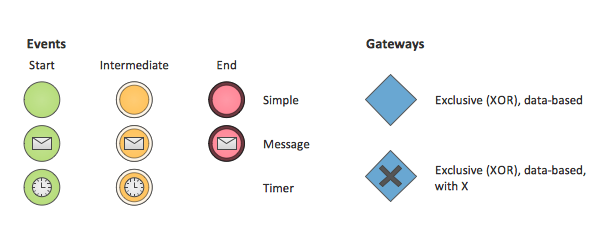
Example 2. Flow objects
- Connecting objects — used to connect flow objects, either as Sequence Flow, which indicated the order of activities; Message Flow, a dashed line that shows interaction between organizational boundaries, shown on diagrams as 'Pools'; Association is a dotted line used to connect an 'Artifact' or text to an activity.
- Swim lanes — the widest possible overview of a process involving different organizations is known as a Pool. Different organizations each have their own Lane within the Pool, and are connected using Message Flow connecting objects.
Example 3. Swim lanes diagram
- Artifacts — Artifacts are pieces of information added to certain Activity flow objects to giver better understanding to those viewing the process diagram. They can be data required or produces, extra activities, or simply explanatory text.
- Choreographies — These symbols allow the opportunity to show an activity or step that describes the behavior between business participants.
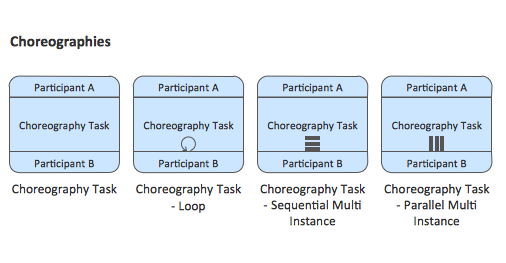
Example 4. Choreographies object
- Expanded objects — these symbols can be used to expand one area of a process, and see an activity or function at a higher level of detail.
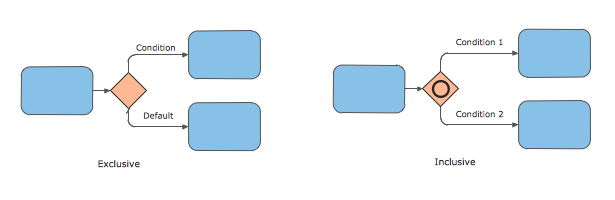
Example 5. Expanded object
ConceptDraw have designed a solution that combines BPMN v2.0 methodology and graphical notification into one powerful package. The Business Process Diagrams solution from ConceptDraw Solution Park provides a comprehensive collection of vector stencil libraries that contain pre-designed, standardized BPMN v2.0 symbols, as well as a number of templates that help you map out business processes and strategy in a variety of styles.
ConceptDraw DIAGRAM is the ideal software solution when working with process diagrams or flowcharts. Thanks to the intuitive and powerful RapidDraw interface, activity and workflow shapes and symbols can be generated on the page with a single click of a button, allowing you to map your process as quick as it comes to mind. If you get stuck at any stage, help is at hand from our tutorial videos, that can be found in our help section.
To create professional looking, informative workflow diagrams, and obtain a full library of BPMN v2.0 graphics, download and use the Business Process Diagrams solution from ConceptDraw.