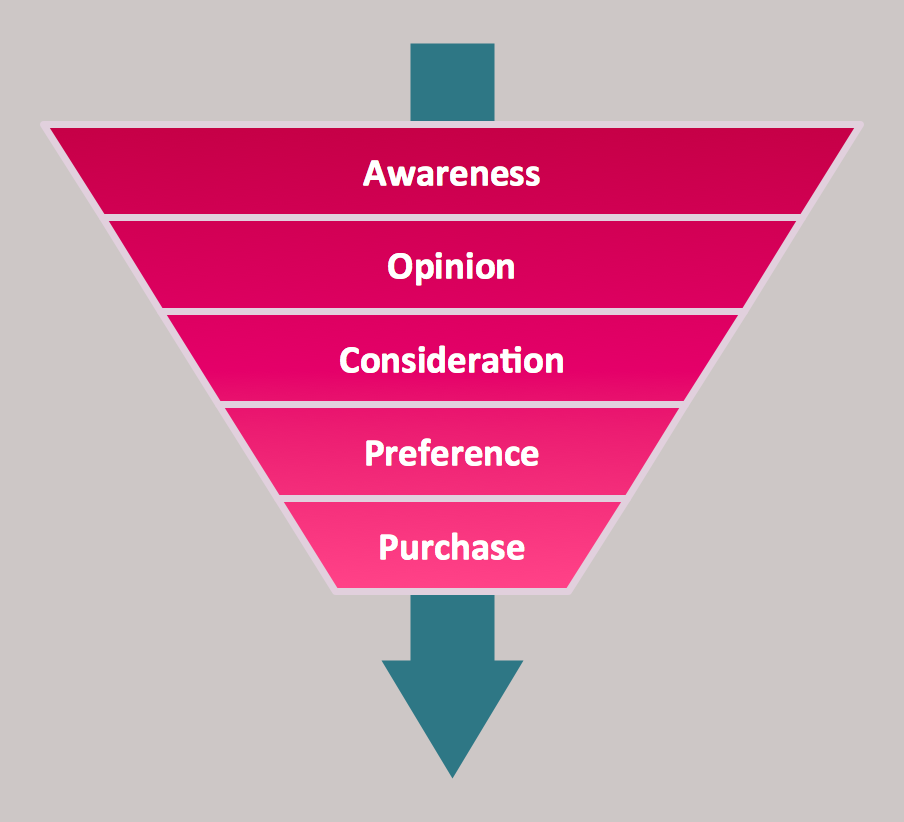
 Purchase Funnel Diagram
Top brand model pyramid diagram
Nowadays, it is also very popular to make the top brand model pyramid diagrams, which can be illustrated in order to show the brand’s special features. To be more clear, it is fair to mention what actually a brand is. Thus, a brand is a name, symbol, term, design or other feature, with the help of which it is easier to distinguish an organization or product from the competitors, so it is clear that some product or service can be offered by a particular company. Brands can be used in many different kinds of business activity, including advertising and marketing.
“Branding” itself is a set of both communication and marketing methods that help distinguish some product of a company or a company itself from its competitors. The key components, forming a brand's toolbox include a brand communication with the aid of trademarks and logos, brand awareness, brand’s identity, loyalty and many different branding strategies, which all belong to the classification of management known as “brand management”.
Brand awareness is also known as a “brand recognition” and it can be described as the initial phase of the brand awareness, validating whether or not a customer remembers being pre-exposed to the brand. When customers experience brand awareness, that means they are intrigued by the product and so they intend to recognise it among other brands. Apart from the brand awareness, there is another term, which is an important constituent in “brand management” - a “brand recall”. This “brand recall” is not triggered by a visual or verbal cue, but it requires that the consumers correctly retrieve the brand from memory. Those, who are in charge for the company’s marketing activity to be working for the company, are known to be the “brand managers”. These professional specialists often arrange the surveys, offering people to tell if they like their branding or not, paying money for answering the questions about whether the appearance of each product is good enough for them, getting the advice in this way to be able to improve the brand itself.
That is why every head of a company, who cares for their reputation as well as the company’s one, tends to invite the marketing specialists, who are in charge of making the product easily recognizable, applying many different tools for improving its branding. In order to conduct the so needed “marketing-mix modelling” to optimize the work of such marketers to find out the way they spend the allotted marketing budgets and so to maximize the impact on brand awareness or on sales, the responsible managers can create the needed charts and diagrams to make it simpler to illustrate the situation the company is in and so the place its brand takes on the market.
Thus, the top brand model pyramid diagrams can be designed using ConceptDraw DIAGRAM diagramming and vector drawing software, which can be downloaded from this site as well as the “Pyramid Diagrams solution” from “Marketing area” of “ConceptDraw Solution Park” on this site.
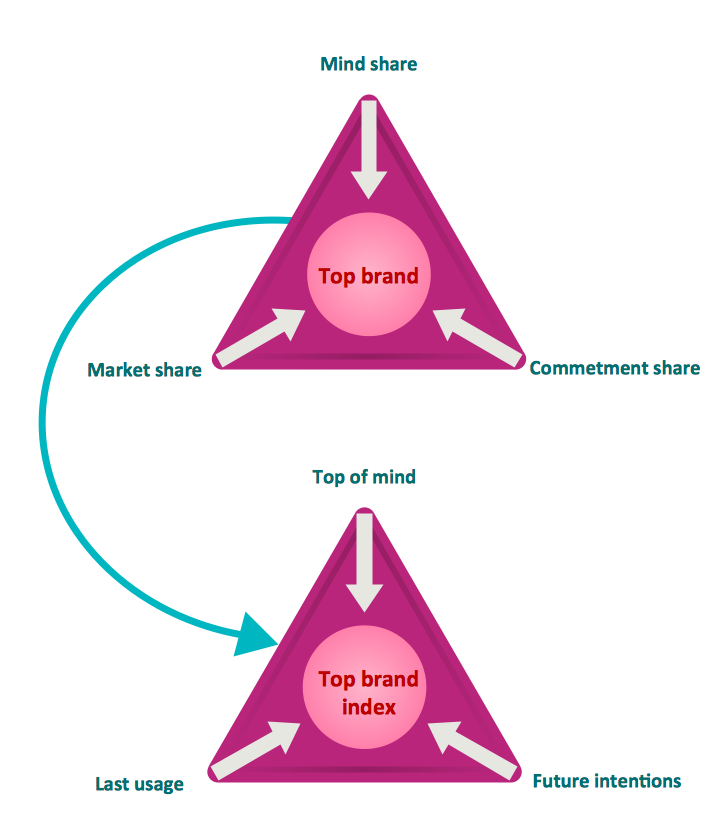
Example 1. Top brand model pyramid diagram
Dna model of seduction Triangular diagram
In colloquial language and fictional literature, seduction is the process of deliberately enticing a person, to lead astray, as from duty, rectitude, or the like; to corrupt, to persuade or induce to engage in sexual behaviour. [Seduction. Wikipedia]
This triangle diagram example is included in the Pyramid Diagrams solution from Marketing area of ConceptDraw Solution Park.
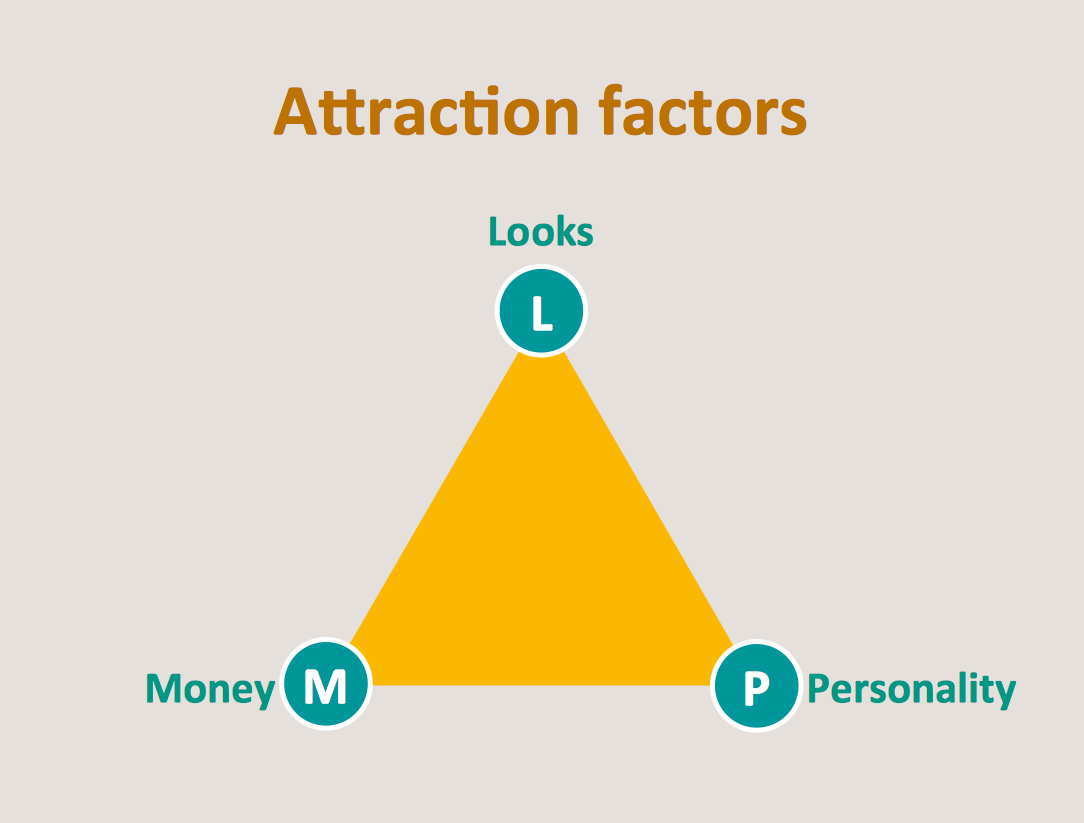
Example 2. Dna model of seduction Triangular diagram
Diagram Social strategy pyramid
This social strategy pyramid diagram has 5 levels: Actions, Distribution strategy, Content strategy, Relashionship strategy, Cultural strategy.
This triangular scheme example was created using ConceptDraw DIAGRAM diagramming and vector drawing software extended with Pyramid Diagrams solution from Marketing area of ConceptDraw Solution Park.
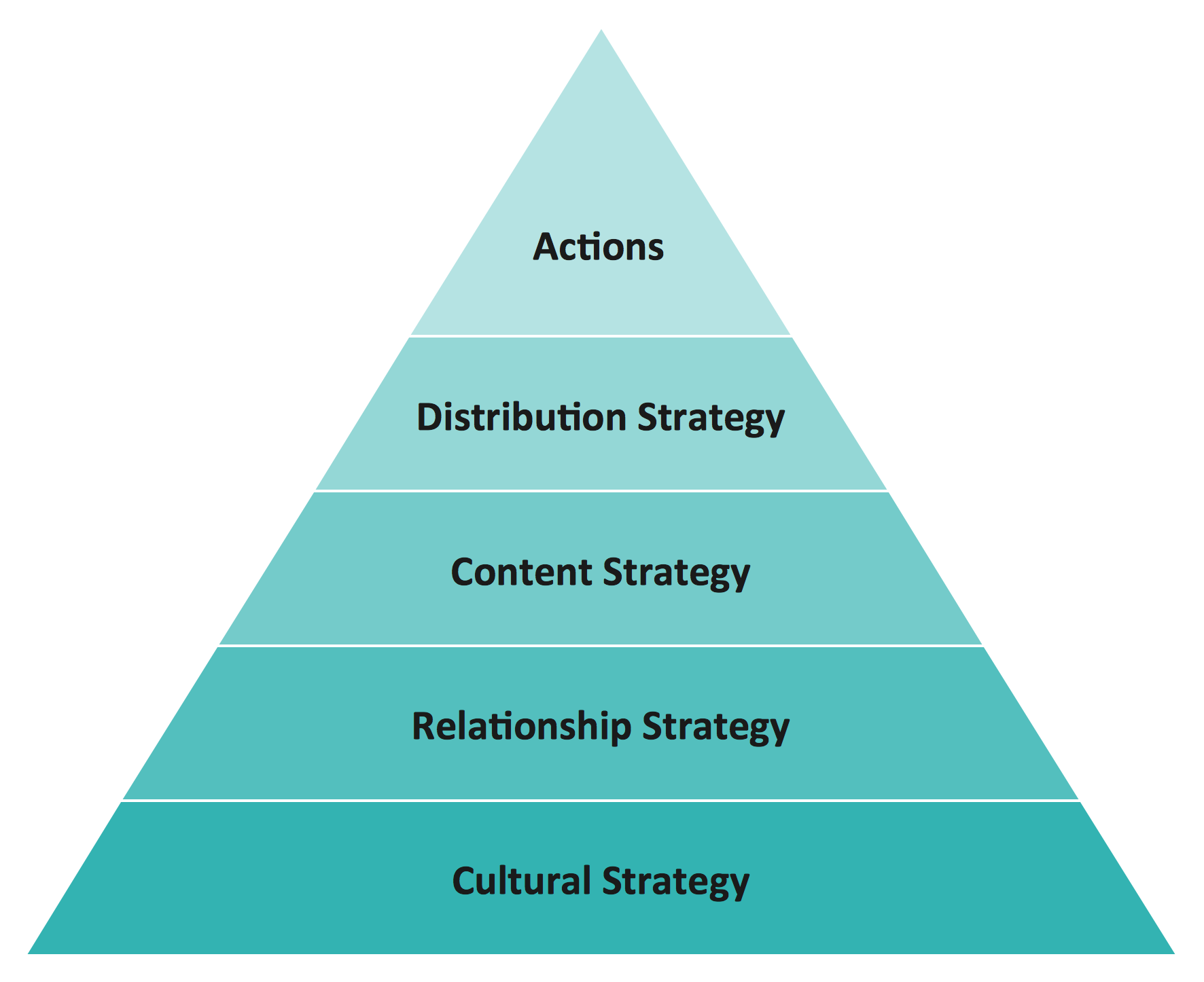
Example 3. Diagram Social strategy pyramid
Value pyramid - Marketing diagram
This market value pyramid diagram has 5 levels:
- Essence (Who we are),
- Competitive positioning (Where we play),
- Customer benefits (Value proposition),
- Product / Service features (Value delivery),
- Internal capabilitiea (Value requirements).
Use this triangular scheme to develop your marketing strategy.
This triangle chart example was created using ConceptDraw DIAGRAM diagramming and vector drawing software extended with Pyramid Diagrams solution from Marketing area of ConceptDraw Solution Park.
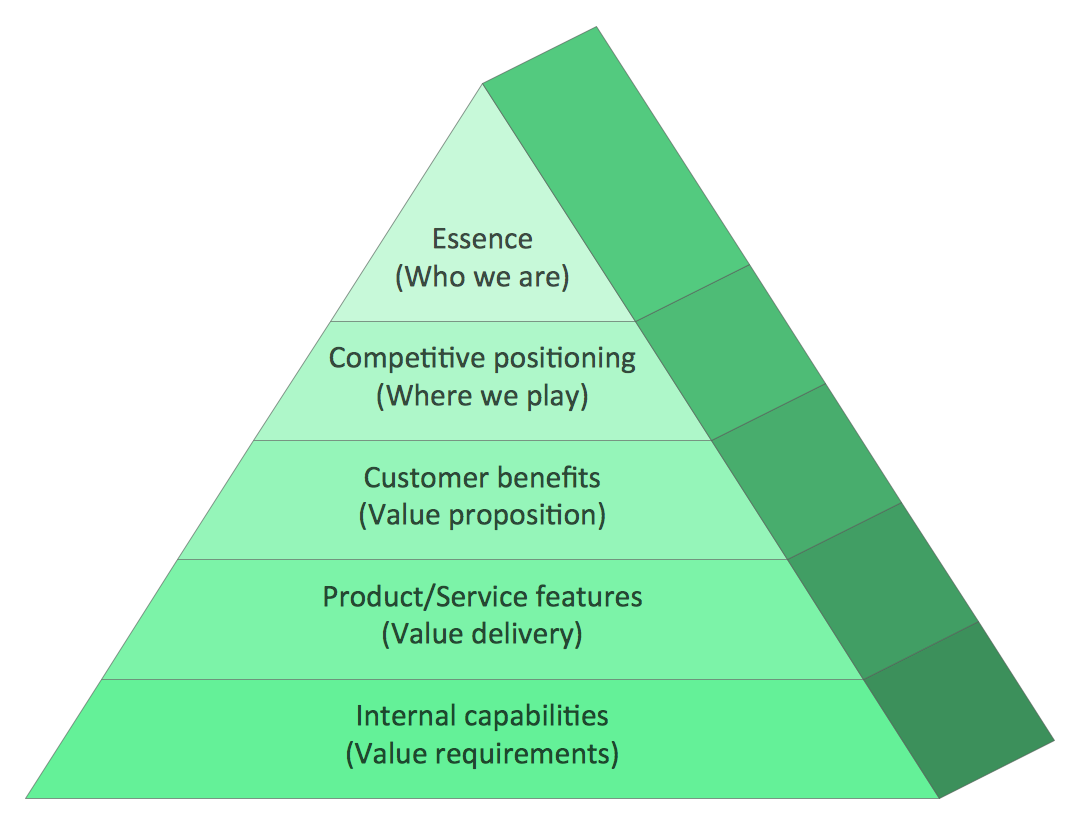
Example 4. Value pyramid - Marketing diagram
Cosystem goods and services
Ecosystems represent sources of natural capital and provide goods and services to society, also called ecosystem services. The Millennium Ecosystem Assessment identified over 24 ecosystem services that can be divided up into 4 general groups including:
- provisioning,
- supporting,
- regulating
- cultural.
[Wikipedia]
This example is included in the Pyramid Diagrams solution from Marketing area of ConceptDraw Solution Park.

Example 5. Cosystem goods and services
See more Pyramid Diagram:
TEN RELATED HOW TO's:
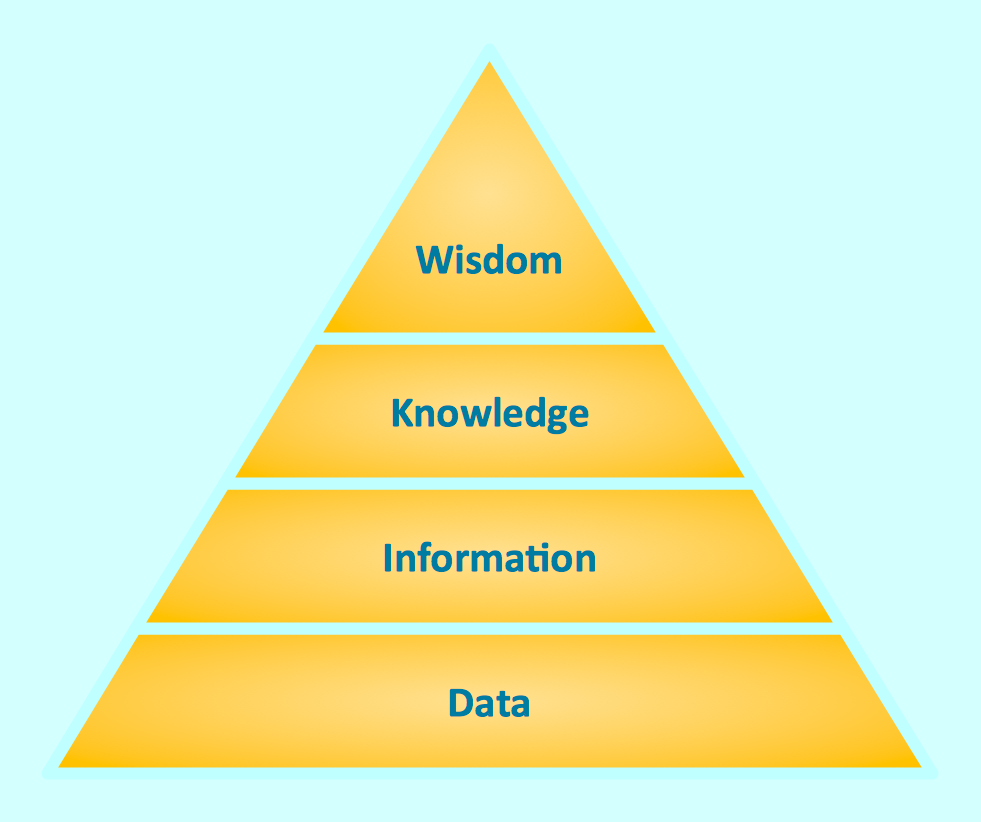
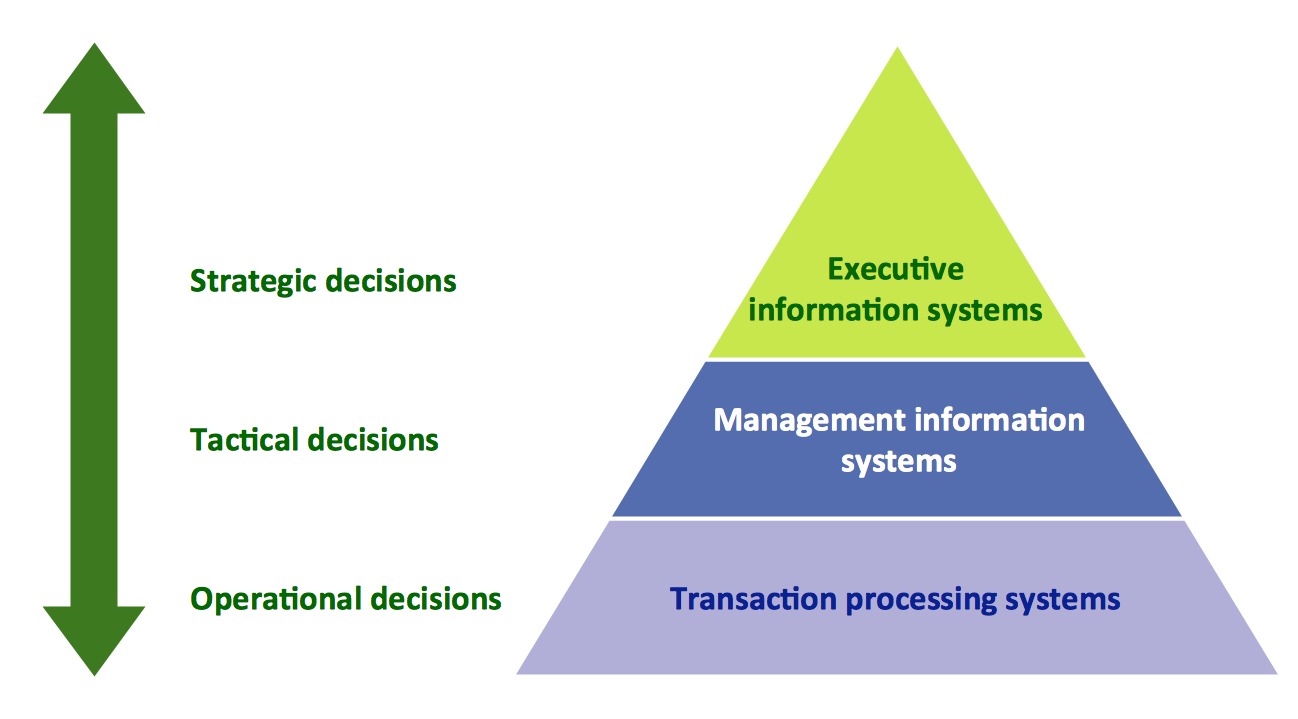
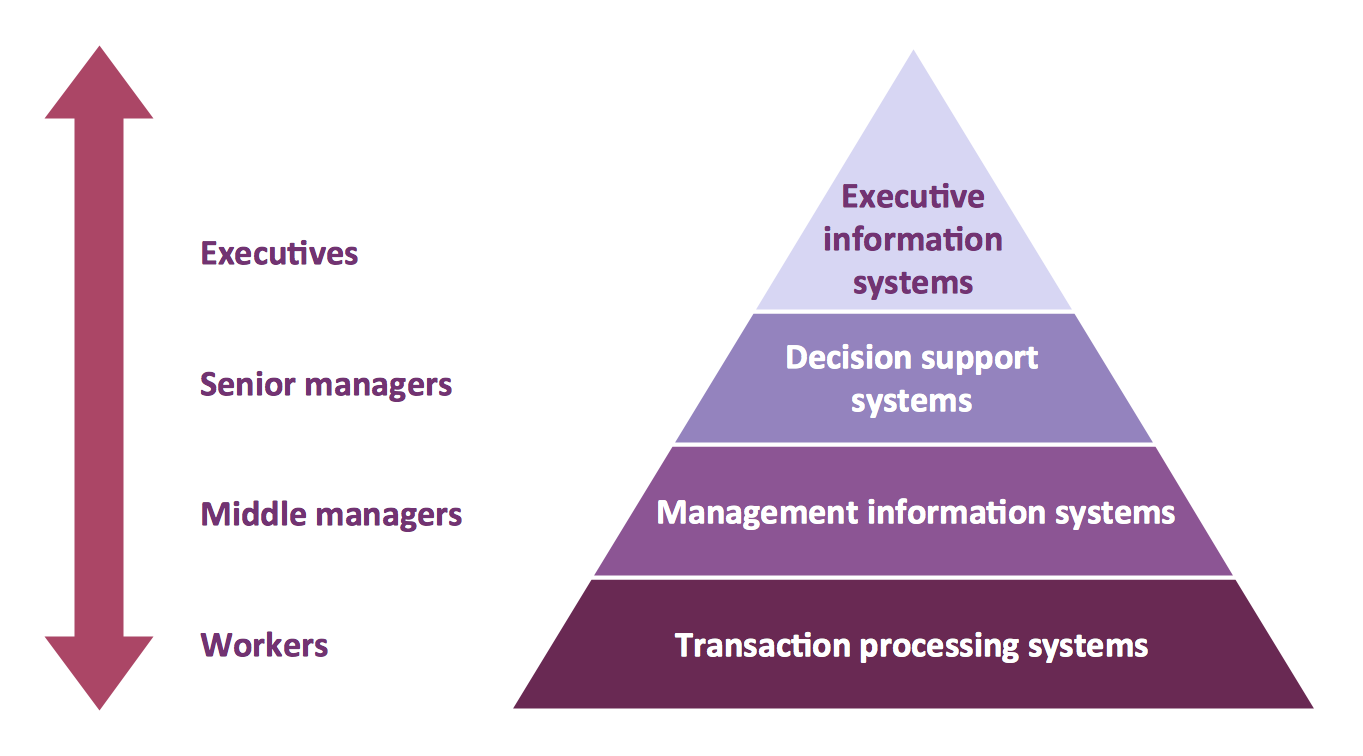
This pyramid chart example is supplied with the ConceptDraw Pyramid Diagrams solution. This is a model of Information Management Systems classification. It is made in a form of a four-level pyramid. The top level shows the information system developed for an executive management. Below, there is a level depicting the system of decision making process for the managers of the senior level. A schematic representation of the middle management information system, following to logic, is in the middle of the pyramid. And at least, the lowermost level represents an information processing system for employees.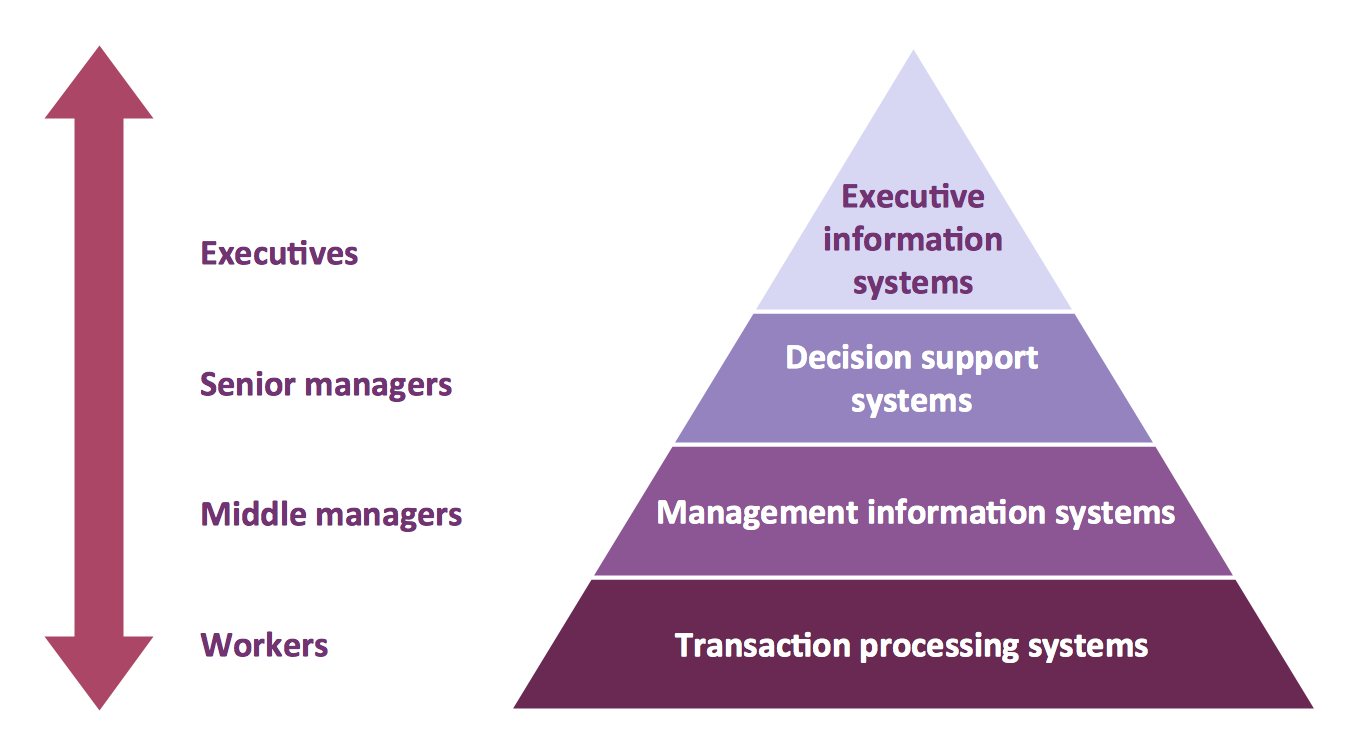
Picture: Pyramid Diagram
Related Solutions:
Competitor analysis is a first and obligatory step in elaboration the proper corporate marketing strategy and creating sustainable competitive advantage. Use powerful opportunities of numerous solutions from ConceptDraw Solution Park for designing illustrative diagrams, charts, matrices which are necessary for effective competitor analysis.
Picture: Competitor Analysis
Related Solution:
Growth-Share Matrix Software - ConceptDraw DIAGRAM is a powerful diagramming and vector drawing software for creating professional looking Growth–Share Matrices. For simple and quick creating the Growth–Share Matrix ConceptDraw DIAGRAM offers the Matrices Solution from the Marketing Area of ConceptDraw Solution Park.
The Matrices Solution also provides a wide variety of templates and samples that will help you to create the Matrix diagrams of any difficulty.
Picture: Growth-Share Matrix Software
Related Solution:
SWOT analysis is an effective method of business planning, the question is how to do it. The most obvious way is to make a SWOT analysis in a Word document, which is not very convenient. Luckily, you can use software like ConceptDraw DIAGRAM that has features and templates made especially for SWOT analyzing.
A SWOT Analysis is a manager's means of the strategic planning. It is used to define and classify considerable internal moments (strengths and weaknesses) and external forces (opportunities and threats) a business faces. You can use ConceptDraw MINDMAP to determine and organize factors utilized for SWOT analysis, and represent them in the SWOT matrix using ConceptDraw DIAGRAM. Using mind maps empowers you to explore and rank a lot of data engaged for SWOT analysis as well as recognize the relations between various pieces of information.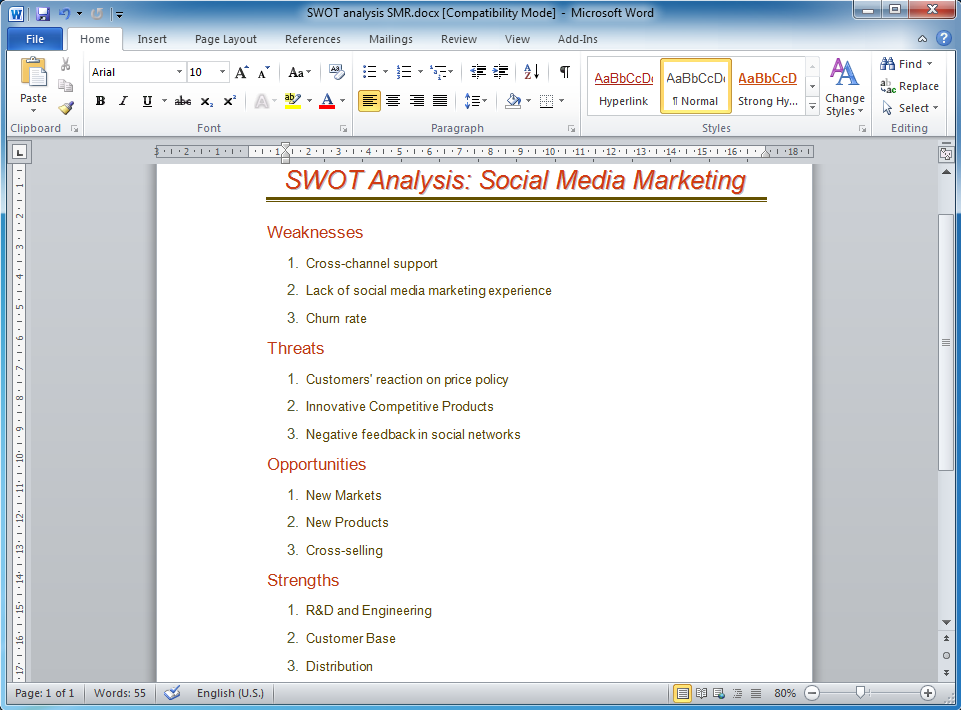
Picture: How to Make SWOT Analysis in a Word Document
Related Solution:
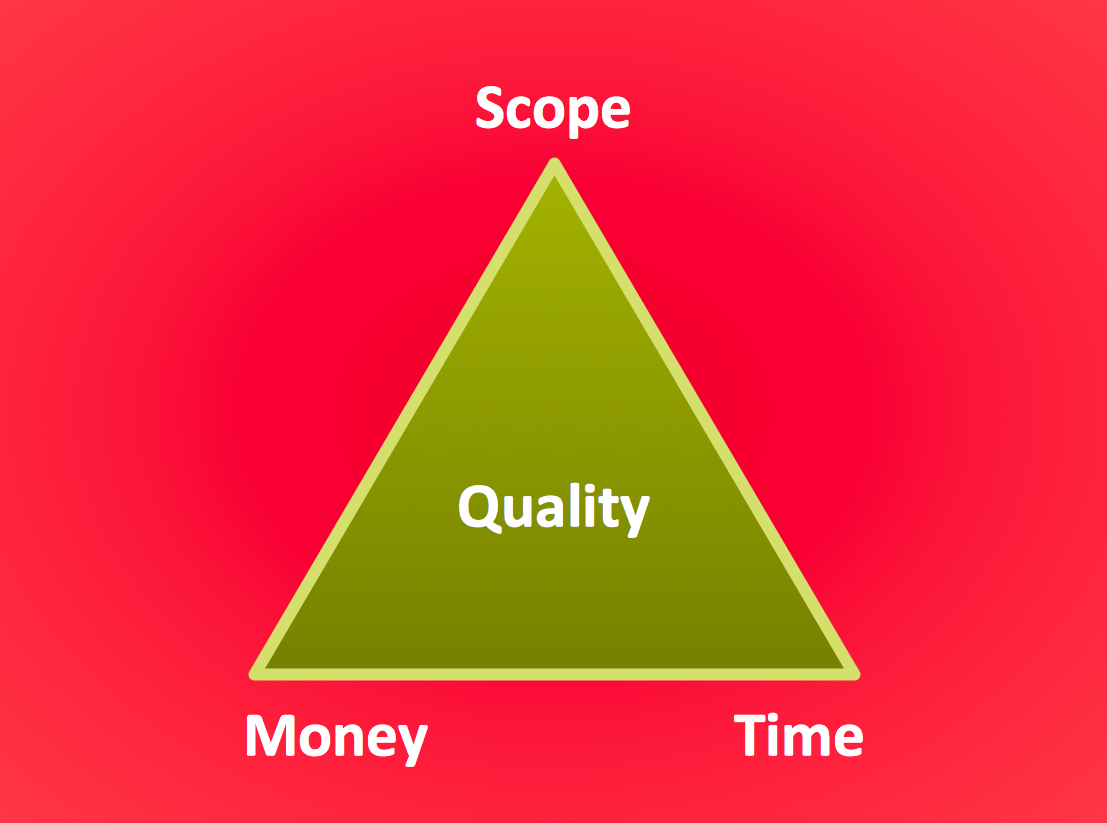
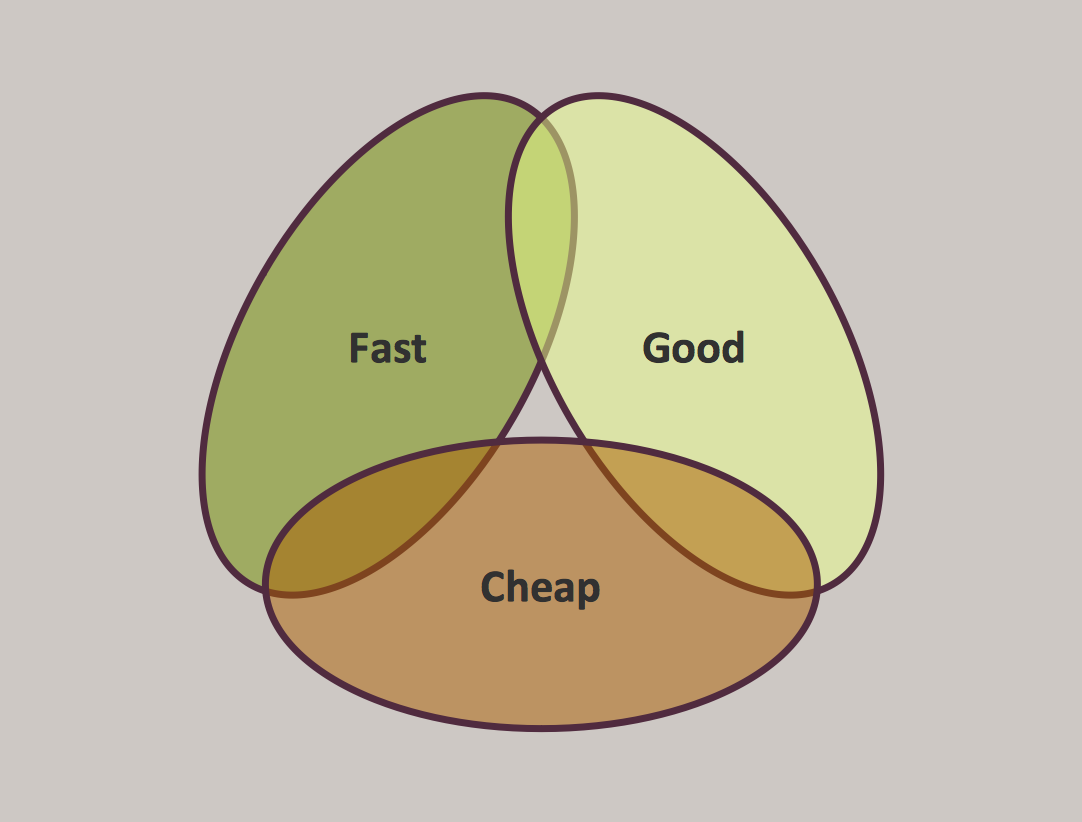
The Project Management Triangle Diagram depicts three main constraints of any project: scope, time and cost. Projects have to comply with the specified scope, projects should be finished in time and projects need to consume the budget. Each of the constraints represents one side of the triangle, and any change in budget or timing or scope affects the entire diagram.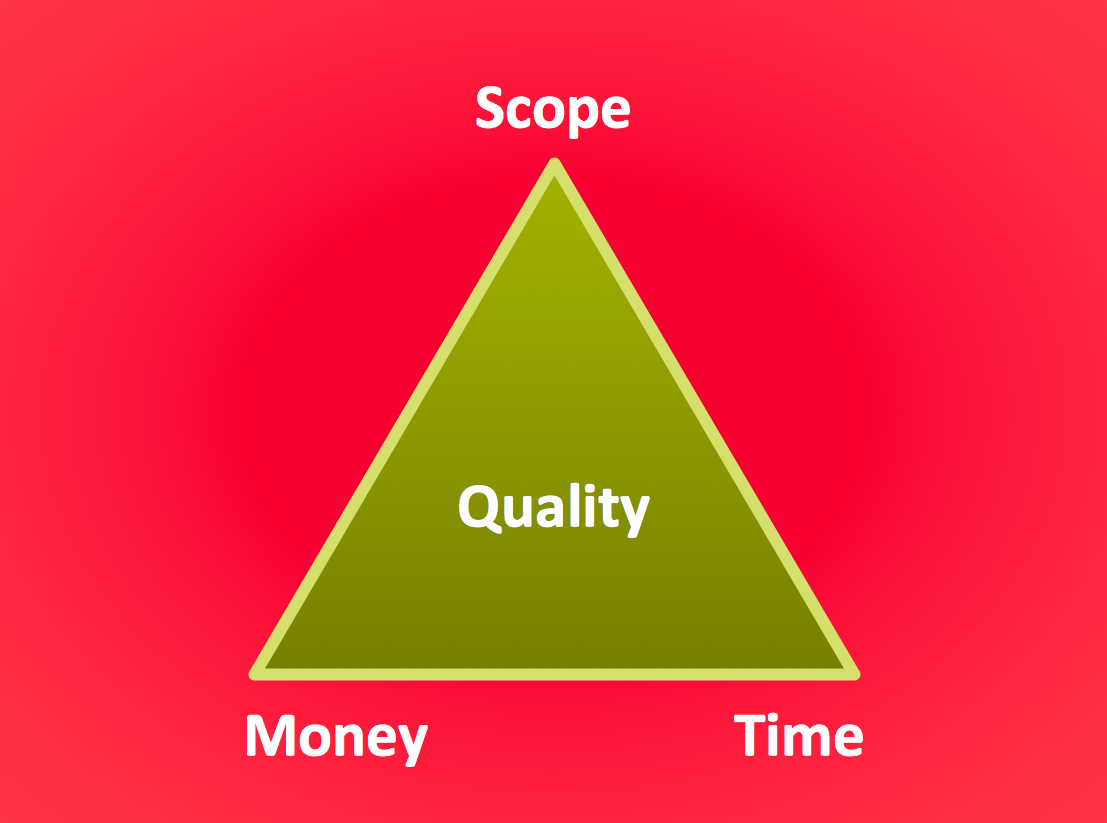
Picture: Pyramid Diagram
Related Solution:
The Line Graphs solution from Graphs and Charts area of ConceptDraw Solution Park contains a set of examples, templates and design elements library of line and scatter charts. Use it to draw line and scatter graphs using ConceptDraw DIAGRAM diagramming and vector drawing software for illustrating your documents, presentations and websites.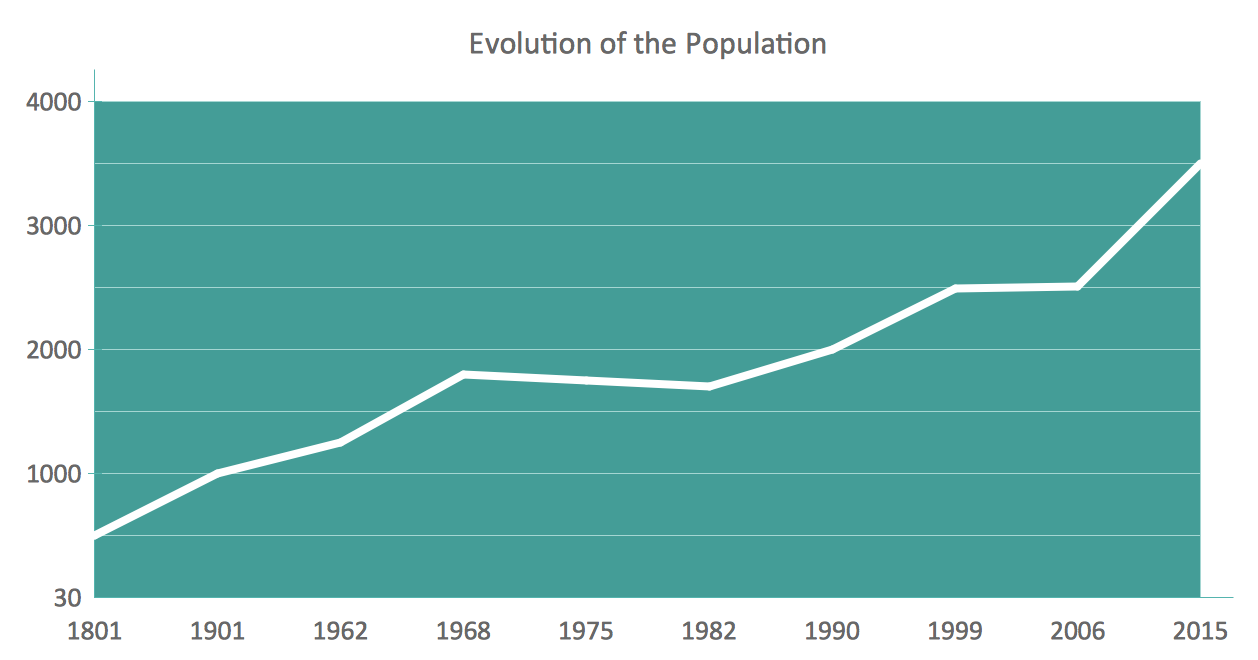
Picture: Line Chart Examples
Related Solution:
At the base of the identity of an organisational is its organizational culture.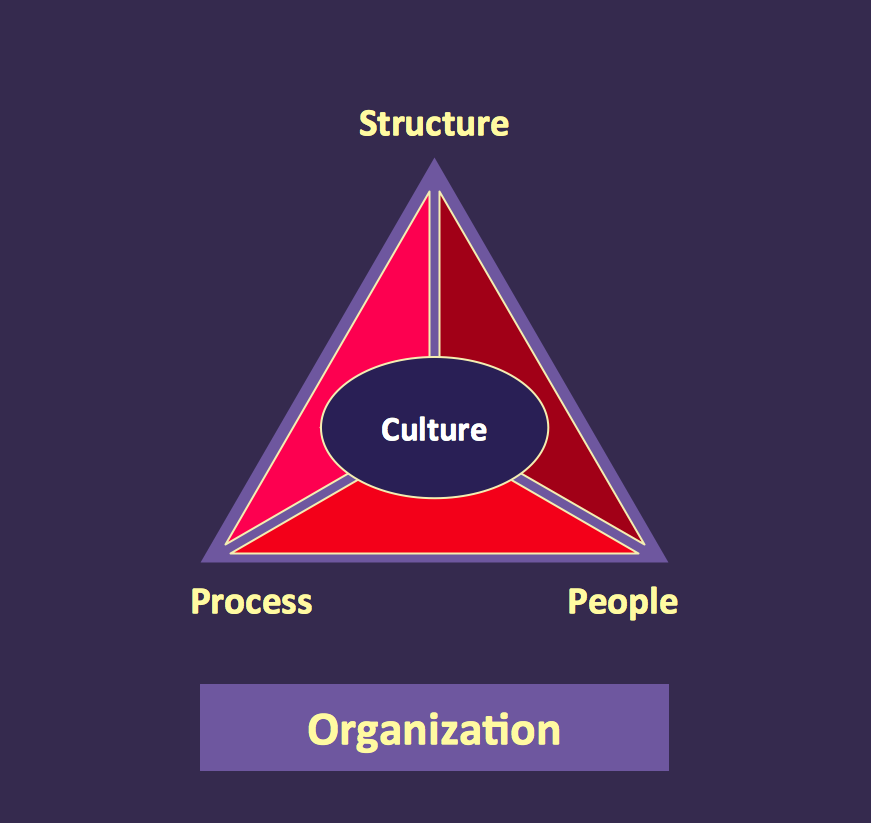
Picture: Pyramid Diagram
Related Solutions:
Those triangles within any technical analysis are known to be the chart patterns that can be commonly found in the price charts of the financially traded assets, such as stocks, futures, bonds, etc. The pattern is known to be deriving its name from the fact that it is characterized by some contraction in a price range being the converged trend lines, giving it a triangular shape.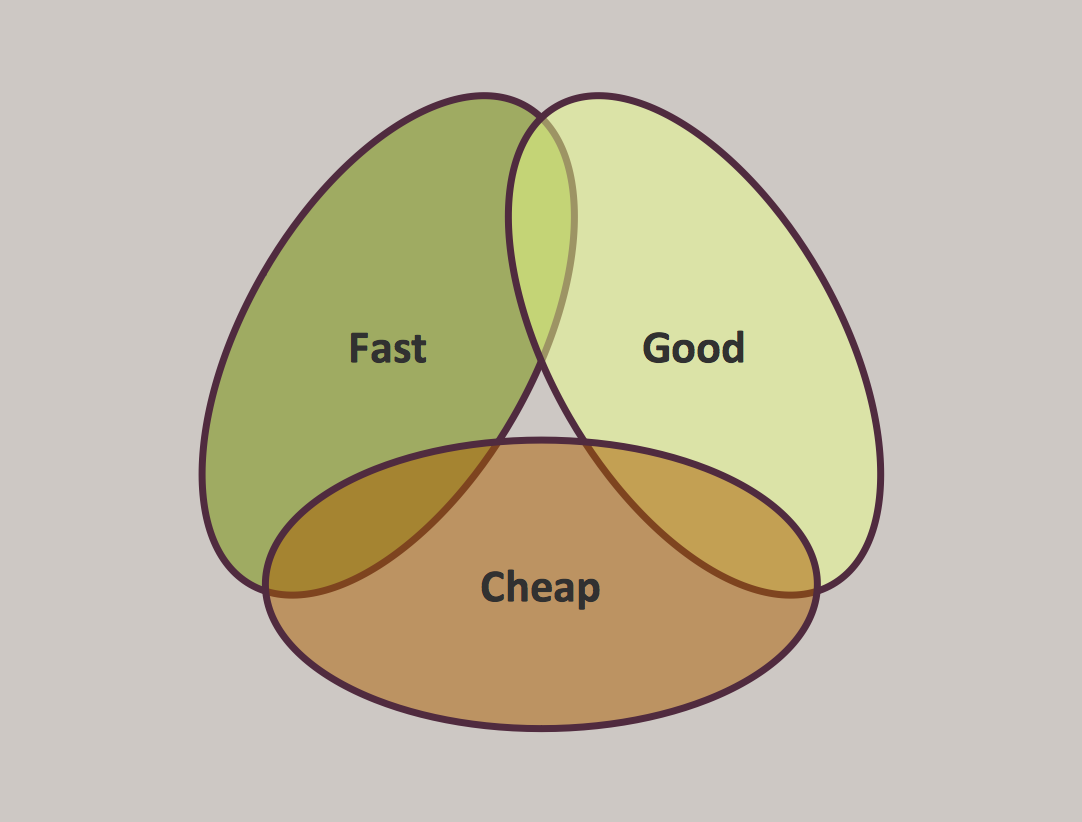
Picture: Pyramid Diagram
Related Solution:
Create bar charts for event management problem solving and visual data comparison using the ConceptDraw DIAGRAM diagramming and vector drawing software extended with the Bar Graphs Solution from the Graphs and Charts area of ConceptDraw Solition Park.
Picture: Bar Diagrams for Problem Solving.Create event management bar charts with Bar Graphs Solution
Related Solution:
Any business process consists from a number of tasks carrying out the certain business goal. It is useful to diagram business processes to ensure that they are as foolproof, logical and sequential as possible. This business process diagram describes a typical booking process flow by the example of a cab booking process. It can be used as a roadmap for any booking system implementation. Diagramming a business process allows you to look at the entire project and take into account all types of possible scenarios. Business process diagram helps you investigate and clarify the process thoroughly so that you can find out how it can be improved. Business process diagram supports team communications by ensuring that each process element is clear and everyone in the team is on the same page.
Sometimes your company brings you less profit than you expect it to be, and it’s difficult to reveal the causes. Maybe it’s time to learn new technologies, because business diagram are easily developed by means of special software, so you won’t make any extra effort. In return, you will increase your productivity and get more done in a less time.
Picture: Business Diagram Software
Related Solutions:
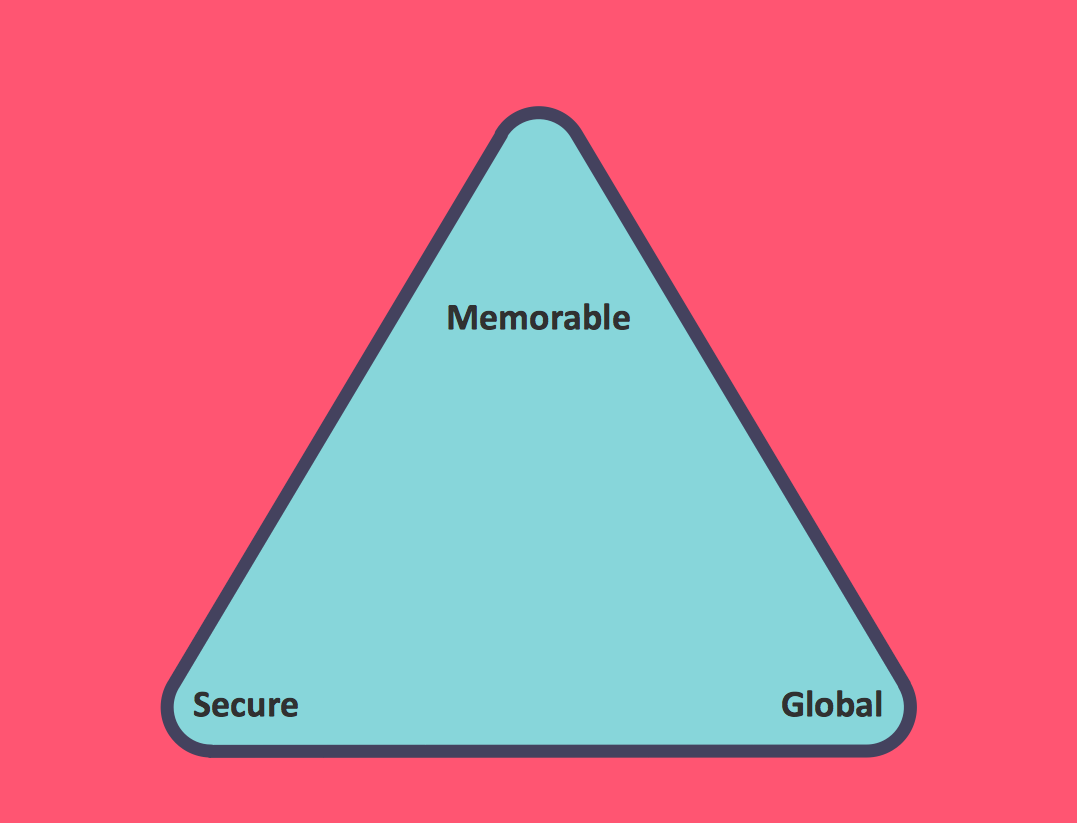 Zooko Triangle Diagram
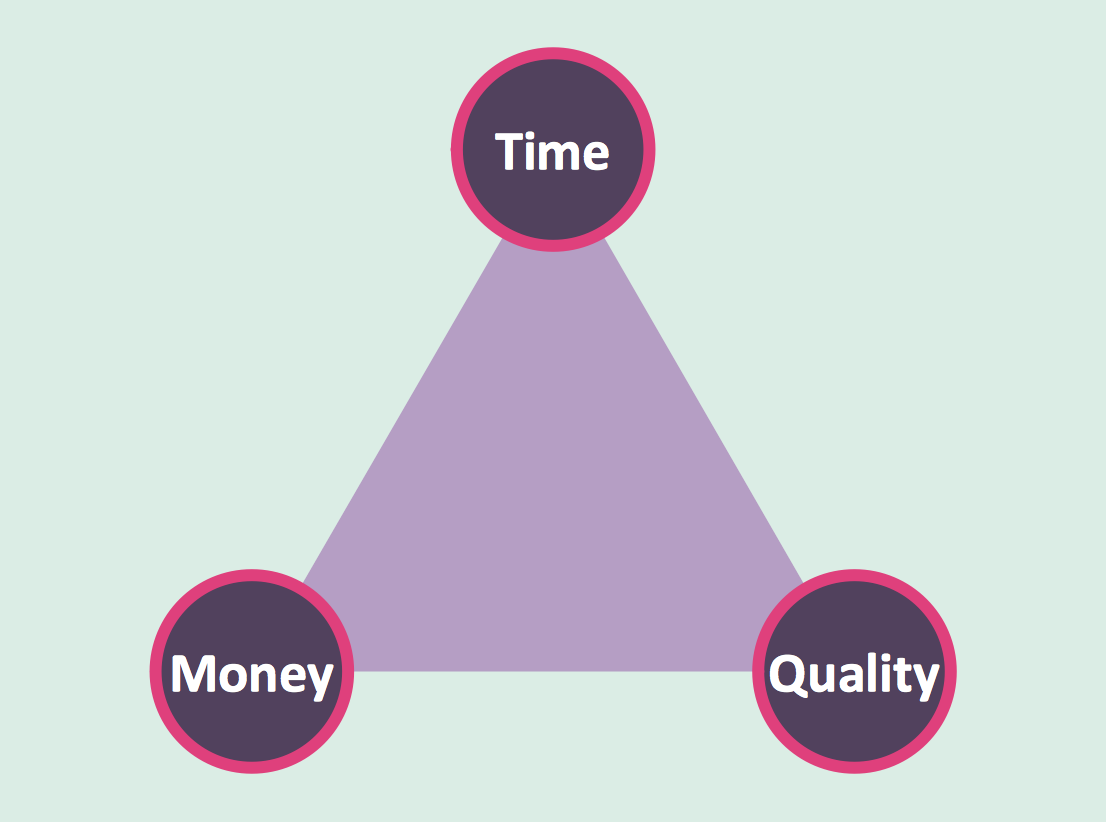 Time, Quality, Money Triangle Diagram