Pyramid Diagram
Zooko Triangle Diagram
Zooko's triangle is known to be a trilemma which is a concept in international economics which states that it is impossible to have a fixed foreign exchange rate, a free capital movement and an independent monetary policy at the same time. Due to the fact that it is a kind of three-properties trilemma, which are generally known to be considered as desirable for names of participants in a network protocol, Zooko’s triangle takes into consideration such three properties as human-meaningful one, security and decentralization. Human-meaningful means that only meaningful as well as memorable and low-entropy names are being provided to the users. Secure because the amount of damage some malicious entity can inflict on the system should be the lower the better. Decentralized because all the names are correctly resolved to their respective entities without any use of a central service or authority. The previously mentioned communication or network protocol is known to be a system of some particular rules that allow two or more than two entities of a communications system to transmit the information with the help of some kind of variation of a physical quantity. The protocol defines the synchronization and semantics of communication, the possible error recovery methods and the rules syntax. All protocols may be implemented by software, hardware, or a combination of both — hardware and software. Lots of communicating systems use the well-defined formats to use for exchanging different messages. Each of such messages has an exact meaning that is intended to elicit a response from a range of possible responses pre-determined for some situation in particular. The particular behavior can be independent in terms of how it has to be introduced. Communications protocols have to be previously agreed on by all the parties involved. In order to reach some agreement, a protocol may be developed into a technical standard. A programming language is known to be describing the same for computations, so there is a close analogy between programming languages and protocols as protocols are used for identifying what programming languages are to computations. There are a few systems which are known to be exhibiting all three properties of Zooko's triangle that have now been created. A few platforms are known to be implementing the refutations of Zooko's conjecture. The examples may be Twister, Blockstack, Namecoin (as it has a separate blockchain) and Monero OpenAlias.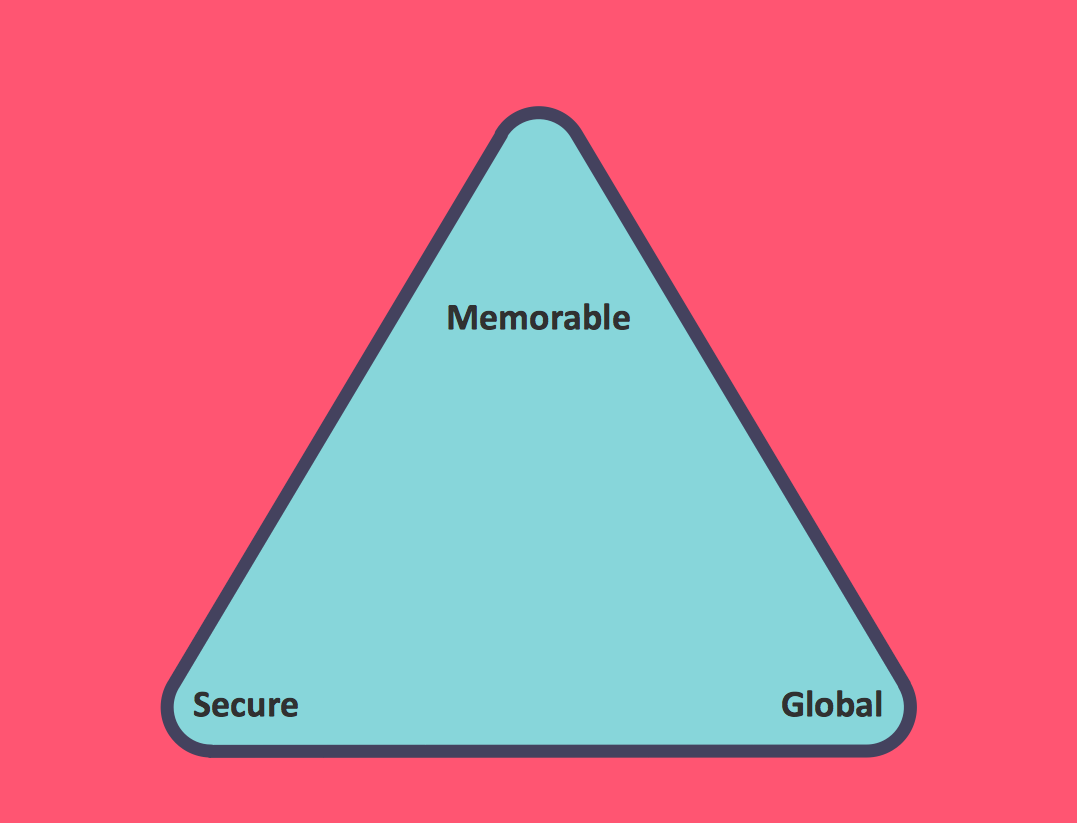
Example 1. Pyramid Diagram. Zooko's-triangle
Talking about useful applications that were all developed for simplifying people’s life, we can mention the ConceptDraw DIAGRAM diagramming and drawing software presented by CS Odessa a few years ago in order to help those who appreciate their time create the needed drawings, such as a Zooko’s triangle diagram.
Taking into consideration all three desirable traits of a network protocol identifier — secure, decentralized and human-meaningful — any ConceptDraw DIAGRAM user can create a Zooko’s triangle diagram within only a few minutes having both ConceptDraw DIAGRAM downloaded on their desktop and ConceptDraw STORE application.
Having the last mentioned product of CS Odessa, you can easily make the needed drawings having the Pyramid Diagrams solution from ConceptDraw STORE — a relatively new product of CS Odessa where a lot of different examples of different drawings can be found as so used as the drafts for your own great looking schemes and plans.
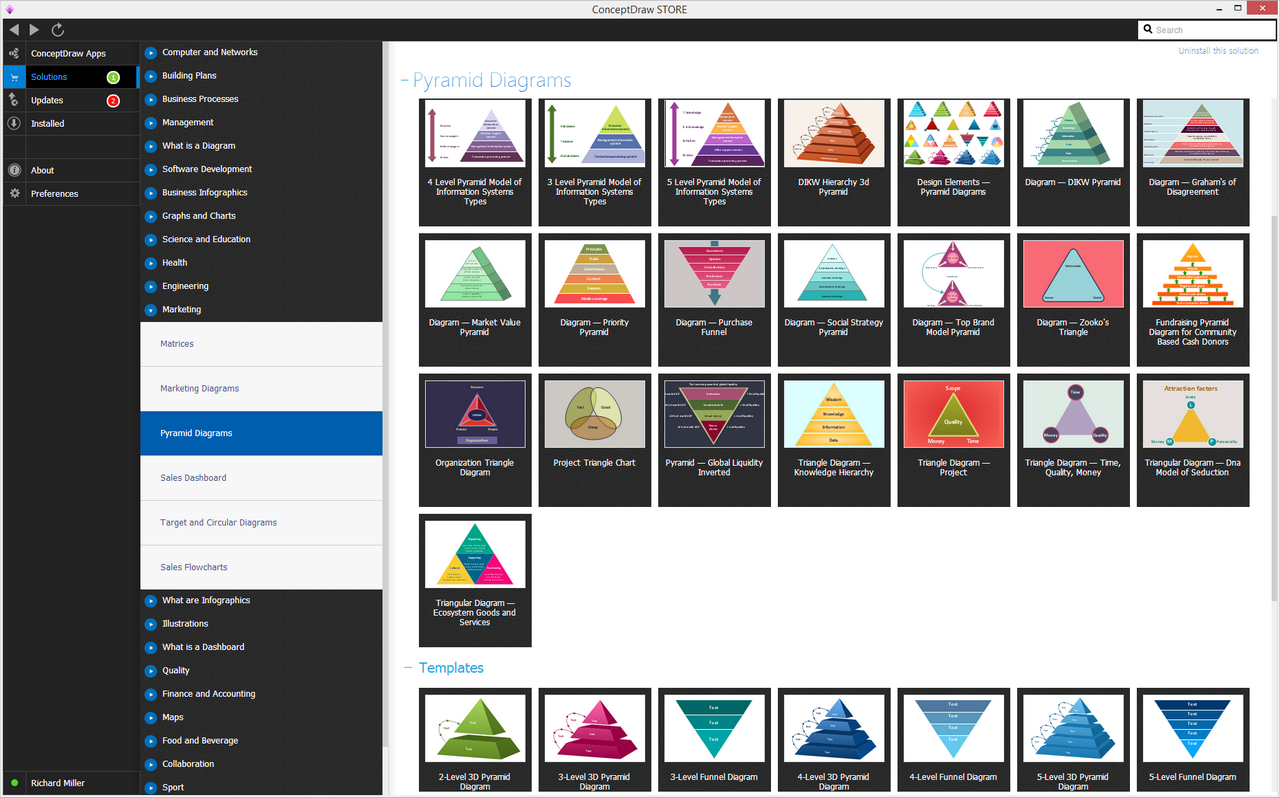
Example 2. Pyramid Diagrams Solution in ConceptDraw STORE
The Pyramid Diagrams solution include 28 vector shapes all in one stencil library of different colors and design, such as normal pyramid drawings, triangle diagram with circle and arrows, triangle diagram with circles, triangle diagrams with the frames, triangle diagrams with oval in the very middle of it, triangle charts, triangle charts in 3D shape, arrowed block pyramids, funnel diagrams, 3-leveled funnel diagrams, 4-leveled funnel diagrams, 2-leveled 3D pyramid diagrams, 3-leveled 3D pyramid diagrams, 4-leveled 3D pyramid diagrams, 5-leveled 3D pyramid diagrams and 6-leveled 3D pyramid diagrams of different colors.
Having ConceptDraw DIAGRAM drawing application is always a benefit as there are the basic libraries that also can be used for making most of the needed shapes. Thus, if there is a need in making a Zooko’s triangle diagram, you can simply go to the ConceptDraw STORE application finding the so useful Pyramid Diagrams solution to get any of the provided samples of the triangles or you can get those available from the basic libraries within the ConceptDraw DIAGRAM diagramming application.
Having ConceptDraw STORE, though, is a must as long as there is any need in making more than one drawing for work or for some personal needs. Having the Pyramid Diagrams solution enables to create more than 28 design elements that can be found in the only stencil library available to be taken from the Pyramid Diagrams solution and so they can be used being edited if needed as you can always change any of the examples shape, color, design, etc.
Getting the mentioned solution may enable you to create any needed triangle diagrams as well as the pyramids, such as a Zooko’s triangle diagram, mentioning all the needed information easily having the drawings done within only a couple of minutes as all the proposed to the ConceptDraw STORE templates can be always edited and so the great looking triangle diagrams can be created.
See more Pyramid Diagram:
- Zooko Triangle Diagram
- Time, Quality, Money Triangle Diagram
- Project Triangle Diagram
- Purchase Funnel Diagram
- Project Triangle Chart
- Priority Pyramid Diagram
- Organization Triangle Diagram
- Knowledge Triangle Diagram
- Triangular Graphic
- Inverted Pyramid
- Fundraising Pyramid
- 3D Triangle Diagram
- DIKW Pyramid
- Five level pyramid model
- Four level pyramid model
- Three level pyramid model