Made with
ConceptDraw
DIAGRAM 18

Pyramid Diagram

Purchase Funnel Diagram

The purchase funnel is also known to be called as a “purchasing funnel”. It is simply one of the commonly used consumer focused marketing models, with the help of which it is convenient to illustrate the theoretical customer journeys towards the purchases of the services or products.

E. St. Elmo Lewis in 1898 developed a model which was known to be mapped a theoretical customer journey from the very moment when a product or a brand attracted the consumer’s attention all the way up to the point of the action or purchase itself. St. Elmo Lewis’ idea can be referred to the so-called “AIDA-model”, which is an acronym standing for “Awareness”, “Interest”, as well as “Desire” and “Action”.

There are a few stages of the mentioned process, which can be summarized and mentioned in the following order: Awareness, Interest, Desire and Action. The Awareness target the aim of the customer to be aware of the existence of a certain product or a particular service. The Interest is used for expressing an interest in a certain product group. The Desire is meant to be aspiring to a particular product or brand. And Action is the one taking the steps towards the final stage of purchasing the chosen product.

The Purchase Funnel can be also known as the “marketing funnel,” the “sales funnel”, the "conversion funnel" or the “customer funnel”. The well-known association of the funnel model created with taking the AIDA concept into consideration, was proposed for the first time in the so-called “Bond Salesmanship” article written in 1924 by William W. Townsend.

The mentioned early model was modified by different marketing consultants as well as academics in order to cater to the modern customer. Nowadays it can be referred to the purchase funnel or so-called “buying funnel” in marketing. There are very many different “business-to-consumer purchase models”, which are widely used existing in marketing today. In general, it is accepted that the modern business-to-business purchase funnel has more stages, considering the so-called “repurchase intent” as well as taking into account all the new technologies and the changes in the consumer purchasing behaviour.

The buying funnel has been validated as a model in a variety of domains, such as keyword advertising, lead generation, searching, etc. It was also modified for being able to include all the previously unconsidered metrics and steps, such as the internet impressions and the outbound sales.

The concept of the purchase funnel is widely and commonly used for guiding the promotional campaigns in marketing for targeting different stages of the customers’ journeys. It is also world-widely used as a basis for the so called “customer relationship management programmes”, or “CRM programmes”, leading the management campaigns.

A so called “conversion funnel” is also widely used, almost as much as a purchase one, being a technical term, commonly used in e-commerce operations for describing the track the consumers takes through different Internet search systems or advertisings. With help of such funnel it is simpler to navigate the e-commerce websites and so converting to a sale.

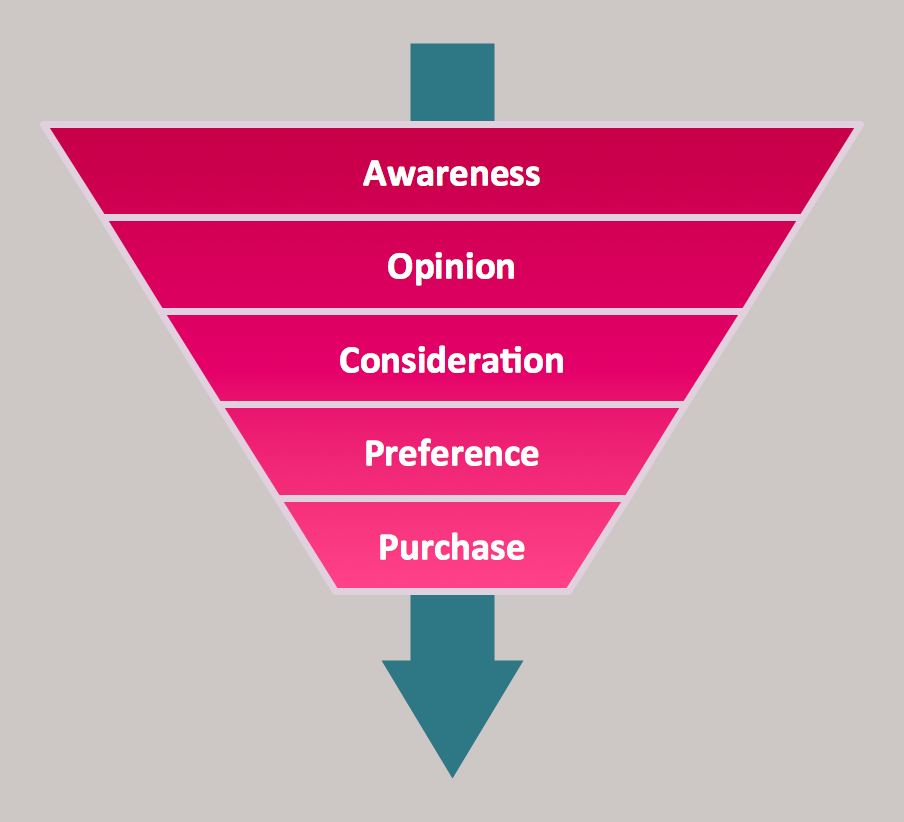
The funnel diagrams are also known as “funnel charts”, being the types of chart, often used for representing the stages in a sales process. With help of such funnel diagram it is possible to show the amount of all the potential revenue for each of the stages of the process of purchasing. The mentioned type of diagram can also be very useful for identifying the potential problems in some organization’s sales process.

A funnel diagram is known to be similar to a so called “stacked percent bar chart”, displaying the values in a way of the progressively decreasing proportions amounting up to 100% in total. The size of the area can be determined by the series value in a way of a percentage of the total value. Any funnel is expected to consist of the higher part- the base, sometimes also called the “head”. At the same time the lower part is referred to the term of a “neck”.

The funnel diagram is the one showing a process starting at 100% and ending with a lower percentage. It happens where it is noticeable in what exactly stages the fall out happens as well as at what rate. If the diagram is also combined with the research data, it becomes obvious how many items have been lost at each of the steps of the order or sales process. In this case the funnel diagram illustrates where exactly the biggest bottlenecks are on the scale of the process.

Unlike a real funnel, everything that is known to be so called "poured in" at the top does not flow all the way through to the bottom. Thus, the name is known to only be referred to the shape of the chart, confirming its illustrative purpose. An example of the order funnel diagram can be the one with the initiated orders on the very top of it going all the way down to the bottom where the orders are delivered for satisfying the customers, showing how many there are still left in the process and so the percentage of the returned and cancelled.
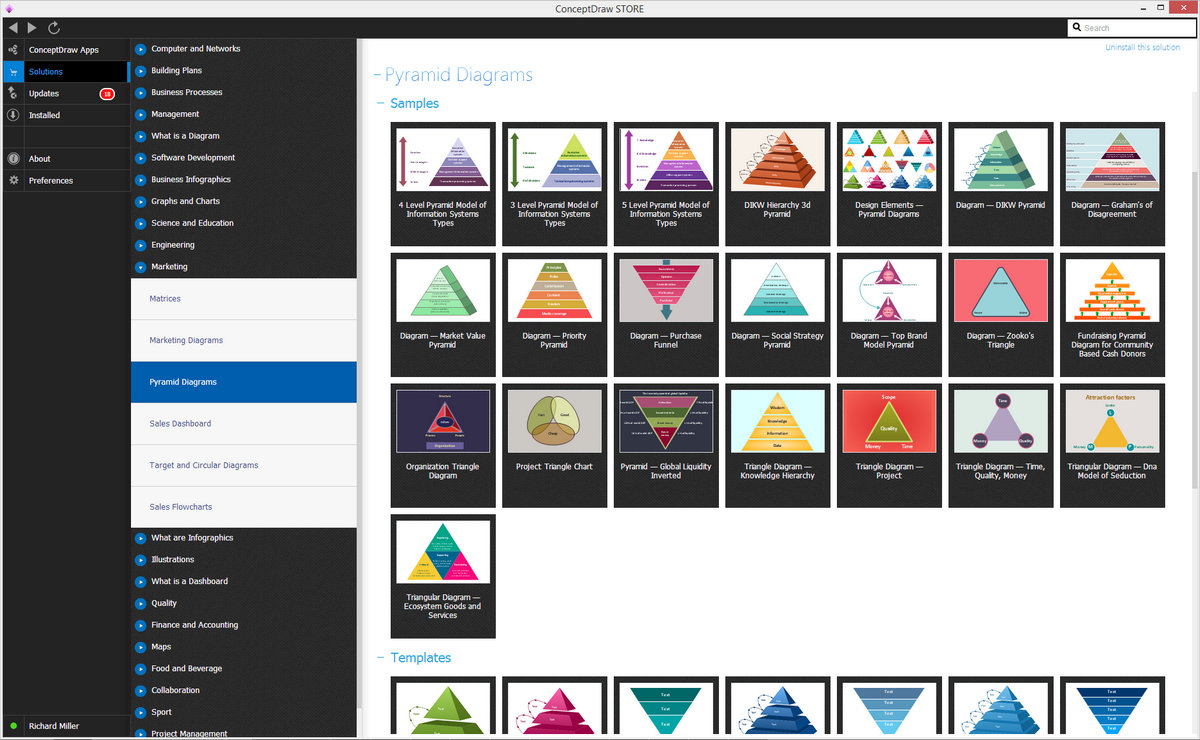
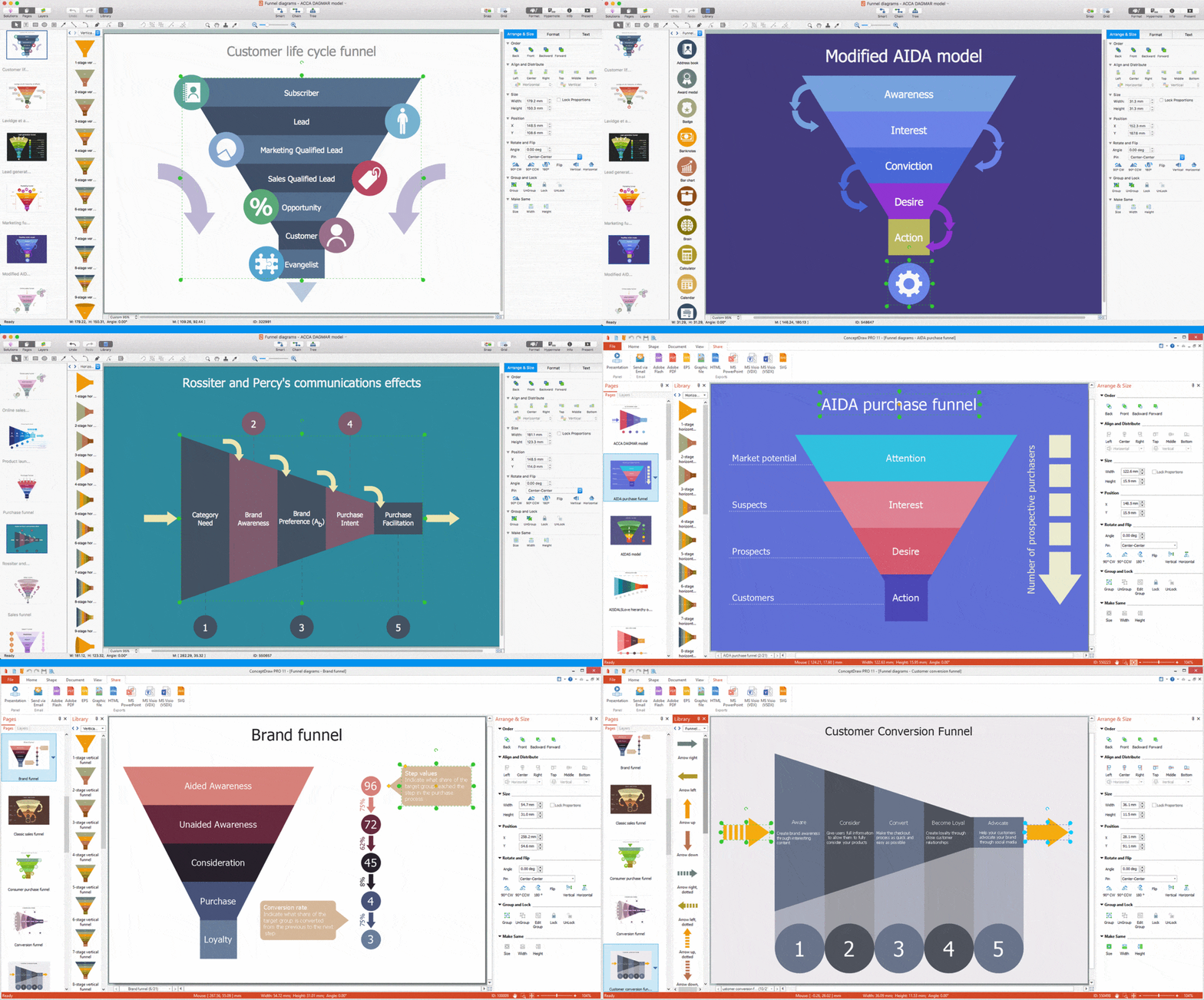
Purchase funnel diagram solution

Example 1. Pyramid Diagram Solution in ConceptDraw STORE

To be able to create the mentioned diagram you can always use a very convenient and professional tool — the ConceptDraw DIAGRAM software. The mentioned application is the one offering a huge range of the the-made graphic elements, such as the design symbols for adding them to your drawings. Another product of CS Odessa, which can be also used for making the purchase funnel diagrams, is a ConceptDraw STORE — the application which includes the so called “solutions”, such as a Pyramid Diagrams solution in particular, for making different diagrams, including the purchase funnel ones.
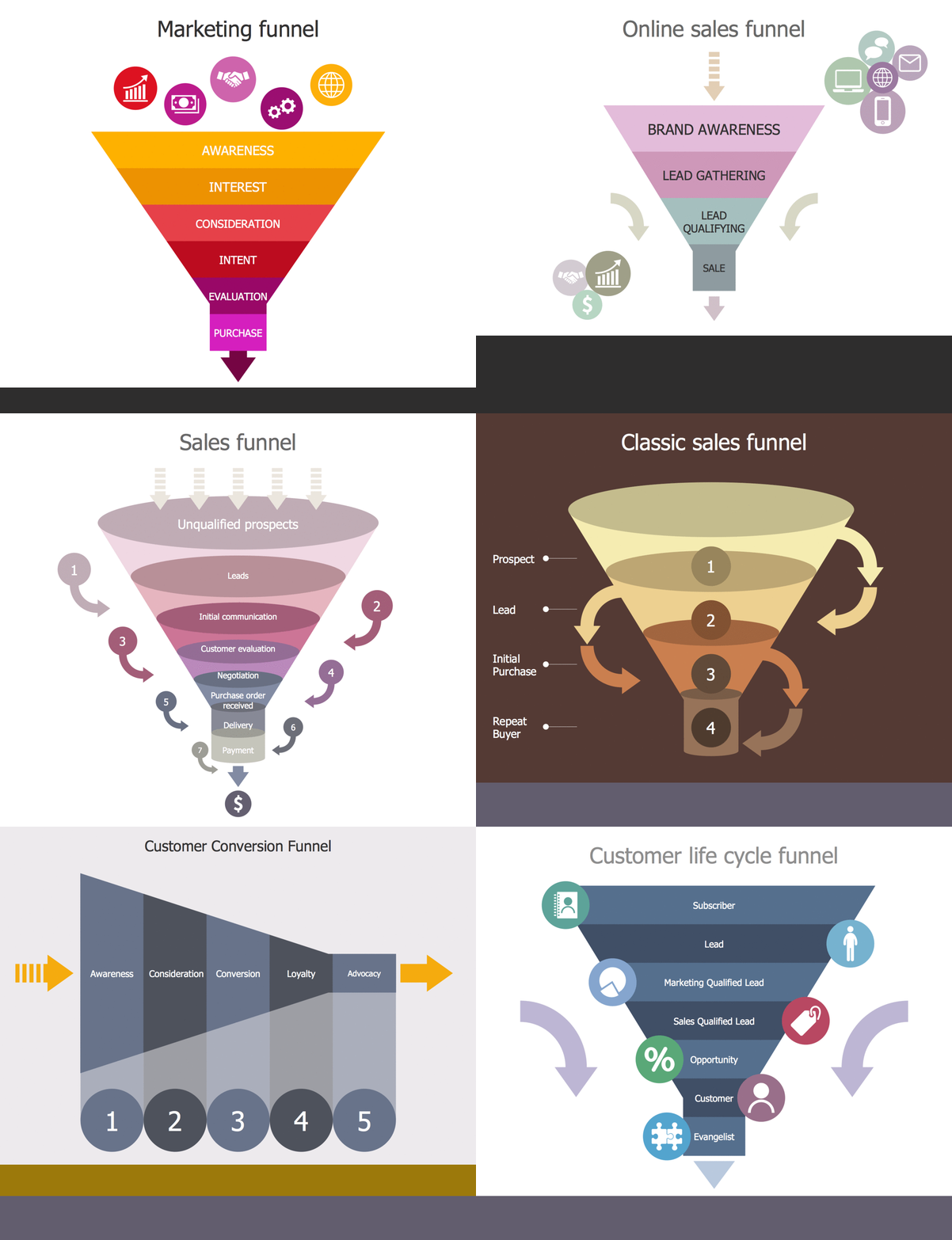
Pyramid Diagram *

Example 2. Pyramid Diagram. Purchase funnel diagram

Having the mentioned applications downloaded to your computer means having enough tools for making the great looking drawings, such as diagrams. Once you start using ConceptDraw DIAGRAM you will realise how much simpler it is in use to compare to the other applications as you will always have an opportunity to get the pre-made examples, such as those from the Pyramid Diagrams Solution, to use them as your drafts to make your own smart and professionally looking purchase funnel diagrams be editing the existing.



TEN RELATED HOW TO's:
This pyramid chart example is supplied with the ConceptDraw Pyramid Diagrams solution. This is a model of Information Management Systems classification. It is made in a form of a four-level pyramid. The top level shows the information system developed for an executive management. Below, there is a level depicting the system of decision making process for the managers of the senior level. A schematic representation of the middle management information system, following to logic, is in the middle of the pyramid. And at least, the lowermost level represents an information processing system for employees.Pyramid Diagram *
Picture: Pyramid Diagram
Related Solutions:
The most easier way of creating the visually engaging and informative Sales Process Flowchart is to create the new ConceptDraw document and to use the predesigned vector symbols offered in 6 libraries of the Sales Flowchart Solution. There are more than six types of sales process flow diagrams, ConceptDraw DIAGRAM software is flowchart maker which include six collections of extended flowchart symbols for effective diagramming. There are main collections of color coded flowchart symbols: Sales Department, Sales Steps, Sales Workflow, Sales Symbols and special set of Sales Arrows and Sales Flowchart.Sales Process Flowchart Symbols *
Picture: Sales Process Flowchart Symbols
Related Solution:
Process Flow Chart is a visual illustration of overall flow of activities in producing a product or service. How do you make a Process Flow Chart usually? Drawing process flow charts, diagrams and maps is quite complex and lengthy process, especially if you draw free-hand. But now thanks to the ConceptDraw DIAGRAM diagramming and vector drawing software extended with Flowcharts solution from the Diagrams area of ConceptDraw Solution Park this process became simple and fast. A confirmation of this can serve many Process Flow Chart examples included in Flowcharts solution.Process Flow Chart Examples *
Picture: Process Flow Chart Examples
Related Solution:
SIPOC is a tool that summarizes the inputs and outputs of one or more processes in table form. You need to draw professional looking SIPOC Diagram quick and easy? Pay please your attention on ConceptDraw DIAGRAM diagramming and vector drawing software. Extended with Business Process Mapping Solution from the Business Processes Area of ConceptDraw Solution Park, it suits ideal for this.SIPOC Diagram *
Picture: SIPOC Diagram
Related Solution:
Some organization hold offices for years and decades, or even build their own campuses. However, if it’s time for your organization to move to another building, drawing software for designing office layout plan would come in handy. With such software you can save a lot of time and create a new layout or try to save old layout in a new building. This office layout plan is an example of a typical office furniture and equipment arrangement. This drawing provides a graphic view of the office area and its facilities including furniture and office equipment. It can be used as template which represent, desks, files, and other pieces of equipment that can be re-arranged according the certain requirements to office space and facilities. The vector graphic objects that represent various office layout elements such as special office furniture and equipment can help you to shape a number of creative ideas and develop your office layout plan.Building Drawing Software for Design Office Layout Plan
Picture: Building Drawing Software for Design Office Layout Plan
Related Solution:
A model of a system is defined as a set of hierarchical diagrams representing the asynchronous process of data transformation from the moment it is input to the system to the moment it is output to the user. To demonstrate how a process transforms the initial data, you should design a data flow diagram using a DFD Library included in ConceptDraw DIAGRAM Solution Park. Start your diagramming experience now! You can use this library of symbols related to data flow diagrams (DFD) to design data-oriented or process-oriented models along with data process diagrams. This vector objects library It is a part of ConceptDraw solution designed for data flow diagramming, along with corresponding samples and templates. A data flow diagram is a 2D flowchart that depicts the sequence of particular activities and operations operations and activities which is accompanied by the dynamic flow of some data.Design Data Flow. DFD Library *
Picture: Design Data Flow. DFD Library
Related Solution:
This sample represents the actors, use cases and dependencies between them, and also the relationships between use cases. There are used dependency and use case generalization associations on this UML diagram. Use case generalization is used when you have two similar use cases, but one of them does more than another. This sample shows the work of the Financial Trade sphere and can be used by trading companies, commercial organizations, traders, different exchanges.Financial Trade <br>UML Use Case Diagram Example *
Picture: Financial Trade UML Use Case Diagram Example
The Involvement Matrix can identify the distribution of responsibilities and identify roles in a group or team. Use the Involvement Matrix to specify roles and responsibilities of actions in problem solving. ConceptDraw Office suite is a software for corrective actions planning.CORRECTIVE ACTIONS PLANNING. Involvement Matrix *
Picture: CORRECTIVE ACTIONS PLANNING. Involvement Matrix
Using diagrams, you can visualize the flow of the information or build a detailed data structure. There's no need to have a degree in software and database design with ConceptDraw DIAGRAM , because this software has all the tools needed in developing models and diagrams. Project planning, designing and prototyping was never so easy. This UML diagrams can be used to visualize a model of the data base development process. A UML diagram shows a graphical view of a structure of software system: components and relationships. Using Unified Modeling Language helps to depict logical and physical elements of a data base, visually represent requirements and sub-systems. UML diagrams allows developers to organize and predict critical issues, as well as collaborate data base information.Software and Database Design with ConceptDraw DIAGRAM  *
Picture: Software and Database Design with ConceptDraw DIAGRAM
Related Solution:
Social media is a popular view of mass communication which allows people, companies and organizations create, share, discover, modify, access, comment, discuss and exchange information through the Internet. Social Media Response solution for ConceptDraw DIAGRAM provides collection of 10 libraries with diversity of predesigned vector social media flowchart symbols for fast and easy creating interactive Social Media Flowcharts, Response Charts and Action Mind Maps.Social Media Flowchart Symbols *
Picture: Social Media Flowchart Symbols
Related Solution:
ConceptDraw
DIAGRAM 18