Sales Process Flowchart Symbols
The Sales Process
For most commercial organizations, the sales process is inherent to its existence and ability to create profit. Although each company will achieve this aim in its own way, the core selling process remains similar throughout — a potential buyer or prospective customer exchanges money with an organization in return for goods or services. Despite this rather simplistic definition, there exists huge scope as to which approach is taken. Indeed, it is not uncommon for the sales division to be the largest within a corporate structure, employing a team of salespeople, analysts, and the sales managers, who are in charge of sales division operations.
Sales operations is an umbrella term for all the processes and business activities that a key to running a sales division. The sales operation team is responsible for its smooth and efficient running, and to act as a liaison between other parts of company structure, such as IT, Legal, HR, Finance, or Marketing. There is a continual focus on sales process engineering, which is the analysis and refinement of a sales process in order to increase its efficiency or to identify problems within the workflow; other benefits might include the ability to standardize customer response into the form of a process, or as a platform to conduct buyer and seller risk management. A sales process itself is defined by strategy, sales targets, quotas, forecasting and demand; some theories also ascribe to a generic framework to build your process around — Rich, Spiro and Stanton identify 8 steps that make up a sales process in Management of a Sales Force (12th Ed. p. 66). They are as follows:
- Prospecting/initial contact
- Pre-approach — planning the sale
- Identifying and cross questioning
- Need assessment
- Presentation
- Meeting objections
- Gaining commitment
- Follow-up
The ideal method with which to represent these step-by-step processes is through the flowchart medium. Using flowchart symbols create the color-code for your sales objects to convey things like who's responsible, critical resource for process flow, risk levels or milestone critical decisions, etc.
Example 1. Sales Process Flowchart — Hunting and Fishing License
The most easier way of creating the visually engaging and informative Sales Process Flowcharts is to create the new ConceptDraw document and to use the predesigned vector symbols offered in 6 libraries of the Sales Flowcharts Solution:
- Sales Flowchart
- Sales Workflows
- Sales Arrows
- Sales Department
- Sales Steps
- Sales Symbols

Example 2. Sales Process Flowchart Symbols
These libraries are the real godsend, because now you don't need to be an artist for drawing professional looking and attractive Sales Process Flowcharts.

Example 3. Sales Process Flowchart Software
This diagram was created in ConceptDraw DIAGRAM using the Sales Arrows and Sales Symbols libraries from the Sales Flowcharts solution. These samples successfully demonstrate solution's capabilities and professional results you can achieve. An experienced user spent 10-15 minutes creating each of them.
The Sales Flowcharts solution is a great tool for anyone involved in sales process management. A user can show a workflow at multiple hierarchical levels across and entire business, on a single diagram, thanks to the wide array of graphics and templates at their disposal.
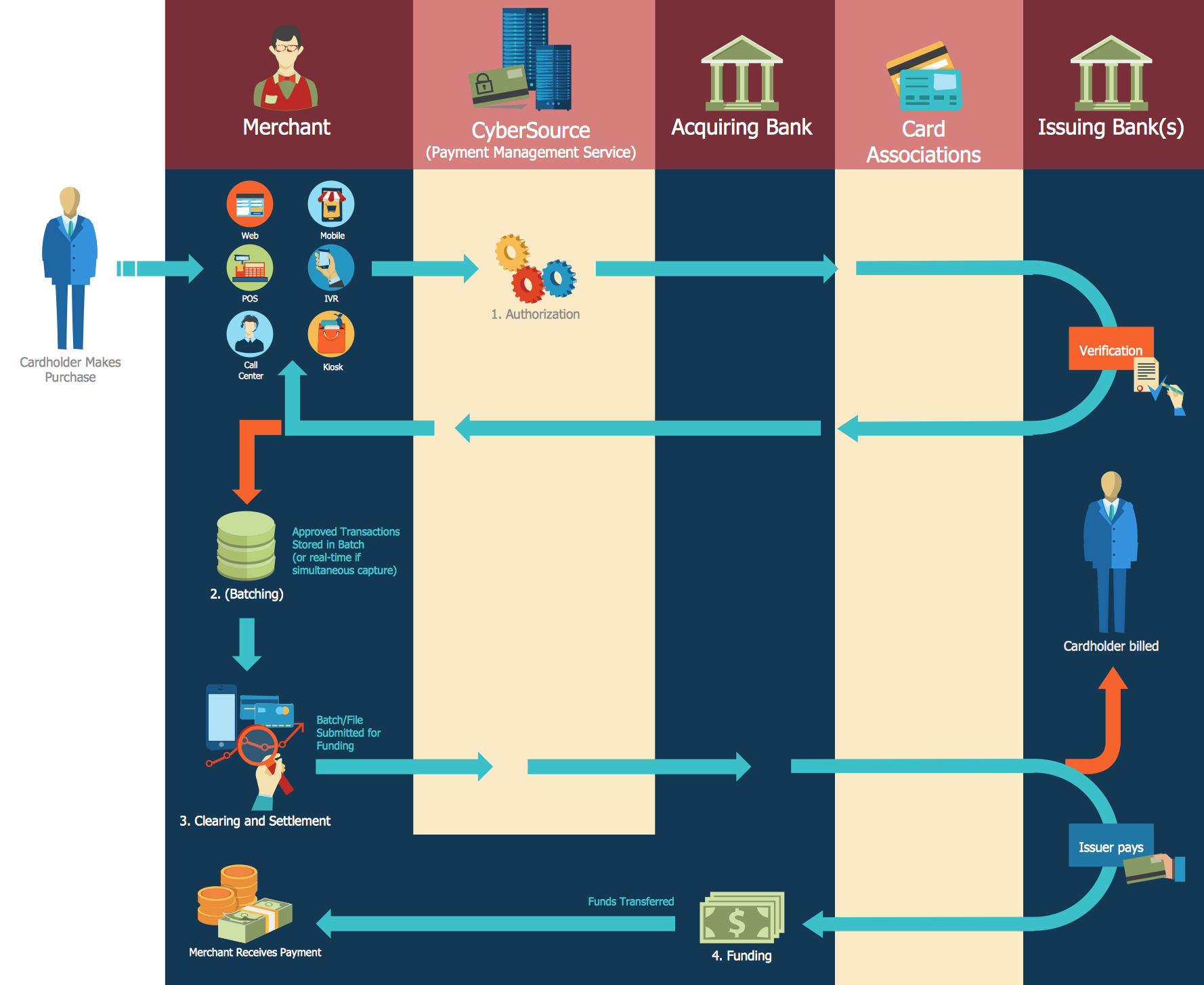
Example 4. Sales Process Flowchart — Global Payment Solutions
All source documents are vector graphic documents. They are available for reviewing, modifying, or converting to a variety of formats (PDF file, MS PowerPoint, MS Visio, and many other graphic formats) from the ConceptDraw STORE. The Sales Flowcharts Solution is available for all ConceptDraw DIAGRAM
NINE RELATED HOW TO's:
ConceptDraw DIAGRAM software extended with unique HR Flowcharts Solution is the best for designing various flowcharts and diagrams in the field of human resources management.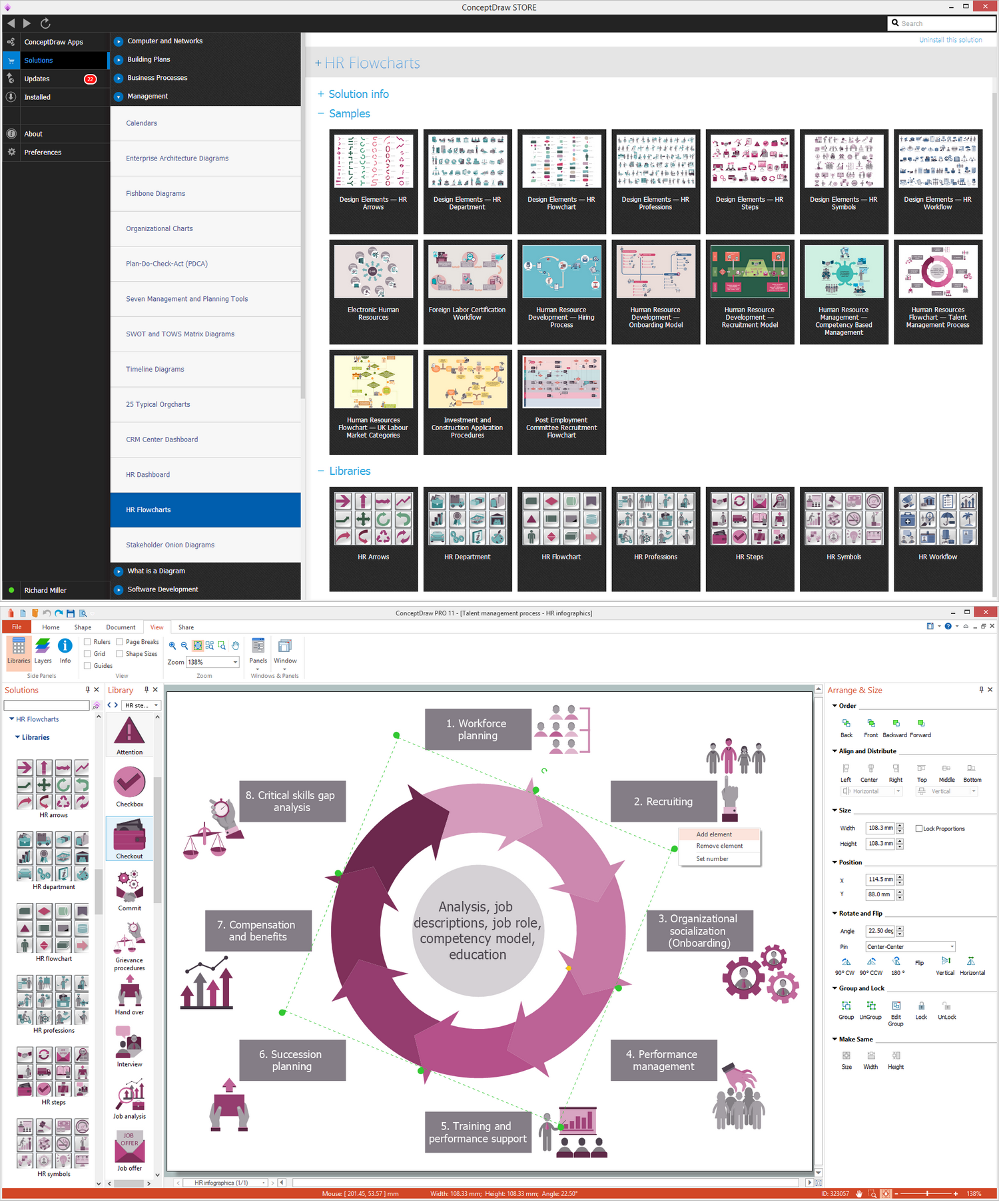
Picture: Human Resources
Related Solution:
The network architecture and design specialization will help you gain the technical leadership skills you need to design and implement high-quality networks that support business needs.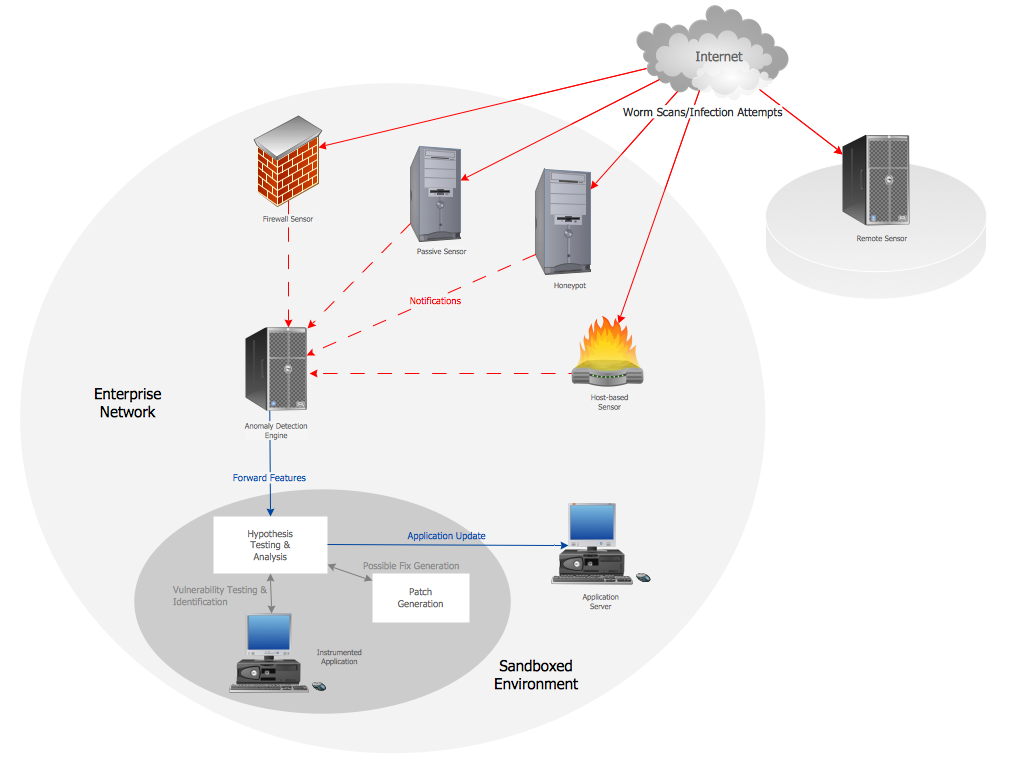
Picture: Computer Network Architecture. Computer and Network Examples
Create your own flow charts of computer or network system account processing using the ConceptDraw DIAGRAM.
Picture:
Account Flowchart
Flowchart Examples
Related Solution:
Sales teams are inherently competitive, so you don't need to invent extra ways to stimulate the competition. At the same time, you can provide the team with a sales dashboard shows company, team and personal KPI to make the competition clear.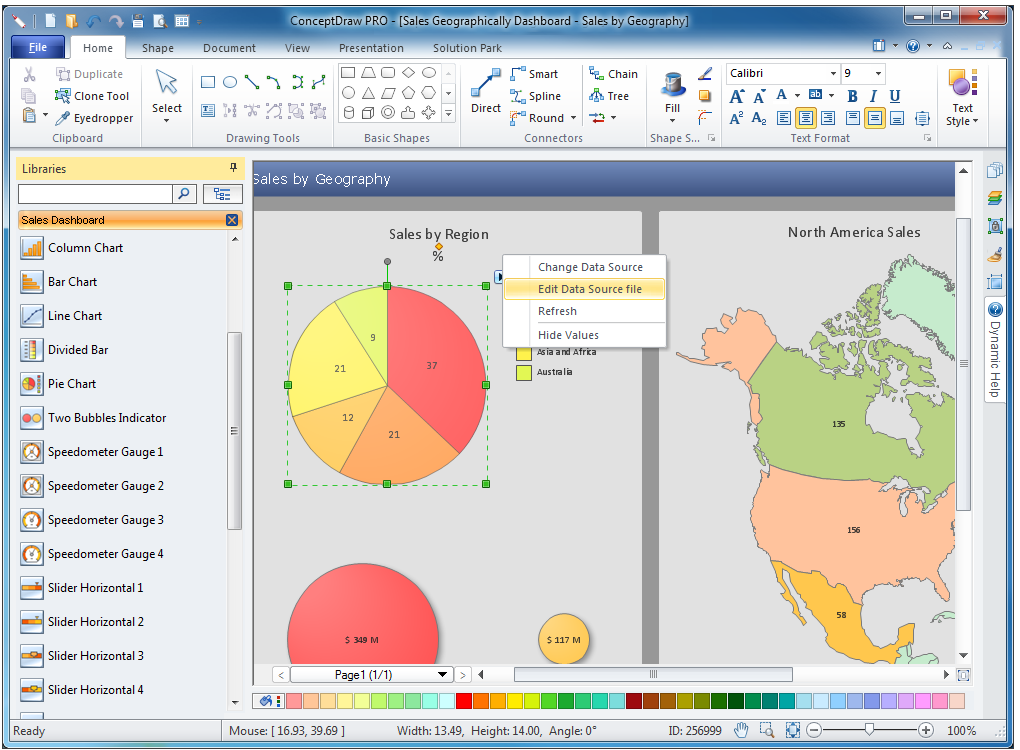
Picture: Sales Teams are Inherently Competitive
ConceptDraw DIAGRAM diagramming and vector drawing software extended with Sales Flowcharts solution from the Marketing area of ConceptDraw Solution Park offers the set of extensive tools for quick and easy drawing professional looking Sales Process Flowcharts.
Picture: Sales Process Flowcharts
Related Solution:
This sample shows the Flowchart for determine is a species heterotroph or autotroph, or a subtype. This diagram has start point and end points. The diamonds on the Flowchart represent the decisions. The Flowcharts are widely used in science, analytics, government, politics, business, engineering, architecture, marketing, manufacturing, administration, etc.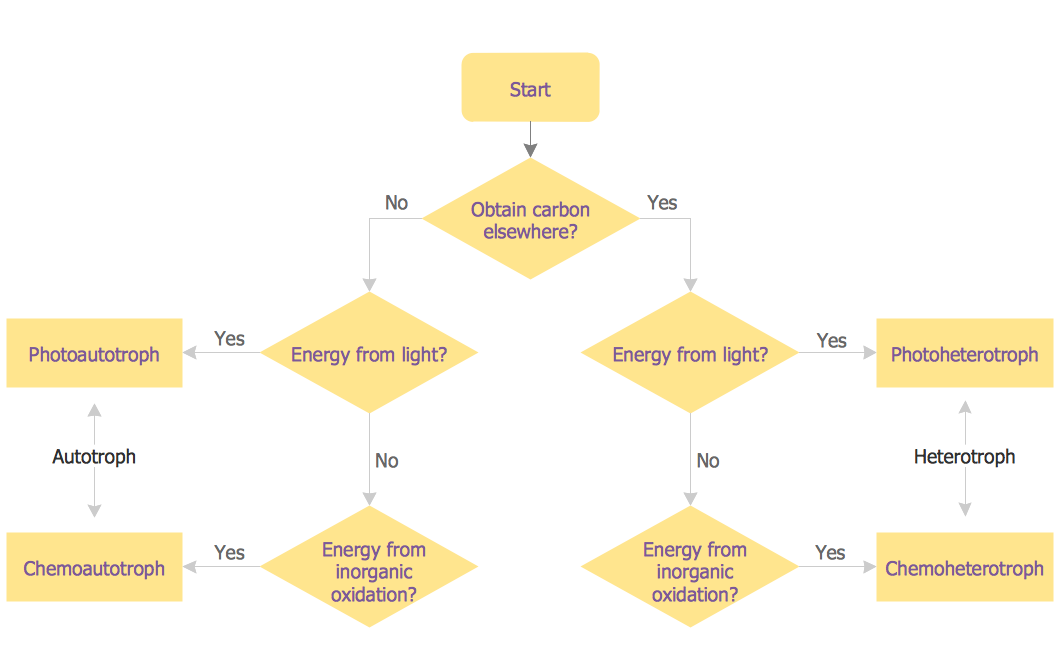
Picture: Samples of Flowcharting
Related Solution:
When thinking about data visualization, one of the first tools that comes to mind is a flowchart design. You can find flowchart symbols, shapes, stencils and icons easily on the Internet, but it might take time to systematize this information. Nevertheless, once you start flowcharting, you’ll love its simplicity and efficiency.
This diagram consists from standard flowchart symbols, approved by ANSI (American National Standard Institute) for drawing flowcharts. A flowchart is a diagram that represents a step-by-step algorithm of any process, displaying the process stages as boxes that are connected with arrows. Flowchart design makes it clear and readable.
Flowchart designed using ConceptDraw DIAGRAM flowchart software allows to make attractive and clear process presentation, it makes interpretation of the business process flow fresh and versatile. Great flowchart design view is a big advantage over the diagram created manually on a paper.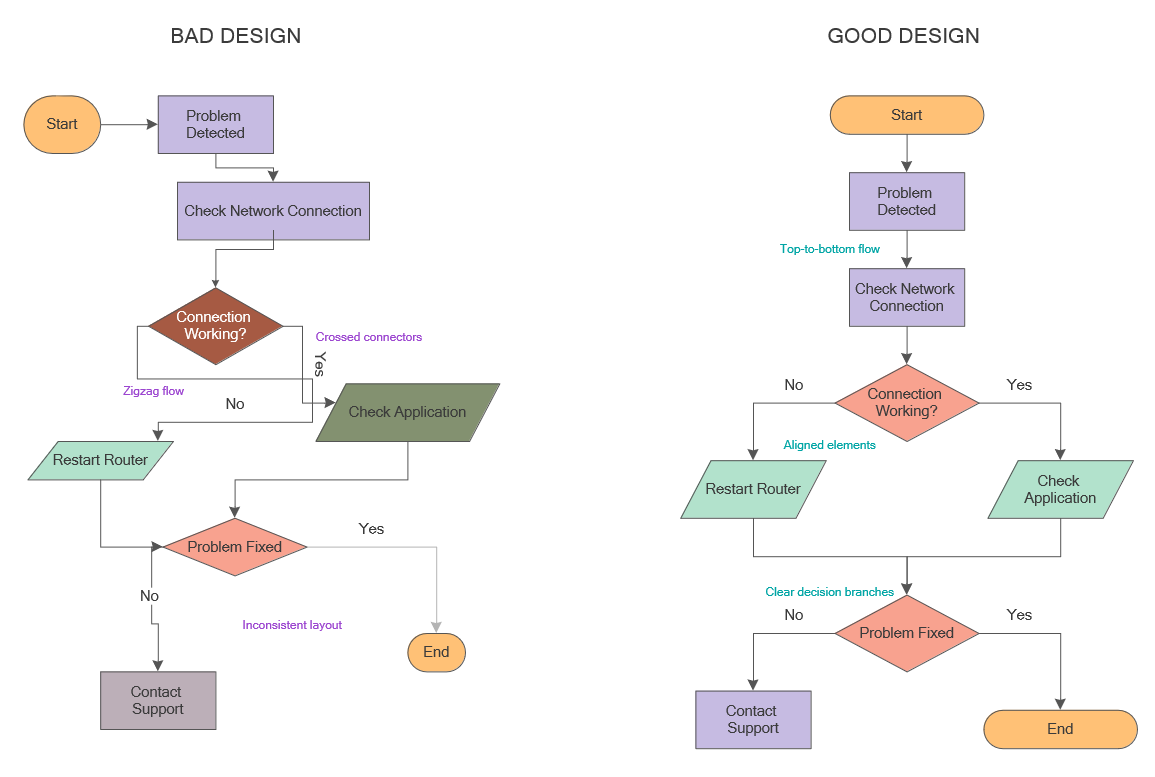
Picture: Flowchart Design: Principles, Layout, Symbols and Best Practices
Related Solution:
Process mapping helps with sharing business results and reorganizing workflow. In almost every case, after creating a sales process flowchart the steps that are redundant become obvious for a manager. It's easy to find a flowchart examples that will help in developing one for your business.
This sales process flowchart consists of a sequence of steps that represent a simple sale process. Each step is shown graphically by a rectangle representing processing steps or an activity, or a diamond representing a decision. These rectangles are linked by arrows, that indicate the direction of the sales workflow. ConceptDraw Sales Flowcharts solution delivers a the full set of classical flowchart notation symbols, along with sales-related icons and pictograms.
Picture:
Sales Process Flowchart
Flowchart Examples
Related Solutions:
The activity of any organization is more or less branchy network of processes. The description of these processes is a hard technical task which requires definite methodology and standards.
According to the IDEF0 standard any process can be described in the form of a block (Activity Box) which has inputs and outputs. The process consists in transformation of inputs into outputs under the influence of the management and in the presence of necessary resources. Outputs of the given process later on can be either inputs for the next process or resources, or management means.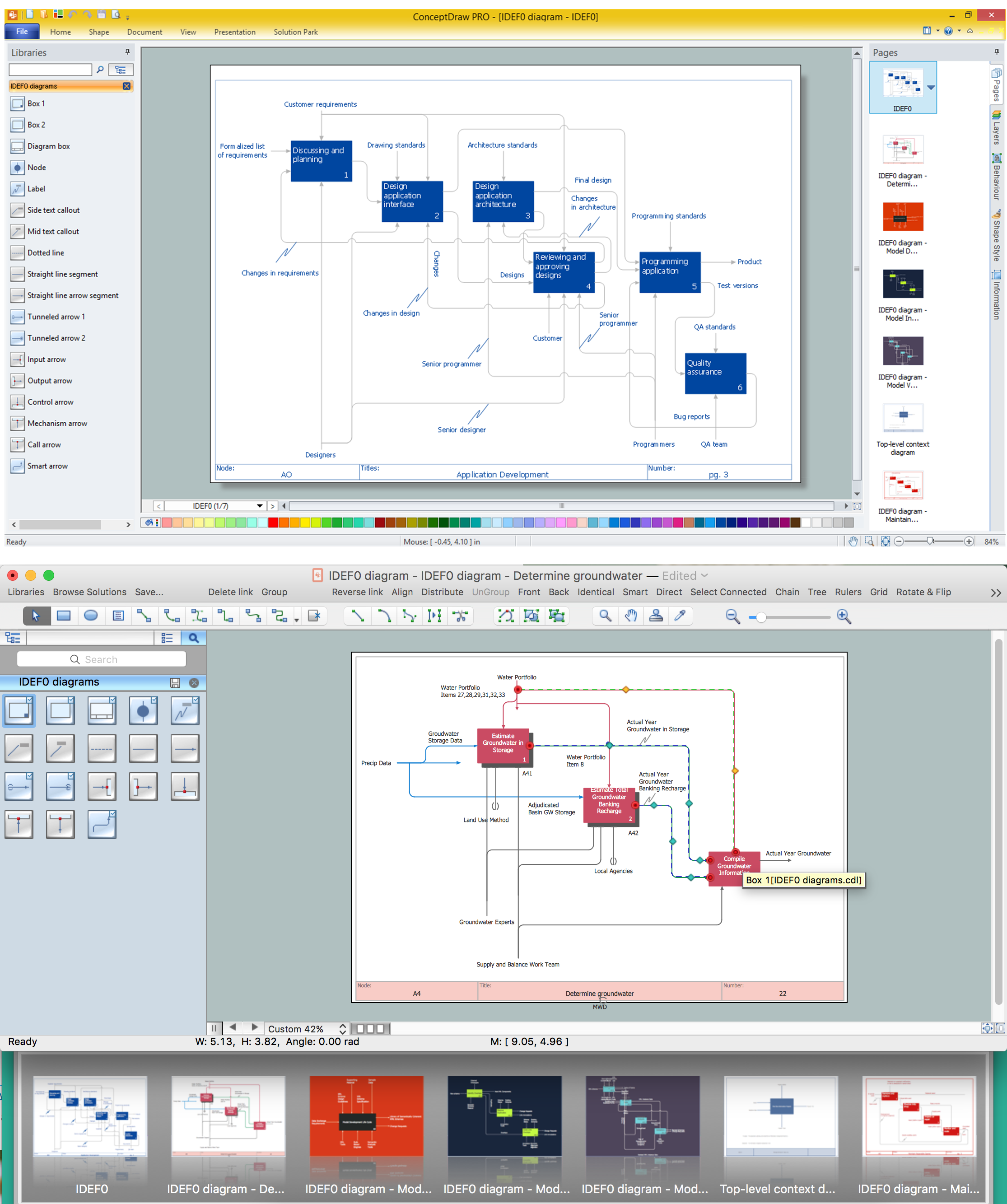
Picture: IDEF0 standard with ConceptDraw DIAGRAM
Related Solution:


