Human Resource Management
Human Resource Management is well known to be the management of human resources designed to maximize all the employees’ performance within some organization they work for. HR manager is the one to be concerned with the management of people working for organizations focusing on both systems and policies. HR departments in different companies are all responsible for overseeing the employees’ recruitment, employees’ benefits design, performance appraisal, training and development as well as rewarding, such as managing benefit systems and pay. HR specialists from HR departments are also related to arranging the industrial relations and changes within the organizations they work for. They are responsible for the balancing of organizational practices with requirements arising from both governmental laws and collective bargaining.
Human Resources Management is a product of the human relations movement of the 20th century when researchers began documenting their ways of creating business value. The creation of such business value was done with help of managing the strategies of the workforce, focusing on the strategic initiatives, such as “talent management”, “merges and acquisitions”, “labour and industrial relations”, “succession planning”, as well as inclusion and diversity. Another focus is always on maximizing the employees’ productivity, managing the human capital as well as implementing both processes and policies.
HR professionals usually specialise on training, recruiting, benefits as well as employee-relations in a way of finding and hiring top talents. Development and training professionals have to ensure that all employees are trained and that they have continuous development, at least within their field of business activity. It can be done through performance evaluations, reward programs and training programs. So called “employee relations” deals with concerns of employees once the policies are broken, for example when discrimination or harassment take place. These human-resources professionals can work in all areas of business as well as be so called “labour-relations representatives” while working with “unionized” employees.
HR departments in general usually have the role of making sure that the teams they work with can function in a proper way and that people working in different departments can communicate across cultures as well as across borders. Nowadays, the topics in human resources include inclusion and diversity, and also using technology to advance the contracts between employees and employers. Now, most companies focus on retaining the knowledge and talent held by their workforce as well as lowering the so called “employee turnover”, which helps to entail a high cost and increase the risk of a newcomers who enable to replace the person worked in the same position before.
The key option for all HR specialists working in HR departments for both small and large organizations is to offer benefits for their workers to reduce the risk of losing the so called “corporate knowledge”. All the functions, which HR specialists have to perform, cannot be mentioned in one article, but the main, such as re-engineering organization processes, aligning business and HR strategy, responding and listening to employees and managing changes as well as transformations.
Each HR manager is in charge of overseeing organizational culture and leadership, ensuring the compliance with both labour and employment laws, which can be different, depending on the geography. HR managers are also often have to oversee safety, health as well as all security issues. Usually through their representatives, HR managers engage in lobbying efforts with governmental agencies to further its priorities.
There are four basic functions within the Human Resource Management: training and development, staffing, maintenance and motivation. Training and development is one of the steps in a continuous process of training and developing competent to make the employees to adapt to the existing circumstances. Staffing means both the recruitment and selection of all potential employees: it can be done through applications, interviewing, networking, and so on. “Maintenance” involves keeping each of the employees’ loyalty and commitment to the organization they work for. And Motivation is key for keeping the employees highly productive, including providing the benefits for employees, rewards and performance appraisals.
Nowadays, the human resources professionals can train new staff members in a more efficient manner using the modern technology, which gives employees the ability to access all training programs from any country in the world as long as there’s internet and the needed software. Thus, there’s no more need for trainers to meet with new hires face to face as they can always keep in touch online. Training online makes it possible for all the HR specialists to train a large number of employees within a short period of time allowing the assess through the computerized testing programs.

Example 1. Competency-based Human Resource Management
In order to represent the work of each HR department within your organization, you can always use the modern technology, such as ConceptDraw DIAGRAM diagramming and vector drawing software as well as powerful “HR Flowcharts Solution” from ConceptDraw STORE application, developed to enable all the ConceptDraw DIAGRAM users to create any needed schemes, charts, diagrams, maps, flowcharts as well as other drawings within the mentioned sphere of business activity — Human Resource Management.
Having HR Flowcharts Solution means having enough drawing tools, including 7 stencil libraries with 387 professionally designed vector objects (“HR Arrows”, “HR Department”, “HR Flowchart”, “HR Professions”, “HR Steps”, “HR Symbols” and “HR Workflow”) and previously created templates, which all can be used as drafts for your own great looking as well as smart looking schematics.
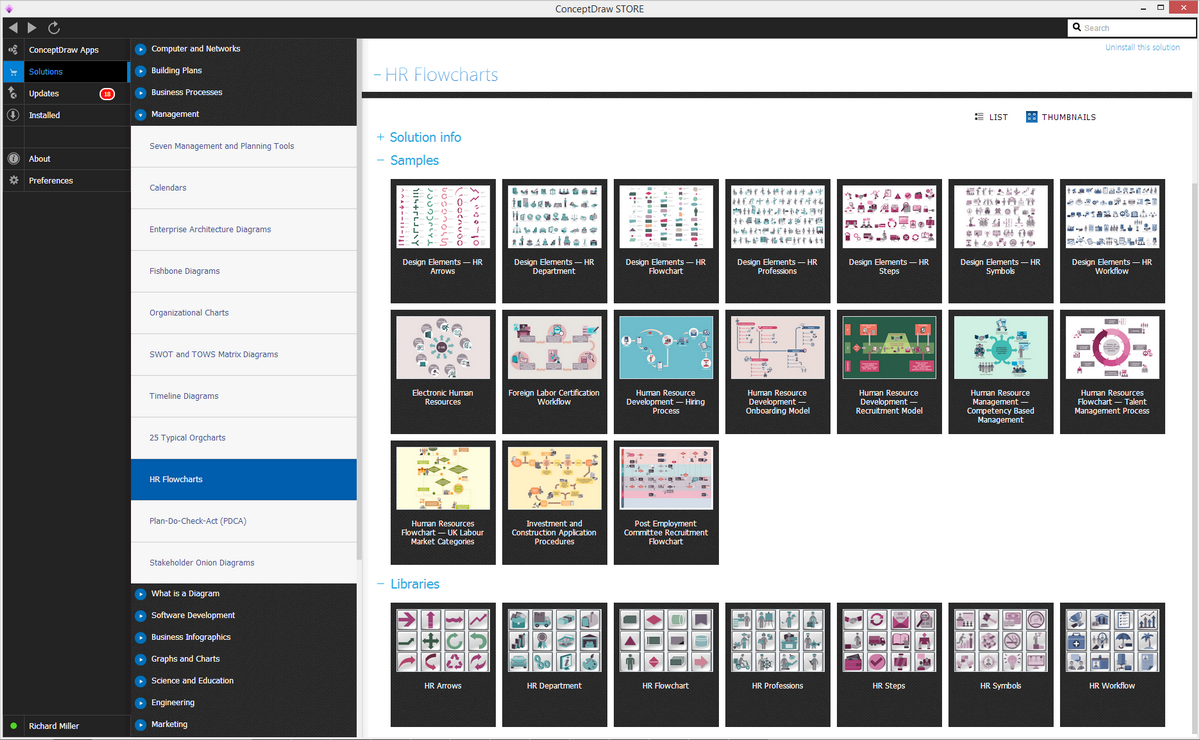
Example 2. HR Flowcharts Solution in ConceptDraw STORE
HR Flowcharts Solution includes also variety of predesigned samples which are the good examples and excellent base for your own HR Flowcharts. All they are available from ConceptDraw STORE.
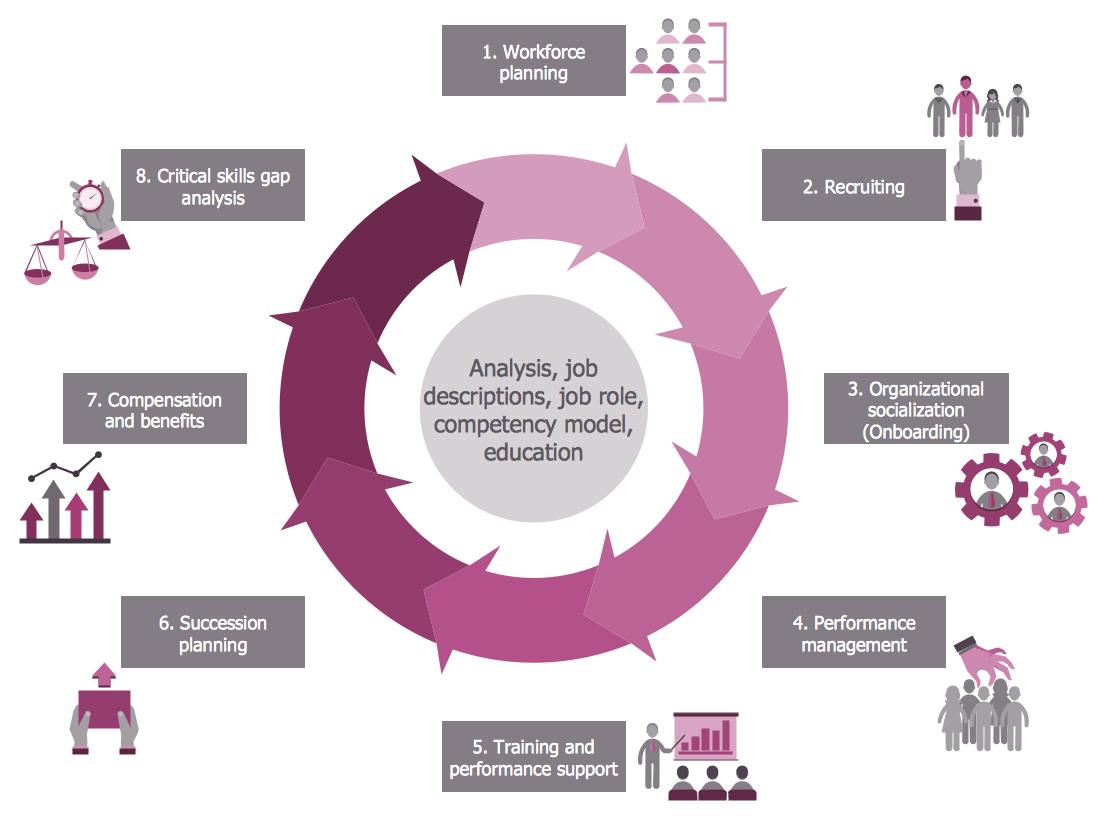
Example 3. HR Flowchart — Talent Management Process
The samples you see on this page were created in ConceptDraw DIAGRAM using the tools of the HR Flowcharts Solution. These HR Flowcharts are included in HR Flowcharts Solution, you can find them and more other in ConceptDraw STORE. An experienced user spent 10 minutes creating each of these samples.
Use the HR Flowcharts Solution for ConceptDraw DIAGRAM Solution Park for creating professional looking HR Flowcharts quick and easy, and for effective Human Resource Management.
All source documents are vector graphic documents. They are available for reviewing, modifying, or converting to a variety of formats (PDF file, MS PowerPoint, MS Visio, and many other graphic formats) from the ConceptDraw STORE. The HR Flowcharts Solution is available for all ConceptDraw DIAGRAM