Stakeholder Management System using Onion Diagram
Stakeholder management is known to be a critical component to the successful delivery of any project, activity or program, being an arrangement of the stakeholders who are known to be simply different individuals (sometimes - groups or organizations) being able to affect as well as to be affected by some program. Any effective management program in this case may lead to creating the positive relationships with different stakeholders through the appropriate management of their agreed objectives as well as the expectations. Any stakeholder management is known to be a process which has to be well planned in advance as well as guided by using the underlying principles. Within businesses, projects or organizations stakeholder management is known to be the one preparing a strategy with help of which it is simpler to utilise the collected information.
The well-known as well as very commonly used key principles of stakeholder engagement are, first of all, to communicate well, which means to ensure that the intended message is understood by those who are in charge for achieving the desired response; secondly, to consult, which has to happen both often and early and so to get the useful ideas as well as other useful information as a result of asking the needed questions. It is always important to remember that all of us are human beings and so the human feelings should be taken into consideration.
As a stakeholder manager, you have to plan things investment as well as careful and detailed planning against it, has a significant payoff, you have to build the needed relationship in order to succeed and so to achieve your personal as well as the business goals, trying to engender the trust with all the stakeholders. To do it, you should simply show that you care and so be empathetic listening to the stakeholders. Managing risks is always very important to get to know all the stakeholders as well as all the opportunities that have impact and probabilities which can be treated as a “risk”. To compromise is another underlying principle that can affect your result while managing the stakeholders. To understand what success is must be one of the main “to do” things and it can be sorted by exploring the value of the project to the stakeholders themselves. To manage to achieve the stated goal, you should take the responsibility to the full as the project governance is the key of any project.
Conducting the stakeholder analysis, first of all, you have to brainstorm to find out who exactly your stakeholders are, thinking of all the people affected by your work – those who have power or influence over it, or those who have some interest in its unsuccessful or successful conclusion. You should remember that every time you deal with stakeholders, whether they are people or organizations, you do communicate with people. Thus, it is always better to make sure that you identify the right individual stakeholders within some stakeholder company.
There are four main steps within the stakeholder management, which embrace the identification, recognition as well as the acknowledging of all the stakeholder, determining those stakeholders interest and influence, establishing the communication as well as management plan, and to influence on the stakeholder engaging them.
There may be a long list of organizations and people which are affected by your work and some of them may have the power to block or to advance the process, although some of them may be interested in what you do, when others simply would not care as much. One of the given advices may be for you to map out all your stakeholders mentioning them on a so called “power/interest grid”, classifying them by their interest in your work as well as their power over your work. You can always do your mapping using ConceptDraw DIAGRAM software, creating the Stakeholder Onion Diagrams using the appropriate Stakeholder Onion Diagrams solution from ConceptDraw STORE application, available to be downloaded from this site.
Always keep in mind your so called “key stakeholders” knowing the way they feel about your project as well as the best way to engage all of them in your project to communicate with them. The key questions in this case may be “What emotional or financial interest do these stakeholders have in the outcome of your work?”, “Is the mentioned interest negative or positive?”, “What motivates the stakeholders most of all?”, “What exactly information do these stakeholders need from you?”, “In what way do these stakeholders want to receive the mentioned information from you?”, “What exactly is the best way of delivering your message to them?”, “What can be these stakeholders’ opinion of your work?”, “Is their opinion based on the right information?”, “Who exactly influences their opinions and who just influences their opinion they have of you?”, “Are there any influencers who become important stakeholders in their own right?”, “If yes, what will help you to make them support your project?”, “Once it is impossible, how will you cope up with their opposition?”, “Who else can be in charge for influencing on the rest?”, “Who else may come to harm by such influencers’ opinions?” and other. The mentioned questions can help you understand your stakeholders better and so to decide what exactly needs to be done to prevent any new risks occurring.
Having three stencil libraries developed by the IT specialists including the web designers of CS Odessa with 91 pre-made design elements (such as “stickman icons”), representing “Men (head-to-chest)”, “Women (head-to-chest)”, “Men (full length)” and “Women (full length)”, icons, “Legend”, direct connectors, including the dotted one, as well as arc one, apart from many examples of the onion diagrams, you can always create any needed stakeholder related drawing within only an hour or even less, depending on how good you are at using the mentioned solution as well as computer in general.

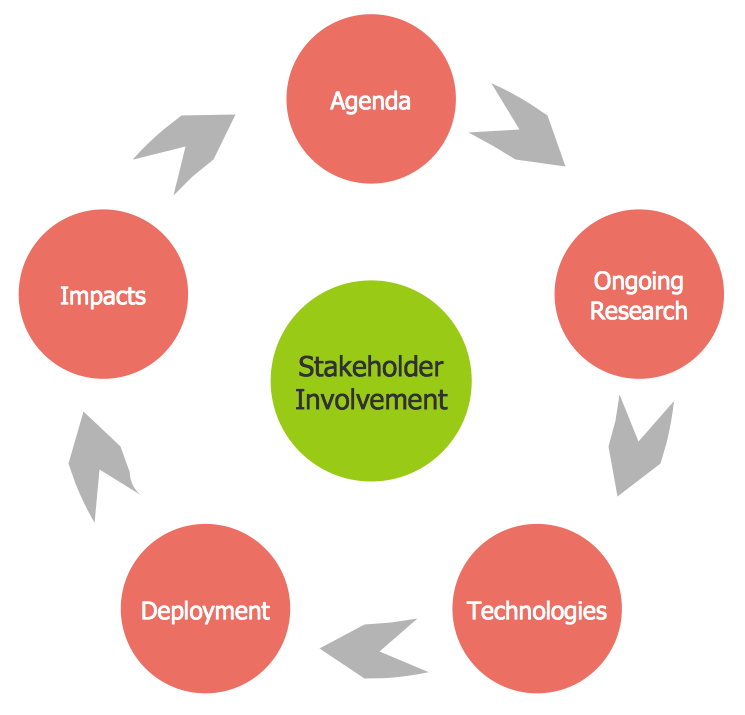
Example 1. Stakeholder Management System
Stakeholder Onion Diagrams Solution offers diversity of samples depicting professionally designed Onion diagrams and Stakeholder Management System charts, quick start templates and 3 libraries containing 91 ready-to-use vector objects:
- Onion Diagrams with Sectors
- Stakeholder Icons
- Stakeholder Onion Diagrams
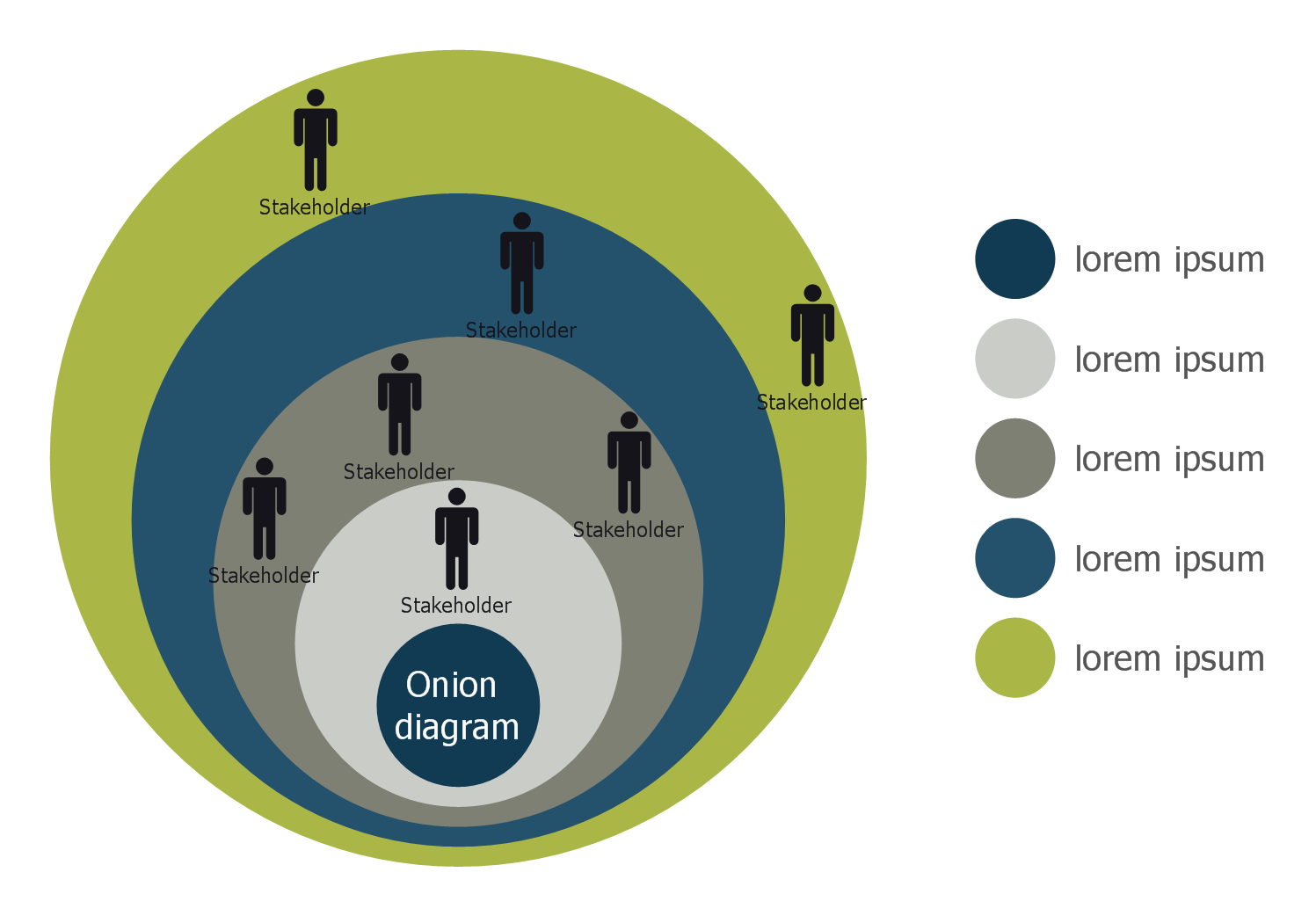
Example 2. Round Onion Diagram Template
Use of ready template is the simplest way of drawing, desired template can be chosen from ConceptDraw STORE.
Another way of drawing in ConceptDraw DIAGRAM software is to create new document and use as the base the suitable object from the collection offered by Stakeholder Onion Diagrams Solution libraries.
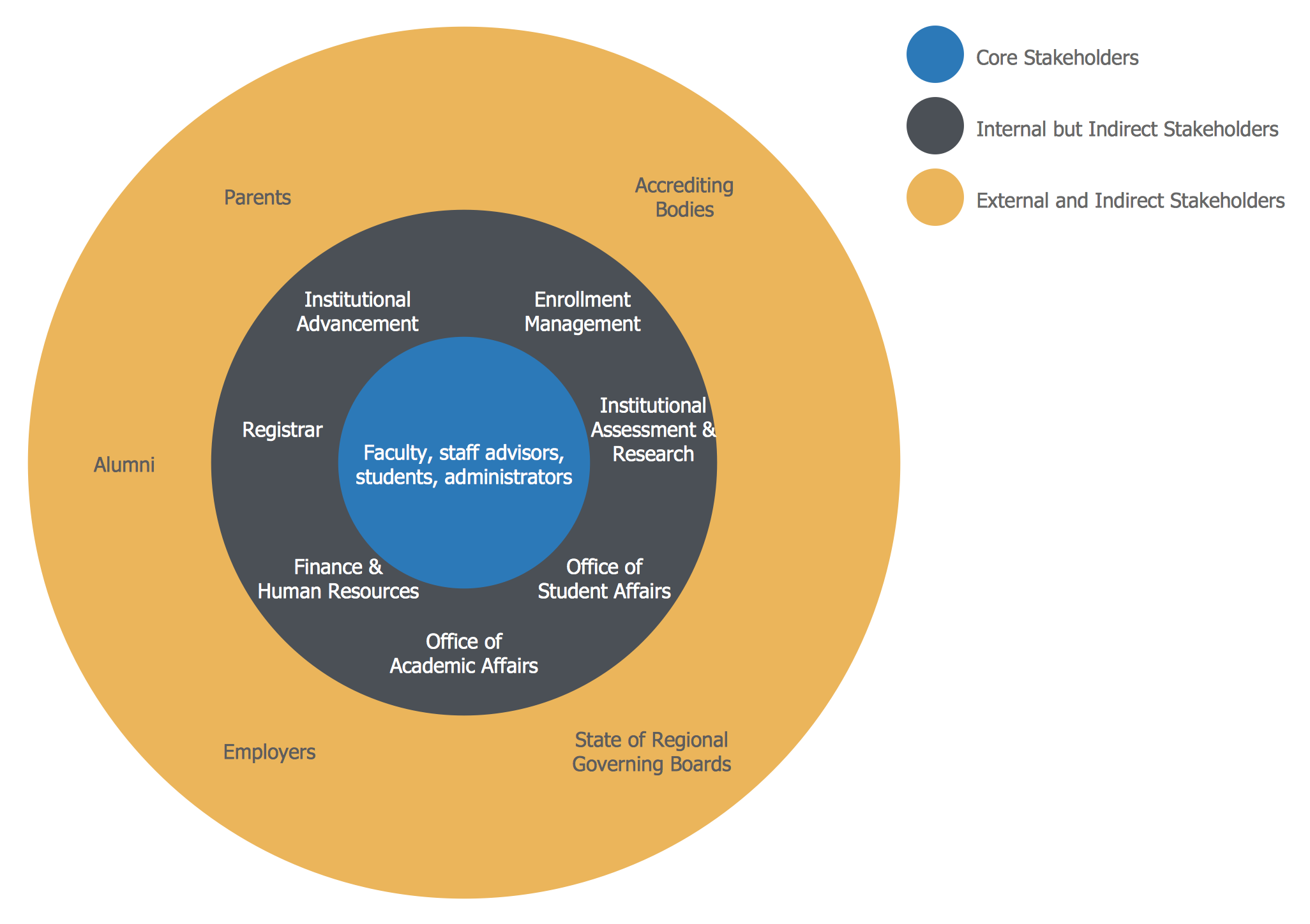
Example 3. Stakeholder Diagram
The Stakeholder Onion Diagrams samples you see on this page were created in ConceptDraw DIAGRAM software on the base of predesigned templates from the Stakeholder Onion Diagrams Solution for ConceptDraw Solution Park. An experienced user spent 5-10 minutes creating each of them.
Use the Stakeholder Onion Diagrams Solution for ConceptDraw DIAGRAM to create your own professional looking Stakeholder Management System designs and charts quick, easy and effective.
All source documents are vector graphic documents. They are available for reviewing, modifying, or converting to a variety of formats (PDF file, MS PowerPoint, MS Visio, and many other graphic formats) from the ConceptDraw STORE. The Stakeholder Onion Diagrams Solution is available for all ConceptDraw DIAGRAM users.