Made with
ConceptDraw
MINDMAP 16

Organizational Chart

Business Productivity

In Business Productivity Solutions we support managers and knowledge workers in making their jobs easier, saving them time and achieving better results. The solutions in the ConceptDraw Solution Park extend our ConceptDraw products beyond the scope of what ships with the product and add value to all of our products going forward. If in your job you need to make presentations, conduct meetings, prepare documents, brainstorm and build new strategies; as well as save yourself time then ConceptDraw Solution Park will provide you with the tools you need to be successful.

You will find that our solutions are well designed to save you valuable time when you only have a minute or two to prepare. By leveraging content that has already been authored and then rapidly repurposing it to meet your requirements you have ratcheted up your ability to respond to any eventuality. Even a critical presentation that you only have a moment to prepare can be professionally generated and presented. No other tool anywhere gives you the flexibility and the immediacy that you will find in ConceptDraw Office and ConceptDraw Solution Park.

When you do professional work and need more integrated approach for your data processing using many various software tools – then you need to check Solution Park for separate support for your professional Activity. It delivers comprehensive support for professional activities as separate Solution Park’s Activity collection of integrated software tools and the number of supported activities is growing.

To achieve the professional results you desire while being able to respond faster than you have ever been able to before require an integrated approach that leverages the data and documentation that currently exists. ConceptDraw Office in combination with the extensibility provided by ConceptDraw Solution Park supports your business activities. ConceptDraw Solution Park is an ever-growing collection of point solutions that adds value to your investment.

Management

Benefits

Management Diagrams (Matrixes, Deployment Charts, Organizational Charts, Cause & Effect (Fishbone) Diagrams, Timelines) and Mind Maps (decision making, scheduling, thinking ideas, problem solving, business planning, company organizing, SWOT analysis, preparating and holding the meetings and presentations).

Objective

Visually document and communicate information to management.

Solution Purpose

Build management diagrams and mind maps quickly and easily.

Intended For

Managers who want to improve their productivity by using visual documenting and communication tools.

Products and Methods

To support you in your tasks you can use the power of ConceptDraw DIAGRAM providing intelligent vector graphics that are useful for management diagramming and ConceptDraw MINDMAP for key management mind maps.

Organizational Chart

Use the advantages of the hierarchical tree structure of mind map while developing the organizational structure of your organization. Create an organizational chart structured in a radial mind map form. Double click the icon to create an Organizational Chart.

The diagram is created automatically from the active page of your map by ConceptDraw DIAGRAM and will be opened in Slideshow mode.

The diagram would be represented as a single-page document if the whole structure can be located on the standard paper layout (A4 or Letter). If the diagram is represented on several pages, the first page would contain Main Idea, Main Topics, and Level 2 subtopics.

Each of the next pages will contain Level 2 with Level 3 subtopics. The Level 2 topics on the first page are connected by hyperlinks with corresponding Level 2 topics on the next page.

Organizational Chart *

Example 1. Organizational Chart


The Benefits for ConceptDraw MINDMAP Brainstorming Software

  • ConceptDraw MINDMAP is effective for brainstorming, designing mind maps, idea generating, creative and lateral thinking, creativity and problem solving.
  • ConceptDraw MINDMAP is ideal for team and personal work in Business, Marketing and Project Management.
  • The libraries with large quantity of vector objects help to illustrate your mind maps and to make them bright, visual and comprehensible.
  • Use of View Navigator tool lets create presentations from a mind map: you can simply select the map parts you want to present, sequence your slides, and preview the presentation.
  • ConceptDraw MINDMAP provides wide capabilities of importing and exporting in various formats: Microsoft PowerPoint, Microsoft Word, MS Excel, Mindjet MindManager, image, HTML, PDF file.


TEN RELATED HOW TO's:
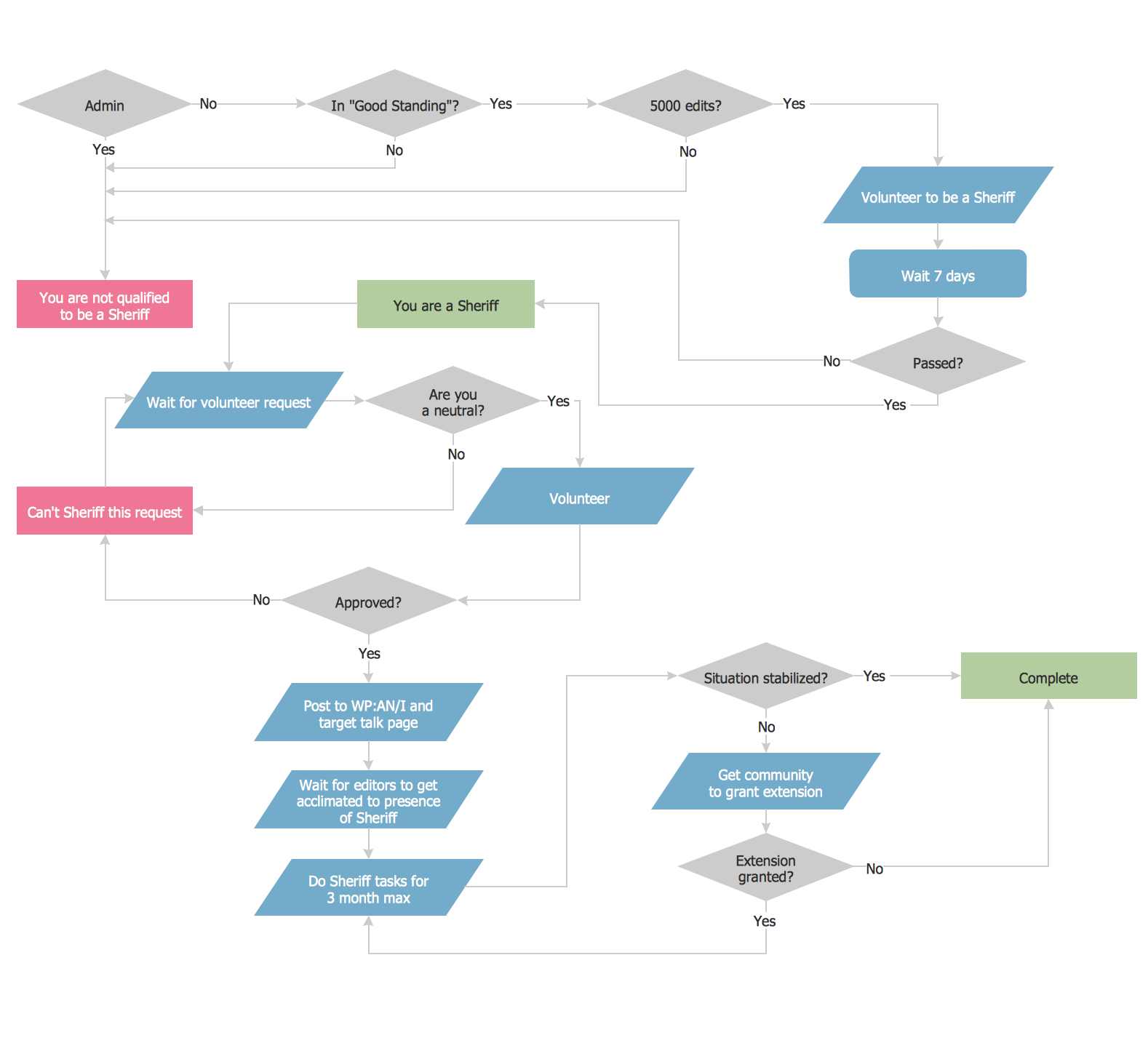
Sometimes it's difficult to find a path in work processes or to understand the requirements, especially when you are a newcomer. To get your thoughts straight, create a workflow diagram, and put everything on it. This will not only help you to get into the workflow, but also show it’s weaknesses. This illustration captures the workflow process of payment an invoice for the electricity consumed by certain enterprise. It was drawn in ConceptDraw DIAGRAM using its solution for Workflow Diagrams. Making a workflow charts means that you need to depict consistently all processes engaged to the workflow process. Then, you should connect them with symbols meaning study and analysis. Next, add symbols of decisions. A work flow diagram made precisely and correctly can help to clarify your work flow to any person.Workflow Diagram *
Picture: Workflow Diagram
Related Solution:
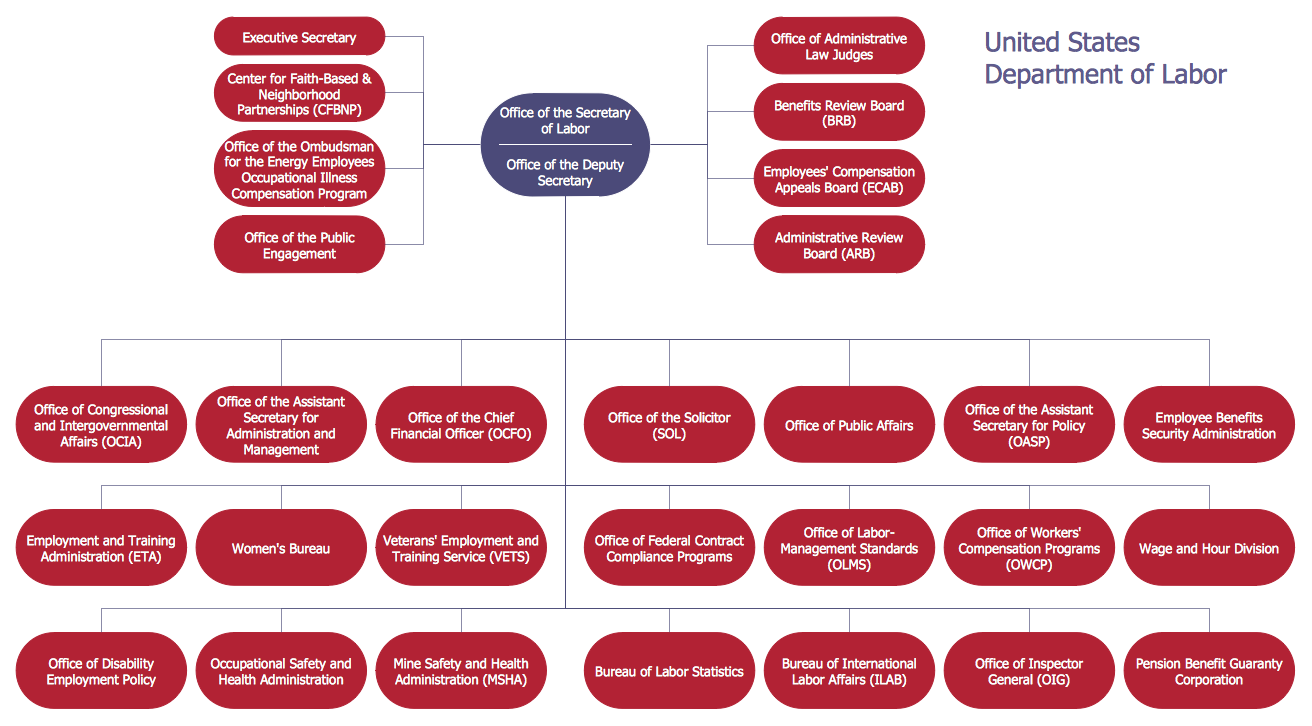
To your mind, deliberation about the profits of creating organizational charts takes more time than actually creating itself. If lack of software is the only thing that stops you, you should know that organizational charts with ConceptDraw DIAGRAM are created within a few minutes. Owing to the great number of ready-to-use templates, you’ll get your chart easily. Chart is a very handy format for visually depicting official relations of an organization. Usually, an Orgchart (organizational chart) consists from simple geometrical shapes, containing an information on a position, personal data, and the lines that means responsibilities and accountabilities associated with position. ConceptDraw solution designed for making organizational charts enables one to create various org charts effortlessly using special templates and vector libraries.Organizational Charts with ConceptDraw DIAGRAM  *
Picture: Organizational Charts with ConceptDraw DIAGRAM
Related Solution:
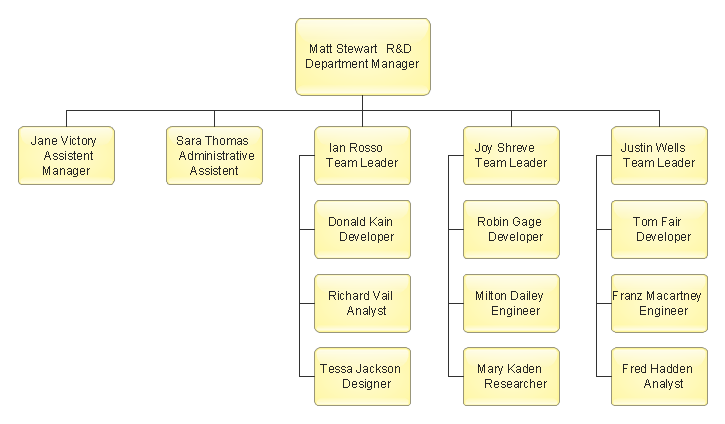
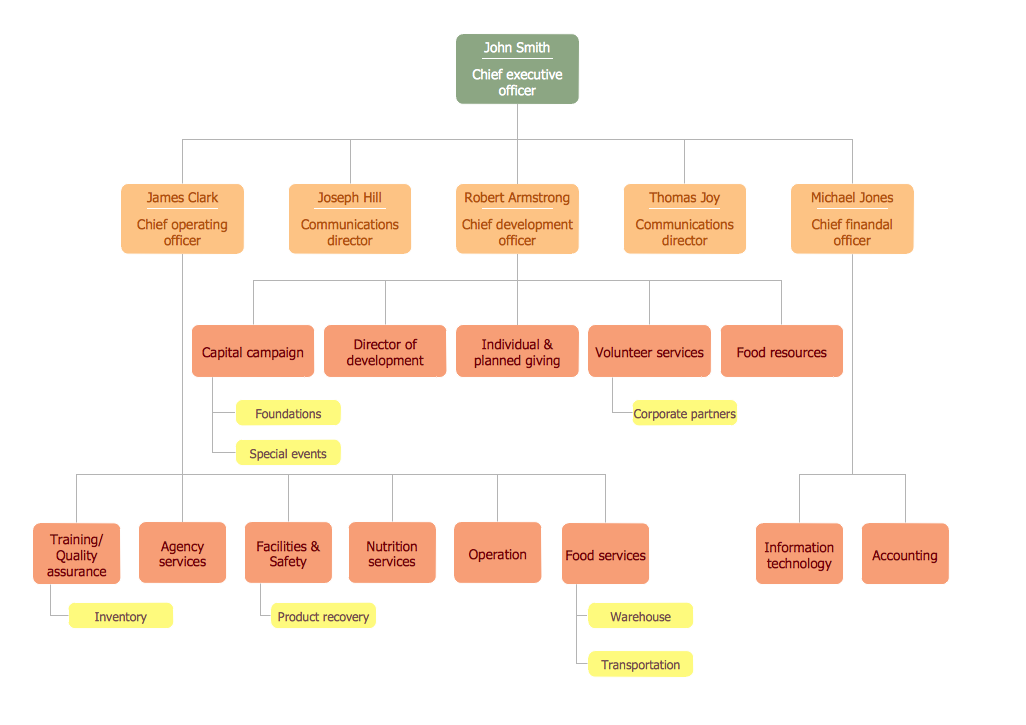
An orgchart shows how the responsibilities are divided between departments. It’s enough to have just one look on a proper organizational chart template to understand the idea and how it works. To understand how it’s made you should use a diagramming software. This organizational diagram illustrates the possibilities of using ConceptDraw DIAGRAM to create orgcharts. This sample represents the common project management company. The chart shows the structure of devisions in the company, and the interaction between them. Communication between departments imply a certain structure affiliation and reporting. At the head of the company - President. This diagram was created using ConceptDraw solution for designing Organizational charts of any structure and complexity.Organizational Chart Template *
Picture: Organizational Chart Template
Related Solution:
If you ever wanted to try any diagramming tools except of Visio, but were afraid to lose existing documents, there’s good news for you. One of the most striking features of ConceptDraw DIAGRAM is it’s perfect compatibility with MS Visio, which guarantees that you won’t depend on operating system anymore, because another ConceptDraw DIAGRAM feature is that it’s cross-platform tool. Don’t waste your time looking for other options, you’ve found the solution already! Business professionals often utilize the MS Visio as a common tool for making various issues on business visualization. MS Visio is a strong software with good capacity to maintain complex business solutions. But there is no MS Visio for Apple OS X. This is a large invocation, and one would be pleased to recognize that ConceptDraw DIAGRAM is the ideal alternative to MS Visio. Primarily, because this software works natively on both Windows and Apple OS X platforms. if you have migrated from Windows to Mac, or need to communicate in a cross-platform conditions, you’ll search for MS Visio replacer. ConceptDraw DIAGRAM is the exclusive professional business diagramming application that runs on both Windows and Apple OS X. The opportunity exchange files between PC and Mac, as well as between ConceptDraw DIAGRAM and Visio is the significant advantage that permits you to display and to collaborate business information in effortless and cost-effective way.ConceptDraw DIAGRAM Compatibility with MS Visio *
Picture: ConceptDraw DIAGRAM Compatibility with MS Visio
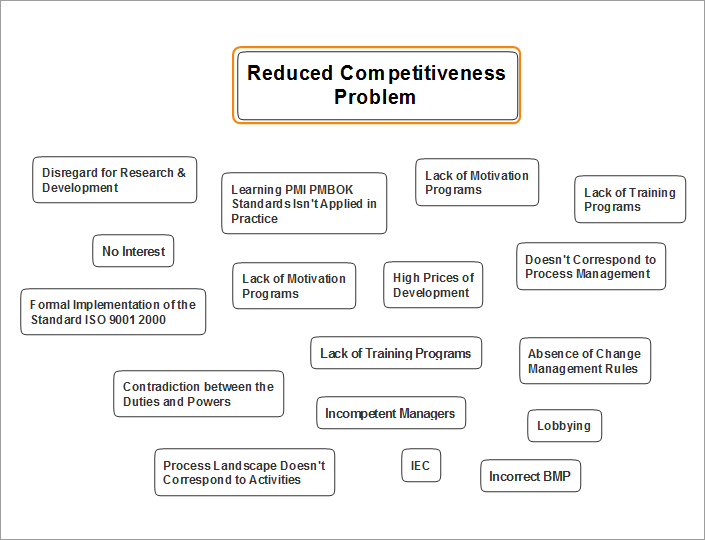
Cause and Effect Analysis - The Seven Management and Planning Tools is a tool for Cause and Effect Analysis that allows users to analyze the root causes for factors that influenced the problem. This diagram is constructed separately for each highly prioritized factor. The Diagram is then used for further formulation of potential actions.Cause and Effect Analysis *
Picture: Cause and Effect Analysis
Identify and Structure Factors. Use the Affinity Diagram to collect and structure factors that impact on a problem. ConceptDraw OFFICE suite is a software for identify and structure factors with affinity diagram. This is a grouping and structuring of factors that impact on a problem.PROBLEM ANALYSIS. <br>Identify and Structure Factors *
Picture: PROBLEM ANALYSIS. Identify and Structure Factors
This pyramid chart example is supplied with the ConceptDraw Pyramid Diagrams solution. This is a model of Information Management Systems classification. It is made in a form of a four-level pyramid. The top level shows the information system developed for an executive management. Below, there is a level depicting the system of decision making process for the managers of the senior level. A schematic representation of the middle management information system, following to logic, is in the middle of the pyramid. And at least, the lowermost level represents an information processing system for employees.Pyramid Diagram *
Picture: Pyramid Diagram
Related Solutions:
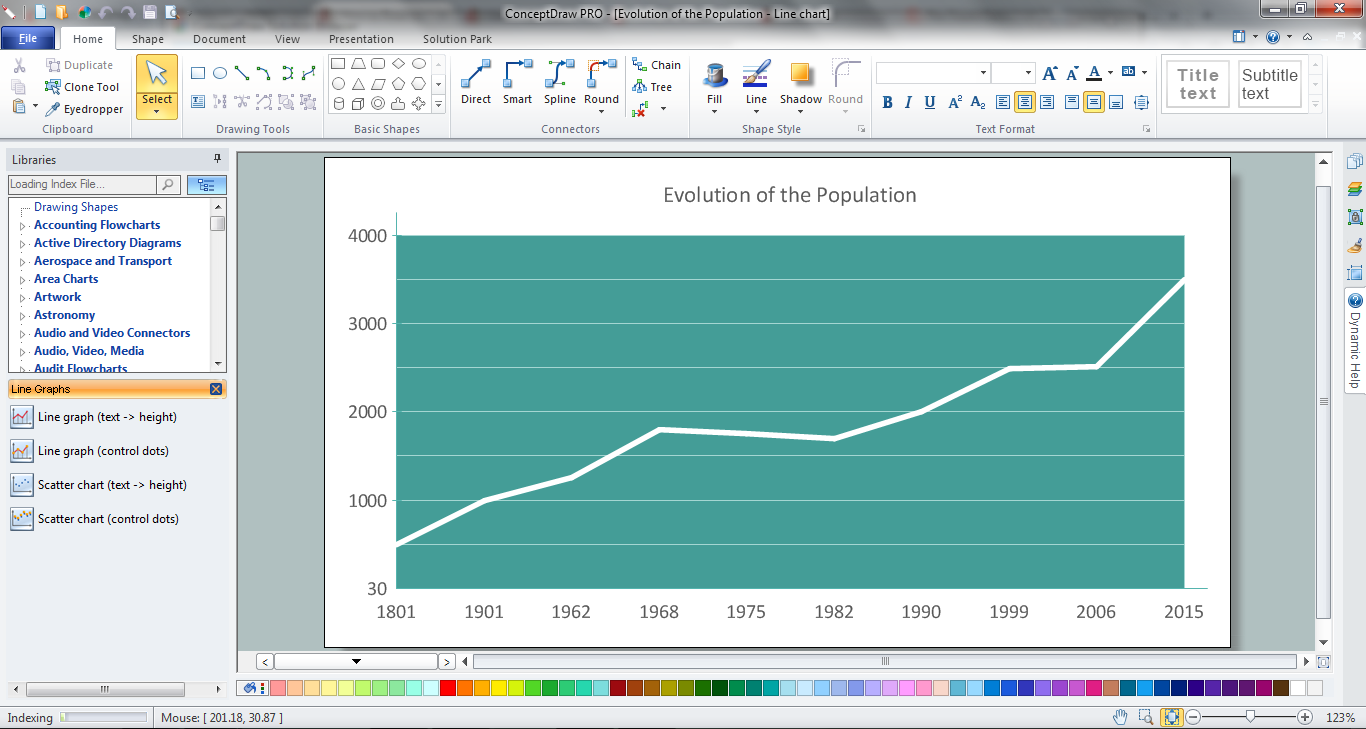
This sample was created in ConceptDraw DIAGRAM diagramming and vector drawing software using the Line Graphs Solution from Graphs and Charts area of ConceptDraw Solution Park. This sample shows the Line Chart of annual percentage change. The Line Chart allows you to clearly see the changes of data over the time.Line Chart Template for Word *
Picture: Line Chart Template for Word
Related Solution:
Successful quality management implemented in a company of any size is a critical component of a company organization.What is a Quality Management *
Picture: What is a Quality Management
Related Solution:
ConceptDraw DIAGRAM is a flowchart creating software. This software includes over 20 vector stencils in libraries. These objects allow you to create well-designed flowcharts. Put an initial object from library to a page and use RapidDraw technology clicking on direction arrows to add new objects to the flowchart. This way you can make flowchart quickly.How To Create a Flow Chart in ConceptDraw *
Picture: How To Create a Flow Chart in ConceptDraw
Related Solution:
ConceptDraw
MINDMAP 16