ORM Diagram
What is an ORM Diagram?
Object-role modelling can be used for data modelling in software engineering business activity, being simply the semantics of a universe of discourse. The final object-role models, which were coined in the 1970s, use different graphical symbols, based on set theory as well as first order predicate logic, which enables the modeller to make an unambiguous definition of a so called “arbitrary universe of discourse”. Basically, object-role models are graph database models, better analysed and designed to benefit the relational database design.
ORM based tools as well as object-role models have been used for more than 30 years and still are very popular. The mentioned object-role models have been used for modelling the business rules, data warehouses, web forms, requirements engineering forms and XML-Schemas. Originally, the roots of object-role models can be traced to research into semantic modelling for information systems during the 1970s in Europe, having an early contribution came in 1973. In that year Michael Senko wrote about data structuring in the “IBM Systems Journal” and in 1974 Jean-Raymond Abrial contributed an article about Data Semantics, followed by Eckhard Falkenberg, who published the papers in June 1975 mentioning the object-role models, as well as in 1976 again.
Already in 1989 the thesis on object-role model was completed by Terry Halpin, incorporating several extensions and, of course, providing the first full formalization of the approach. Same year, he and G.M. Nijssen wrote a book named "Conceptual Schema and Relational Database Design", as well as several joint papers. In those papers they provided the first formalization of the object-role modelling, writing six more books and over 160 technical papers about it later.
The object-role modelling can be also used in combination with standardised relation types, involving the associated roles as well as a taxonomy (the practice and science of classification) of concepts and machine-readable dictionary. Standardisation of the so called “relation types” (also known as “fact types”), concepts and roles enables increased possibilities for model reuse as well as for model integration. All object-role models are based on elementary facts. The mentioned facts can be expressed in many different types of diagrams, based on the object-role modelling process, which can be verbalised into natural language.
With object-role modelling, the propositions (which can be related to the objects of belief, primary bearers of truth-value as well as other “proportional attitude”, the meanings of declarative sentences and the referents of that-clauses) are abstracted into "fact types", when the individual propositions are regarded as “sample data”. The difference between an "elementary fact" and a "fact" itself is that an elementary fact cannot be simplified without loss of meaning. The mentioned "fact-based" approach facilitates transforming, modelling and querying information from any needed domain.
Object-role models are known to be “attribute-free”, treating all elementary facts as relationships and the decisions for grouping facts into structures, as implementation concerns irrelevant to semantics, which differs them from the models in the Unified Modelling Language and the entity-relationship methods. Object-role models improve the semantic stability, enabling any verbalization into natural language in a way of avoiding attributes in the base model.
The so called “fact-based modelling” includes procedures for mapping facts to attribute-based structures and all fact-based textual representations are based on formal subsets of native languages. Thus, the object-role models are simpler to understand by those people, who have no technical education. Although, fact-based graphical notations are known to be more expressive, to compare to the Unified Modelling Language and the entity-relationship ones. Also, it’s important to remember that object-role model can be automatically mapped to deductive and relational databases.
Object-role modelling 2 is simply the latest generation of object-role modelling, using the main objectives for the ORM 2 graphical notation, which are support for new features (such as role path delineation, modalities and closure aspects), more compact display of ORM models with no need of compromising clarity, an improved internationalization (for example, to avoid English language symbols), the simplified drawing rules for facilitating creation of a graphical editor and an extended use of views for selectively suppressing/displaying detail.
System development usually involves such stages, as feasibility study, requirements analysis, design of both operations and data as well as logical design, external design, internal design as well as its implementation, prototyping, validation, testing and, finally, maintenance. The steps of the schema design procedure include drawing the fact types and applying a population check, transforming familiar information examples into elementary facts and applying quality checks, checking for entity types that are meant to be combined, noting any arithmetic derivations, adding uniqueness constraints, checking arity of fact types, adding mandatory role constraints and checking for logical derivations, adding value, set comparison as well as subtyping constraints, adding other constraints and performing final checks.
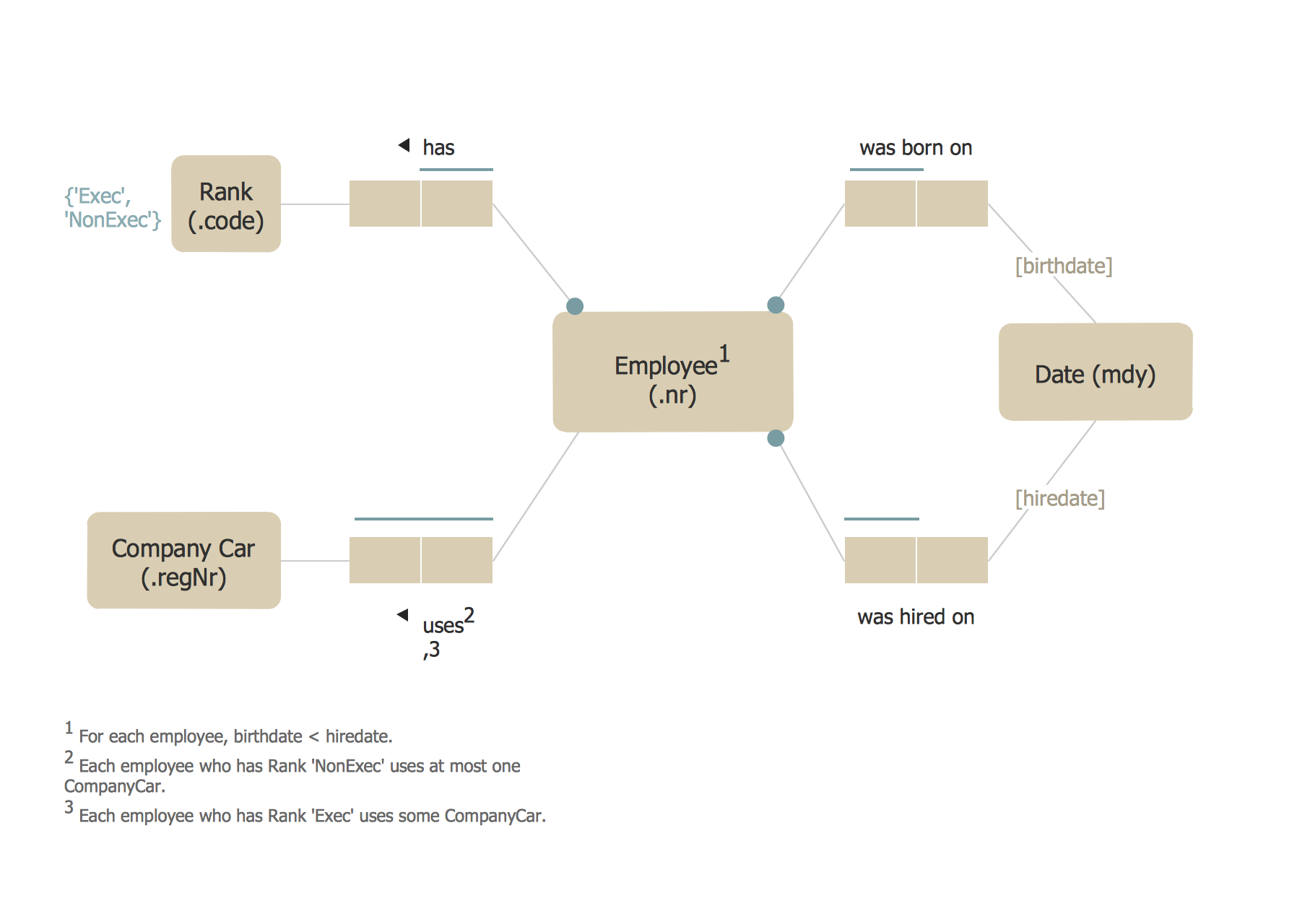
Example 1. ORM Diagram
The mentioned conceptual schema design procedure of object-role modelling focuses on the design as well as analysis of data and it should be taken into consideration while creating the so called object-role modelling diagrams, which can be simply created in ConceptDraw DIAGRAM software within a very short period of time having all the needed tools, provided by the solutions, that all can be found in the ConceptDraw STORE — another application, developed by the CS Odessa IT specialists in order to simplify all ConceptDraw DIAGRAM users’ processes of drawing.
ConceptDraw DIAGRAM is a Perfect Tool for:
- Designing and planning tasks such as:
- Developing Visualization Solutions
- Project Planning (Gantt Charts, Timelines, Project Schedules)
TEN RELATED HOW TO's:
ConceptDraw DIAGRAM is new software for business and technical drawing. Powerful business drawing tools, extensive libraries with pre-drawn shapes, free samples of business drawings, technical drawings and flowcharts, support of many graphic formats enable users to visually develop their business drawings charts and diagrams in any combination of drawings, diagrams and flow charts.
Picture: ConceptDraw DIAGRAM The best Business Drawing Software
Related Solution:
Choose the business illustration design you love best, and sign our design your own style with Business and Finance Illustrations library from ConceptDraw DIAGRAM.
The Business and Finance solution contains 12 vector clipart libraries: Advertising, Business, Business people clipart, Business people figures, Currency, Mail and post, Management, Marketing, Money, Office, Project management, Time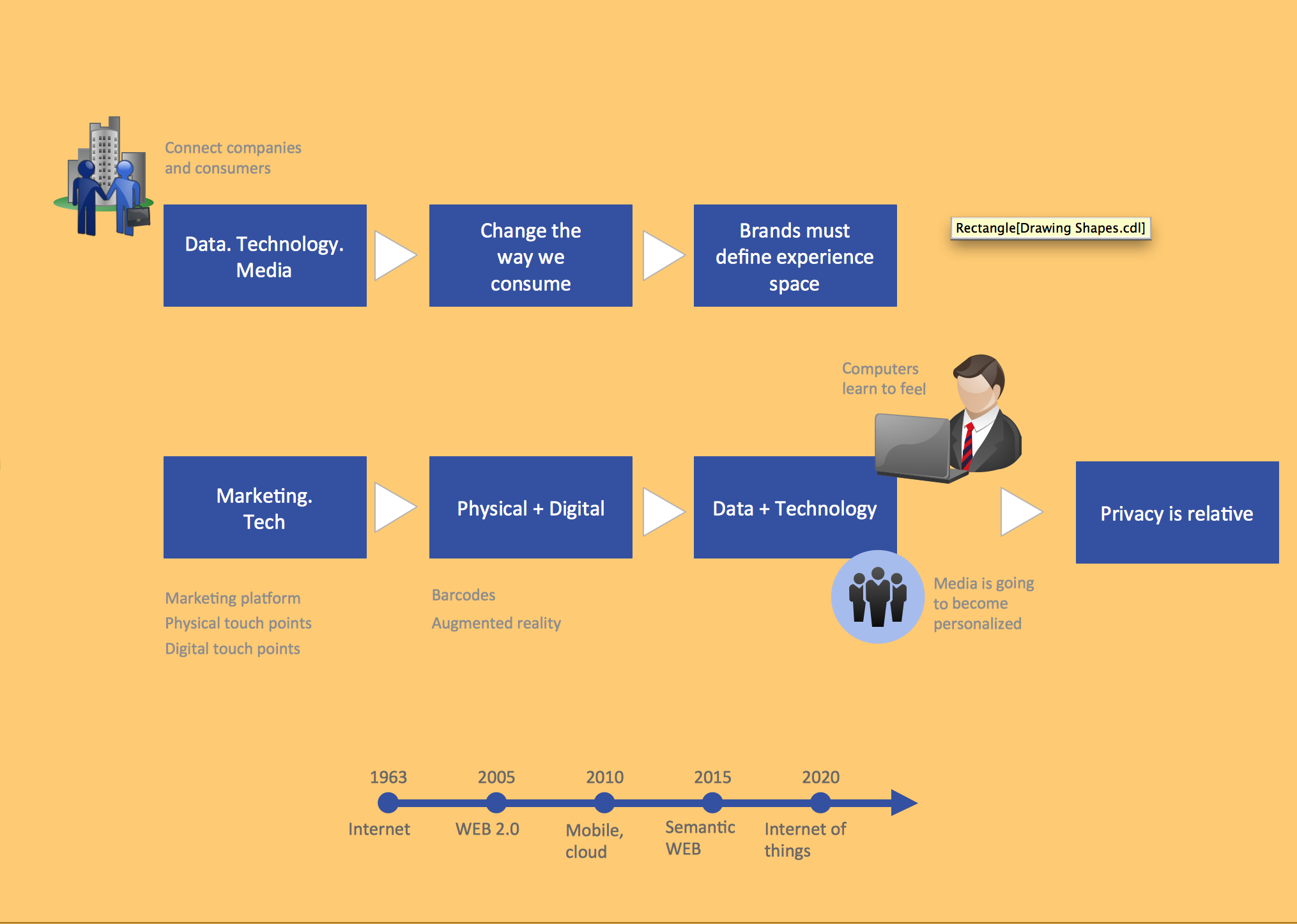
Picture: Business and Finance Illustrations
Related Solution:
ConceptDraw DIAGRAM software extended with unique HR Flowcharts Solution is the best for designing various flowcharts and diagrams in the field of human resources management.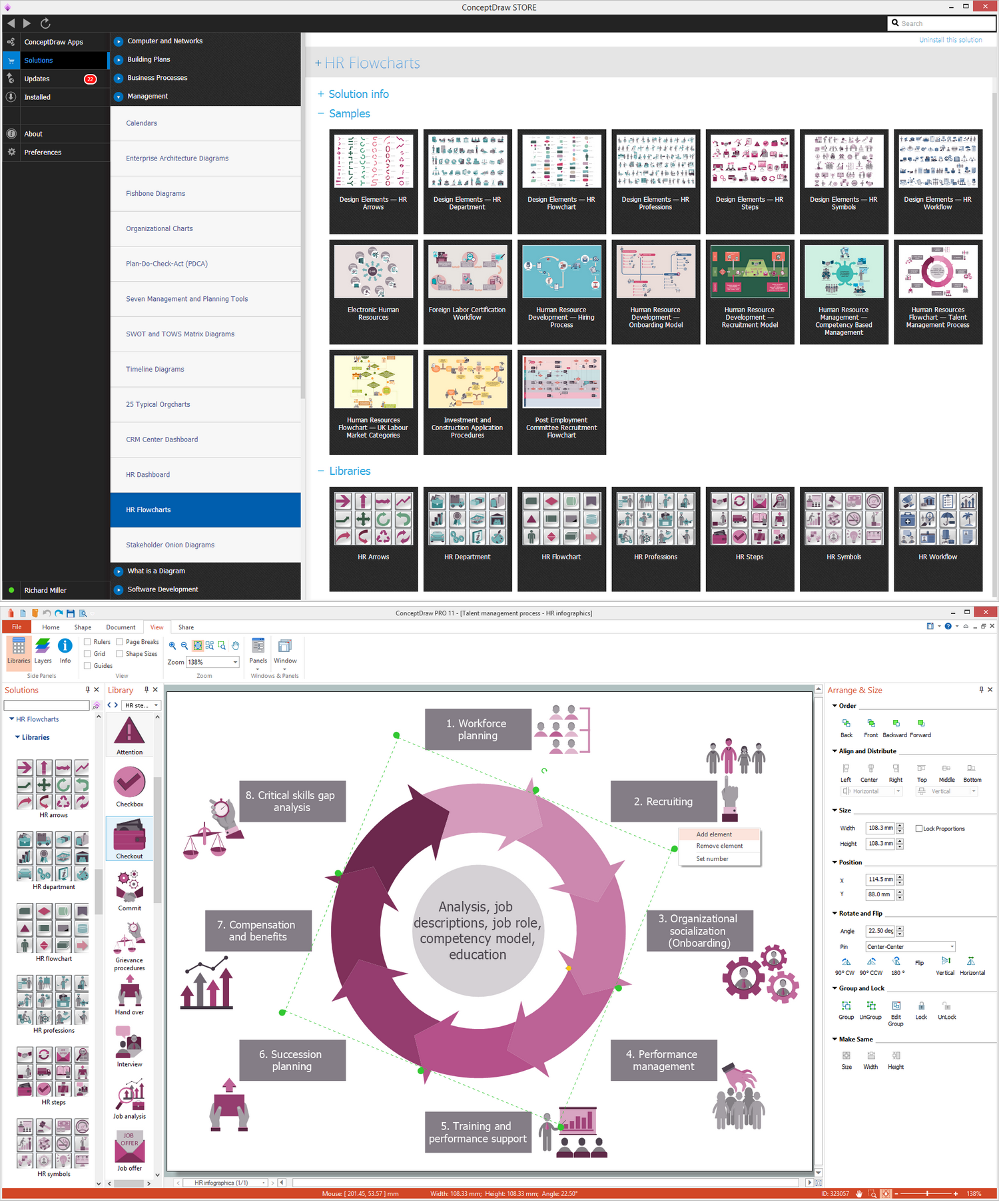
Picture: Human Resources
Related Solution:
A database is a data collection, structured into some conceptual model. Two most common approaches of developing data models are UML diagrams and ER-model diagrams. There are several notations of entity-relationship diagram symbols and their meaning is slightly different. Crow’s Foot notation is quite descriptive and easy to understand, meanwhile, the Chen notation is great for conceptual modeling.
An entity relationship diagrams look very simple to a flowcharts. The main difference is the symbols provided by specific ERD notations. There are several models applied in entity-relationship diagrams: conceptual, logical and physical. Creating an entity relationship diagram requires using a specific notation. There are five main components of common ERD notations: Entities, Actions, Attributes, Cardinality and Connections. The two of notations most widely used for creating ERD are Chen notation and Crow foot notation. By the way, the Crow foot notation originates from the Chen notation - it is an adapted version of the Chen notation.
Picture: ERD Symbols and Meanings
Related Solution:
Database structures are usually described by ER-diagrams which represents entities as boxes with lines-connections between them. You can create any entity-relationship diagram (ERD) by means of ConceptDraw DIAGRAM using ready-to-use templates and special libraries containing all the needed symbols and shapes. Creating a model for your database from now on can take just a few minutes.
ERD (entity relationship diagram) designed to show the logical structure of databases. It intended to depict the relationships between data components (entities). ERDs are a popular tool for software engineers and architects. Using ERD they can manage the every aspect of database design. Also ERD can be used as guidelines for testing and communications before software release. This diagram represents the file reference system of the WordPress web platform. Because entity relationship diagrams have such a broad application area through the prevalence of database technology, it can be applied for a wide range of users.
Picture: Entity-Relationship Diagram (ERD) with ConceptDraw DIAGRAM
Related Solution:
When trying to figure out the nature of the problems occurring within a project, there are many ways to develop such understanding. One of the most common ways to document processes for further improvement is to draw a process flowchart, which depicts the activities of the process arranged in sequential order — this is business process management. ConceptDraw DIAGRAM is business process mapping software with impressive range of productivity features for business process management and classic project management. This business process management software is helpful for many purposes from different payment processes, or manufacturing processes to chemical processes. Business process mapping flowcharts helps clarify the actual workflow of different people engaged in the same process. This samples were made with ConceptDraw DIAGRAM — business process mapping software for flowcharting and used as classic visio alternative because its briefly named "visio for mac" and for windows, this sort of software named the business process management tools.
This flowchart diagram shows a process flow of project management. The diagram that is presented here depicts the project life cycle that is basic for the most of project management methods. Breaking a project into phases allows to track it in the proper manner. Through separation on phases, the total workflow of a project is divided into some foreseeable components, thus making it easier to follow the project status. A project life cycle commonly includes: initiation, definition, design, development and implementation phases. Distinguished method to show parallel and interdependent processes, as well as project life cycle relationships. A flowchart diagram is often used as visual guide to project. For instance, it used by marketing project management software for visualizing stages of marketing activities or as project management workflow tools. Created with ConceptDraw DIAGRAM — business process mapping software which is flowcharting visio alternative or shortly its visio for mac, this sort of software platform often named the business process management tools.
Picture: Process Flowchart: A Step-by-Step Comprehensive Guide
Related Solution:
Stakeholder management is a critical component to the successful delivery of any project, programme or activity.
ConceptDraw DIAGRAM is a powerful diagramming and vector drawing software. Now, thanks to the Stakeholder Onion Diagrams Solution included to the Management Area of ConceptDraw Solution Park, ConceptDraw DIAGRAM became also unique stakeholder management system design software.
Picture: Stakeholder Management System using Onion Diagram
Related Solution:
When we start to speak about databases, we must always mention database structure visualization. One of the most common ways to do it is to create an entity relationship diagram, and to put appropriate symbols on it. It is important either for database projecting and for its' future maintenance.
Entity Relationship Diagram describes data elements and their relationships within a database. There are a set of special symbols that depict each element of an entity relationship diagram. Entities - represents some stable components such as supplier, employee, invoice, client, etc. Relation symbols show how the entities interact. Attributes define characteristics of the relationships. Attributes can be one-to-one or many-to-many. Physical symbols is used in the physical models. They represent items such as fields, tables, types and keys. ERD physical symbols are the building material for the database. Notation lines are used to illustrate the relationships. The most common method is Crow’s Feet notation. You can use ConceptDraw Entity-Relationship Diagram (ERD) solution to represent a database using the Entity-Relationship model.
Picture: Entity Relationship Diagram Symbols
Related Solution:
The vector stencils library from the solution Information Model Diagrams contains specific data type symbols of the EXPRESS-G notation such as entity data type symbols, simple data type symbols, enumeration data type symbols, defined data type symbols, select data type symbols and specific attribute symbols for ConceptDraw DIAGRAM diagramming and vector drawing software. The Information Model Diagrams solution is contained in the Software Development area of ConceptDraw Solution Park.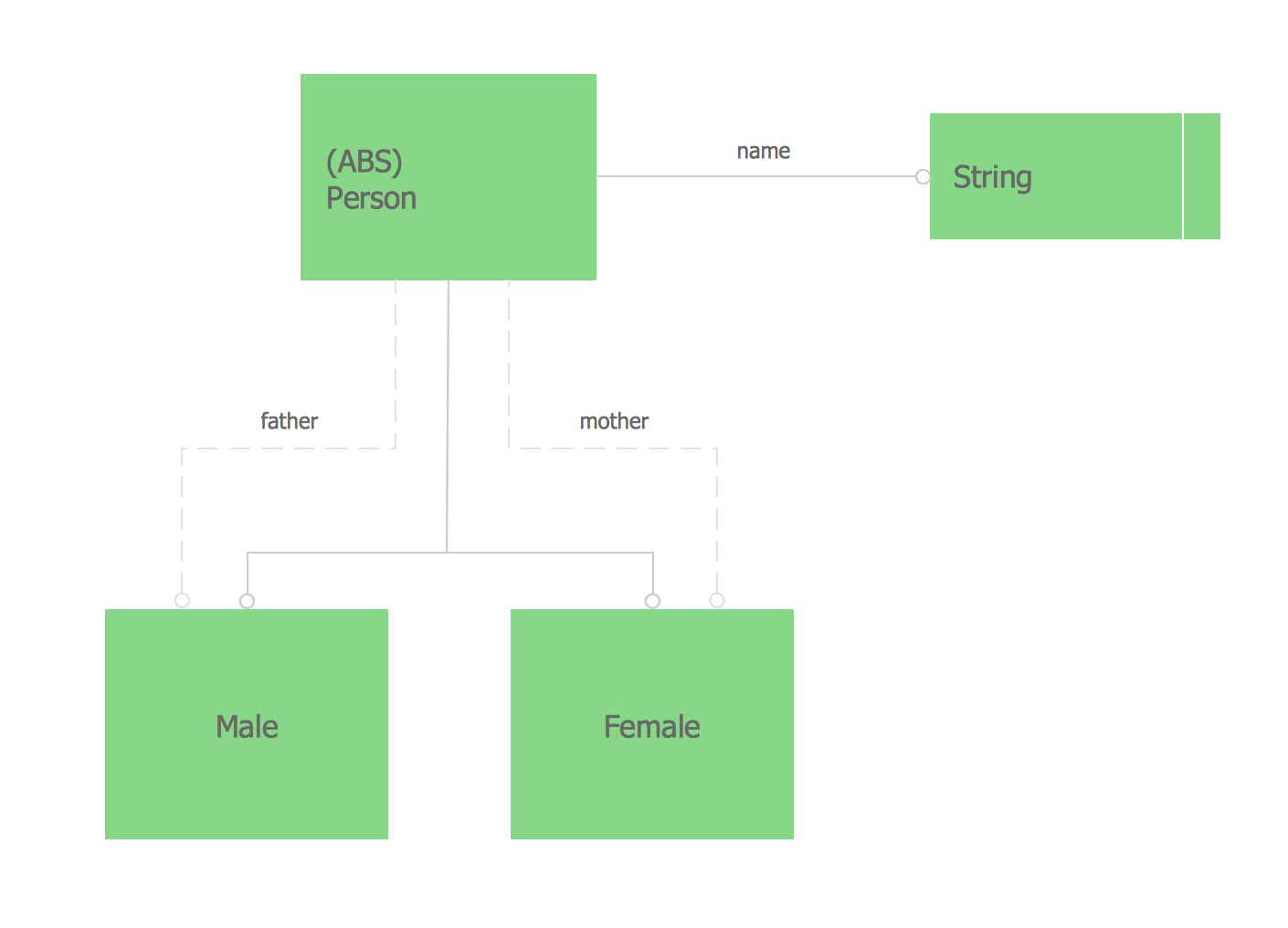
Picture: Express-G Diagram
Definition, examples, layout options, best practices, and common mistakes for cross functional flowcharts (swimlane diagrams).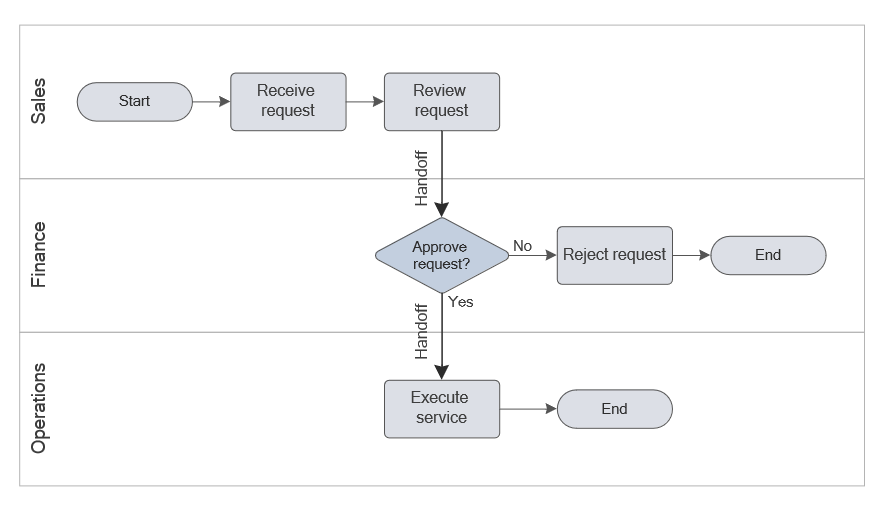
Picture: Cross Functional Flowchart (Swimlane Diagram): Definition, Structure, Examples, and How to Create
Related Solution: