UML Diagram Visio
As we progress into the 21st century, our reliance on computer and information systems to facilitate business is greater than ever before. The global market is much too convoluted and relentless to be run on manpower and note-taking alone; software systems are crucial to a company when handling large amounts of data processing, customer transactions, or client databases. As such, their development and maintenance has become a key component in successful company operations.
To structure, plan, and control the development of these systems, a software development life cycle (SDLC) is developed and adhered to. Different methodologies have evolved to be applied for different purposes, based on technical, organizational, project and team needs, but generally all will use some combination of the following stages:
- Problem analyzing
- Market research
- Requirements analysis
- Design
- Implementation (coding)
- Testing
- Deployment
- Maintenance and bug fixing
How strictly this order is followed, and what level of planning and documentation is reached, will depend on the requirements of the business and capabilities of the software. A 'waterfall' approach to the SDLC would see each of these stages carried out in linear order, with detailed planning and risk assessment before coding is even begun. The 'extreme' approach involves a lot less planning and documentation, and focuses more on coding and continuous re-testing, ideal for a smaller system, or one where new components are being added as an ongoing process.
ConceptDraw DIAGRAM are primarily a macOS tool and you can use it to draw many UML diagram types.
How to do it?
Importing and Exporting MS Visio and ConceptDraw DIAGRAM Files
- To Import MS Visio Files to ConceptDraw DIAGRAM
- From the ConceptDraw DIAGRAM File menu, select Import.
- Select MS Visio VSDX.
- From the Open window, select the desired MS Visio file to be imported. Click Ok.
- To Export ConceptDraw DIAGRAM files to MS Visio:
- From the File menu, select Export.
- Select MS Visio VSDX.
- From the Open window, select the desired location folder. Click Ok.
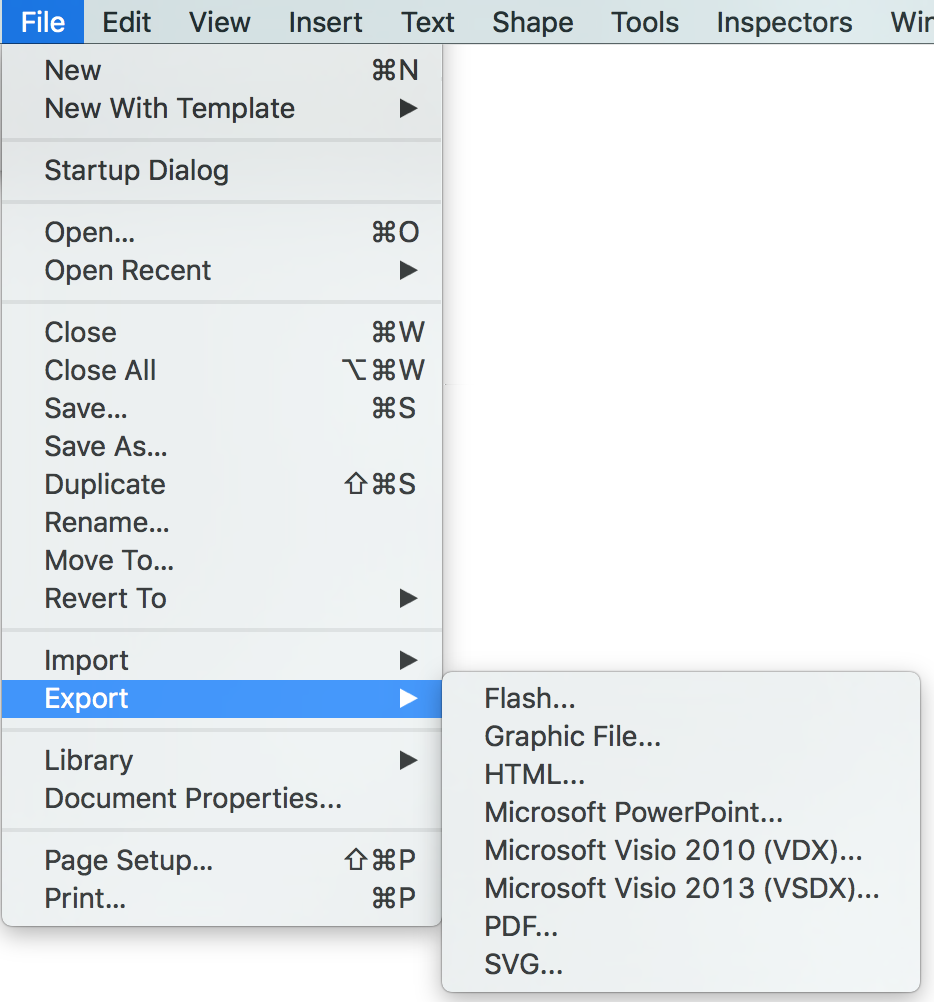
Pic. 1. Importing and Exporting MS Visio and ConceptDraw DIAGRAM Files
This sample was created in ConceptDraw DIAGRAM diagramming and vector drawing software using the UML Class Diagram library of the Rapid UML Solution from the Software Development area of ConceptDraw Solution Park.
The document of ConceptDraw DIAGRAM with UML Class Diagram is a vector graphic document and can be reviewed, modified or convert to a MS Visio format.
This sample shows the UML Class Diagram that was created in ConceptDraw DIAGRAM on the Mac and then was opened for editing in MS Visio.
This sample describes the trade relations and can be used in business, in commercial relations.

Pic. 2. UML Diagram Visio & UML Diagram ConceptDraw
Using the 13 libraries of the Rapid UML Solution for ConceptDraw DIAGRAM you can create your own visual vector UML diagrams quick and easy.
UML Resource:
TEN RELATED HOW TO's:
Being involved in the process of planning some system of interacting the objects, or in other words, being engaged in the object-oriented design in order to solve some software problem as one of the approaches used in the software design, you may find the ConceptDraw DIAGRAM diagramming and drawing software a really useful tool for making the needed drawings, such as the IDEF Business Process Diagrams.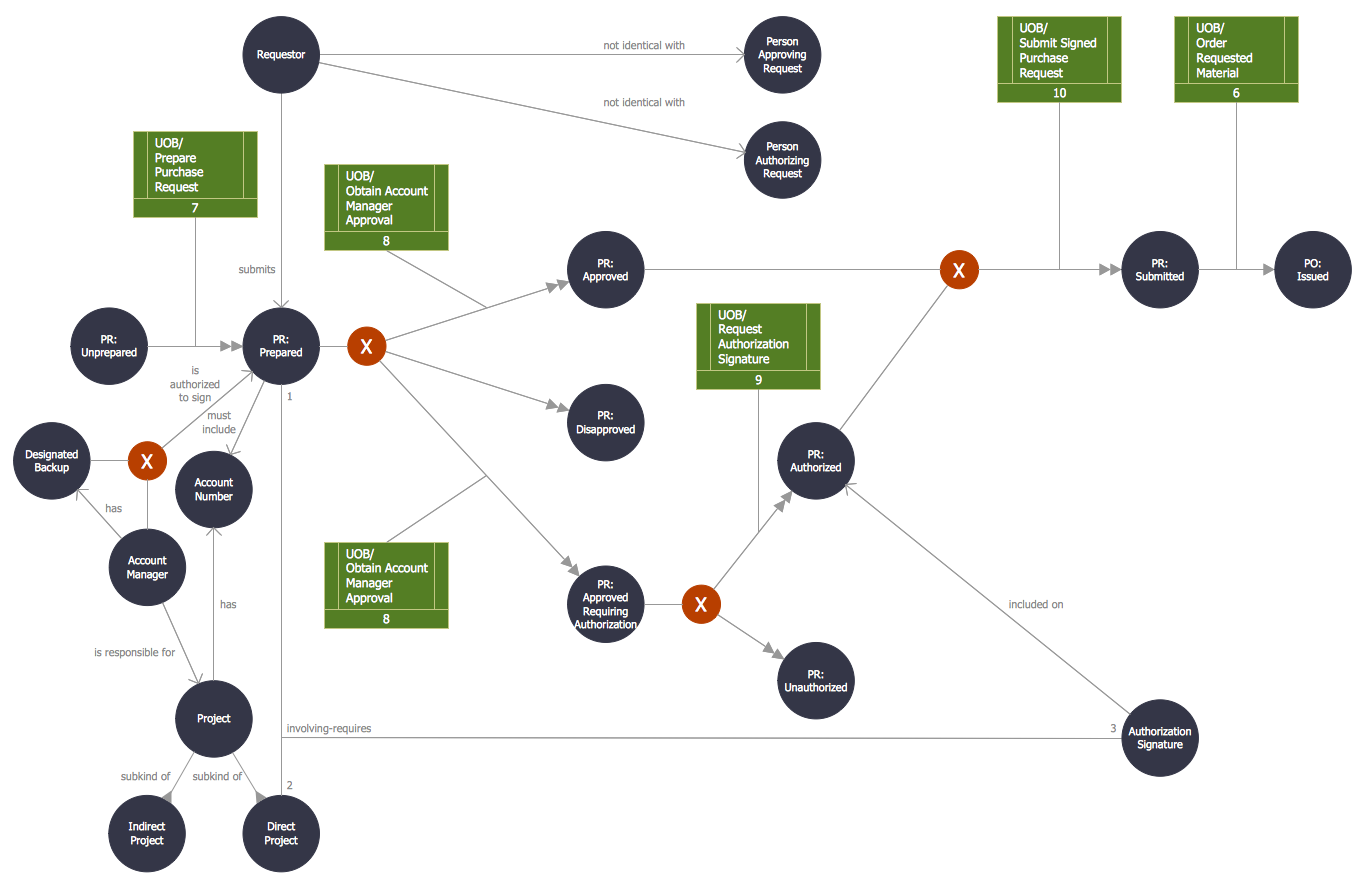
Picture: Object-Oriented Design
Related Solution:
How to Draw ER Diagrams? With Entity-Relationship Diagram (ERD) solution from the Software Development Area for ConceptDraw Solution Park you are able to draw ER diagram with no problem. It includes 45 predesigned icons advocated by popular Chen's and Crow’s Foot notations that can be used when describing an enterprise database.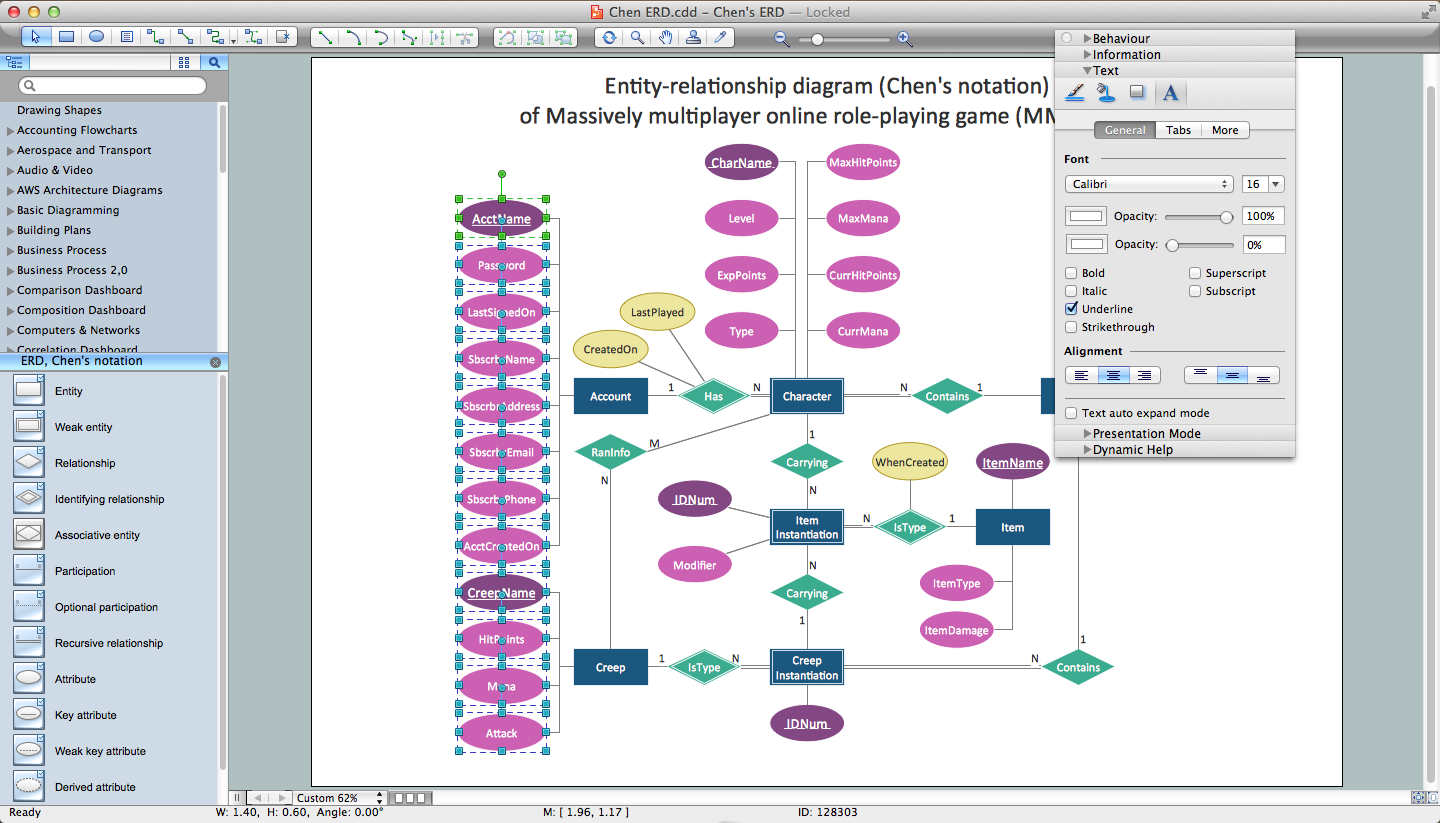
Picture: How to Draw ER Diagrams
Related Solution:
Use ConceptDraw DIAGRAM software as a powerful audit application. 🔸 Create professional Audit Workflow Diagrams and Audit Process Flowcharts to ✔️ plan and implement audit process, ✔️ enhance financial transparency, ✔️ improve financial reporting, ✔️ streamline operations, ✔️ improve business efficiency, ✔️ identify risks and issues, ✔️ prevent financial fraud, ✔️ track progress, ✔️ enhance trust
Picture: Understanding the Audit Process: A Comprehensive Guide. Audit Process Flowchart
Related Solution:
ConceptDraw DIAGRAM provides the Plant Layout Plans solution from the Building Plans Area of ConceptDraw Solution Park to develop: Plant layouts for production, Storage, Distribution, Transport, Shipping, Receiving of manufactured goods.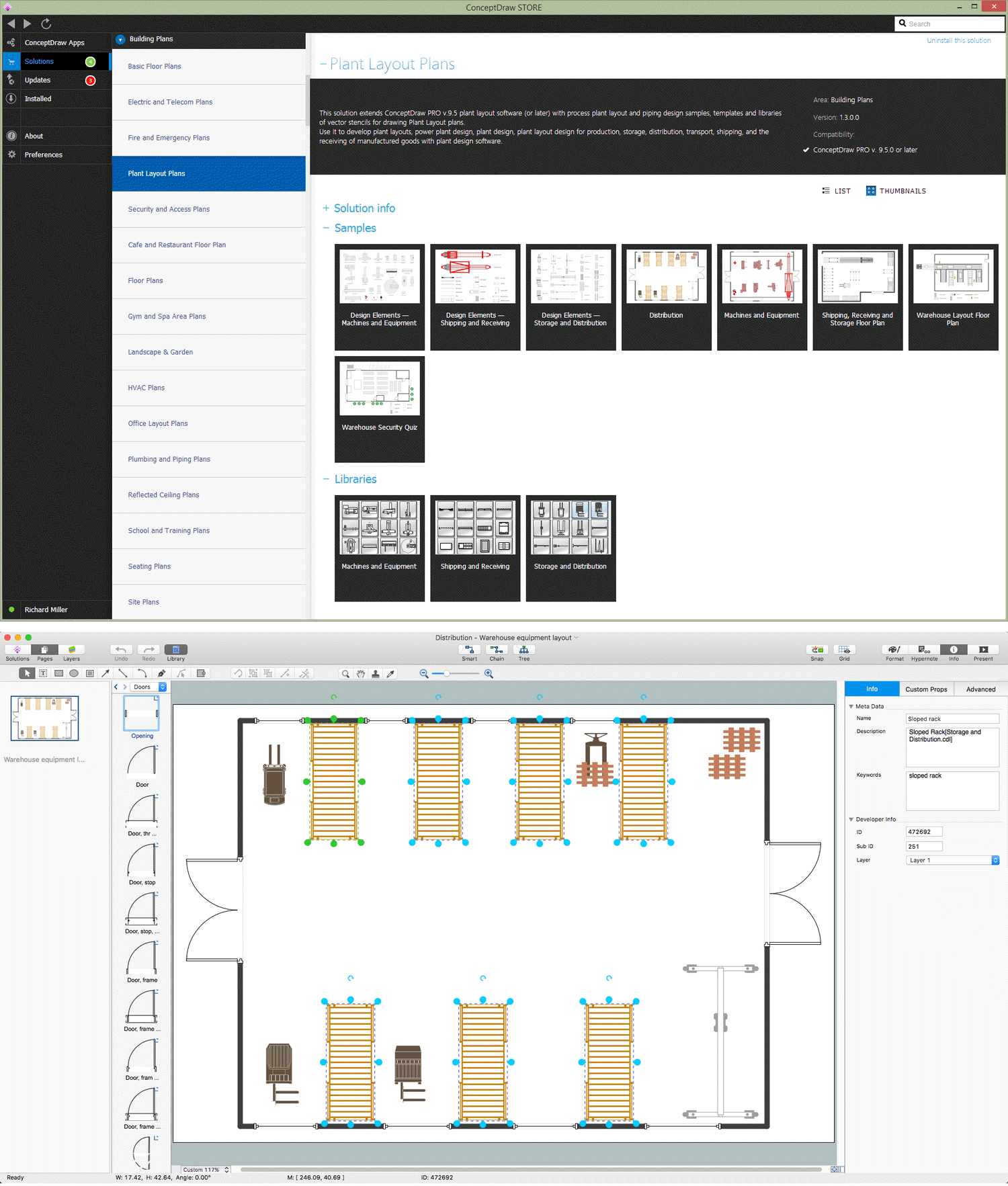
Picture: Storage Design Software
Related Solution:
UML Use Case Diagram Taxi Service - This sample was created in ConceptDraw DIAGRAM diagramming and vector drawing software using the UML Use Case Diagram library of the Rapid UML Solution from the Software Development area of ConceptDraw Solution Park.
This sample shows the work of the taxi service and is used by taxi stations, by airports, in the tourism field and delivery service.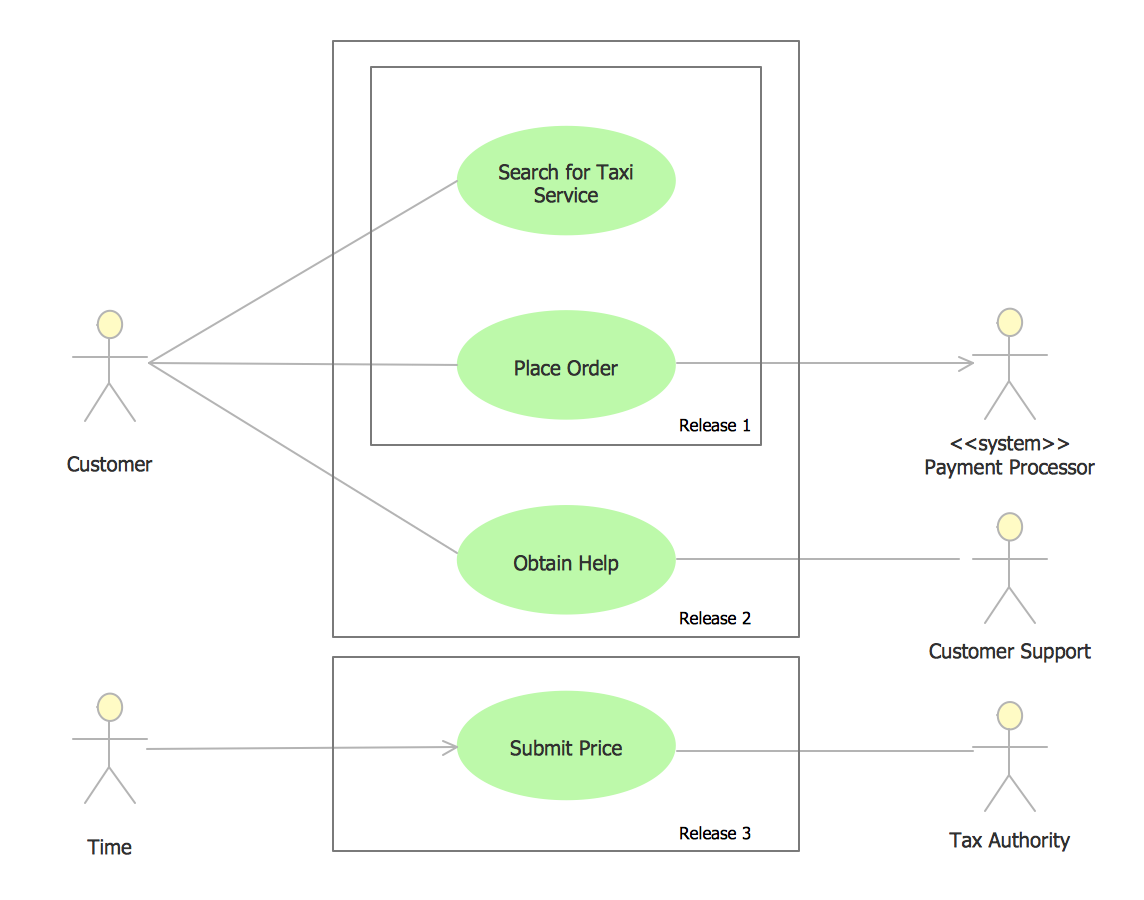
Picture: UML Use Case Diagram Example - Taxi Service
Related Solution:
When we think about programming, we usually imagine sleepless nights spent on writing kilobytes of code. However, from another point of view, Software development with ConceptDraw DIAGRAM makes a programmer's life endlessly easier. This tool is unique to fulfill all your needs in short period of time.
Over the recent years object-oriented methodology has become more and more widespread. Thanks to this methodology developers manage to deal with growing complexity of applications. More and more programs are written in such programming languages as C++, Java, Visual Basic and Object Pascal. However, the complexity of the designed systems imposes extended requirements as to design of graphic documentation. ConceptDraw possesses powerful tools for designing of technical documentation for object-oriented projects. The libraries included in the package allow to easily draw class hierarchies, object hierarchies and diagrams of data flows with the use of the most popular notations, including UML and Booch notations. And the library for projecting COM-interfaces will spare developers of ActiveX-servers a headache.
Picture: Software development with ConceptDraw DIAGRAM
Nodes of any computer network are somehow organized in a hierarchy or a layout. Some of the common layouts like star network topology are more reliable and some like ring topology withstand high loads better. It is also important to distinguish logical topologies from physical.
This diagram represents a typical view of the star network topology. The star network topology is one of the most frequently used network topologies in the majority of office and home networks. It is very popular because of its low cost and the easy maintenance. The plus of the star network topology is that if one computer on the local network is downed, this means that only the failed computer can not send or receive data. The other part of the network works normally. The minus of using star network topology is that all computers are connected to a single point-switch, or hub. Thus, if this equipment goes down, the whole local network comes down.
Picture: Star Network Topology
Related Solution:
Any project is a complex system which rarely goes without some problems, even the most minor. But the success of the project mostly depends from the ability effectively solve appearing problems. There are many methods for problem solving, one of the most effective is the use a Fishbone diagram to attack complex problems.
Use ConceptDraw DIAGRAM diagramming software with Fishbone Diagrams Solution to attack any complex problems with fishbone diagrams graphic method. Construct Fishbone diagram to help users brainstorm and break down a complex problem.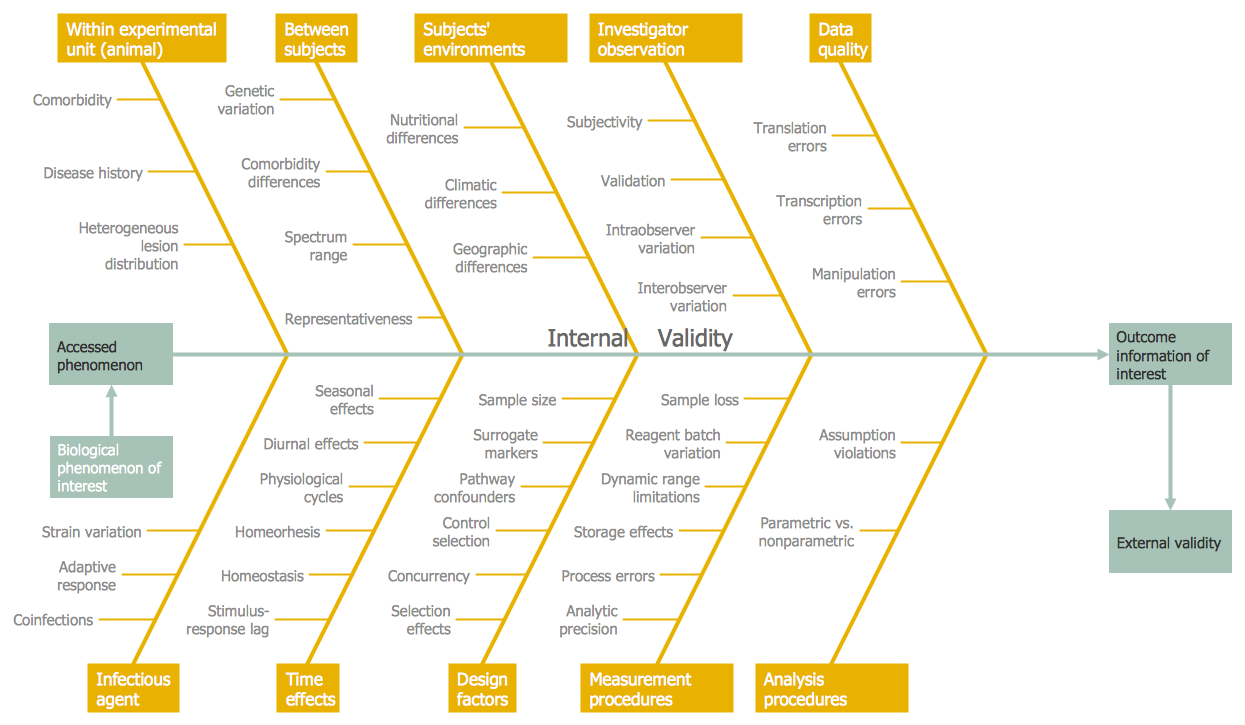
Picture: Use a Fishbone Diagram to Attack Complex Problems
Related Solution:
This action mindmap helps to quick answer customers' frequently asked questions and to provide useful info about bank services.
Picture: Bank Detailed Answers
Related Solution:
What is IVR? The Interactive voice response (IVR) is a popular and widely used technology which allows a computer to detect voice and keypad inputs, so it makes possible the interactions between computer and humans through the use of voice and dual-tone multi-frequency (DTMF) signals. For illustrating the logical and physical structure of IVR systems are used the IVR diagrams. ConceptDraw DIAGRAM software extended with Interactive Voice Response Diagrams solution allows you to make the IVR Diagrams quickly and easily.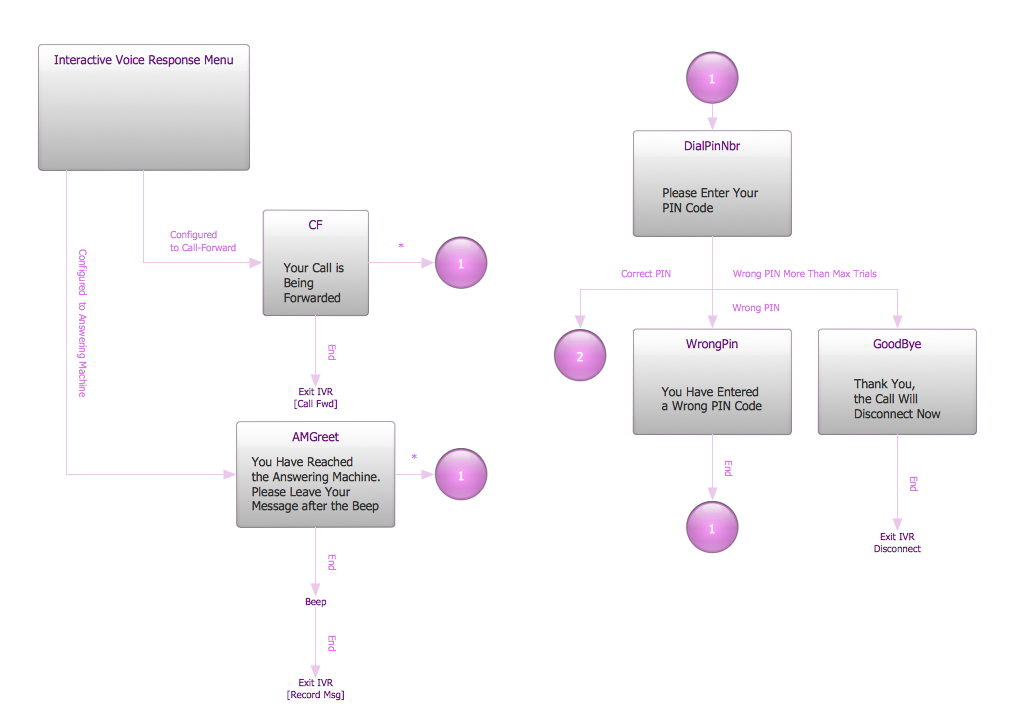
Picture: What is IVR?
Related Solution:
