Made with
ConceptDraw
DIAGRAM 18

UML Tool & UML Diagram Examples

Types of UML Diagrams

UML or Unified Modelling Language can be at any time applied in different spheres of business activity, such as finance, internet technologies, banking, healthcare, aerospace and other business activities. This language is an accepted standard and this standard can be used for modelling any needed system. There are lots of notations you can use for making any needed UML diagrams. These notations can be made for visual representation of any needed subsystems, requirements, physical and logical elements, behavioural and structural patterns, as they are especially relevant to the systems built during using a so-called “object-oriented” style.

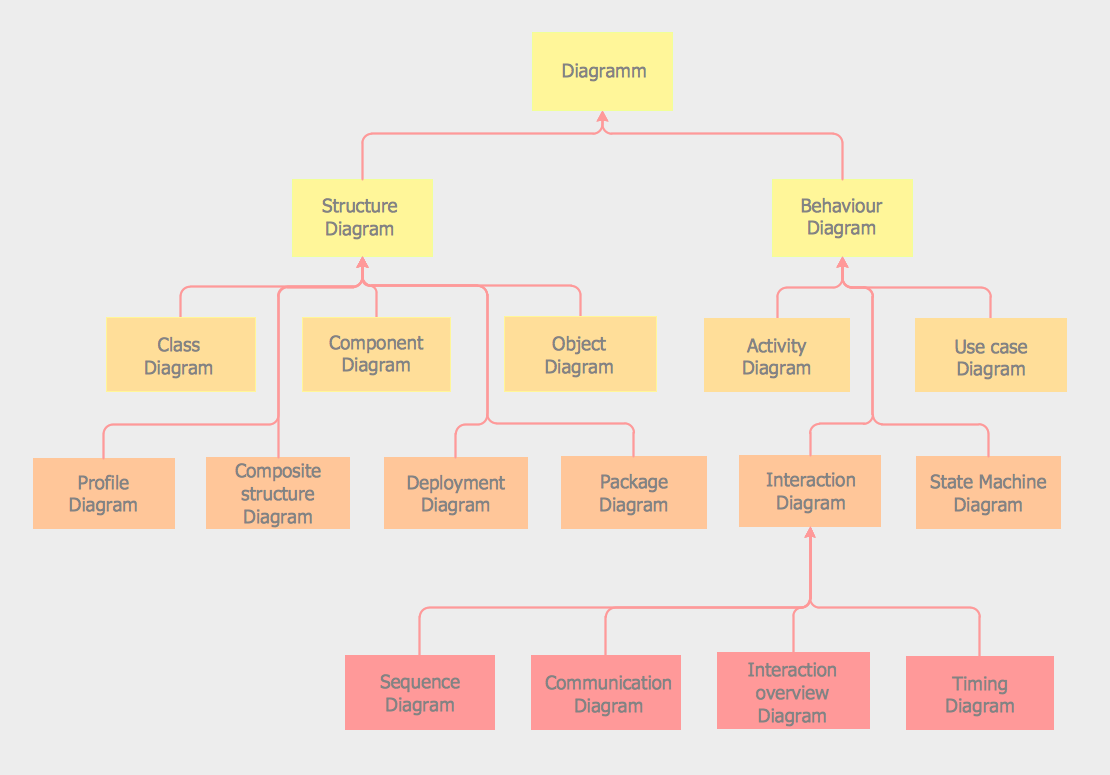
The Unified Modelling Language (UML) is a standardized and general-purpose language and it is very popular and quite widely used, especially in the field of software engineering in IT. This Unified Modelling Language includes a set of some graphic notation techniques for creating the visual models of object-oriented software-intensive systems. There are thirteen types of such UML diagrams and you can always create any of them in ConceptDraw DIAGRAM software. These types of UML diagrams are: “package” (or “class”), “collaboration”, “object”, “use case”, “sequence”, “component”, “activity”, “deployment” “state machine”, “timing”, “interaction overview” and “composite structure” UML diagrams. Each of the types of Unified Modelling Language will be described later in this article.

Thus, Unified Modelling Language “Class” diagrams are the static structure diagrams, with the help of which you can describe a structure of some system in a way of showing the system's methods, classes, attributes, operations as well as the relationships among the objects within this system. The so-called Unified Modelling Language “Package” diagram can be used in the Unified Modelling Language for a reason of depicting the dependencies between the packages that can make a particular model. The so-called Unified Modelling Language “Object” diagrams are popular for being used in the Unified Modelling Language (UML). Unified Modelling Language “Object” diagrams show a partial or a complete view of a system’s structure within some specific period of time. The so-called Unified Modelling Language “Use Case” diagrams can be the representations of a user's interaction with some system and with their aid you can depict some particular specifications of a use case. The so-called Unified Modelling Language “Sequence” diagrams are also known as interaction diagrams with the help of which it is simpler for you to show the way some particular processes operate with each other and in which order they do it. The UML “Communication” diagrams model the interactions between different parts in terms of sequenced messages. “Communication” diagrams represent the information from “Use Case”, “Class” and “Sequence” diagrams, describing the dynamic behaviour and the static structure of some system. The UML “Activity” diagrams are the representations of the workflows of the actions as well as the activities with an iteration, choice and concurrency. In the Unified Modelling Language “Activity” diagrams there are models of both organisational and computational processes (for example, workflows) represented and this type of UML diagrams in general represents the overall flow of the control. With UML “Component” diagram you can depict the way some system components are wired with each other and so to form the larger components of software systems or software systems themselves. These diagrams are used for illustrating the structure of arbitrarily complex systems. The UML “Deployment” diagrams can be used for modelling the physical deployment of the artifacts on nodes. The nodes with the artifacts appear in a way of boxes and the artifacts in each node appear in a way of the rectangles in these boxes. These nodes can also have sub-nodes and these sub-nodes can appear in a way of the nested boxes. One single node in the UML “Deployment” diagrams can represent a lot of different physical nodes. The UML “State Machine” diagrams can be used for enhancing the mathematical concept of some finite automaton once it is used in some computer science applications. The UML “Timing” diagrams are quite specific and still interaction diagrams. They are used for concentrating on the timing constraints. The UML “Timing” diagrams can be also used for exploring the behaviour of objects within some particular period of time. With the aid of the UML “Interaction Overview” diagram you can illustrate a control flow with nodes which contain the interaction diagrams. The UML “Interaction Overview” diagrams are identical to the “Activity” diagrams and they both visualize a sequence of some activities, although there is a slight difference between them. The UML “Composite Structure” diagrams are similar to the “Static Structure” diagrams and with their help you can show the internal structure of a class so the collaborations, which this structure makes possible. While creating the UML “Composite Structure” diagrams you can include the internal parts, with the help of which the parts of some system can interact with each other.

You can always create any of mentioned and described above Unified Modelling Language diagrams with the aid of ConceptDraw DIAGRAM software. Besides downloading the ConceptDraw DIAGRAM application, it is also beneficial to have ConceptDraw STORE one as well, as this another product of “CS Odessa” allows ConceptDraw DIAGRAM users to download any solution they need for making your charts, flowcharts, maps and diagrams, schemes and plans, as well as any of the mentioned above UML diagrams at any time you need to create them.

“Rapid UML” solution enables you to make any of the Unified Modelling Language diagrams, using so many different examples and templates from this solution for simplifying ConceptDraw DIAGRAM users' work of creating similar great looking diagrams.
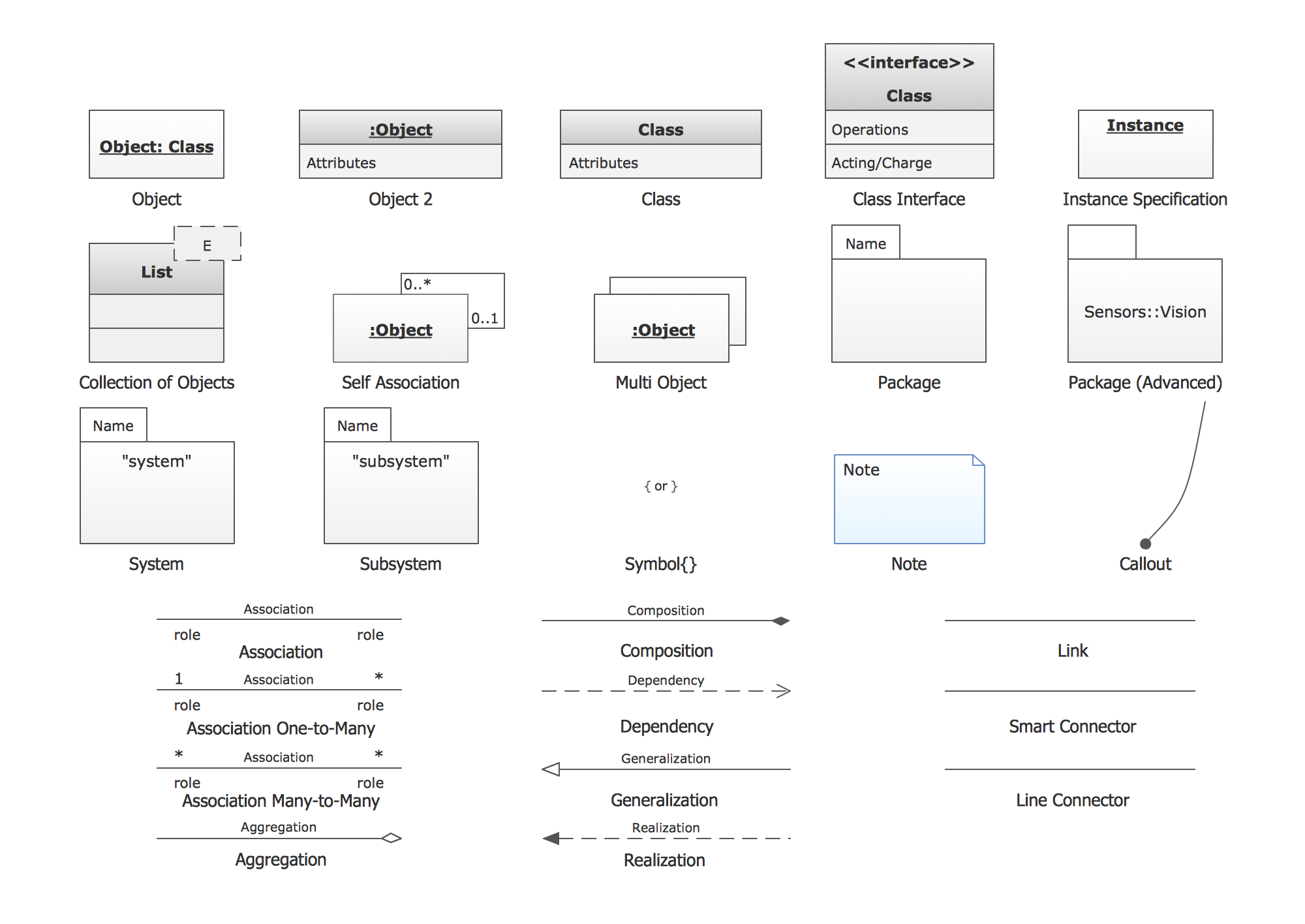
UML Notation


Pic.1. UML Notation

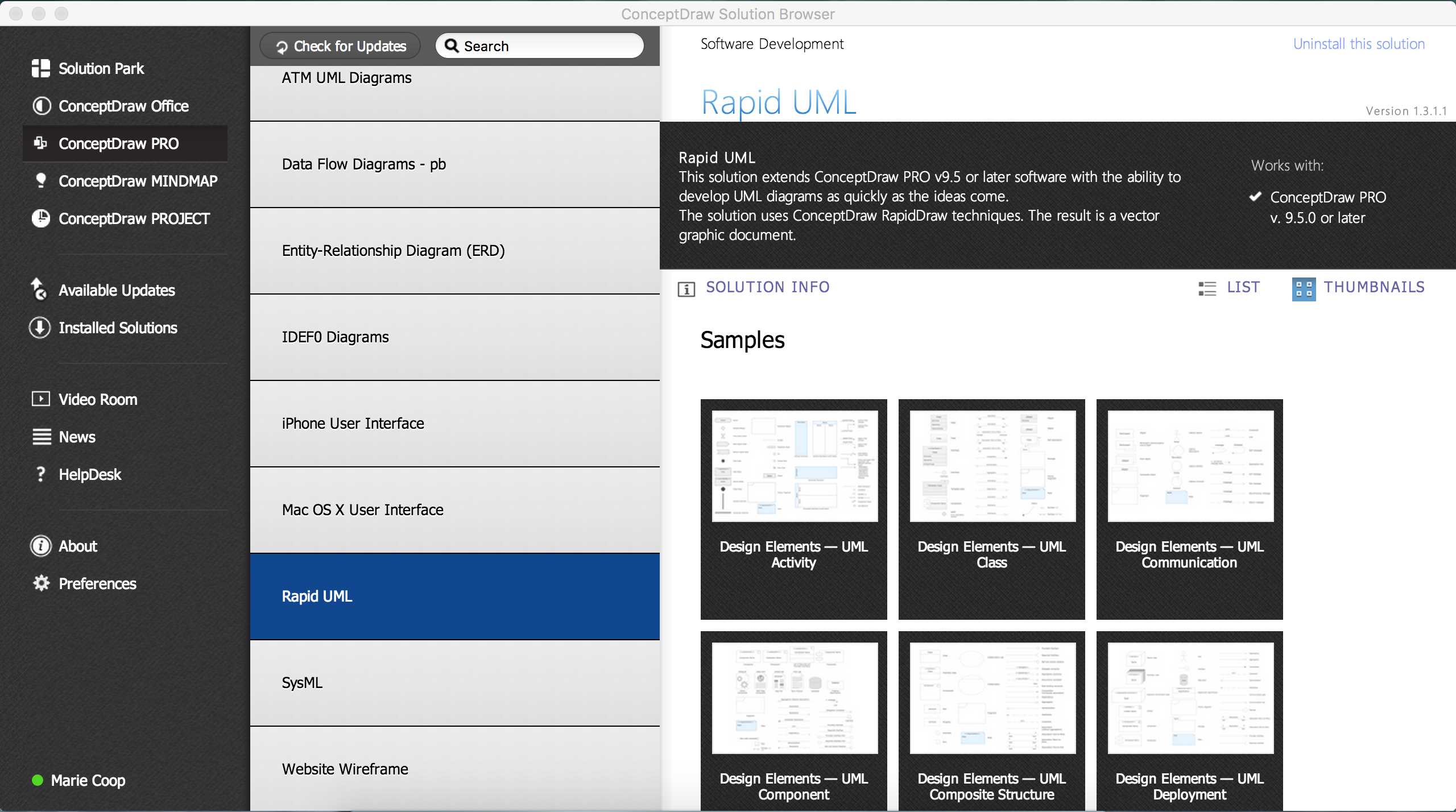
Solution RapidUML from Software Development area of ConceptDraw Solution Park provides templates, examples and 13 vector stencils libraries for drawing all types of UML 1.x and 2.x diagrams using ConceptDraw DIAGRAM diagramming and vector drawing software.

Use these UML diagram templates and examples to quickly start drawing your own UML diagrams.

Package Diagrams

UML Package Diagram illustrates the functionality of a software system.
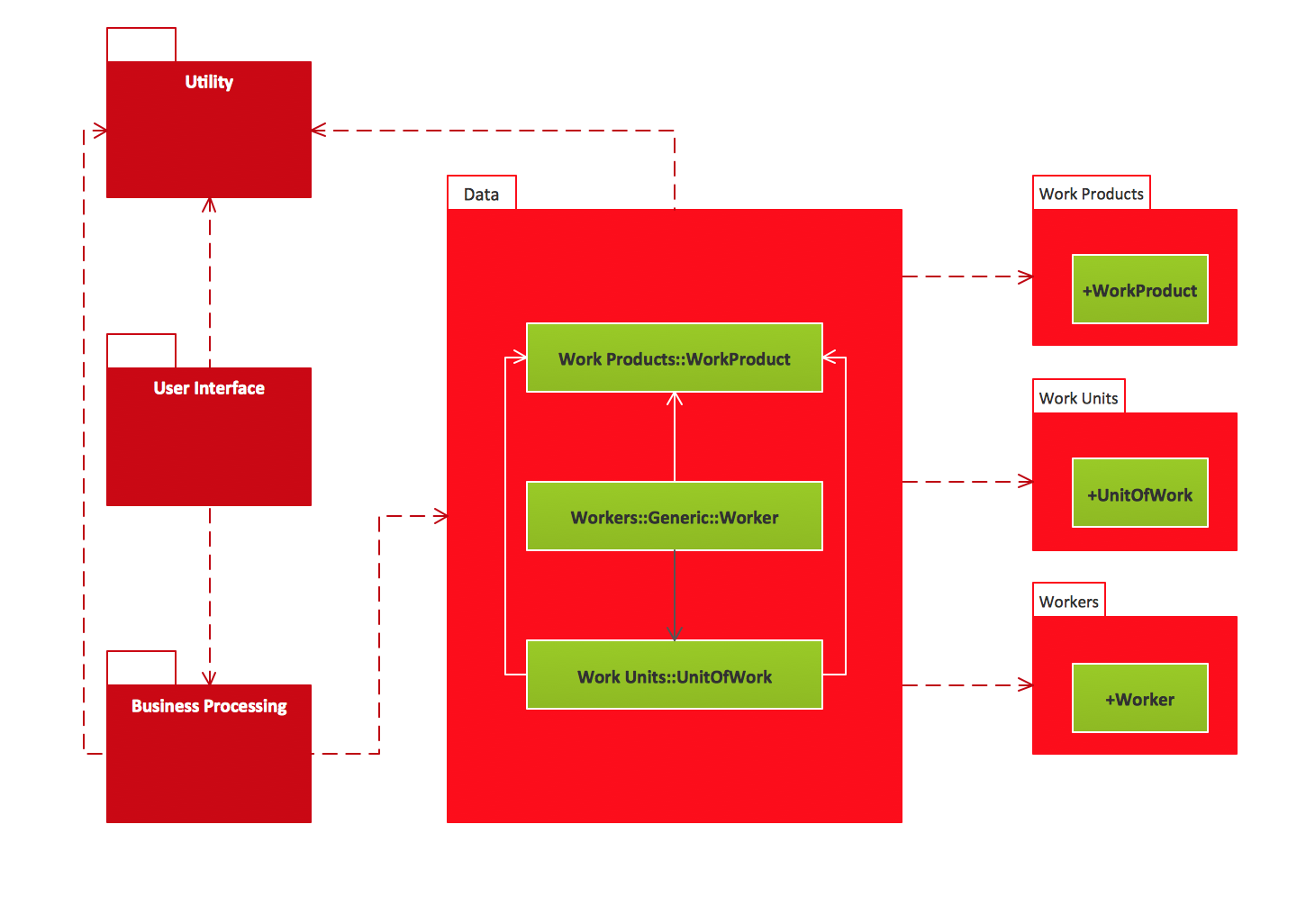
UML Package Diagrams. Business process Business process

Collaboration Diagrams

UML Communication Diagram depicts the interactions between objects or parts in terms of sequenced messages and describes both the static structure and dynamic behavior of a system.

UML Collaboration Diagrams. Ticket processing system Ticket processing system

State Machine Diagrams

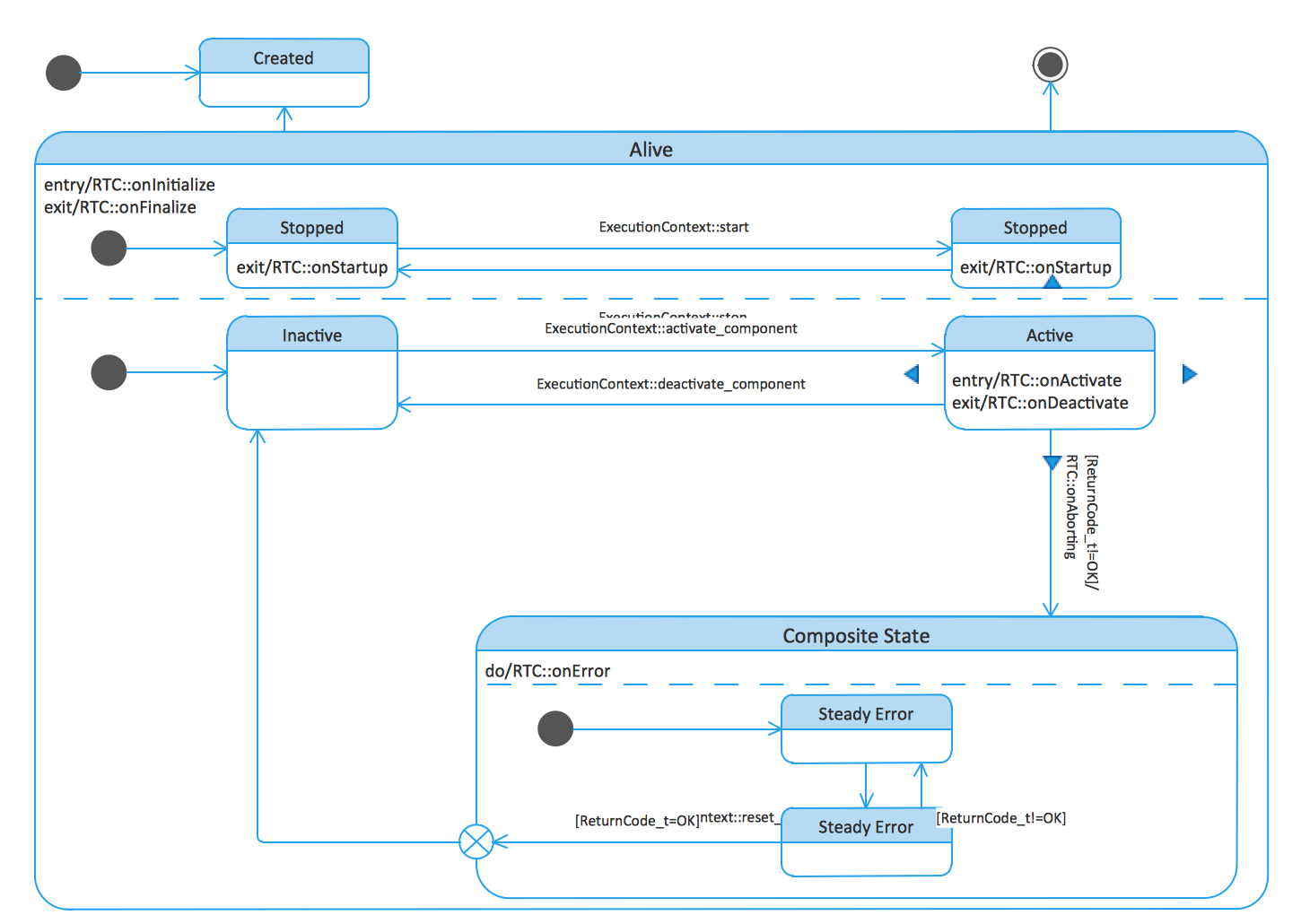
UML state machine's goal is to overcome the main limitations of traditional finite-state machines while retaining their main benefits.

UML State Machine Diagrams. State transitions of RT component State transitions of RT component

Timing Diagrams

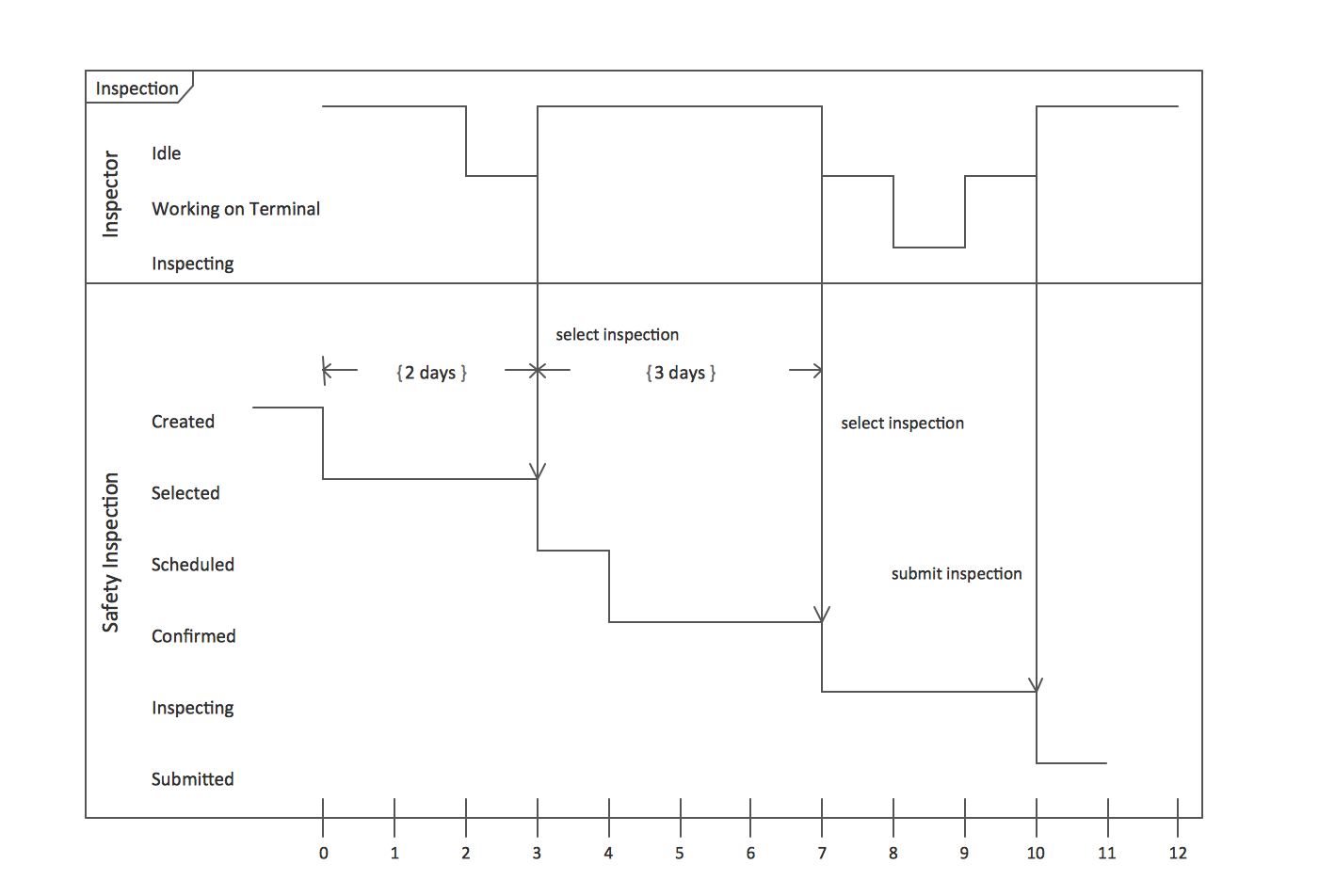
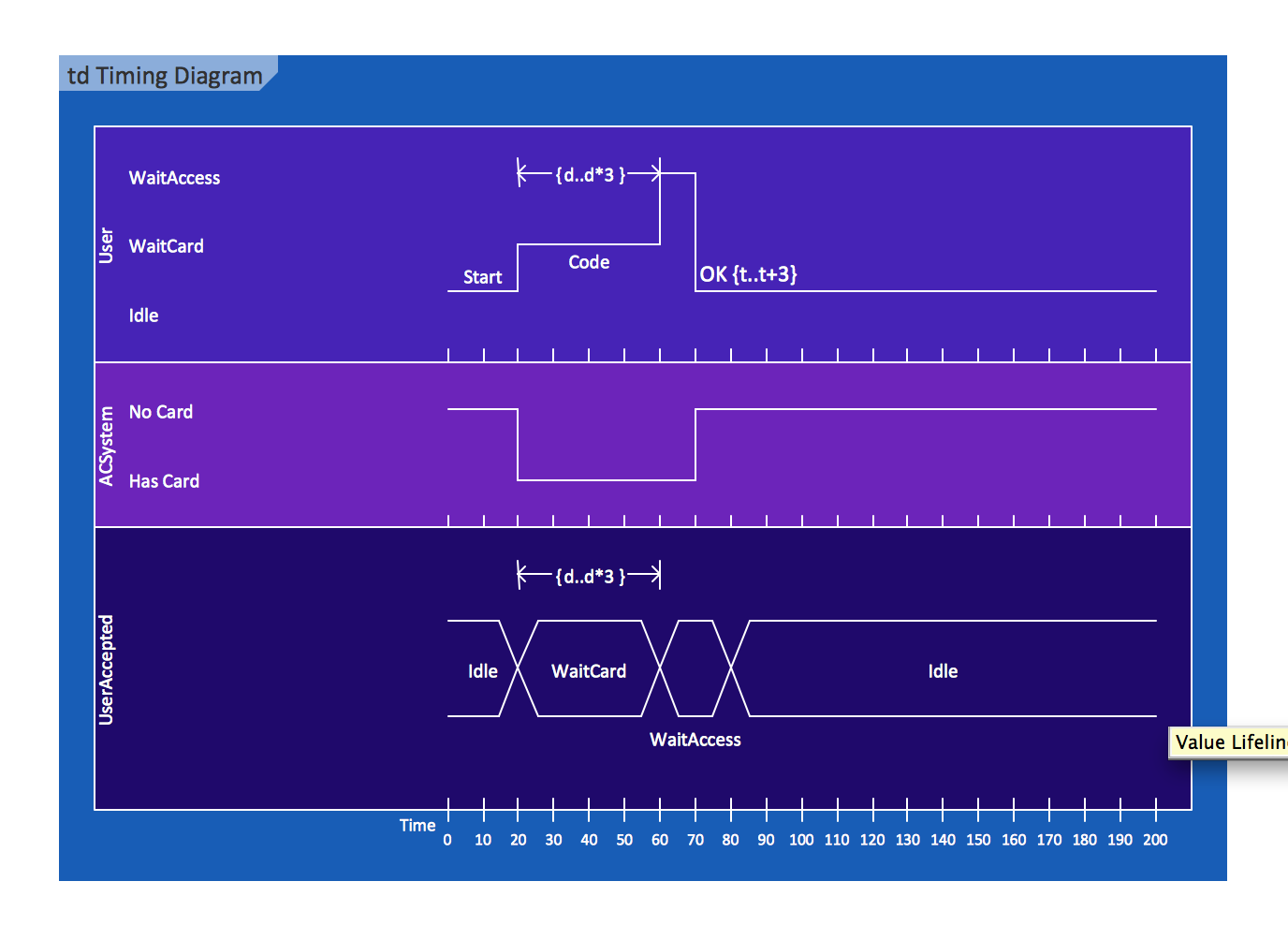
UML Timing Diagram as special form of a sequence diagram are used to explore the behaviors of objects throughout a given period of time.

UML Timing Diagrams. Inspection Inspection UML Timing Diagram UML timing diagram

Class Diagrams

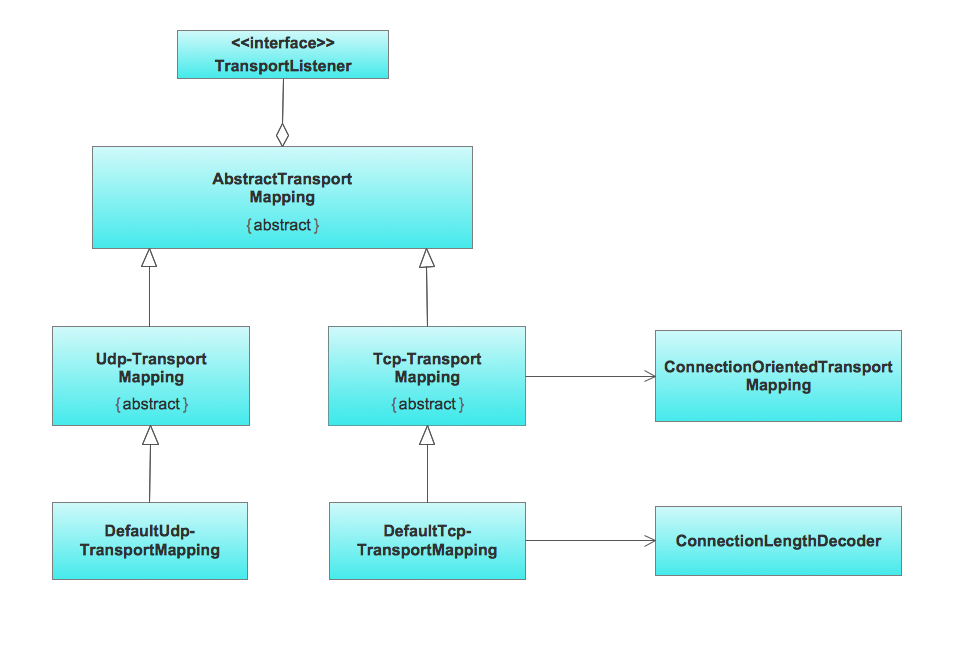
Class Diagrams describes the structure of a system by showing the system's classes, their attributes, and the relationships among the classes

UML Class Diagrams. Metadata information model Metadata information model UML Class Diagram UML class diagram

Object Diagrams

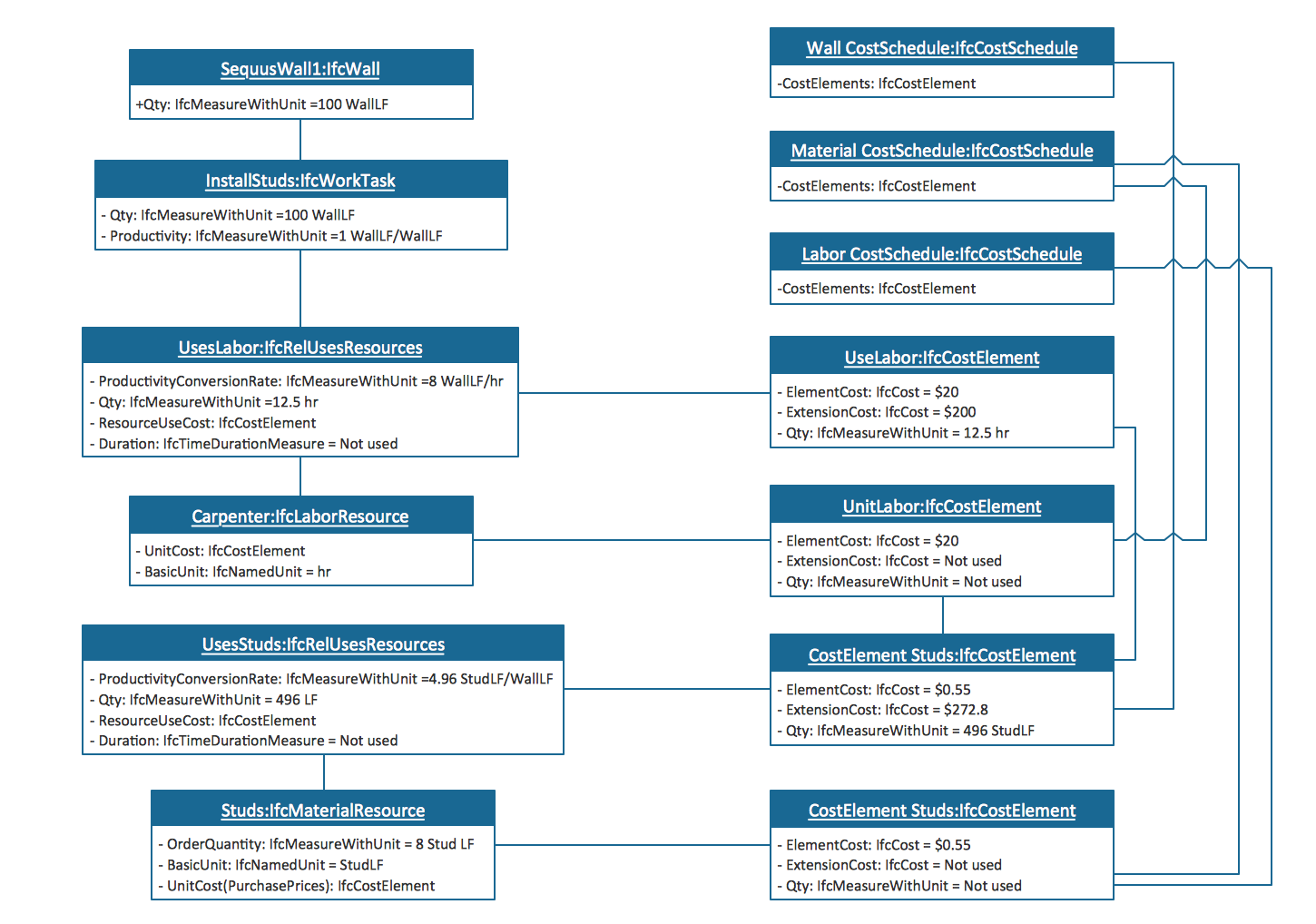
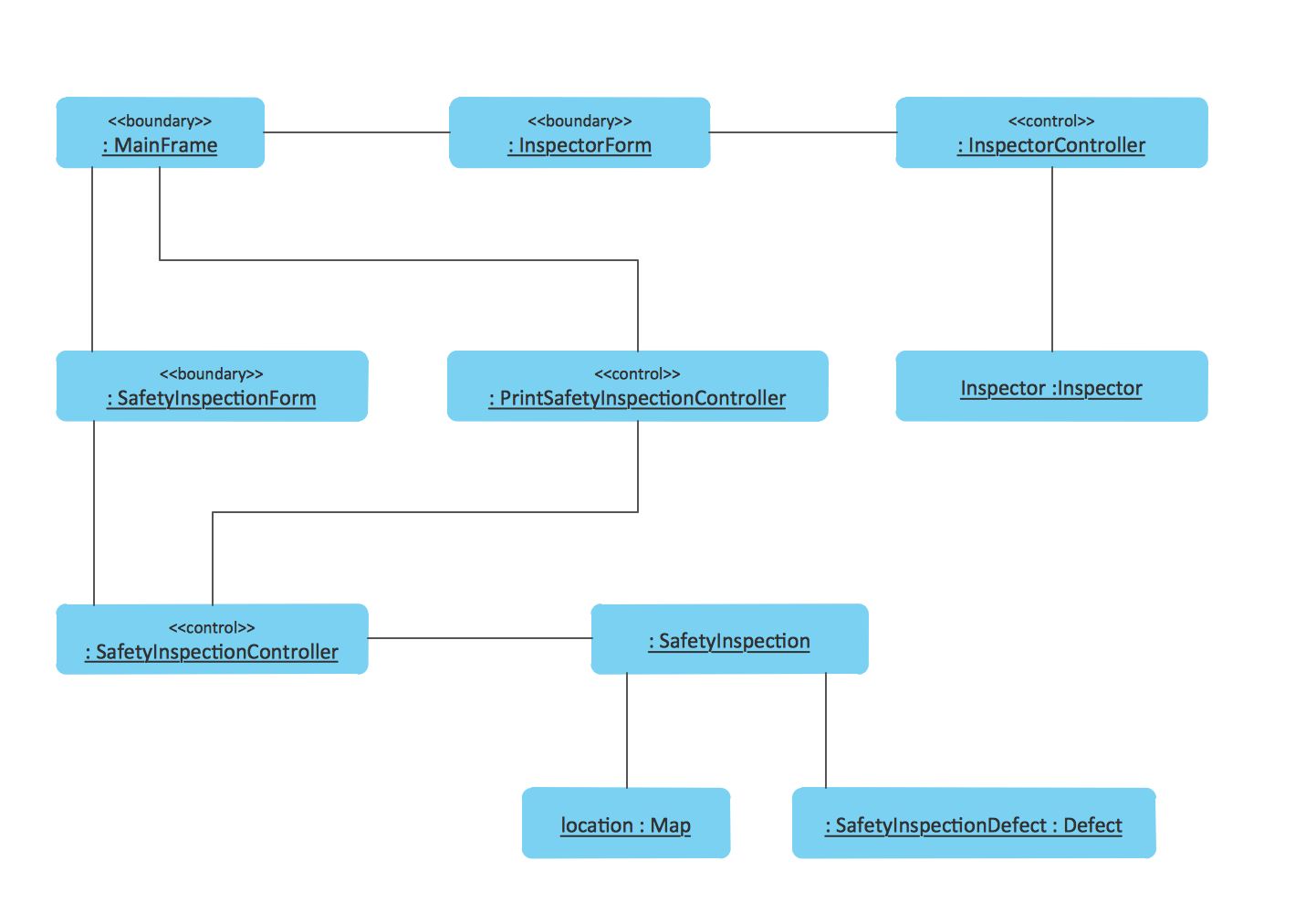
UML Object Diagram shows the structure of a modeled system at a specific time.

UML Object Diagrams. Estimating scenario Estimating scenario UML Object Diagrams. Safety inspection Safety inspection

Composite Structure Diagrams

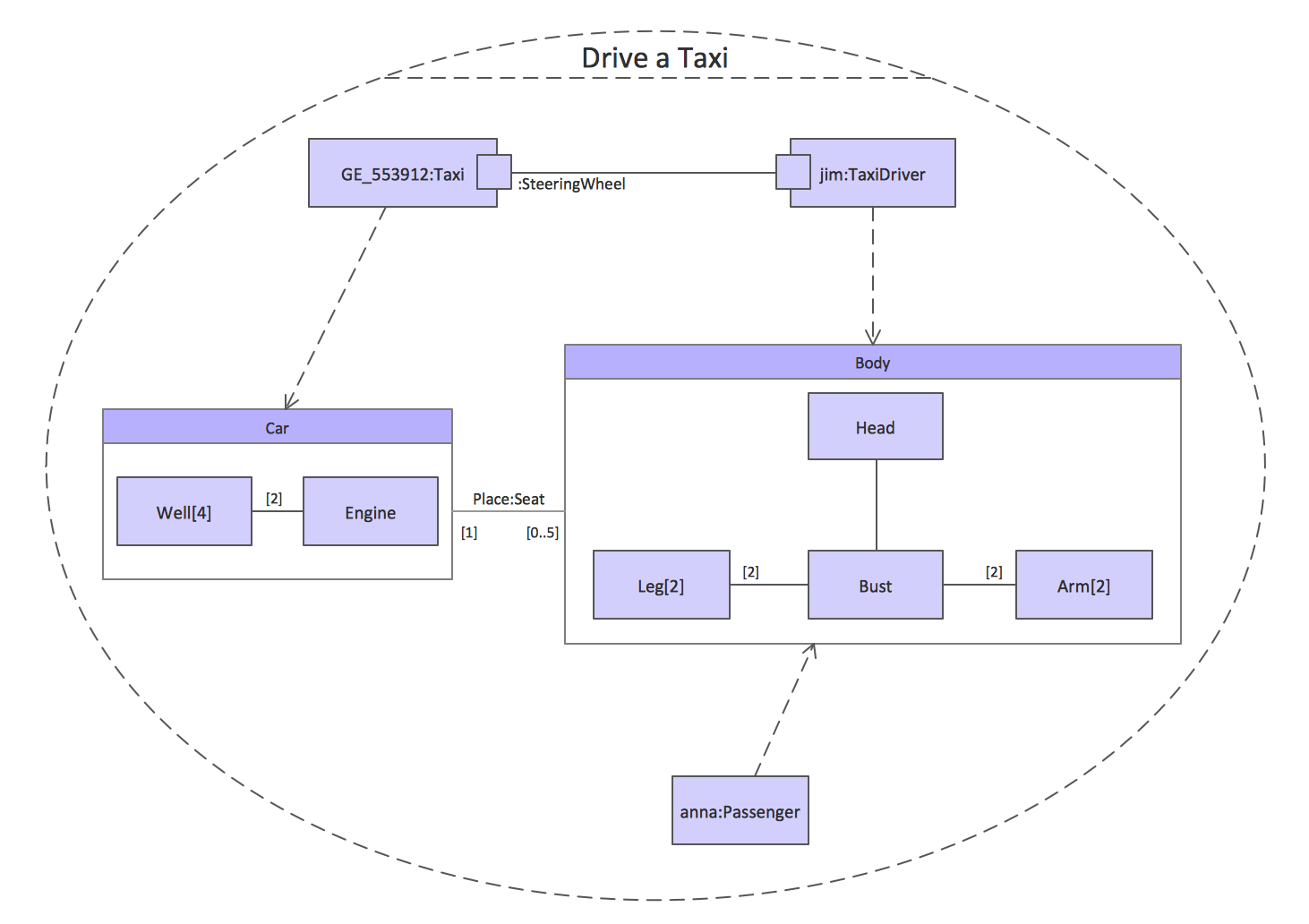
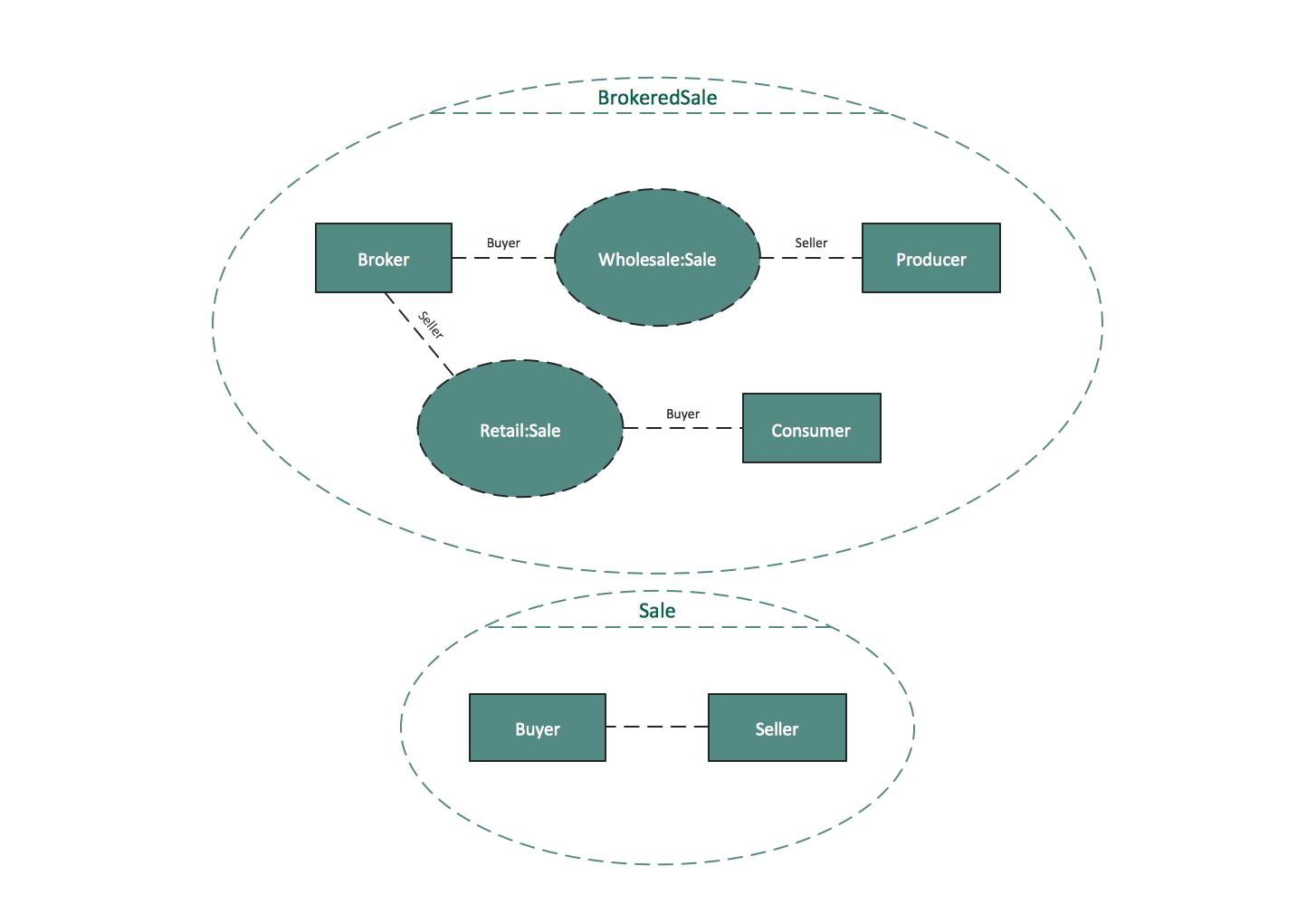
UML Composite Structure Diagram shows the internal structure of a class and the possible interactions at this structure.

UML Composite Structure Diagrams. Drive a taxi Drive a taxi UML Composite Structure Diagrams. Sale process Sale process

Interaction Overview Diagrams

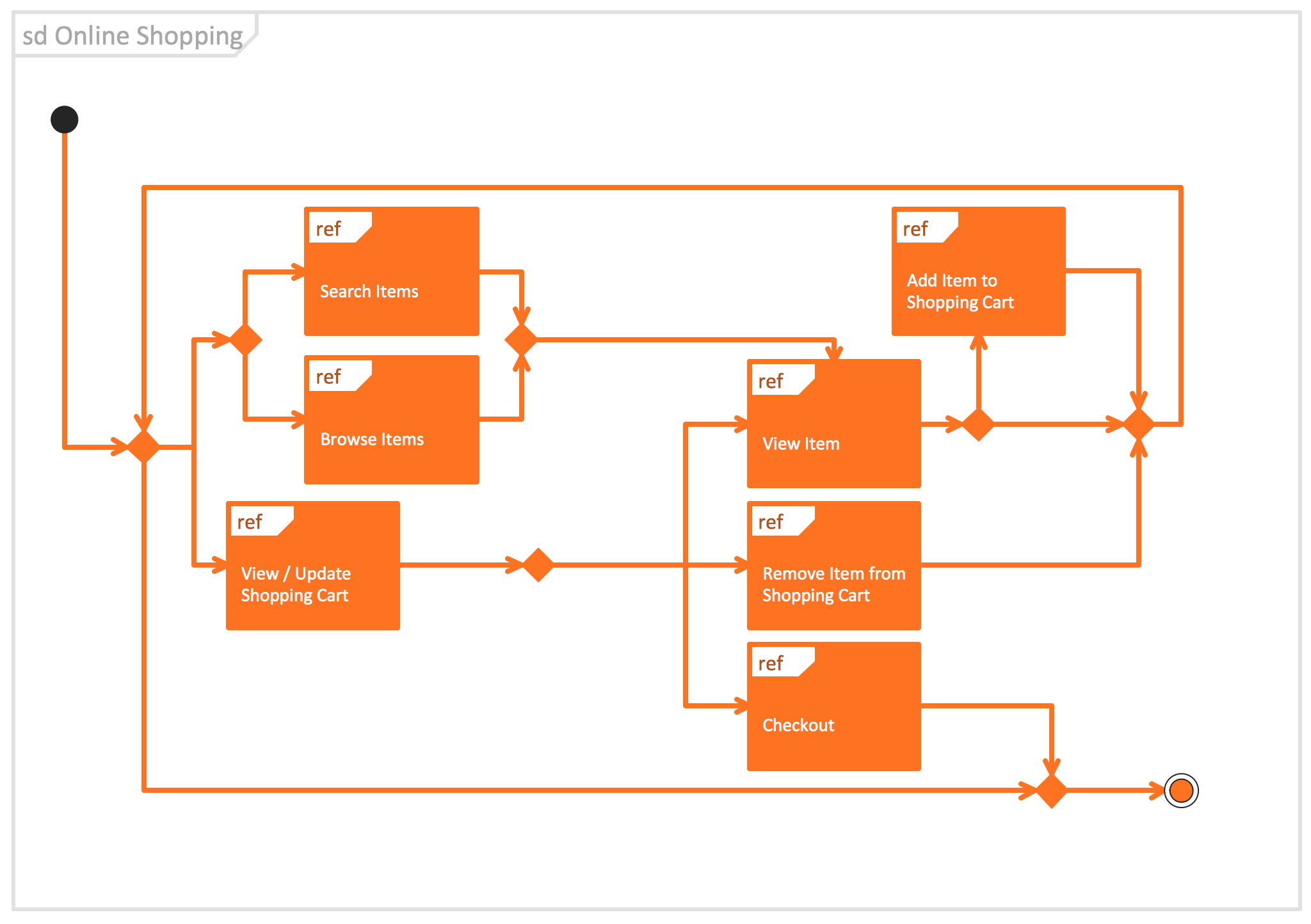
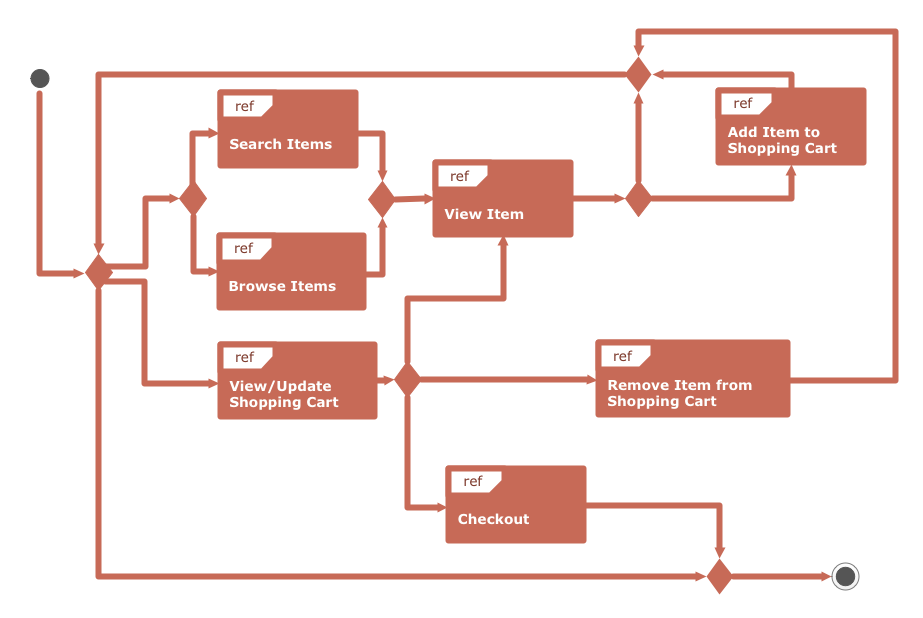
UML Interaction Overview Diagram schematically shows a control flow with nodes and a sequence of activities that can contain interaction or sequence diagrams.

UML Interaction Overview Diagrams. System authentication System authentication UML Interaction Overview Diagram UML interaction overview diagram UML Interaction Overview Diagram. Online ShoppingOnline Shopping

Use Case Diagrams

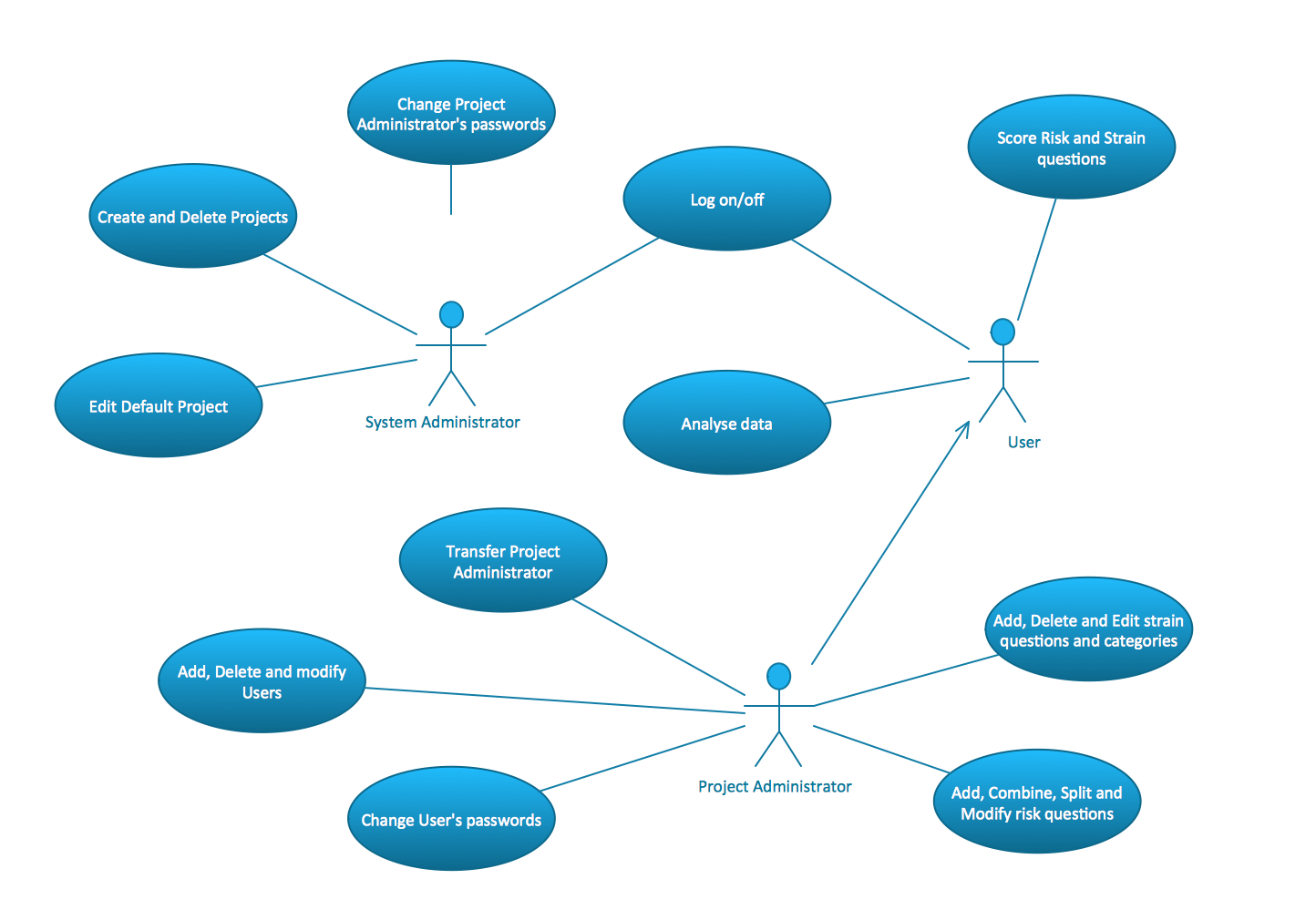
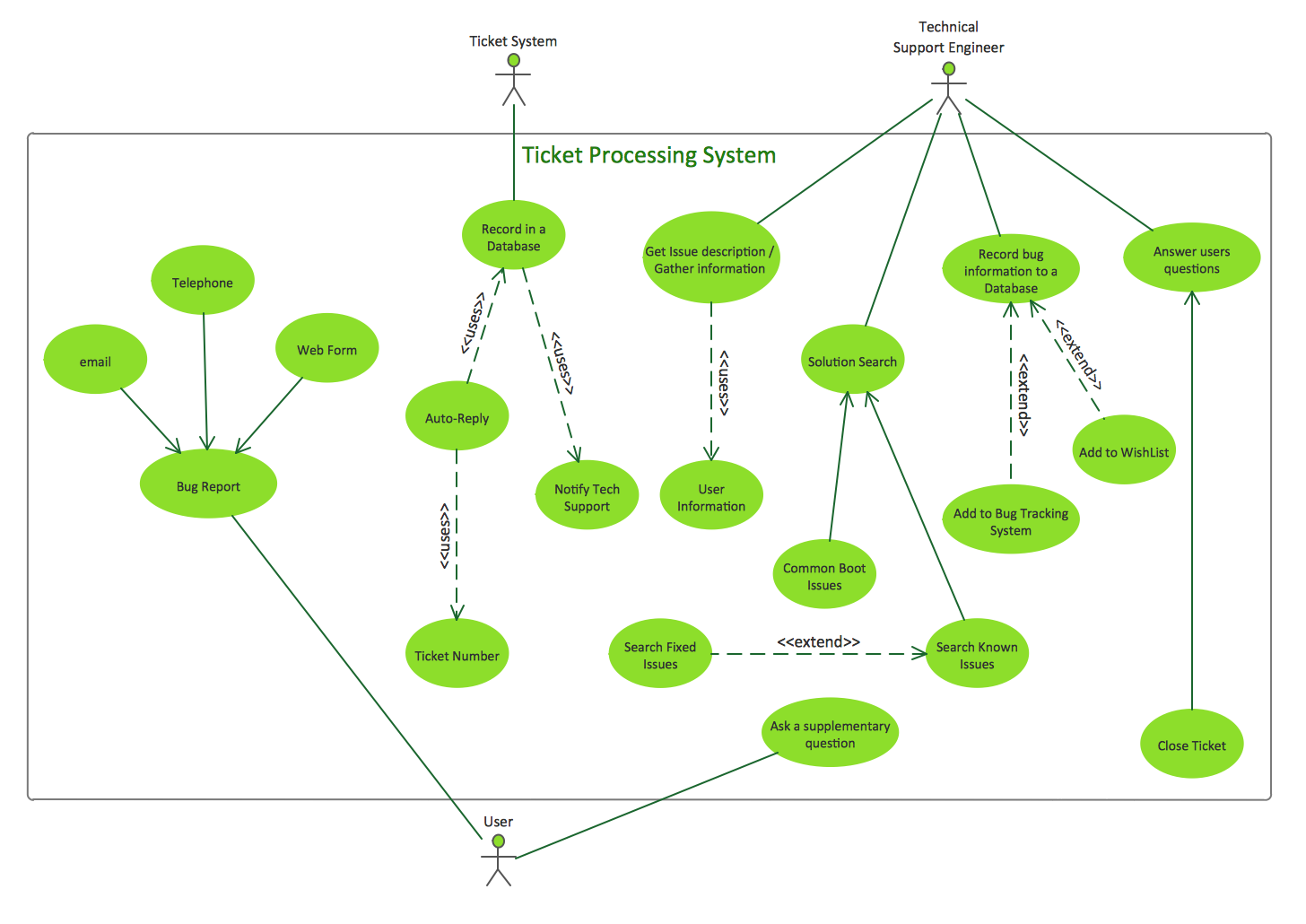
Use Case Diagrams describes the functionality provided by a system in terms of actors, their goals represented as use cases, and any dependencies among those use cases.

UML Use Case Diagrams. Project administrator Project administrator UML Use Case Diagrams. Ticket processing system Ticket processing system UML Use Case Diagrams. Trading system usage scenarios Trading system usage scenarios

Sequence Diagrams

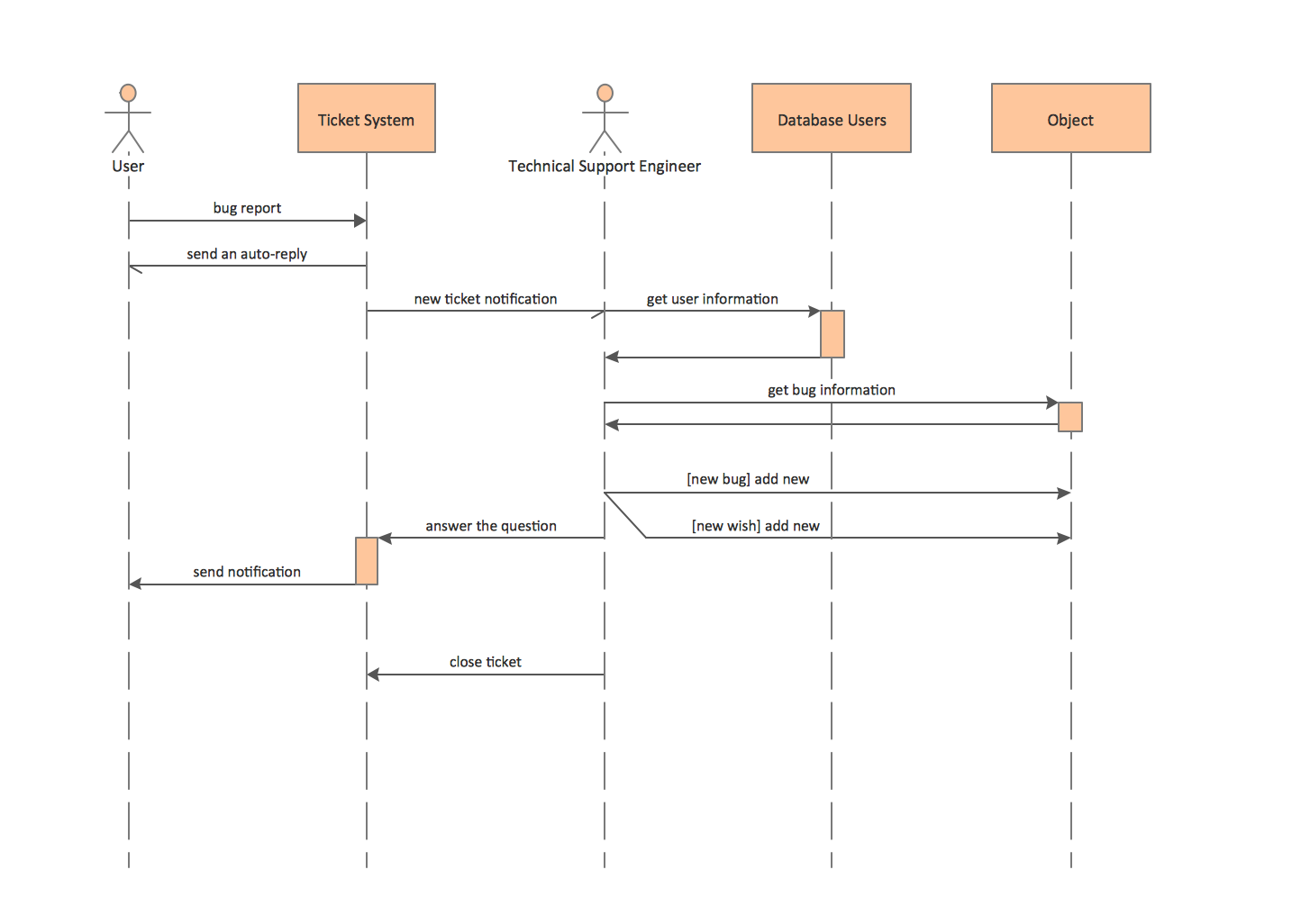
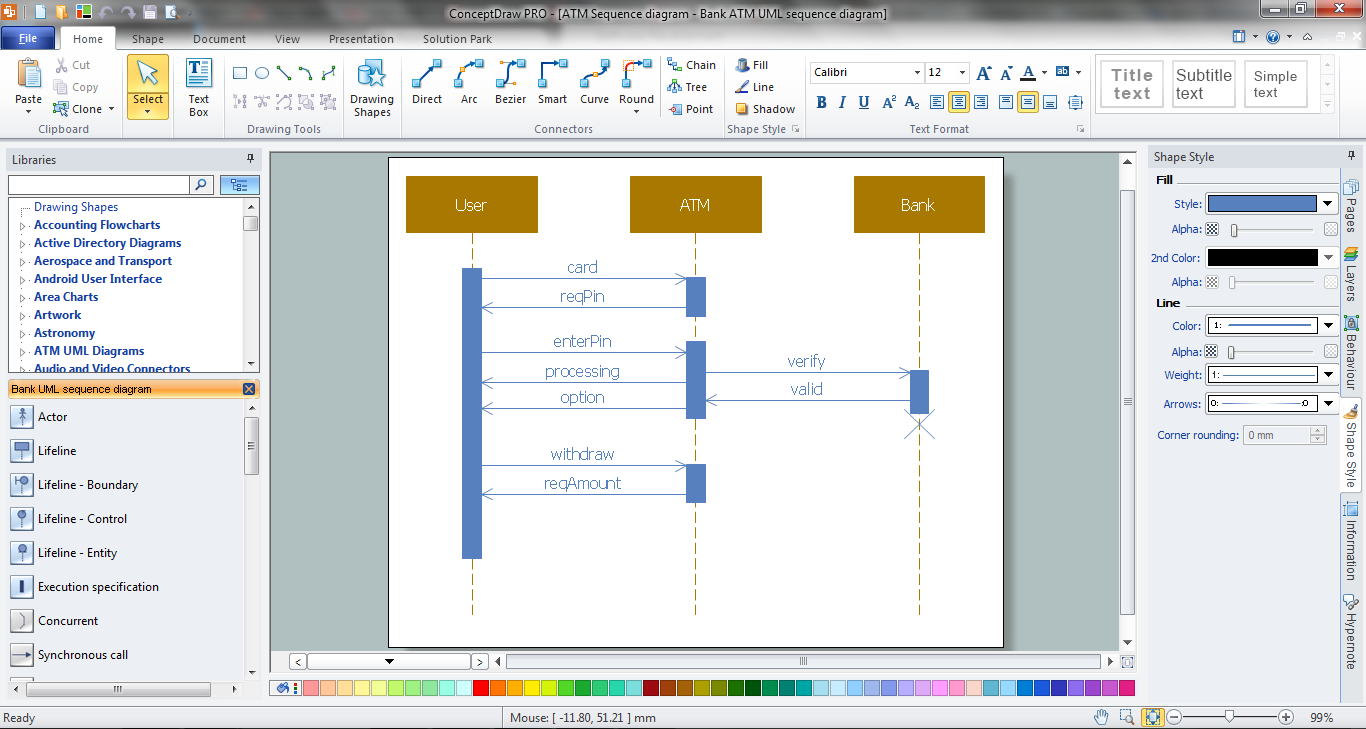
Sequence Diagrams shows how objects communicate with each other in terms of a sequence of messages. Also indicates the lifespans of objects relative to those messages.

UML Sequence Diagrams. Checking process Checking process UML Sequence Diagrams. GET request GET request UML Sequence Diagrams. Ticket processing system Ticket processing system

Activity Diagrams

Activity diagram describes the business and operational step-by-step workflows of components in a system. An activity diagram shows the overall flow of control.

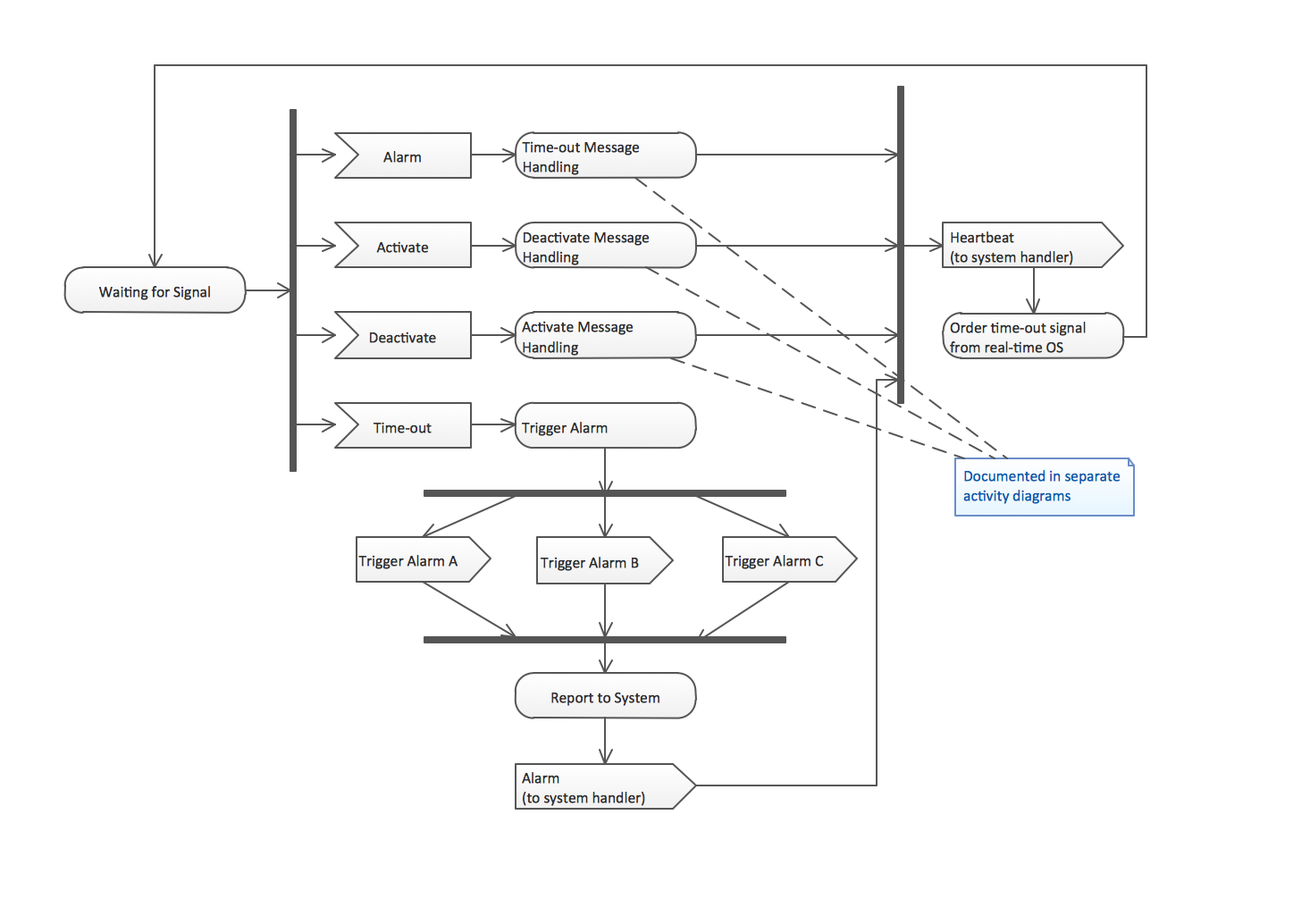
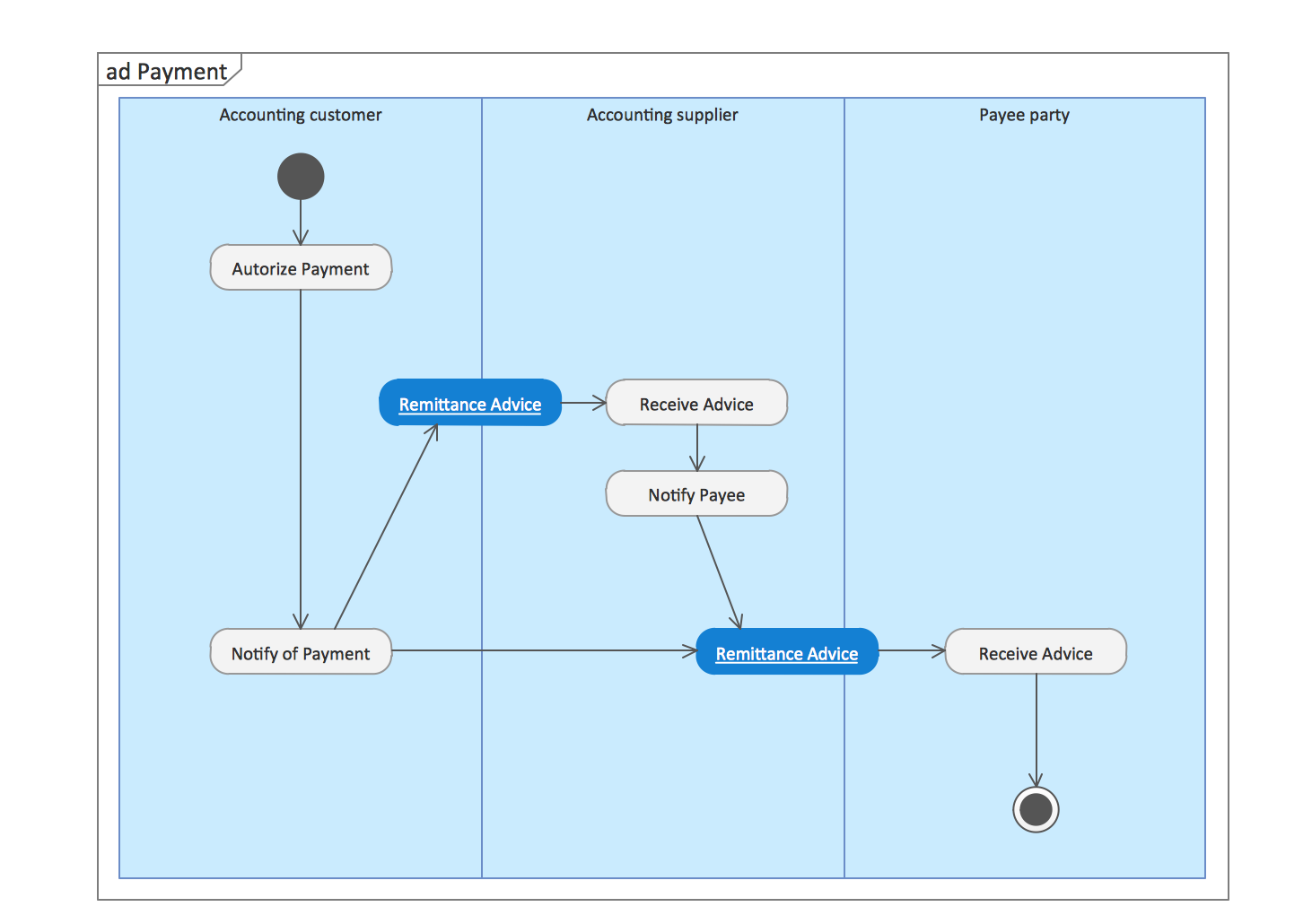
UML Activity Diagrams. Alarm trigger processing Alarm trigger processing UML Activity Diagrams. Cash withdrawal from ATM Cash withdrawal from ATM UML Activity Diagrams. Payment process Payment process

Component Diagrams

UML Component Diagram illustrate how components are wired together to larger components and software systems that shows the structure of arbitrarily complex systems.

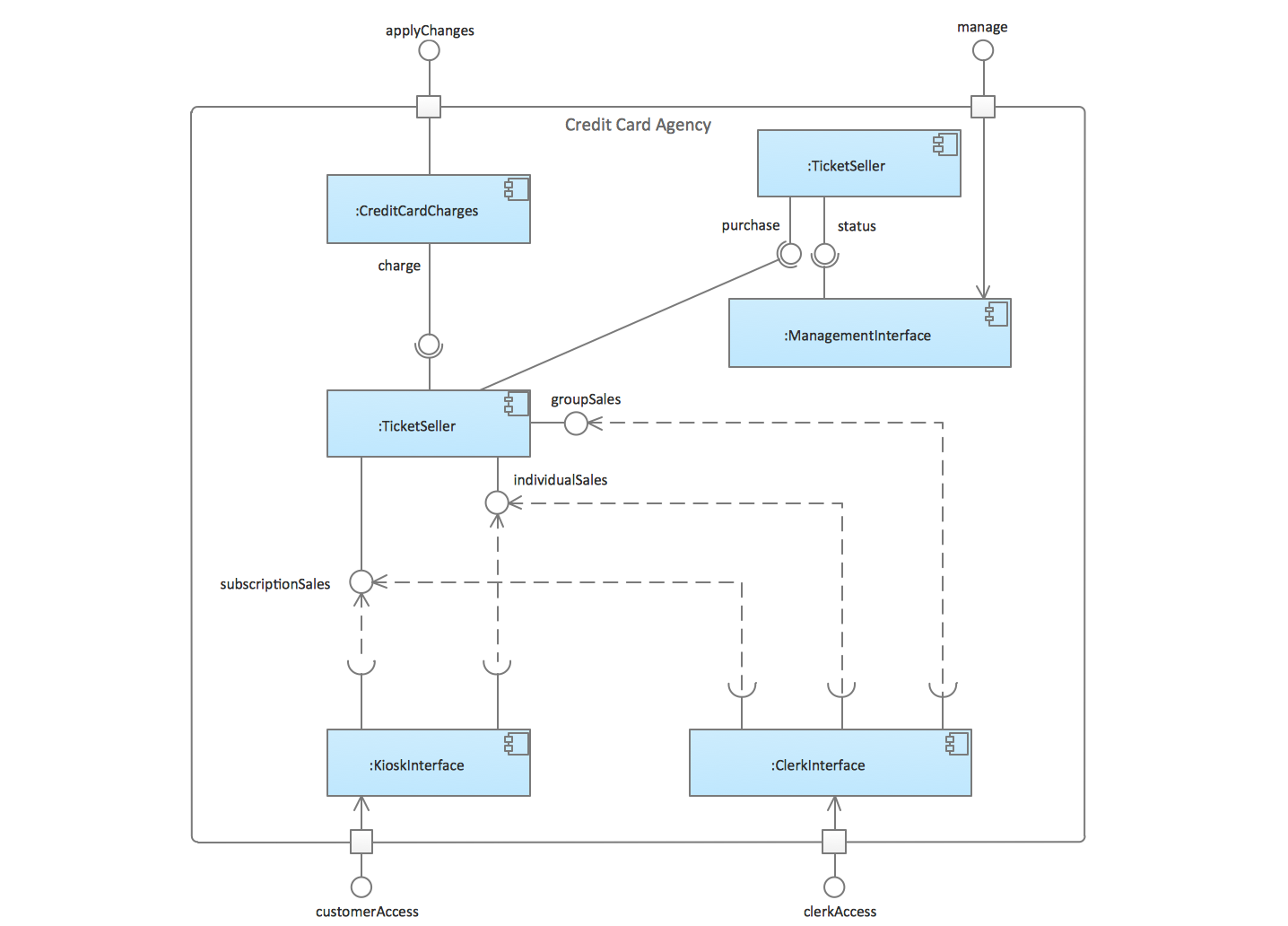
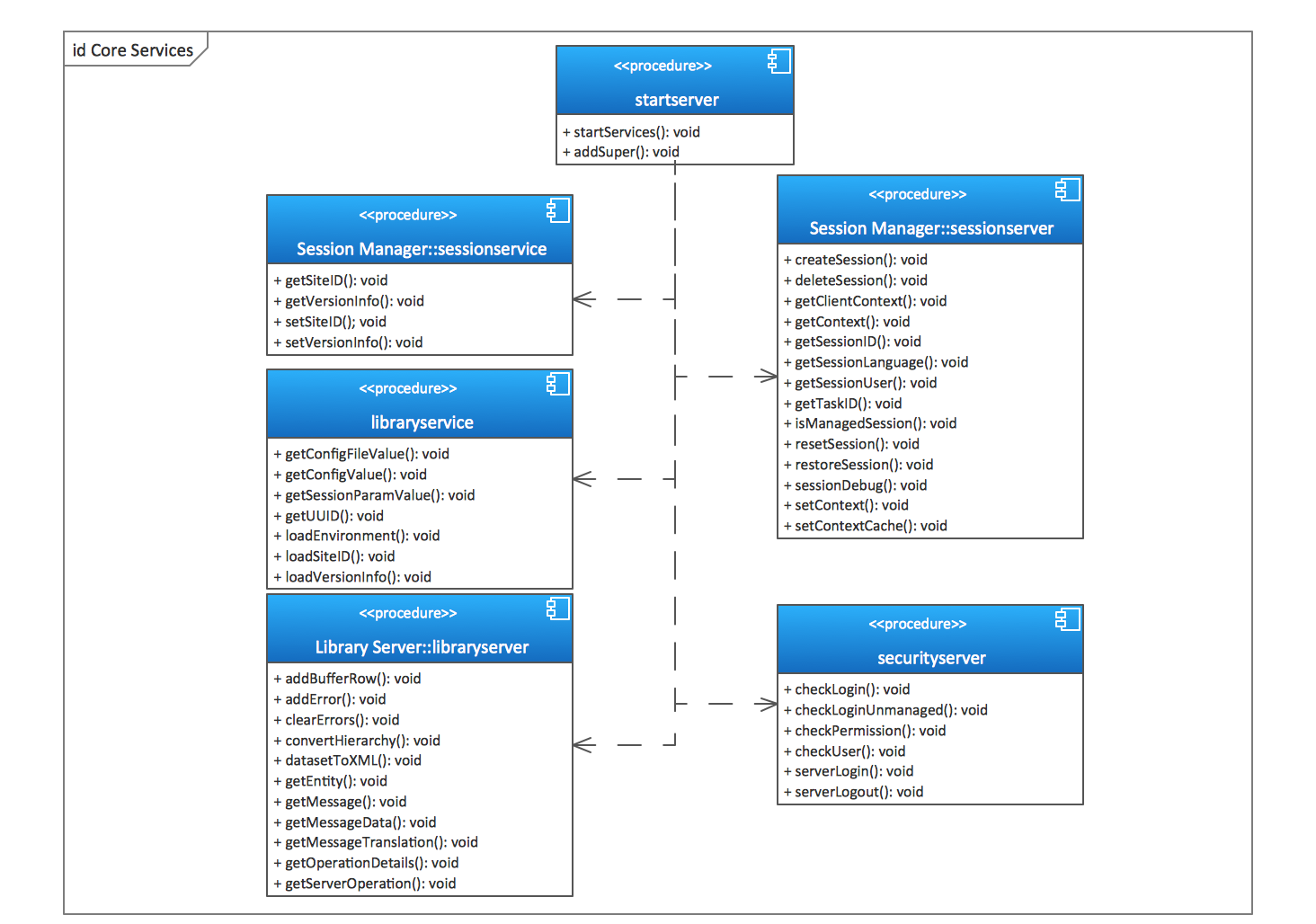
UML Component Diagrams. Credit card agency Credit card agency UML Component Diagrams. Start server Start server UML Component Diagram UML component diagram template

Deployment Diagrams

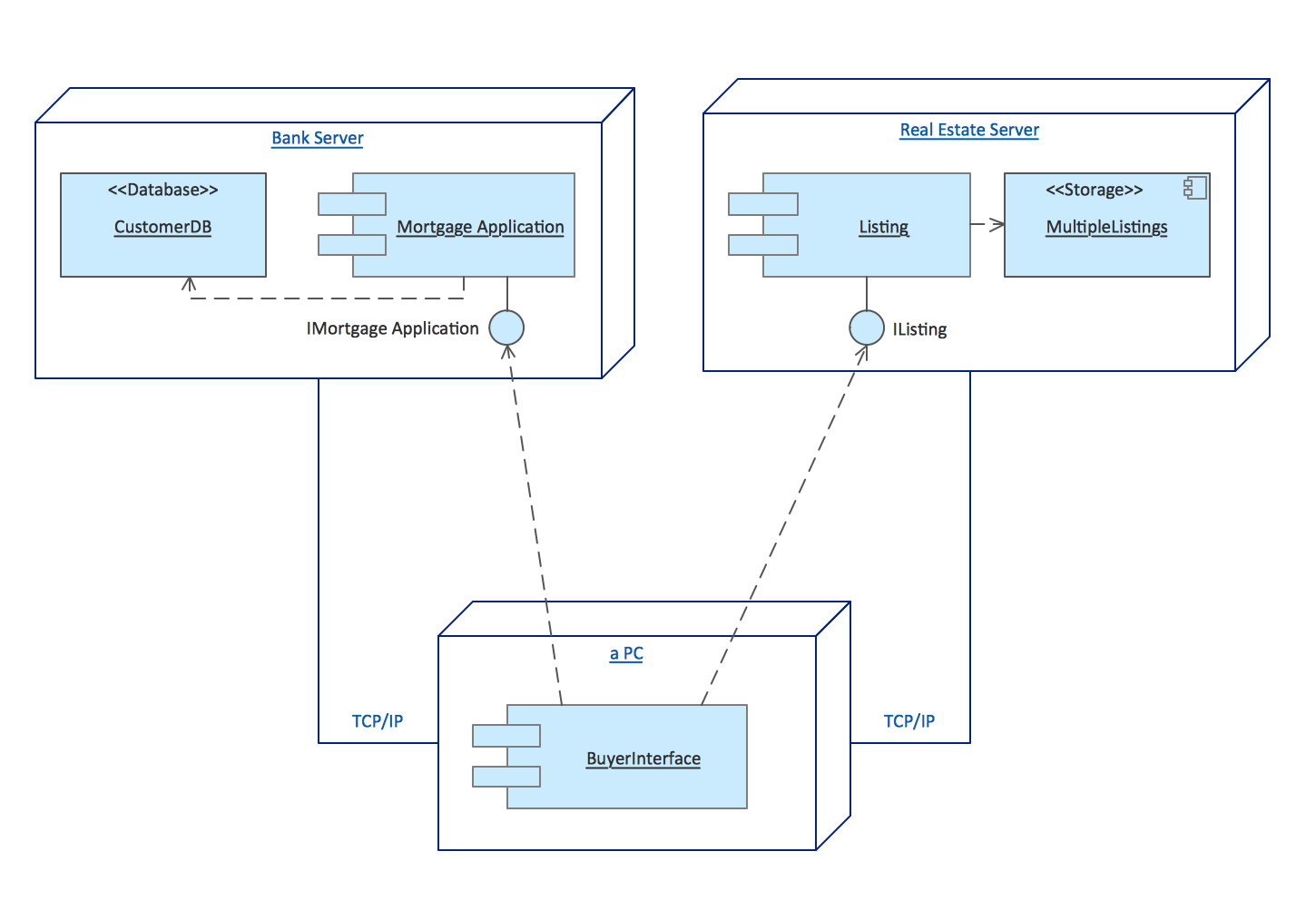
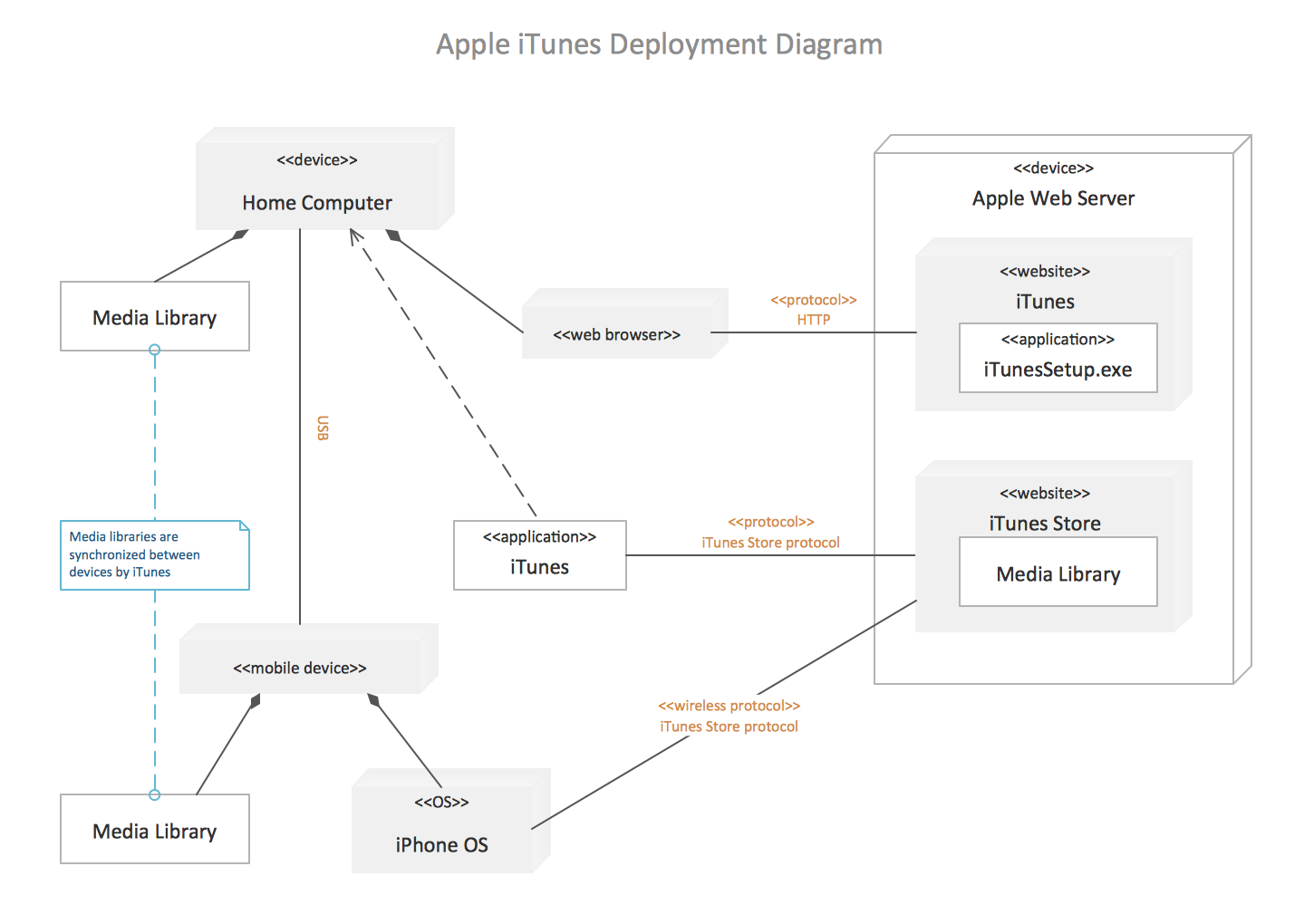
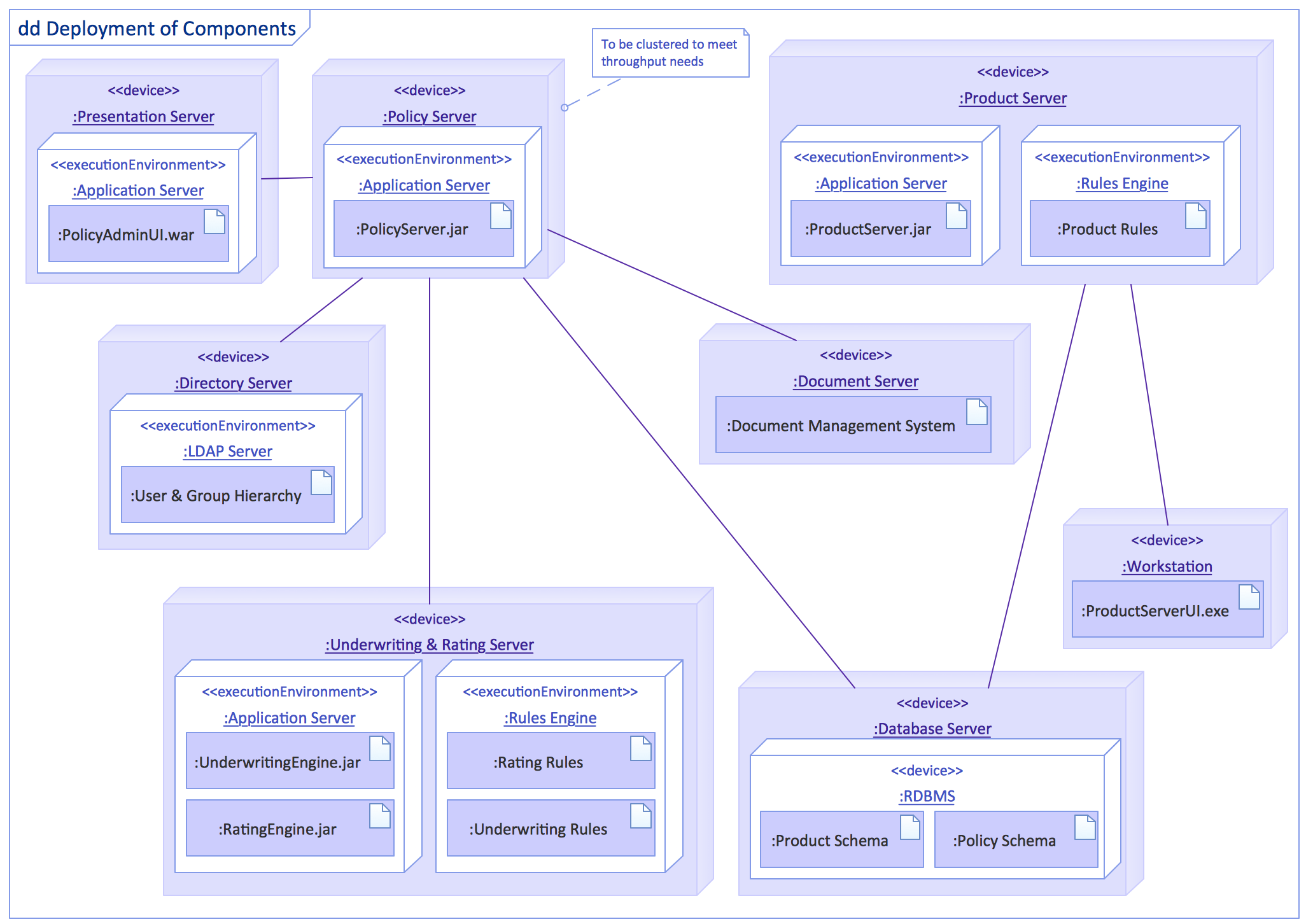
Deployment diagram describes the hardware used in system implementations and the execution environments and artifacts deployed on the hardware.

UML Deployment Diagrams. Real estate transactions Real estate transactions UML Deployment Diagram example UML deployment diagram example UML Deployment Diagram UML deployment diagram

Free Download UML Software and View All Examples

UML Tool & UML Diagram Examples *

Pic 2. UML use case diagram template. Ticket processing system


The following features make ConceptDraw DIAGRAM the best UML Diagram Software:

  1. You don't need to be an artist to draw professional looking diagrams in a few minutes.
  2. Large quantity of ready-to-use vector objects makes your drawing UML diagrams quick and easy.
  3. Great number of predesigned templates and samples give you the good start for your own diagrams.
  4. ConceptDraw DIAGRAM provides you the possibility to use the grid, rules and guides. You can easily rotate, group, align, arrange the objects, use different fonts and colors to make your diagram exceptionally looking.
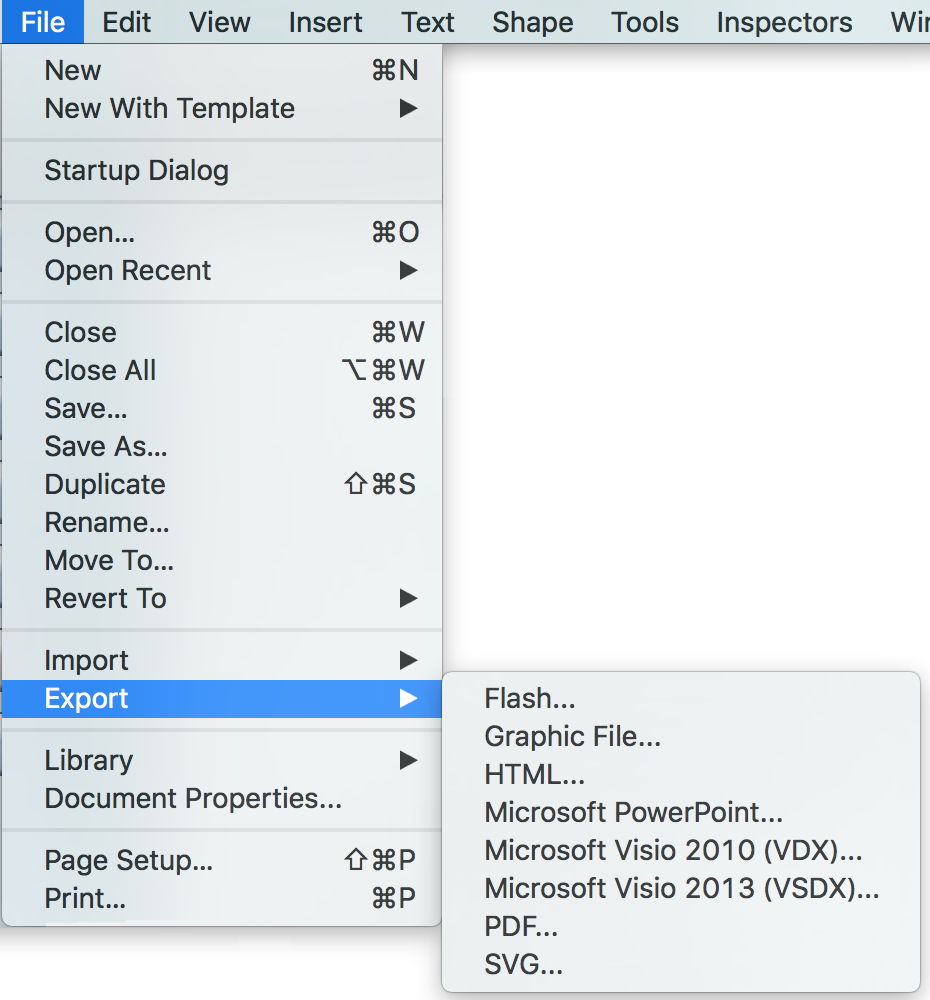
  5. All ConceptDraw DIAGRAM documents are vector graphic files and are available for reviewing, modifying, and converting to a variety of formats: image, HTML, PDF file, MS PowerPoint Presentation, Adobe Flash, MS Visio.

    uml class diagram - export

  6. Using ConceptDraw STORE you can navigate through ConceptDraw Solution Park, managing downloads and updates. You can access libraries, templates and samples directly from the ConceptDraw STORE.

    uml class diagram solution

  7. If you have any questions, our free of charge support is always ready to come to your aid.


TEN RELATED HOW TO's:
A perfect tool to draw network diagram for bandwidth management. Computer & Networks solution provides the symbol libraries with pre-designed network graphic elements. Use Computer & Networks solution to draw the network diagrams for bandwidth management for Cisco networks, Apple networks, IVR networks, GPRS networks, wi-fi networks, LAN and WAN.Network Diagrams for Bandwidth Management *
Picture: Network Diagrams for Bandwidth Management
Use the set of special professionally developed swim lane flowchart symbols - single, multiple, vertical and horizontal lanes from the Swimlanes and Swimlanes BPMN 1.2 libraries from the Business Process Diagram solution, the Swim Lanes library from the Business Process Mapping solution as the perfect basis for your Swim Lane Flowcharts of processes, algorithms and procedures.Swim Lane Flowchart Symbols *
Picture: Swim Lane Flowchart Symbols
Related Solution:
Social Media UML - This sample shows the structure of the popular social networking site Linkedin. This is a Class Diagram on that classes are represented as boxes and are connected with aggregation, composition associations. This sample can be used in the business field, in IT, at the projection and creating of the social networking sites.Social Media UML *
Picture: Social Media UML
Related Solution:
Use ConceptDraw DIAGRAM software as a powerful audit application. 🔸 Create professional Audit Workflow Diagrams and Audit Process Flowcharts to ✔️ plan and implement audit process, ✔️ enhance financial transparency, ✔️ improve financial reporting, ✔️ streamline operations, ✔️ improve business efficiency, ✔️ identify risks and issues, ✔️ prevent financial fraud, ✔️ track progress, ✔️ enhance trustAudit Process Flowchart. <br> Audit Flowchart Design in ConceptDraw DIAGRAM
Picture: Understanding the Audit Process: A Comprehensive Guide. Audit Process Flowchart
Related Solution:
This sample was created in ConceptDraw DIAGRAM diagramming and vector drawing software using the Computer and Networks solution from Computer and Networks area of ConceptDraw Solution Park. A Daisy Chain is the simple computer network. It is the easiest way to add more Ethernet devices into the network. In the Daisy Chain network one computer is connected to the next without any intervening devices, thus the message is sent from one computer to the next and then to the next and so on. A Daisy Chain can be linear or ringDaisy Chain Network Topology *
Picture: Daisy Chain Network Topology
Related Solution:
ConceptDraw PROJECT’s powerful reporting engine lets you generate a set of tabular reports with just one click, or visualize your project as Radial Tasks Structures, Work Breakdown Structures and Resource Calendars. It also provides you with dynamic Project Dashboards.How to Report Task
Picture: How to Report Task's Execution with Gantt Chart
The metal–oxide–semiconductor field-effect transistor (MOSFET, MOS-FET, or MOS FET) is a type of transistor used for amplifying or switching electronic signals. Although the MOSFET is a four-terminal device with source (S), gate (G), drain (D), and body (B) terminals, the body (or substrate) of the MOSFET is often connected to the source terminal, making it a three-terminal device like other field-effect transistors. Because these two terminals are normally connected to each other (short-circuited) internally, only three terminals appear in electrical diagrams. The MOSFET is by far the most common transistor in both digital and analog circuits, though the bipolar junction transistor was at one time much more common. 26 libraries of the Electrical Engineering Solution of ConceptDraw DIAGRAM make your electrical diagramming simple, efficient, and effective. You can simply and quickly drop the ready-to-use objects from libraries into your document to create the electrical diagram.Electrical Symbols — MOSFET *
Picture: Electrical Symbols — MOSFET
Related Solution:
The UML Diagrams are widely used by developers and software engineers for professionally design and development any bank system or Automated Teller Machine (ATM) system. You need a powerful software for their design? ConceptDraw DIAGRAM extended with ATM UML Diagrams Solution from the Software Development Area of ConceptDraw Solution Park suits the best for this goal.Bank System *
Picture: Bank System
Related Solution:
Fishbone Diagram, also referred as Cause and Effect diagram or Ishikawa diagram, is a fault finding and problem solving tool. Construction of Ishikawa diagrams is quite complicated process and has a number of features. Fishbone Diagrams solution included to ConceptDraw Solution Park contains powerful drawing tools and a lot of examples, samples and templates. Each Fishbone diagram example is carefully thought-out by experts and is perfect source of inspiration for you.Fishbone Diagram Example *
Picture: Fishbone Diagram Example
Related Solution:
When we think about programming, we usually imagine sleepless nights spent on writing kilobytes of code. However, from another point of view, Software development with ConceptDraw DIAGRAM makes a programmer's life endlessly easier. This tool is unique to fulfill all your needs in short period of time. Over the recent years object-oriented methodology has become more and more widespread. Thanks to this methodology developers manage to deal with growing complexity of applications. More and more programs are written in such programming languages as C++, Java, Visual Basic and Object Pascal. However, the complexity of the designed systems imposes extended requirements as to design of graphic documentation. ConceptDraw possesses powerful tools for designing of technical documentation for object-oriented projects. The libraries included in the package allow to easily draw class hierarchies, object hierarchies and diagrams of data flows with the use of the most popular notations, including UML and Booch notations. And the library for projecting COM-interfaces will spare developers of ActiveX-servers a headache.Software development with ConceptDraw DIAGRAM  *
Picture: Software development with ConceptDraw DIAGRAM
ConceptDraw
DIAGRAM 18