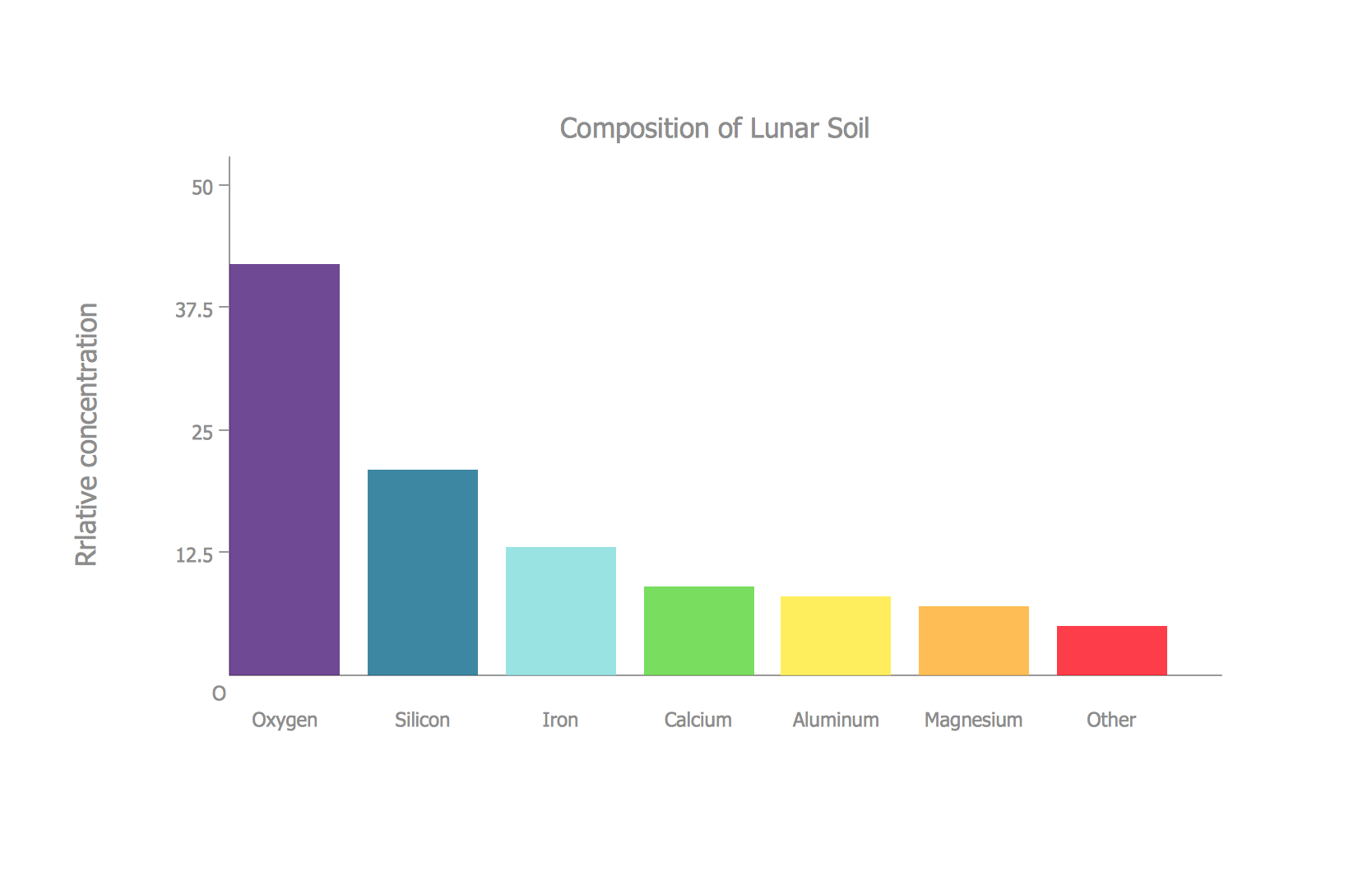
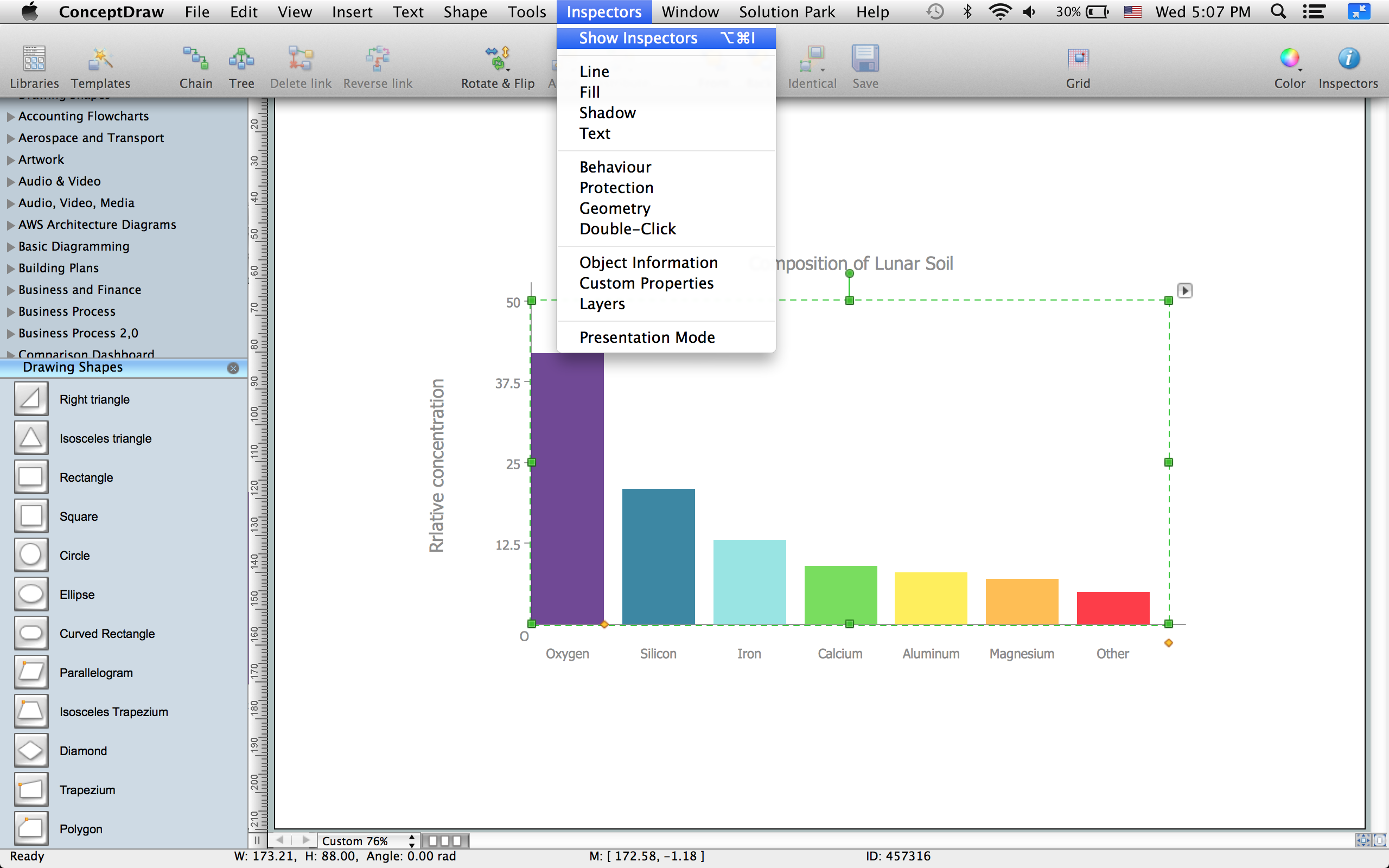
Example 2. Vertical bar graph - Composition of lunar soil.
"The term lunar soil is often used interchangeably with "lunar regolith" but typically refers to only the finer fraction of regolith, that which is composed of grains one cm in diameter or less. Lunar dust generally connotes even finer materials than lunar soil. There is no official definition of what size fraction constitutes "dust", some place the cutoff at less than 50 micrometres in diameter, others at less than 10. ...
Lunar soil is composed of various types of particles including rock fragments, mono-mineralic fragments, and various kinds of glasses including agglutinate particles and volcanic and impact spherules. The agglutinates form at the lunar surface by micrometeorite impacts that cause small-scale melting which fuses adjacent materials together with tiny specks of metallic iron (Fe0) embedded in each dust particle’s glassy shell.
Over time, material is mixed both vertically and horizontally (a process known as "gardening") by impact processes. However, the contribution of material from great distances is relatively minor, such that the soil composition at any given location largely reflects the local bedrock composition.
There are two profound differences in the chemistry of lunar regolith and soil from terrestrial materials. The first is that the Moon is very dry. As a result, those minerals with water as part of their structure such as clay, mica, and amphiboles are totally absent from the Moon. The second difference is that lunar regolith and crust are chemically reduced, rather than being significantly oxidized like the Earth's crust. In the case of the regolith, this is due in part to the constant bombardment of the lunar surface with hydrogen (H) from the solar wind. One consequence is that iron on the Moon is found in the metallic 0 and +2 oxidation state, whereas on Earth iron is found primarily in the +2 and +3 oxidation state."
[Lunar soil. Wikipedia]
This bar chart was redesigned using the ConceptDraw DIAGRAM from the Wikimedia Commons file: Composition of lunar soil.svg.[commons.wikimedia.org]
See Also:
TEN RELATED HOW TO's:
Mathematical Drawing Software - Draw mathematical illustration diagrams easily from examples and templates!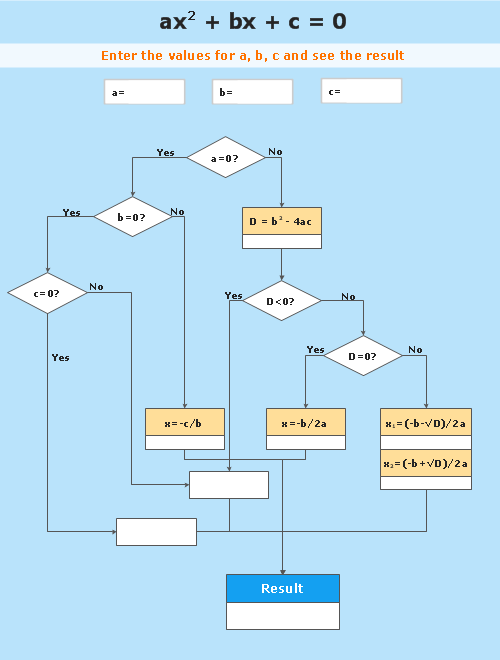
Picture: Basic Diagramming
Related Solution:
ConceptDraw DIAGRAM diagramming and vector drawing application is a powerful IDEF0 software thanks to the IDEF0 Diagrams solution from the Software Development area of ConceptDraw Solution Park.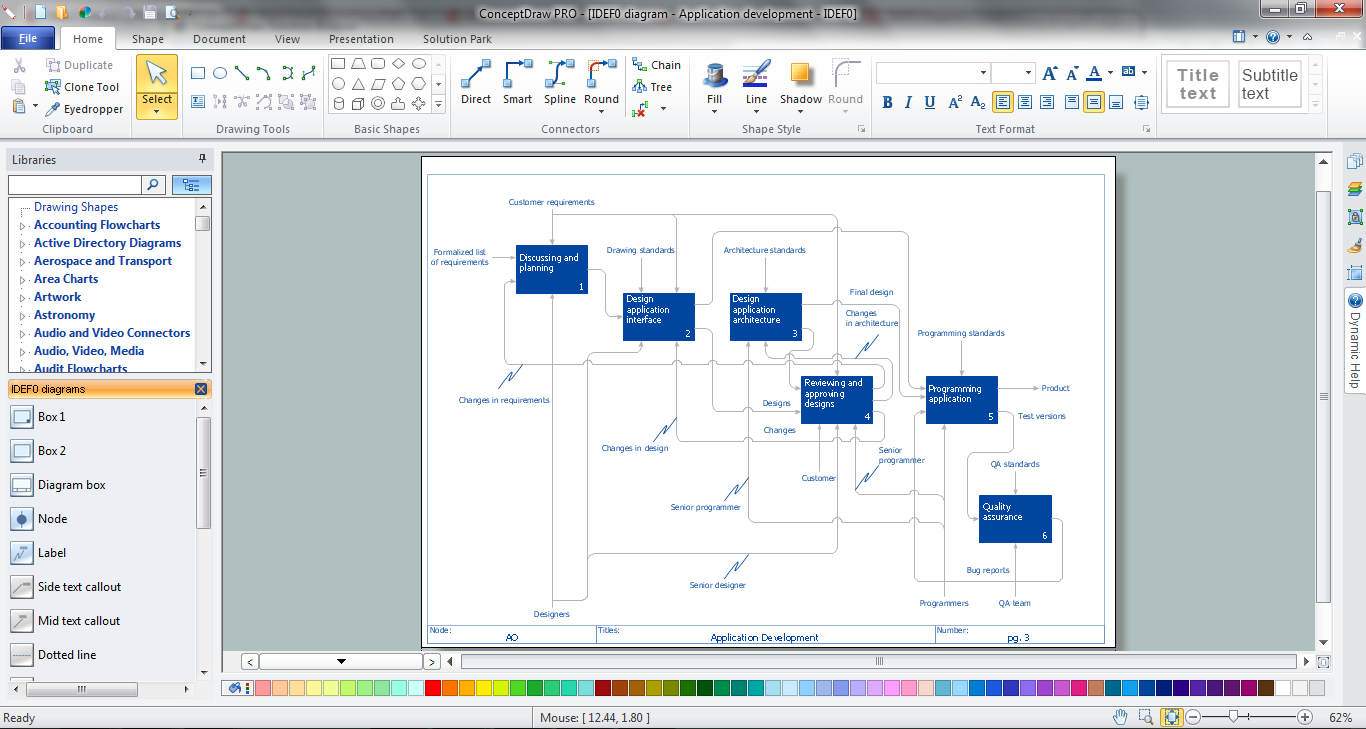
Picture: IDEF0 Software
Related Solution:
Tanzania, officially the United Republic of Tanzania (Swahili: Jamhuri ya Muungano wa Tanzania), is a country in East Africa in the African Great Lakes region.
The vector stencils library Tanzania contains contours for ConceptDraw DIAGRAM diagramming and vector drawing software. This library is contained in the Continent Maps solution from Maps area of ConceptDraw Solution Park.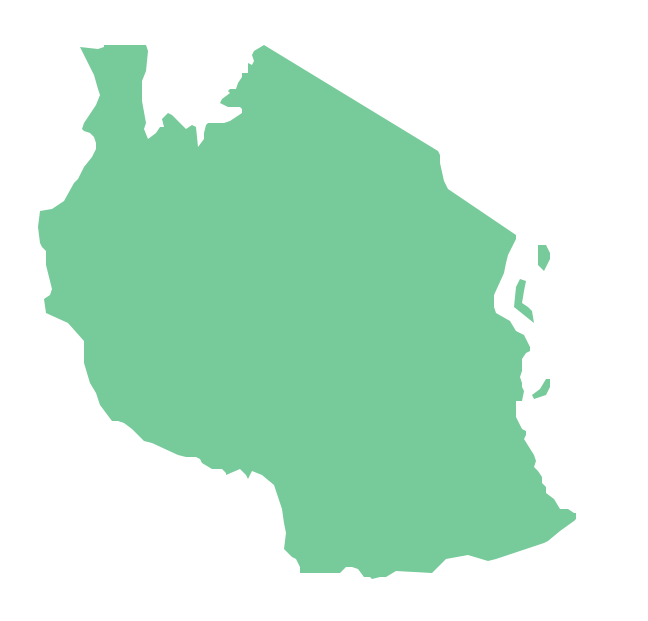
Picture: Geo Map — Africa — Tanzania
Related Solution:
Purchasing Workflow Chart as a methods for documenting accounting information systems. Symbols and Methods for designing Accounting System.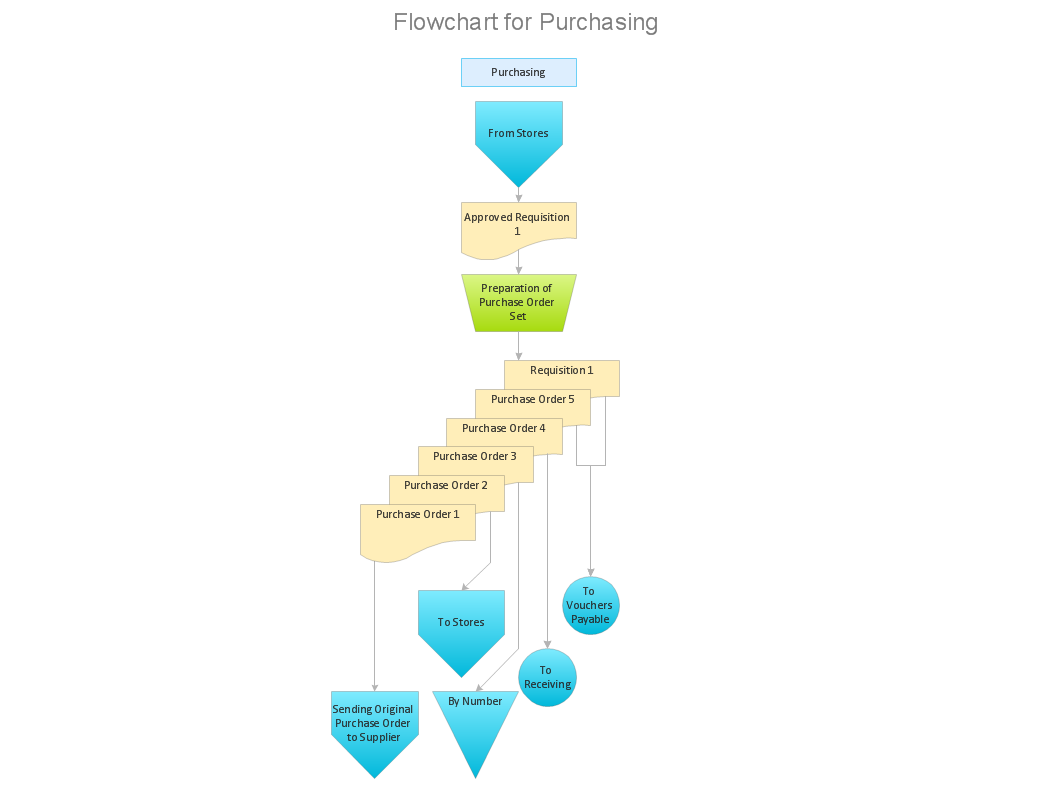
Picture: Workflow to Make a Purchase.Accounting Flowchart Example
Related Solution:
ConceptDraw DIAGRAM diagramming and vector drawing software extended with Cisco Network Diagrams Solution from the Computer and Networks Area is the best for creating Cisco Network Diagrams thanks to numerous predesigned Cisco network icons.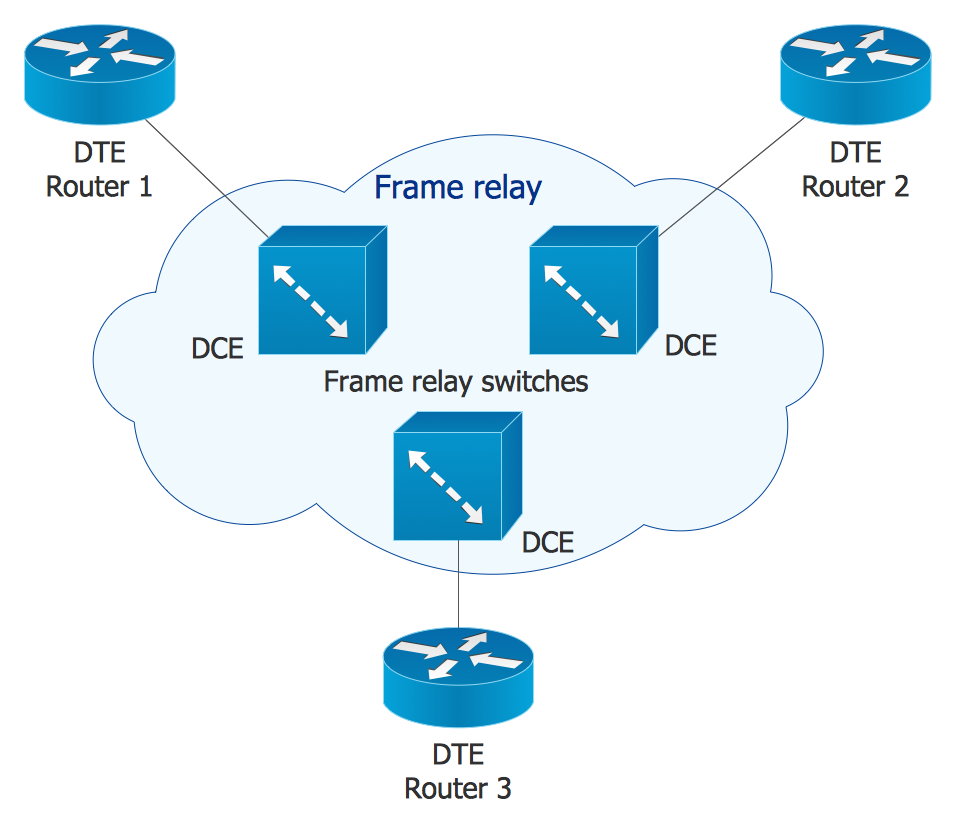
Picture: Cisco Network Icons
Related Solution:
To connect two or more network devices are used the network cables. There are more different types of the network cables: Coaxial cable, Optical fiber cable, Twisted Pair, Ethernet crossover cable, Power lines and others. They are used depending of the network topology, size, protocol.
This example was created in ConceptDraw DIAGRAM using the Computer and Networks solution from the Computer and Networks area of ConceptDraw Solution Park.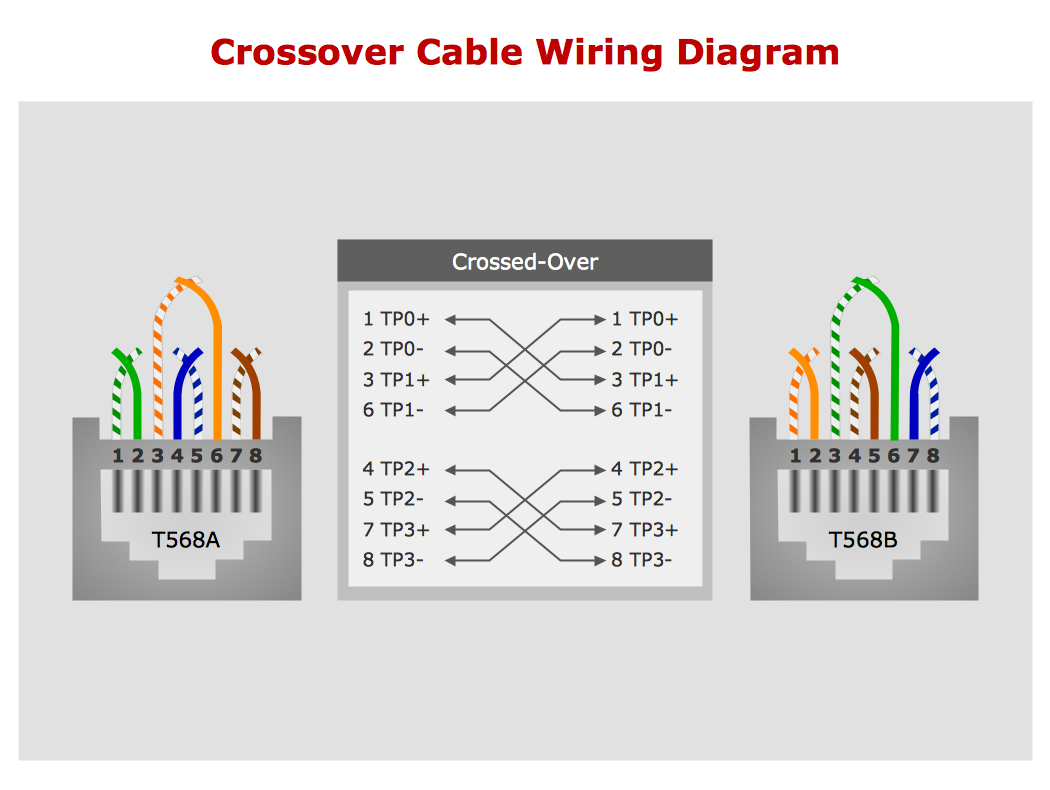
Picture: Network wiring cable. Computer and Network Examples
Related Solution:
ConceptDraw Network Diagram is ideal for network engineers and network designers who need to draw Logical Network diagrams.
Picture: Network Diagram SoftwareLogical Network
A flowchart is a powerful tool for examining processes. It helps improving processes a lot, as it becomes much easier to communicate between involved people, to identify potential problems and to optimize workflow. There are flowcharts of different shapes, sizes and types of flowchart vary from quite basic process flowcharts to complex program flowcharts. Nevertheless, all these diagrams use the same set of special symbols like arrows to connect blocks, parallelogram to show data receiving or rectangles for showing process steps.
Basic flowcharts are used to represent a simple process algorithm. A basic flowchart notation consists of rectangles (business processes), arrows (the flow of information, documents, etc.). The same notation is used in items such as the "decision", which allow you to do the branching. To indicate the start of the entire business process and its termination can be used the "Terminator" element. The advantages of Basic Flowchart are simplicity and clarity. With it you can quickly describe the business process steps. Creating of Basic Flowchart does not require any special knowledge, as easily understand by employees with different levels of education and IQ.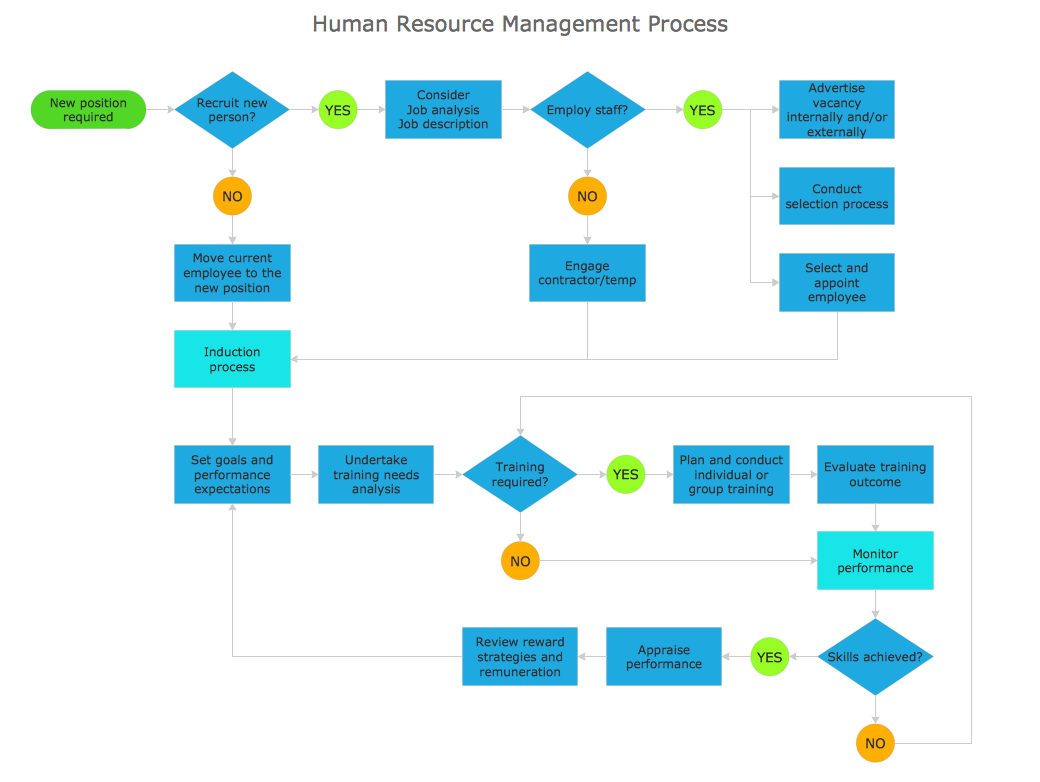
Picture: Types of Flowchart: Comprehensive Overview
Related Solution:
The Organizational Chart is a diagram that shows the structure of the organization and the relationships of its parts. There are many ways to present the Organizational Chart. One of them is the Horizontal Organizational Chart: the parts of the diagram are arranged from left to right, or from right to left.
This sample was created in ConceptDraw DIAGRAM diagramming and vector drawing software using the Organizational Charts Solution from the Management area of ConceptDraw Solution Park.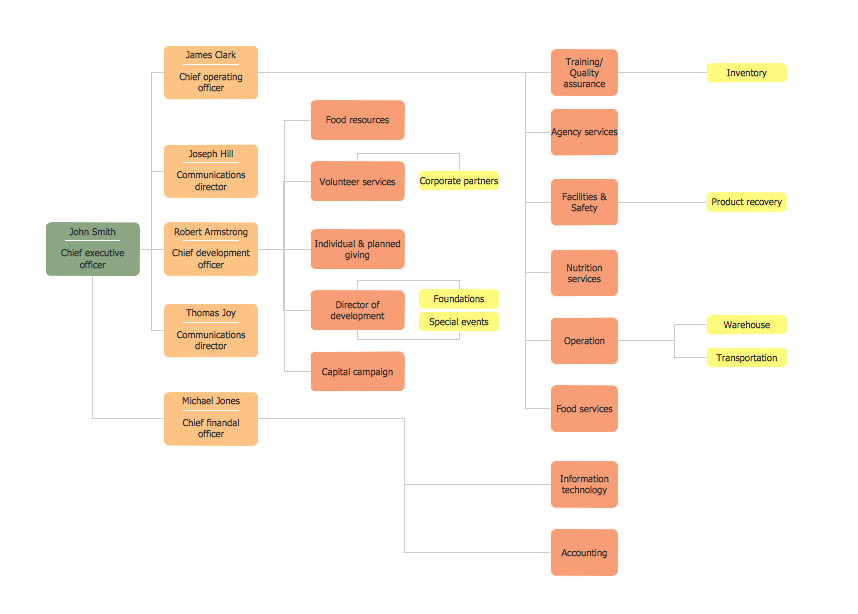
Picture: Horizontal Orgchart
Related Solution:
ConceptDraw DIAGRAM extended with Chemistry solution is effective for drawing various organic chemistry schemes, diagrams, illustrations thanks to the included collection of predesigned organic chemistry symbols
Picture: Organic Chemistry Symbols
Related Solution:
![[commons.wikimedia.org]](commons.wikimedia.org/wiki/File:Composition_of_lunar_soil.svg)