Star Network Topology
Star Network Topology Diagram
Star networks are well known for their nodes being located in a shape of a star. There are one of the most commonly used computer network topologies – star network topologies. The way such networks look reminds of a star as there is a central node which is illustrated in the very middle of the network schematics and from this central hub there are other nodes all around this hub connected to it. The central hub is there to transmit the messages to the other nodes and it is the server itself when the peripheral nodes are the clients.
Having such hub as well as the leaf nodes which are connected to it all together with the transmission lines between all of them, you can illustrate all that in a way of a network topology which will be called the start network topology diagram. In this diagram of a star form everyone can clearly see both the central hub, the nodes and the lines which connect these nodes to the middle where the hub is. The data is meant to be going through the hub, or the switch (also known as concentrator), before it can finish its way until it gets to its destination.
The main function of the hub is to control and message all of the functions of the network. It can also be in charge for repeating the data flow. Such configuration can be made with use of the twisted pair cable as well as the optical fibre cable. A coaxial cable can also be used.
The reason of using the star topology is to reduce the impact of a failure for a line in a way of connecting all existing systems to one central node or hub. All of the peripheral, but central, nodes can be connected with each other only through the very central node which is the hub in the middle of the star topology drawing. They all transmit and receive data only in a way of using the central node, there is no other way of their communication.
In case there is a failure of a transmission line which links any of the peripheral nodes to the very central node, it will lead to a result of the isolation of that peripheral node from all other nodes. In this case all of the rest of the systems will not be affected.
If you work in IT or you, for some reason, want to illustrate the way star network topology looks like and you want to make this drawing look truly professional, then you might spend long hours trying to create it yourself. Although, there exists another option. If you find the right software to be able to use it in order to create such great looking, smart, professional star network topology diagram, then it can be much simpler to finish with your drawing and so quicker.
We always recommend to use only the best software possible which is ConceptDraw DIAGRAM This software is a very special one and only the reason it was developed by the IT specialists from CS Odessa with experience in drawing charts, flowcharts, diagrams and schemes makes it so special. This application allows ConceptDraw DIAGRAM users to choose any of the available solutions full of stencil libraries with proper design elements as well as pre-made examples and templates of so many graphs, charts, plans, schemes, flowcharts and diagrams created by the team of CS Odessa IT specialists.
Having all of the options to use, including different solutions where you can always find the necessary tools, such as the design elements to use for your own great looking drawings or the existing examples as well as templates and layouts of the previously made drawings which you can always use as drafts for your own drawings, is always very beneficial.
In case you decide to get one of the solutions after downloading ConceptDraw DIAGRAM you can always download them either rom the ConceptDraw STORE (which is another product of CS Odessa), or this site. Each of the solutions provide at least one library with the stencils that can be used for making so many different charts, plans, schemes, flowcharts and diagrams, including the star network topology ones.
Having them means having pretty much everything you need to make it happen – to make a smart looking star network topology diagram from a scratch using Computer and Networks solution from Computer and Networks area of ConceptDraw Solution Park which provides examples, templates and vector stencils library with symbols of local area network (LAN) and wireless LAN (WLAN) equipment.
You can always use it to draw the physical and logical network topology diagrams for wired and wireless computer communication networks, including the extended star and the distributed star.
Extended star is a type of network topology, where a network, based upon the physical star topology, has one or more repeaters between the central node which also can be called the “hub” of the “star”. In this network topology the peripheral or so called “spoke” nodes, the repeaters, are being used for extending the maximum transmission distance of the point-to-point links between the central node and the peripheral nodes. In case these repeaters are replaced with hubs or switches, then so called hybrid network topology is created.
Distributed Star is a commonly used type of network topology that has individual networks based on the physical star topology and connected in a linear fashion with no central or top level connection point.

Pic. 1. Star Network Topology
But no matter which of this types of the computer network topology diagrams you want to create, you can always do it within only a couple of hours or even minutes, depending on your general experience of using ConceptDraw DIAGRAM software. Download it today in case you still do not have this unique and very convenient application and use it for making your own diagrams, great looking plans, schemes, charts and flowcharts.

Pic. 2. Star Network Topology Diagram
Once you try and succeed in creating something special and professionally looking, then we doubt that you will stop using this unique software, but will recommend to those who do not have it yet and so somebody else will have a change to get this application and so simplify their work with drawing the schemes, charts, plans, diagrams and flowcharts.
See Also Network Topologies:
- Bus Network Topology
- Ring Network Topology
- Mesh Network Topology
- Tree Network Topology
- Fully Connected Network Topology
TEN RELATED HOW TO's:Developing a corporate network starts from choosing equipment such as servers or routers. You should choose a topology for your network depending on your needs and budget. Thus, a star topology is cheap to implement, and mesh topology, for instance, is more reliable. This network diagram illustrates various types of computer network diagrams. Here one can find out the samples of Star, Ring, common Bus and even a rather rare fully connected network topologies. This diverse array of diagrams was created using the ConceptDraw DIAGRAM software and its solution designed especially for computer networking: design and documenting. There are more than 2 thousands graphical symbols of network equipment in the solution's vector libraries. You can create a diagram of any type network, containing any equipment and connections - no matter is it the most ancient or the super-modern network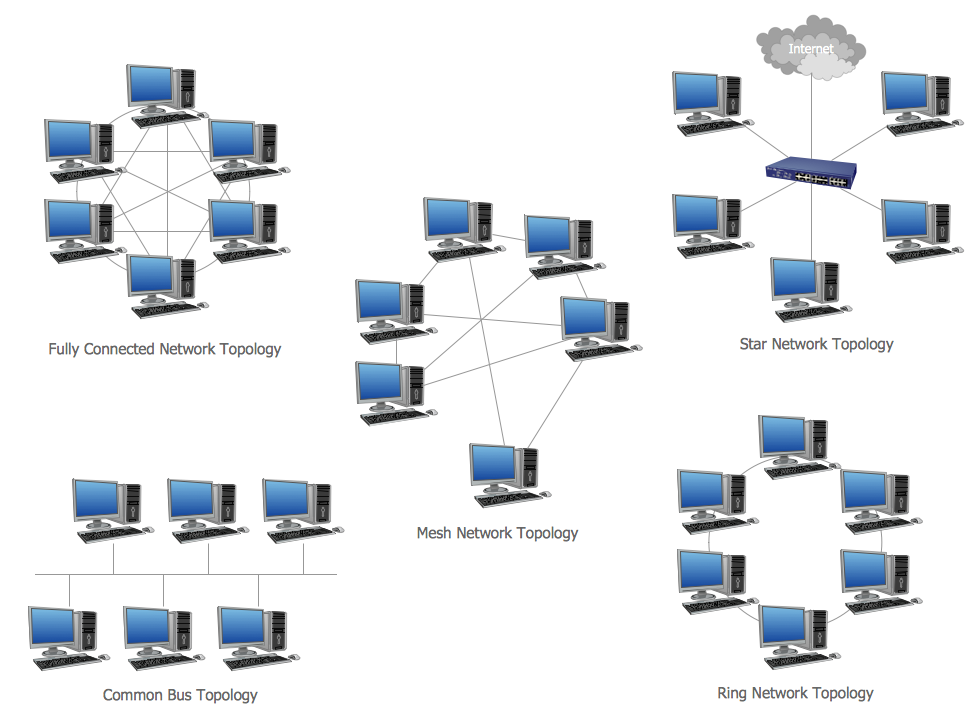 Picture: Network TopologyRelated Solution:Chemistry solution offers 6 libraries with large collection of vector chemistry symbols and meanings, chemistry equation symbols, organic chemistry symbols, and chemical clipart.
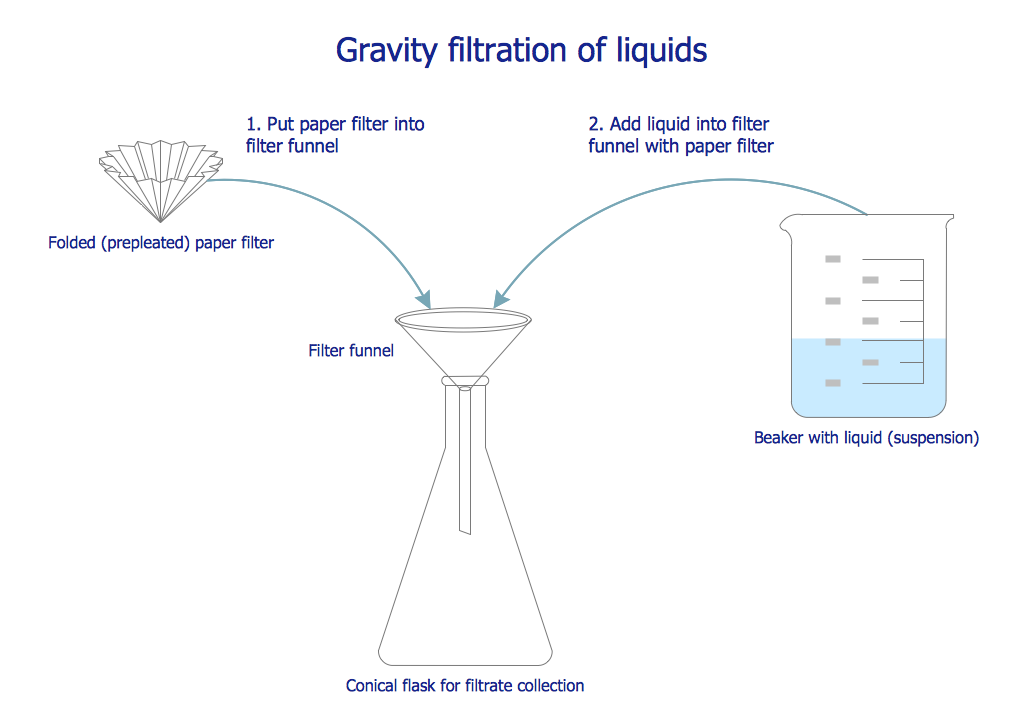 Picture: Chemistry Symbols and MeaningsRelated Solution:Creation of well thought-out network security model will effectively help you in realization your network's security. ConceptDraw DIAGRAM diagramming and vector drawing software extended with Network Security Diagrams Solution from the Computer and Networks Area of ConceptDraw Solution Park lets fast and easy design all variety of network security models: Open network security model, Closed network security model, Restrictive network access model.
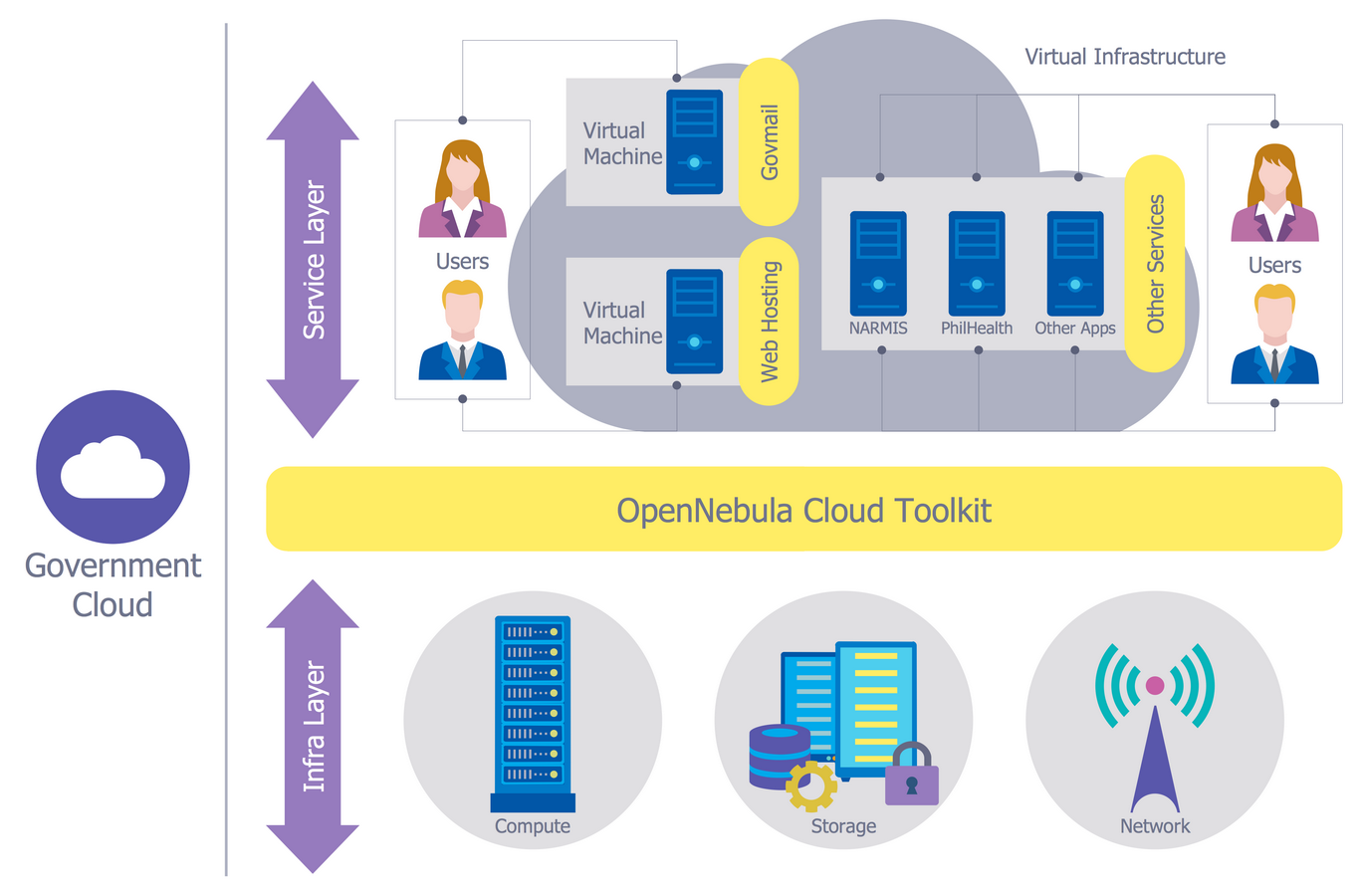 Picture: Network Security ModelRelated Solution:When it comes to system construction, a class diagram is the most widely used diagram. UML Class Diagrams is a type of static structure diagram that is used for general conceptual modeling of the systematics of the application. Such a diagram would illustrate the object-oriented view of a system. The object orientation of a system is indicated by a class diagram. It describes the structure of a system by showing the general issues,classes of a system, attributes, operations, interfaces, inheritance, and the relationships between them.
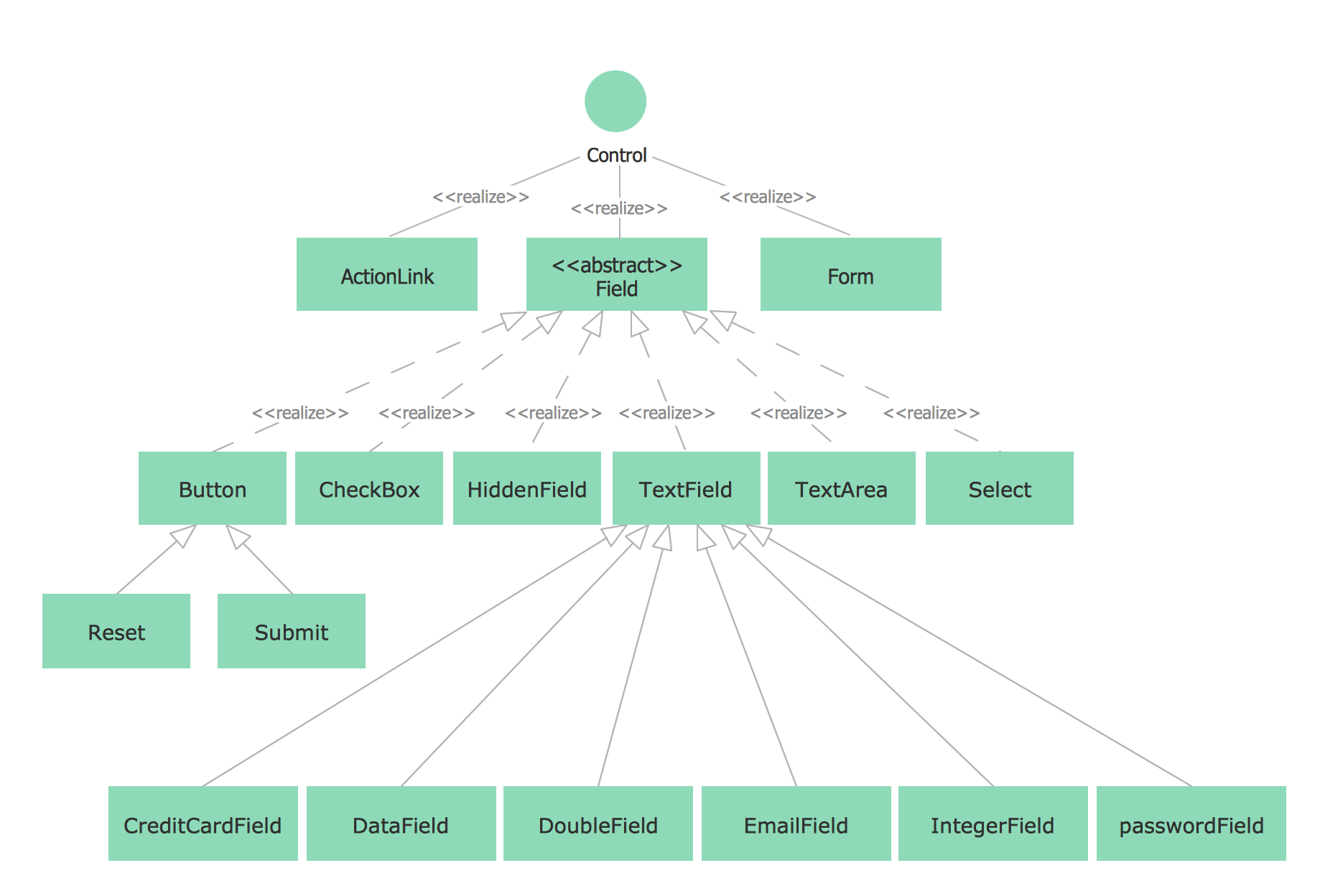 Picture: UML Class Diagram NotationRelated Solution:If you ever wanted to try any diagramming tools except of Visio, but were afraid to lose existing documents, there’s good news for you. One of the most striking features of ConceptDraw DIAGRAM is it’s perfect compatibility with MS Visio, which guarantees that you won’t depend on operating system anymore, because another ConceptDraw DIAGRAM feature is that it’s cross-platform tool. Don’t waste your time looking for other options, you’ve found the solution already! Business professionals often utilize the MS Visio as a common tool for making various issues on business visualization. MS Visio is a strong software with good capacity to maintain complex business solutions. But there is no MS Visio for Apple OS X. This is a large invocation, and one would be pleased to recognize that ConceptDraw DIAGRAM is the ideal alternative to MS Visio. Primarily, because this software works natively on both Windows and Apple OS X platforms. if you have migrated from Windows to Mac, or need to communicate in a cross-platform conditions, you’ll search for MS Visio replacer. ConceptDraw DIAGRAM is the exclusive professional business diagramming application that runs on both Windows and Apple OS X. The opportunity exchange files between PC and Mac, as well as between ConceptDraw DIAGRAM and Visio is the significant advantage that permits you to display and to collaborate business information in effortless and cost-effective way.
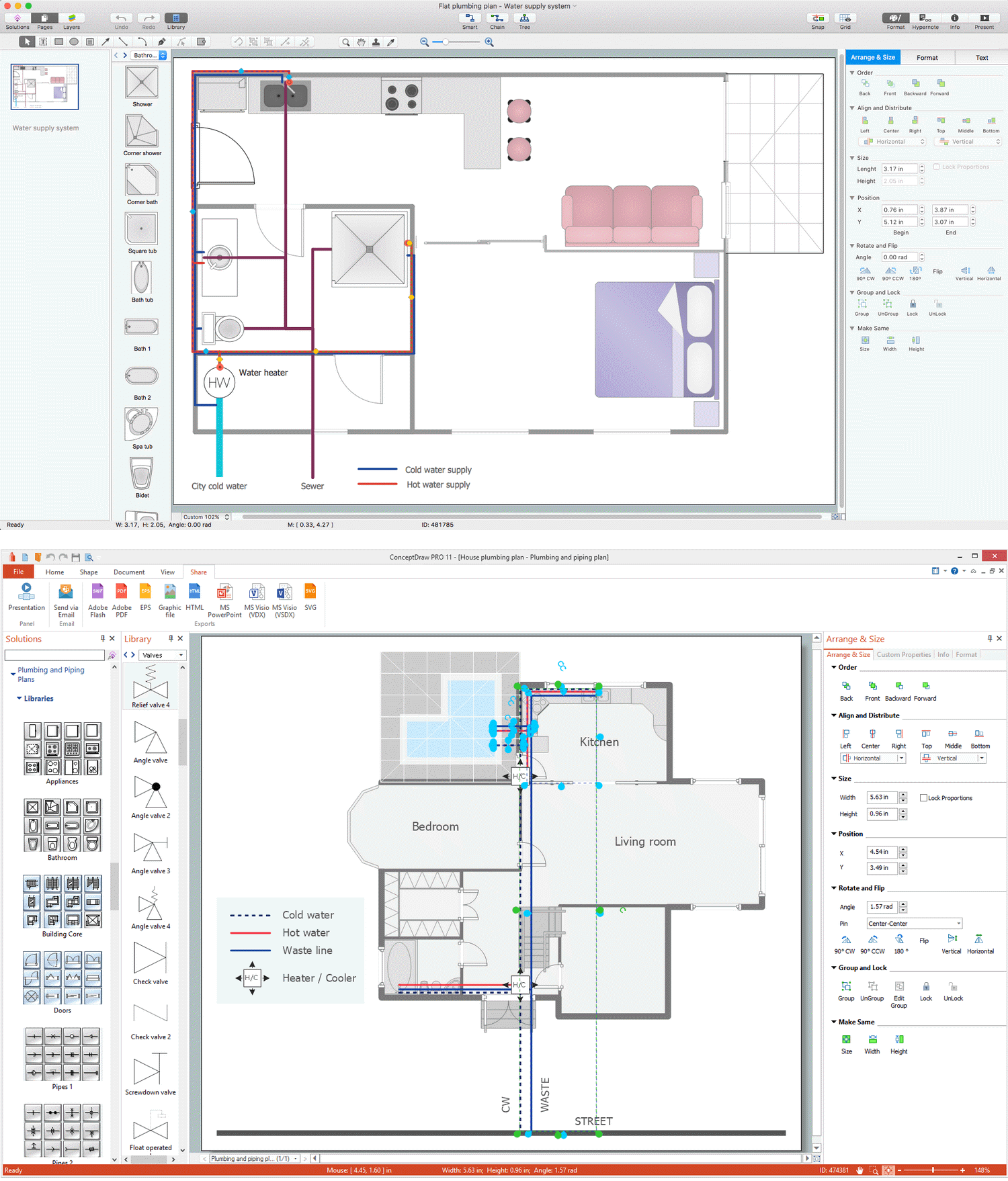
 Picture: ConceptDraw DIAGRAM Compatibility with MS VisioPlumbing systems are very important for any manufacture, and it's a good practice to have a clear scheme of that system. To create one, you should use a piping and instrumentation diagram software with a possibility to save files in vector format, so you can print them without quality loss. ConceptDraw DIAGRAM is a great tool for creating diagrams, and you don't need to be very experienced to use it efficiently. This example of Piping and Instrumentation Diagram (P&ID) depicts a scheme that illustrates the physical sequence and functional communications of piping, instrumentation and plumbing equipment components of a typical food trailer. Seeking to avoid health troubles in a mobile food service , the plumbing demands for food trailers must be considered accurately. This P&ID shows all of piping including a basic set of piping system components along with multiple sinks, extra water heaters and other elements to meet health guidelines.
 Picture: Piping and Instrumentation Diagram SoftwareRelated Solution:Describing a workflow or approval process can take hours and be too complicated, especially since there are options to do it quickly and vividly. Diagrams called flowcharts replace long paragraphs of boring text and represent information in a graphic way. You can draw one on paper or you can use flowchart software to do it quickly and scalable. This kind of software is easy to use and you don’t need any special skills to start using it. In addition, there are a lot examples and predesigned templates on the Internet. Flowcharts are a best tool for staking out a huge and complex process into some small readable parts. Surely, flowcharts can be drawn manually but the use of standard symbols that make it clear for a wide audience makes a software tool preferred for this task. The core for a successful flowchart is its simplicity. That is why often before beginning making flowchart through software, people draw the sketch on a piece of paper. Designing an effective flowchart means the combination of the data needed to be shown and the simplicity with which you depict it.
 Picture: Flowchart Software: A Comprehensive GuideRelated Solution:Total quality management is the one known to be consisting of some organization-wide efforts put in order to install and to make some climate in which this organization can continuously improve its ability to deliver the high-quality products and services to its customers permanently.
 Picture: Total Quality Management DefinitionRelated Solution:There are many ways to define the flow of information within a system. Structured-systems analysis method often uses data flow diagrams to show data flow, data storages and data processing visualization. These diagrams are easy to develop and quite useful. Here is a dataflow diagram presenting an example of the manufacturing process flow. The oval process shapes represent a process that controls data within the current system. The process may produce data or make some action based on data. Data flows are represented by lines. They show the movement of information through the system. The direction of the data flow is depicted by the arrow. The external entities are shown by rectangles. They represent the external entities interacting with the system. The data store objects (unclosed rectangles) are used to show data bases participating in a process flow.
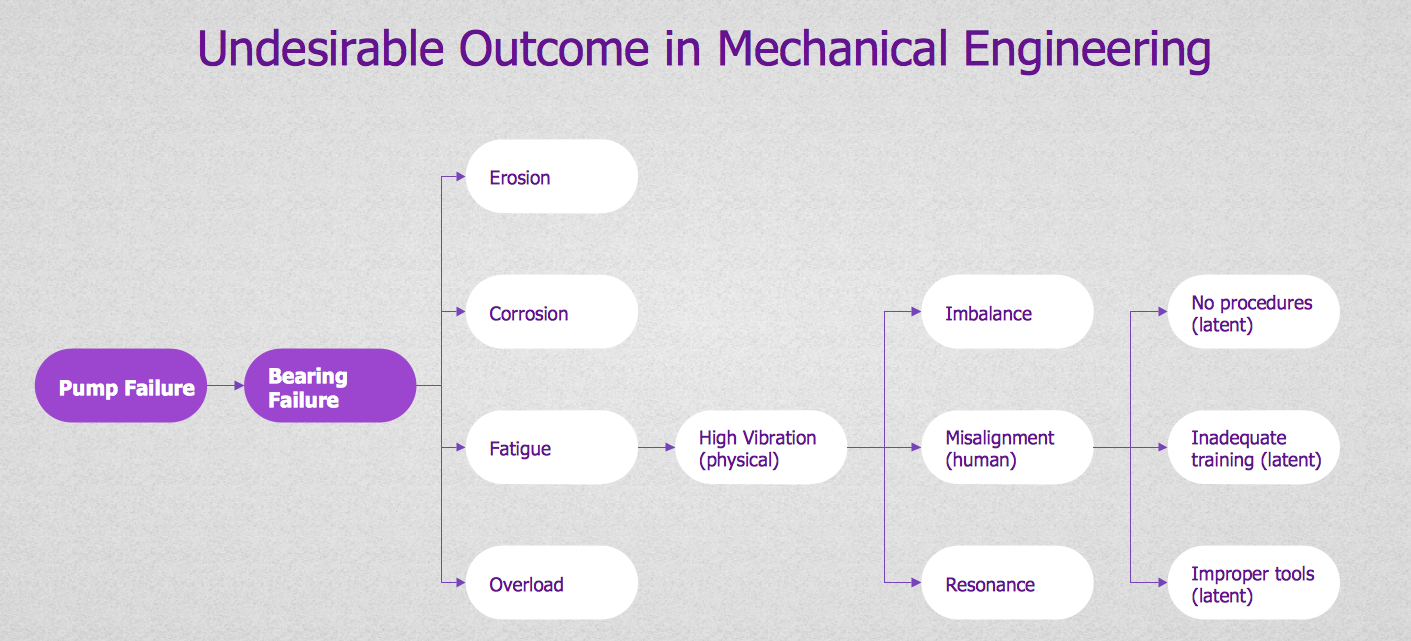
 Picture: Data Flow DiagramRelated Solution:Decision Making - ConceptDraw OFFICE suite provides visual tools that are given support on the stage of the decision making. The Seven Management and Planning Tools is a set for such diagrams: Affinity Diagram, Relations Diagram, Prioritization Matrix, Root Cause Tree Diagram, Involvement Matrix, PERT Chart, Risk Diagram (PDPC).
 Picture: Decision MakingConceptDrawDIAGRAM 18