Bus Network Topology
Bus Network Topology Diagram
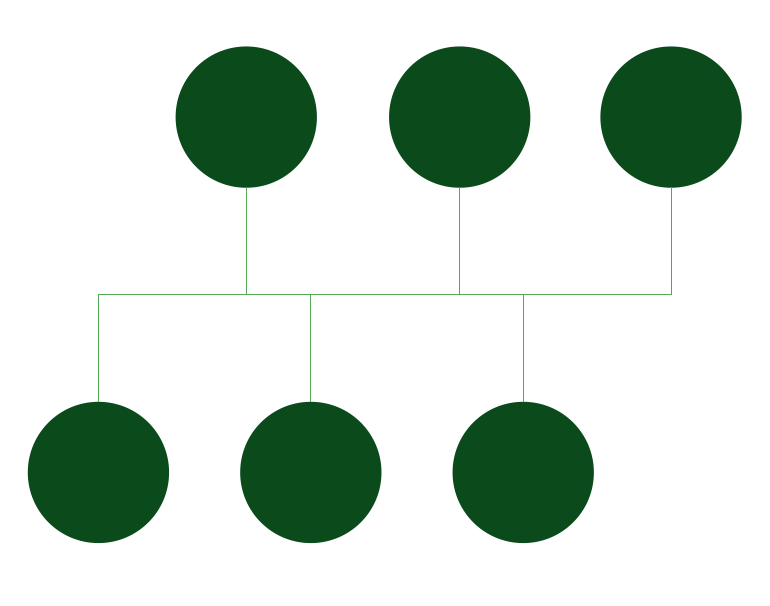
There is one of the most commonly used computer network topologies – bus network topology. Bus networks are well known for their nodes being located in a shape of a bus. The way such networks look reminds of a bus as the nodes in it are connected to one common linear, which is called a bus.
In this diagram of a form of a bus everyone can clearly see both the linear, the nodes and them directly connected to that linear.
There is a host on a bus, which is called a “Station”. It can also be called as a “Workstation”. Every of the “stations” or “workstations” receive all of the network traffic which is generated by each of such stations and has equal transmission priority. The nodes in such topology transmit the data at the same time as they work simultaneously by using the so called media access control technology. The example of such media access control technology can be a carrier sense multiple access as well as a bus master.
There are many advantages of such bus network topology, as it is always very simple to connect a computer or peripheral to a linear bus and it always requires less cable length than a star topology, which results in lower costs of having such topology. Also bus network topology within networks are simpler to extend by joining cable with connector or repeater. Any of the existing bus network topologies work better for small networks which can be also a disadvantage in case yours is quite large. Other disadvantages are: large amount of packet collisions on one network which results in high amounts of packet loss and the possibility of the network to be shut down in case there is a break in the main cable or in case one of the T connectors breaks. But, again, the good thing is that in this topology data being transferred may be accessed by any workstation.
There are two types of the bus network topologies, one of which is a “Linear bus” one. This type of network topology is the one where all of the nodes of the entire network are connected to one common transmission with only two endpoints. In this type of bus topology all of the data transmitted between nodes is transmitted over this common transmission medium and it is able to be received by all nodes at the same time. Another type of bus network topology is called “Distributed bus”. This type of network topology is the one, where all of the network nodes are connected to one common transmission medium and where this transmission medium has more, than two endpoints, which are created by adding the branches to the main section of the transmission medium.
If you work in IT or you, for some reason, want to illustrate the way bus network topology looks like and you want to make this drawing look truly professional, then you might spend long hours trying to create it yourself. Although, there is another option. If you find the right software to be able to use it in order to create such great looking, smart, professional bus network topology diagram, then it can be much simpler to finish with your drawing and so quicker.
We always recommend to use only the best software possible which is ConceptDraw DIAGRAM This software is a very special one and only the reason it was developed by the IT specialists from CS Odessa with experience in drawing charts, flowcharts, diagrams and schemes makes it so special. This application allows ConceptDraw DIAGRAM users to choose any of the available solutions full of stencil libraries with proper design elements as well as pre-made examples and templates of so many graphs, charts, plans, schemes, flowcharts and diagrams created by the team of CS Odessa IT specialists.
Having all of the options to use, including different solutions where you can always find the necessary tools, such as the design elements to use for your own great looking drawings or the existing examples as well as templates and layouts of the previously made drawings which you can always use as drafts for your own drawings, is always very beneficial.
In case you decide to get one of the solutions after downloading ConceptDraw DIAGRAM you can always download them either from the ConceptDraw STORE which is another product of CS Odessa, or this site. Each of the solutions provide at least one library with the stencils that can be used for making so many different charts, plans, schemes, flowcharts and diagrams, including the star network topology ones.
Having them means having pretty much everything you need to make it happen – to make a smart looking bus network topology diagram from a scratch using Computer and Networks solution from Computer and Networks area of ConceptDraw Solution Park which provides examples, templates and vector stencils library with symbols of local area network (LAN) and wireless LAN (WLAN) equipment.
You can always use it to draw the physical and logical network topology diagrams for wired and wireless computer communication networks, including the “Linear bus” and the “Distributed bus”.
No matter which of the mentioned above types of the computer network topology diagrams you want to create, you can always do it within only a couple of hours or even minutes, depending on your general experience of using ConceptDraw DIAGRAM software. Download it today in case you still do not have this unique and very convenient application and use it for making your own diagrams, great looking plans, schemes, charts and flowcharts.
Once you try and succeed in creating something special and professionally looking, then we doubt that you will stop using this unique software, but will recommend to those who do not have it yet and so somebody else will have a change to get this application and so simplify their work with drawing the schemes, charts, plans, diagrams and flowcharts.
Pic. 1. Bus Network Topology
Use it to draw the physical and logical network topology diagrams for wired and wireless computer communication networks.

Pic. 2. Bus Network Topology Diagram
Download ConceptDraw DIAGRAM already today to have a chance to create your first great looking drawing. Do not forget to get also ConceptDraw STORE so you have all of the tools developed and provided by CS Odessa team of IT specialists.
See Also Network Topologies:
TEN RELATED HOW TO's:
This sample was created in ConceptDraw DIAGRAM diagramming and vector drawing software using the Computer and Networks solution from Computer and Networks area of ConceptDraw Solution Park.
A complete (fully connected) topology is a network topology in which there is a direct link between all pairs of nodes. In a fully connected network with n nodes, there are n(n-1)/2 direct links. Networks designed with this topology are usually very expensive to set up, but provide a high degree of reliability due to the multiple paths for data that are provided by the large number of redundant links between nodes.
Picture: Complete Network Topology
Related Solution:
It’s a challenge for any administer to set a brand new corporate network. Talking about network parameters, we should mention that network layout is important for network efficiency and reliability. After the budget is accepted, you need to make a network topology draft.
The diagram of computer network layout is a tool of IT specialists and corresponding departments of diversified organizations. Also the responsibilities of any network or system administrator include making network layout diagrams, since they are important piece of any network documentation package. ConceptDraw solution for networking and diagramming offers more than 1000 vector object, composed into the 40 libraries that are designed to to getting started with making professional network layout diagrams.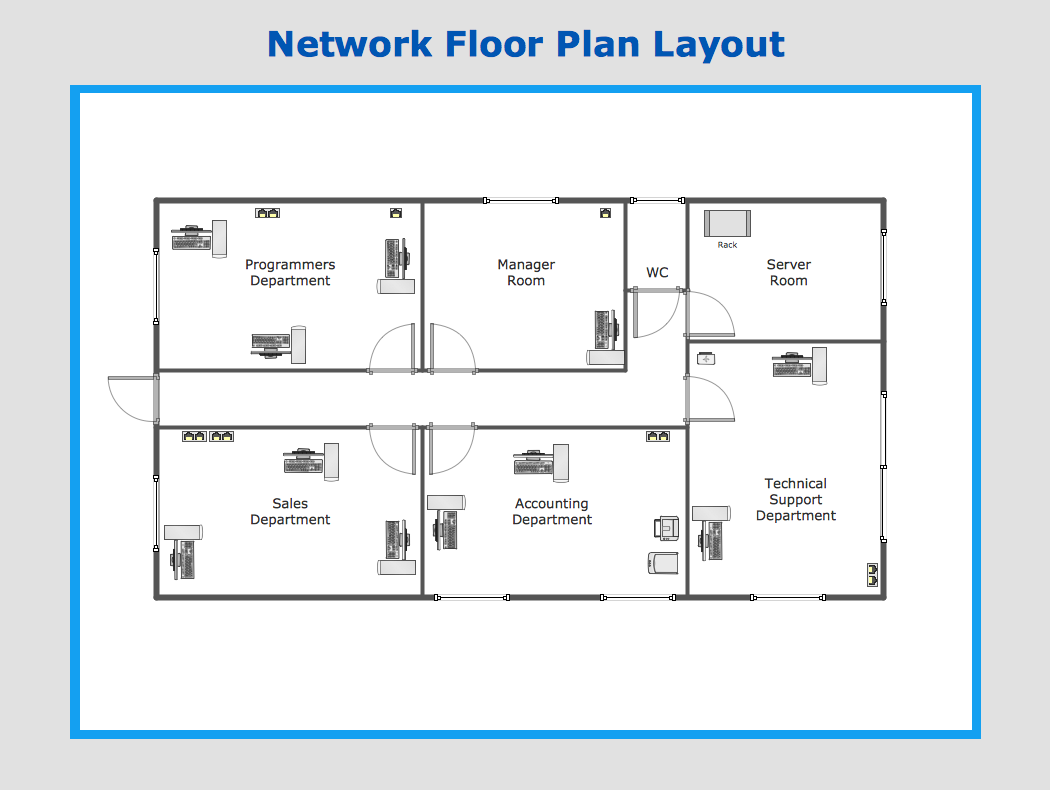
Picture: Network Layout
Organizing and Selecting Social Media Response Messages.
Interactive Flowcharts can change the way one creates and organizes their social media response process.
Picture: What is Interactive Flowcharts
Related Solution:
Computer networks nowadays are spread all across the world. The large number of parameters, such as geographic scale or communication protocols, can divide networks. One of the most common types of networks is called local area network (LAN). It convenient to represent network examples by means of diagrams.
This local area network (LAN) diagram provides an easy way to see the way the devices in a local network are interacted. The diagram uses a library containing specific symbols to represent network equipment , media and the end-user devices such as computers (PC, mac, laptop) , network printer, hubs, server and finally a modem. There are two types of network topologies: physical and logical. The current diagram represents precisely a physical type of LAN topology because it refers to the physical layout of a local network equipment.
Picture:
What is a Local Area Network?
Examples of LAN Diagrams
Related Solution:
When talking about engineering, one should define all the terms used, so anybody could understand the topic. Typical network glossary contains definitions of numerous network appliances, types of networks and cable systems. The understanding of basic is crucial for server management, network administration and investigating problems.
The network glossary defines terms related to networking and communications. The most of glossary items has their visual representation in ConceptDraw DIAGRAM libraries of the Computer Network Diagrams solution. This illustration presents a local area network (LAN) diagram. It designed to show the way the interaction of network devices in a local network. The diagram uses a library containing symbols of network equipment, connections and the end-point devices such as network printer, hubs, server, modem and finally computers (PC, mac, laptop). This diagram depicts a physical LAN topology.
Picture: Network Glossary Definition
Related Solution:
When trying to figure out the nature of the problems occurring within a project, there are many ways to develop such understanding. One of the most common ways to document processes for further improvement is to draw a process flowchart, which depicts the activities of the process arranged in sequential order — this is business process management. ConceptDraw DIAGRAM is business process mapping software with impressive range of productivity features for business process management and classic project management. This business process management software is helpful for many purposes from different payment processes, or manufacturing processes to chemical processes. Business process mapping flowcharts helps clarify the actual workflow of different people engaged in the same process. This samples were made with ConceptDraw DIAGRAM — business process mapping software for flowcharting and used as classic visio alternative because its briefly named "visio for mac" and for windows, this sort of software named the business process management tools.
This flowchart diagram shows a process flow of project management. The diagram that is presented here depicts the project life cycle that is basic for the most of project management methods. Breaking a project into phases allows to track it in the proper manner. Through separation on phases, the total workflow of a project is divided into some foreseeable components, thus making it easier to follow the project status. A project life cycle commonly includes: initiation, definition, design, development and implementation phases. Distinguished method to show parallel and interdependent processes, as well as project life cycle relationships. A flowchart diagram is often used as visual guide to project. For instance, it used by marketing project management software for visualizing stages of marketing activities or as project management workflow tools. Created with ConceptDraw DIAGRAM — business process mapping software which is flowcharting visio alternative or shortly its visio for mac, this sort of software platform often named the business process management tools.
Picture: Process Flowchart: A Step-by-Step Comprehensive Guide
Related Solution:
In general, you can use any icons to represent network equipment on a diagram. However, there are some icons, for instance, Cisco icons, shapes, stencils and symbols, that are recognizable worldwide. Using those icons you can create Cisco network topology diagrams in minutes and share them anywhere.
The icons depicting Cisco network equipment are recognized and generally applied as standard images for designing network diagrams. They are free to used , but can not be reworked. Cisco network diagrams are created to depict how signals processed on the network equipment and end-user computers and how data transfer through LAN or WLAN between nodes. The vector graphic library of ConceptDraw CISCO Network Diagrams solution includes about 90 icons of Cisco network equipment for designing computer network diagrams with ConceptDraw DIAGRAM.
Picture: Cisco Network Topology. Cisco icons, shapes, stencils and symbols
Related Solution:
ConceptDraw DIAGRAM is the best network diagram software. To design the Cisco Network Diagrams and visualize the computer networks topology use ConceptDraw DIAGRAM diagramming and vector drawing software extended with Cisco Network Diagrams solution for ConceptDraw DIAGRAM Solution Park.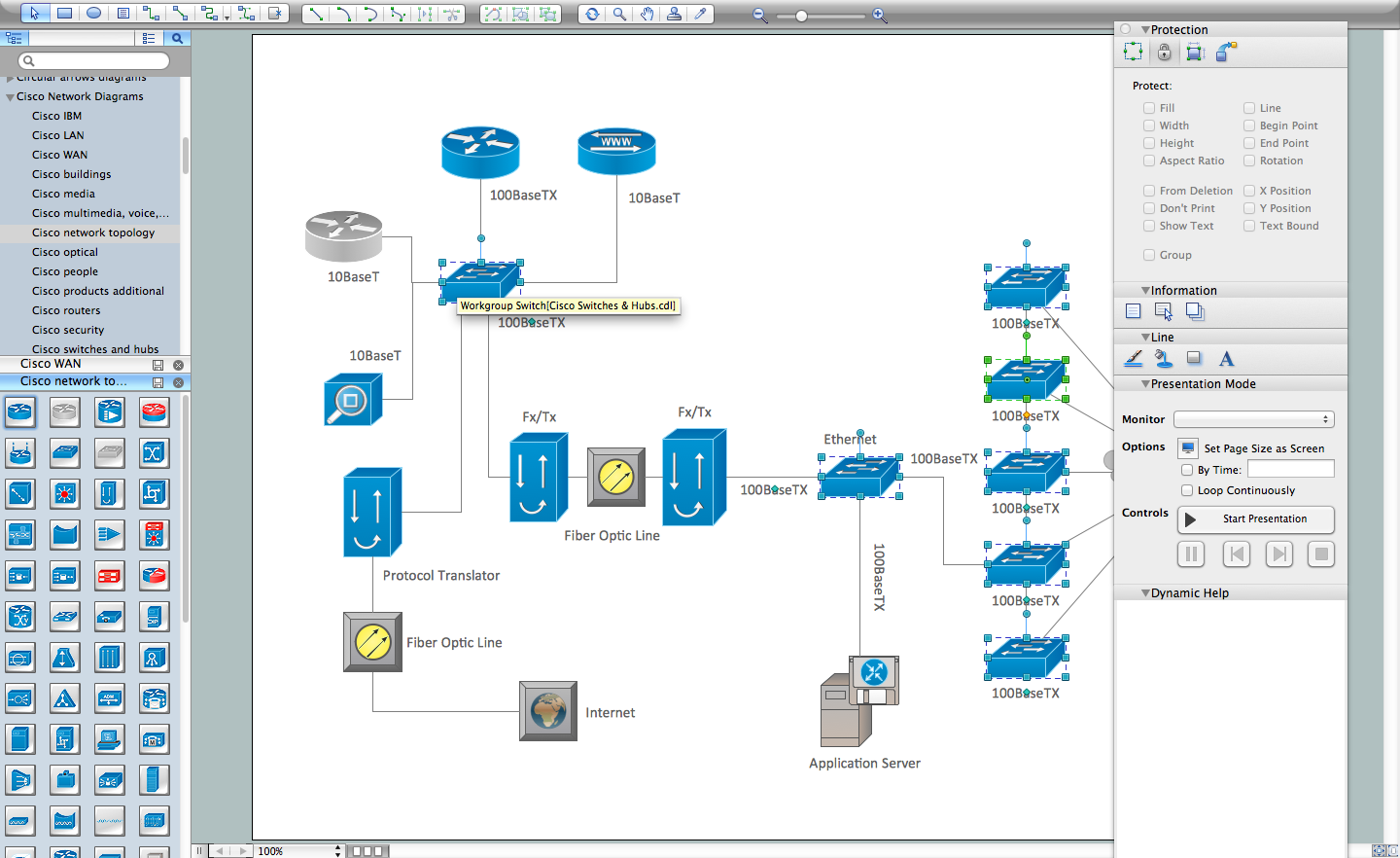
Picture: Cisco Network Diagram Software
Related Solution:
There are several basic topologies including bus, star, point-to-point, ring and a hybrid. Two computers can form a fully connected network topology, and as the number of network nodes increases, the network diagram gets more complicated. This type of topology is also called a full mesh.
This is a visual example of a computer network built using a mesh topology. This diagram presents the schematic structure of the full mesh network topology. A common mesh network topology means that each network device is connected with several points in the network, so if the one node of the network goes down, it does not cause an issue with an operability of the entire computer network. In a full mesh network topology, every computer or device in the network is interconnected with each of the other devices in the network.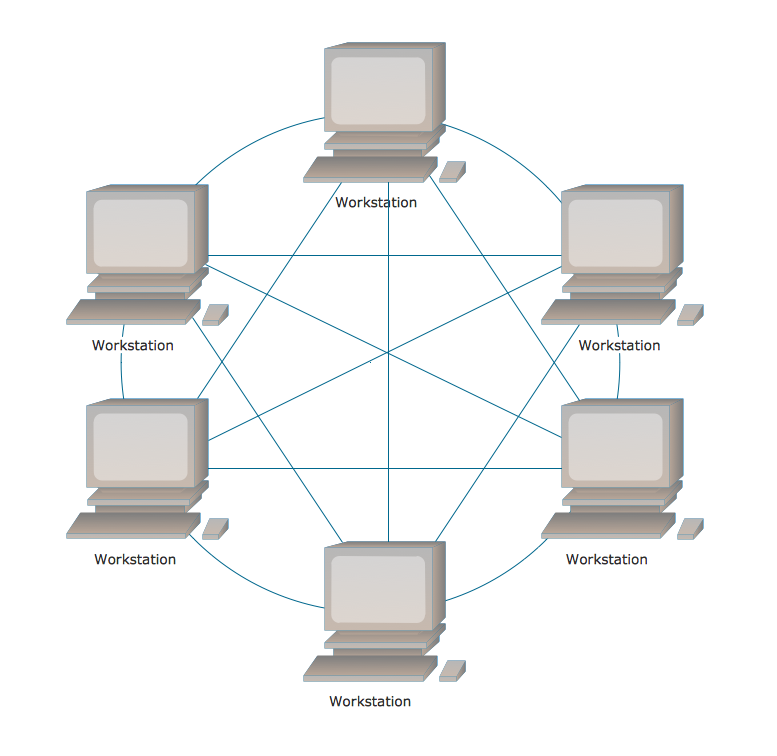
Picture: Fully Connected Network Topology Diagram
Related Solution:
This sample was created in ConceptDraw DIAGRAM diagramming and vector drawing software using the Computer and Networks solution from Computer and Networks area of ConceptDraw Solution Park.
This sample shows the Hierarchical network topology.
A Hierarchical network topology interconnects multiple groups that are located on the separate layers to form a larger network. Each layer concentrates on the specified functions, this allows to choose the right equipment for the layer.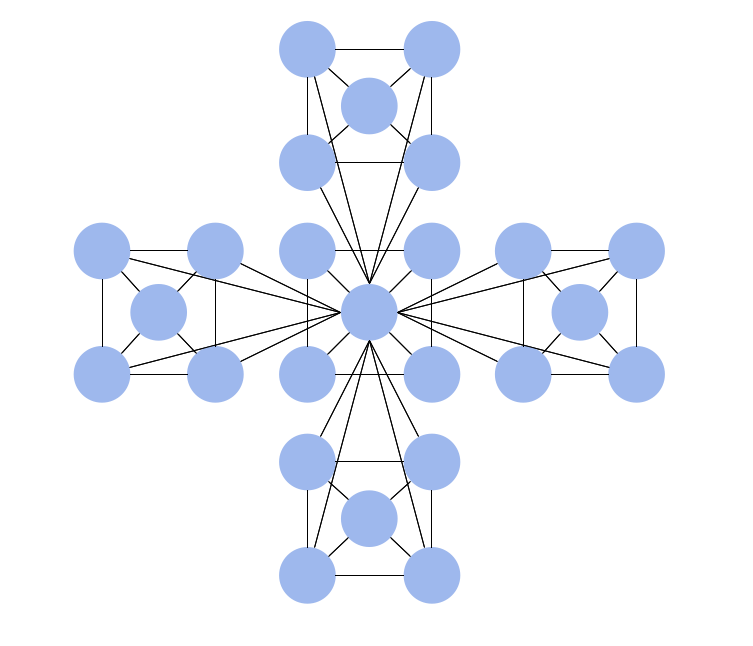
Picture: Hierarchical Network Topology
Related Solution:
