This site uses cookies. By continuing to browse the ConceptDraw site you are agreeing to our Use of Site Cookies.

Audit Flowchart Symbols

The audit is a complex process consisting of defined quantity of steps, which have as a final goal the ensuring of success of a certain business project. It includes the independent examination of data, statements and financial performances of an enterprise for a stated purpose. It is convenient to construct the Audit Flowcharts or Audit Diagrams for visual representation and structuring the audit processes. ConceptDraw DIAGRAM diagramming software enhanced with Audit Flowcharts solution from the Finance and Accounting area of ConceptDraw Solution Park effectively helps to draw the Audit Diagrams for accounting, finance and money management, the Audit Flowcharts for fiscal information tracking, financial inventories and documenting Six Sigma, the decision making Flow Charts, etc. This solution provides the powerful drawing tools, numerous templates and samples, and large quantity of vector audit flowchart symbols that greatly facilitate the process of representation the audit steps and audit results, and designing efficient and visually appealing Audit Flowcharts.

Understanding the Audit Process: A Comprehensive Guide. Audit Process Flowchart

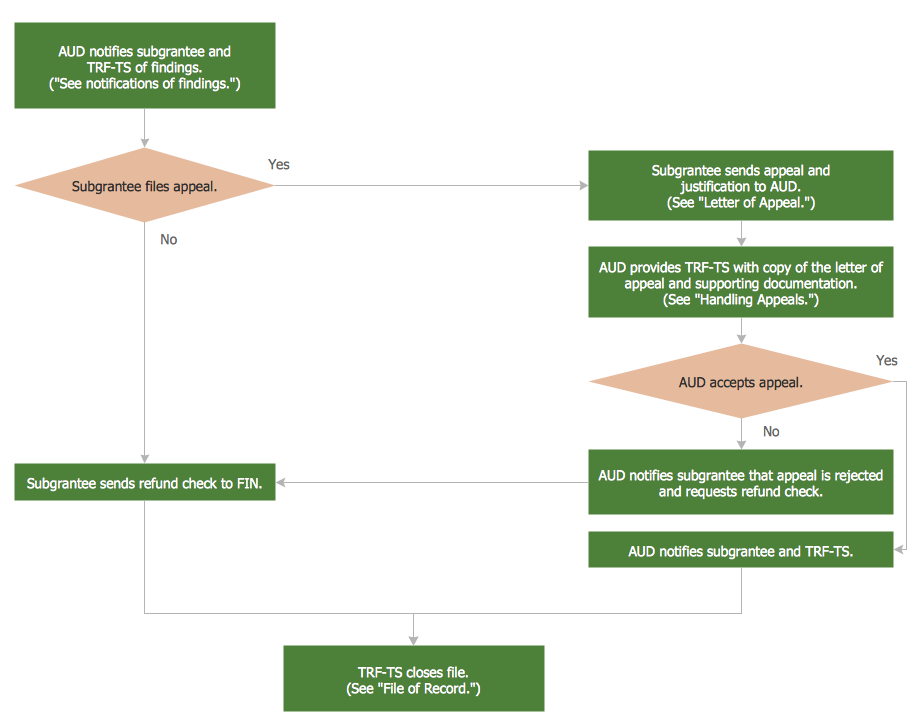
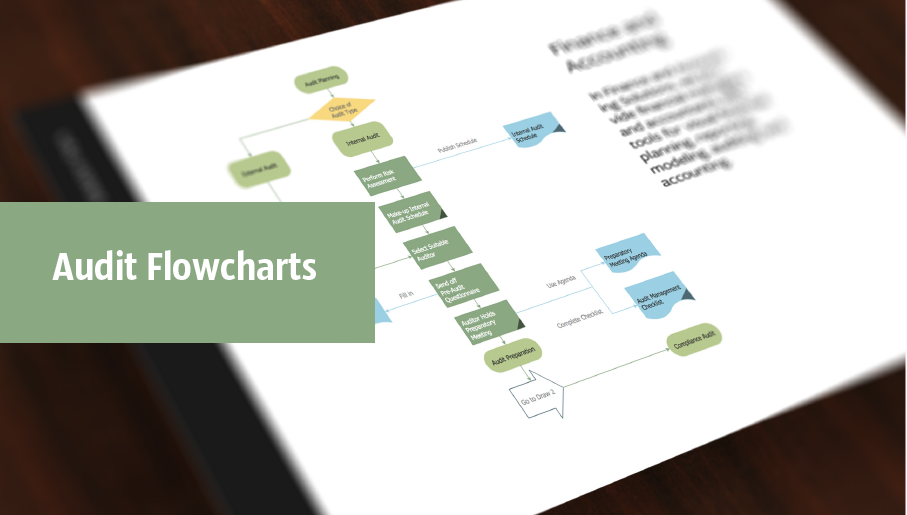
Audit Process Flowchart, Audit Flowchart - Audit Flowcharts solution for ConceptDraw DIAGRAM Solution Park provides the Audit Flowcharts library with wide variety of predesigned audit flowchart symbols, and also the set of templates and samples allowing you design your own audit flowchart or audit process flowchart in one moment. Simply use any of offered samples and change it for your needs, or fill the desired template.
Audit Process

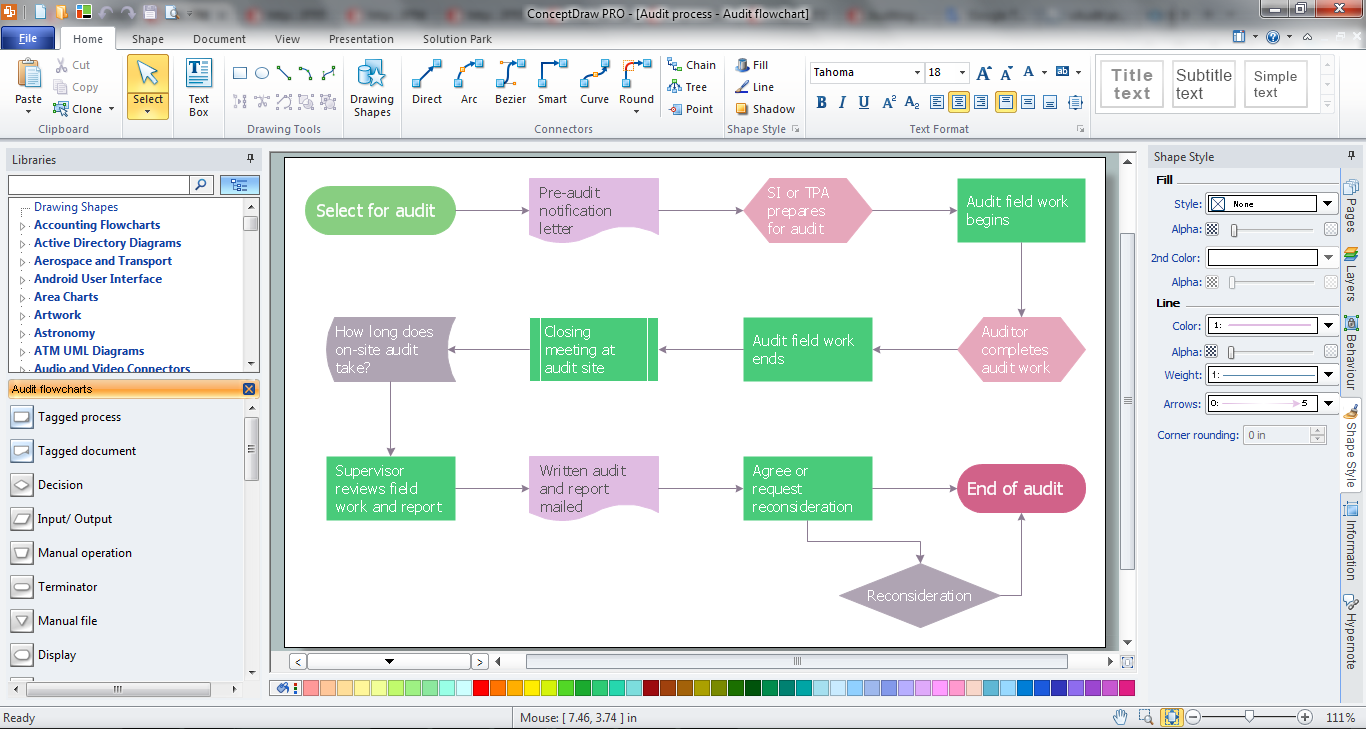
The audit process is a definite set of steps used in a financial, operational or compliance audit. This set of steps depends of the audit services company. The auditing process usually includes three main steps: planning, fieldwork and reporting. The Audit Flowcharts solution from the Finance and Accounting area for ConceptDraw Solution Park extends ConceptDraw DIAGRAM ector graphics and diagramming software with the ability of easy drawing the Audit Process Flowcharts.

Internal Audit Process

Internal auditing is an independent, objective assurance and consulting activity designed to add value and improve an organization's operations. ConceptDraw DIAGRAM diagramming and vector drawing software extended with Audit Flowcharts solution from the Finance and Accounting area perfectly suits for the Internal Audit Process. You can make sure this right now!

ConceptDraw DIAGRAM

ConceptDraw DIAGRAM is a powerful business and technical diagramming software tool that enables you to design professional-looking graphics, diagrams, flowcharts, floor plans and much more in just minutes. Maintain business processes performance with clear visual documentation. Effectively present and communicate information in a clear and concise manner with ConceptDraw DIAGRAM.

Auditing Standards

Auditing standards ensure a measure of audit quality and the objectives which must to be achieved in an audit. Illustrations are convenient way for auditors and audit-related people to display the auditing standards. We recommend to use the ConceptDraw DIAGRAM diagramming and vector drawing software extended with Audit Flowcharts solution from the Finance and Accounting area for designing professional looking and attractive Audit Flowcharts.

Audit Procedures

Audit procedures are the specific tests and methods that auditor executes when gathering the evidence which are necessary for making an opinion on the financial statements of the firm. There are three types of audit procedures: data selection, reliability validation, relevance confirmation. Thanks to the extensive drawing tools which provides the Audit Flowcharts solution from the Finance and Accounting area of ConceptDraw Solution Park, you can easy and effectively develop and realize various audit procedures.

Business Board Org Chart

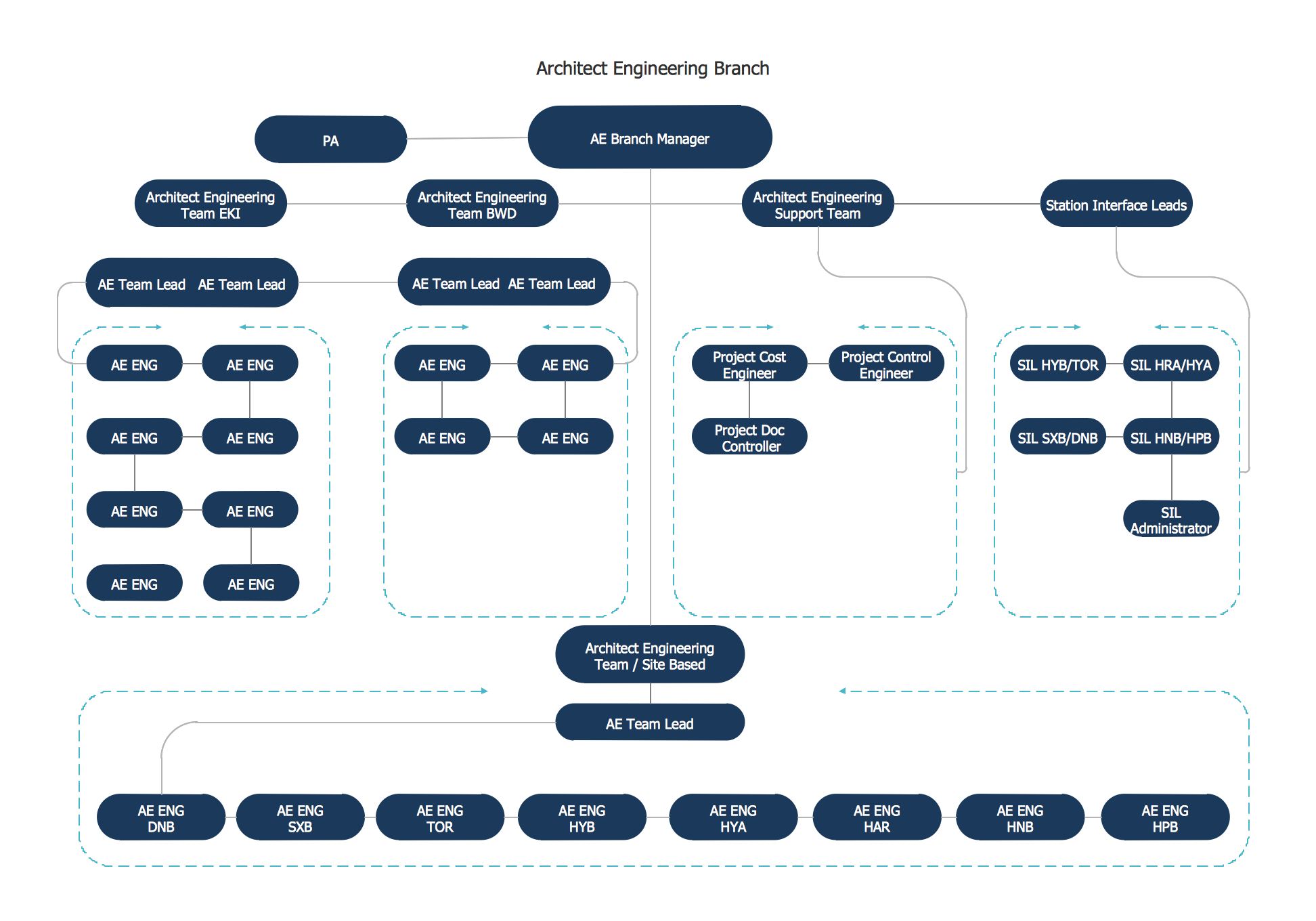
This sample was created in ConceptDraw DIAGRAM diagramming and vector drawing software using the Organizational Charts Solution from the Software Development area of ConceptDraw Solution Park. This sample shows the organizational chart in the field of Architect Engineering. Create your own orgchart professional drawings using ConceptDraw.

Account Flowchart
Flowchart Examples

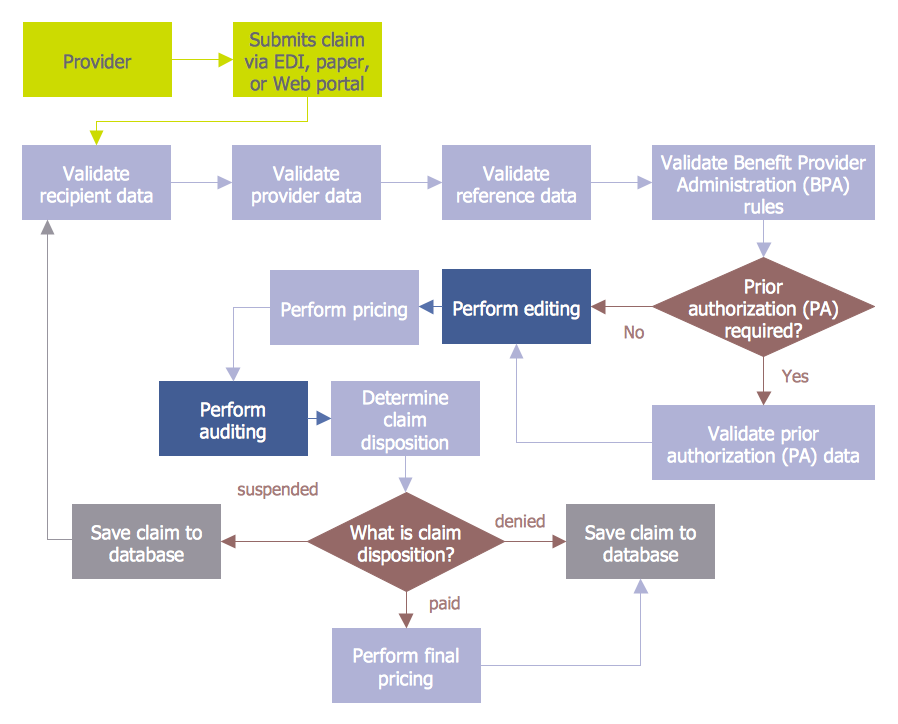
Create your own flow charts of computer or network system account processing using the ConceptDraw DIAGRAM diagramming and vector drawing software extended with the Cross-Functional Flowcharts solution from the Business Processes area of ConceptDraw Solution Park. The flow chart example shows the computer network system account processing.

Basic of Flowchart: Meaning and Symbols

Flowcharts are the best for visually representation the business processes and the flow of a custom-order process through various departments within an organization. ConceptDraw DIAGRAM diagramming and vector drawing software extended with Flowcharts solution offers the full set of predesigned basic flowchart symbols which are gathered at two libraries: Flowchart and Flowcharts Rapid Draw. Among them are: process, terminator, decision, data, document, display, manual loop, and many other specific symbols. The meaning for each symbol offered by ConceptDraw gives the presentation about their proposed use in professional Flowcharts for business and technical processes, software algorithms, well-developed structures of web sites, Workflow diagrams, Process flow diagram and correlation in developing on-line instructional projects or business process system. Use of ready flow chart symbols in diagrams is incredibly useful — you need simply drag desired from the libraries to your document and arrange them in required order. There are a few serious alternatives to Visio for Mac, one of them is ConceptDraw DIAGRAM. It is one of the main contender with the most similar features and capabilities.
How to Build a Flowchart

Chart Audit

ConceptDraw DIAGRAM enhanced with Audit Flowcharts solution from the Finance and Accounting area of ConceptDraw Solution Park is a powerful diagramming and vector drawing software for designing professional looking Chart Audit of any complexity. Chart Audit is incredibly convenient for representing important information about audit process and audit planning process. It also helps auditors to define the problem areas and to elaborate the ways of their solving and effectiveness improvement.

Business Process Workflow Diagrams & Software

Business Process Workflow Diagram is a professional visual tool that is widely applied for business development, business analysis, business process optimization and documenting business processes. Business Process Workflow Diagram lets depict in details the steps of business processes and flow of tasks between them, the execution of business processes, transfer of data and documents. The workflows on the Business Process Workflow Diagram are represented using the set of common symbols which let easy illustrate business processes and process flows, depict the start, all major steps and end of the process, what data are used by the process, how the data flow through the business areas within scope of our project, how the tasks are executed and by who, and how workers interact with each other.
How to Draw Business Process Diagrams

Swim Lane Flowchart Symbols

Use the set of special professionally developed swim lane flowchart symbols - single, multiple, vertical and horizontal lanes from the Swimlanes and Swimlanes BPMN 1.2 libraries from the Business Process Diagram solution, the Swim Lanes library from the Business Process Mapping solution as the perfect basis for your Swim Lane Flowcharts of processes, algorithms and procedures.

Basic Audit Flowchart. Flowchart Examples

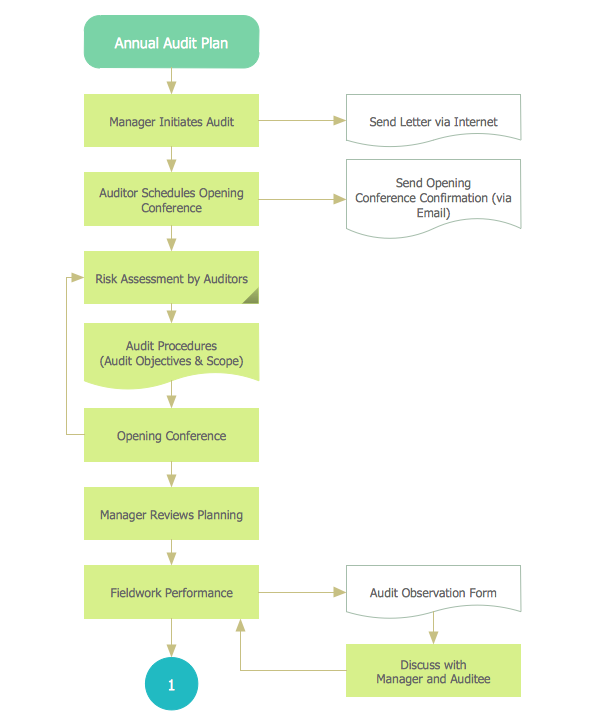
This sample shows the Audit Process Flowchart. It was created in ConceptDraw DIAGRAM diagramming and vector drawing software using the Flowcharts solution from the Diagrams area of ConceptDraw Solution Park. The Audit Flowcharts are widely used in the financial management, accounting, money management and in many others fields.

Diagramming software for Amazon Web Service diagrams, charts and schemes
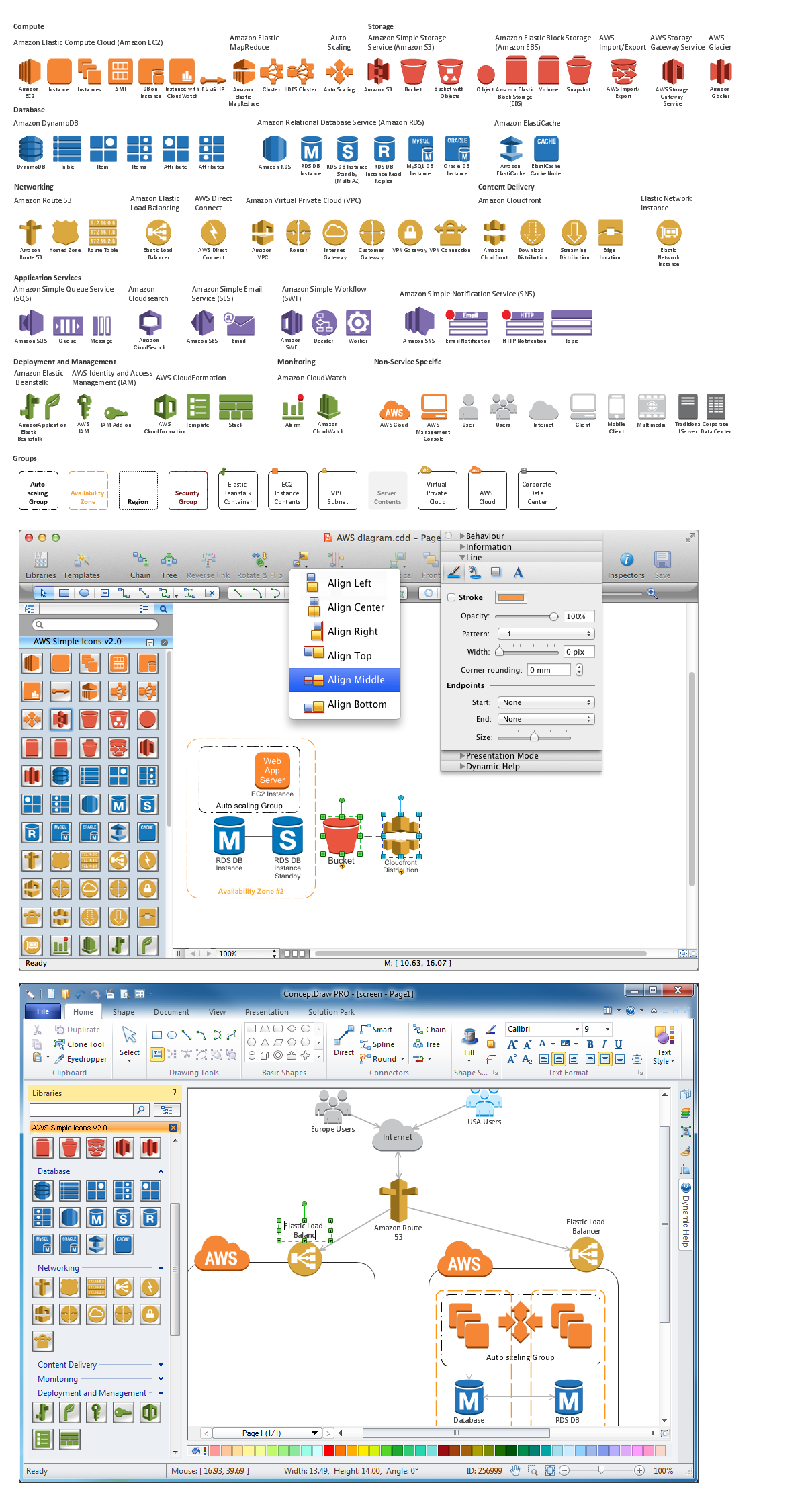
Professional software: visualize general system architecture, AWS diagrams are part of architecturing tools provided with ConceptDraw Solution Park.

Flowchart Marketing Process. Flowchart Examples

This sample shows the Flowchart that displays the layout and work flow of the cloud marketing platform. This diagram has a style of the marketing brochure. This style displays the central product that is related to the other issues. Using the ready-to-use predesigned objects, samples and templates from the Flowcharts Solution for ConceptDraw DIAGRAM you can create your own professional looking Flowchart Diagrams quick and easy.

cross-functional flowchart template, flowchart, example business process flow Cross-Functional Flowcharts

cross-functional flowchart template, flowchart, example business process flow
The Cross-Functional Flowcharts solution extends ConceptDraw DIAGRAM software with cross functional flowchart examples, samples, and libraries of cross functional flow chart vector design elements and CH-1 symbols for easy drawing professional-looking and illustrative Cross Functional Flowchart, Cross Functional Diagram, CH-1 Diagram, Process Flowchart, Deployment Flowchart, Opportunity Flowchart, Swimlane Process Mapping Diagram, or Visio Cross Functional Flowchart for planning and further analyzing, optimizing and improvement processes. The use of included pre-made cross functional flowchart template, opportunity flowchart template, and swimlane process map template, greatly easier designing your Cross-functional flowcharts.
The vector stencils library "HR flowchart" contains 62 flowchart symbols.
Use it to draw your HR flowcharts, workflow diagrams and process charts with the ConceptDraw PRO diagramming and vector drawing software.
The flow chart symbols library "HR flowchart" is included in the HR Flowcharts solution from the Management area of ConceptDraw Solution Park.
Annotation
Annotation, annotation,
Card
Card, card,
Check / audit (diamond)
Check / audit (diamond), check, audit,
Check / audit (square)
Check / audit (square), check, audit,
Collate
Collate, collate,
Comment / note symbol (brace)
Comment / note symbol (brace), brace callout, comment, note,
Communication link
Communication link, communication link,
Compare (diamond)
Compare (diamond), compare,
Compare (square)
Compare (square), compare,
Completed form
Completed form, completed form, document,
Concurrency symbol (fork / join)
Concurrency symbol (fork / join), concurrency symbol,
Conditional selector
Conditional selector, conditional selector,
Control transfer
Control transfer, control transfer,
Data input / output
Data input / output, data input, data output,
Database
Database, database,
Decision
Decision, decision,
Decision indicator - No
Decision indicator - No, decision indicator, no,
Decision indicator - Yes
Decision indicator - Yes, decision indicator, yes,
Delay
Delay, delay,
Direct access storage
Direct access storage, direct access storage,
Disk storage
Disk storage, disk storage,
Display
Display, display,
Divided process (table view)
Divided process (table view), divided process,
Document
Document, document,
Entity (rounded)
Entity (rounded), entity,
Event
Event, event,
Extract
Extract, extract, part, device,
Flow line
Flow line, flow line, arrow, connector,
Internal storage
Internal storage, internal storage,
Junction symbol
Junction symbol, junction symbol,
Lined document
Lined document, lined document,
Lined / shaded process
Lined / shaded process, lined process, shaded process,
Loop limit
Loop limit, loop limit,
Manual file
Manual file, manual file,
Manual input
Manual input, manual input,
Manual operation
Manual operation, manual operation,
Merge
Merge, merge,
Multi document
Multi document, multi document,
Multi process
Multi process, multi process,
Off-page reference - arrow
Off-page reference - arrow, off-page reference,
Off-page reference - incoming
Off-page reference - incoming, off-page reference,
Off-page reference - outgoing
Off-page reference - outgoing, off-page reference,
On-page reference/ Inspection point
On-page reference/ Inspection point, on-page reference, inspection point,
Or
Or, or,
Page
Page, page,
Paper tape
Paper tape, paper tape,
Predefined process
Predefined process, subroutine, predefined process,
Prepare conditional
Prepare conditional, preparation, prepare conditional,
Process step
Process step, process step,
Reference point
Reference point, reference point,
Sequential access storage
Sequential access storage, sequential access storage,
Sort
Sort, sort,
Start (circle)
Start (circle), start,
Start (ellipse)
Start (ellipse), start,
Stickman pictogram
Stickman pictogram, stickman pictogram,
Stored data
Stored data, stored data,
Summary
Summary, summary,
Tagged document
Tagged document, tagged document, document,
Tagged process
Tagged process, tagged process,
Terminal point
Terminal point, terminal point,
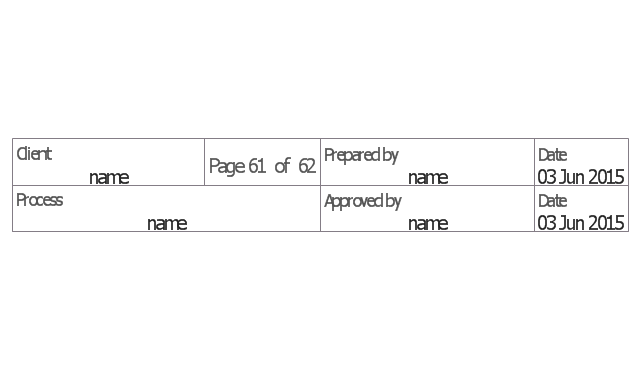
Title block
Title block, title block,
Torso pictogram
Torso pictogram, torso pictogram,

audit flowchart, fiscal flowchart, audit steps, chart audits, chart auditor, auditing process, audit process flowchart, audit planning process Audit Flowcharts

audit flowchart, fiscal flowchart, audit steps, chart audits, chart auditor, auditing process, audit process flowchart, audit planning process
Audit flowcharts solution extends ConceptDraw DIAGRAM software with templates, samples and library of vector stencils for drawing the audit and fiscal flow charts.
The vector stencils library "Sales flowchart" contains 62 sales process flow chart symbols.
Use these flow chart icon set to draw your sales flowcharts, workflow diagrams and process charts with the ConceptDraw PRO diagramming and vector drawing software.
The sales process flowchart symbols library "Sales flowchart" is included in the Sales Flowcharts solution from the Marketing area of ConceptDraw Solution Park.
Annotation
Annotation, annotation,
Card
Card, card,
Check / audit (diamond)
Check / audit (diamond), check, audit,
Check / audit (square)
Check / audit (square), check, audit,
Collate
Collate, collate,
Comment / note symbol (brace)
Comment / note symbol (brace), brace callout, comment, note,
Communication link
Communication link, communication link,
Compare (diamond)
Compare (diamond), compare,
Compare (square)
Compare (square), compare,
Completed form
Completed form, completed form, document,
Concurrency symbol (fork / join)
Concurrency symbol (fork / join), concurrency symbol,
Conditional selector
Conditional selector, conditional selector,
Control transfer
Control transfer, control transfer,
Database
Database, database,
Data input / output
Data input / output, data input, data output,
Decision
Decision, decision,
Decision indicator - No
Decision indicator - No, decision indicator, no,
Decision indicator - Yes
Decision indicator - Yes, decision indicator, yes,
Delay
Delay, delay,
Direct access storage
Direct access storage, direct access storage,
Disk storage
Disk storage, disk storage,
Display
Display, display,
Divided process (table view)
Divided process (table view), divided process,
Document
Document, document,
Entity (rounded)
Entity (rounded), entity,
Event
Event, event,
Extract
Extract, extract, part, device,
Flow line
Flow line, flow line, arrow, connector,
Internal storage
Internal storage, internal storage,
Junction symbol
Junction symbol, junction symbol,
Lined document
Lined document, lined document,
Lined / shaded process
Lined / shaded process, lined process, shaded process,
Loop limit
Loop limit, loop limit,
Manual file
Manual file, manual file,
Manual input
Manual input, manual input,
Manual operation
Manual operation, manual operation,
Merge
Merge, merge,
Multi document
Multi document, multi document,
Multi process
Multi process, multi process,
Off-page reference - arrow
Off-page reference - arrow, off-page reference,
Off-page reference - incoming
Off-page reference - incoming, off-page reference,
Off-page reference - outgoing
Off-page reference - outgoing, off-page reference,
On-page reference/ Inspection point
On-page reference/ Inspection point, on-page reference, inspection point,
Or
Or, or,
Page
Page, page,
Paper tape
Paper tape, paper tape,
Predefined process
Predefined process, subroutine, predefined process,
Prepare conditional
Prepare conditional, preparation, prepare conditional,
Process step
Process step, process step,
Reference point
Reference point, reference point,
Sequential access storage
Sequential access storage, sequential access storage,
Sort
Sort, sort,
Start (circle)
Start (circle), start,
Start (ellipse)
Start (ellipse), start,
Stickman pictogram
Stickman pictogram, stickman pictogram,
Stored data
Stored data, stored data,
Summary
Summary, summary,
Tagged document
Tagged document, tagged document, document,
Tagged process
Tagged process, tagged process,
Terminal point
Terminal point, terminal point,
Title block
Title block, title block,
Torso pictogram
Torso pictogram, torso pictogram,