Network Topologies
Small and medium-sized companies have network infrastructure which can total ten or more networking and computing devices (computers, servers, printers, telephones, routers, fax machines, scanners, etc.) All elements of a network have their own settings configured for fast and reliable service. As a company grows, it is necessary to incorporate new devices into the network, update existing devices, change the network topology, and even add new subnets. Changing the configuration of the network is only possible if there is documentation of the operating infrastructure.
To achieve high-quality documentation of network infrastructure, it is necessary to include the overall network structure topology, a communication scheme, the layout of the main devices, the scheme arrangement of servers in server racks, the list of installed services, services and databases for each server, and the scheme of corporate PBX.
Network Topology Diagram Software
ConceptDraw DIAGRAM is a powerful Network Topology Diagram software and intelligent vector graphics engine that can be used for network topologies diagrams. The shape libraries contain ready-to use icons of computers, servers, network devices, standard symbols and smart connectors for the quick and easy arrangement of network diagrams.
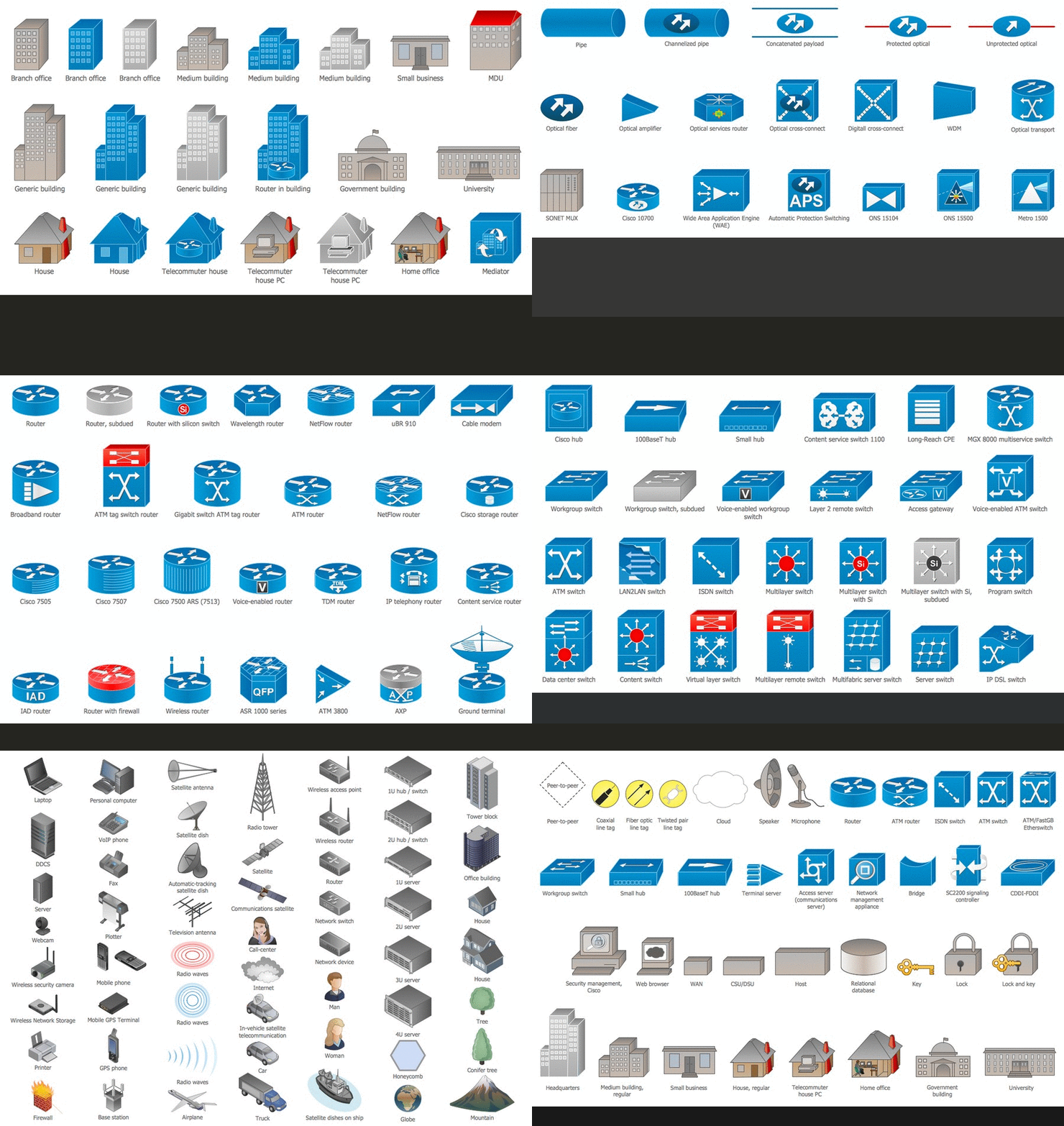
With ConceptDraw DIAGRAM you can simply create professional looking diagrams:
- Network topology,
- Physical network,
- Logical network,
- Network mapping,
- Home area networks (HAN),
- Wireless network,
- Cisco network topologies,
- Fully connected network topology,
- Bus network topology,
- Star network topology,
- Ring network topology,
- Mesh network topology,
- Tree network topology,
- Cable network,
- Network wiring,
- Local area network (LAN),
- Wide area network (WAN) topology,
- Metropolitan area networks (MAN),
- Campus area networks (CAN),
- Storage area networks (SAN),
- Near-me area networks (NAN),
- Personal area (PAN) networks,
- Near field communication (NFC),
- ISG network,
- Interactive voice response (IVR) networks,
- Activity network,
- Local network area,
- Network security,
- Network wiring cable,
- Computer network architecture,
- Enterprise private network,
- Internet networks,
- Network configuration,
- Active directory network,
- Network protocols,
- Network voip,
- Virtual networks,
- Virtual private networks (VPN),
- Rack diagrams,
- Network layout,
- Backbone network,
- Radio networks,
- Television networks,
- Telecommunication networks,
- Overlay networks,
- 3D network diagrams
- ATM-Network,
- Butterfly network,
- EIGRP,
- IGMP,
- MPLS,
- OSPF Network,
- P2MP network,
- DES network,
- Software Defined Networking System Overview,
- Cloud Computing,
- Mesh network,
- Internet Connectivity,
- Computer network,
- Digital Communications Network,
- Netflow architecture,
- Network Community Structure,
- phone networks,
- Overlay network,
- Office Network,
- VMware vNetwork Distributied Switch (vDS),
- EPN Frame-Relay and Dial-up Network,
What is Network Topology
Network topology is the topological structure of the computer network. Network topology can be physical or logical. The logical topology describes the network dataflows from one device to the next. The physical topology is the arrangement of the different elements of the computer network such as computers, cables and other devices. The physical topology shows the cabling layout of the network, the locations of the nodes and interconnections between cables and nodes. A network logical and physical topologies can be the same.
There are the following basic types of the network topologies:
Bus Network Topology
In local area networks where bus topology is used, each node is connected to a single cable. A signal from the source travels in both directions to all machines connected on the bus cable until it finds the intended recipient. If the data matches the machine address, the data is accepted, otherwise the machine ignores the data. Since the bus topology consists of only one wire, it is rather inexpensive to implement when compared to other topologies. However, the low cost of implementing the technology is offset by the high cost of managing the network. Additionally, since only one cable is utilized, it can be the single point of failure. If the network cable is terminated on both ends and when without termination data transfer stop and when cable breaks, the entire network will be down.
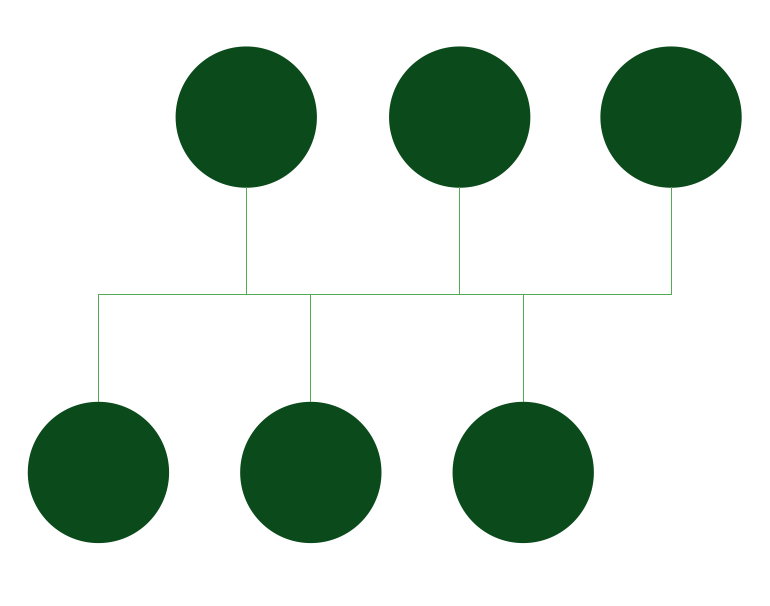
Pic. 1. Bus Network Topology
Star Network Topology
In local area networks with a star topology, each network host is connected to a central hub with a point-to-point connection. In Star topology every node (computer workstation or any other peripheral) is connected to central node called hub or switch. The switch is the server and the peripherals are the clients. The network does not necessarily have to resemble a star to be classified as a star network, but all of the nodes on the network must be connected to one central device. All traffic that traverses the network passes through the central hub. The hub acts as a signal repeater. The star topology is considered the easiest topology to design and implement. An advantage of the star topology is the simplicity of adding additional nodes. The primary disadvantage of the star topology is that the hub represents a single point of failure.
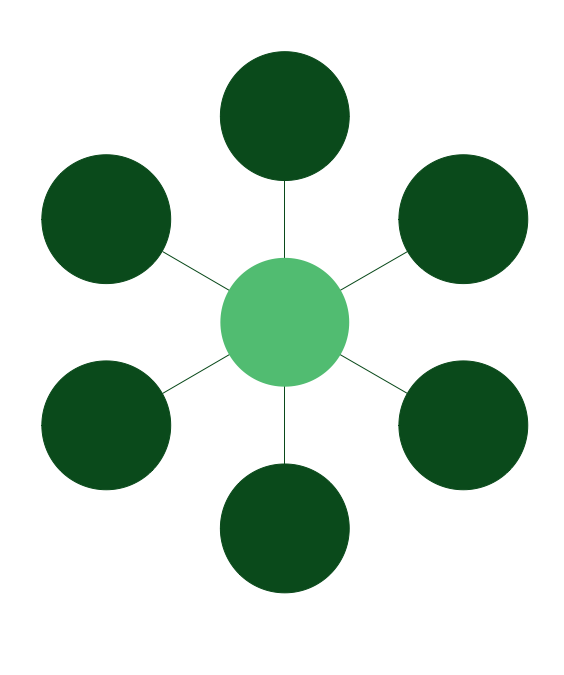
Pic. 2. Star Network Topology
Ring Network Topology
A network topology that is set up in a circular fashion in which data travels around the ring in one direction and each device on the ring acts as a repeater to keep the signal strong as it travels. Each device incorporates a receiver for the incoming signal and a transmitter to send the data on to the next device in the ring. The network is dependent on the ability of the signal to travel around the ring. When a device sends data, it must travel through each device on the ring until it reaches its destination. Every node is a critical link.
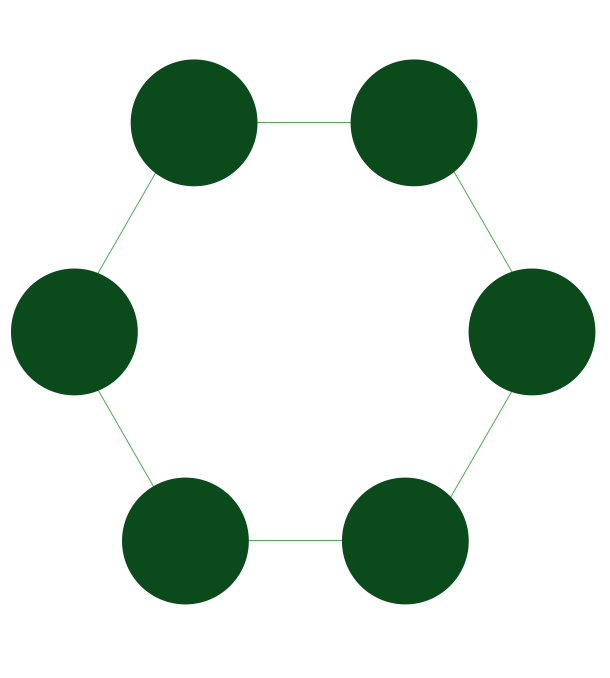
Pic. 3. Ring Network Topology
Mesh Network Topology
A mesh network is a network topology in which each node relays data for the network. All nodes cooperate in the distribution of data in the network.
A mesh network can be designed using a flooding or a routing techniques. When using a routing technique, the message is propagated along a path, by hopping from node to node until the destination is reached. To ensure all its paths' availability, a routing network must allow for continuous connections and reconfiguration around broken or blocked paths, using self-healing algorithms. The self-healing capability enables a routing based network to operate when one node breaks down or a connection goes bad. As a result, the network is typically quite reliable. A mesh network whose nodes are all connected to each other is a fully connected network. Mesh networks can be also seen as one type of ad hoc network.
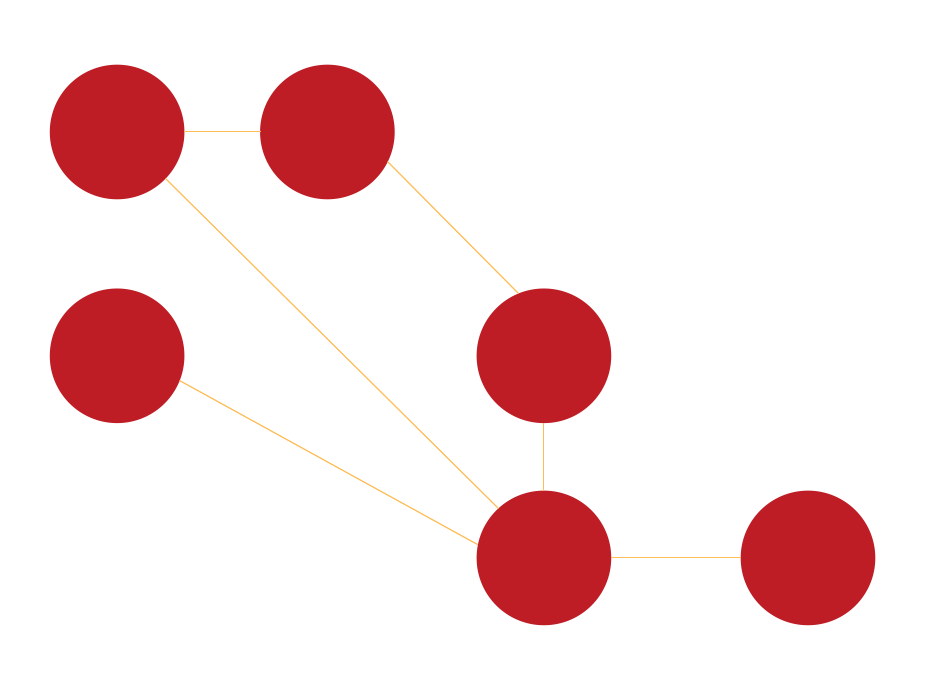
Pic. 4. Mesh Network Topology
Tree Network Topology
This particular type of network topology is based on a hierarchy of nodes. The highest level of any tree network consists of a single 'root' node that is connected with a single or multiple nodes in the level below by point-to-point links. These lower level nodes are also connected to a single or multiple nodes in the next level down. Tree networks are not constrained to any number of levels, but as tree networks are a variant of the bus network topology, they are prone to crippling network failures should a connection in a higher level of nodes fail/suffer damage. Each node in the network has a fixed number of nodes connected to it at the next lower level in the hierarchy, this number referred to as the 'branching factor' of the tree.
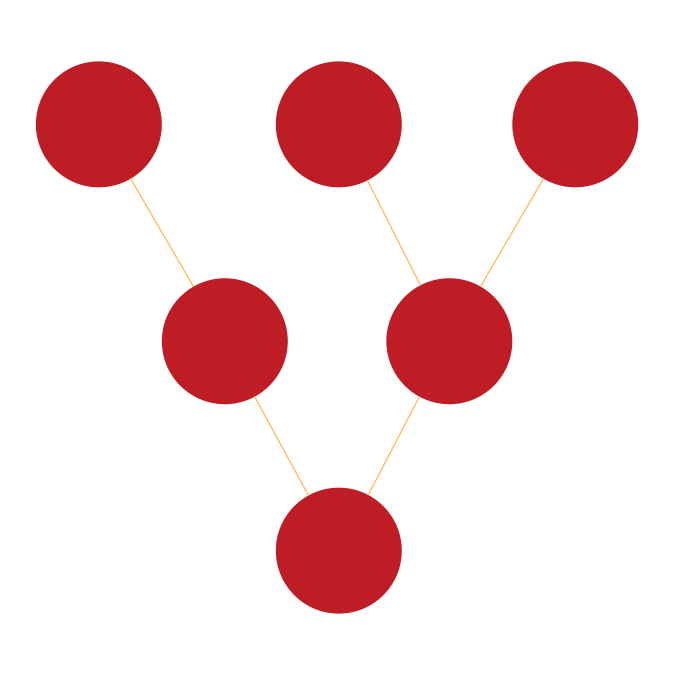
Pic. 5. Tree Network Topology
Fully Connected Network Topology
A fully connected network, complete topology, or full mesh topology is a network topology in which there is a direct link between all pairs of nodes. In a fully connected network with n nodes, there are n(n-1)/2 direct links. Networks designed with this topology are usually very expensive to set up, but provide a high degree of reliability due to the multiple paths for data that are provided by the large number of redundant links between nodes. This topology is mostly seen in military applications.
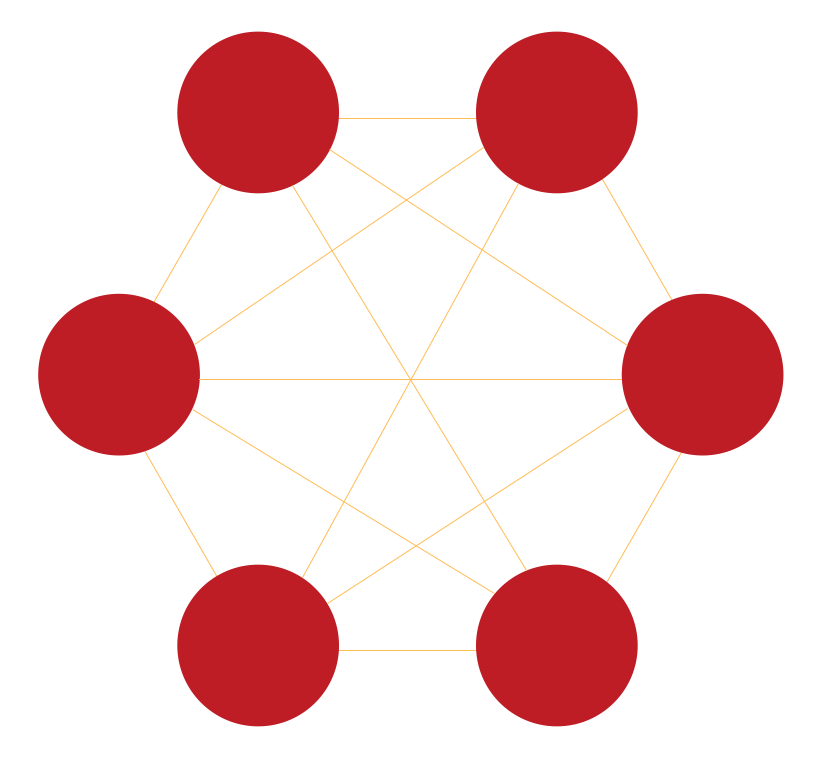
Pic. 6. Fully Connected Network Topology

Pic. 7. Common Network Topologies Diagram
These samples was created in ConceptDraw DIAGRAM diagramming and vector drawing software using the Computer Network Diagrams Solution from Computer and Networks area of ConceptDraw Solution Park. These diagrams show the basic types of the network topologies.
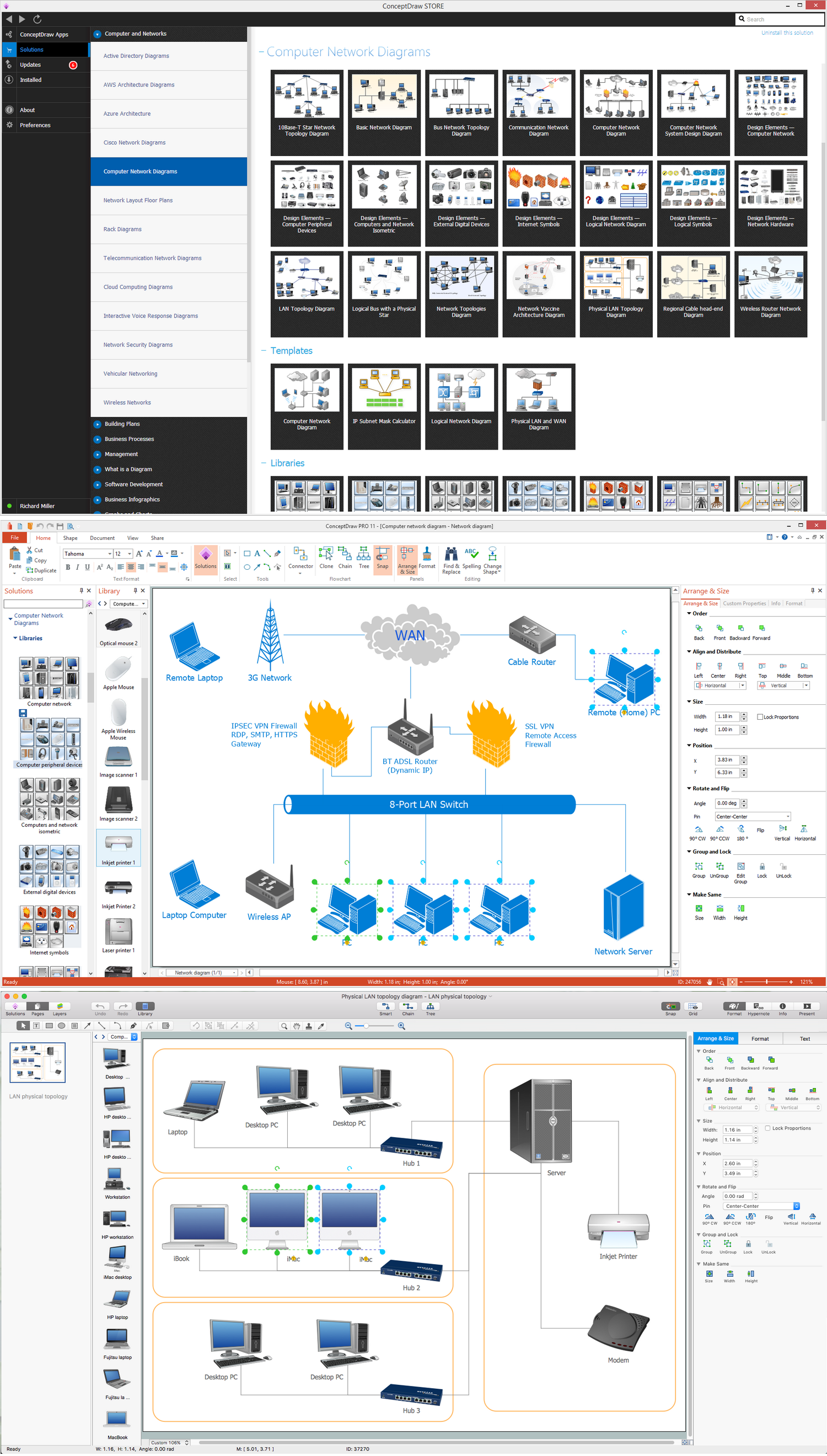
Pic. 8. Network Topologies Solution
Use the predesigned vector stencils, examples and templates from the Computer Network Diagrams Solution for ConceptDraw DIAGRAM to design your own professional Computer Network Topology Diagrams quick and easy.
TEN RELATED HOW TO's:
ConceptDraw - Perfect Network Diagramming Software with abundant examples and templates. ConceptDraw Network Diagram is ideal for network engineers and network designers who need to draw Enterprise Private Network diagrams.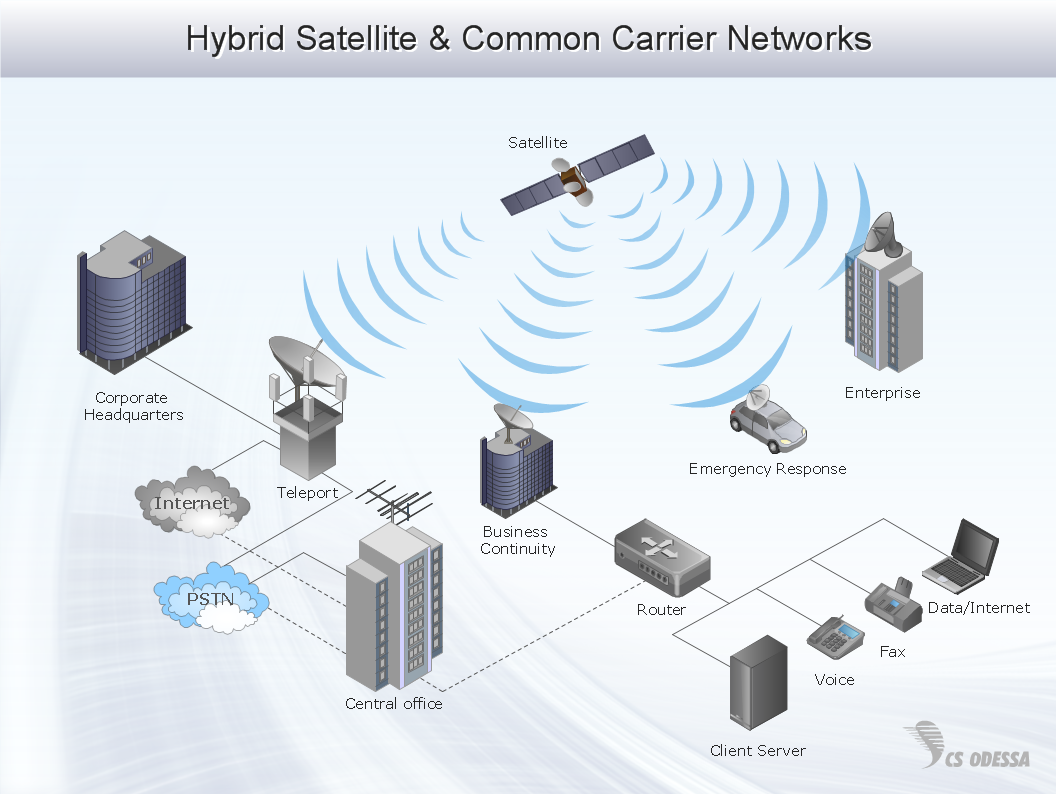
Picture: Network Diagram SoftwareEnterprise Private Network
Related Solution:
Installing a wireless network is not very different from a regular network. After you configure the interfaces, the half of network configuration is done. You should also set routing, masquerading and set all the addresses.
This Interactive Voice Response Diagram (IVR) diagram depicts topology of an IVR system and shows physical and logical structure of an IVR system. It is created using facilities of the ConceptDraw solutions: Computer and Networks Diagrams in conjunction with Interactive Voice Response Diagrams. The diagram helps to understand how the call-center's equipment interacts with customer's calls to route them in the proper manner enabling client to get a useful response.
Picture: Network Configuration
Related Solution:
A network diagram represents the set of computers and network devices and the connections among them. This scheme can be developed for any institution or establishment. To illustrate this concept let’s take for example, a hotel network topology diagram or a school network diagram. These diagrams depict access points, servers, workstations, firewalls and another equipment needed to provide a network.
On this masterpiece drawing one will see a simple scheme a of connecting computers together. Such form of connecting can be applied for a hotel, guest house, bungalow, hut or something else. This diagram shows the images of the real LAN components. So, it represents a physical category of a network construction. It looks similar to a star - so this network configuration is named a star topology. The typical feature of this construction is a center point - usually it is hub, or router. The rays of this star means network connections. Computers, peripherals and other network details are placed on the ends of the star rays.
Picture: Hotel Network Topology Diagram
Related Solution:
Computer networks nowadays are spread all across the world. The large number of parameters, such as geographic scale or communication protocols, can divide networks. One of the most common types of networks is called local area network (LAN). It convenient to represent network examples by means of diagrams.
This local area network (LAN) diagram provides an easy way to see the way the devices in a local network are interacted. The diagram uses a library containing specific symbols to represent network equipment , media and the end-user devices such as computers (PC, mac, laptop) , network printer, hubs, server and finally a modem. There are two types of network topologies: physical and logical. The current diagram represents precisely a physical type of LAN topology because it refers to the physical layout of a local network equipment.
Picture:
What is a Local Area Network?
Examples of LAN Diagrams
Related Solution:
ConceptDraw Network Diagram Software is ideal for network engineers and network designers who need to draw Physical Network Diagrams.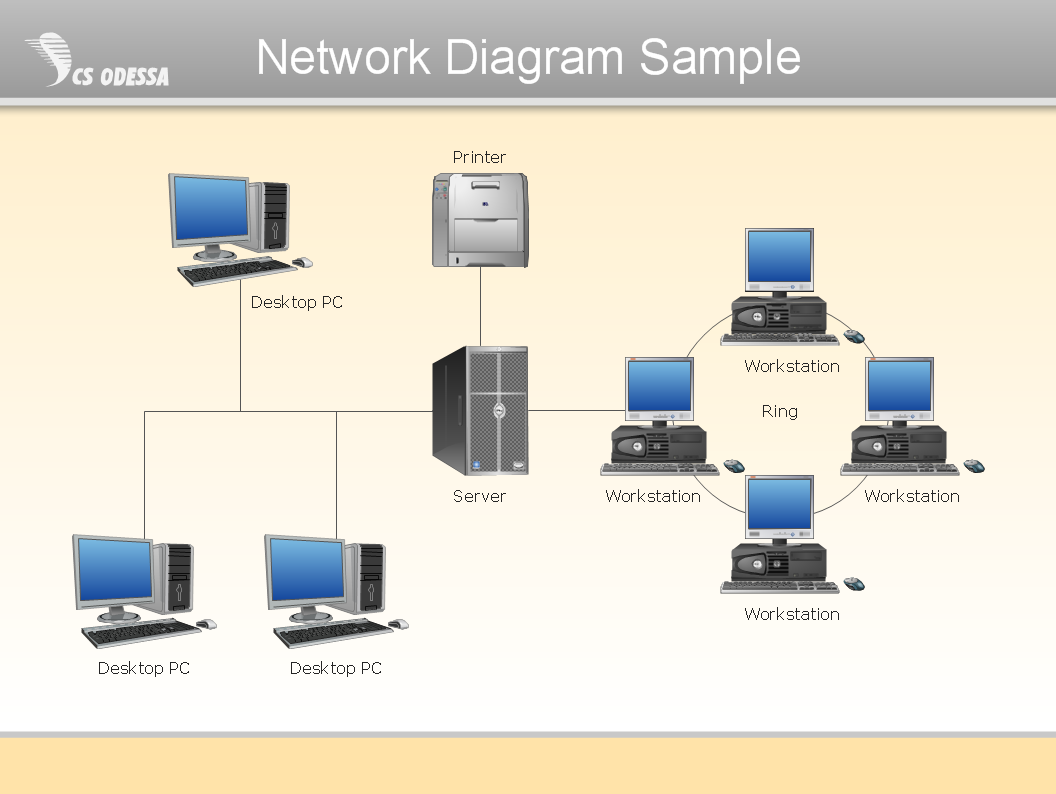
Picture: Network Diagram SoftwarePhysical Network Diagram
Every corporate network is unique, though there are guidelines and best practices in developing networks. As it is quite difficult to implement a pure topology within a company, using a hybrid network topology is considered a better solution. As a rule, such network assembles advantages and features of source topologies.
This diagram is an example of the Hybrid network. This type of network topology means a conjunction of other network topologies. Such as star-bus, ring-mesh topologies, etc. It should be obviously diverse networks. The final computer network inherits both advantages and disadvantages of its ingredients. Using the ConceptDraw Computer and Networks solution including vector graphic libraries and templates one can develop professional custom network diagrams of any topology and complexity.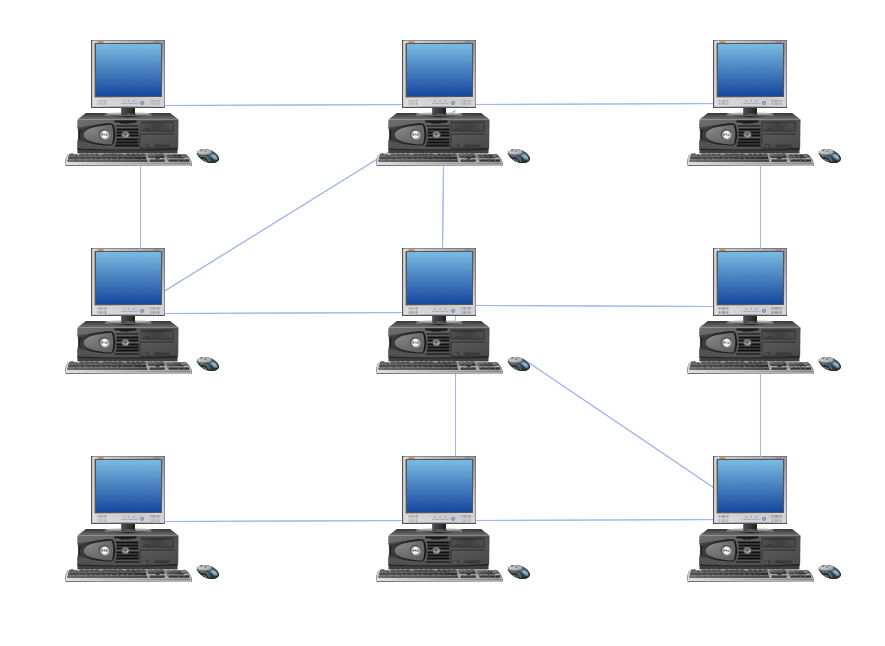
Picture: Hybrid Network Topology
Related Solution:
This sample was created in ConceptDraw DIAGRAM diagramming and vector drawing software using the Computer and Networks solution from Computer and Networks area of ConceptDraw Solution Park.
A complete (fully connected) topology is a network topology in which there is a direct link between all pairs of nodes. In a fully connected network with n nodes, there are n(n-1)/2 direct links. Networks designed with this topology are usually very expensive to set up, but provide a high degree of reliability due to the multiple paths for data that are provided by the large number of redundant links between nodes.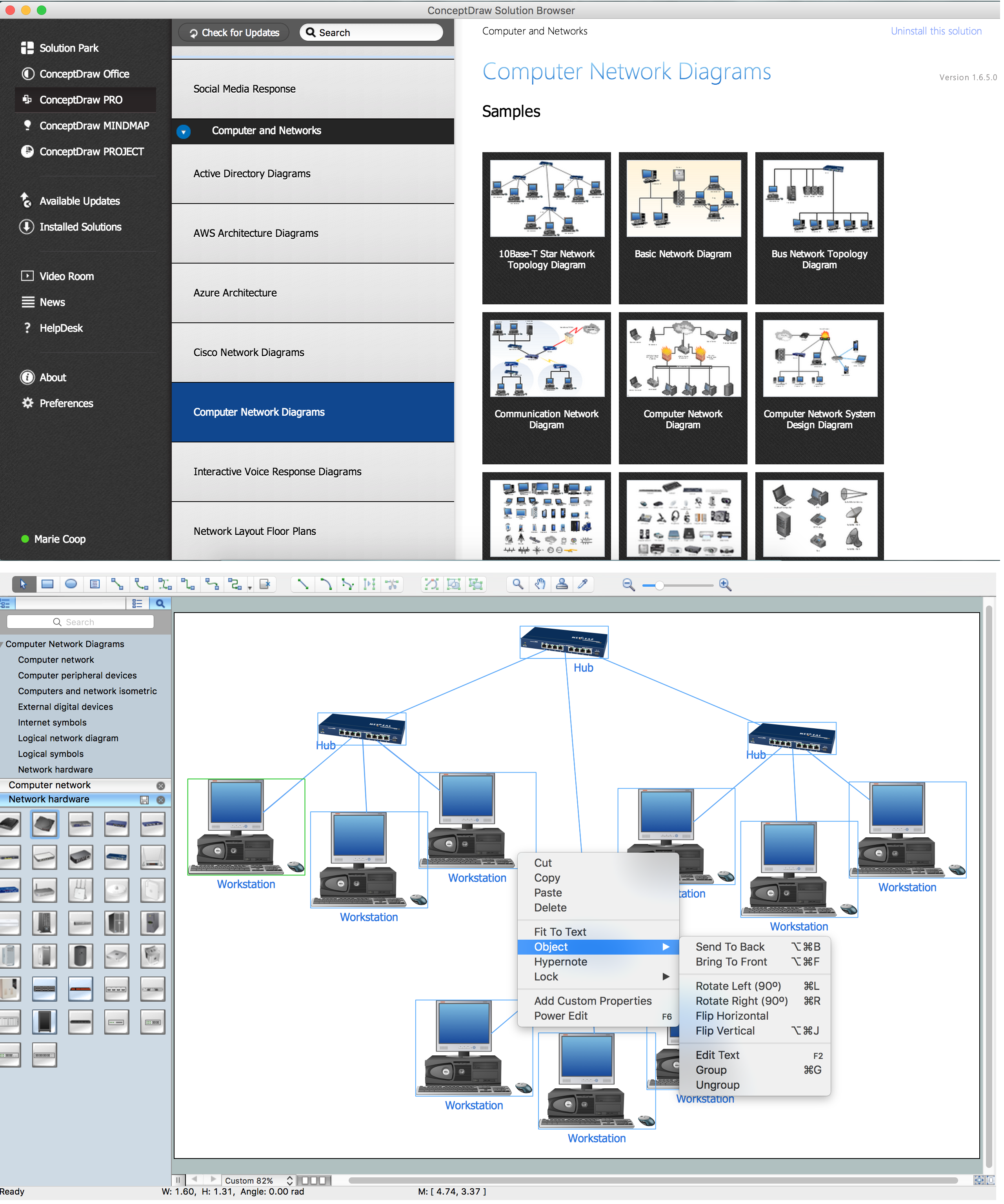
Picture: Complete Network Topology
Related Solution:
Developing a corporate network starts from choosing equipment such as servers or routers. You should choose a topology for your network depending on your needs and budget. Thus, a star topology is cheap to implement, and mesh topology, for instance, is more reliable.
This network diagram illustrates various types of computer network diagrams. Here one can find out the samples of Star, Ring, common Bus and even a rather rare fully connected network topologies. This diverse array of diagrams was created using the ConceptDraw DIAGRAM software and its solution designed especially for computer networking: design and documenting. There are more than 2 thousands graphical symbols of network equipment in the solution's vector libraries. You can create a diagram of any type network, containing any equipment and connections - no matter is it the most ancient or the super-modern network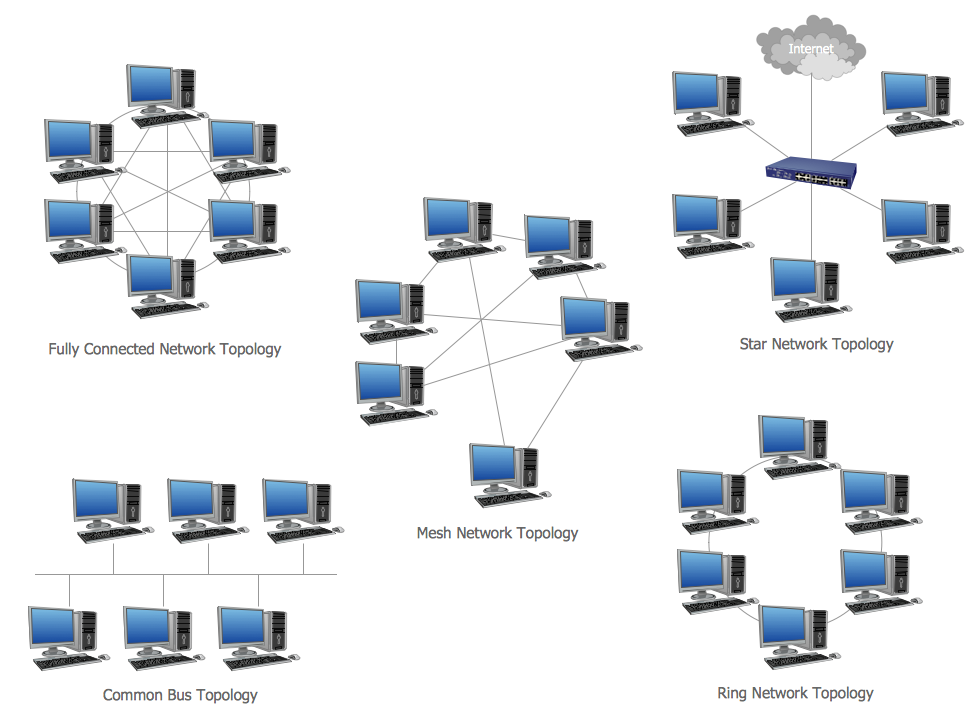
Picture: Network Topology
Related Solution:
There are numerous articles about the advantages of flowcharting, creating business graphics and developing different charts. Nevertheless, these articles are almost useless without the main component - the examples of flowcharts, org charts and without a fine example, it is difficult to get all the conveniences of creating diagrams. You can find tons of templates and vivid examples on Solution Park.
This illustration shows a variety of business diagrams that can be created using ConceptDraw DIAGRAM. It comprises a different fields of business activities: management, marketing, networking, software and database development along with design of infographics and business illustrations. ConceptDraw DIAGRAM provides a huge set of sample drawings including business process modeling diagrams,, network diagrams, UML diagrams, orgcharts, DFD, flowcharts, ERD, geographical maps and more.
Picture: Examples of Flowcharts, Org Charts and More
Related Solution:
Creating a detailed network plan can cause a lot of headache to an unexperienced user. And it is worth mentioning that ConceptDraw DIAGRAM is a decent tool for creating a network diagram, a tool that is easy-to-use. To get an accurate diagram use the vector shapes from the special libraries that represent workstations, network appliances, wiring systems and connect them with smart-connectors, just as simple as that.
This communication network diagram displays the way different components of a computer network communicate with each other. When representing network information, such as depicting all the equipment in a large network, it is helpful to make visual representation. Network diagram provides an easy way to show the way the connections between an equipment in a large network. This diagram of a communication network depicts a network composed of three sub-networks. It uses a network equipment symbols to represent the different devices that make up a network communication including routers, Ethernet devices and end-point equipment.
Picture: ConceptDraw DIAGRAM Network Diagram Tool
Related Solution:






