SWOT Analysis Marketing Tool: A Comprehensive Guide
SWOT Analysis is a strategic planning tool and a way to evaluate a company's competitive position in the market, risks, and the potential of a business or its part. This strategy helps companies to assess internal capabilities and the external environment, identify and evaluate their strengths, weaknesses, opportunities, and threats including external forces that can impact decision-making. This enables more informed decision-making and the overcoming threats and helps to determine which new measures and strategies should be pursued to improve strategic planning, performance, and business development.
SWOT Analysis is a key tool for company founders and leadership, SWOT analysts, marketers, and investors. It helps companies assess current and future potential and achieve success through maximizing their strengths and opportunities while addressing weaknesses and threats and identifying successful strategies. It is valuable at any stage of business development, especially before introducing new initiatives or reordering internal policies.
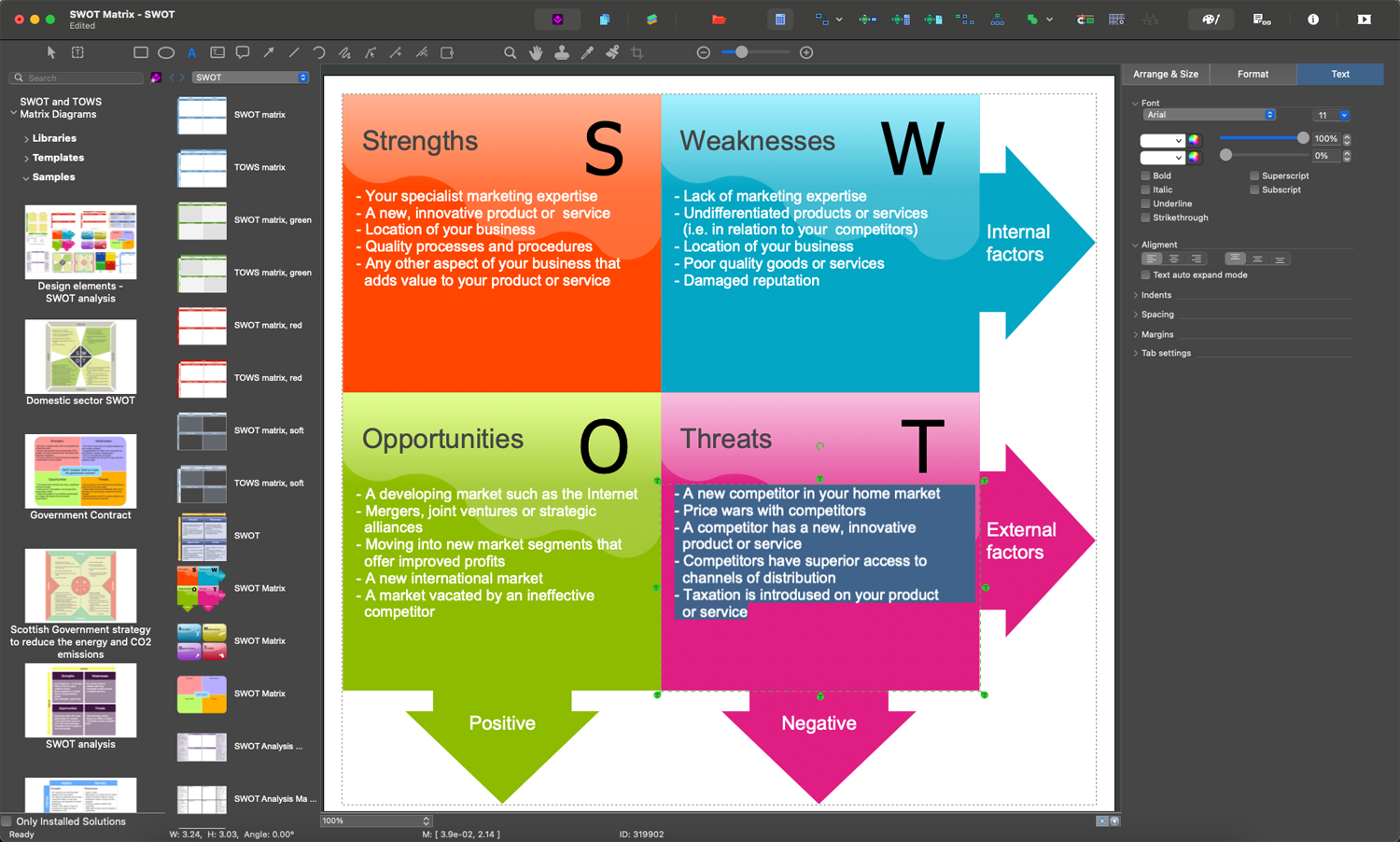
Example 1. SWOT Matrix in ConceptDraw DIAGRAM Software
Components of SWOT Analysis
SWOT analysis process is directed at collecting and organizing information about internal and external factors related to a certain organization in order to improve its development and success as a result of further comparing its goals, programs, and capacities to the environment in which it operates. SWOT analysis comprises four main components, which play an equally vital role in assessing an organization’s position and elaborating effective strategies for future development:
| Component | Description |
|---|---|
| Strengths | Internal tangible and intangible attributes and resources that are under the organization’s control and that provide it an advantage over competitors, helping to benefit and enhance its market position. These include a strong brand reputation, skilled workforce, unique technology, loyal customer base, financial stability, etc. |
| Weaknesses | Internal factors within an organization’s control that may reduce its ability to attain the desired goal and hinder its performance and competitiveness. This refers to information about areas that the organization can improve to enhance overall performance and reduce vulnerabilities. These include limited resources, negative brand perception, lack of expertise, poor location, etc. |
| Opportunities | External attractive factors beyond the organization’s control, however, these are factors that it can use for its growth, improvement, development, and promotion. These include technological advancements, emerging markets, consumer preferences, etc. This data is used to improve the organization's opportunities, adapt its strategies, implement new initiatives, and enhance the market reach. |
| Threats | External factors and challenges beyond the organization’s control, which could impact its performance and development negatively, or even endanger its operation. These include increased competition, changes in consumer behavior, economic downturns, changes in regulations, etc. Understanding these factors allows the organization to develop risk mitigation strategies and contingency plans ensuring it is prepared to overcome challenges if they should occur. |
The analysis of these four components helps organizations gain a comprehensive understanding of their strategic position, make informed decisions, and develop effective marketing strategies to achieve success and reach the key target.
Integrating SWOT Analysis into Marketing Strategy
Integrating product SWOT analysis into marketing strategy helps to create effective and targeted data-driven marketing campaigns, prioritize marketing initiatives based on internal strengths and external opportunities in order to maximize growth potential. It fosters continuous improvement and helps to keep marketing strategies aligned with changing market dynamics.
The identification of strengths allows marketers to use corresponding information when creating promotional materials. The detection of weaknesses helps to develop strategies to eliminate them and improve messaging with customers to address their concerns. By identifying external opportunities, companies can adapt their marketing strategies according to the current trends, customer needs, and new market requirements. Identifying potential threats enables marketers to adapt their strategies and develop contingency plans ensuring resilience in a competitive landscape.
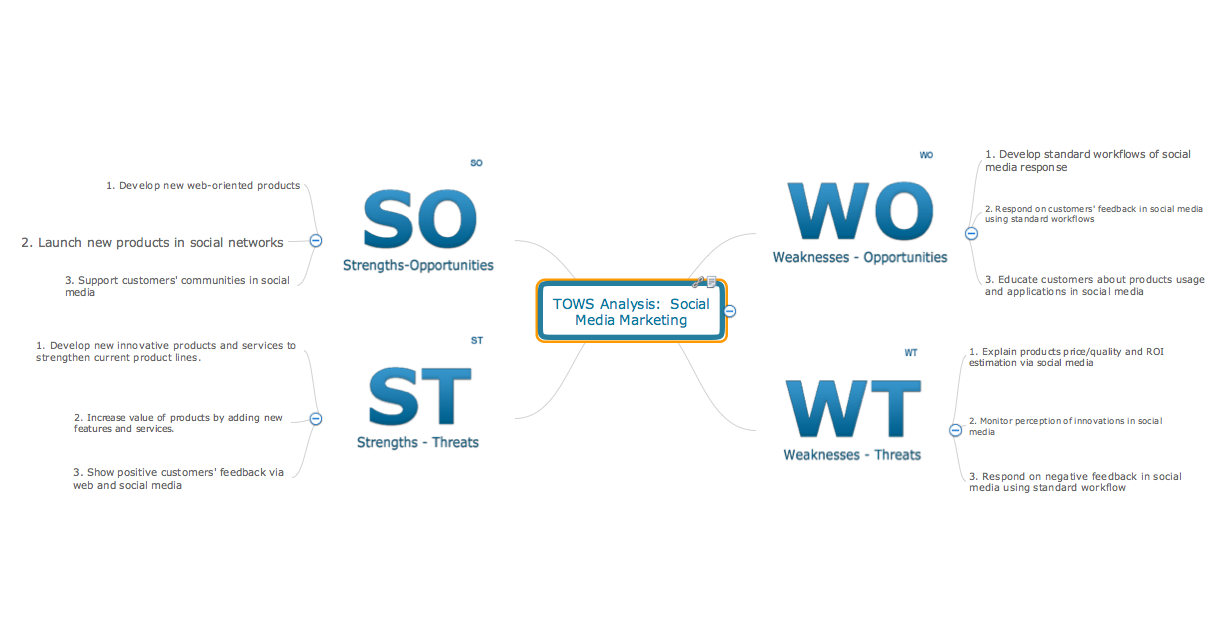
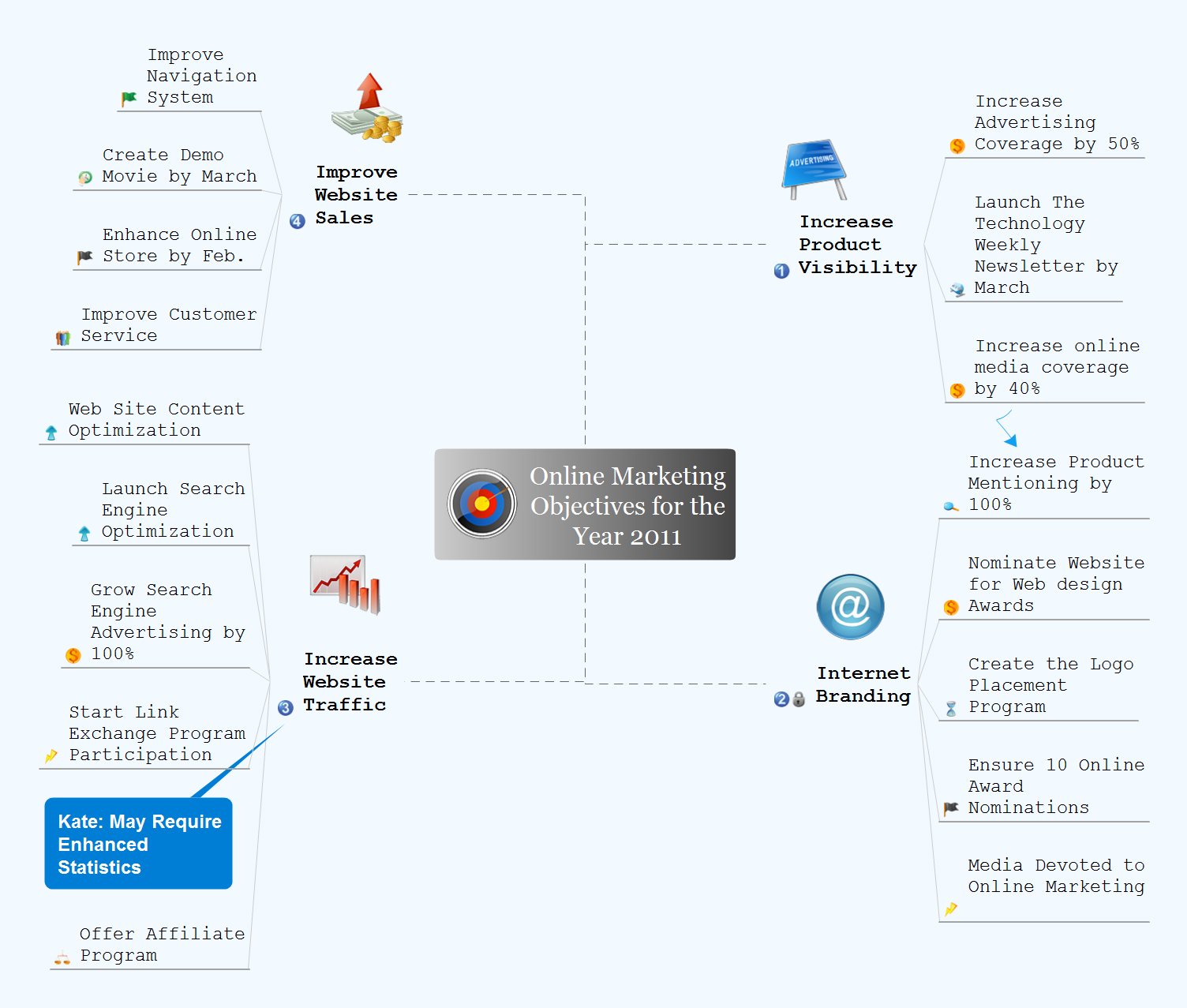
Example 2. TOWS Analysis Mind Map — Social Media Marketing
The Importance of SWOT Analysis in Marketing
SWOT analysis tool is an indispensable in marketing that:
- provides a structured framework to evaluate the company's internal and external environments;
- ensures alignment within teams;
- supports and facilitates:
- communication;
- strategic planning;
- risk management;
- ongoing evaluation;
- market positioning;
- uncovering new markets;
- strategic decision-making about resource allocation, company development, etc.;
- helps to:
- enhance the company's competitive advantage;
- track changes in an ever-changing marketplace;
- identify emerging trends and customer needs;
- adapt marketing strategies in response to shifting dynamics;
- identify crucial factors that impact the company's marketing strategy and areas for improvement;
- understand potential threats;
- anticipate challenges;
- develop contingency plans;
- mitigate risks.
How to Conduct a SWOT Analysis
Conducting a SWOT analysis involves a systematic approach and the following defined steps that are valuable for strategic planning and decision-making:
- Gather a team of stakeholders from different departments together.
- Set a goal for your SWOT analysis (a specific project, a product, or the overall organization) to focus on it.
- Collect valuable data internally and externally.
- Conduct a brainstorming session and identify strengths, opportunities, weaknesses, and threats.
- Create a SWOT Matrix with four quadrants to organize thoughts, ideas, and facts.
- Prioritize the ideas in each category based on their potential impact; focus on the most significant findings in each group.
- Analyze the resulting SWOT Matrix Diagram.
- Develop an action plan to outline the strategy, specific actions, responsibilities, and timelines.
- Review and update your SWOT Matrix regularly to reflect changes in the internal and external environments; adjust the strategy if needed.
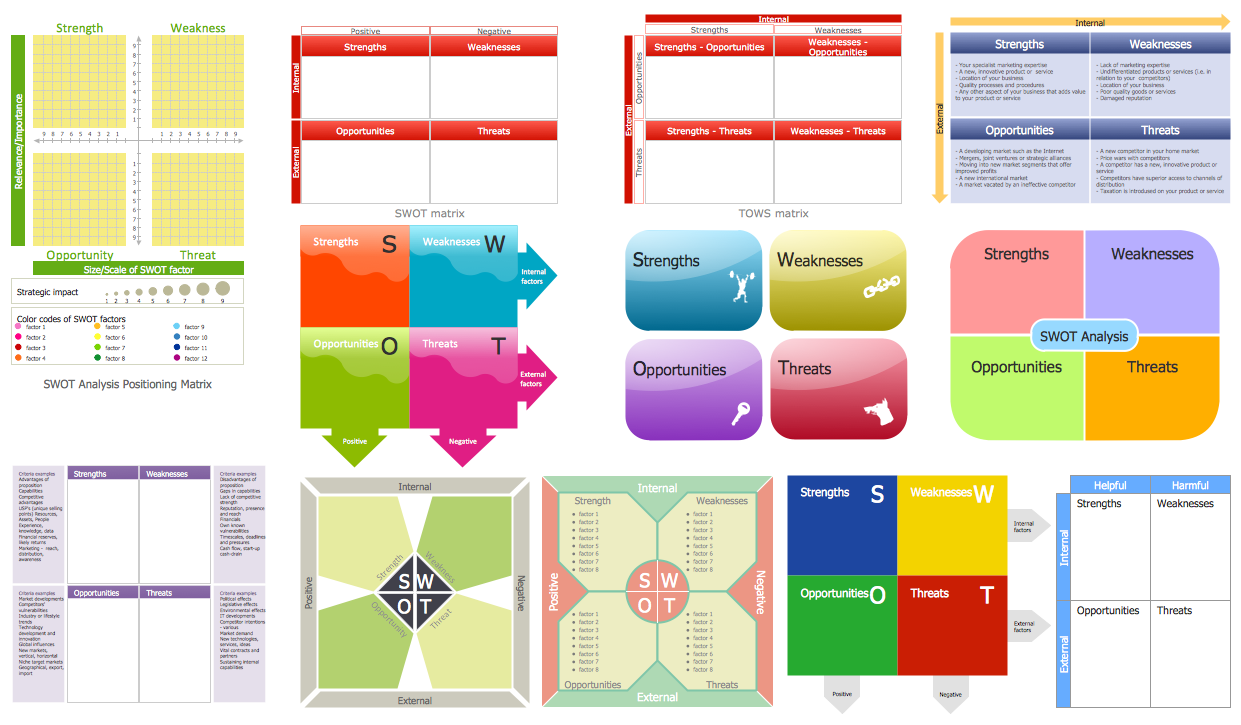
Example 3. SWOT and TOWS Matrix Library Design Elements
Benefits of Using Software for SWOT Analysis
Using professional software as a SWOT tool for SWOT analysis offers numerous advantages. It makes the SWOT analysis process more efficient, enhances outcomes, enables teams to focus on strategic planning method and making more informed strategic decisions rather than on the drawing process or administrative tasks.
Automation features and included drawing tools, pre-made shapes, and ready templates offered by software speed up the analysis and make organizing thoughts and ideas easier, and facilitate the creation of SWOT Matrices as a result of SWOT analysis. Typically, SWOT analysis provides clarity and enables collaboration between team members, contributing to overall success and broader perspectives.
SWOT Analysis in ConceptDraw DIAGRAM and ConceptDraw MINDMAP Software
SWOT and TOWS Matrix Diagrams solution extends ConceptDraw DIAGRAM and ConceptDraw MINDMAP software with easy-to-use SWOT analysis tools for SWOT analysts, marketing specialists, investors, business founders, competitors, and other stakeholders. The SWOT and TOWS Matrix Diagrams solution contains Mind Map templates to be filled in, SWOT matrices templates, and vector stencils. Pre-made templates ensure a structured approach, allow users to identify strengths, weaknesses, opportunities, and threats, and organize them easily within the SWOT framework.
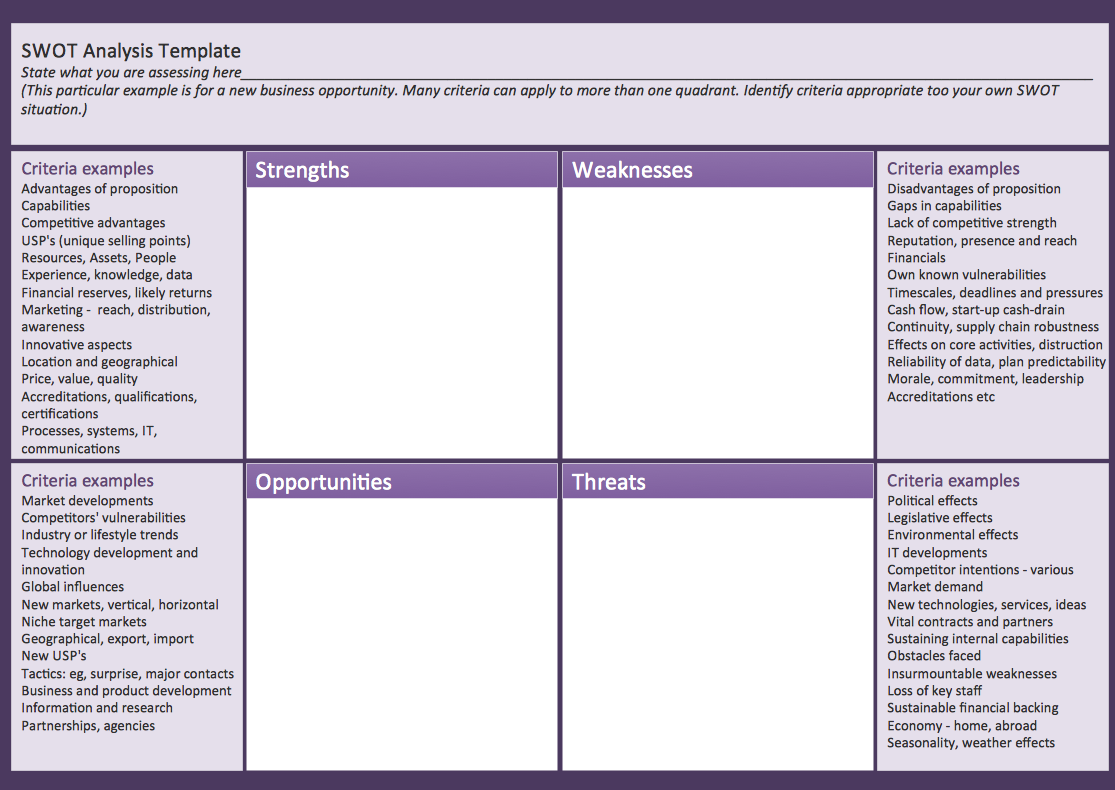
Example 4. SWOT Analysis Matrix Template
You can fill in a SWOT Mind Map template in ConceptDraw MINDMAP and then export it as a SWOT Matrix to ConceptDraw DIAGRAM software in just one click to present the analysis results. Another way is to use the pre-made SWOT Matrix shape from the solution's library and fill it in directly in ConceptDraw DIAGRAM. It is convenient to classify the identified factors by their severity and probability of occurrence.
SWOT analysis software ConceptDraw DIAGRAM enhances the efficiency of the SWOT analysis process and SWOT marketing, helps create visually appealing matrices for marketing analysis easily and make information easier to understand. The extensive export capabilities help to share your SWOT Diagram with other team members and collaborate with them seamlessly. In addition, it is easy to send it per e-mail directly from the application, make presentation, and manage updates to keep data up-to-date.
ConceptDraw DIAGRAM SWOT software helps organizations enhance their strategic planning and decision-making processes, make a SWOT analysis chart easily and conduct SWOT analysis efficiently and thoroughly to foster organization's growth. Teams can brainstorm, share insights, and organize SWOT elements visually. The resulting SWOT Matrices help to analyze economic factors, regulatory changes, market shifts, and other factors, consider competition, identify areas for improvement, and develop methods for eliminating identified external challenges that could impact the organization negatively.
_Win_Mac.png)