_Win_Mac.png)
Example 1. Fishbone Software Tools for Design Element
Design of Fisbone Diagram begins from the defining an effect or problem and representing it as a fish head. Then you need define the groups of factors that led to the occurrence of a given problem and to draw them as bones on horizontal line - a fish spine. These causes are often defined during brainstorming sessions (we recommend to use the ConceptDraw MindMap for brainstorming). In turn, for each group of factors if needed can be also indicated 2-3 causes leading to the problem. Thus are constructed usually 3-4 levels.
Follow all these steps fast and easy thanks to the predesigned elements of Fishbone Diagrams library from Fishbone Diagrams Solution for ConceptDraw DIAGRAM software.
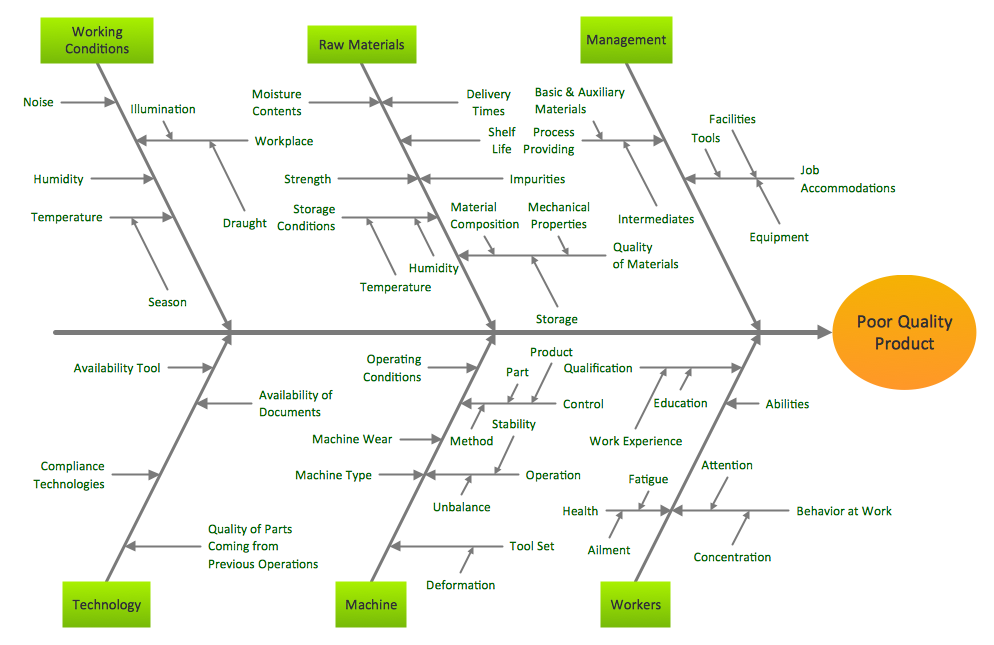
Example 2. Fishbone Diagram - Causes of Low Quality Output
The Fishbone Diagram samples you see on this page were created in ConceptDraw DIAGRAM using the powerful tools of Fishbone Diagrams Solution. An experienced user spent 10 minutes creating each of these samples.
Use the Fishbone Diagrams Solution for ConceptDraw DIAGRAM Solution Park for quick, easy and effective cause and effect analysis and problem solving.
All source documents are vector graphic documents. They are available for reviewing, modifying, or converting to a variety of formats (PDF file, MS PowerPoint, MS Visio, and many other graphic formats) from the ConceptDraw STORE. The Fishbone Diagrams Solution is available for all ConceptDraw DIAGRAM or later users.
TEN RELATED HOW TO's:
Flow chart is a diagrammatic representation of an algorithm and essential part of planning the system. Flow charts are widely used in technical analysis and programming for easy writing programs and explaining them to others. So, one of the most popular type of flow charts is Technical Flow Chart.
Technical Flow Chart can be drawn by pencil on the paper, but it will be easier to use for designing a special software. ConceptDraw DIAGRAM diagramming and vector drawing software extended with Flowcharts Solution from the Diagrams Area of ConceptDraw Solution Park will be useful for this goal.
Picture: Technical Flow Chart
Related Solution:
While creating flowcharts and process flow diagrams, you should use special objects to define different statements, so anyone aware of flowcharts can get your scheme right. There is a short and an extended list of basic flowchart symbols and their meaning. Basic flowchart symbols include terminator objects, rectangles for describing steps of a process, diamonds representing appearing conditions and questions and parallelograms to show incoming data.
This diagram gives a general review of the standard symbols that are used when creating flowcharts and process flow diagrams. The practice of using a set of standard flowchart symbols was admitted in order to make flowcharts and other process flow diagrams created by any person properly understandable by other people. The flowchart symbols depict different kinds of actions and phases in a process. The sequence of the actions, and the relationships between them are shown by special lines and arrows. There are a large number of flowchart symbols. Which of them can be used in the particular diagram depends on its type. For instance, some symbols used in data flow diagrams usually are not used in the process flowcharts. Business process system use exactly these flowchart symbols.
Picture: Flowchart Symbols: Meaning and Examples
Related Solution:
Choose which of business design elements you love best.
Design your own style with Business and Finance Solutions from ConceptDraw DIAGRAM.
We created a full set of elements, business samples, templates and libraries with vector clip art for drawing the Business Illustrations.
Mark your report or presentation, pay an attention of audience on your drawings with vector business design elements.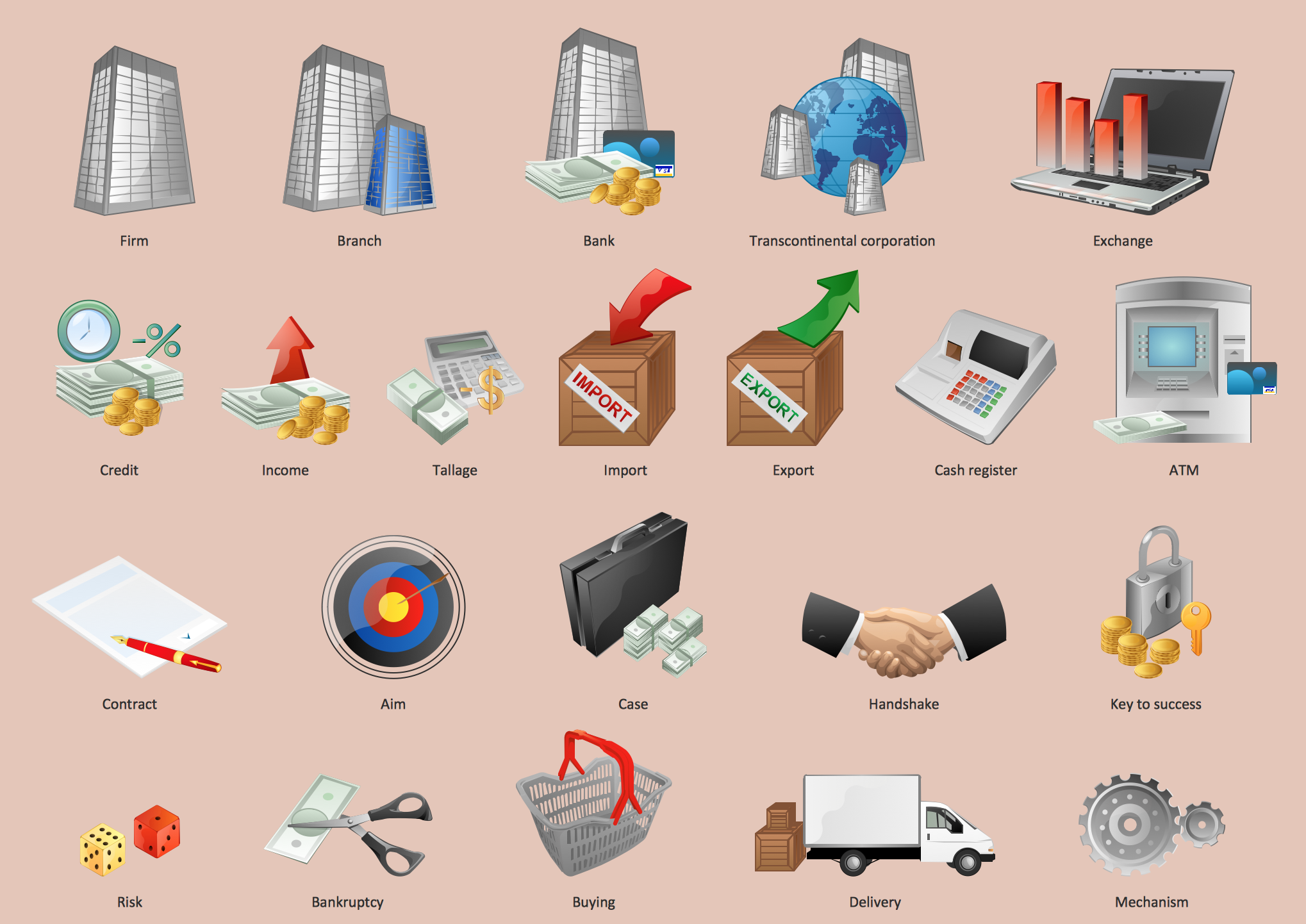
Picture: Business - Design Elements
Related Solution:
ConceptDraw will help you to create the room planning of any configuration quickly and skillfully. ConceptDraw contains a number of ready templates for creation of premises plans, and due to libraries with interior objects existing in the program you will be able to place furniture, denote the location of doors and windows and indicate dimensions.
Picture: Room planning with ConceptDraw DIAGRAM
Related Solution:
ConceptDraw DIAGRAM extended with Plant Layout Plans Solution from the Building Plans Area is a modern full-featured Plant Design software.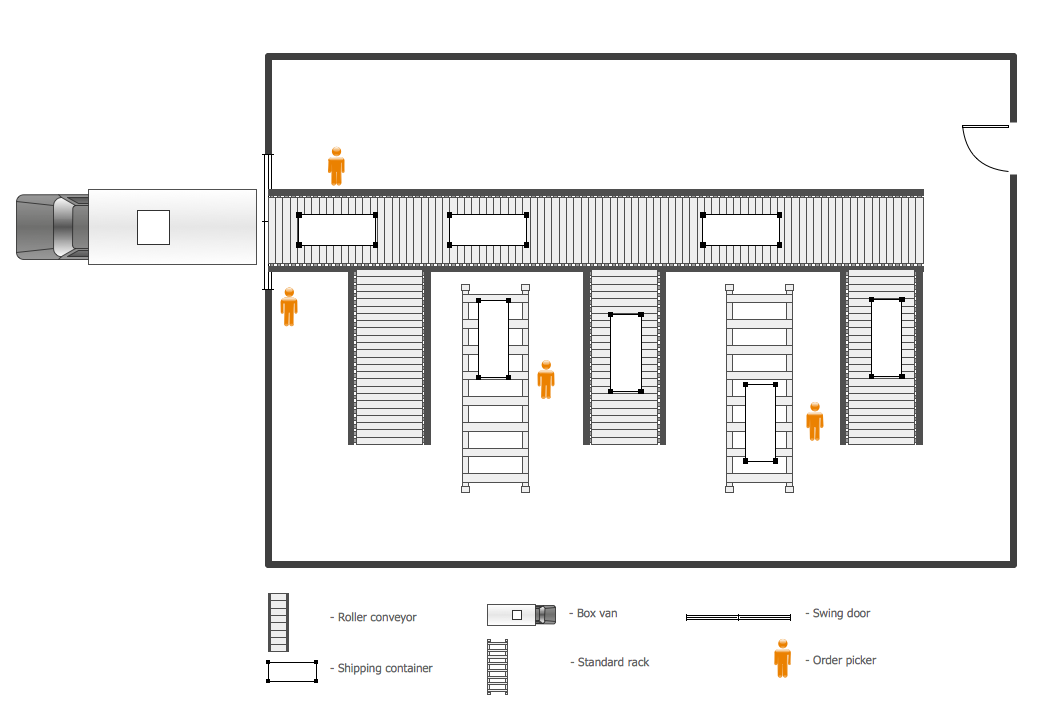
Picture: Plant Design
Related Solution:
TOWS Matrix is an effective tool which allows to analize the external opportunities and threats by means of analyzing the internal strengths and weaknesses of a company. ConceptDraw DIAGRAM diagramming and vector drawing software extended with SWOT and TOWS Matrix Diagrams Solution from the Management Area will help design TOWS Matrix for your company without efforts.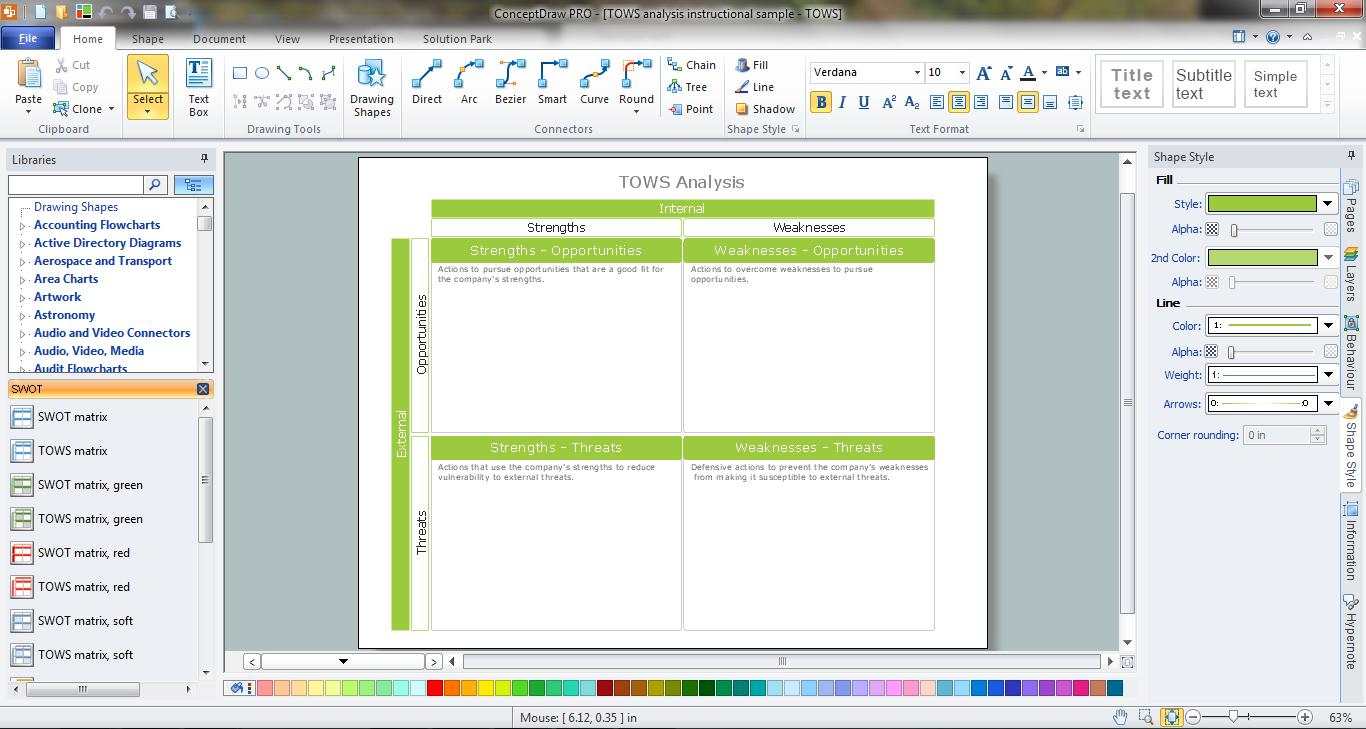
Picture: TOWS Matrix
Related Solution:
Value stream maps (VSM) are an essential tool for organizations applying Lean methods.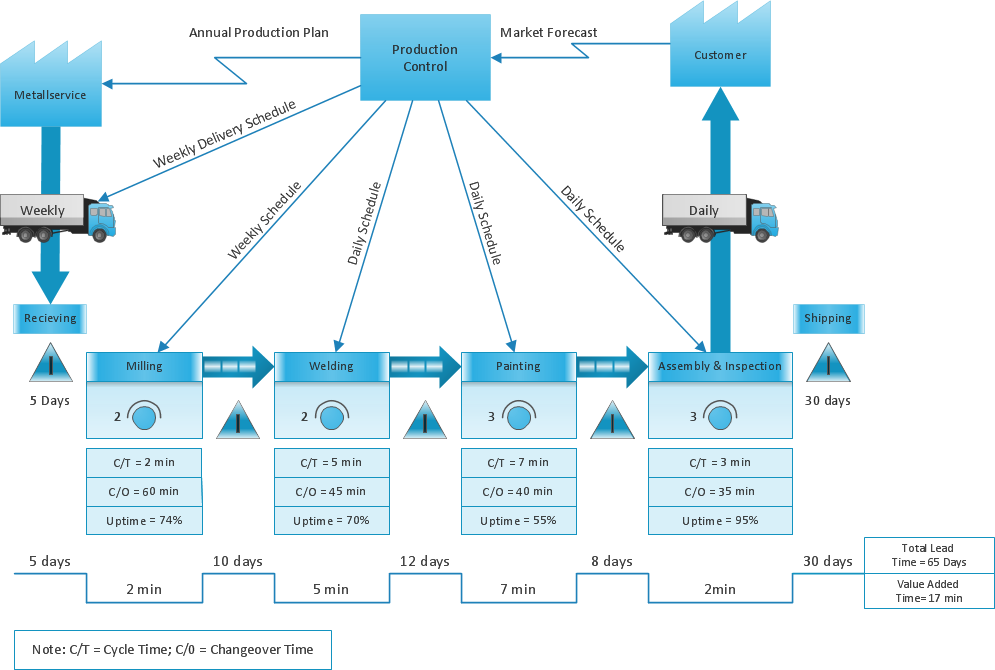
Picture: What is Value Stream Mapping?
Related Solution:
Outdoor activities are a very important part of leisure. Although standard basketball court dimensions are strict, you can do something to set a court even in your yard. With ConceptDraw DIAGRAM you can develop a plan to see how a basketball court is going to fit in your yard.
The favorite method of basketball coaches is visualization. For learning, for disassembly of played matches or for planning the strategy of the coming games - they always use a picture of basketball courts. Such schematically picture should have scale and should depict precisely standard equipment and dimensions of the basketball court. The Basketball solution for ConceptDraw DIAGRAM was developed as a tool for drawing different basketball schemes and illustrations.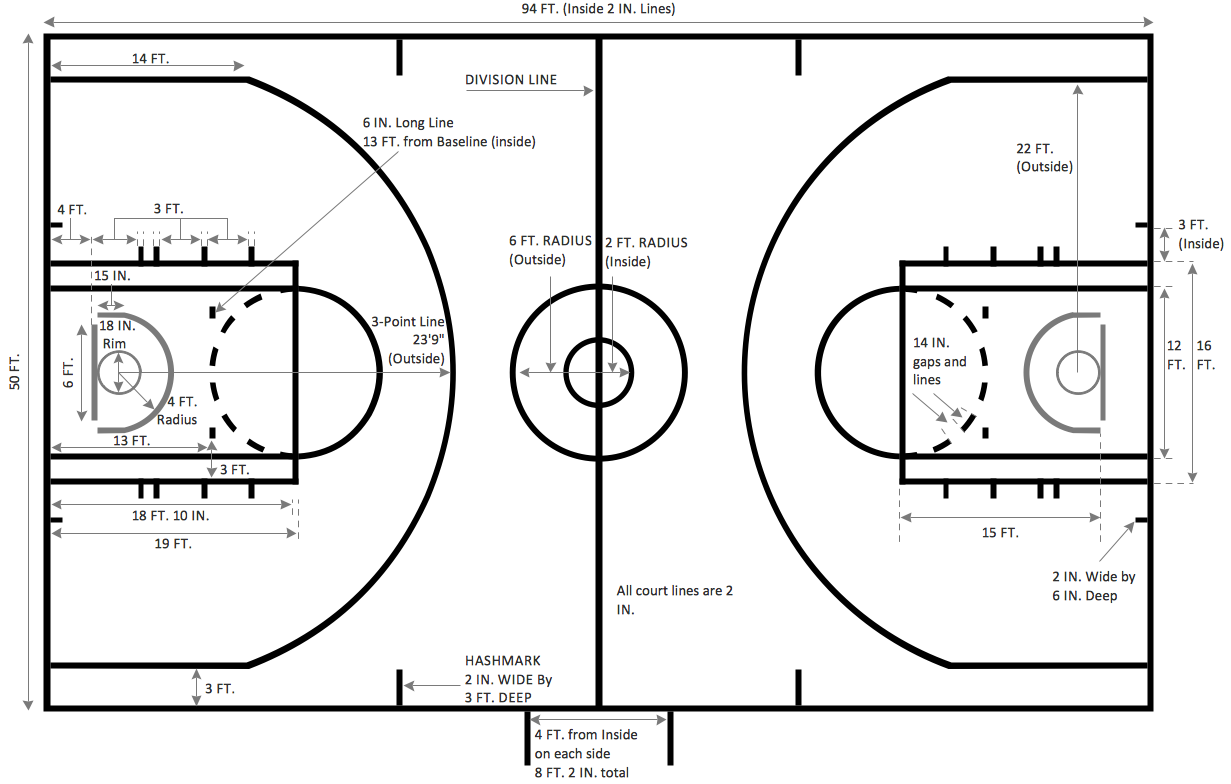
Picture: Basketball Court Dimensions
Related Solution:
The Total Quality Management Diagram solution helps your organization visualize business and industrial processes. Create Total Quality Management diagrams for business process with ConceptDraw software.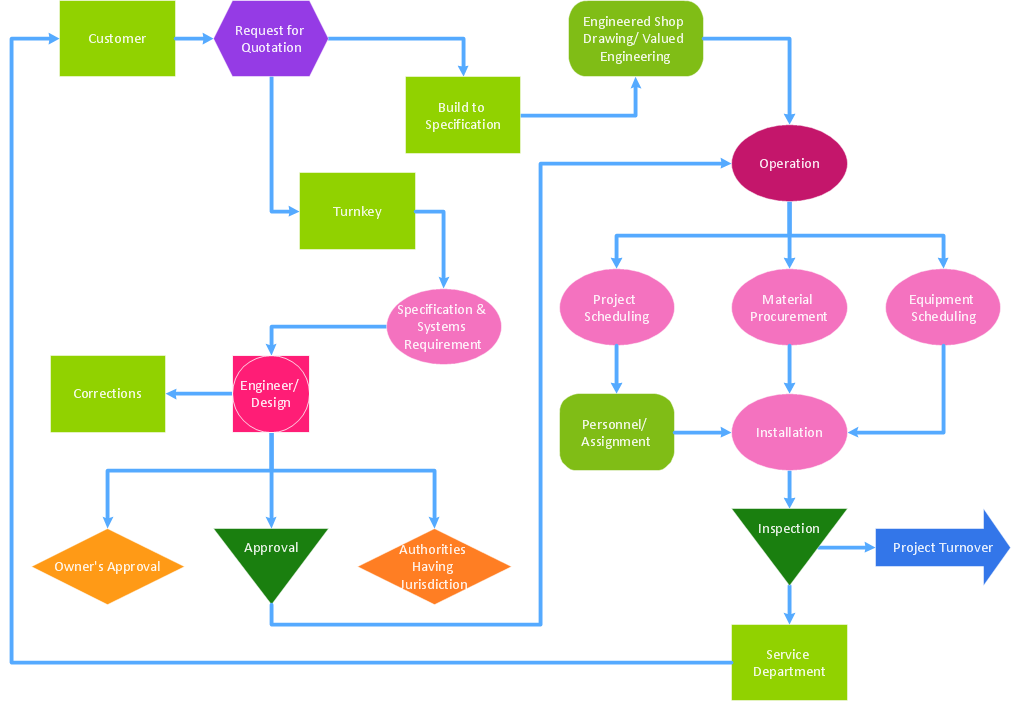
Picture: A Study of the Business Value of Total Quality Management
Related Solution:
Users can start drawing their own flowchart diagrams in fast and simple way with ConceptDraw software.
ConceptDraw DIAGRAM is the only professional diagramming software that works on both Windows and Macintosh platforms. All its documents and libraries are 100% compatible and can be exchanged hassle-free between the platforms.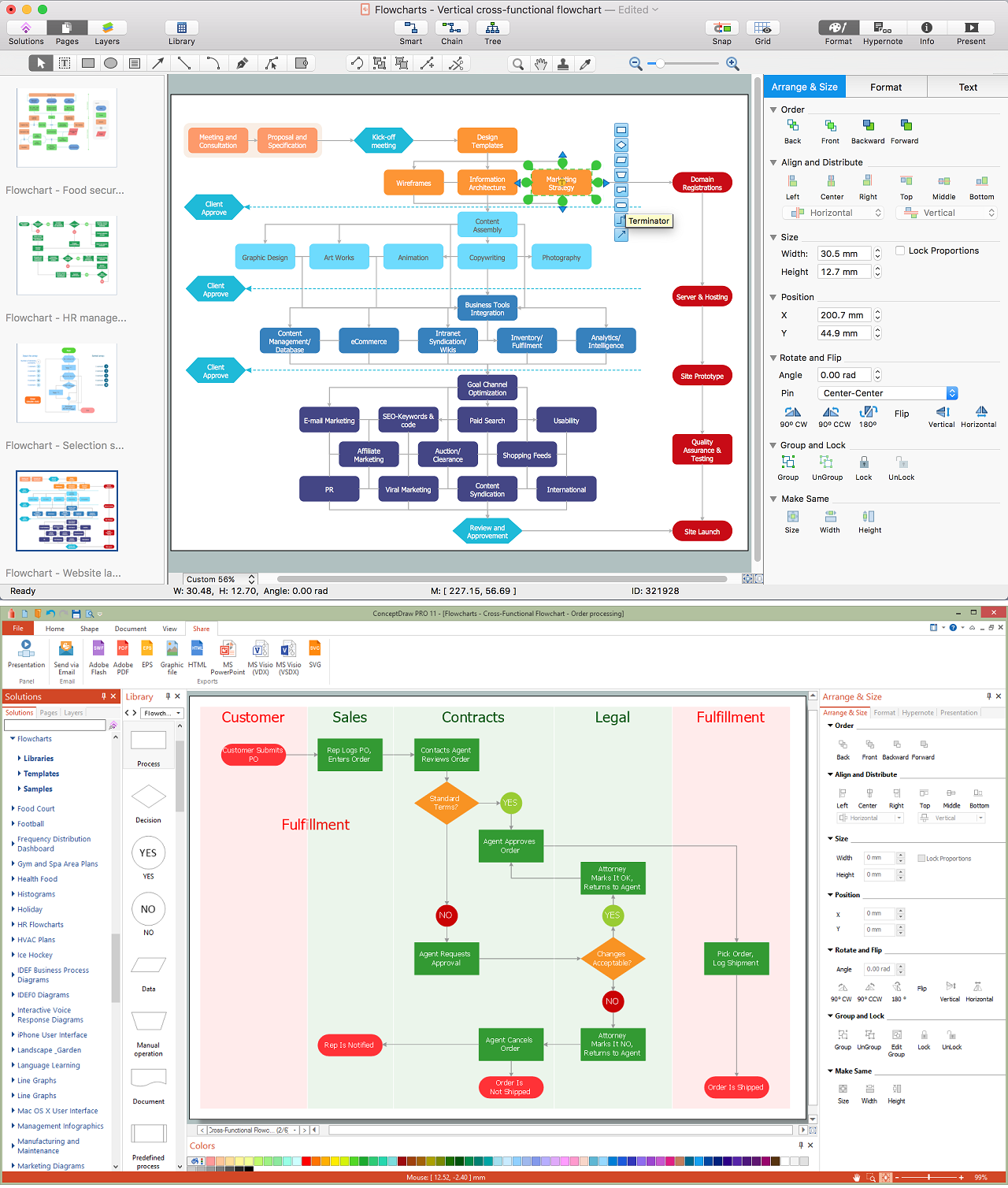
Picture: Create a Flow Chart
Related Solution:
