Venn Diagram Examples for Problem SolvingEnvironmental Social ScienceHuman Sustainability Confluence
A Venn diagram is also known to be called as a “primary diagram”, sometimes — “set diagram” and sometimes simply a “logic” one. Such diagram is used for showing all of the possible logical relations, occurring between a finite collection of many different sets. Such diagrams are known to be depicting different elements as points in the plane, as well as sets of the different regions inside the closed curves.
Consisting of the multiple overlapping closed curves, any Venn diagram is known to be consisting of the different circles, each of which is meant to be representing some particular set. The mentioned circles are usually coloured in different colours so it is obvious to see them as different constituents. The points inside each of the curves are all labelled with letter “S” representing different elements of some particular S set. At the same time, the points which are outside the boundary are expected to be representing the elements in the other set, but the “S” one.
As an example of the Venn diagram, it is possible to mention the one using a set of all the elements which are members of both sets, such as “S” and “N”, for instance. S ∩ N can be represented in a visual way by mentioning the area of the overlap of the regions, known to be S and N. The curves are overlapped in any of the possible ways within the Venn diagrams, illustrating all possible relations between all the sets, being the special cases of the so called “Euler diagrams”, although the mentioned one do not usually show any relations.
For the first time the Venn diagrams were used by John Venn in 1880, being used for teaching the so called “elementary set theory”. Also, they were used for as illustrating the very simple set relationships in computer science, probability, statistics, logic, linguistics, etc.
Although John Venn himself never used the term "Venn diagram" referring to his invention as to the “Eulerian Circles”, they are still widely used known to be the “Venn” ones. Any Venn diagram is the one, in which the area of each of the existing shapes is simply proportional to the elements which it contains, being called as an “area-proportional” or, sometimes, “scaled Venn diagram”.
Comprising the overlapping circles, the interior of such circle is used for representing all the elements of the set which are needed to be illustrated. At the same time, the exterior is used for representing the elements which are simply not the members of the set. As an example of the 2-set Venn diagram, there can be one used, consisting of one circle (large or small) representing the group of all the objects made of steel, while another of two circles represents the set of all the gates. In this way, the overlapping region is the one representing the set of all gates made of steel, when all the other shapes, but not circles.
It is well-known that all the Venn diagrams do not contain any information on the relative sizes of sets, as well as the absolute ones, being similar to the so called “Euler diagrams”, as it was already mentioned before. At the same time, any Venn diagram must contain all 2n possible zones corresponding to some particular combination of exclusion, for example, in each of the existing and used component sets.
There’s still a difference between the “Venn diagrams” and the “Euler diagrams”. This difference is that the last ones contain only all the actually possible zones within a given context. Thus, in “Venn diagrams”, a shaded zone may represent any empty zone left, and in the “Euler diagrams” such corresponding zones are the ones simply missing on such diagrams. Thus, the “Euler diagrams” are known to be not as much visually complex to compare to the “Venn diagrams”, which are all known to be still very similar to them especially once there are not so many non-empty intersections.
If you decide to draw any needed Venn diagram, then you can always find a very progressive and convenient in use - ConceptDraw DIAGRAM software, as it is a very useful tool allowing all its users to make any needed drawings, including the Venn diagrams, within only a very short period of time, such as a couple of minutes, having all the necessary tools from the solution downloaded from another product of CS Odessa — ConceptDraw STORE application. The needed tools are all of the necessary design elements as well as the design symbols, such as different graphical objects, which are all available for all ConceptDraw DIAGRAM users any time they need them for making their drawings using the pre-made as well as the ready-to-be-used tools.
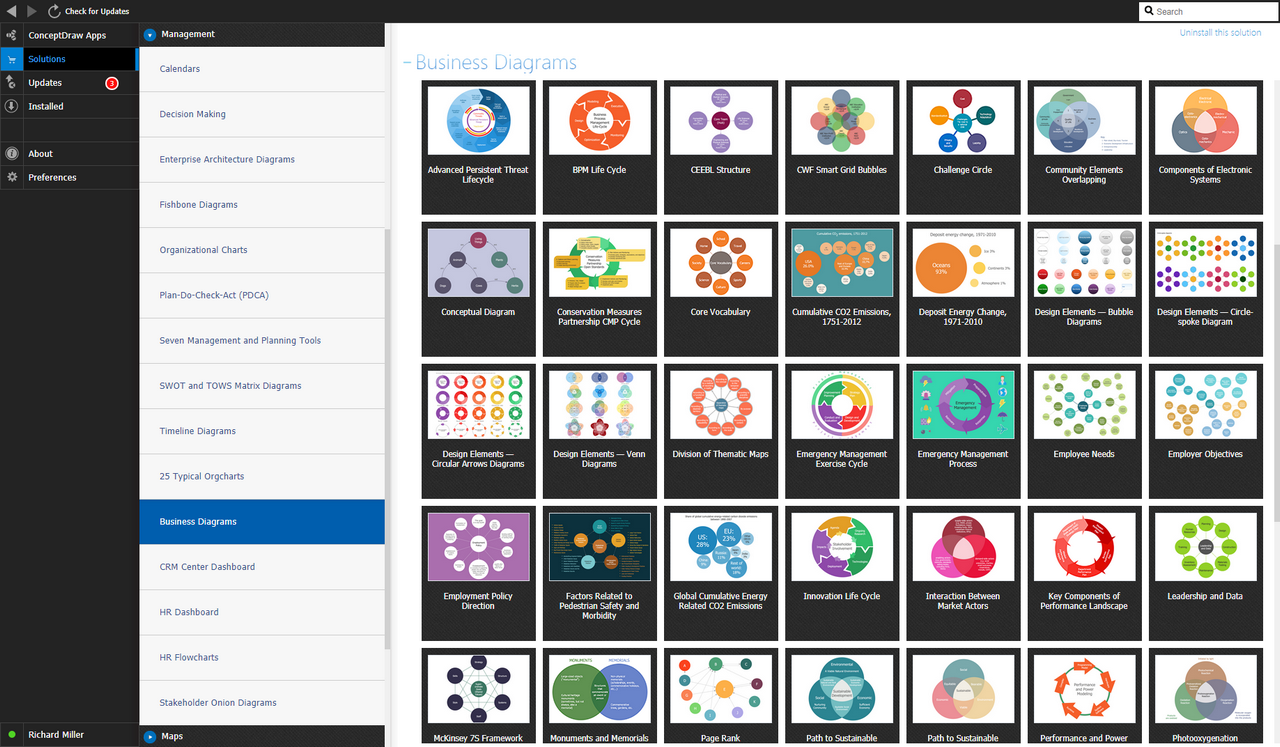
Example 1. Business Diagrams Solution
The basic tools, such as the basic shapes can be found in the stencil libraries in the ConceptDraw DIAGRAM itself, but all the rest, depending on the subject of your drawing, you can always find in the ConceptDraw STORE after downloading this application from this site. You can always draw any needed “Venn diagram” mentioning as many circles with different data as you need to solve all the occurring problems within the field of the business activity you work in, such as in a computer science one. Using the ConceptDraw DIAGRAM software extended with the Business Diagrams solution downloaded from the ConceptDraw STORE means making great looking diagrams, such as Venn ones, having the final result within only a couple of minutes as having the mentioned solution will enable you to use any of the previously created examples of such diagrams so they can be used as the drafts for any other similar drawings.

Example 2. Venn Diagram Problem Solving — Human Sustainability Confluence
Having ConceptDraw DIAGRAM software as well as ConceptDraw STORE one allows everyone who cares for their business to succeed to draw professionally looking diagrams and other charts, having the smart looking result in only a few hours or sometimes even minutes, depending on how good you are at using ConceptDraw DIAGRAM diagramming and drawing software.