
Shape the idea.
Build the project.
Bring brainstorming, planning, and progress reviews together with ConceptDraw MINDMAP & PROJECT. Develop the structure visually, turn it into a detailed plan, and keep your team informed as work moves forward.
Two focused applications.
One connected planning process.
Use MINDMAP to explore and organize the work. Move into PROJECT when you are ready to develop the schedule, assign resources, and track delivery.
Give the work a structure.
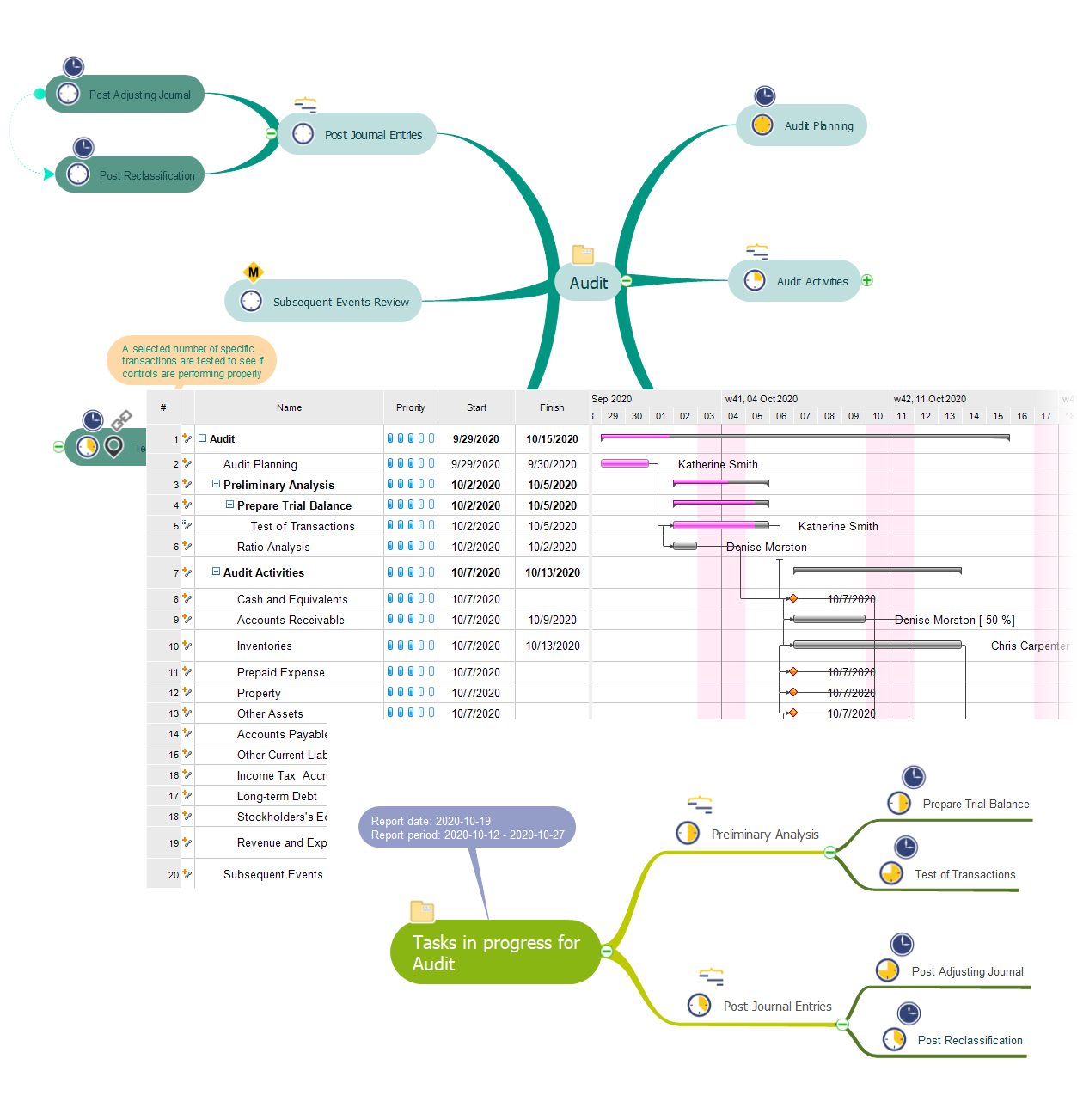
Capture ideas in Brainstorm Session mode, arrange tasks in a tree, and show relationships between them. Reorganize topics as your team refines the scope.
Explore MINDMAPTurn the structure into a plan.
Develop task details in Gantt Chart View, manage resources, and review resource usage. Track multiple projects and use reports to support regular progress reviews.
Explore PROJECTChange the workspace.
Carry the task information with you.
Use “Open in PROJECT” or “Open in MINDMAP” from the Share options to move between applications with project task attributes. Choose the view that fits your next step.
See how “Open in…” worksFrom the first brainstorm
to day-to-day tracking.
Build on the information gathered at each stage, from an initial task outline to a project plan and focused team reviews.
Agree on the work.
Brainstorm tasks with your team in MINDMAP. Group and rearrange topics until the map reflects the project's structure.
Add the details.
Open the map in PROJECT. Set durations, dependencies, resources, and start and finish dates to develop the schedule.
Keep informed.
Track the project as work progresses. Use mind map reports to review tasks, upcoming milestones, and resource allocation.
Bring the right details into the conversation.
Choose a report for the question at hand. Review completed, critical, in-progress, or unstarted tasks; examine milestones and overallocated resources; or explore project team and knowledge information.
Import and export options support information exchange with other tools, including Microsoft Project compatibility in PROJECT. Use the workflow across marketing, events, education, nonprofit programs, construction, and research.