
Look beyond progress.
Understand what is ready.
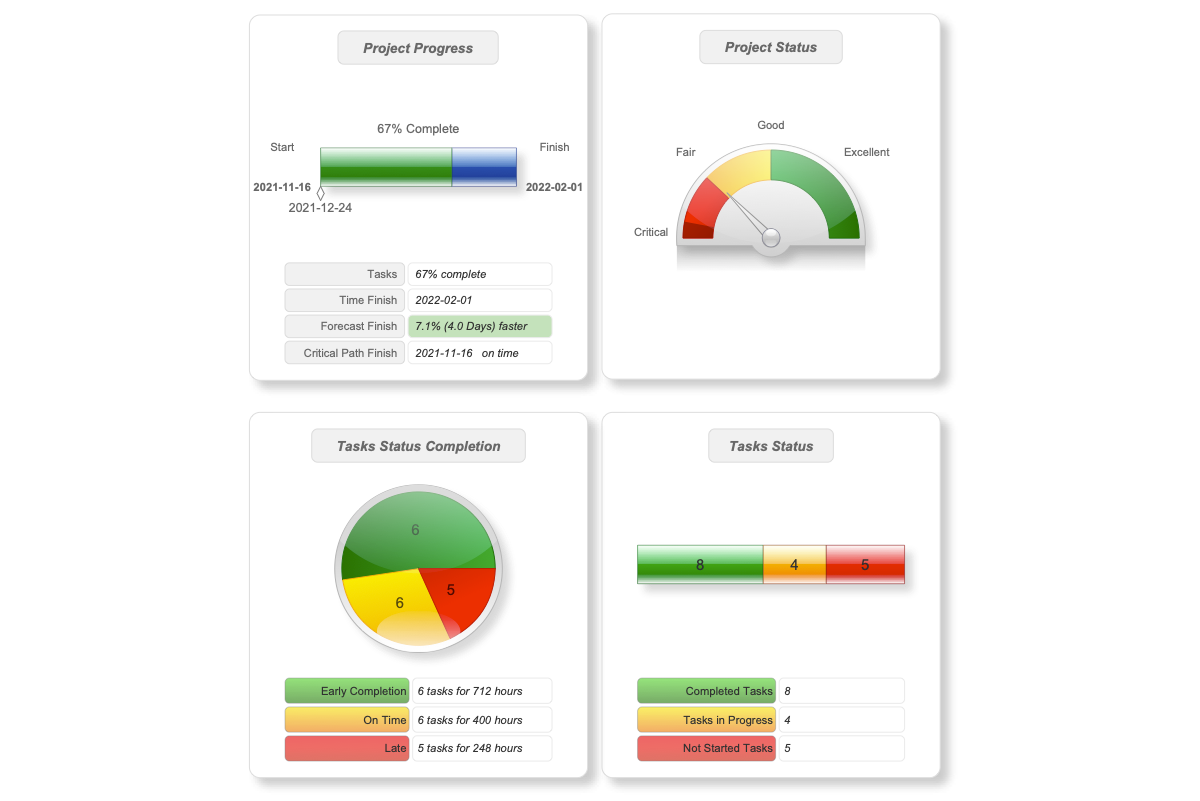
Completed work tells part of the story. Knowledge-readiness helps you see whether upcoming tasks have the documentation they need, so you can address gaps before work begins.
Two indicators.
A clearer view of readiness.
The ConceptDraw Knowledge-Readiness Dashboard brings tasks and their associated documentation into one visual view. Use its indicators to identify areas that need attention.
See where details are missing.
Compare unspecified tasks with specified tasks. This ratio shows the balance within a project phase and helps you identify where more task definition is needed.
Spot documentation gaps.
A go/no-go indicator distinguishes tasks with critically few specification documents from those with adequate documentation. Use it to focus your review before the next stage begins.
Progress looks back.
Readiness looks ahead.
Percent complete shows how much work is finished. Knowledge-readiness adds a view of the documentation available for upcoming tasks. Consider both when reviewing a project's position and planning its next steps.
Make preparation
part of the project review.
Review the dashboard with your team to locate gaps, clarify task specifications, and decide which documentation needs attention before work proceeds.
Documentation readiness supports informed decisions; it does not guarantee successful delivery. Combine this view with your team's assessment of resources, dependencies, and other project risks.