Organization Chart Software: A Comprehensive Guide


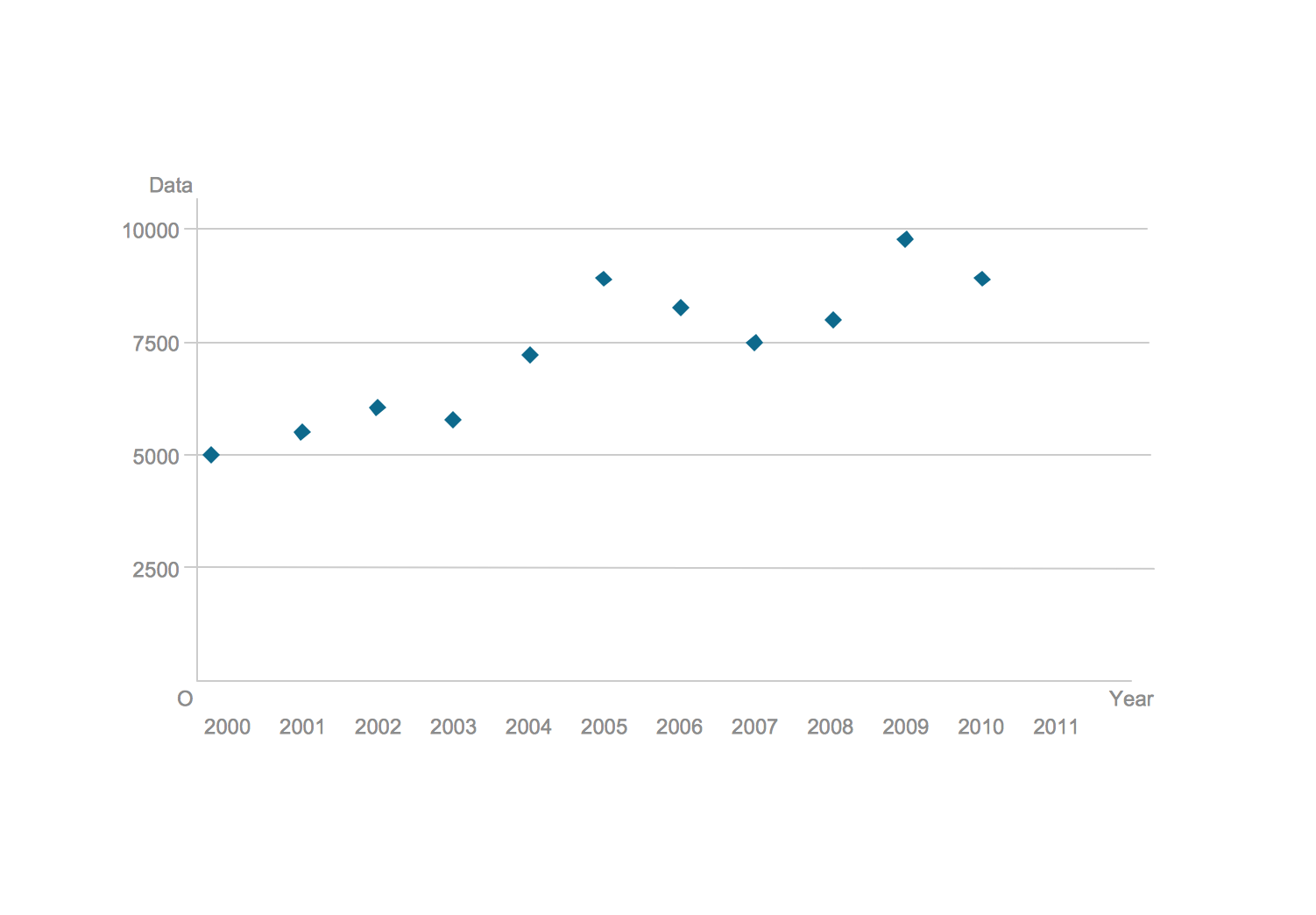
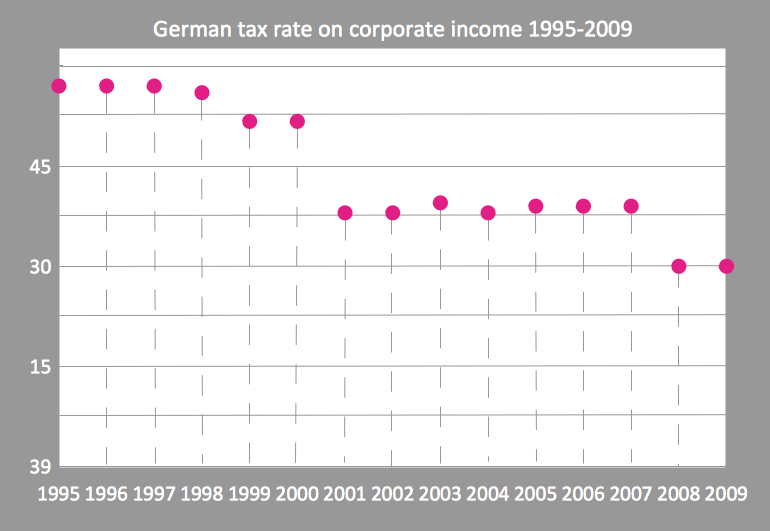
Blank Scatter Plot
Flowchart Software


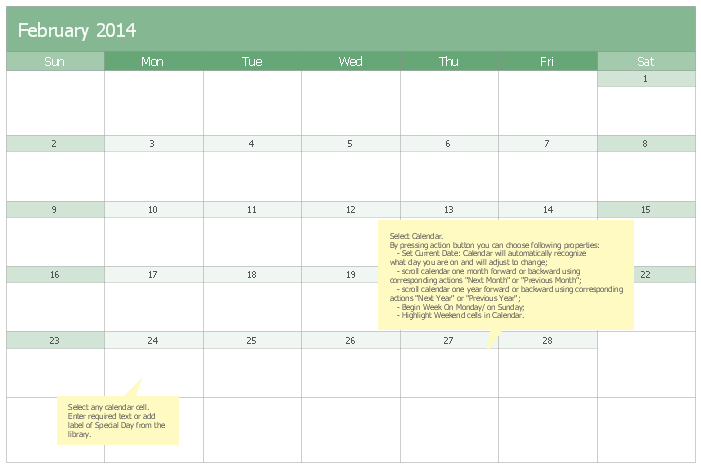
 Calendars
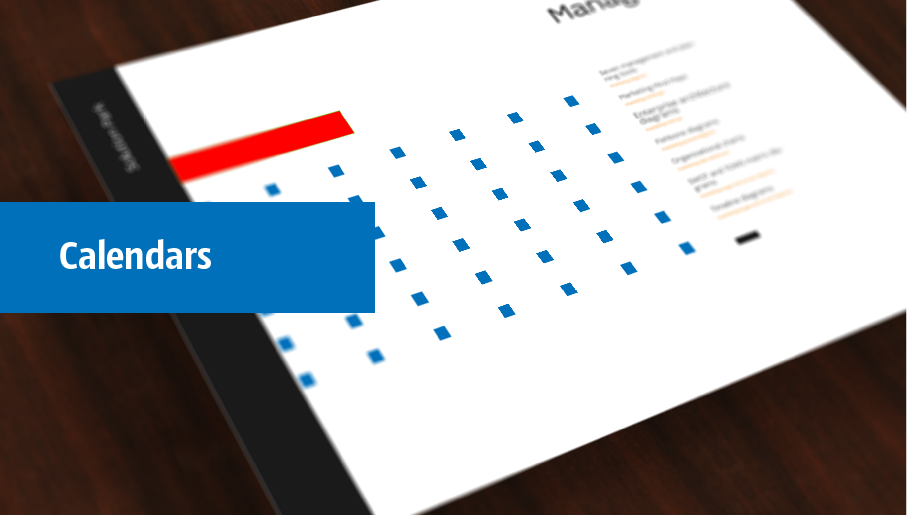
Calendars solution extends ConceptDraw DIAGRAM software with templates, samples and library of vector stencils for drawing the business calendars and schedules.
Gant Chart in Project Management


 Chen Notation
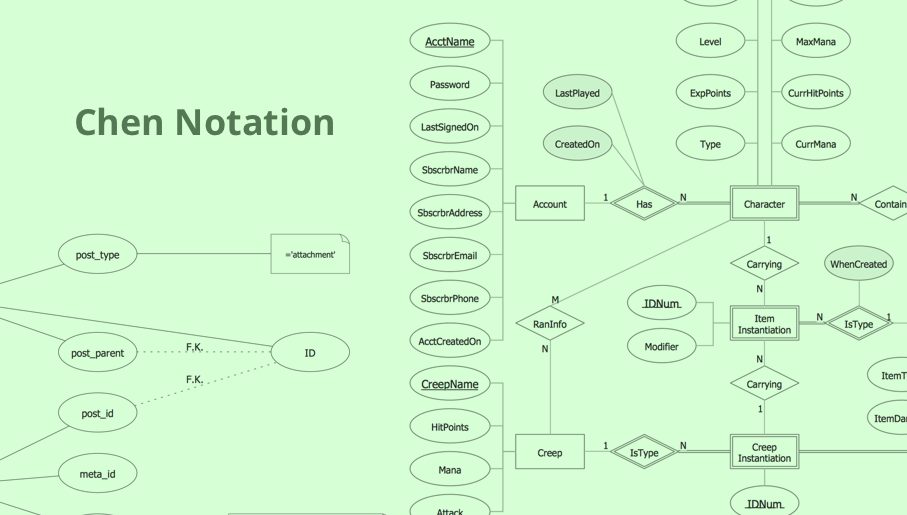
The Chen Notation solution extends ConceptDraw DIAGRAM software with rich collection of ERD samples and selection of special Chen's notation icons for effective database design, data modeling, and visual representation of relationships between the entities on the ER diagrams designed with Chen notation.
Blank Calendar Template
 Network Layout Floor Plans

Network Layout Floor Plans solution extends ConceptDraw DIAGRAM software functionality with powerful tools for quick and efficient documentation the network equipment and displaying its location on the professionally designed Network Layout Floor Plans. Never before creation of Network Layout Floor Plans, Network Communication Plans, Network Topologies Plans and Network Topology Maps was not so easy, convenient and fast as with predesigned templates, samples, examples and comprehensive set of vector design elements included to the Network Layout Floor Plans solution. All listed types of plans will be a good support for the future correct cabling and installation of network equipment.
Landscape Architecture with ConceptDraw DIAGRAM

Entity-Relationship Diagram (ERD) with ConceptDraw DIAGRAM


Chart Templates

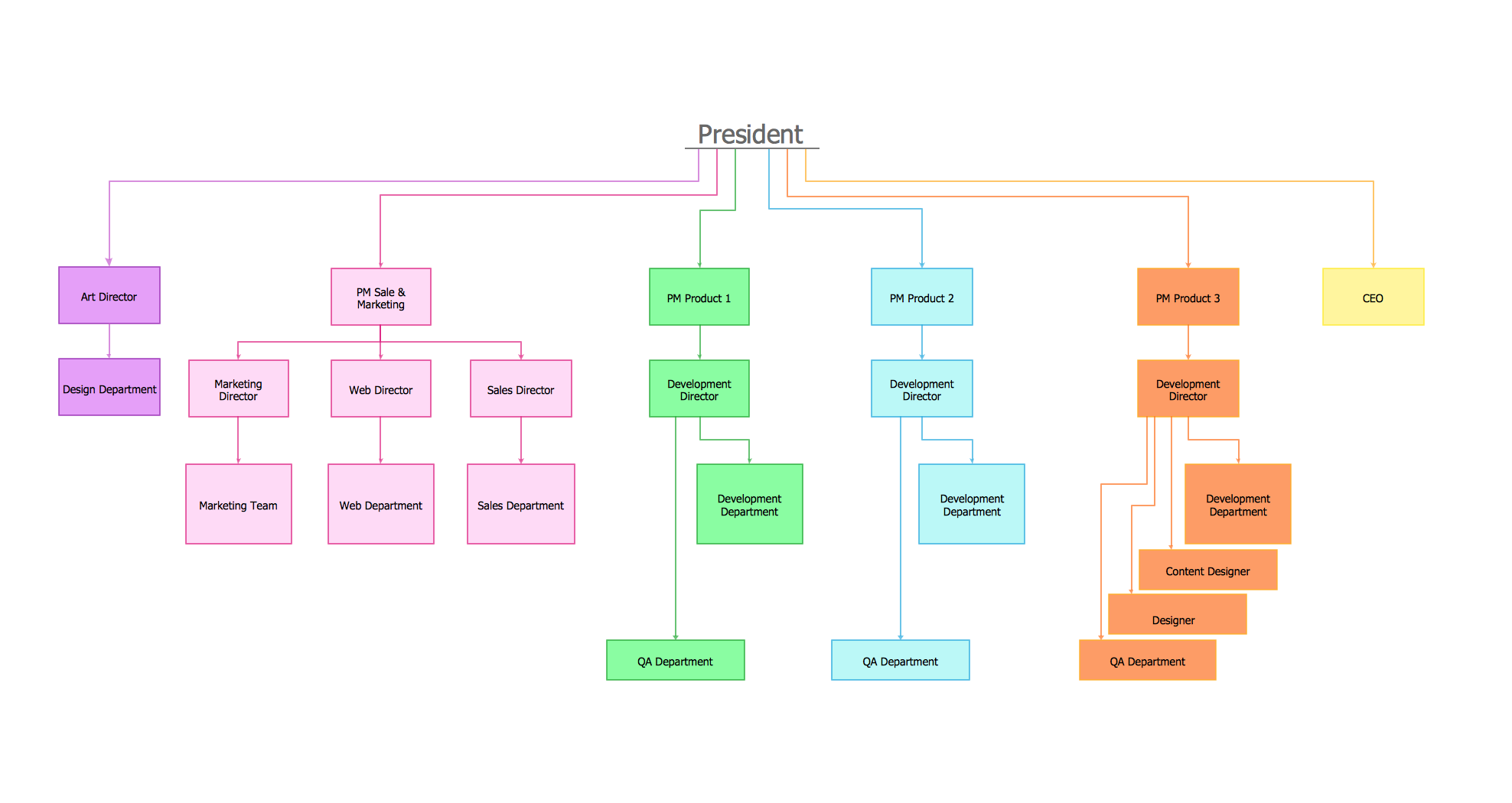
Organizational Chart Templates

Scatter Graph Charting Software
Organizational Chart Template
 Tilt and Turn Windows
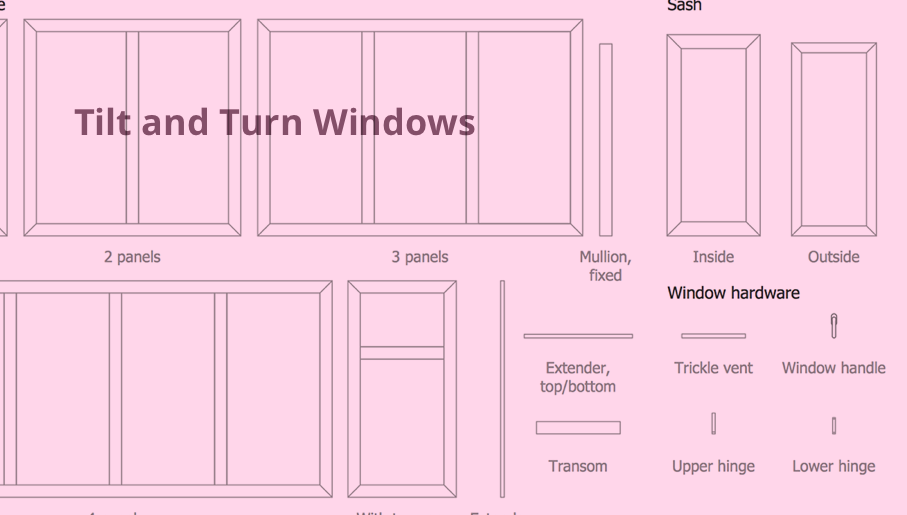
Tilt and Turn Windows solution provides professional tools and ready-to-use vector design objects making the process of window design simple and comfortable, allowing easily model the windows constructions, to draw the sketches and schematics of windows, to create detailed drawings of window designs combining different types of sashes, designing the tilt inward and outward windows, single, double window or multi-panel windows, single hung window, double hung window, and many other window types with depiction of sizes and types of turn constructions.
This vector stencils library contains 184 round icons.
Use it to design cloud computing infographics and diagrams with ConceptDraw PRO software.
"Though service-oriented architecture advocates "everything as a service" (with the acronyms EaaS or XaaS or simply aas), cloud-computing providers offer their "services" according to different models, which happen to form a stack: infrastructure-, platform- and software-as-a-service.
Infrastructure as a service (IaaS)
In the most basic cloud-service model ... providers of IaaS offer computers — physical or (more often) virtual machines — and other resources. IaaS refers to online services that abstract the user from the details of infrastructure like physical computing resources, location, data partitioning, scaling, security, backup etc.
Platform as a service (PaaS)
PaaS vendors offer a development environment to application developers. The provider typically develops toolkit and standards for development and channels for distribution and payment. In the PaaS models, cloud providers deliver a computing platform, typically including operating system, programming-language execution environment, database, and web server. Application developers can develop and run their software solutions on a cloud platform without the cost and complexity of buying and managing the underlying hardware and software layers.
Software as a service (SaaS)
In the software as a service (SaaS) model, users gain access to application software and databases. Cloud providers manage the infrastructure and platforms that run the applications. SaaS is sometimes referred to as "on-demand software" and is usually priced on a pay-per-use basis or using a subscription fee.
In the SaaS model, cloud providers install and operate application software in the cloud and cloud users access the software from cloud clients. Cloud users do not manage the cloud infrastructure and platform where the application runs. This eliminates the need to install and run the application on the cloud user's own computers, which simplifies maintenance and support. Cloud applications differ from other applications in their scalability — which can be achieved by cloning tasks onto multiple virtual machines at run-time to meet changing work demand." [Cloud computing. Wikipedia]
The vector stencils library "Cloud round icons" is included in the Cloud Computing Diagrams solution from the Computer and Networks area of ConceptDraw Solution Park.
Use it to design cloud computing infographics and diagrams with ConceptDraw PRO software.
"Though service-oriented architecture advocates "everything as a service" (with the acronyms EaaS or XaaS or simply aas), cloud-computing providers offer their "services" according to different models, which happen to form a stack: infrastructure-, platform- and software-as-a-service.
Infrastructure as a service (IaaS)
In the most basic cloud-service model ... providers of IaaS offer computers — physical or (more often) virtual machines — and other resources. IaaS refers to online services that abstract the user from the details of infrastructure like physical computing resources, location, data partitioning, scaling, security, backup etc.
Platform as a service (PaaS)
PaaS vendors offer a development environment to application developers. The provider typically develops toolkit and standards for development and channels for distribution and payment. In the PaaS models, cloud providers deliver a computing platform, typically including operating system, programming-language execution environment, database, and web server. Application developers can develop and run their software solutions on a cloud platform without the cost and complexity of buying and managing the underlying hardware and software layers.
Software as a service (SaaS)
In the software as a service (SaaS) model, users gain access to application software and databases. Cloud providers manage the infrastructure and platforms that run the applications. SaaS is sometimes referred to as "on-demand software" and is usually priced on a pay-per-use basis or using a subscription fee.
In the SaaS model, cloud providers install and operate application software in the cloud and cloud users access the software from cloud clients. Cloud users do not manage the cloud infrastructure and platform where the application runs. This eliminates the need to install and run the application on the cloud user's own computers, which simplifies maintenance and support. Cloud applications differ from other applications in their scalability — which can be achieved by cloning tasks onto multiple virtual machines at run-time to meet changing work demand." [Cloud computing. Wikipedia]
The vector stencils library "Cloud round icons" is included in the Cloud Computing Diagrams solution from the Computer and Networks area of ConceptDraw Solution Park.
Add

Analysis
API

App
Archive

Back

Backup

Book

Books
Box
Bug

Calculation
Calendar

Call

Car

CD

Certificate

Cloud alert
Cloud analysis
Cloud authorization

Cloud collaboration
Cloud communications

Cloud computing

Cloud configuration
Cloud connectivity

Cloud control

Cloud cost calculation
Cloud database
Cloud download

Cloud drive

Cloud error

Cloud failure

Cloud FAQ

Cloud feedback

Cloud files
Cloud gateway
Cloud hosting
Cloud info

Cloud Internet storage

Cloud lock

Cloud locked

Cloud mail

Cloud music

Cloud paperless office
Cloud performance
Cloud photo

Cloud safe
Cloud search

Cloud security

Cloud servers
Cloud services
Cloud shopping

Cloud success

Cloud synchronization
Cloud tech support
Cloud transfer
Cloud unlocked

Cloud upload
Cloud video

Code

Collaboration

Communication

Community cloud

Contact list

Content
CPU
Database
Datacenter
Data storage
Desktop
Display

Document

Documents
Dollar

Done

Down

Download
E-commerce

Earth

Email

Encryption
Error

Ethernet
Euro

Failure

Feed

File

Files
Filter

Firewall
Flash drive
Folder
Forward

Hard drive

Hardware

Health

Health monitoring
Home

Hosting
Image

Info

Innovation

Key

Keyboard
Laptop

Letter

Lightning

Link

List
Location

Lock

Log

Login

Logout

Mail

Mail list

Marketplace

Memory (RAM)
-cloud-round-icons---vector-stencils-library.png--diagram-flowchart-example.png)
Message

Minus

Mobile
Mobile cloud computing
Mouse

Music player

Network
Notebook
Notification

Package
Patch

Performance

Personal cloud

Phone book

Photo

Plug

Pound

Power

Power button

Process
Processing

Puzzles
Question sign

Recovery

Remote

Repair

Restore
Rocket (Logic app)
-cloud-round-icons---vector-stencils-library.png--diagram-flowchart-example.png)
Router
Safety

Schedule

Script

SDK

Search (Scan)
-cloud-round-icons---vector-stencils-library.png--diagram-flowchart-example.png)
Security

Server

Server rack
Services
Sharing

Shopping basket

Sign in

Smartphone

Song

Sound
Stethoscope

Stickman

Subscription

Sync

Tablet

Tech support

Time

Top rated

Transfer

Unlink

Unlock

Up

Upload

User

Video mail

View (visual)
-cloud-round-icons---vector-stencils-library.png--diagram-flowchart-example.png)
Virus protection

Waste bin

Web

Wifi

Wireless

Yen sign

 Physics
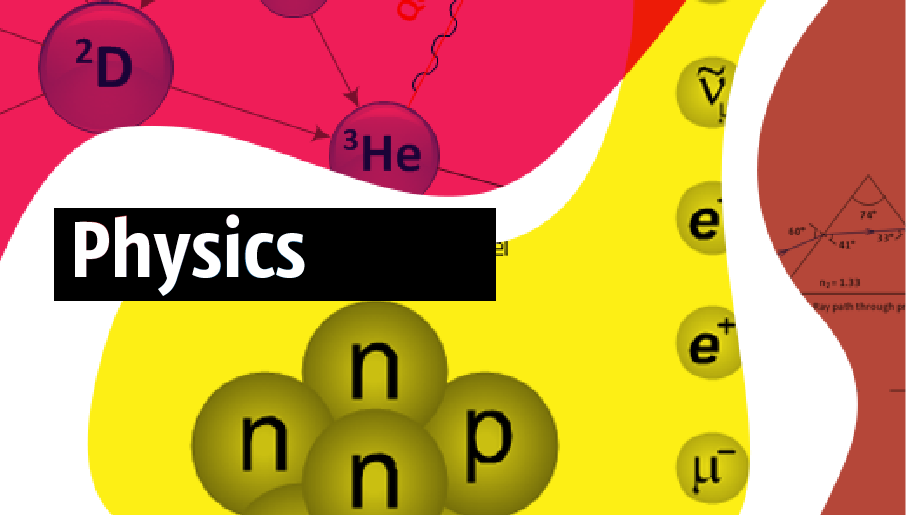
Using the Physics solution while creating various physics illustrations and physics diagrams in the ConceptDraw DIAGRAM can simplify one’s work of drawing the needed representations as it offers the already previously made samples and templates of the physics-related drawings. There are also the stencil libraries that contain many nuclear physics symbols, optics vector clipart, and mechanics that all can be used for drawing the smart-looking schemes and diagrams. In order to draw any needed physics diagram or educational physical illustration of mechanical, optical, electrical and/or nuclear experiments and processes, any physicist might find the Physics solution a useful tool for completing their professional tasks.
 Chemical and Process Engineering

Extending the ConceptDraw DIAGRAM diagramming and drawing software with process flow diagram symbols, samples, process diagrams templates and libraries of design elements for creating process and instrumentation diagrams, block flow diagrams, process flow diagrams, and piping and instrumentation diagrams for chemical and process engineering, the Chemical and Process Engineering solution can be used by both chemical and project engineers, as well as the chemists for creating the needed drawings.
Chart Examples
- Cross-Functional Flowchart (Swim Lanes) | | Clickcharts Free
- Donut Chart Templates | Business diagrams & Org Charts with ...
- Calendars | Business Calendar | Free Software For Making Calendars
- Blank Calendar Template | Calendars | Free Download Calendar
- Business Calendar | Calendars | Free Design Software For Calendars
- Donut Chart Templates | AWS Architecture Diagrams | macOS User ...
- Donut Chart Templates | Calendar Maker 2016 Software
- Blank Calendar Template | Stakeholder Mapping Tool
- Free Calenders
- Specification and Description Language (SDL) | macOS User ...


