Windows Azure
Microsoft Azure was previously known as “Windows Azure”. It is a so-called “cloud” computing service, which was created by Microsoft company for being used in the testing, building, managing and deploying the different applications as well as services through a global network of Microsoft-managed data centres. Microsoft Azure provides infrastructure as a service, software as a service and platform as a service, supporting many different languages, which are all used in programming. It also supports the frameworks and tools, including both third-party software and systems and Microsoft-specific ones.
Windows Azure was released in 2010 and after it was renamed to "Microsoft Azure" in 2014. Microsoft lists over 600 Microsoft Azure services nowadays, which include providing the virtual machines, allowing its users to launch Linux as well as Microsoft Windows virtual machines, and also the pre-configured machine images for popular software packages. Among the other services, there are the App ones, which are a part of the so-called “platform as a service” environment, letting developers be able to publish as well as to manage their Web sites with an ease. The Websites allow the developers to manage to build the sites, using Python, Node.js, ASP.NET and PHP, as well as to be able to get deployed with the help of Git, FTP, Mercurial, Team Foundation Server. All customers can create their own websites in ASP.NET, PHP, Node.js or Python. They all also have a choice of selecting from a few open source applications from a gallery to deploy. The service known to be called as the “WebJobs” is the one, with the aid of which it is possible to be deployed to a Web App in order to implement the background processing. The Table, Queue and Blob services can be used for communicating between the Web Jobs and the Web Apps.
The Mobile services include the HockeyApp, which can be used for developing, distributing as well as beta-testing the mobile apps, and the so-called “Mobile Engagement”, with the help of which it is possible to collect the real-time analytics. The last service also provides the push notifications for the mobile devices. The storage services include, obviously, storing as well as accessing data on the cloud. The so-called “Blob Service” allows programs to store any unstructured text as well as any binary data, because the blobs can be accessed by an HTTP(S) path. This service also provides the security mechanisms for controlling the access to the users’ data.
The “Table Service” is well known for its ability to allow the programs to store any needed structured text in the partitioned collections of entities, which are all accessed by the “primary key” as well as the “partition key”. “Queue Service” lets the programs communicate by using the messages via queues. “File Service” allows accessing as well as storing users’ data on the cloud with the usage of the SMB protocol and REST APIs. “Azure Search” provides any text search as well as a subset of so-called “OData”’s structured filters, using either REST or SDK APIs.
The well-known service “DocumentDB” is simply a NoSQL database service, implementing a subset of the SQL SELECT statement on JSON documents. The mentioned NoSQL database is also known as SQL Azure Database, working in order to scale, create as well as extend the applications into the cloud with the help of Microsoft SQL Server technology, integrating with the Microsoft System Centre, Hadoop and Active Directory. The StorSimple service was developed to manage the storage tasks between the cloud storage and on-premises devices. The SQL Data Warehouse is a data warehousing service, developed to enable the handling of the computational as well as data intensive queries on datasets exceeding 1TB. The so-called “Microsoft Azure Service Bus” enables the applications running on the “Azure premises” as well as off the premises devices in order to communicate with Azure, helping build the reliable applications in SOA in this way. The Azure service bus supports 4 different types of communication mechanisms, which are Queues, Event Hubs, Relays and Topics. Queues allow a “one-directional” communication. This is how they work: a sender of the applications sends the message to the service bus queue and a receiver reads this message from the queue. There can be, although, also some multiple readers for the queue, but only one of them can process a single message. Event Hubs provide telemetry as well as event ingress to the cloud at a massive scale, both with high reliability and low latency. Relays provide a so-called “bi-directional communication: it does not store in-flight messages in its own memory, but passes them onto the destination application. Topics provide a “one-directional communication”, using a subscriber pattern, being, in this way, similar to a queue.
A PaaS service offers everything, that can be used for content protection, streaming, analytics and encoding. A global content delivery network, known as CDN is used for video, audio, applications, images, etc. CDN can be used for caching the static assets of the websites closer to its users in order to increase their performance. This network can be managed by a REST based on HTTP API. “Azure Automation” provides a way for users to automate the manual, error-prone, long-running and frequently repeated tasks, saving time and increasing the reliability of the regular administrative tasks. It is easy to automate the processes using runbooks as well as the automated configuration management with “Desired State Configuration”. Microsoft Azure Machine Learning (Azure ML) is another service of Azure, being a part of the “Cortana Intelligence Suite”. It enables the predictive analytics and interaction with data in a way of using the natural language as well as speech through “Cortana”, which is an intelligent personal assistant created by Microsoft.
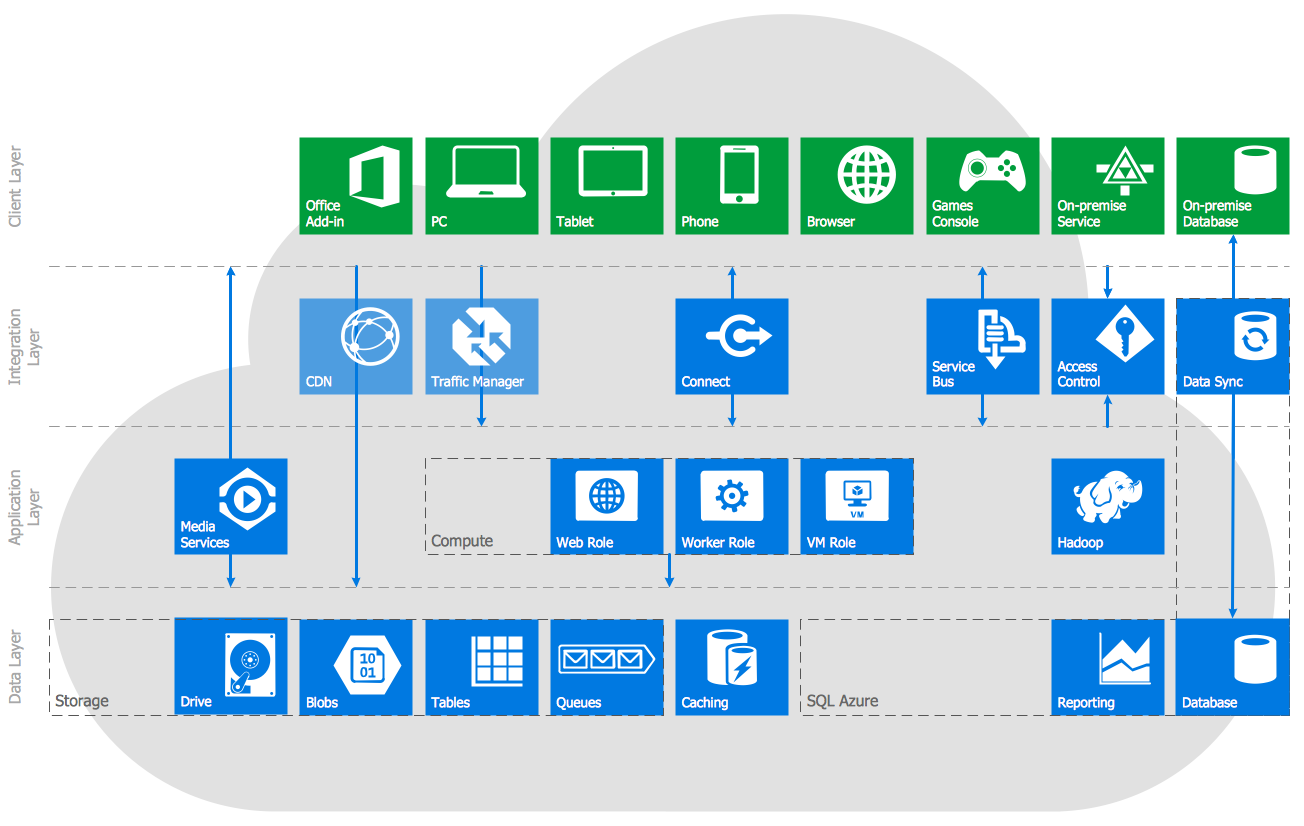
There are other services of Azure and in terms of creating the illustration of their possibilities, describing the Windows Azure Architecture, as well as Azure management and Azure storage, drawing the Azure Architecture Diagrams, and doing many more you can always use ConceptDraw DIAGRAM as a unique software enabling its users to create whatever is needed, supported by the ConceptDraw STORE application, which is another product of CS Odessa, developed in order to help their users simplify their work. The “Azure Architecture Solution” from the Computer and Networks area of ConceptDraw Solution Park on this site as well as from ConceptDraw STORE will be useful for you, containing a lot of useful tools for your schematics:
- illustration of Windows Azure possibilities and features,
- describing Windows Azure Architecture,
- drawing Azure Architecture Diagrams,
- depicting Azure Cloud System Architecture,
- describing Azure management, Azure storage,
- documenting Azure services.
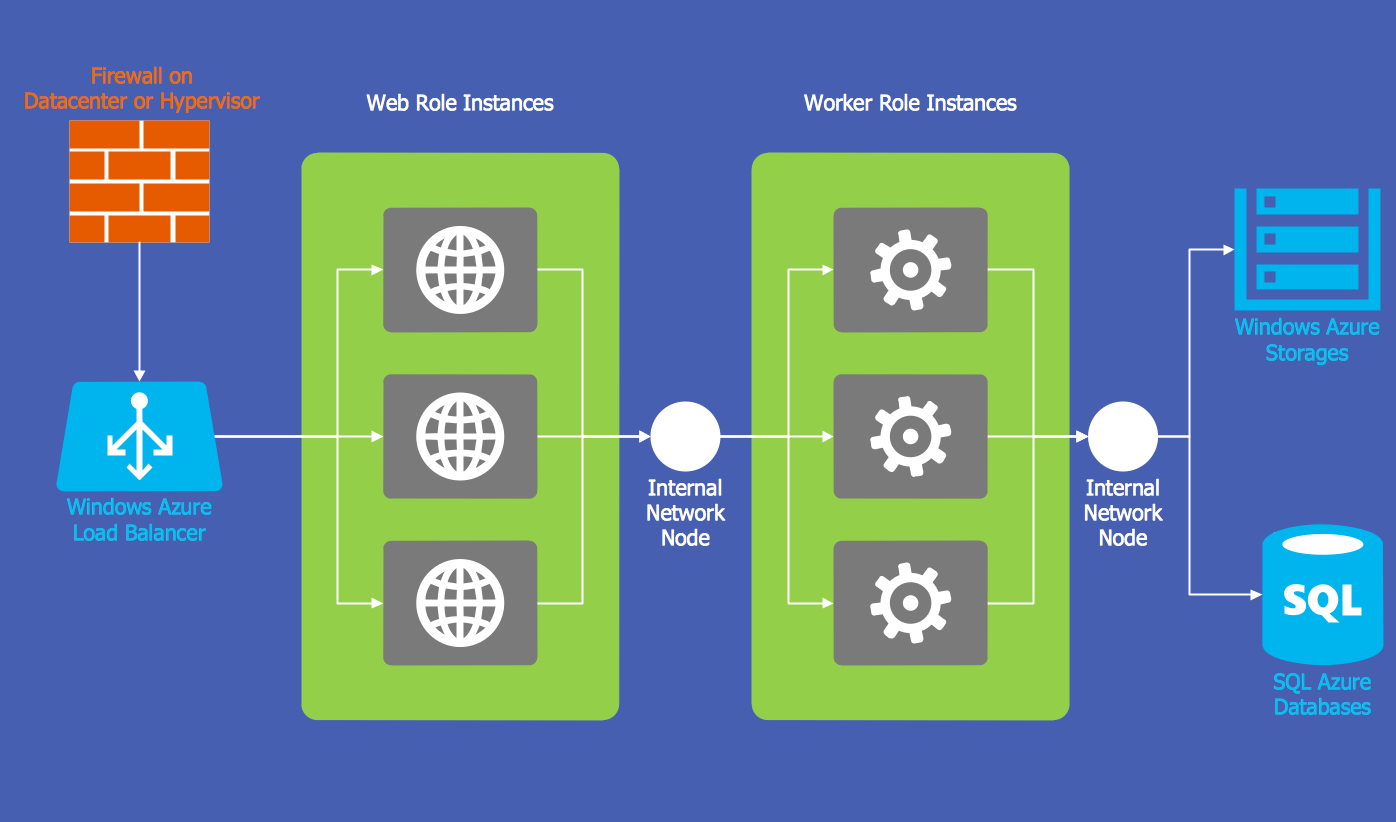
Example 1. Windows Azure
Azure Architecture Solution includes the set of professionally developed templates:

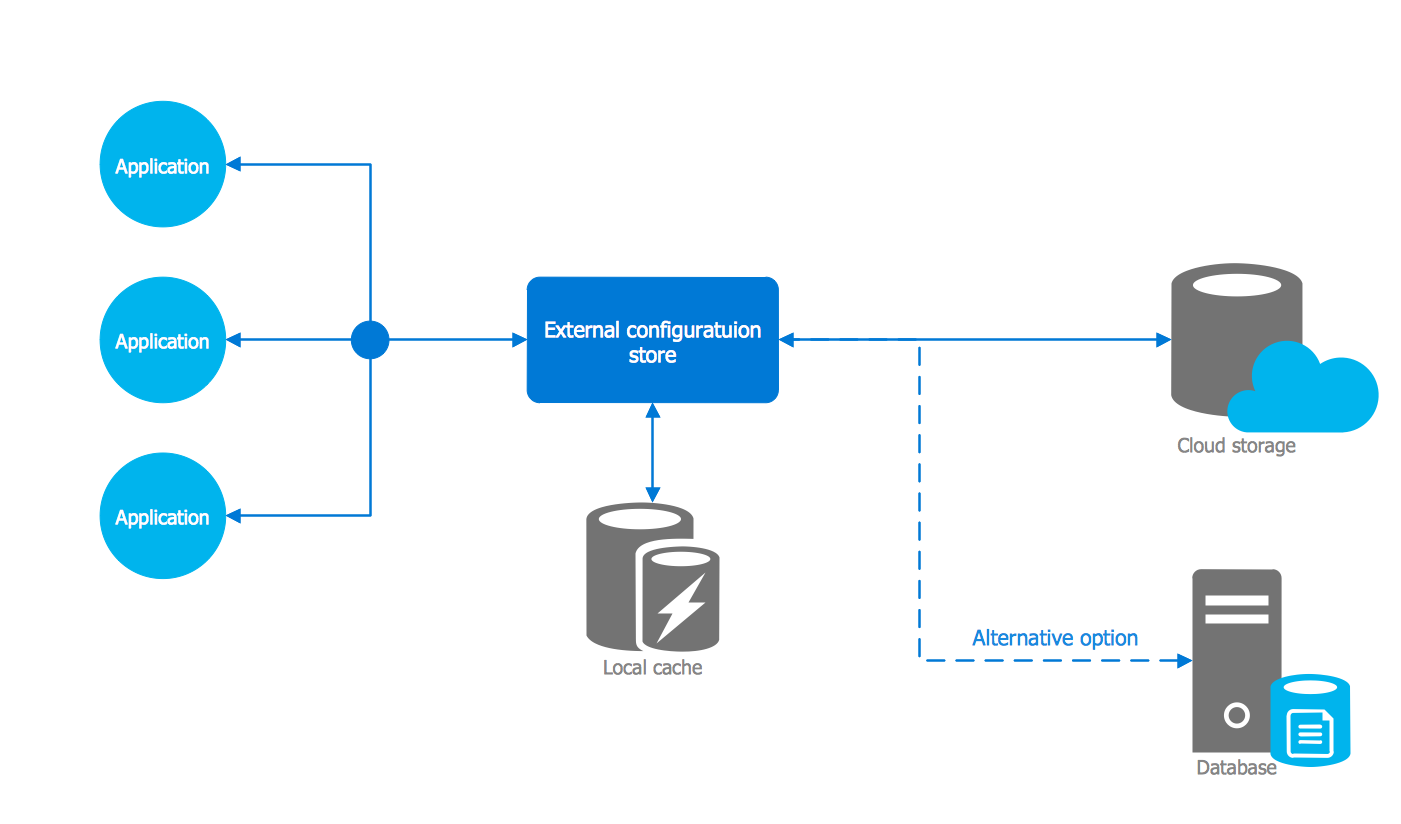
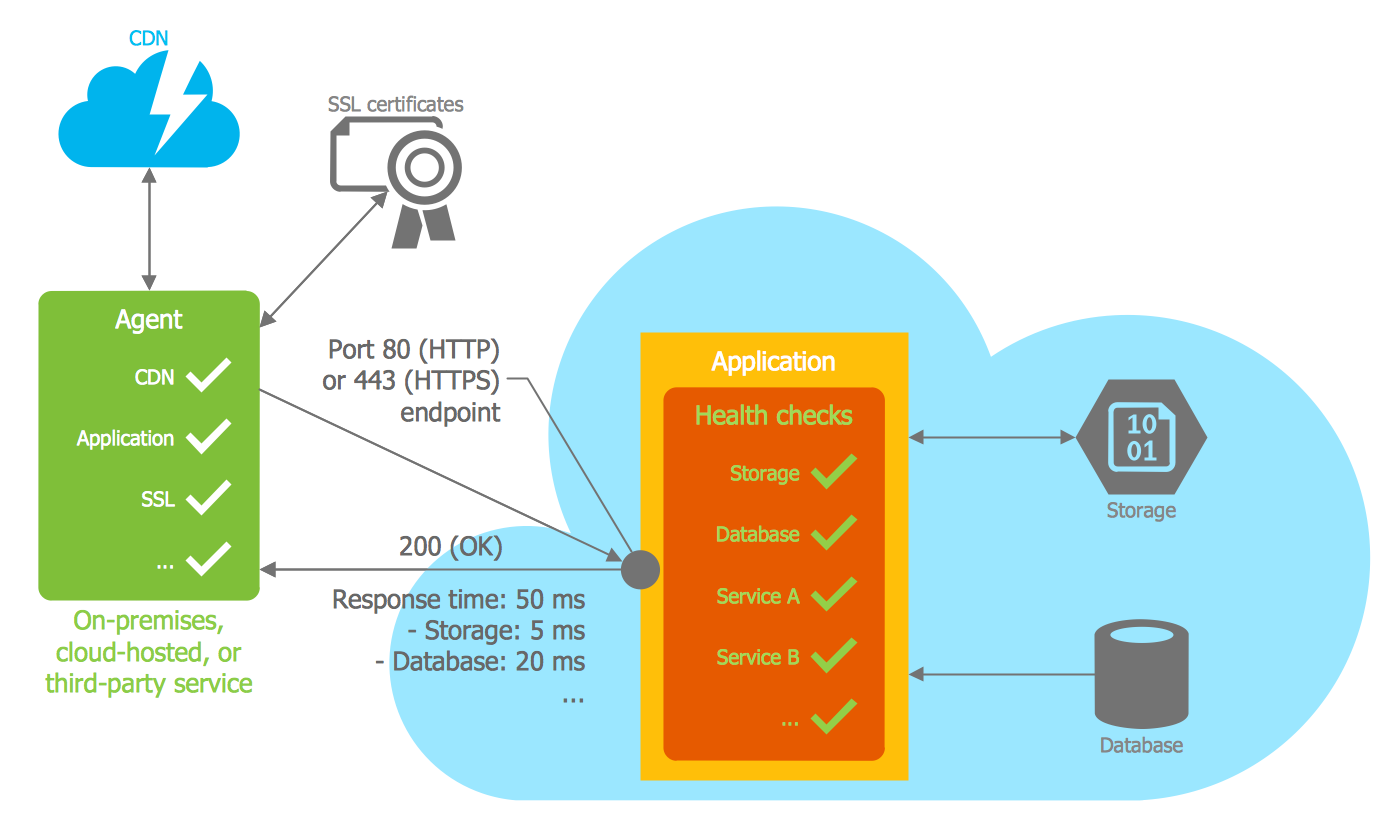
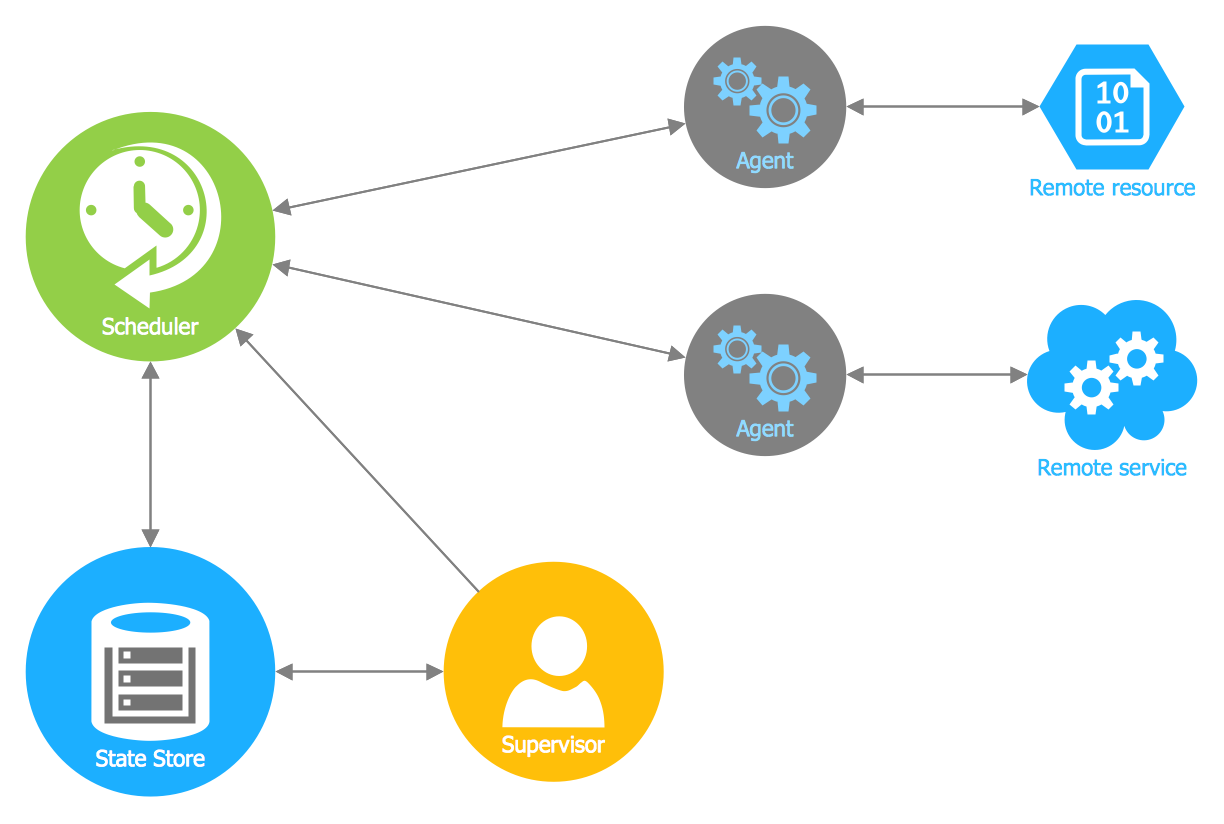
The easiest way to draw Windows Azure Architecture Diagram is to start with one of these 5 templates. Open it from ConceptDraw STORE, fill and change according to your needs, use the predesigned vector objects and icons gathered in 6 libraries of Azure Architecture Solution:
- Azure Architecture — Cloud
- Azure Architecture — Symbols
- Azure Architecture — Enterprise
- Azure Architecture — Deprecated
- Azure Architecture — Microsoft Products
- Azure Architecture — Virtual Machines
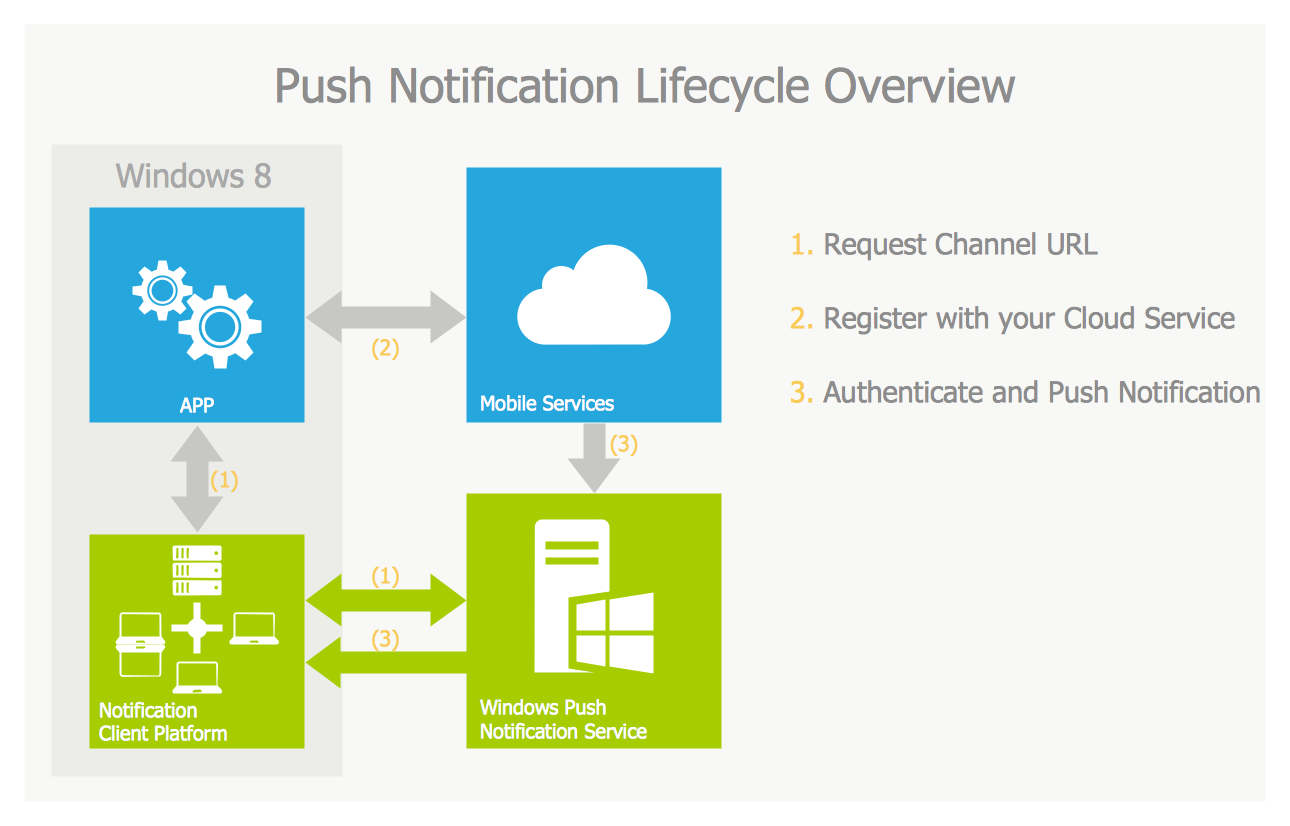
Example 2. Push Notification Lifecycle Overview
The Azure Architecture Diagrams you see on this page were created in ConceptDraw DIAGRAM software using the drawing tools of Azure Architecture Solution for ConceptDraw Solution Park. An experienced user spent 10-15 minutes creating every of these samples.
Use the Azure Architecture Solution for ConceptDraw DIAGRAM software to create your own professional looking Windows Azure Architecture diagrams and illustrations quick, easy and effective, and then successfully use them in your work activity.
All source documents are vector graphic documents. They are available for reviewing, modifying, or converting to a variety of formats (PDF file, MS PowerPoint, MS Visio, and many other graphic formats) from the ConceptDraw STORE. The Azure Architecture Solution is available for all ConceptDraw DIAGRAM or later users.