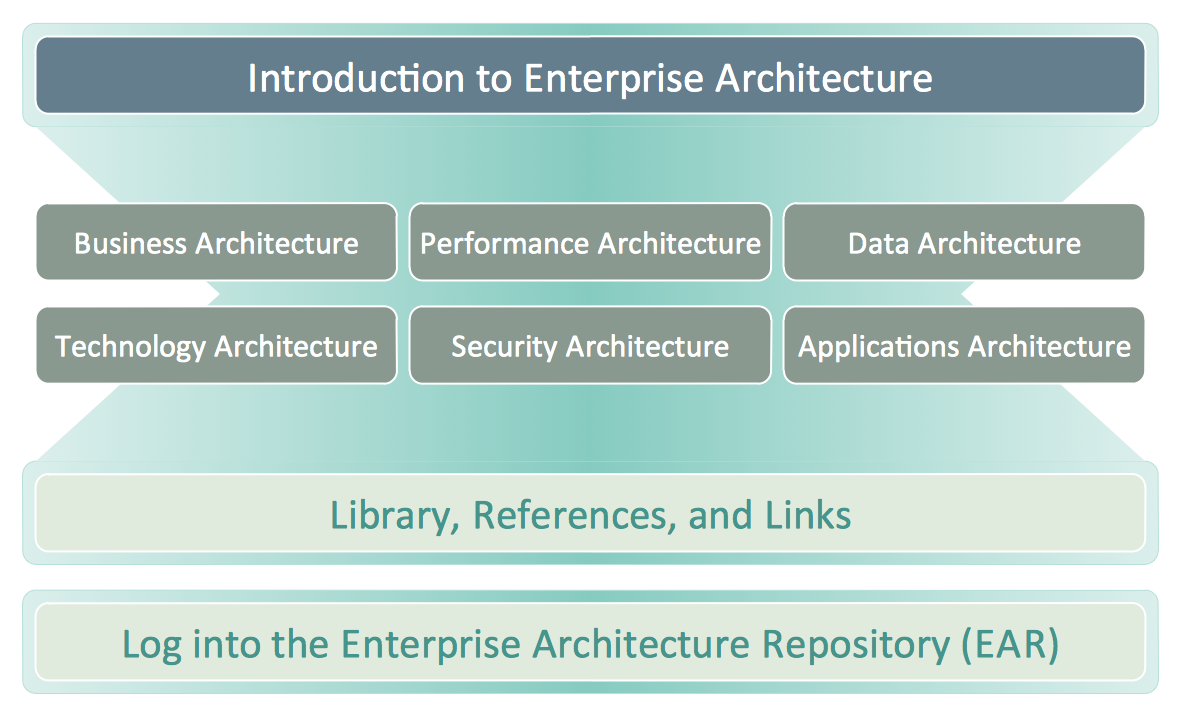
Example 1. Business Architecture — USDA Enterprise Architecture
Business architecture is sometimes called as “the bridge between the enterprise strategy and the enterprise business model as well as the business functionality of any enterprise” where it is used. The term of the "business architecture" itself can be also used for meaning some architectural description of some enterprise or of some business unit, some profession or some architectural model. According to the Object Management Group, which was already mentioned before, a blueprint of one of the types of business architecture describes "the structure of the enterprise in terms of its governance structure, business information and business processes".
The profession of business architecture is known to be focused on the operational, motivational and analysis frameworks, linking the mentioned aspects of the enterprise all together. The major characteristic of any business architecture: it is known to be representing real world aspects of some business, describing the way they interact with each other. Any business architecture is developed by some practice area, usually interdisciplinary, which is known to be focused on such processes (as well as the results of such processes) of defining and analysing the usual numerous concerns of what exactly business does, in what way it works, in what way it is organized, etc.
Business architecture is also used for designing the competitive structures and numerous processes, leveraging the already existing strengths, identifying the potential investment opportunities which all known to be advancing the business’s objectives, driving innovation. All the products of any business architecture efforts can be used for developing plans, making business decisions as well as guiding any implementations.
Any business architecture effort can be conducted on its own as well as in a way of a part of some enterprise architecture (you can find more information about enterprise architecture in other articled on this site simply going to the “Search” button on the top right corner). An enterprise architecture was very popular in the past, being focused mainly on the technological aspects of change. Such practice was very fast evolving using a business architecture approach for addressing the organizational as well as motivational aspects of change.
The comparison between such terms as “business architecture” and “enterprise architecture” is simply a natural architectural comparison of two related disciplines, as any business architecture is known to be representing some business in the absence of any internet technology architecture and any enterprise architecture is known to be providing an overarching framework for business and internet technology architecture.
To make it possible to develop some particular integrated view of some enterprise, there are many different views of some organization, which are usually developed. Each of such "views" is usually a simple diagram, illustrating a way of understanding the enterprise in a way of highlighting the specific information about it. The main views of any enterprise address several aspects of the enterprise, which were summarized by the Object Management Group in 2012, including such statements as any “Business Strategy view captures the strategic and tactical goals which drive any organization forward”, etc. One of the other statements is that the Business Capabilities view may describe the major business functions of any enterprise as well as its pieces, known to be performing the mentioned functions.
The Value stream view can be defining the so-called “end-to-end” set of different activities which are known to be delivering a value to both external and internal stakeholders. Any Business Knowledge view can establish the customers, orders, suppliers, etc., within some particular organization as well as all the relationships between the mentioned semantics, such as customers names, orders dates, suppliers names, etc.
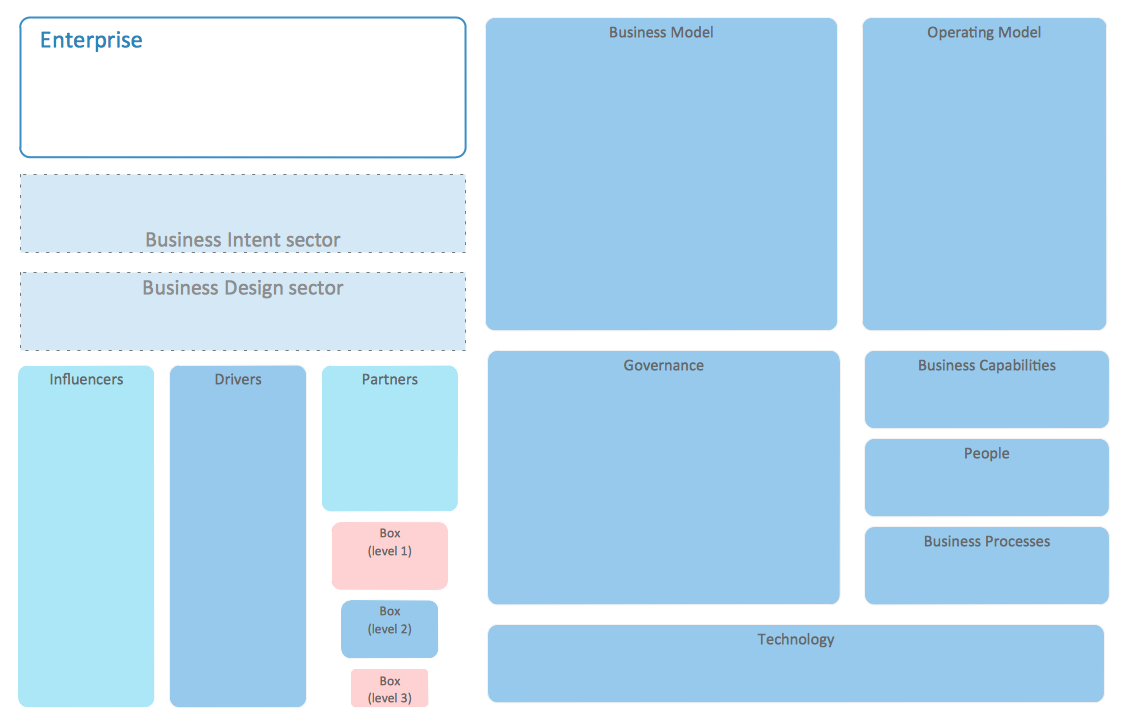
Example 2. Enterprise Architecture Diagrams Library Design Elements
Any business strategy can consist of such elements as strategy statements, applied and/or generic business models, organizational objectives and goals and others. Any strategic statements are known to be arranged and analysed in a hierarchical way, with help of different techniques, such as well known qualitative hierarchical cluster analysis that always can be illustrated with help of ConceptDraw DIAGRAM Based on the mentioned hierarchy the initial business architecture can be further developed, using general methods as well as a business administration theory.
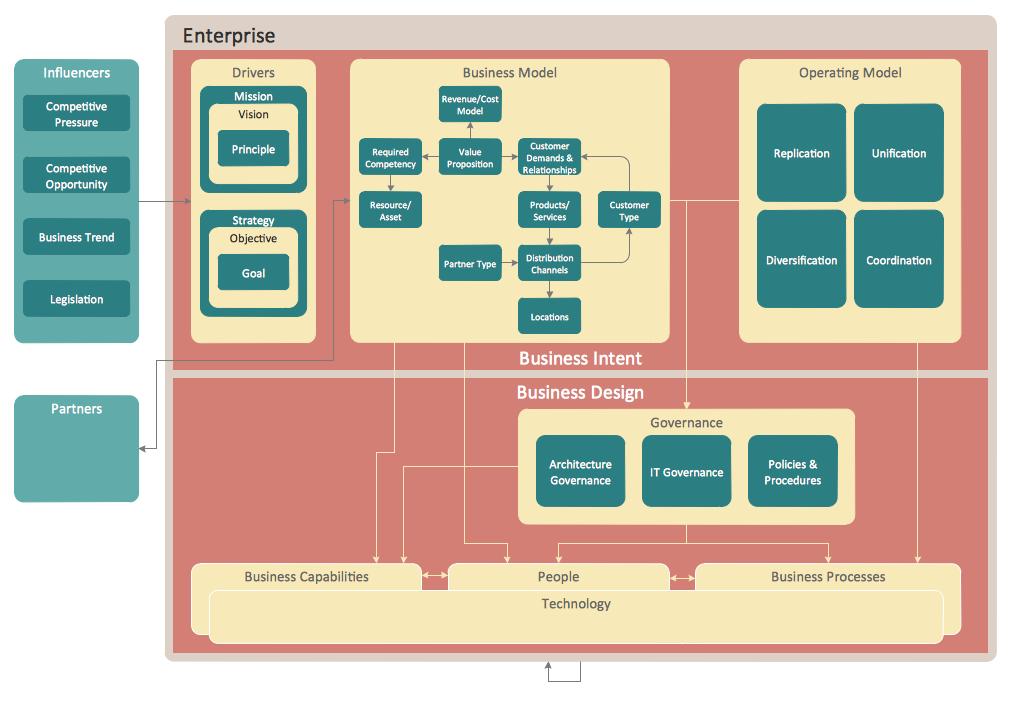
Example 3. Business Architecture
The drawings which can be related to the described field of business activity, can always be simply created in ConceptDraw DIAGRAM diagramming and drawing software with a usage of ConceptDraw STORE application that is known to be providing numerous “solutions” with the pre-made examples and templates, which all can be used as the drafts for all the ConceptDraw DIAGRAM users.
TEN RELATED HOW TO's:
Communication via Internet nowadays is almost irreplaceable part of lifestyle. It’s needless to say that providing that communication is not a piece of cake, and network diagram software is useful for representing all the interconnections between network devices. These diagrams are also helpful for educational purposes.
This drawing depicts the network topology of the sample web studio. This is a physical type of network diagram. It is depicting the network, end-user equipment and connections between them. The given network has combined the both star and mesh network topology features. This diagram is a tool of network administrator. it delivers the actual information on location of servers, hubs, switches, routers, and other telecommunication equipment. The collection of network related symbols provided with ConceptDraw Network Diagrams solution represents the entire network components. All Symbols are standard. Therefore, network specialists can effortlessly decrypt this diagram.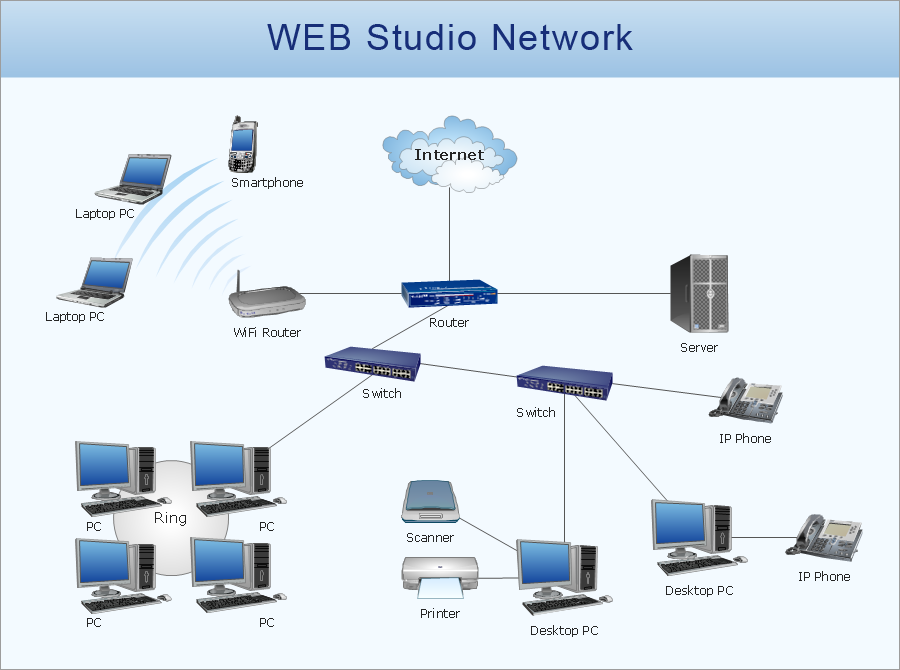
Picture: Network Diagram Software
Related Solution:
ConceptDraw DIAGRAM - business process modeling software for mac offers the Business Process Diagram Solution with powerful tools to help you easy represent the business processes and create the business process diagrams based on BPMN 1.2 and BPMN 2.0 standards that allows to create of both simple and complex (nested) models of processes.
There are 16 BPMN 1.2 and BPMN 2.0 stencil libraries containing 230 vector objects: Rapid Draw library, Connections library, Gateways and Artifacts libraries, Data library, Gateways library, Choreographies library, Conversations library, Activities libraries, Events libraries, Expanded Objects libraries, Swim lanes libraries.
Picture: Business Process Modeling Software for Mac
Related Solution:
ConceptDraw Network Drawing Software - Network design software for network drawings with abundant examples and templates.
Create computer network designs, diagrams and schematics using ConceptDraw.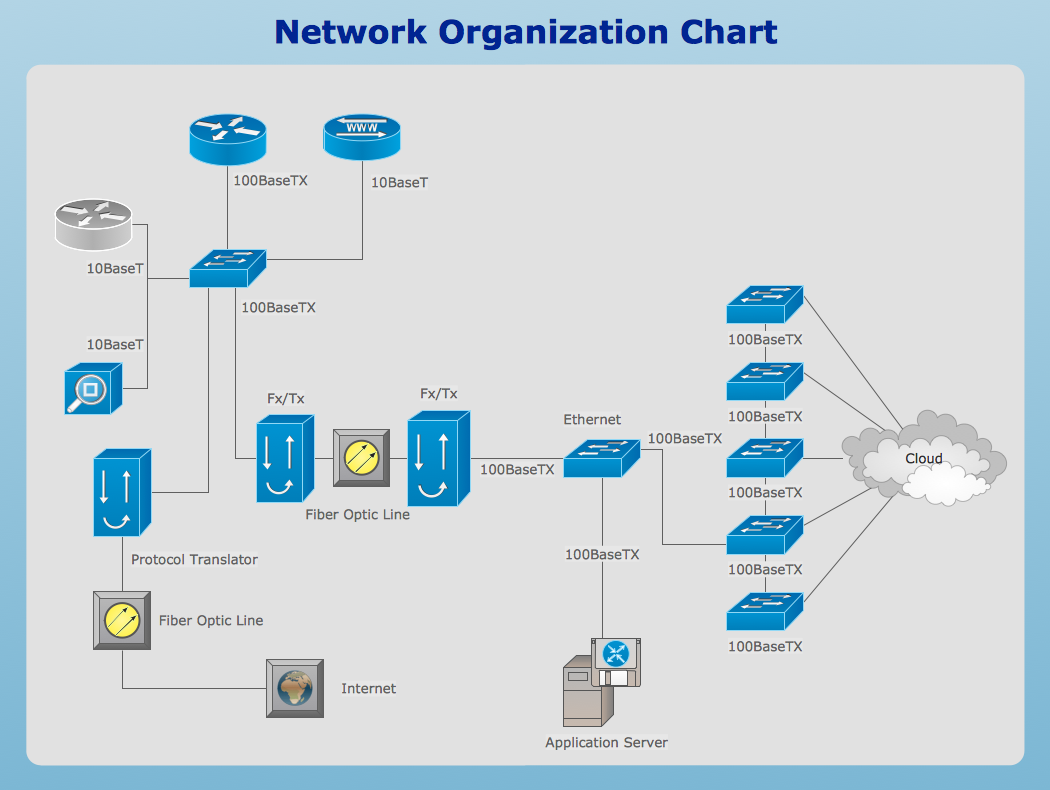
Picture: Network Drawing Software
To your mind, deliberation about the profits of creating organizational charts takes more time than actually creating itself. If lack of software is the only thing that stops you, you should know that organizational charts with ConceptDraw DIAGRAM are created within a few minutes. Owing to the great number of ready-to-use templates, you’ll get your chart easily.
Chart is a very handy format for visually depicting official relations of an organization. Usually, an Orgchart (organizational chart) consists from simple geometrical shapes, containing an information on a position, personal data, and the lines that means responsibilities and accountabilities associated with position. ConceptDraw solution designed for making organizational charts enables one to create various org charts effortlessly using special templates and vector libraries.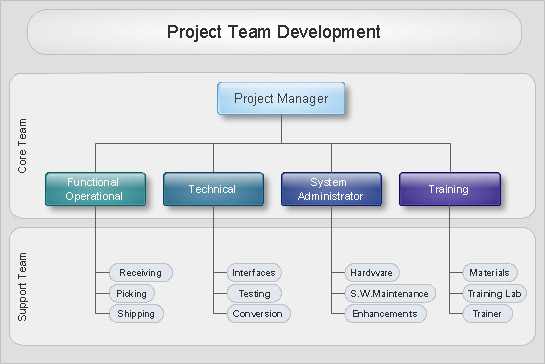
Picture: Organizational Charts with ConceptDraw DIAGRAM
Related Solution:
This template shows the Six Markets Model Chart and was included in Marketing Diagrams Solution. It is available from ConceptDraw STORE and can be used as the base for creating your own marketing diagrams.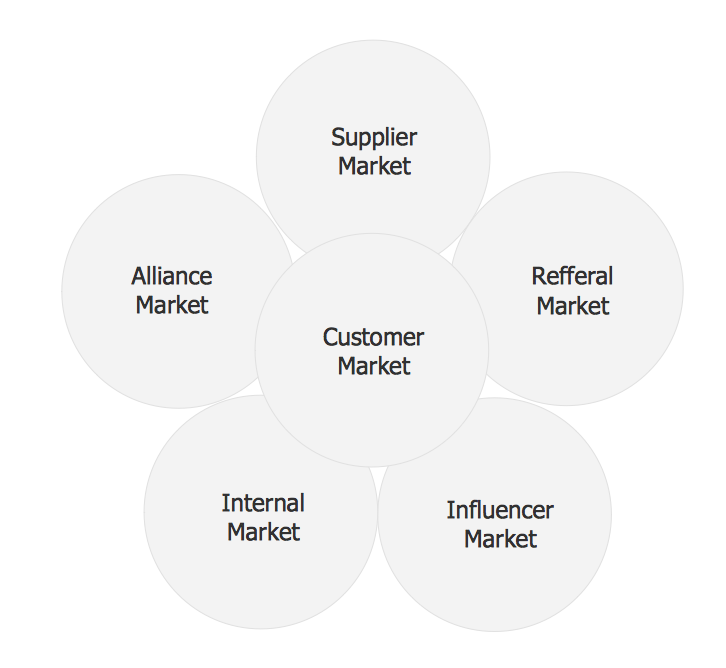
Picture: Six Markets Model Chart Template
Related Solution:
Working with personnel might be difficult if you are not prepared enough. To explain your workers all the details of communication with customers, you can draw an order process flowchart which will describe every step of the process and answer all the questions that might appear. You can view a lot of business process mapping diagram examples here, in ConceptDraw Solution Park.
This business process flow chart is created to illustrate the sample work order process. Before an organization can make some work for a person, the customer work order request must be completed. It is needed for tracking and accountability objectives. We used this business process flowchart to show a certain tasks and actions assumed by an organization. This flowchart depicts the outside inputs that are needed to launch a process, and ways the organization delivers its outputs. This business process flowchart was created with a help of ConceptDraw Business Process Mapping solution.
Picture: Work Order Process Flowchart. Business Process Mapping Examples
Related Solution:
The strategic balance is a combination of factors that can both positively and negatively affect the activity of the company. To know the factors that influence the organization success, managers should use SWOT matrix template that will define the potential inner strengths and weaknesses and potential external opportunities and threats. This matrix does not contain a ready solution, but allows to streamline all the available information.
This is a handy template of a SWOT matrix. It can serves as a visual guide for management students. To simplify the task, on the left and on the right we have added hints with examples of external and internal factors. This template one can found among numerous templates of SWOT and TOWS matrices that are included in the the eponymous solution by ConceptDraw Solution Park.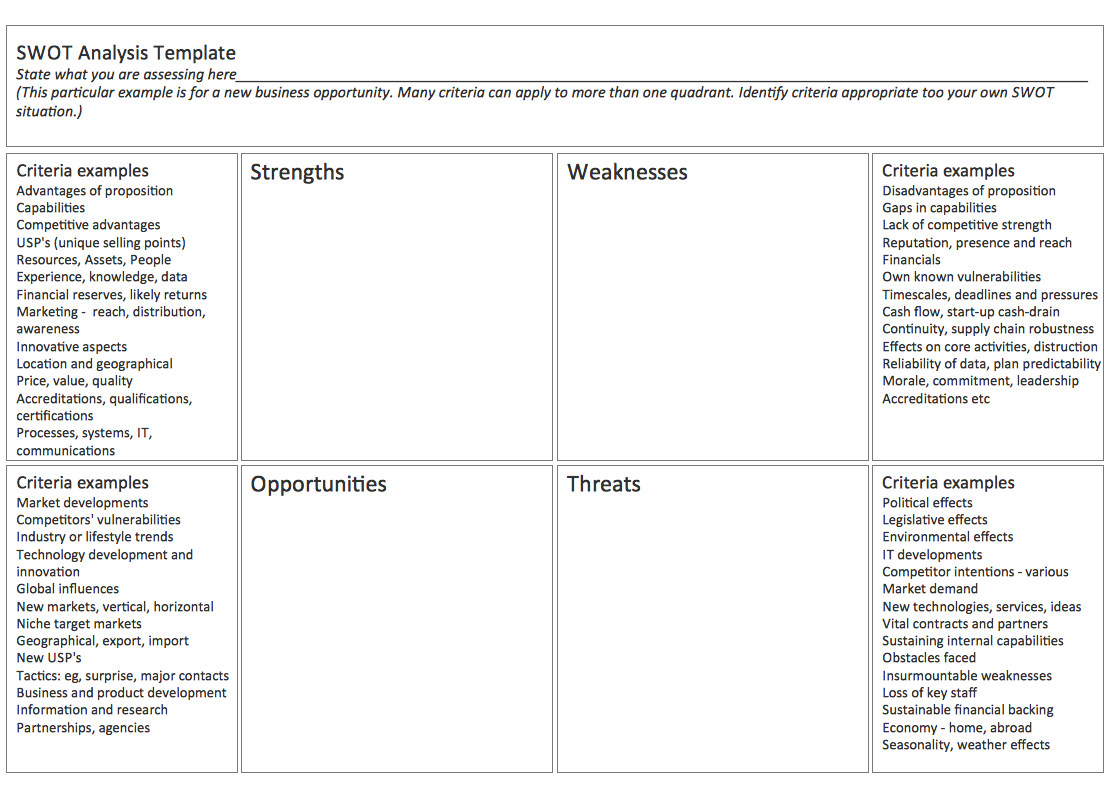
Picture: SWOT Matrix Template
It is easy to recreate any informational system structure using diagrams. There are three main components of any ER diagram: entity, attribute and relationship. Basing on these three components, one can define other, less used elements, such as weak entity or relationship, derived attribute, recursive relationship etc.
This is the set of graphic elements of ERD Chen's notation. This ERD notation is used to represent an entity–relationship models. It involves the set of geometric forms: rectangles - depicting entities, ovals - representing attributes and diamonds depicting relationships assigned for first-class objects, that can have relationships and attributes of their own. Connections are displayed with arrowed lines. It is known that the Chen's ERD notation is used to show a detailed view of entities and relationships. ConceptDraw Entity-Relationship Diagram solution from the Software Development section of Solution Park provides the ability to create ERD of database structure for software development purposes using the Chen’s notation elements.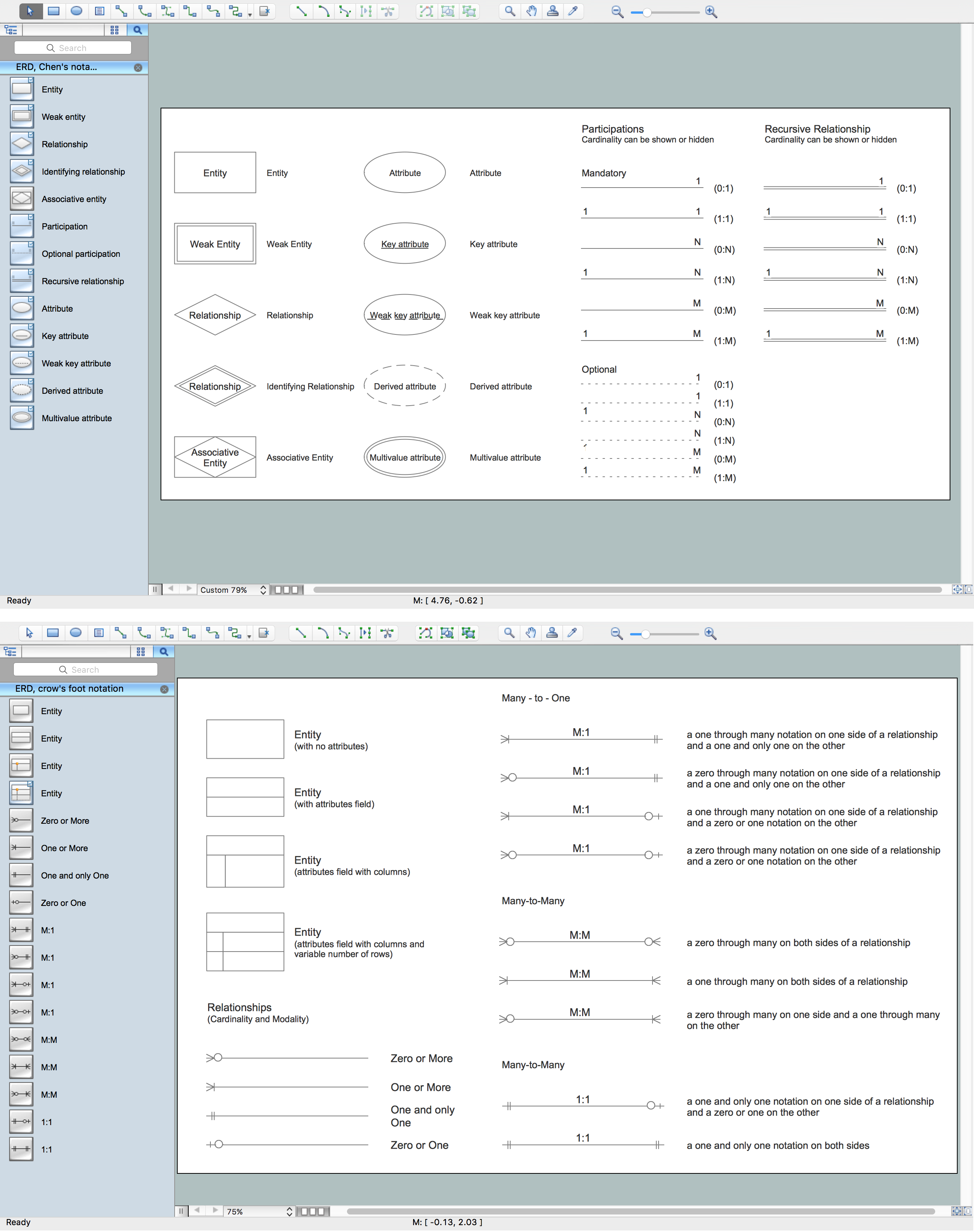
Picture: Components of ER Diagram
Related Solution:
An architectural design is a technical drawing of a building. Creating of the architectural design is the important part in the architecture and building. It is a way for the architects to represent their ideas and concepts, to develop the design idea to the concrete proposal. It' very convenient for architects to create the architectural design using the computer software.
СonceptDraw DIAGRAM is a powerful CAD drawing software. Using the Floor Plans Solution from the Building Plans area of ConceptDraw Solution Park you can create professional looking architectural designs quick, easy and effective.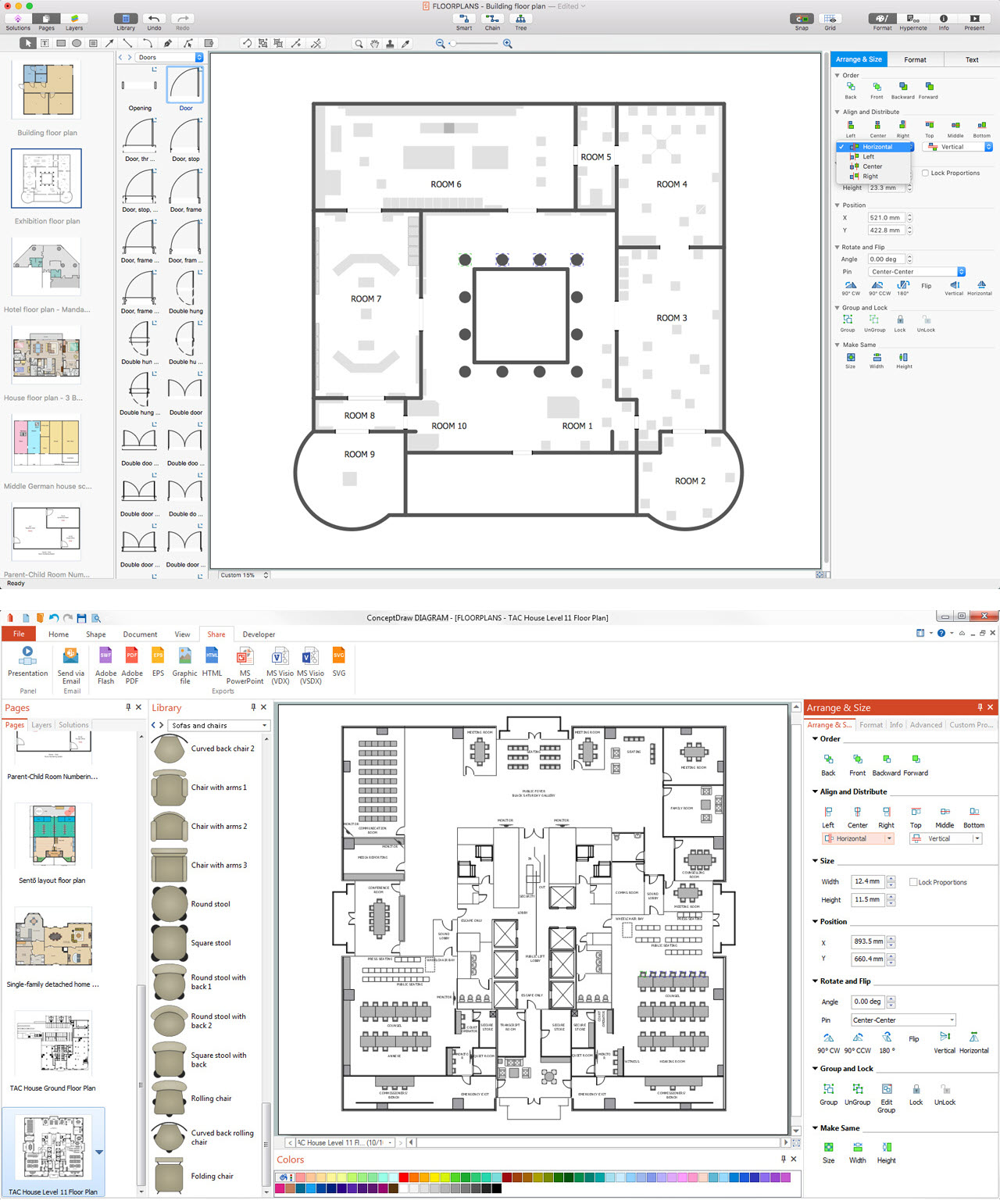
Picture: CAD Drawing Software for Architectural Designs
Related Solution:
Everyone who starts the construction, repair or remodeling of the home, flat or office, is facing with a need of visualization its ideas for visual explanation how all should to be for the foreman and construction team. It is incredibly convenient to use for this professional home architect software. ConceptDraw DIAGRAM software enhanced with Floor Plans solution provides a lot of built-in drawing tools which allow you quick and easy create design plans for the home of your dreams.
Picture: Home Architect Software. Home Plan Examples
Related Solution:

