
Example 1. Process Flowchart Symbols
All these process flowchart objects are vector and ready-to-use at your flowcharts and diagrams. You can easy drag them to your document, combine, group, resize and recolor without lost of quality.
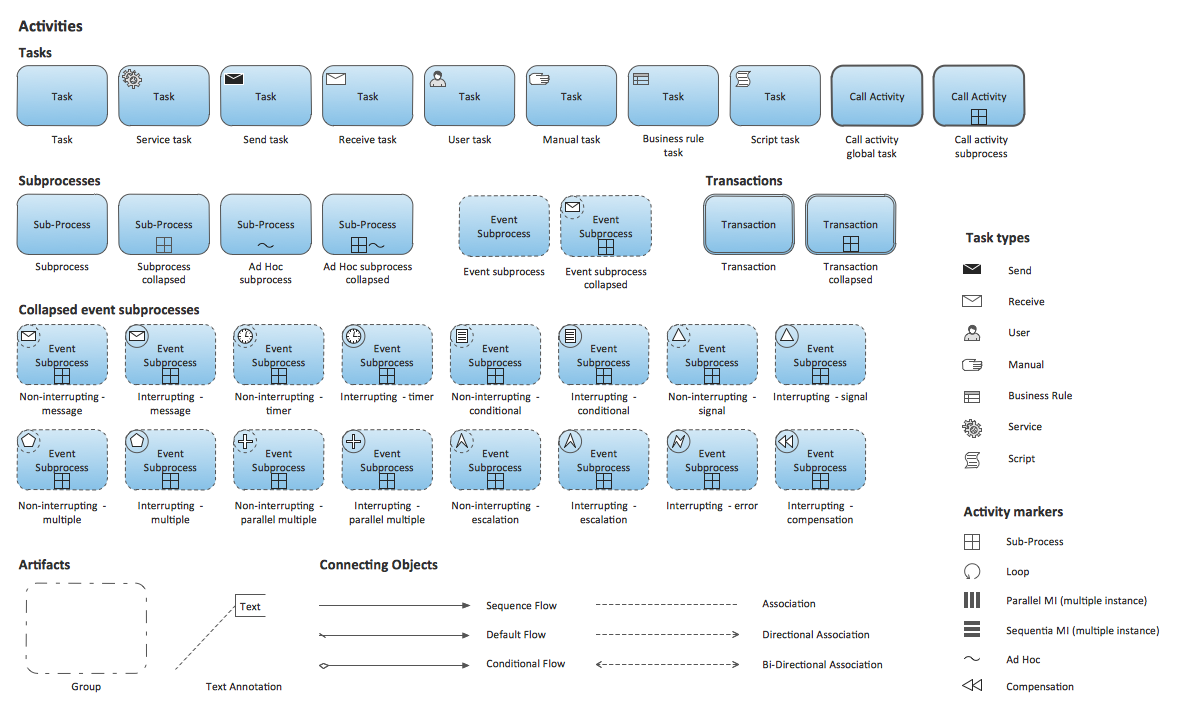
Activities symbols library

Activities BPMN 1.2 symbols library
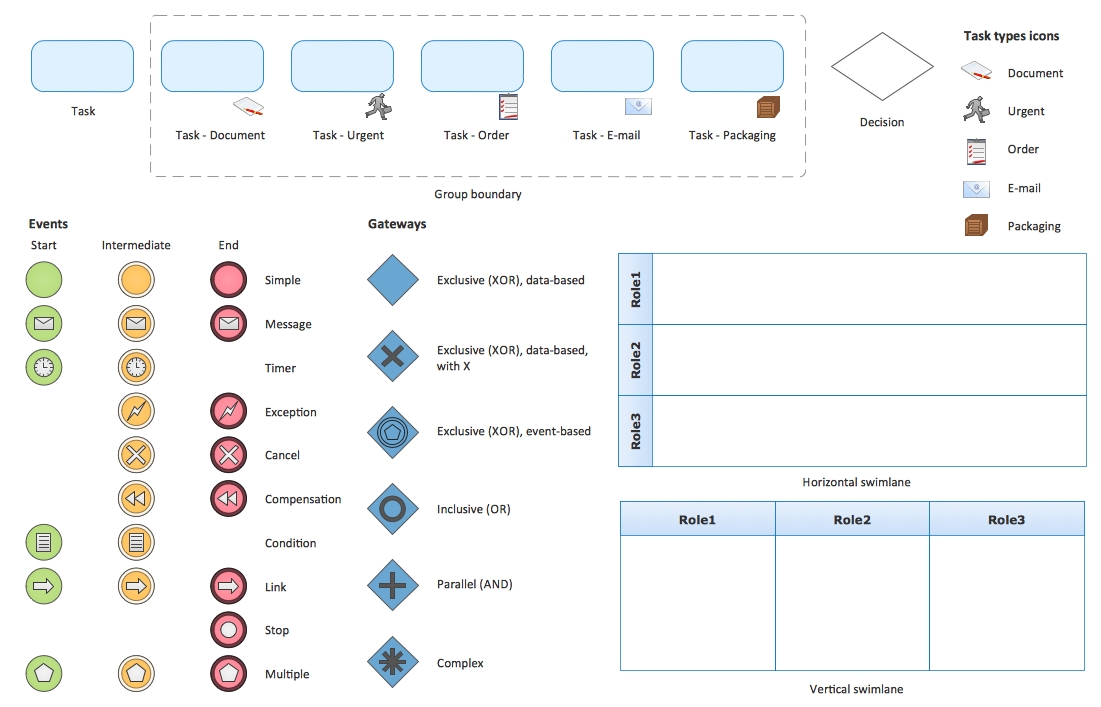
Business Process - Rapid Draw symbols library
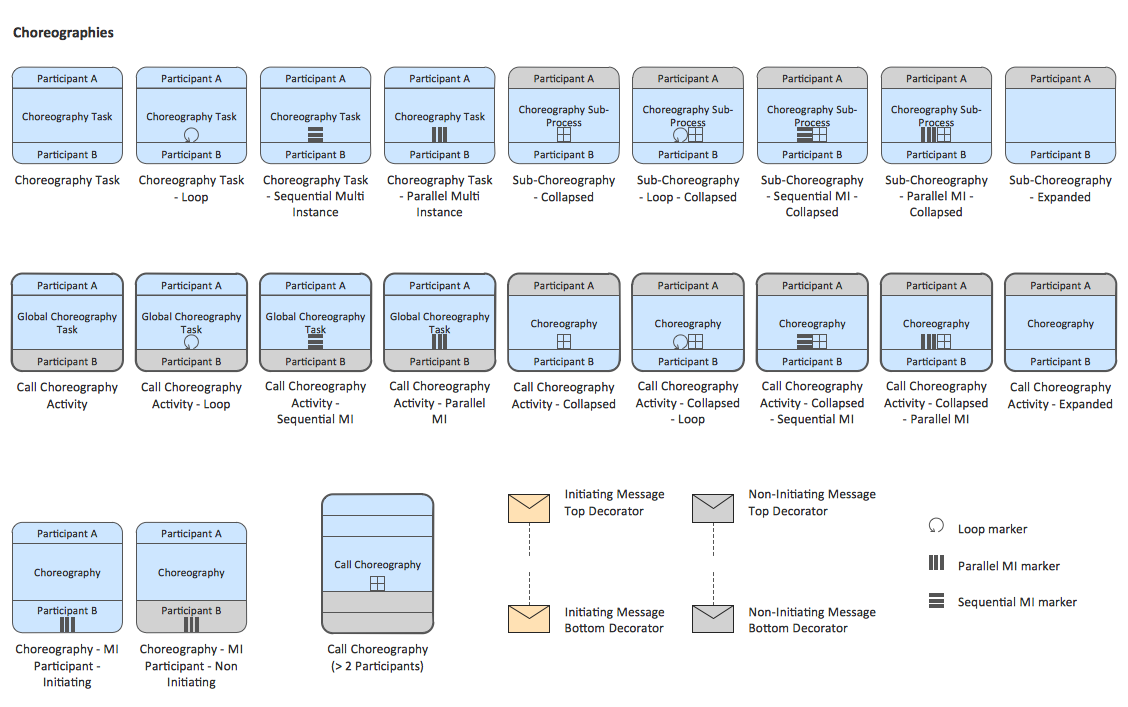
Choreographies symbols library
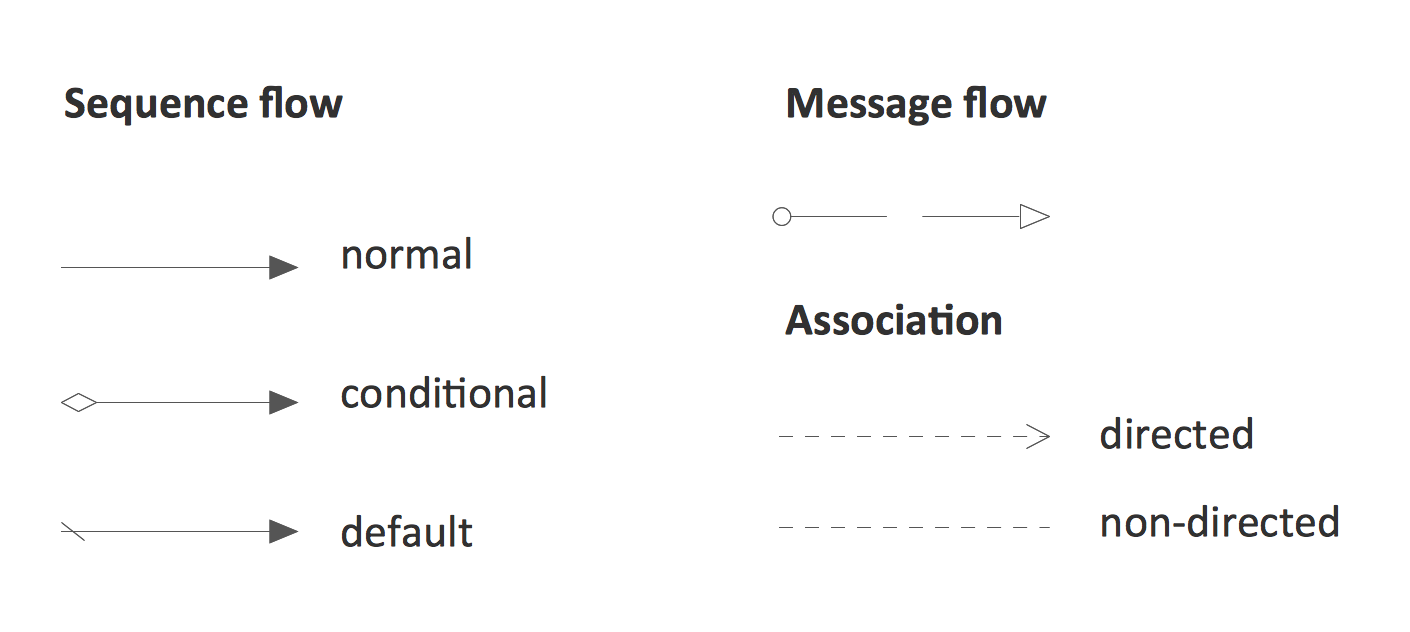
Connections BPMN 1.2 symbols library
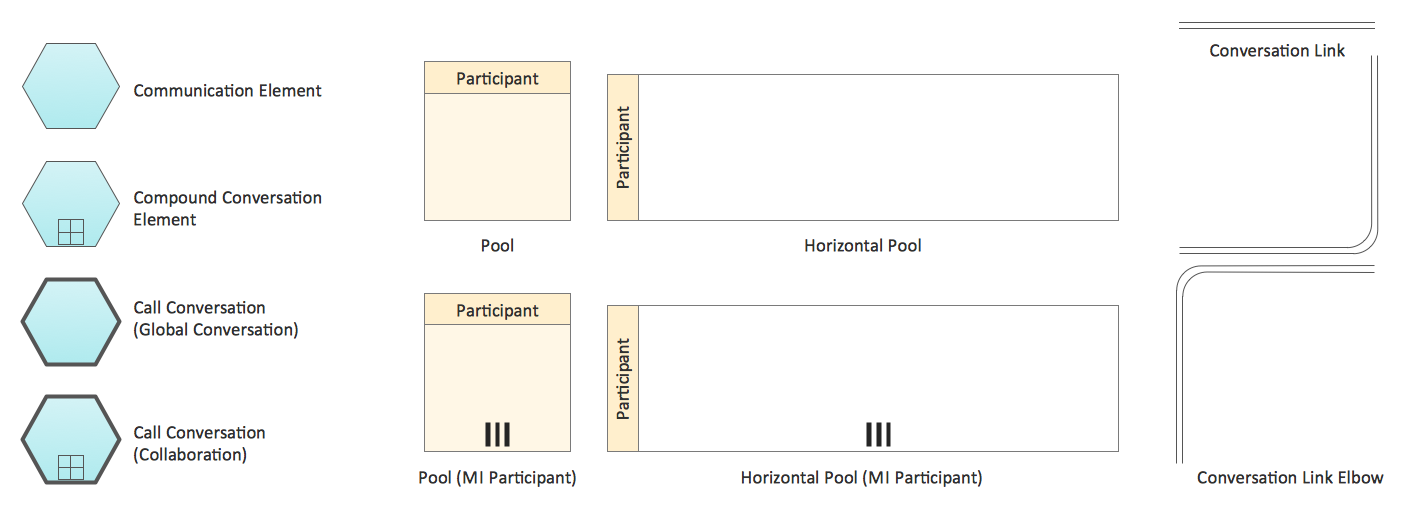
Conversations symbols library
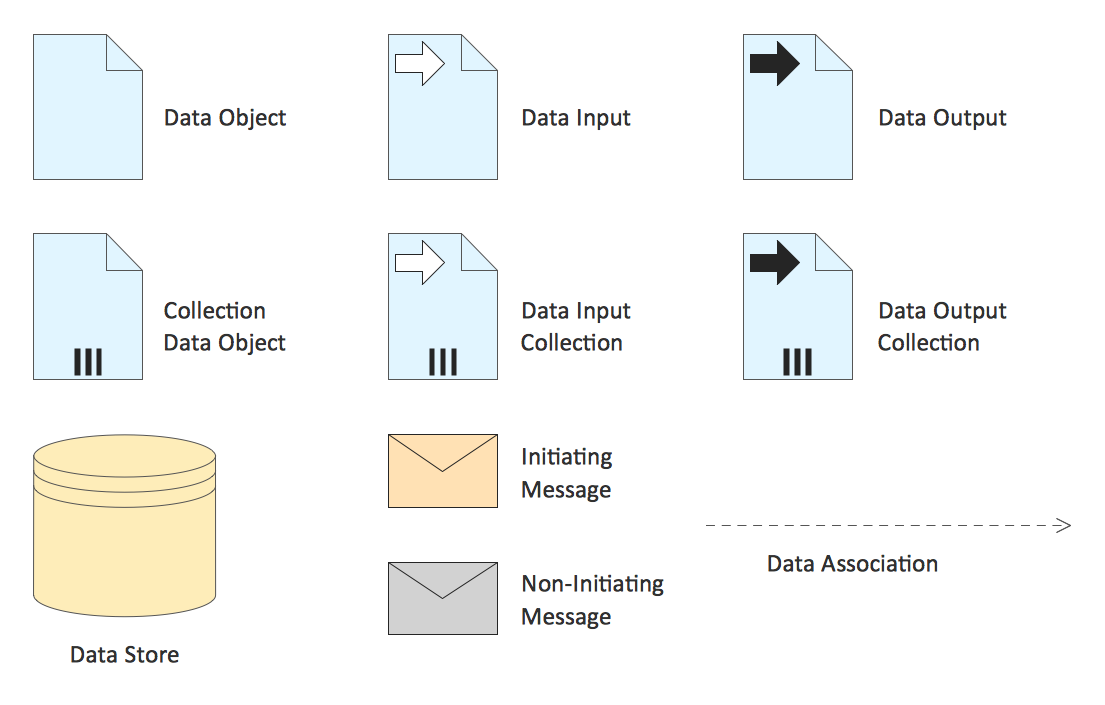
Data symbols library
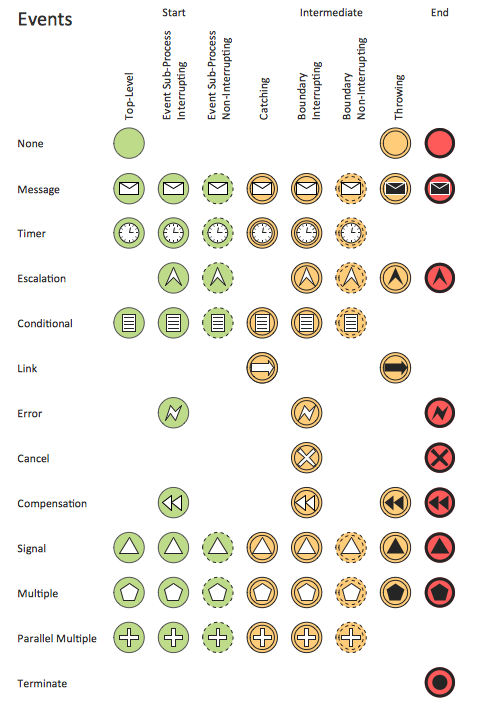
Events symbols library
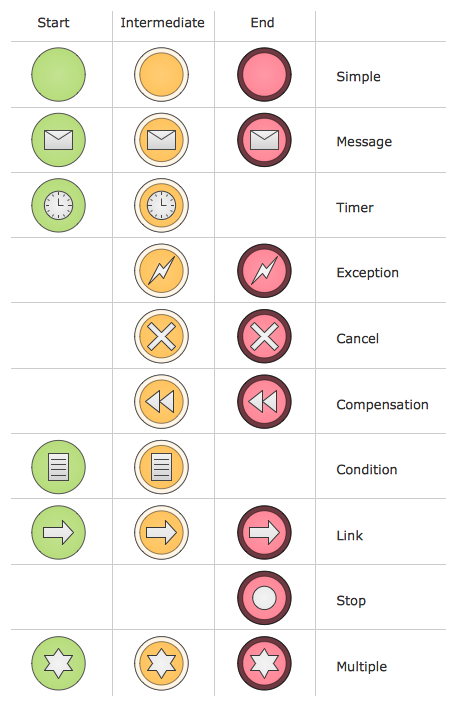
Events BPMN 1.2 symbols library
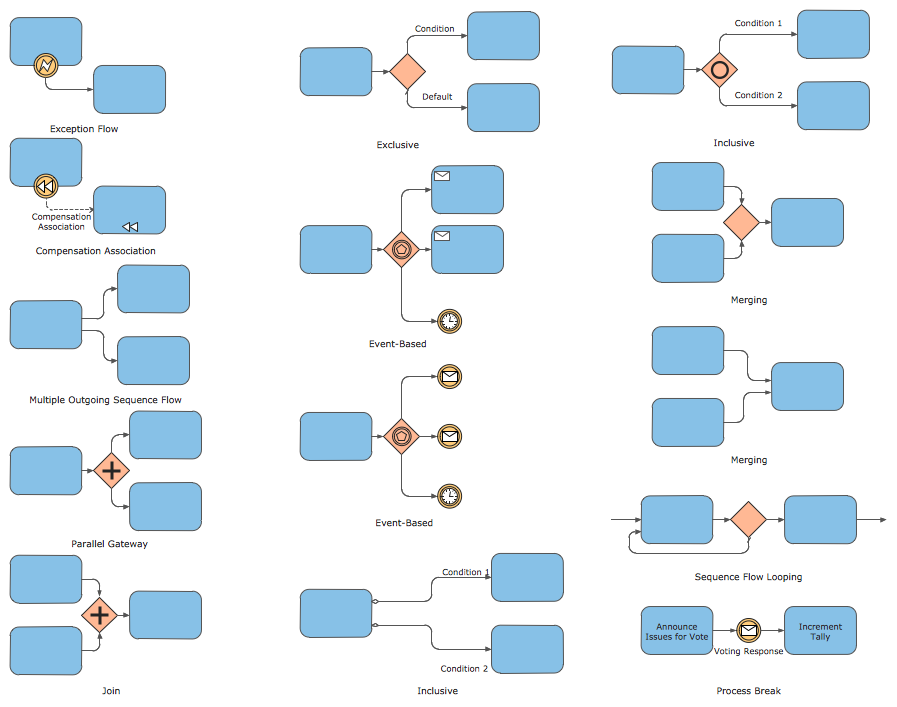
Expanded Objects symbols library
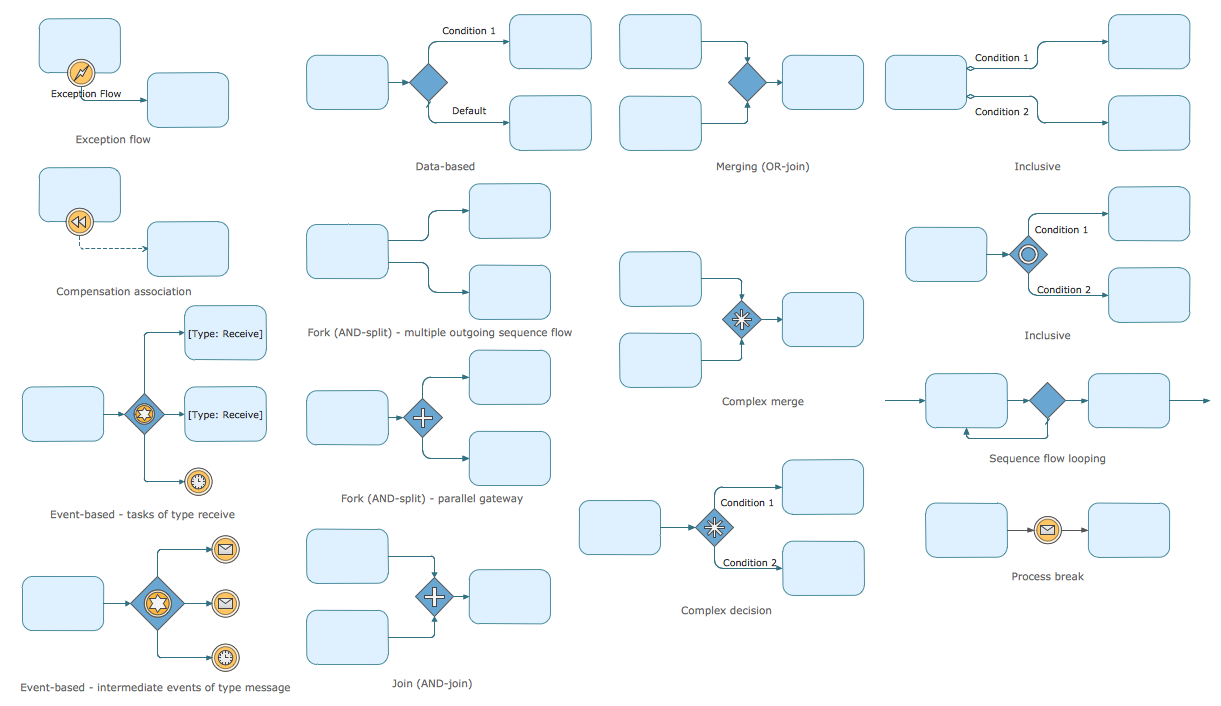
Expanded Objects BPMN 1.2 symbols library
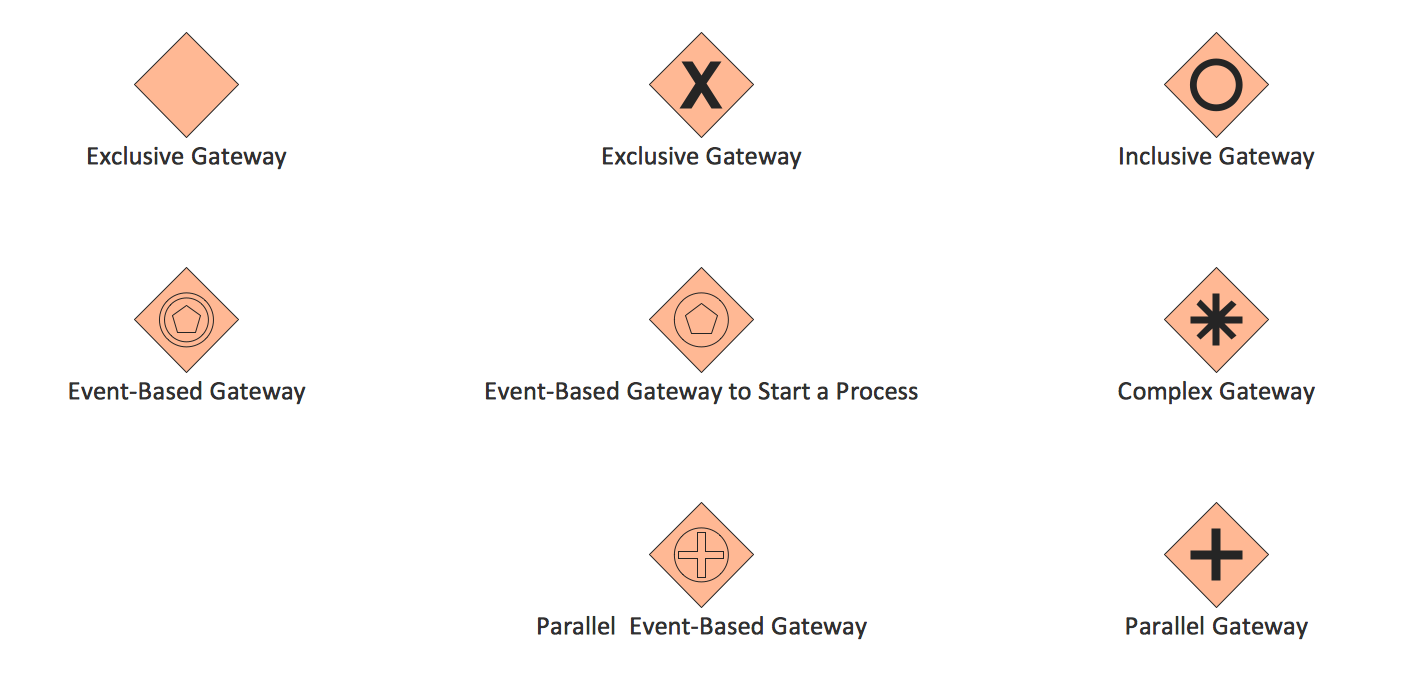
Gateways symbols library
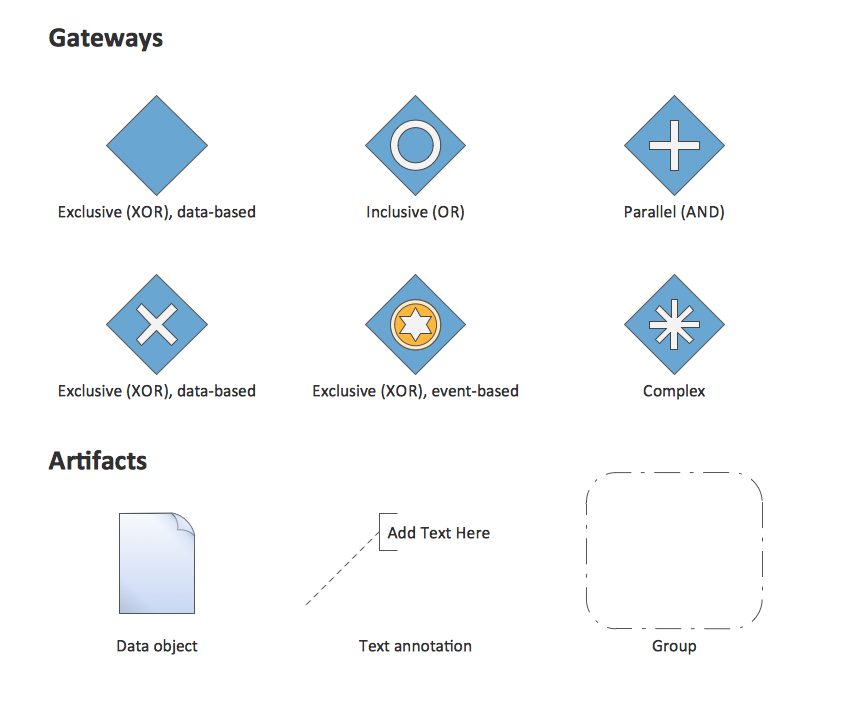
Gateways BPMN 1.2 and Artifacts symbols library
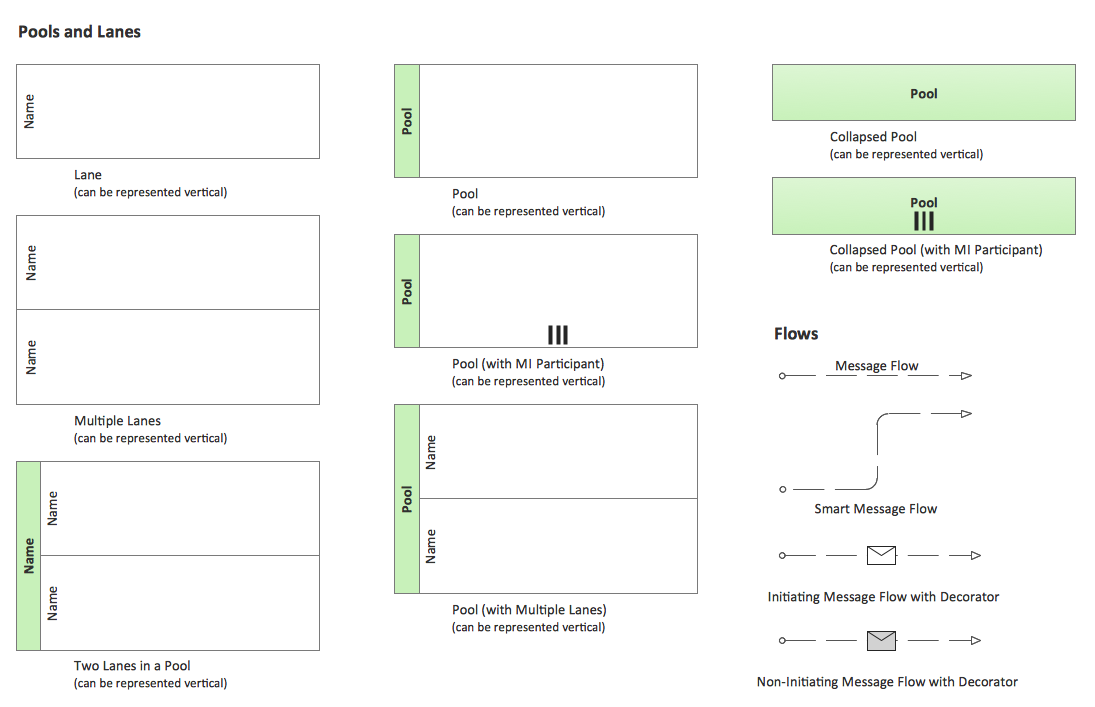
Swimlanes symbols library
Swimlanes BPMN 1.2 symbols library
For drawing any Process Flowchart follow the next simple steps:
- Add the process flowchart symbols to the diagram by dragging them from the suitable libraries to the document page, begin with adding the Start object. Arrange the diagram objects, add the text and use Line, Fill, Shadow and Text tools to format the objects to make your diagram pictorial and attractive.
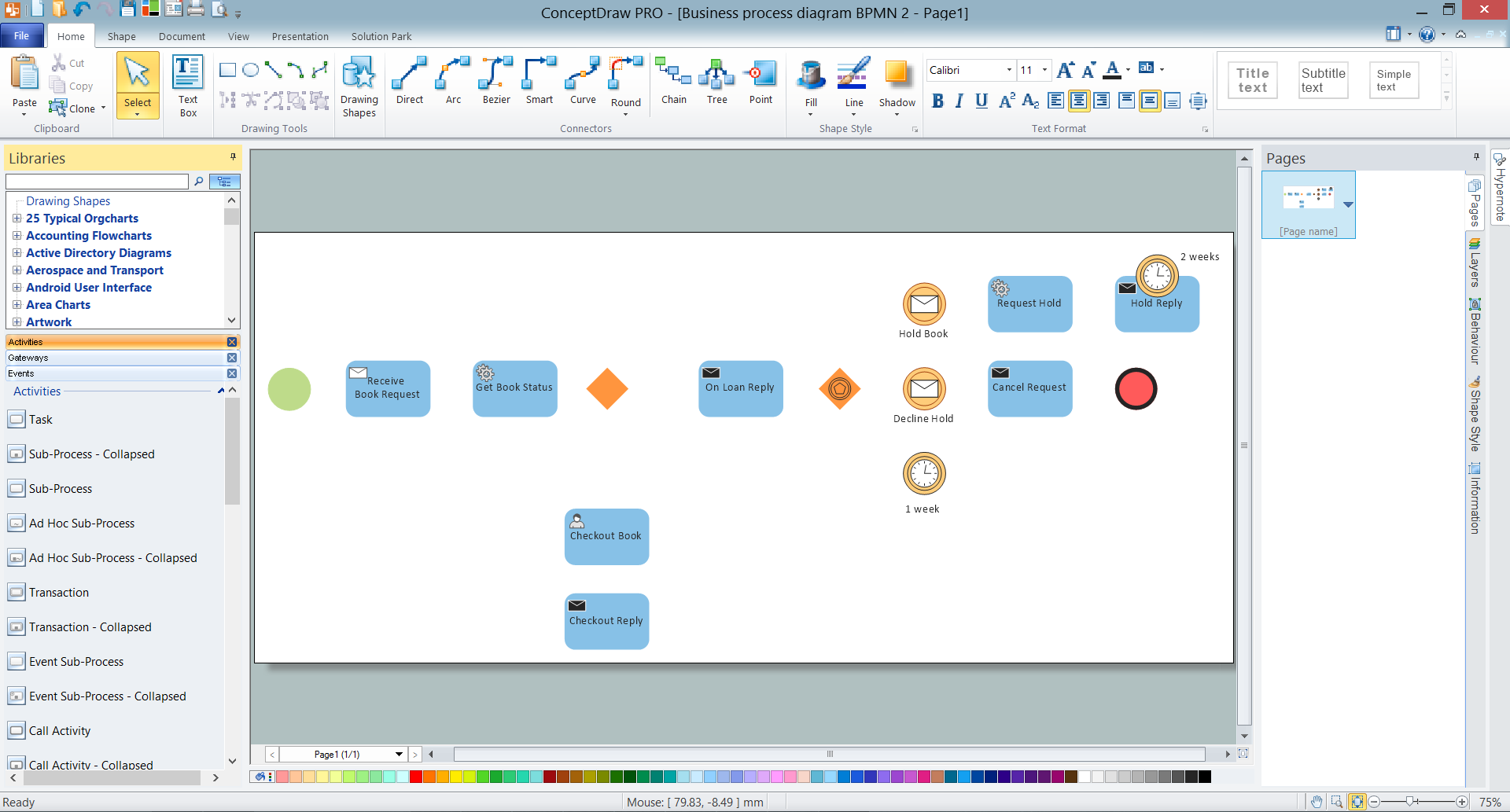
Example 2. Adding the Objects
- You can add the next objects choosing them from the offered set when clicking the RapidDraw arrows of already added objects.

Example 3. RapidDraw Feature
- Use the commands from the object's Action menu to set specific parameters (select the object and the Action icon will appear, click on the icon to open the Action menu).
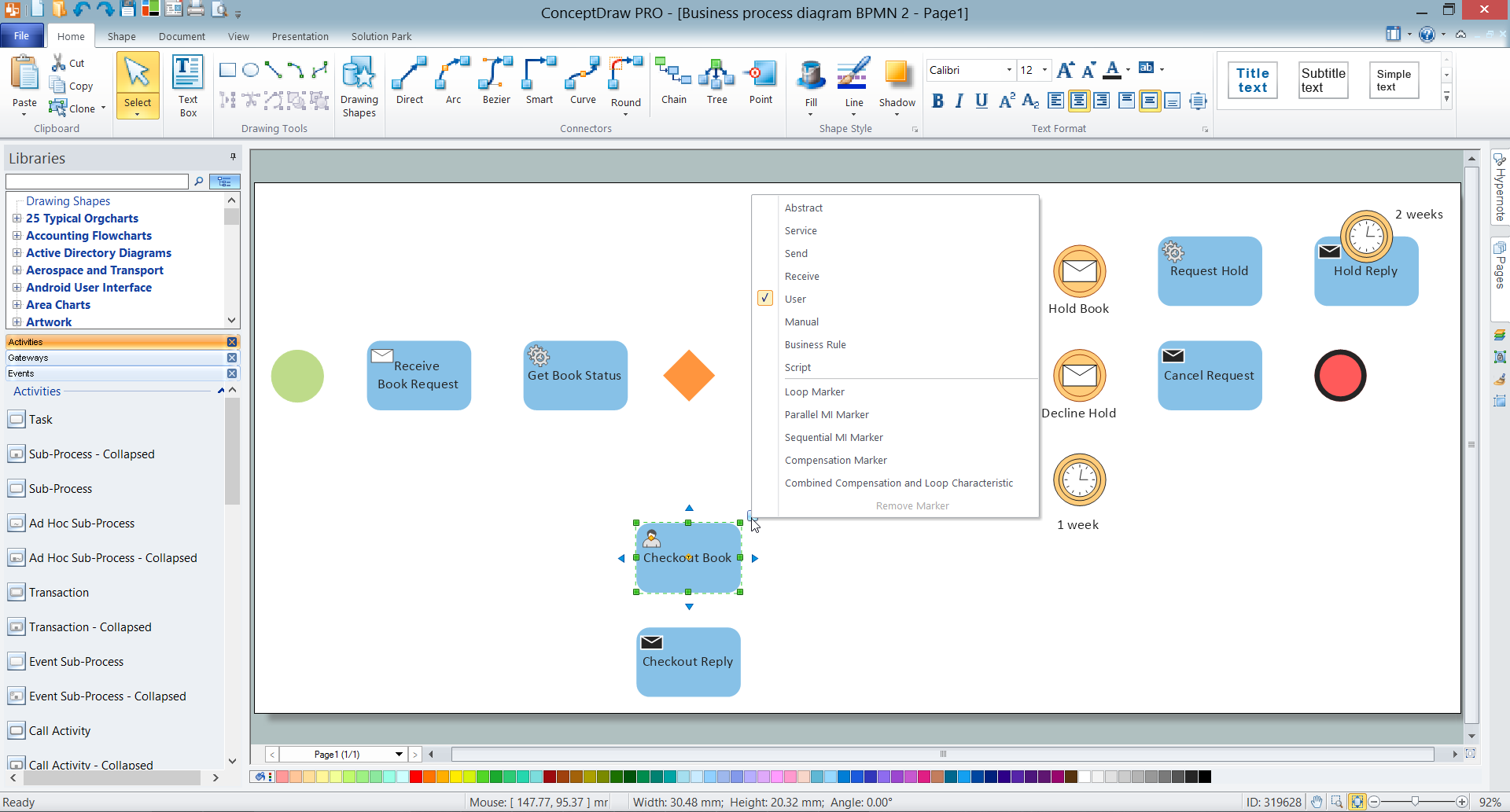
Example 4. Action Feature
- Connect the objects with Smart Connector tool from the Home toolbar.

Example 5. Business Process Diagram - BPMN 2.0 Booking
ConceptDraw DIAGRAM is the best process flowchart software rich for the process flowchart symbols for professional and effective drawing, and also for the collection of ready templates and samples which are represented at ConceptDraw STORE.
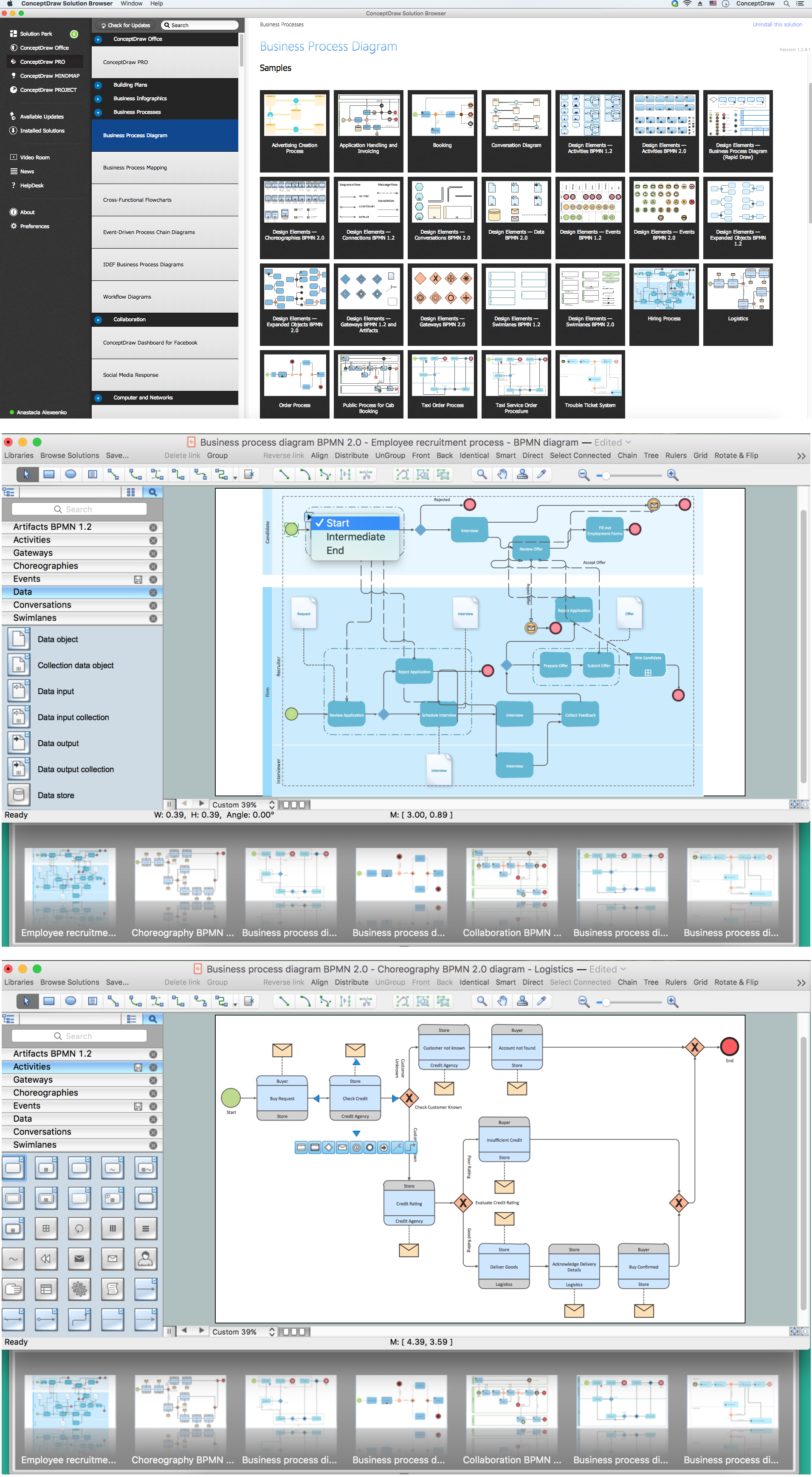
Example 6. Business Process Diagram Solution
Use a variety of process flowchart symbols from the libraries of Business Process Diagram Solution for ConceptDraw DIAGRAM diagramming and vector drawing software and also collection of samples and templates to create your own professional looking Process Flowcharts, Process Flow Maps, Process Diagrams, Process Flow Documents, Process Flow Models, Process Flow Analysis Charts fast, easy and effective.
TEN RELATED HOW TO's:
To describe the accounting processing use ConceptDraw Flowchart set of symbold created for Accounting data processing.
Tips, Methods and Symbols on How to Create Flowcharts for an Accounting Information System.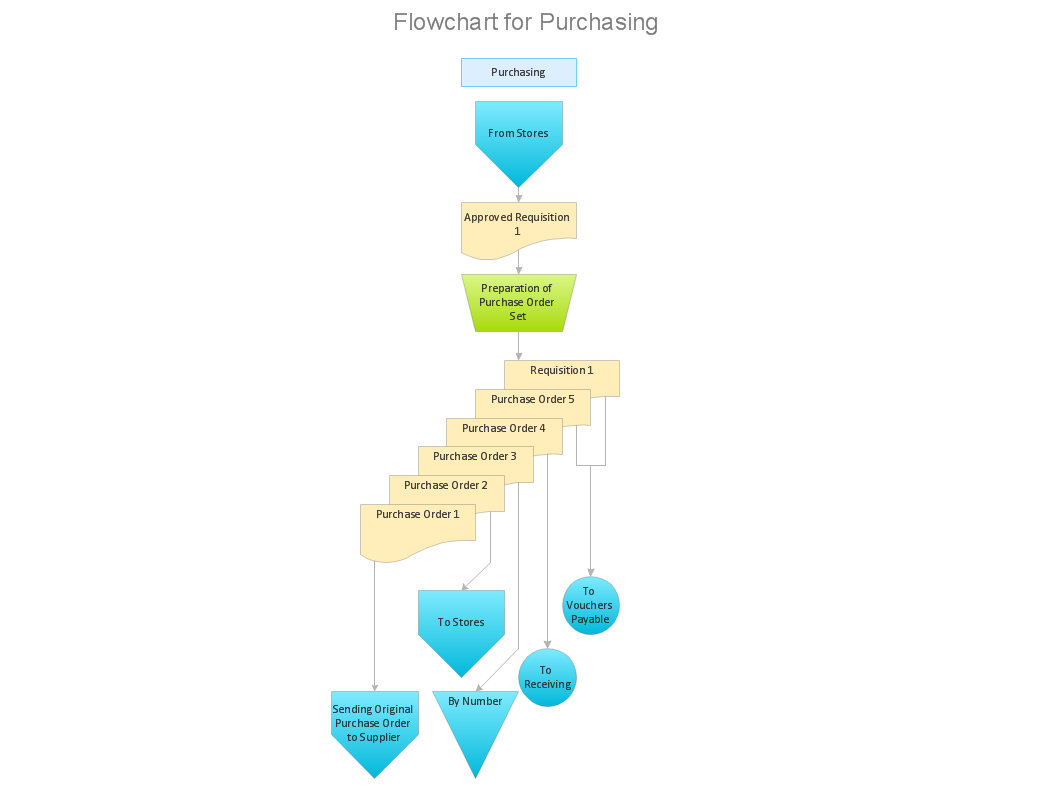
Picture: How Do You Make An Accounting Process Flowchart?
Related Solution:
Enterprise systems engineers almost every day face the necessity of network diagrams. We should also take into account that Cisco network design is not only limited to computer networks, but, furthermore, you can design telephone networks and much more. You can build an hierarchical model of your network to get better performance and reliability.
This network diagram represents the utilization of Conceptdraw DIAGRAM for network documentation creation. The diagram shows schematically the structure of a node of a large Internet service provider, which is completed on the basis of Cisco equipment. This diagram was designed using the vector library containing the images of Cisco equipment, supplied with Cisco Network Diagrams solution. In total, the solution has more than ten libraries including more than 500 vector icons of Cisco equipment.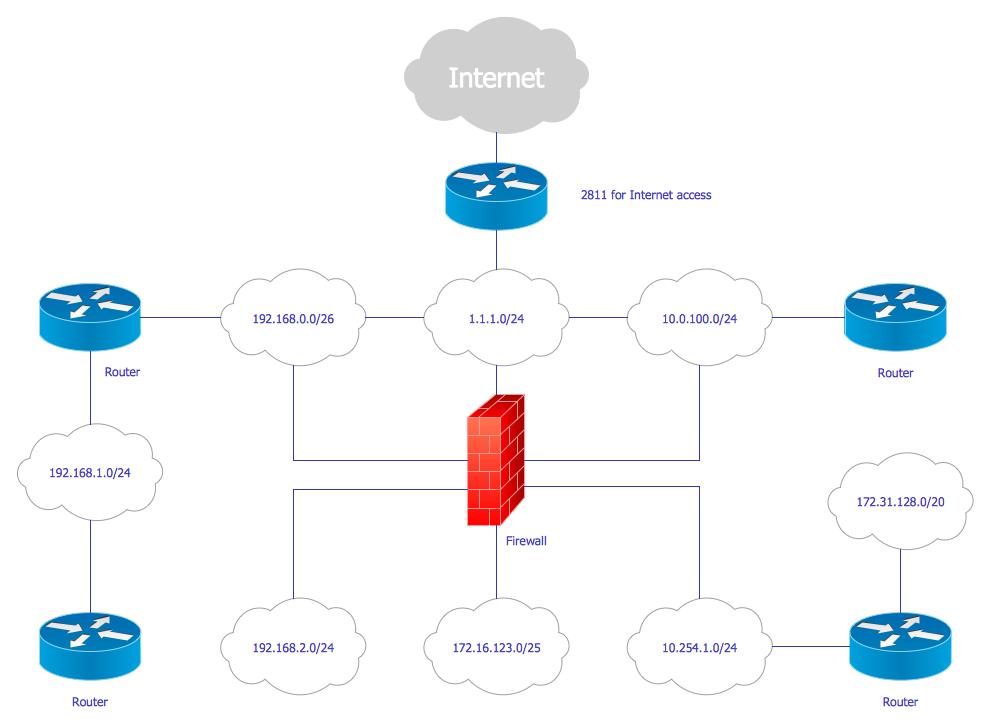
Picture: Cisco Network Design
Related Solution:
Big and complex projects sometimes need some simplification of plans and schedules. That's why Program Evaluation and Review Technique was invented and first implemented in 1958. You can create PERT diagrams effortlessly with ConceptDraw DIAGRAM and share them with your colleagues.
Program Evaluation Review Technique (PERT) is a method that is used to assess and analyze projects. PERT is a valuable tool for the project management practice. PERT gives an assessment and analysis of the time needed to the project completion. A PERT chart is a visual tool that delivers a graphical view of a project timeline. It is used to display the sequences and dependences of project tasks necessary to complete a project. ConceptDraw DIAGRAM delivers the possibility to build a PERT along with other diagrams applied to assist management process by using its Seven Management and Planning Tools solution.
Picture: Program Evaluation and Review Technique (PERT) with ConceptDraw DIAGRAM
Related Solution:
ConceptDraw DIAGRAM is workflow diagram software enhanced by numerous extentions from ConceptDraw Solution Park. It inludes many professional workflow diagrams, examples and ready to use workflow diagram and workflow symbols. Workflow symbol collections include symbols for Processes, Planning, Scheduling, Flow Control, In-Transit Process Visibility.
The best workflow diagram software you may find is ConceptDraw DIAGRAM. ConceptDraw DIAGRAM is world-known diagramming software that works for both Windows and Mac OS X platforms. The software contains complete set of features allows to draw diagrams faster. ConceptDraw DIAGRAM extended with the Workflow Diagram solution provides additional libraries, templates and samples for drawing professional workflow diagrams.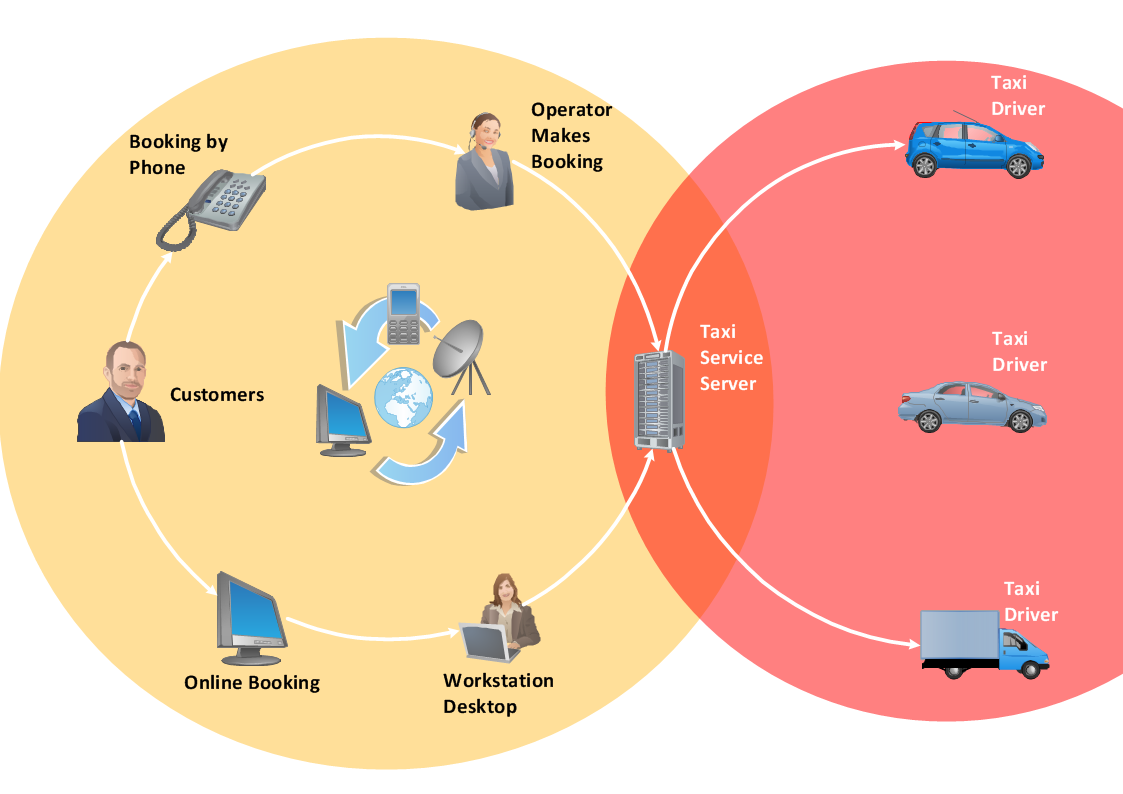
Picture: Workflow Diagram Software
Related Solution:
The UML diagram is a powerful tool which lets visually represent all system's components, the interactions between them and relationships with external user interface.
The Rapid UML solution for ConceptDraw DIAGRAM software offers diversity of UML flowchart symbols for drawing all types of UML diagrams.
Picture: UML Flowchart Symbols
Related Solution:
It’s not easy to plan all the details of your landscape at once. Therefore, you can use a bubble diagram to create a draft of the future project. You can develop any bubble diagrams and use them in your landscape design project with ConceptDraw DIAGRAM and it’s predesigned templates.
This bubble diagram can be applied while initiating the development of garden and landscape design. The bubble diagrams used for this purpose are different from the classic bubble diagrams. Being used in landscape and garden design, they obtain the quite another understanding. Bubbles in this diagram visualize some captured areas, which define the general spaces of a future garden: lawn, flower garden, pool, built-up area, lighting, etc. The bubble diagram represents the landscape project without any special expenses on its creation. It is better to make such simple sketch before you drill down into detailed project and cost estimates.
Picture: Bubble diagrams in Landscape Design with ConceptDraw DIAGRAM
Apply Electrical Engineering solution for ConceptDraw DIAGRAM and numerous electric circuit symbols to 🔸 develop and illustrate all types of electrical circuits as ✔️ electrical circuit diagrams, ✔️ electrical schematics, ✔️ electrical diagram drawings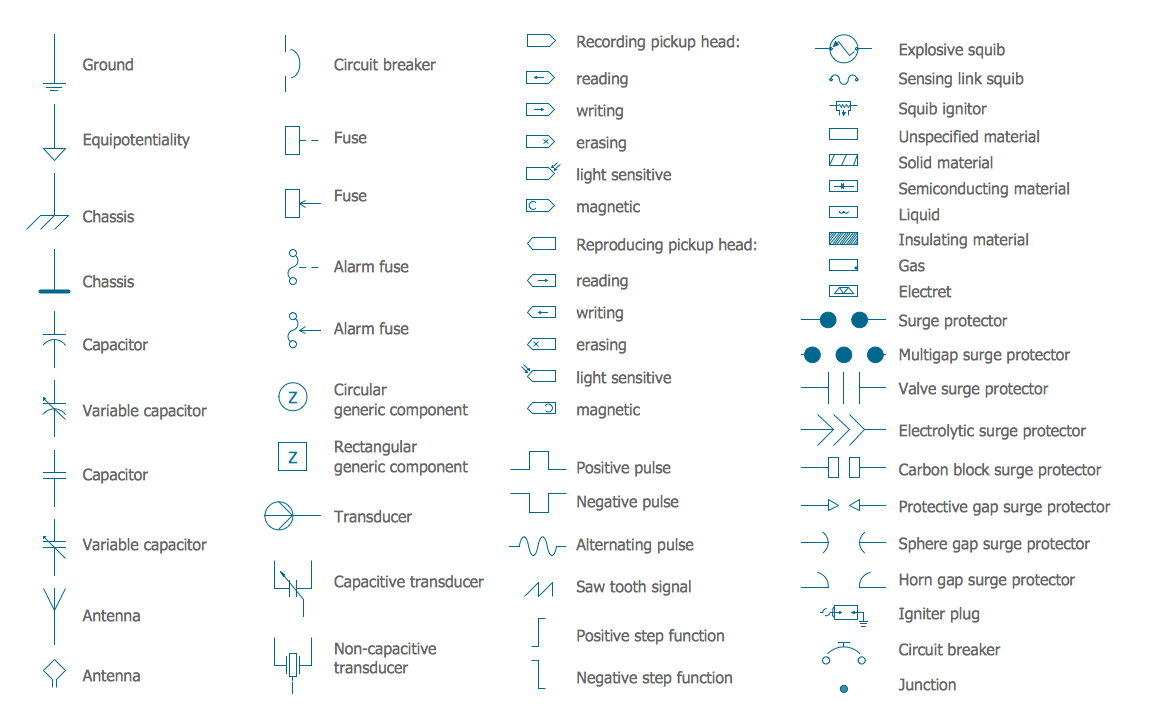
Picture: Electrical Circuits — Electrical Symbols
Related Solution:
Process Flow Charts are very popular and widely used in chemical and process engineering for representation a general flow of plant processes and equipment. If you need often draw them, the ConceptDraw DIAGRAM diagramming and vector drawing software extended with tools of Flowcharts Solution will be useful for you.
The mostly used set of process flow chart symbols includes the following: Rectangle (box) process flow chart symbol, Rounded rectangle, Circle, Diamond.
Picture: Process Flow Chart Symbol
Related Solution:
Audit procedures are the specific tests and methods that auditor executes when gathering the evidence which are necessary for making an opinion on the financial statements of the firm. There are three types of audit procedures: data selection, reliability validation, relevance confirmation.
Thanks to the extensive drawing tools which provides the Audit Flowcharts solution from the Finance and Accounting area of ConceptDraw Solution Park, you can easy and effectively develop and realize various audit procedures.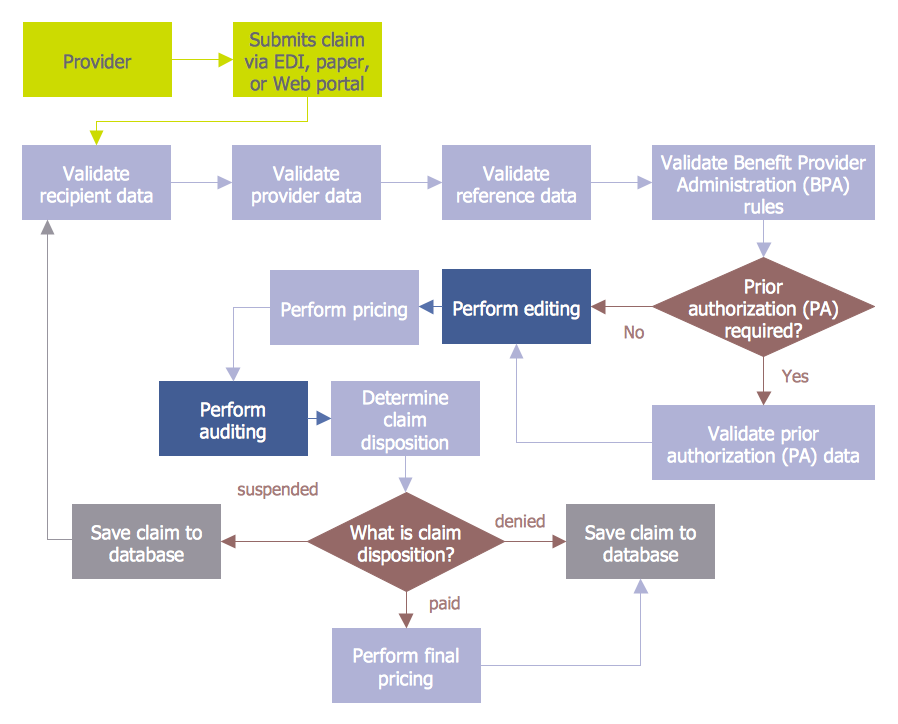
Picture: Audit Procedures
Related Solution:
Program Structure Diagram is a visual representation of a program's organization, showing its components and their relationships.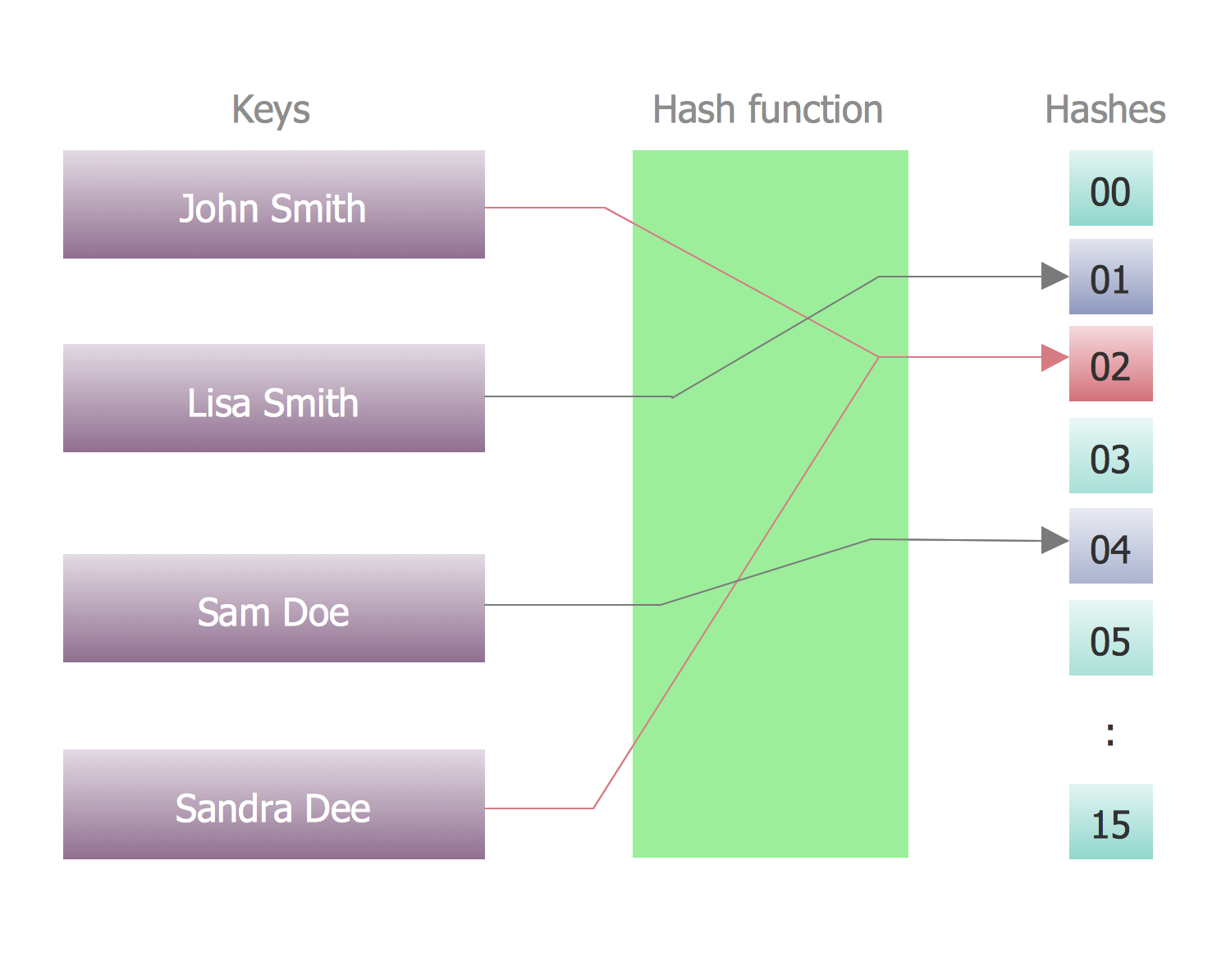
Picture: Program Structure Diagram
 Activities symbols library
 Activities BPMN 1.2 symbols library
 Business Process - Rapid Draw symbols library
 Choreographies symbols library
 Connections BPMN 1.2 symbols library
 Conversations symbols library
 Data symbols library
 Events symbols library
 Events BPMN 1.2 symbols library
 Expanded Objects symbols library
 Expanded Objects BPMN 1.2 symbols library
 Gateways symbols library
 Gateways BPMN 1.2 and Artifacts symbols library
 Swimlanes symbols library




