Made with
ConceptDraw
DIAGRAM 18

IDEF3 Standard

In contrast to IDEF0 standard, IDEF3 standard is more particularly specialized. This standard is intended for description and further analysis of technological processes of an enterprise. Using IDEF3 standard it is possible to examine and model scenarios of technological processes. Scenario is a description of consecution of properties changes of an object which takes part in the technological process, e.g. half-finished product which is under processing. Each scenario is documented correspondingly. For documenting of the scenario there are two types of documents: documents, which describe properties and consecution of the process execution (standards, methods and technologies description) and documents, which describe results of the process execution (reports and work statistics). IDEF3 standard allows to get information about process and attendant documentation and to analyze it for increasing of the process management effectiveness. Using IDEF3 standard you can collect and document information about processes key points, define the degree of influence on the course of processes execution and model scenarios without change of the production process itself.

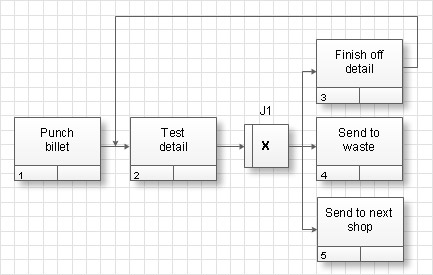
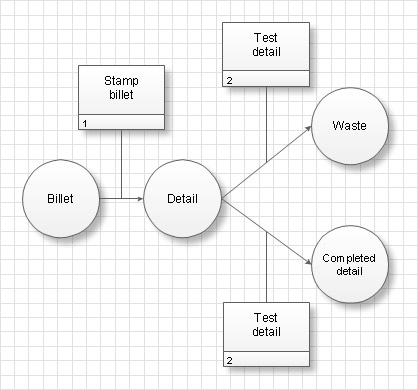
There are two types of diagrams in IDEF3 standard. These diagrams describe the same technological process from different sides. First type of diagram is Process Flow Description Diagrams (PFDD). The second type - Object State Transition Network (OSTN) diagrams.

For instance if it is necessary to describe the process of stamping the detail from a billet, the PFDD diagram will contain a description of consecution of actions which are executed with the billet during the given process, and the OSTN diagram will contain the detail states on each process stage.

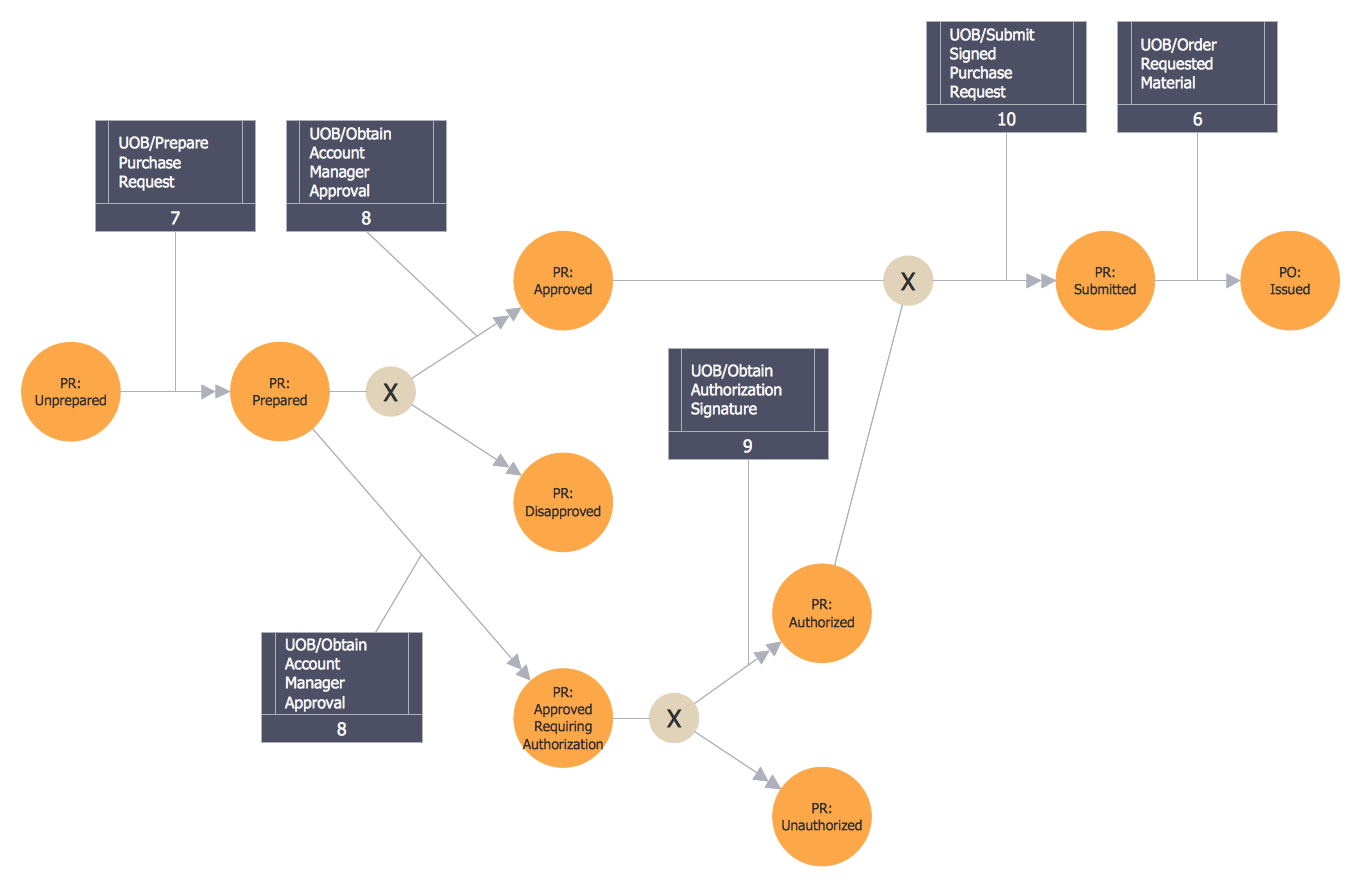
Rectangular blocks on the diagram are called functional units or Units of Behavior (UOB). Each UOB has the name in the verb form and a unique number and denotes an event within the limits of the process (a stage, an action or decision making). UOB are connected by arrows in consecution of the process execution. There are 3 different kinds of arrows: Precedence arrow - a solid line, which is drawn from left to right or top-down; Relational Link - a dotted line, used for description of relations between UOB; Object Flow - an arrow with two arrow-heads. Such arrow denotes that the object is used in two or more subruns. For example, when the object is created in one subrun and is used in another one.

The block marked with the cross on the diagram is called a Junction. Such blocks are used for indication of decision makings during the process. Accordingly to IDEF3 standard there are two types of Junctions: for confluence (Fan-in Junction) and branching (Fan-out Junction) of arrows. Simultaneous junction and branching is not allowed. Junctions can be of different types. The junction type is denoted on the diagram.

Indication Name Fan-in Junction Fan-out Junction
Asynchronous AND Asynchronous AND All preceding subruns must be completed All subsequent subruns must be started
Synchronous AND Synchronous AND All preceding subruns must be completed simultaneously All subsequent subruns must be started simultaneously
Asynchronous OR Asynchronous OR One or several preceding subruns must be completed One or several subsequent subruns must be started
Synchronous OR Synchronous OR One or several preceding subruns must be completed simultaneously One or several subsequent subruns must be started simultaneously
Synchronous OR XOR (Exclusive OR) Only one preceding process must be completed Only one subsequent process must be started

All junctions in PFDD are numerated, each number has prefix "J", e.g. J1, J2 and so on.

Each UOB can be represented in the form of sequence of blocks with the necessary degree of detailed elaboration. For example the block “Testing of a detail” can be represented in the form of sequence of blocks, which in their turn will form PFDD diagram. Such diagram will be called a Child diagram, and the initial diagram – a Parent diagram.

The OSTN diagram represents a list of object state and descriptions of influences which correspond to UOB blocks from the corresponding PFDD diagram. Object states are represented by circumferences and their changes – by directed lines, which are signed the same way as corresponding UOB blocks.

IDEF3 Standard *

TEN RELATED HOW TO's:
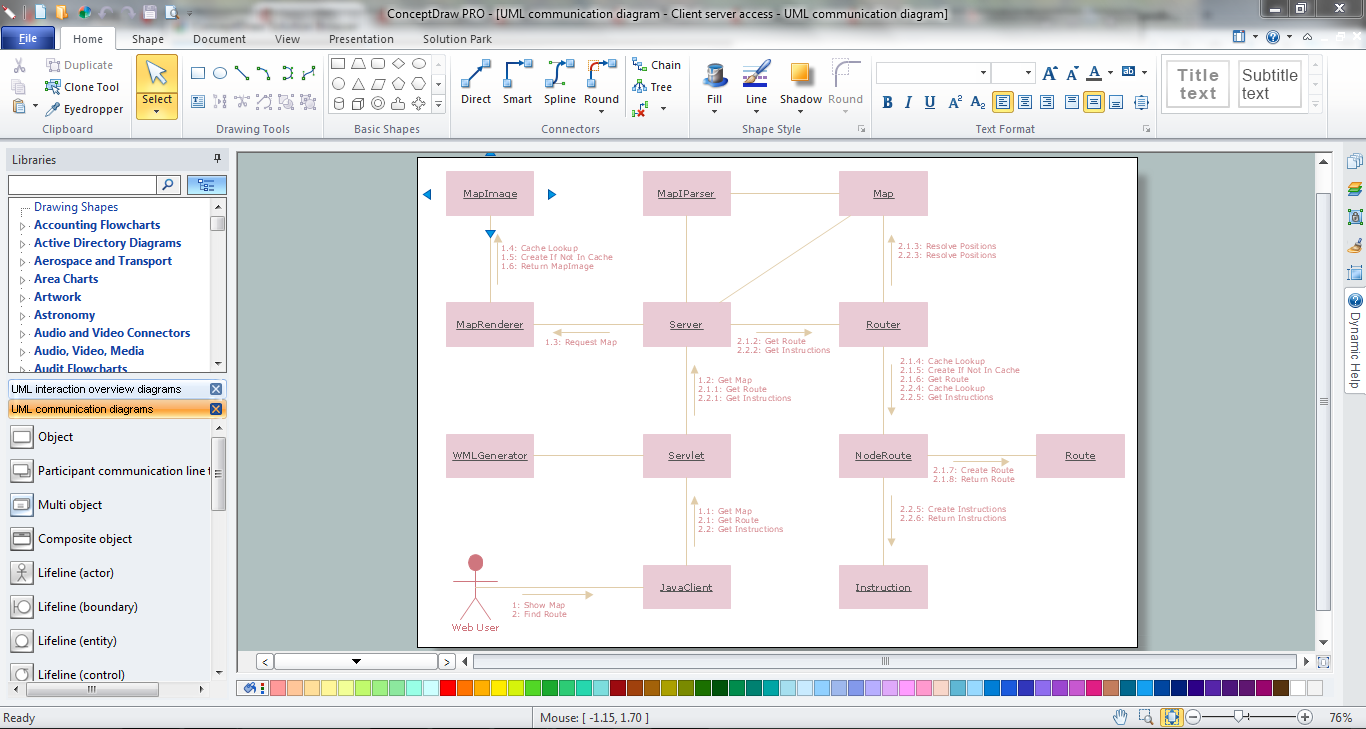
There are many ways to track the system in a critical situation. To model a system behavior, uml notation is widely used. Usually, an UML diagram consists of elements such as actor and a case. This diagram represents the structure of UML notations. Unified Modeling Language (UML) is used in software engineering to depict graphically the software modeling process. UM Language uses graphic notations for developing models of object-oriented systems. These notations displays requirements, sub-systems, logical and physical elements, etc. We created this diagram using ConceptDraw DIAGRAM reinforced with Rapid UML solution. It can be helpful for students on software engineering, when learning UML.UML Notation *
Picture: UML Notation
Related Solution:
How should diagramming software work? Is it possible to develop a diagram as quickly as the ideas come to you? The innovative ConceptDraw Smart Connectors Technology - This is more than enough versatility to draw any type of diagram with any degree of complexity. Connection points are necessary for diagramming network, flowchart and organizational charts. In ConceptDraw you connect shapes by attaching, or snapping and gluing, connectors to shape connection points.ConceptDraw Arrows10 Technology *
Picture: ConceptDraw Arrows10 Technology
The UML diagram is a powerful tool which lets visually represent all system's components, the interactions between them and relationships with external user interface. The Rapid UML solution for ConceptDraw DIAGRAM software offers diversity of UML flowchart symbols for drawing all types of UML diagrams.UML Flowchart Symbols *
Picture: UML Flowchart Symbols
Related Solution:
When thinking about data visualization, one of the first tools that comes to mind is a flowchart design. You can find flowchart symbols, shapes, stencils and icons easily on the Internet, but it might take time to systematize this information. Nevertheless, once you start flowcharting, you’ll love its simplicity and efficiency. This diagram consists from standard flowchart symbols, approved by ANSI (American National Standard Institute) for drawing flowcharts. A flowchart is a diagram that represents a step-by-step algorithm of any process, displaying the process stages as boxes that are connected with arrows. Flowchart design makes it clear and readable. Flowchart designed using ConceptDraw DIAGRAM flowchart software allows to make attractive and clear process presentation, it makes interpretation of the business process flow fresh and versatile. Great flowchart design view is a big advantage over the diagram created manually on a paper.Flowchart design
Picture:
Flowchart Design
Flowchart Symbols, Shapes, Stencils and Icons
Related Solution:
ConceptDraw DIAGRAM diagramming and vector drawing software extended with tools of Flowcharts Solution from the Diagrams Area of ConceptDraw Solution Park ideally suits for fast and easy Online Flow Chart designing. We propose to verify this right now.Online Flow Chart *
Picture: Online Flow Chart
Related Solution:
Stakeholder management is a critical component to the successful delivery of any project, programme or activity. ConceptDraw DIAGRAM is a powerful diagramming and vector drawing software. Now, thanks to the Stakeholder Onion Diagrams Solution included to the Management Area of ConceptDraw Solution Park, ConceptDraw DIAGRAM became also unique stakeholder management system design software.Stakeholder Management System using Onion Diagram
Picture: Stakeholder Management System using Onion Diagram
Related Solution:
The digital communication is a physical transfer of the data over a point-to-point or point-to-multipoint communication channel. Channels can be copper wires, optical fibres, wireless communication channels, etc. The data are realized as electromagnetic signals (radiowave, microwave, electrical voltage, etc.). This example was created in ConceptDraw DIAGRAM using the Computer and Networks Area of ConceptDraw Solution Park and shows the Digital Communication Network diagram.Digital Communications Network. <br>Computer and Network Examples *
Picture: Digital Communications Network. Computer and Network Examples
Related Solution:
Internet solutions on ConceptDraw base. What may interest developers of Internet solutions.Software development with ConceptDraw products *
Picture: Software development with ConceptDraw products
Pyramid diagrams help you visualize information as a triangle divided into horizontal slices. Labelled slices represent a hierarchy. Pyramids are used in marketing presentations to show and analyze hierarchy levels. 3D triangular diagram of DIKW pyramid has 6 levels: measurement, facts, data, information, knowledge, wisdom. The data component include different scattered signs or symbols which are merely useless until these random objective facts are somehow processed. Data is a resource which has to be manipulated or rearranged to get useful. Information can be extracted from a pile of data, it also can be mined from different data storages.Pyramid Diagram *
Picture: Pyramid Diagram
Related Solutions:
You can see that when you rotate a group, connectors change their angle, keeping their position inside of the grouped objects. If you decide to ungroup the objects, the connectors will adjust to keep lines parallel to the edges of the sheet. The magic of ConceptDraw Arrows10’s rotating group containing connectors, makes complex diagramming simple and easy. The way to connect objects has never been easier.ConceptDraw Arrows10 Technology *
Picture: ConceptDraw Arrows10 Technology
ConceptDraw
DIAGRAM 18