IDEF0 Flowchart Symbols
IDEF (Integration Definition for Function Modeling) relates to the family of modeling languages in the field of systems and software engineering. IDEF covers a wide range of uses, from the functional modeling to the object-oriented analysis and design. There are many types of IDEF diagrams and methods, two among them are used as the base for business process models - IDEF0 and IDEF3.
The IDEF0 method is built on the functional modeling language Structured Analysis and Design Technique (SADT) and focuses on activity modeling. The modeling of the entire business and its processes is always difficult process, because even for small-size businesses the business processes are complex. The IDEF0 method facilitates the modeling of the business as a complex system and makes it simple for understanding.
The IDEF0 Diagrams are succesfully used for documenting the business, for analysis, development, reengineering, integration of information and software systems. The IDEF0 notation is based on the Air Force Wright Aeronautical Laboratories Integrated Computer-Aided Manufacturing (ICAM) Architecture and was standardized in 1993 by the National Institute of Standards and Technology.
The ability to create the IDEF0 flowcharts and business diagrams rapidly and without efforts is made possible thanks to wide range of intuitive tools of ConceptDraw DIAGRAM software and IDFE0 notation supplied by IDEF0 Diagrams solution from the Software Development area. This solution is rich for the ready-to-use specific IDEF0 flowchart symbols grouped in IDEF0 Diagram library.
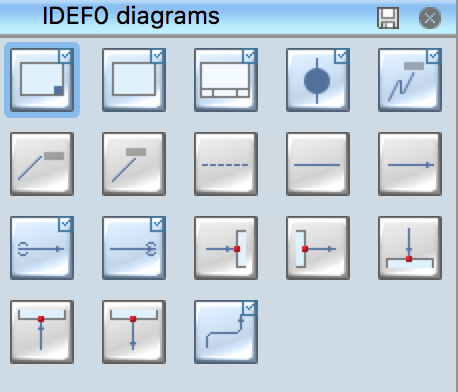
Example 1. IDEF0 Diagram Library
The IDEF0 Diagram library contains 18 IDEF0 flowchart symbols. All they are vector, so you can resize them without loss of quality, change their color to make your flowcharts and diagrams more attractive.
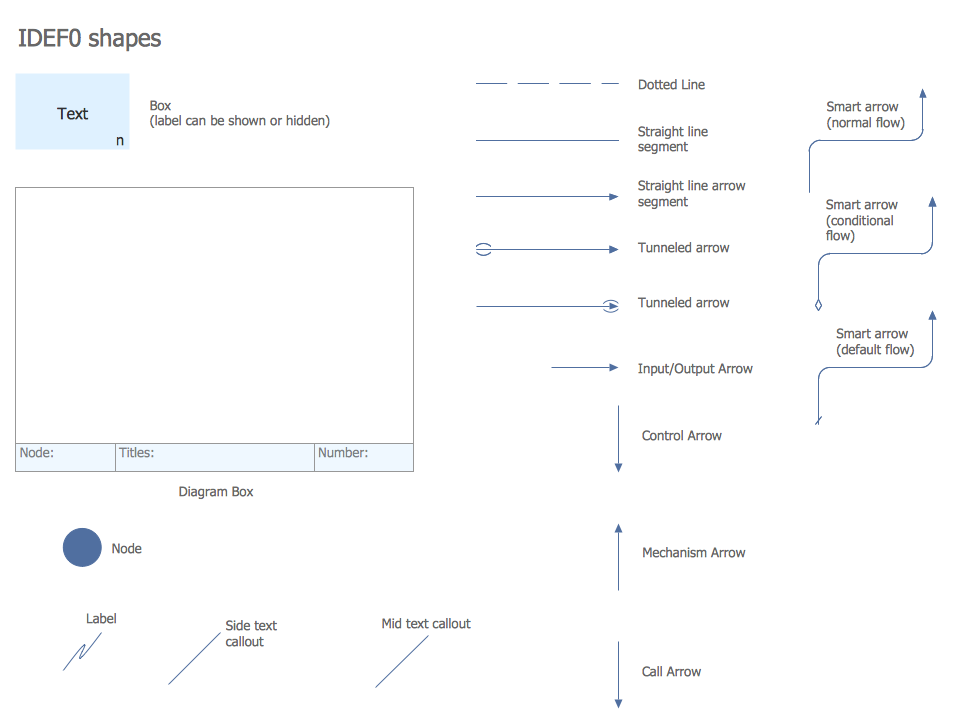
Example 2. IDEF0 Flowchart Symbols
Note that one more set of IDEF0 flowchart symbols is also offered by IDEF0 library from the IDEF Business Process Diagrams solution from the Business Processes area of ConceptDraw Solution Park. You can combine the objects from both these libraries at your diagram, if required.
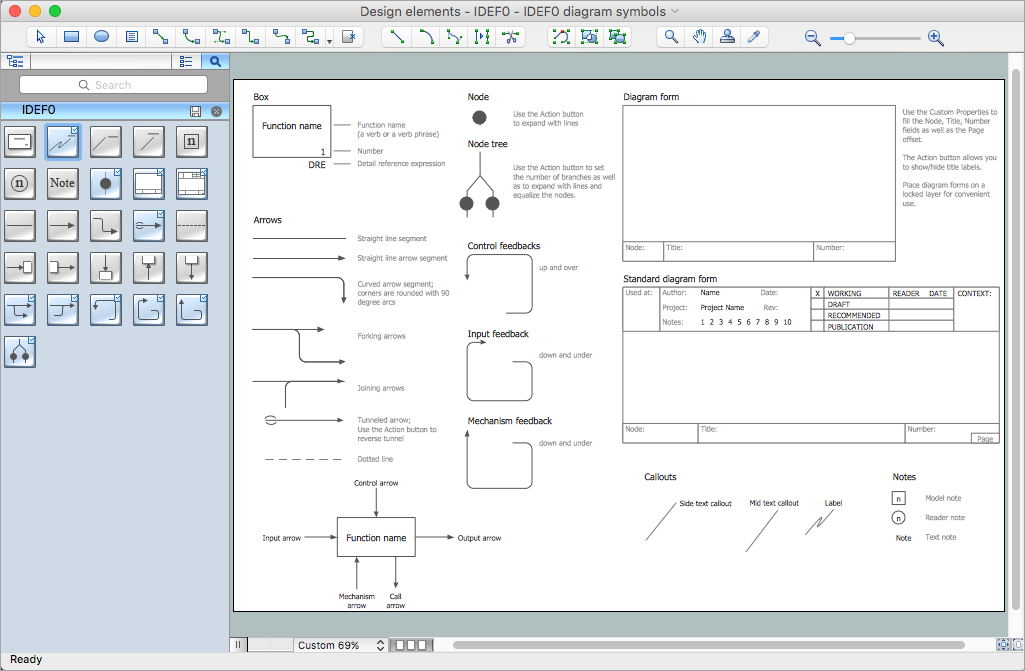
Example 3. IDEF0 Library Design Elements
The flowcharts and diagrams are the major components of IDEF0 models and are used to model the decisions, actions, and activities of an organization or other system. An IDEF0 model is made up of several diagrams, each diagram describes in more detail a box from a more general diagram.
Follow the next few steps to create the IDEF0 diagram:
- You can start design with Diagram Box element from the IDEF0 Diagram library.
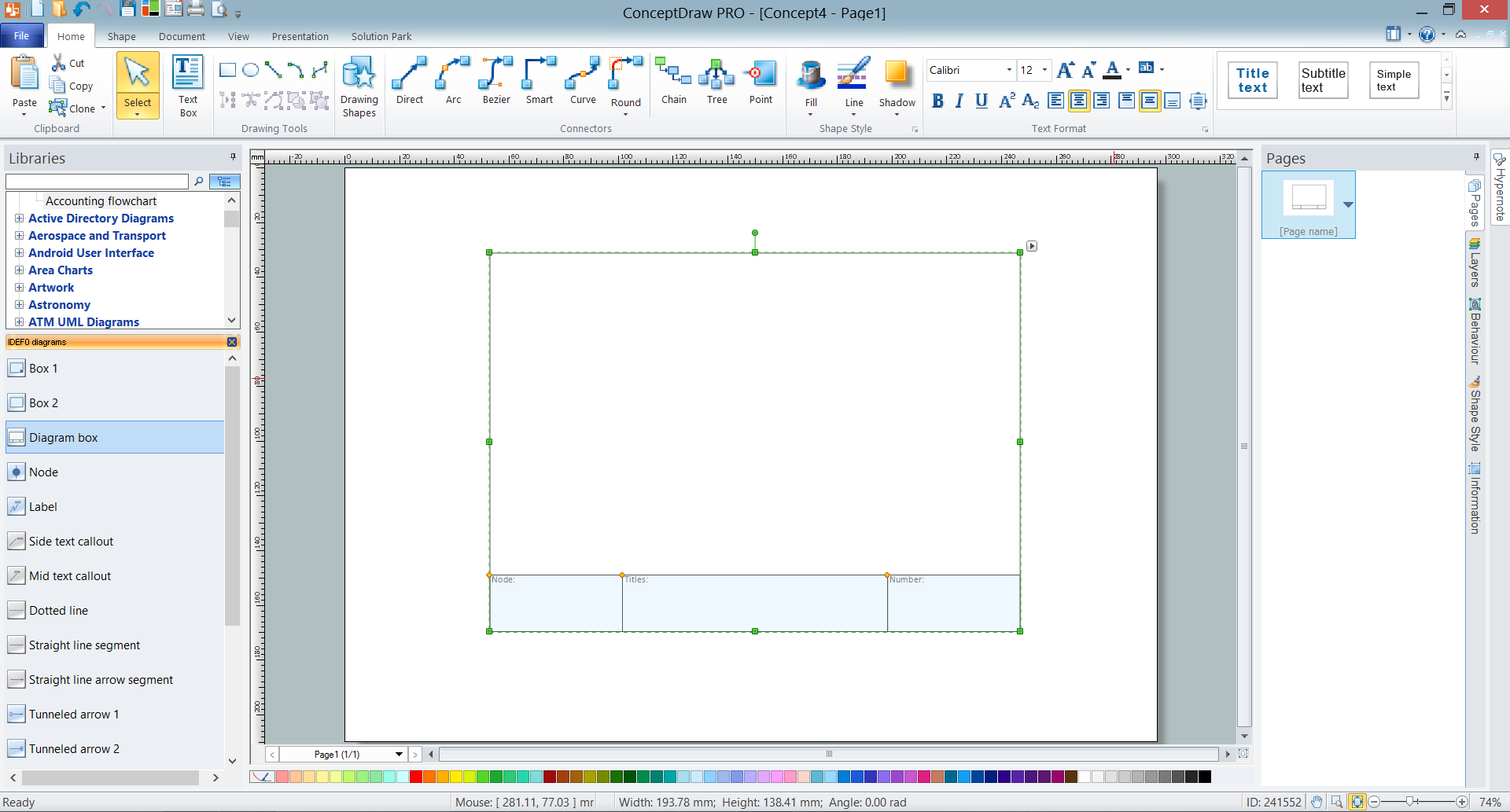
Example 4. Adding the Diagram Box
- Then add the boxes that represent functions such as activities, actions, processes or operations by dragging them from the library into the Diagram Box. Arrange the boxes and resize the Diagram Box, if needed.
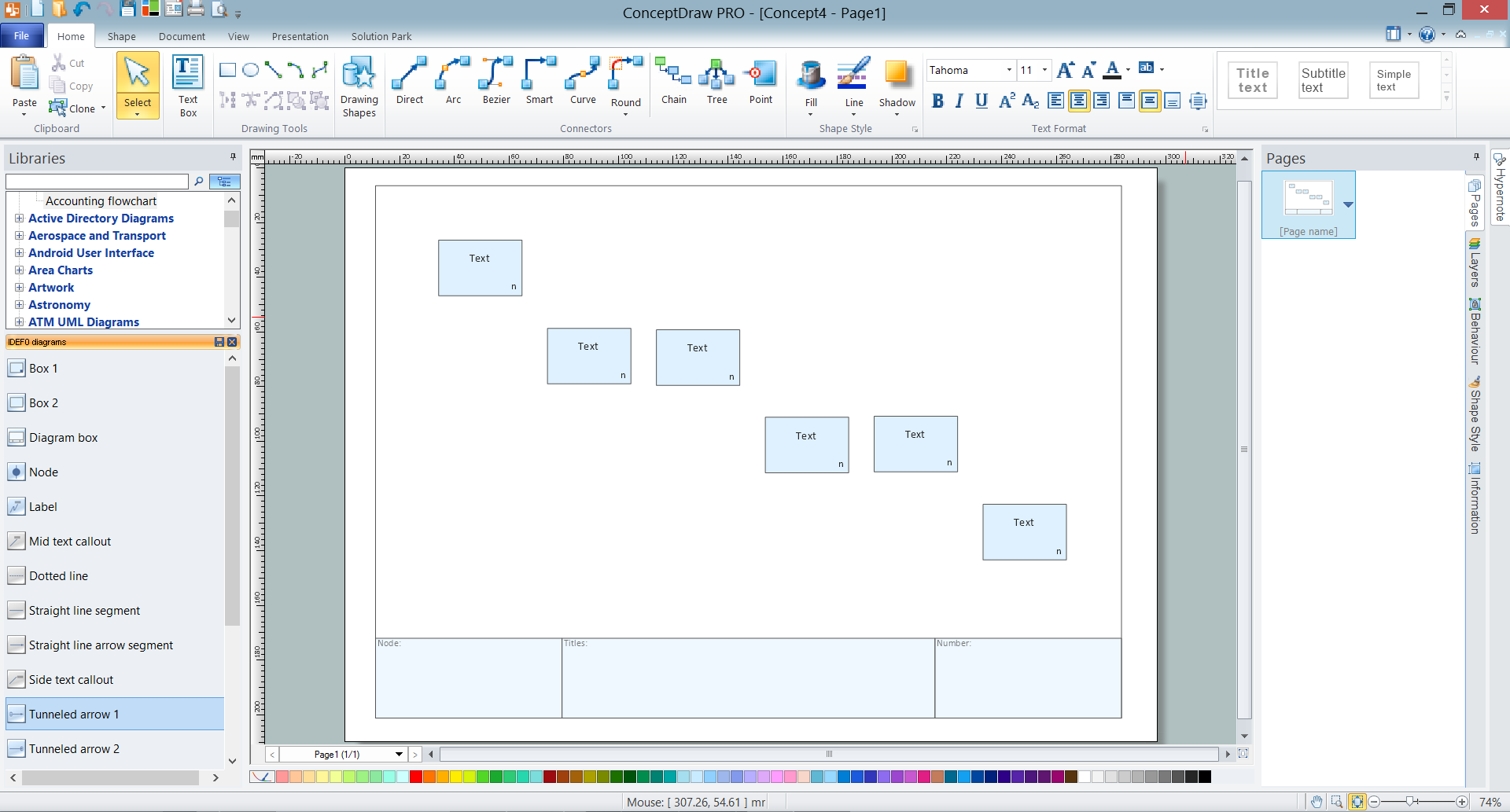
Example 5. Adding the Boxes at IDEF0 Diagram
- To make changes to IDEF0 objects, use the Action button menu at the object's right top corner.
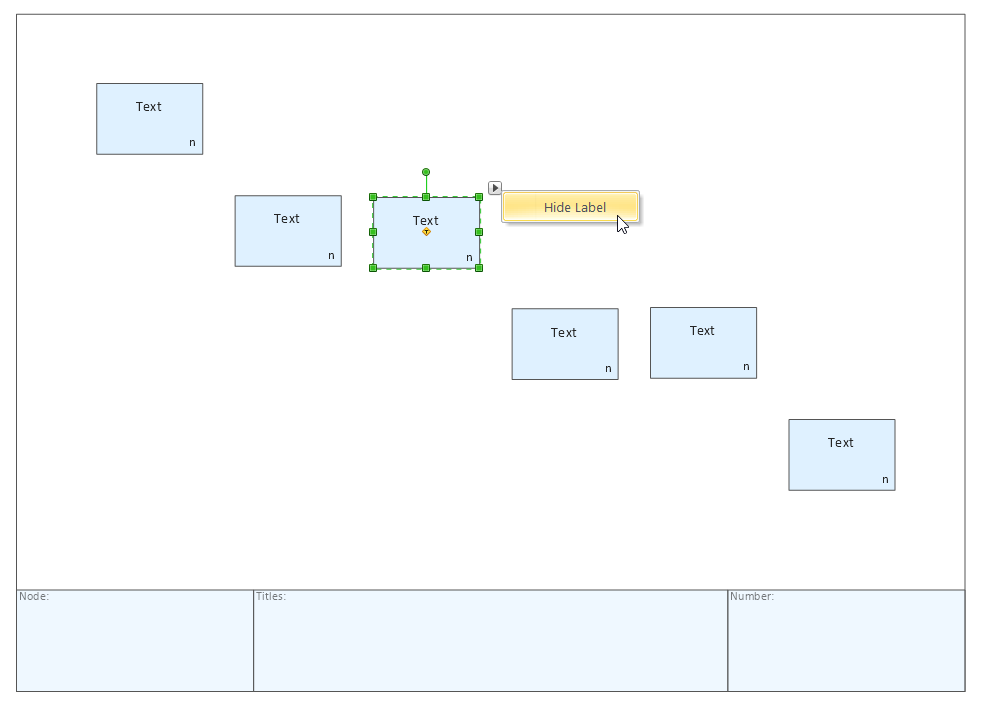
Example 6. IDEF0 Object's Action Menu
- The data and objects which interrelate with the functions are represented by arrows, connect the IDEF0 elements with arrow connectors. Add the text and make color changes.
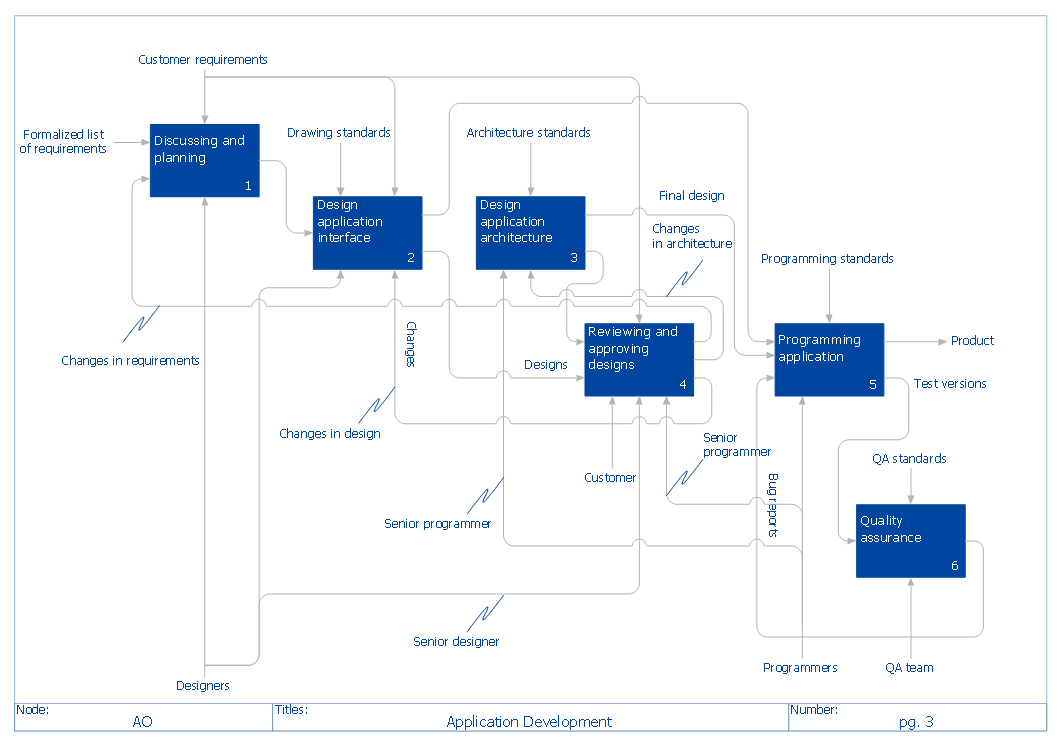
Example 7. IDEF0 Diagram — Application Development
The IDEF0 Diagrams solution offers also large quantity of predesigned templates and samples that are available from ConceptDraw Solution Park. Use any of them to create your own IDEF0 Diagram on its base.

Example 5. IDEF0 Diagrams Solution
The ConceptDraw DIAGRAM software allows you create the IDEF0 digrams and flowcharts of complex processes more easily by providing variety of drawing tools, connector tools, samples, templates and drag-and-drop IDEF0 flowchart symbols contained in IDEF0 Diagrams library from the IDEF0 Diagrams solution of Software Development area and IDEF0 library from the IDEF Business Process Diagrams solution of Business Processes area.
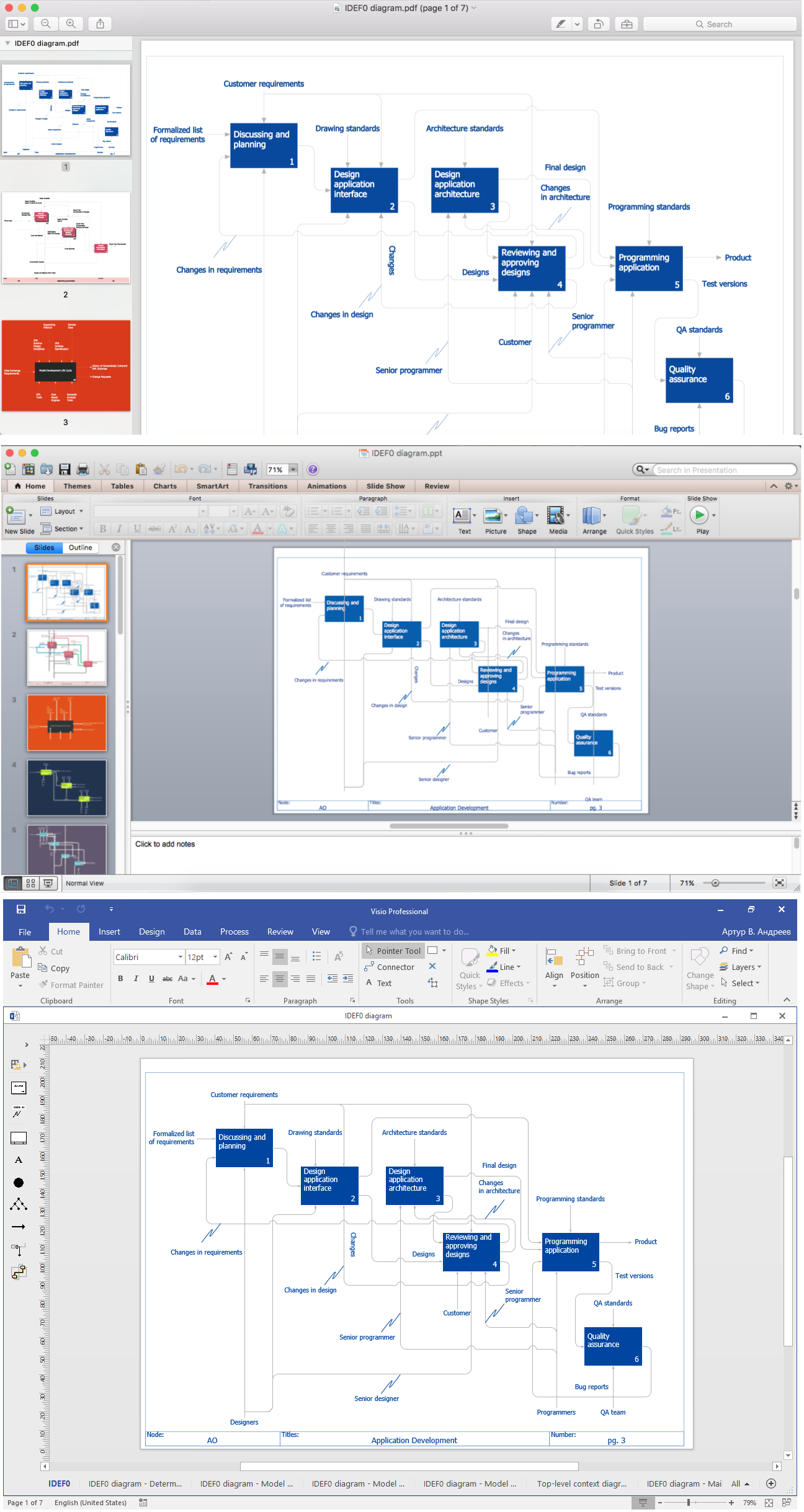
Example 5. Export IDEF0 Diagram to PDF, PPT, Visio.
Any IDEF0 Diagram designed in ConceptDraw DIAGRAM software can be then easy printed, exported to various formats, including PPT, PDF, MS Visio, HTML, and many other graphic formats.
TEN RELATED HOW TO's:
Special libraries of highly detailed, accurate shapes and computer graphics, servers, hubs, switches, printers, mainframes, face plates, routers etc.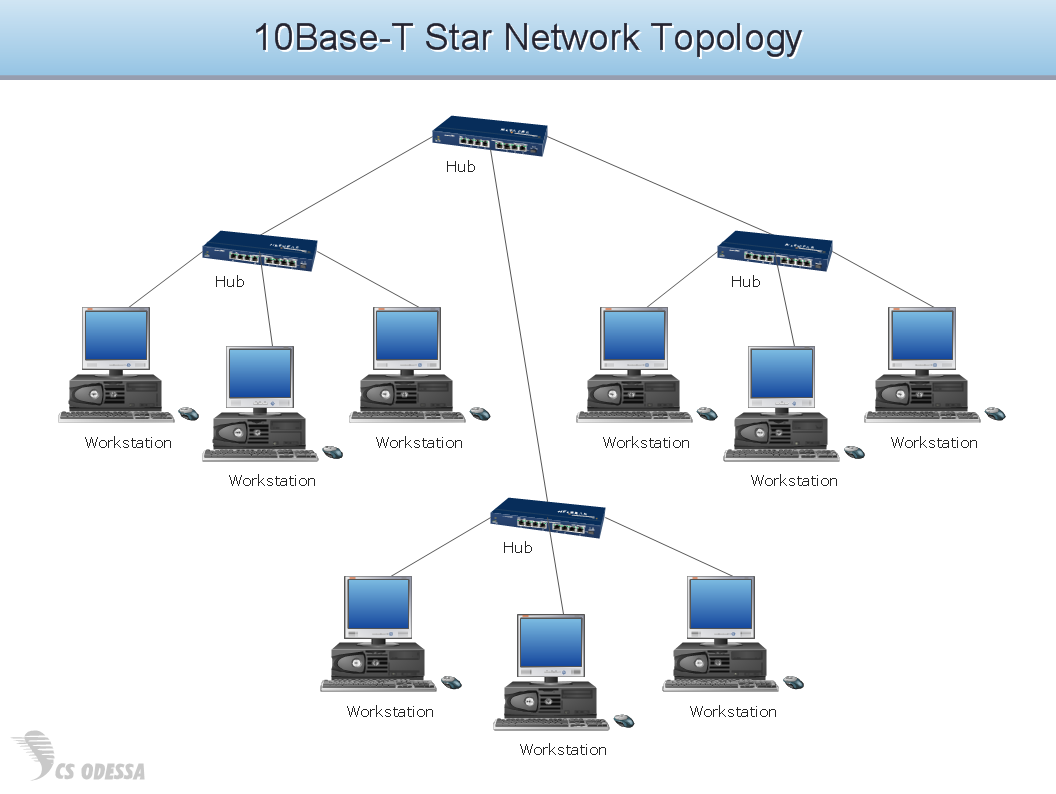
Picture: Network Hubs
Accounting flowchart is a system of processes to represent accounting system of an organization. If you need to know how accounting processes work and how each operation is done, the Accounting Flowcharts Solution for ConceptDraw DIAGRAM has a predesigned library, tips, methods and symbols for easy drawing an Accounting Flowchart.
Picture: Accounting Flowchart
Related Solution:
In ConceptDraw DIAGRAM you can produce ice hockey diagrams of any complexity for any presentaion needs, using a combination of tools. To adopt the sample below for presentation needs place positions and arrows onto different layers of your document and then make them visible one by one during a presentation.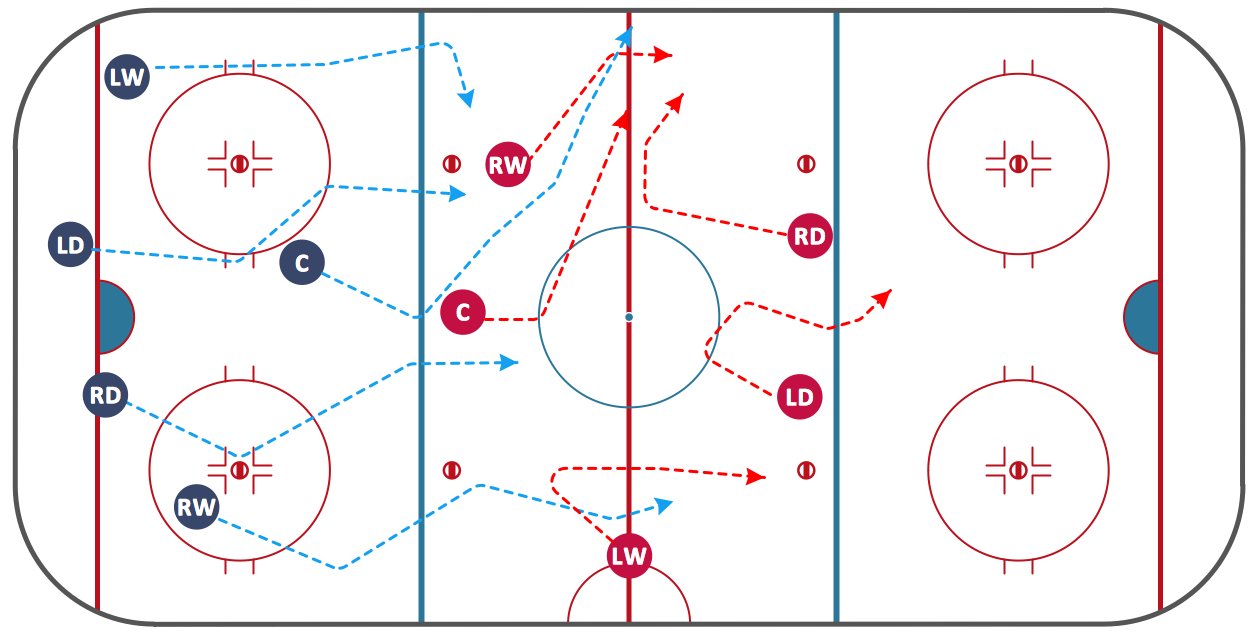
Picture: Ice Hockey Diagram — Defensive Strategy — Neutral Zone Trap
Related Solution:
Easy charting software comes with beautiful chart templates and examples. This makes it easy to create professional charts without prior experience.
Picture: Chart Maker for Presentations
Related Solution:
ConceptDraw solution Computer and Networks provides Interactive Voice Response samples, templates and library of 35 vector stencils for drawing the IVR network diagrams.
Use ConceptDraw DIAGRAM diagramming and vector drawing software enhanced with solution Computer and Networks to visualize the logical and physical structure of IVR systems for inbound and outbound call centers and voice mail systems.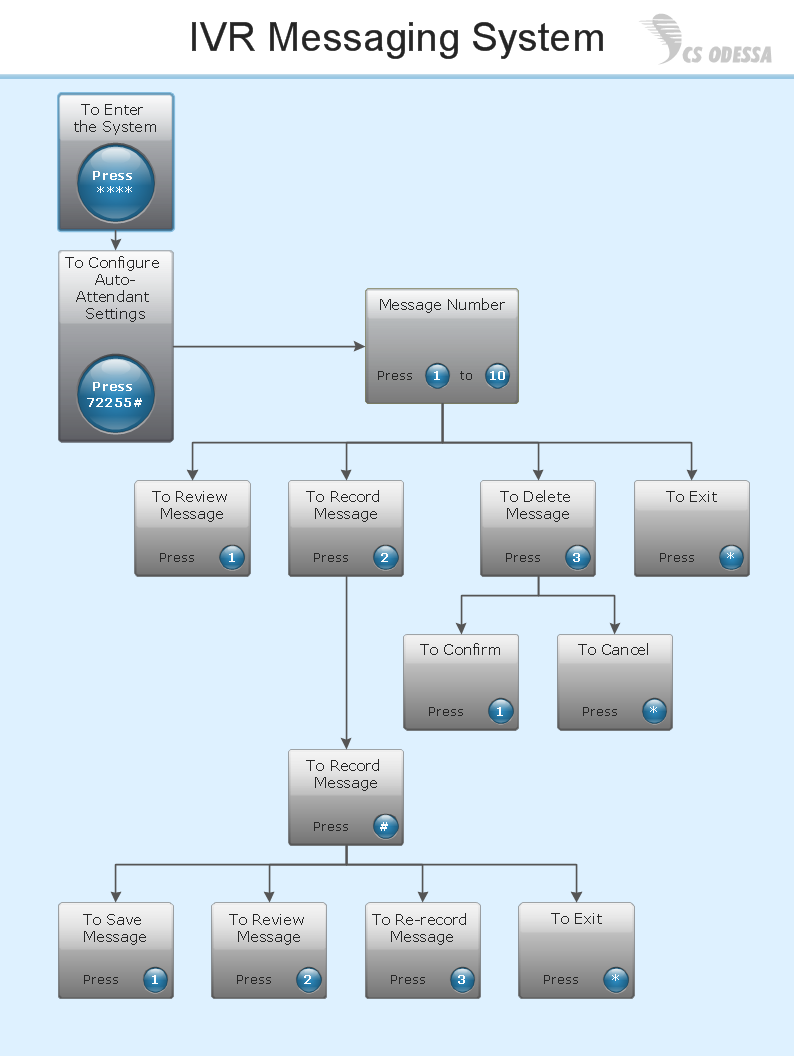
Picture: Interactive Voice Response Network Diagram
Visual information is easier to perceive. You can teach even a child to make diagrams with a good flowchart example that would be interesting for it. Flowcharts can be fun, it’s not about business processes or programming algorithms.
This flowchart shows step by step process of manufacturing of Nixtamal The product which is obtained by processing maize with calcium hydroxide. We must assume that the Aztecs were very fond of this product, if the recipe of its production came to our times. This flow chart was designed using ConceptDraw DIAGRAM with its solution for designing flowcharts of various types, sizes and purposes. ConceptDraw Flowcharts solution consists from the library of flowchart symbols, containing the set vector objects. Also there are a lot of diverse templates and samples of flow charts.
Picture: Flowchart Examples and Templates
Related Solution:
Cause and Effect diagram (Ishikawa diagram or Fishbone diagram) software helps you to show in one diagram the factors of Equipment, People, Process, Environment, Management and Materials, which all in general affect the overall problem and gives the base for the further analysis. ConceptDraw DIAGRAM is perfect software for designers and software developers who need to create Fishbone diagrams. You will get a simple problem-analysis tool - Fishbone software tools for design element to easy construct specific diagrams and identify many possible causes for an effect to attack complex problem solving._Win_Mac.png)
Picture: Fishbone Software Tools for Design Element
Related Solution:
Talking about interior design, we usually mean apartments, houses or establishments. But there’s much more to this, for instance, interiors in warehouses, storage and distribution departments and machine shops also require designing. You can find all the necessary design elements such as cranes and forklifts in Plant Layout Plans solution ConceptDraw Solution Park.
This picture represents content of the Storage and Distribution library, providing the collection of vector images designed to plan layouts of industrial storage facilities (warehouses). Warehouse is a premises and equipment intended for the reception, distribution and storage of products manufactured at the plant, as well as to preparation the product for shipment to the consumer. This vector images library is supplied with ConceptDraw Plant Layout Plans solution. it will help to industrial architects and planners to design plans for industrial storage and shipping facilities.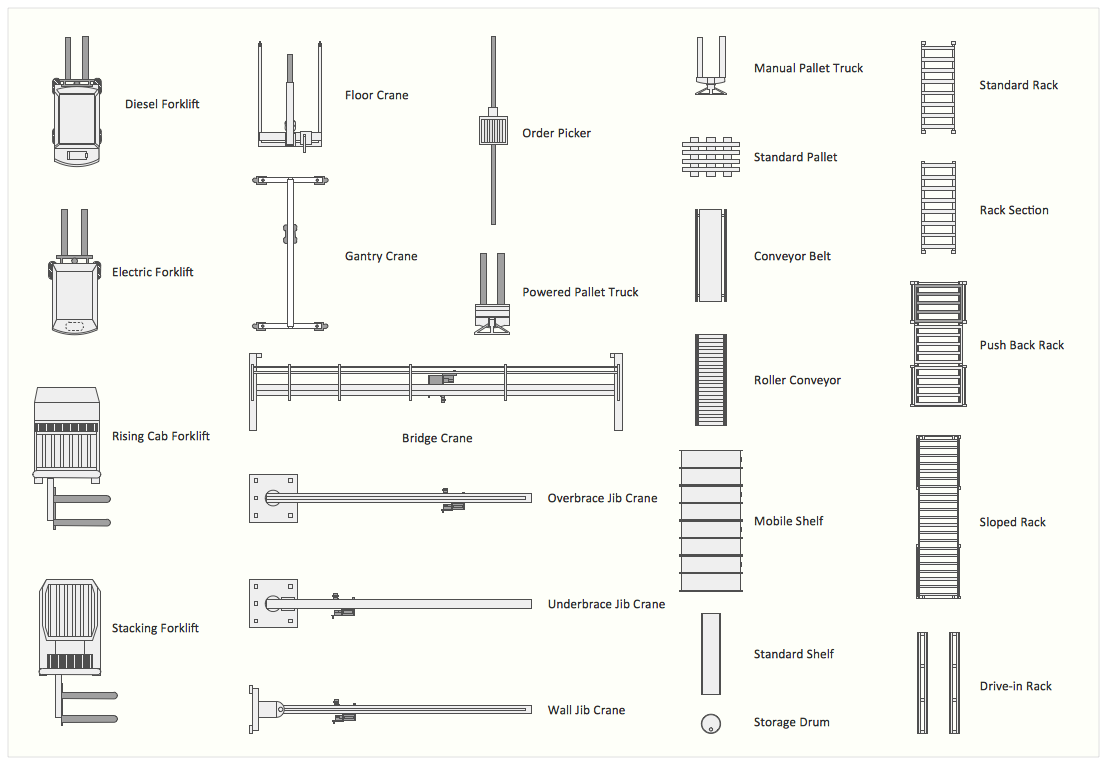
Picture: Interior Design. Storage and Distribution — Design Elements
Related Solution:
ConceptDraw MINDMAP is a fundamental tool in quality management to describe visual instructions on any process.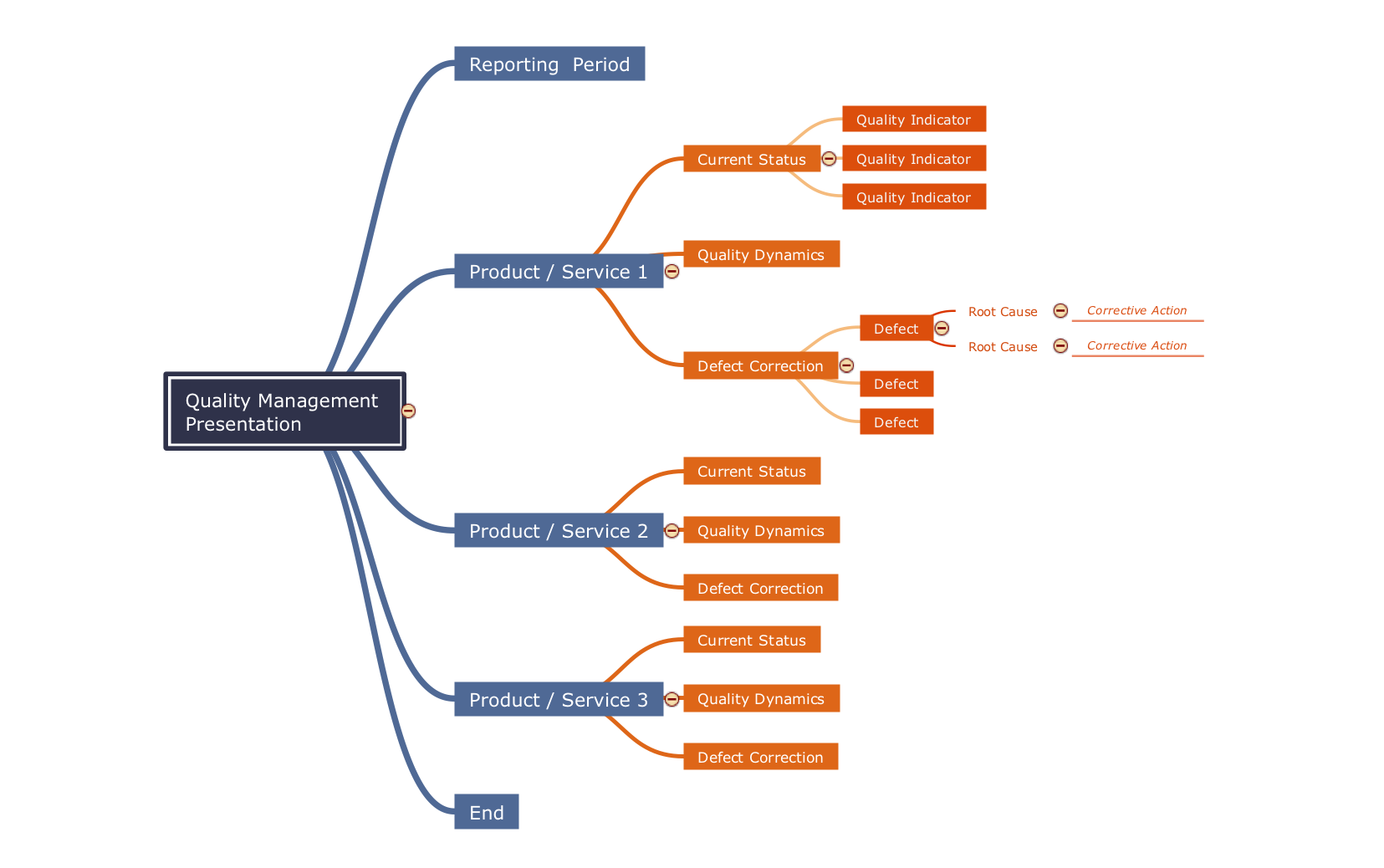
Picture: Fundamental Tool in Quality Management
Related Solution:
ConceptDraw PROJECT is the Gantt chart software that implements critical path method to provide the user with a wide set of project management tools.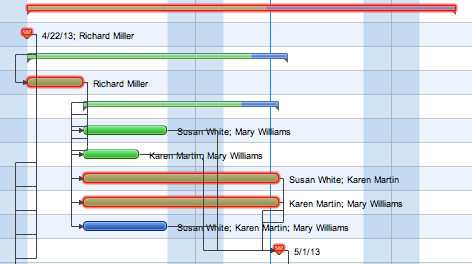
Picture: How to Discover Critical Path on a Gantt Chart







