Made with
ConceptDraw
DIAGRAM 18

ERD Symbols and Meanings

Modeling your data using entity-relationship diagram (ERD) with Crow's Foot notation which is popular in Structured Systems Analysis, Barker's Notations, Design Methods and information engineering you need the software that is easy in use having all necessary elements for creating the needed flowcharts as well as their examples. You can find all essential ERD symbols and its meanings on our site with tutorials of how to use it and you can always use the already existing layouts for making your own diagrams in our Solution Park. Once you download our application with extension of hundreds of design elements you’ll find it simple to start using it straight away and you’ll be pleasantly surprised of how smart this tool for making the charts is.

Design elements Crow’s Foot notation

Crow's Foot notation is used in Barker's Notation, Structured Systems Analysis and Design Method (SSADM), and information engineering. Crow's Foot diagrams represent entities as boxes, and relationships as lines between the boxes. Different shapes at the ends of these lines represent the cardinality of the relationship.

Entity-Relationship model making possibility to describe a database in which in the tables data can be the point to data in other tables — for instance, your entry in the database could point to several entries.

To create an ERD, software engineers mainly turn to dedicated drawing software, which contain the full notation resources for their specific database design — ERD symbols and meanings. CS Odessa has released an all-inclusive Entity-Relationship Diagram (ERD) solution for their powerful drawing program, ConceptDraw DIAGRAM

ERD Symbols and Meanings

Example 1. Entity Relationship Diagram symbols and meaning

When you need to describe efficiently a database using the Crow’s Foot notation icons, ConceptDraw DIAGRAM gives you the ability to draw Entity Relationship diagram (ERD) fast and easy.


Design elements Chen's notation

The Chen's ERD notation is still used and is considered to present a more detailed way of representing entities and relationships.

Use also ConceptDraw DIAGRAM enhanced with powerful Entity-Relationship Diagram (ERD) solution to draw your own ER diagrams using Chen's notation icons.

Symbol Shape Name Symbol Description
Entities
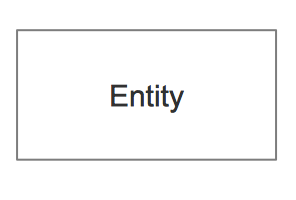
ERD Symbols and Meaning - Entity Entity An entity is represented by a rectangle which contains the entity’s name.
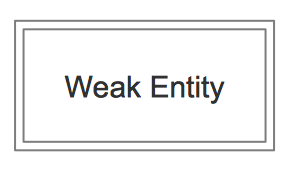
ERD Symbols and Meaning - Weak Entity Weak Entity An entity that cannot be uniquely identified by its attributes alone. The existence of a weak entity is dependent upon another entity called the owner entity. The weak entity’s identifier is a combination of the identifier of the owner entity and the partial key of the weak entity.
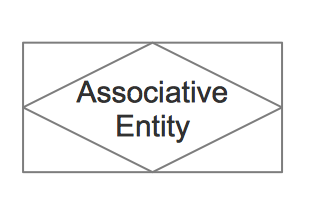
ERD Symbols and Meaning - Associative Entity Associative Entity An entity used in a many-to-many relationship (represents an extra table). All relationships for the associative entity should be many
Attributes
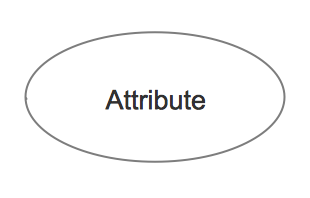
ERD Symbols and Meaning - Attribute Attribute In the Chen notation, each attribute is represented by an oval containing atributte’s name
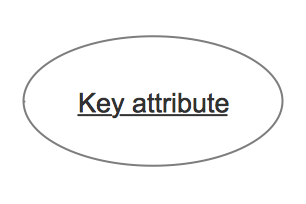
ERD Symbols and Meaning - Key attribute Key attribute An attribute that uniquely identifies a particular entity. The name of a key attribute is underscored.
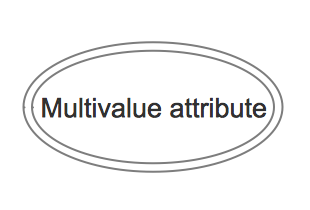
ERD Symbols and Meaning - Multivalue attribute Multivalued attribute An attribute that can have many values (there are many distinct values entered for it in the same column of the table). Multivalued attribute is depicted by a dual oval.
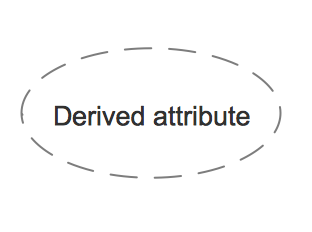
ERD Symbols and Meaning - Derived attribute Derived attribute An attribute whose value is calculated (derived) from other attributes. The derived attribute may or may not be physically stored in the database. In the Chen notation, this attribute is represented by dashed oval.
Relationships
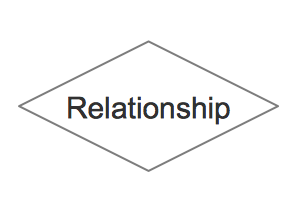
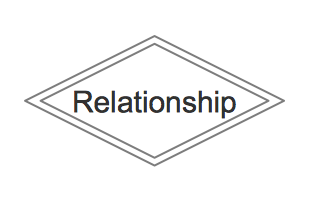
ERD Symbols and Meaning - Relationship Strong relationship A relationship where entity is existence-independent of other entities, and PK of Child doesn’t contain PK component of Parent Entity. A strong relationship is represented by a single rhombus
ERD Symbols and Meaning - Identifying Relationship Weak (identifying) relationship A relationship where Child entity is existence-dependent on parent, and PK of Child Entity contains PK component of Parent Entity. This relationship is represented by a double rhombus.

In addition to the vector stencil image libraries with full standardized Chen and Crow’s foot notations included, the Entity-Relationship Diagram (ERD) solution contains a number of ERD templates and samples added to the solution pack. They will help users quick start representing their own ideas.

Entity Relationship Diagram samples and templates in ConceptDraw STORE

Example 2. Entity Relationship Diagram samples and templates in ConceptDraw STORE

Try it today for saving your time sake not to look for something else once you have great chance to use this excellent product already now!

The following features make ConceptDraw DIAGRAM the best Entity Relationship Diagram ERD Software:

  1. You don't need to be an artist to draw professional looking diagrams in a few minutes.
  2. Large quantity of ready-to-use vector objects (entity relationship diagram symbols and meaning) makes your drawing diagrams quick and easy.
  3. Great number of predesigned templates and samples give you the good start for your own diagrams.
  4. ConceptDraw DIAGRAM provides you the possibility to use the grid, rules and guides. You can easily rotate, group, align, arrange the objects, use different fonts and colors to make your diagram exceptionally looking.
  5. All ConceptDraw DIAGRAM documents are vector graphic files and are available for reviewing, modifying, and converting to a variety of formats: image, HTML, PDF file, MS PowerPoint Presentation, Adobe Flash, MS Visio.
  6. Using ConceptDraw STORE you can navigate through ConceptDraw Solution Park, managing downloads and updates. You can access libraries, templates and samples directly from the ConceptDraw STORE.
  7. If you have any questions, our free of charge support is always ready to come to your aid.
TEN RELATED HOW TO's:
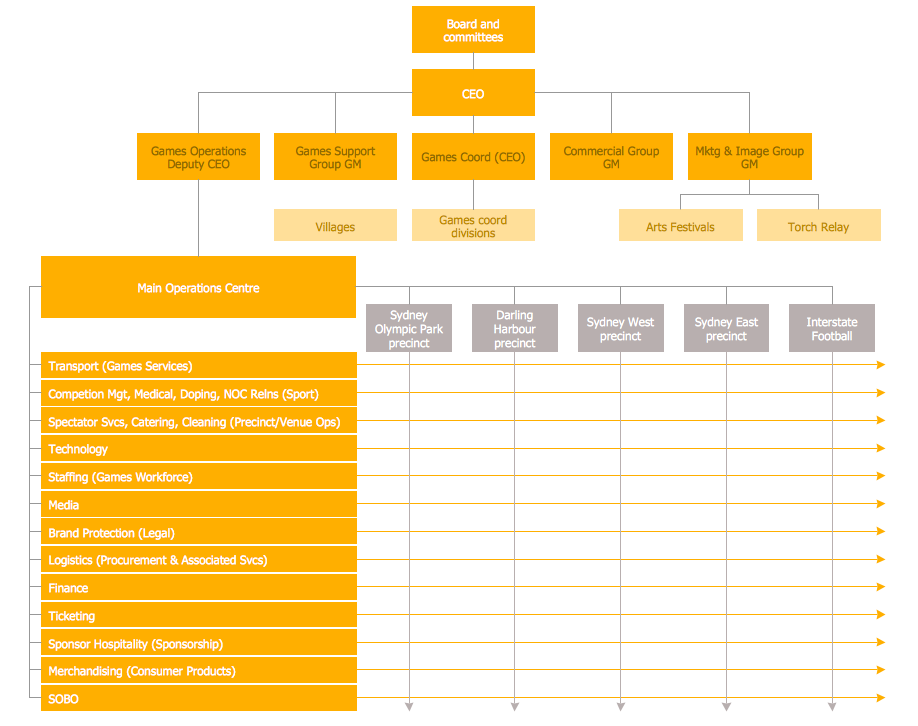
Different organizations have different organizational structures. Matrix organization is one of the most popular and widely used type of organizational structure. Use ConceptDraw DIAGRAM diagramming and vector drawing software extended with 25 Typical Orgcharts solution from the Management area of ConceptDraw Solution Park for fast and easy designing matrix organizational chart for your company.Matrix Organization *
Picture: Matrix Organization
Related Solution:
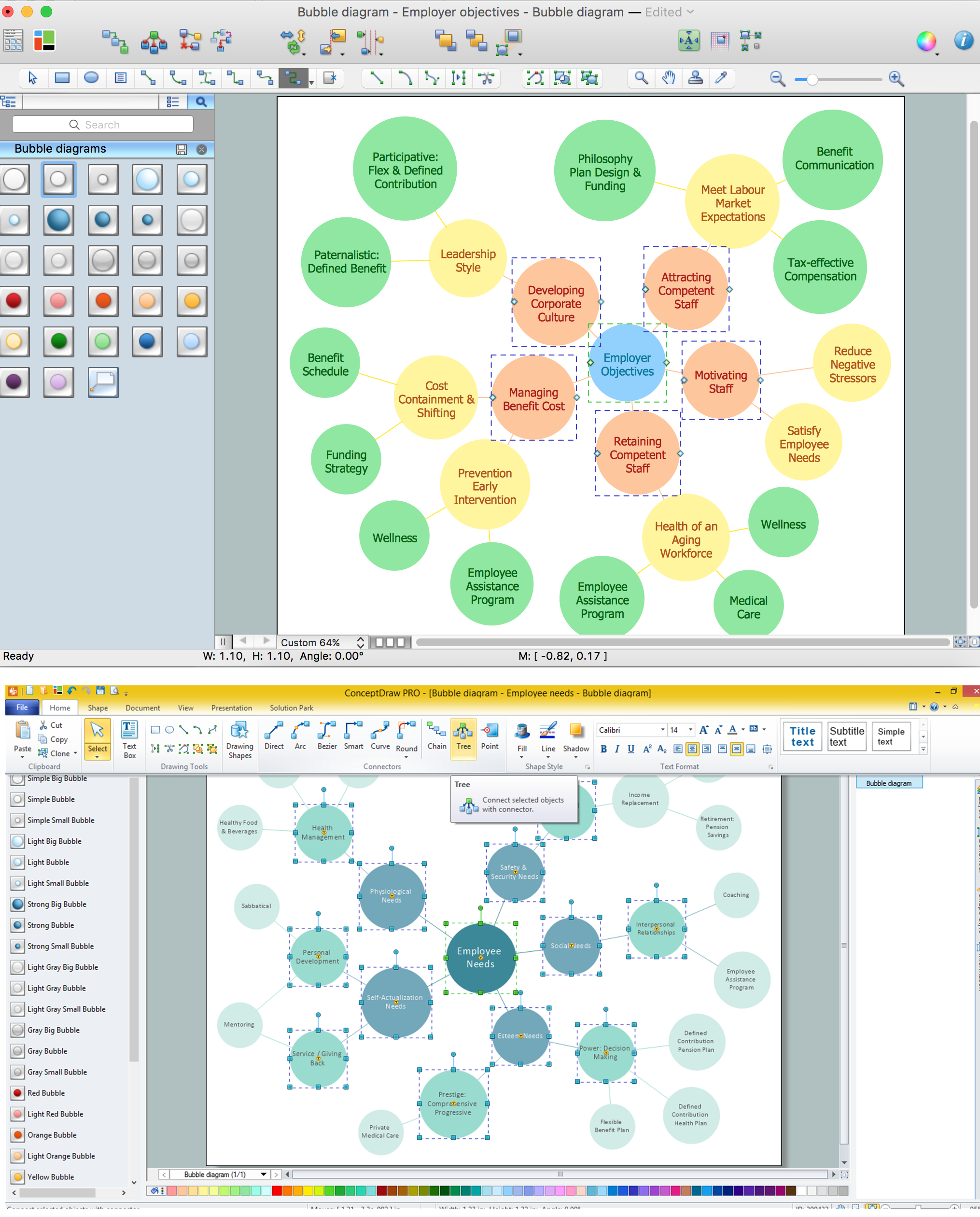
Using ConceptDraw you will be able to create bubble diagrams from the ready ConceptDraw library objects or make your own objects. The created diagram can be saved and edited, objects can be moved and links between them will be automatically repainted after object moving because of using the ConceptDraw connectors.Bubble diagrams with ConceptDraw DIAGRAM  *
Picture: Bubble diagrams with ConceptDraw DIAGRAM
Related Solution:
ConceptDraw DIAGRAM is ideal for software designers and software developers who need to draw Booch OOD Diagrams.Booch OOD Diagram
Picture: Booch OOD Diagram
The most worked out and commonly used methodology of business processes description is IDEF methodology. Besides business processes it allows to describe functional blocks, for example production and marketing. ConceptDraw lets creation of business processes description using IDEF0 and IDEF2 methods.Business Processes *
Picture: Business Processes
Related Solution:
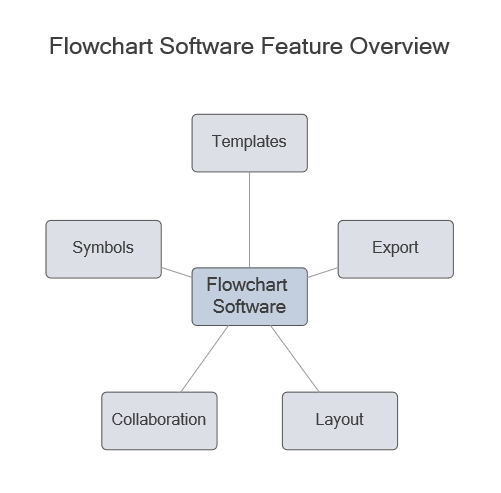
Compare flowchart software by type, features, and workflow fit. Learn the difference between desktop and online tools and choose the right solution for documentation or collaboration.Flowchart software feature overview showing templates, symbols, export, collaboration, and layout
Picture: Flowchart Software: Tools for Process and Workflow Diagramming
Related Solution:
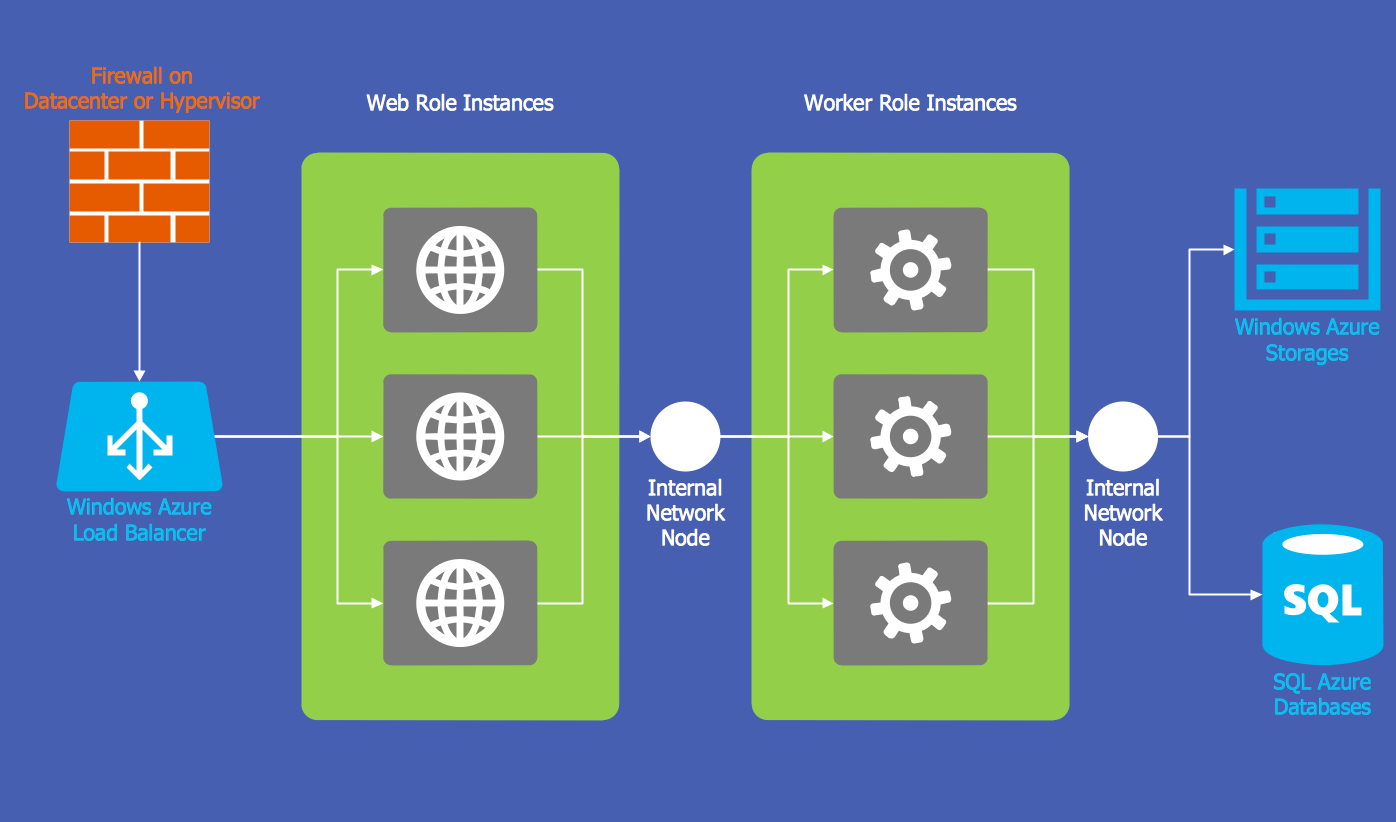
The Microsoft Windows Azure platform is a highly flexible cloud-based solution with variety of services which supports not only the execution of.NET applications, but also allows developers to use programming languages like Java, PHP, Node.js, or Python. ConceptDraw DIAGRAM diagramming and vector drawing software provides the Azure Architecture Solution from the Computer and Networks area of ConceptDraw Solution Park with a lot of useful tools which make easier: illustration of Windows Azure possibilities and features, describing Windows Azure Architecture, drawing Azure Architecture Diagrams, depicting Azure Cloud System Architecture, describing Azure management, Azure storage, documenting Azure services.Windows Azure *
Picture: Windows Azure
Related Solution:
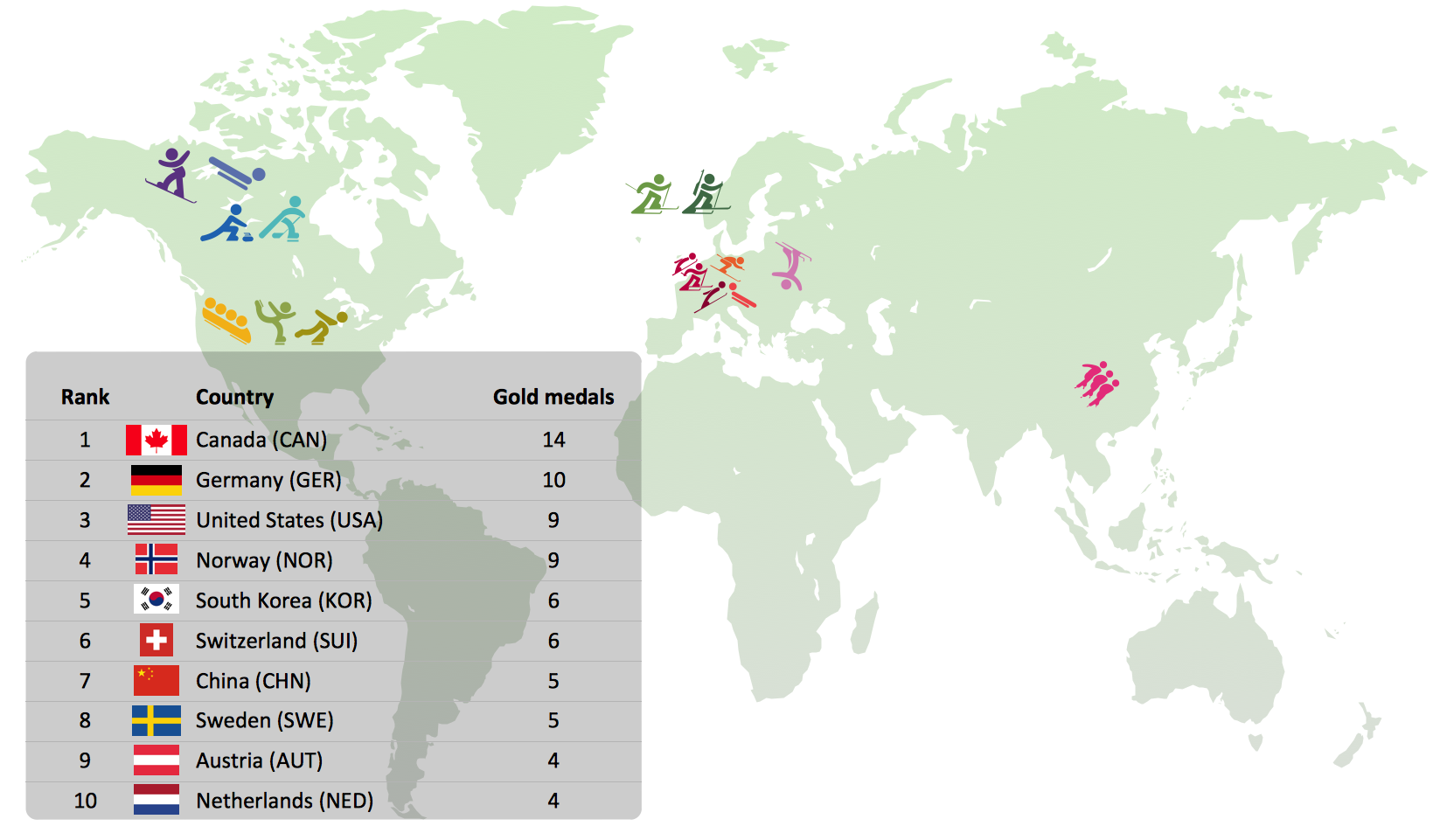
Tracking Olympic results in visual format is the most modern way to deliver statistics to a broad audience. This is a good example of an illustrated table you may easily modify, print, or publish on web from ConceptDraw Winter Sports solution.Winter Sports Vector Clipart. <br>Medal Map. Spatial Infographics *
Picture: Winter Sports Vector Clipart. Medal Map. Spatial Infographics
Related Solution:
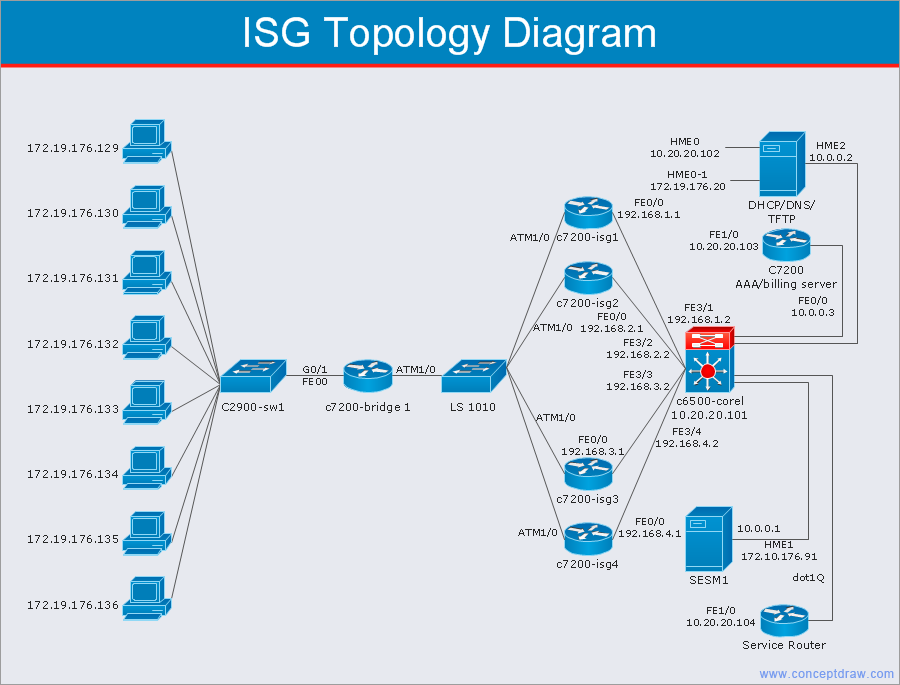
A network diagram is used to depict the topology of a computer network or, talking more broadly, any telecommunications network in general. In order for a computer network diagram to be understandable, clearly identifiable icons must be used for each network appliance. Cisco network templates, also called Network Topology Icons, is a brand of symbols developed and used by Cisco. Since Cisco Systems is the largest networking company in the world, it's list of networking symbols is widely recognized and exhaustive. The diagram of the ISG network topology diagram illustrates the Cisco Intelligent Services Gateway. Since Cicso company offers service providers a possibility to provide control of state and resources in a broadband network, network architects and engineers need some facilities to create ISG topology diagrams.This Cisco ISG network diagram was created in ConceptDraw DIAGRAM using its solution for Cisco network diagrams. The vector library of this solution comprises over 500 icons of Cisco hardware and accessories. They can be used to design LAN, WAN, ISG and other Cisco equipped network diagrams.Cisco Network Templates
Picture: Cisco Network Templates
Related Solution:
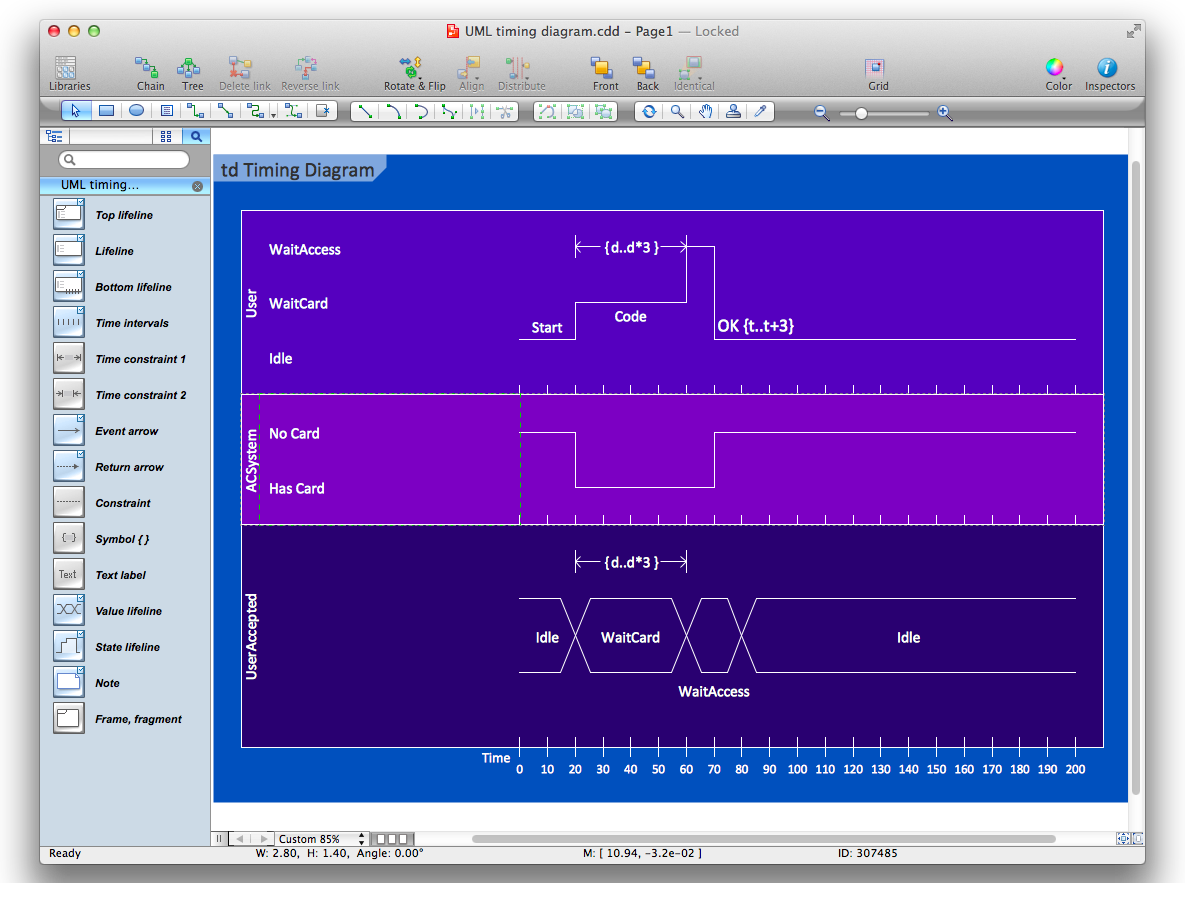
UML Timing Diagram as special form of a sequence diagram are used to explore the behaviors of objects throughout a given period of time.Diagramming Software for Design UML Timing Diagrams *
Picture: Diagramming Software for Design UML Timing Diagrams
A circuit diagram is sometimes also called an elementary diagram, electronic schematic or electrical diagram circuits. It is essential in construction of any electronic equipment. Among many digital drawing tools available, ConceptDraw DIAGRAM is a leading circuits and logic diagram software, affording for easy and quick creation of even the most advanced and complex diagram designs. This makes it a perfect choice for computer science and any kind of electronic engineering. This drawing includes the graphic symbols that may be in use while creating a logic circuit diagram. The diagrams of such kind are used in the electronics industry. The logic symbol depicts a device that realizes a Boolean type functions. Practically a logic symbol means transistor, diodes, relays, and other mechanical or optical details which provide function of closing or opening "gates". Totally the logic circuits can involve millions of gates. ConceptDraw Electrical Engineering solution gives the opportunity to create a circuit diagrams both simple and difficult.Circuits and Logic Diagram Software *
Picture: Circuits and Logic Diagram Software
Related Solution:
ConceptDraw
DIAGRAM 18