Made with
ConceptDraw
DIAGRAM 18

SWOT Matrix

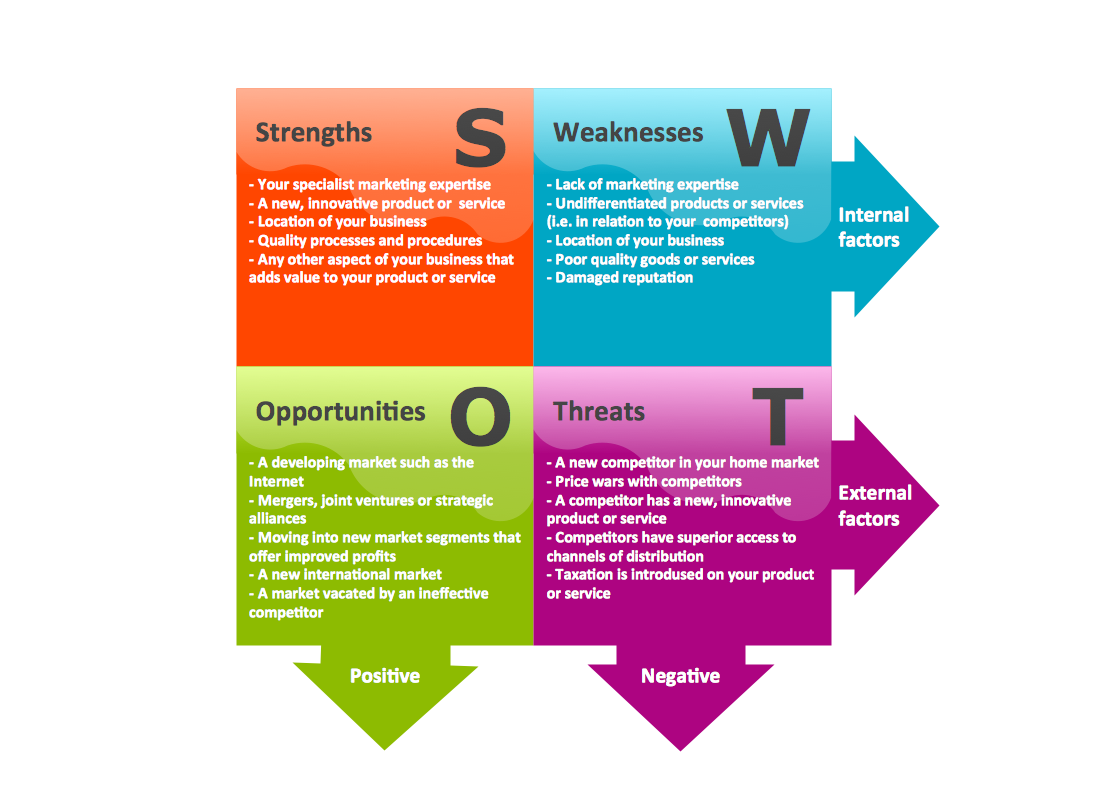
Any SWOT analysis ends up as a SWOT matrix after a process of a structured planning method, which is widely used nowadays for evaluating the strengths, the opportunities, the threats and the weaknesses that are all involved in a project or in some business venture. Your own SWOT analysis can be carried out for your own product, the place of work or distribution, industry or some person you want to “evaluate”. The process of conducting such analysis usually involves the process of specifying the goal of some business venture or some project as well as identifying both the external and the internal factors that are either favorable or unfavorable to achieve the mentioned goal, but usually both — unfavourable and favourable — are mentioned there.
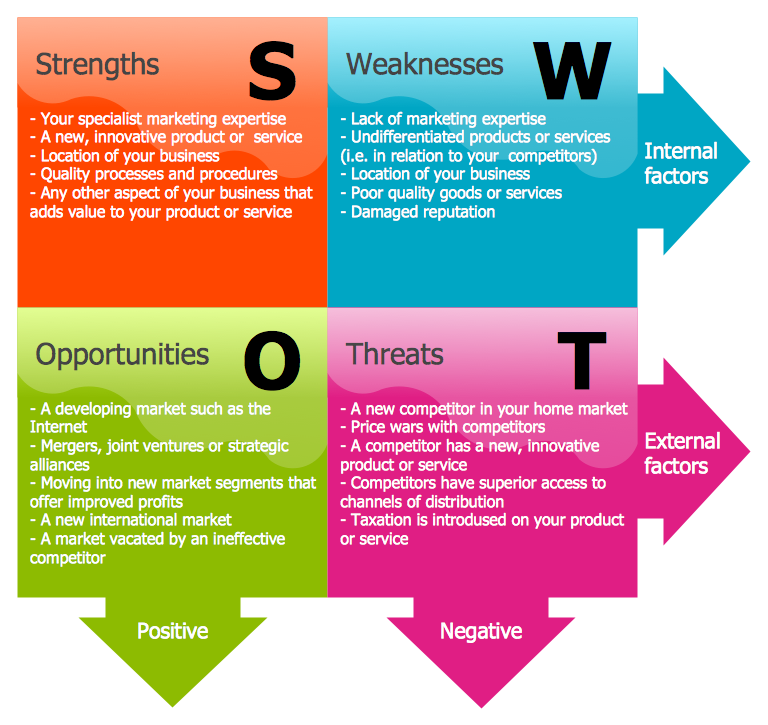
SWOT Matrix *

Example 1. SWOT Matrix

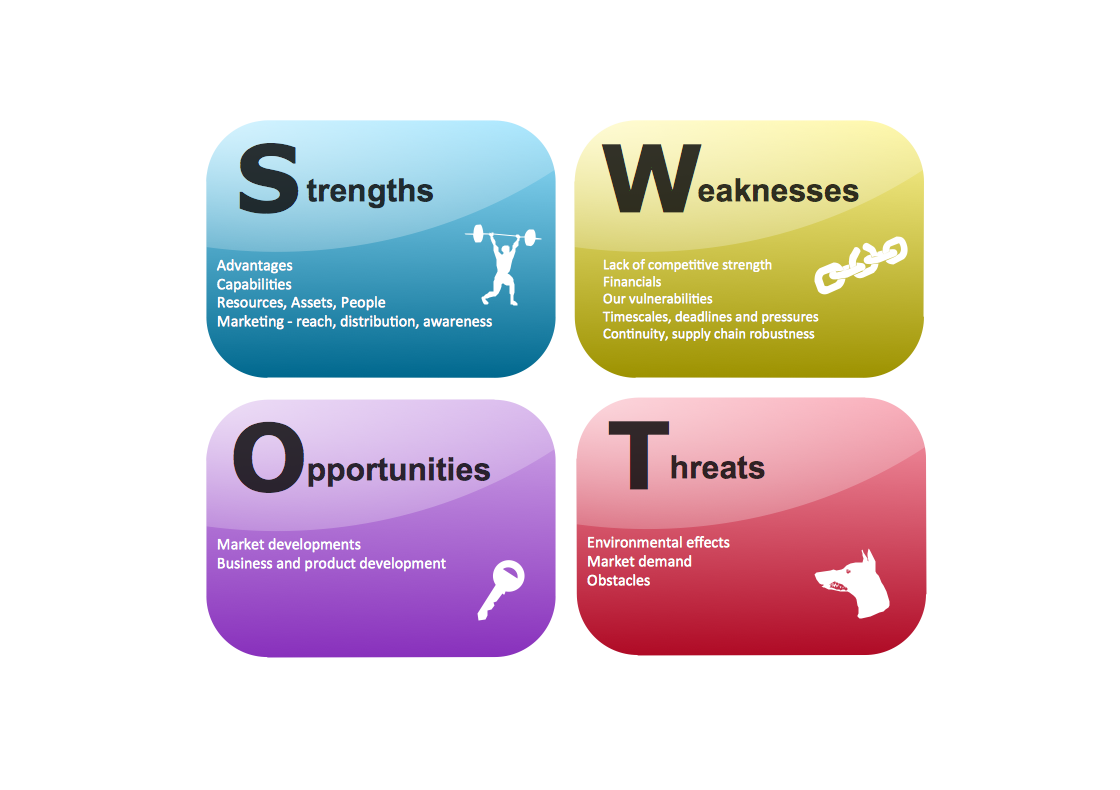
In other words, it is always important to know all the internal, external, helpful and harmful features connected to what you do, so you know how to improve the situation. Thinking about the helpful issues, such as Strengths and Opportunities, you can try to identify what exactly is so unique about your business and how you can improve the situation making more customers get interested in what you do and so to support your business. Making a list of the Strengths you might remember such things as the strategy you stick to and the special techniques you use in order to achieve the needed result. An example can be the way you control all the work building standards, the fact that you have a long-term improvement plan, targets, etc.

Thinking about the Opportunities of your business you might remember or get to know about your competitors’ strategies which you can always use as well or simply take into consideration what people in the modern world like and want to happen. For example, becoming more eco-friendly is always a good way of changing your attitude to doing business. An example of a list of opportunities can be the following: using better software, such as ConceptDraw DIAGRAM diagramming and drawing one; investing more money in Internet Technology as a fast-growing field of study; opening more offices abroad; taking a chance by replacing the previous ineffective competitor in a way of occupying its place; etc.
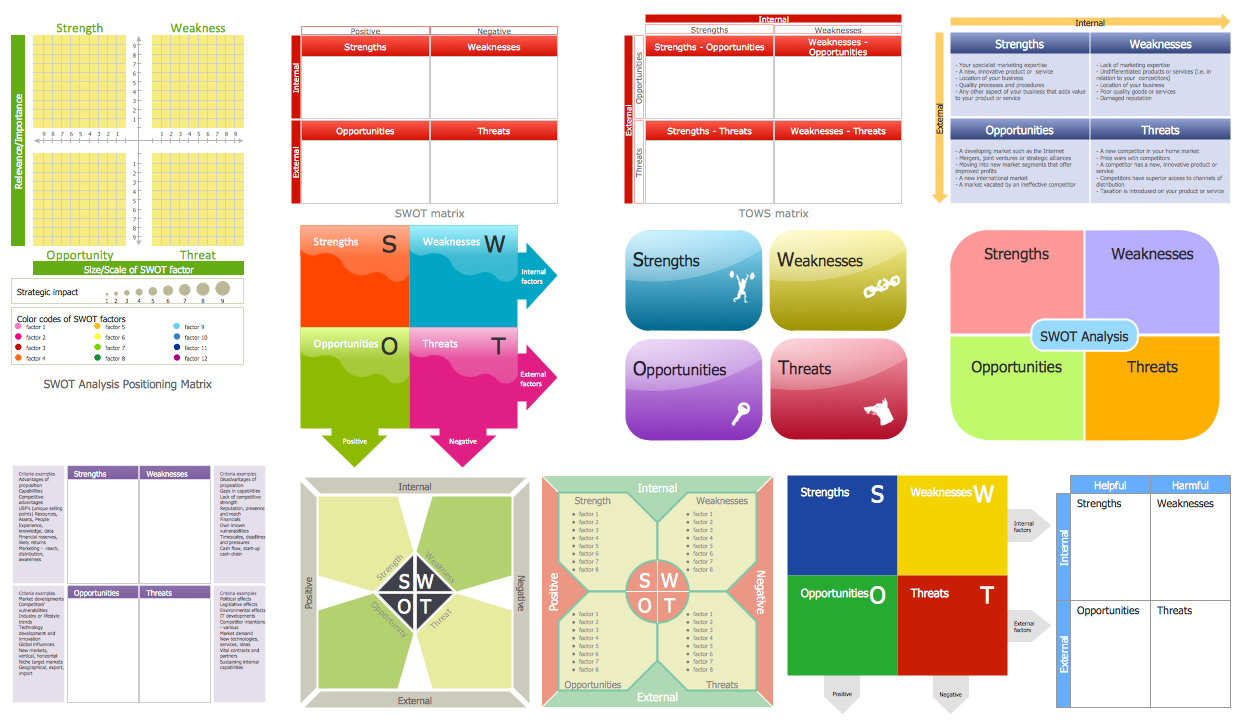
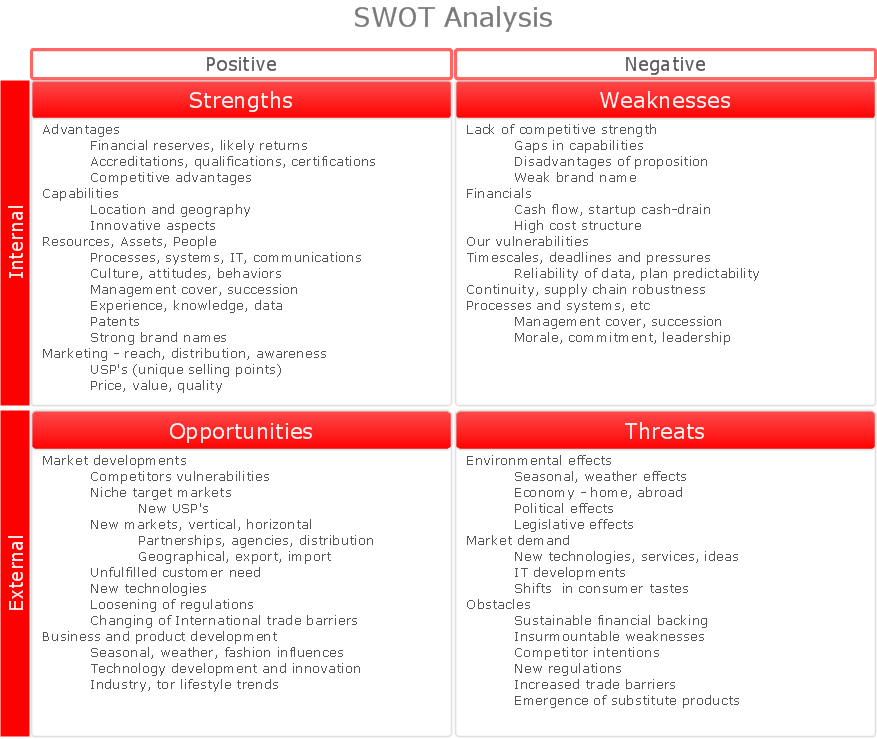
SWOT Analysis Library Design Elements

Example 2. SWOT Analysis Library Design Elements

Next, it is always important to realise how the weaknesses are important so they do not do any more harm to your business, but to analyse them and so to replace is what the task is as the result of conducting the SWOT analysis ending up having a great looking as well as useful SWOT matrix. The weaknesses may be the business owner or other management’s lack of experience in some particular field of business, which can be precluded by simply going through the necessary training. Another example of the weaknesses of your organization may be the already damaged reputation, so once you failed in the past it may stay in people’s mind for a long time, so you might find it too hard to vanish the happened problem away. Sometimes analysing such situation the business owners may realize it is better to shut some of the stores down where the incident took place rather than trying to make it up for those who were the witnesses of what happened in the past in those stores (if, for example, the rude personnel used to work there serving in a bad way or some other issues).

And, finally the Threats. This last section of the SWOT matrix can be filled with the really good innovations in the competitor’s business which you cannot cope achieving yet; the new (e.g., much higher) rates you can hardly pay for; some new legal restrictions; some new, very rich competitor in your field of business which prevent you to achieve your own goals on the same market; the price wars with your competitors, who, for example, have a better service or product or/and some superior access to some particular channels of distribution which reduces the cost of purchase.

All of the mentioned sections of the SWOT matrix have to be carefully analysed and so the decision of either staying on the market trying to succeed or changing the occupation or changing only your employees or strategies, should be made. Making the decision, you should always think about how well you previously described each of the blocks — Opportunities, Threats, as well as Strengths and Weaknesses — as it is very important to be realistic about such evaluation and, if needed, to ask some finance consultant to advise you certain things before the important decision is made.

Conducting any SWOT analysis, you should answer lots of questions about your business to yourself, such as “What is so special about my product people like?”, “How can I improve my product/products/services/etc.?”, “What should be done in order to get more profit?”, “What can I do to make my competitors give up with their business seeing me prospering and so being scared of failing?”, etc. There are also very many other questions to ask not only yourself, but those who really care for this business, mainly — the top managers.

An example of the filled SWOT matrix may look this way, having Opportunities as “A particular government contract allows me to bring a great revenue increase; Having a particular project will make a positive reflection to my portfolio”, etc.; Threats as “We can lose some of our customers/providers/partners in we do such changes; The travel costs will lead to losing too much money and there is no guarantee we will achieve the needed result”, etc.; Strengths as “We have a very skilful staff who can deal with the new challenge; We have more finance now from the new investors to boost the sales”, etc.; and the Weaknesses as “Geographically our office is removed from the target audience, We do not have the needed connections”, etc.
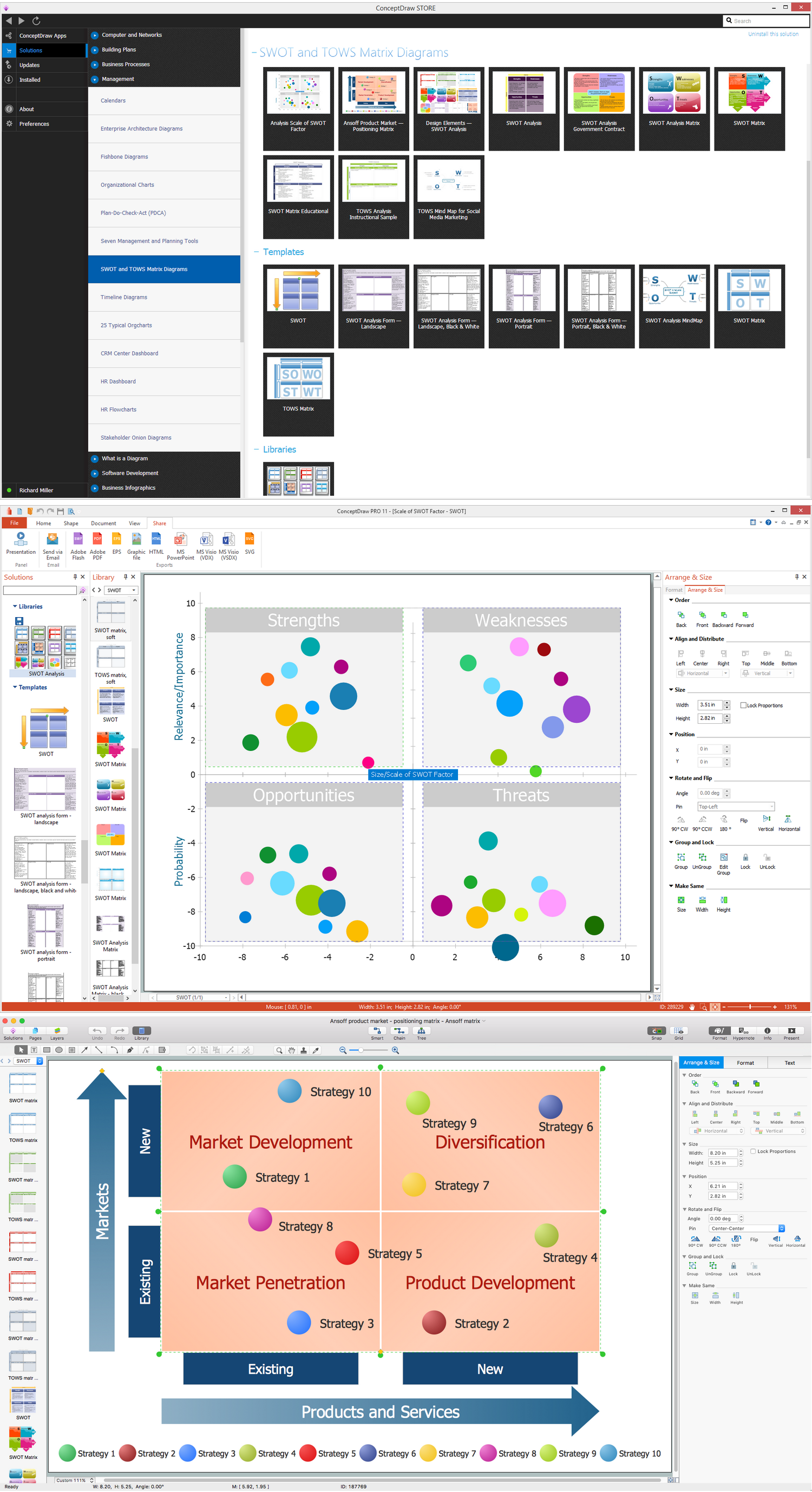
SWOT Matrix Solution

Example 3. SWOT Matrix in ConceptDraw STORE

No matter what your business is, you can always add to your Opportunities in SWOT matrix another one which is getting the ConceptDraw DIAGRAM diagramming and drawing software being downloaded from this site in order to make any needed drawings, such as SWOT matrices with the help of SWOT and TOWS Matrix Diagrams Solution from ConceptDraw STORE.



TEN RELATED HOW TO's:
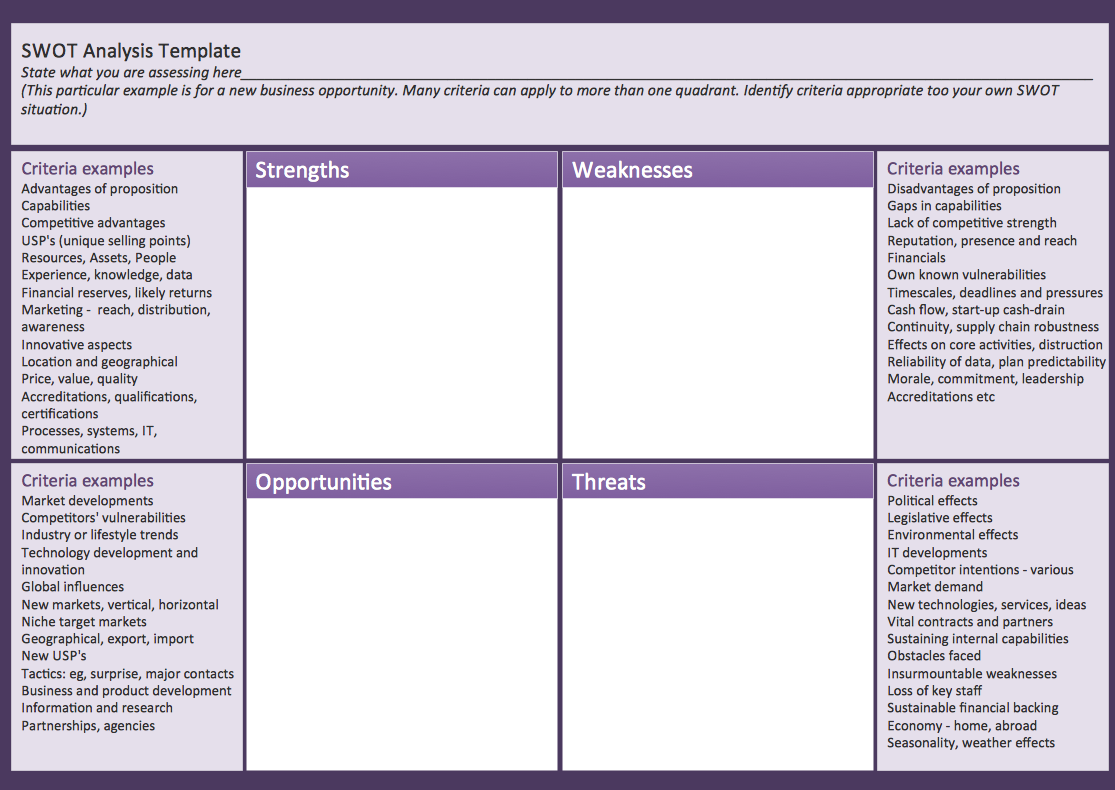
macOS is used increasingly often as a productivity platform by many companies and businesses across the world. SWOT Analysis is an essential business tool for companies to determine their future course of action. As a tool for digital drawing of SWOT Analysis diagrams under macOS, ConceptDraw offers Mac Tools - SWOT Analysis examples and templates are included to allow for effortless creation of SWOT and TOWS Analysis diagrams. With ConceptDraw it is equally easy to create your SWOT Analysis diagram under Microsoft Windows and macOS. This image demonstrates the diversity of SWOT and TOWS matrix templates delivered with SWOT and TOWS Diagrams add-on for ConceptDraw DIAGRAM diagramming software. Together they compose a professional solution for performing SWOT and TOWS analysis. There are number of templates of different Matrix Diagrams. In addition to the set of embedded templates, this solution allows one to design SWOT and TOWS matrices tailored to certain business characteristics or corporate style. Using matrix template, you can easily discover Strengths, Weaknesses, Opportunities, and Threats, your business faced. This means that the first step to creating a successful business strategy, you have done.Mac Tools - SWOT Analysis *
Picture: Mac Tools - SWOT Analysis
Using ConceptDraw quality mind maps is a perfect addition to quality visualization in your company.Quality visualization in your company *
Picture: Quality visualization in your company
Related Solution:
ConceptDraw DIAGRAM is workflow diagram software enhanced by numerous extentions from ConceptDraw Solution Park. It inludes many professional workflow diagrams, examples and ready to use workflow diagram and workflow symbols. Workflow symbol collections include symbols for Processes, Planning, Scheduling, Flow Control, In-Transit Process Visibility. The best workflow diagram software you may find is ConceptDraw DIAGRAM. ConceptDraw DIAGRAM is world-known diagramming software that works for both Windows and Mac OS X platforms. The software contains complete set of features allows to draw diagrams faster. ConceptDraw DIAGRAM extended with the Workflow Diagram solution provides additional libraries, templates and samples for drawing professional workflow diagrams.Workflow Diagram Software *
Picture: Workflow Diagram Software
Related Solution:
In the course of recent decades data visualization went through significant development and has become an indispensable tool of journalism, business intelligence and science. The way visual information may be conveyed is not limited simply to static or dynamic representation, it can also be interactive. Infographics can be conditionally divided into several general levels. Primarily, this is level of visualization of information, its interpretation and association on any ground. Second level can be defined as a visualization of knowledge, depiction of thoughts and ideas in the form of images or diagrams. Finally, the level of data visualization, which processes data arrays in charts, enabling the information to be more clearly perceived. You can also identify the main approaches to the creation of infographics: exploratory and narrative. Exploratory method insists on minimalist design in favor of data precision without unnecessary details and is common for scientific researches and anaDesign Pictorial Infographics. <br> Design Infographics *
Picture: Design Pictorial Infographics. Design Infographics
Related Solution:
F&B →
High competition among the restaurants at the food court requires original design ideas. To attract visitors and increase sales are used many kinds of advertising products, brightly colored signboards, menus and show-cases, often are used the molds of beautifully decorated dishes. Now designing of colorful F&B (food and beverage) materials is easier than ever thanks to the ConceptDraw DIAGRAM diagramming and vector drawing software extended with Food Court Solution from the Food and Beverage Area of ConceptDraw Solution Park.F&B *
Picture: F&B
Related Solution:
ConceptDraw DIAGRAM is a powerful intelligent vector graphics engine that can be used to create basic diagrams including flowcharts, charts, workflows, flowcharts, organizational charts, business diagram, learn business diagrams, flow diagrams.The Best Mac Software for Diagramming or Drawing
Picture: The Best Mac Software for Diagramming or Drawing
Related Solution:
To your mind, deliberation about the profits of creating organizational charts takes more time than actually creating itself. If lack of software is the only thing that stops you, you should know that organizational charts with ConceptDraw DIAGRAM are created within a few minutes. Owing to the great number of ready-to-use templates, you’ll get your chart easily. Chart is a very handy format for visually depicting official relations of an organization. Usually, an Orgchart (organizational chart) consists from simple geometrical shapes, containing an information on a position, personal data, and the lines that means responsibilities and accountabilities associated with position. ConceptDraw solution designed for making organizational charts enables one to create various org charts effortlessly using special templates and vector libraries.Organizational Charts with ConceptDraw DIAGRAM  *
Picture: Organizational Charts with ConceptDraw DIAGRAM
Related Solution:
The Pie Chart visualizes the data as the proportional parts of a whole and looks like a disk divided into sectors. The pie chart is type of graph, pie chart looks as circle devided into sectors. Pie Charts are widely used in the business, statistics, analytics, mass media. It’s very effective way of displaying relative sizes of parts, the proportion of the whole thing.Pie Chart Word Template. <br>Pie Chart Examples *
Picture: Pie Chart Word Template. Pie Chart Examples
Related Solution:
You need to draw Authority Matrix Diagram quick and easy? Design it with ConceptDraw DIAGRAM! ConceptDraw DIAGRAM extended with Seven Management and Planning Tools solution from the Management Area is the best Authority Matrix Diagram Software.Authority Matrix Diagram Software *
Picture: Authority Matrix Diagram Software
Related Solution:
This sample shows the Perceptual map. It was created in ConceptDraw DIAGRAM diagramming and vector drawing software using the Matrices Solution from the Marketing area of ConceptDraw Solution Park. Perception Mapping helps organizations measure and transform all aspects of their business, people and culture. Perception Mapping allows to represent the complex relationships graphically, helps identify potential problems of the organization and make the best decisions.Business Tools Perceptual Mapping *
Picture: Business Tools Perceptual Mapping
Related Solution:
ConceptDraw
DIAGRAM 18