Total Quality Management with ConceptDraw
|
Total Quality Management (TQM) system is the management method where the confidence in quality of all organization processes is placed foremost. The given method is widely used in production, in educational system, in government organizations and so on. As it follows from the name this method is constructed on three main concepts:
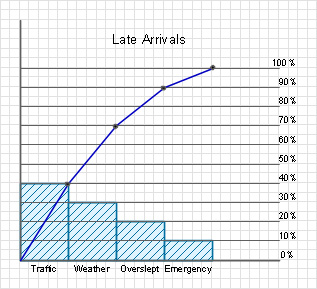
Accordingly to ISO standard, TQM is the management approach for organizations, concentrated on the quality, based on the participation of all organization members and directed to receipt of long- term profit in the form of clients and customers satisfaction, and benefits for all members of an organization and society in general. Thus, TQM demands application to all processes in a system and implies an exclusion of defects and wastes in such processes. Any management method demands definite tools for getting the primary information about processes which should be managed, for study and analysis of this information and for further optimization of these processes. Among TQM tools there are Pareto diagrams and Ishikawa diagrams (fishbone), which will be reviewed further and block schemes of processes which were reviewed in separate articles. Pareto diagrams were named after their creator Vilfredo Pareto. Already in 19th century he came to a conclusion that 80% are concluded in 20% of processes which implies the definition of such processes first of all and the exposure of defects and deficiencies. To create a Pareto diagram it is necessary to collect the information about the rise of defects in the studied process of the considered system and present these reasons in the form of columns of the diagram with a value which corresponds to frequency of the defect appearance because of this reason. That is, the more often the reason calls the defect in the process the bigger is the column on the diagram. The percentage spacing of the defect by reasons can be used. Further the time interval for review of the defect and reasons is defined. Reasons are formed up from left to right in order of diminution of frequency of a defect appearance by this reason. After this it is created the cumulative curve of the improvement of process parameters at the removal of each of the denoted reasons by way of summation of reasons values.
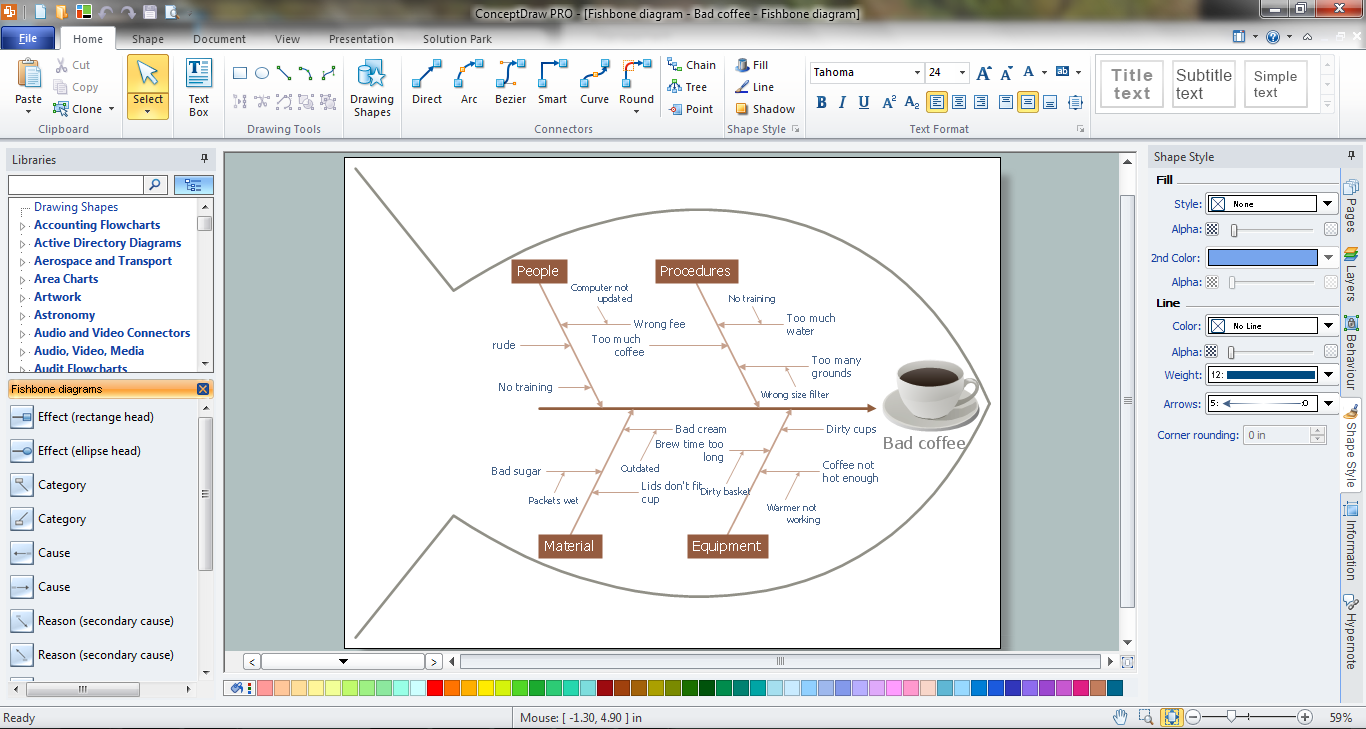
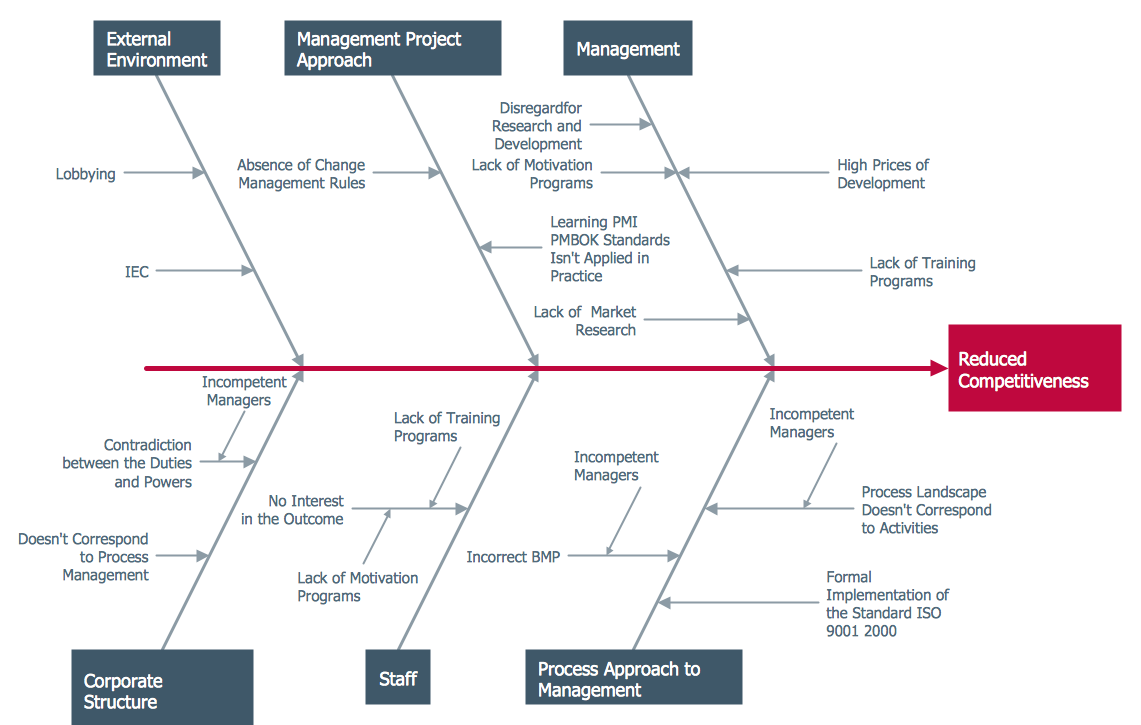
Naturally, it is impossible to completely get rid of many reasons of defects appearance, but it is possible to reduce their influence of the process by taking appropriate steps. After this the new Pareto diagram is created for comparative analysis and for checking of effectiveness of taken actions. The best results the usage of Pareto diagram gives in combination with Ishikawa diagram, which allows to reveal the reasons of defects appearance. Ishikawa diagram (cause-effect relation diagram, “fishbone”) is a scheme which represents factors (reasons) which influence on quality coefficient of the final result of the concerned process. The main factors are 4M:
These main factors are subdivided into smaller. The degree of the detailed elaboration is defined only by factors significance and planner’s tasks. With the help of Ishikawa diagram it is possible to show visually all factors which influence on the quality coefficient, sort them out and show their interrelation. |
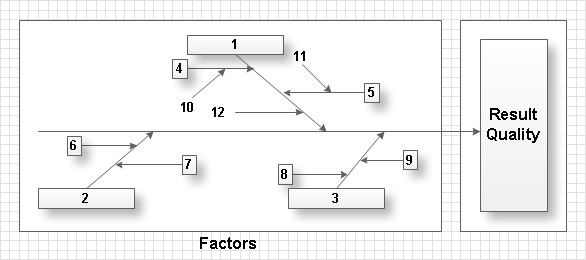
The diagram really resembles a fishbone due to the method of its creation. Firstly the “main bone” – the problem or defect is defined. Further “middle bones” –main factors which cause the problem are defined. After this middle bones are supplemented with smaller factors. By means of an expert way it is defined the influence on the problem of each main factor which is indicated on the diagram. It is also possible to define an influence of each smaller factor in the big factor. The more effective method of definition of all reasons which influence on the result of the process is the method of brainstorming for which it is worthwhile to use the corresponding software.
In the result of construction of such diagram it is appeared a clear and visual picture of reasons and their meaning in the forming of existing result of the considered process.