Made with
ConceptDraw
DIAGRAM 18

SDL — Systems Engineering

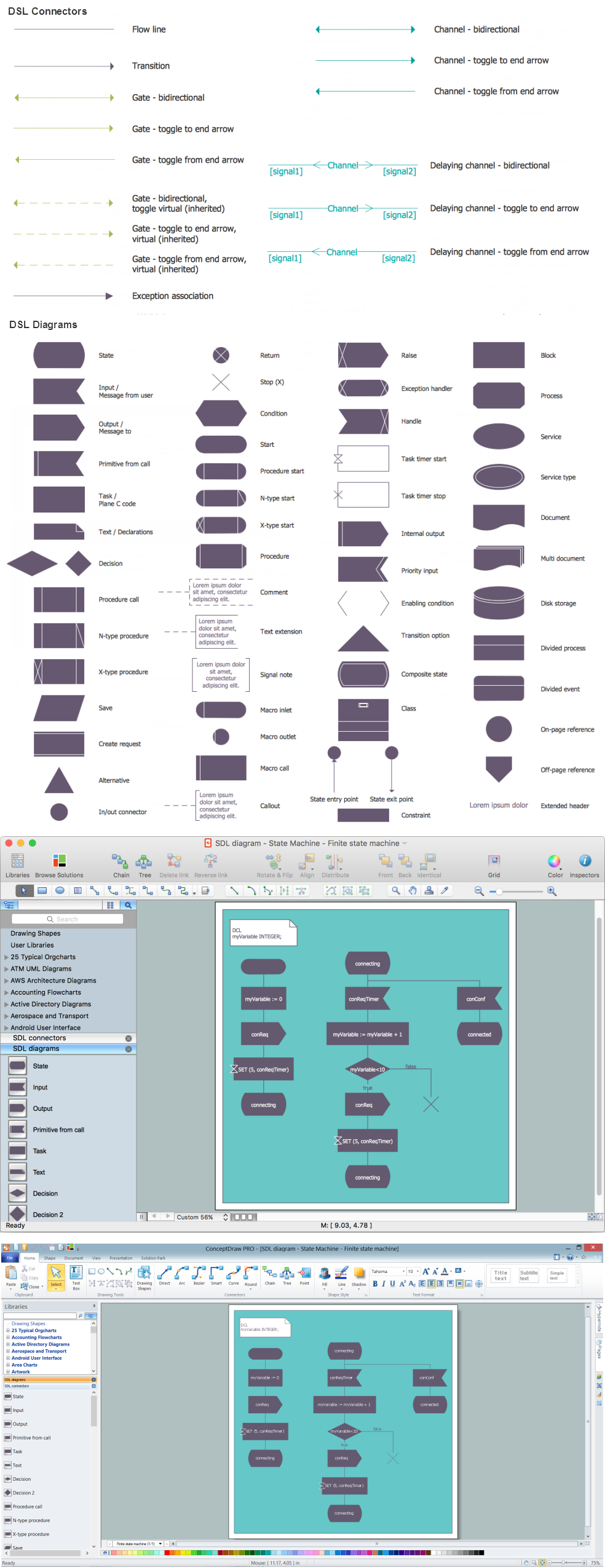
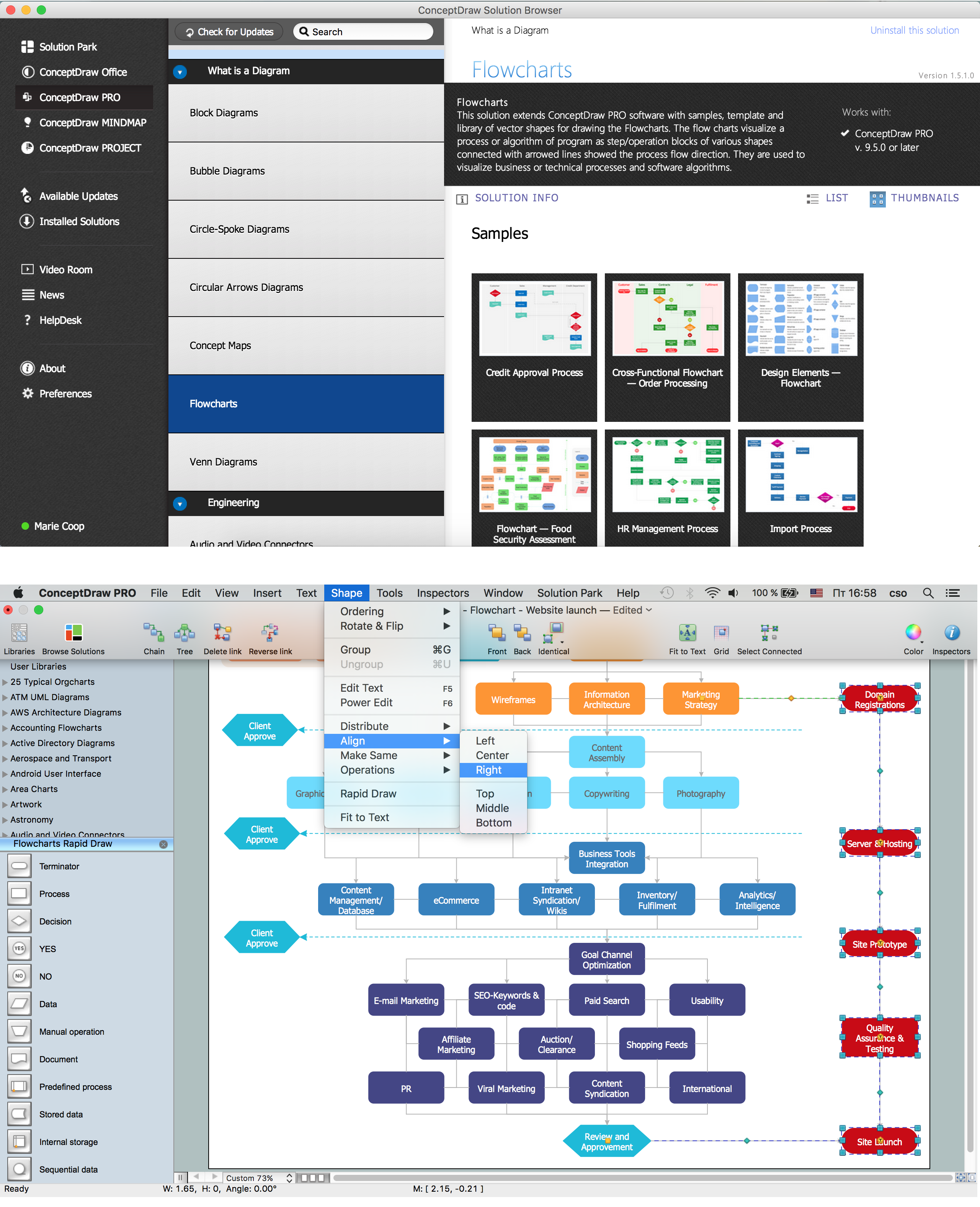
To make a SDL Diagram with help of ConceptDraw DIAGRAM diagramming and drawing application is much simpler, especially if you have the Specification and Description Language (SDL) Solution downloaded from ConceptDraw STORE.
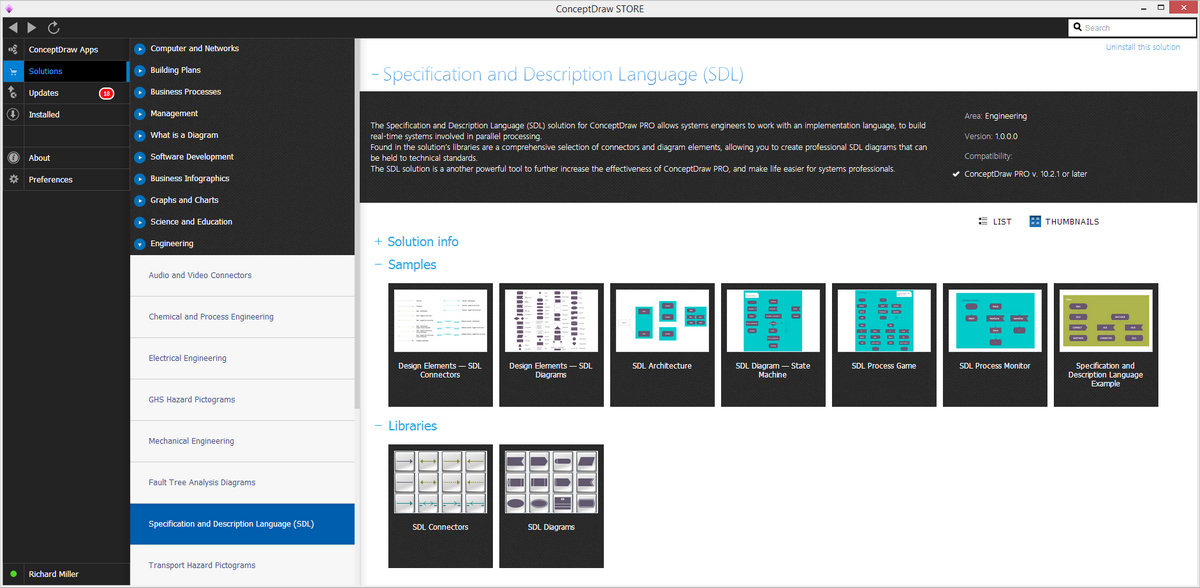
Specification and Description Language (SDL) Solution

Example 1. Specification and Description Language (SDL) Solution in ConceptDraw STORE

A specification language is simply a formal language which is widely used in the computer science during conducting the requirements analysis, the systems analysis and the systems design for describing a system at a much higher level to compare to a programming language, known to be used for producing the executable codes for the systems.

All the specification languages are usually not directly executed. They are used for describing the issues, which are the answers to such question as “what?”. In case there is some requirement specification, which is cluttered with the implementation details known to be unnecessary, then it can be expected to be considered simple as an error.

The well-known fundamental assumption of most of the specification approaches is that programs are modelled as model-theoretic or algebraic structures, including a collection of sets of data values, as well as the functions over the mentioned sets. Such level of abstraction coincides with such point of view that the correctness of the input as well as an output behaviour of a program can take the precedence over all its other properties.

In the so called property-oriented approach to specification, the specifications of the programs are known to be consisting of the logical axioms, describing the properties that the functions have to satisfy. This approach is known to be opposite to the so-called “model-oriented specification” in such frameworks as Z and VDM, consisting of a simple realization of some particular behaviour which is nowadays required.

Specifications are expected to be the subject to such process, as a process of “refinement”. This process can be described as the filling-in one of the implementation details just before they are good enough to be implemented. The result of the described refinement process is a so called “executable algorithm”.

The mentioned algorithm is the one, which is either formulated in an executable subset of the specification language at hand or in some programming language. An important thing about the use of the specification languages which has to be mentioned is that it enables the creation of proofs of program correctness.

One of the kinds of the specification language is a Specification and Description Language (SDL). This language is targeted at the unambiguous description and specification of the behaviour of distributed and reactive systems.
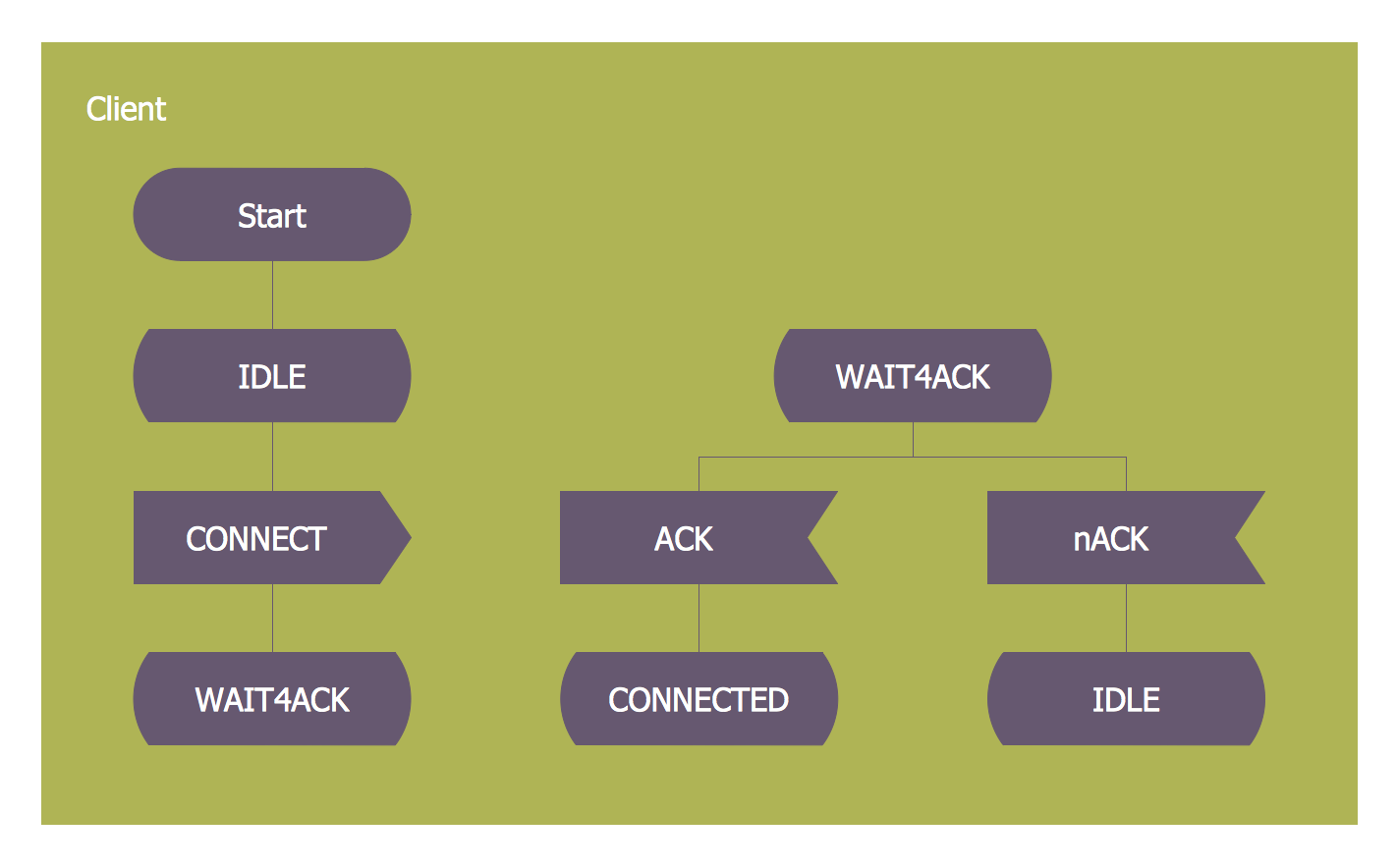
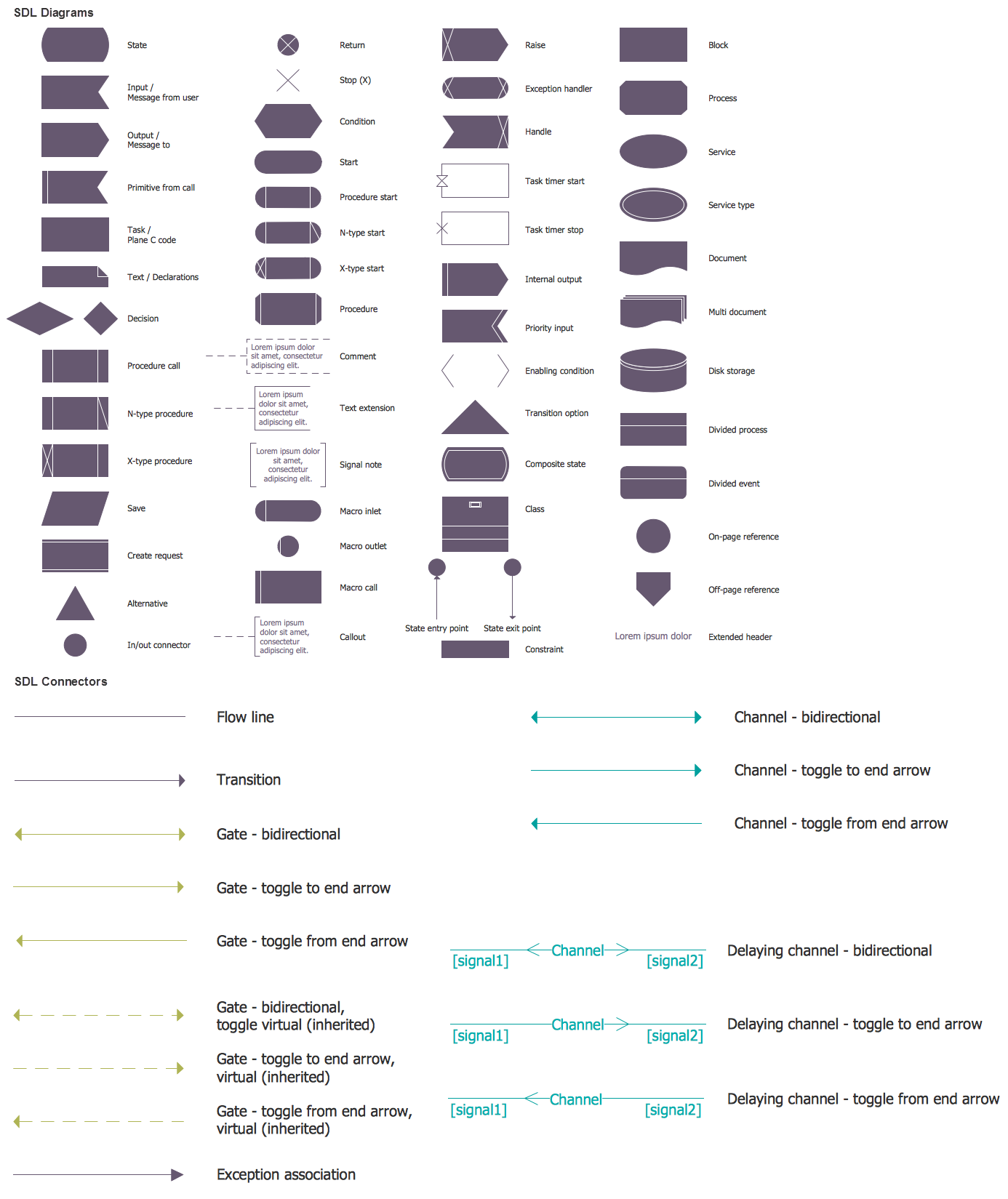
SDL — Systems Engineering *

Example 2. SDL Diagram

Providing both textual Phrase Representation (SDL/PR) as well as a graphical Graphic Representation (SDL/GR), The Specification and Description Language is known to be very commonly used worldwide. The mentioned types of the representation — the graphic and the textual ones — are both equivalent representations of the same semantics.

The models within the mentioned language are usually represented in the graphical SDL/GR form, when SDL/PR is more often used for exchanging the models between different tools. Any system can be specified as a set of the interconnected abstract machines, known to be the extensions of the finite state machines, also known as “FSM”. Due to the language is formally complete, it can be used for code generation for either final targets or for a simulation.

The Specification and Description Language is known to be covering five main aspects: communication, structure, behaviour, inheritance and data. The behaviour of the components can be explained by partitioning the system into a series of hierarchies. The communication between the components can take place through gates which are all connected with help of the channels. These channels are known to be those of the delayed channel type, so such communication is usually expected to be “asynchronous”. In case, though, the delay is set to zero, then the communication may become “synchronous”.

The structure of the hierarchy level of Specification and Description Language is known to be the following: Library package, Block agent, System agent, Procedure type, Process agent, Architecture and Remote procedure. Any Specification and Description Language system is made of the functional blocks, each of which can be further decomposed in the so called “sub-blocks”. The lowest level block is known to be composed of one or more processes described as the finite state machines. The mentioned blocks are all connected with help of channels, as it was already mentioned before, and so these channels carry the messages, also known as “signals”, exchanged between different blocks. A block agent is known to be consisting of the process agents.
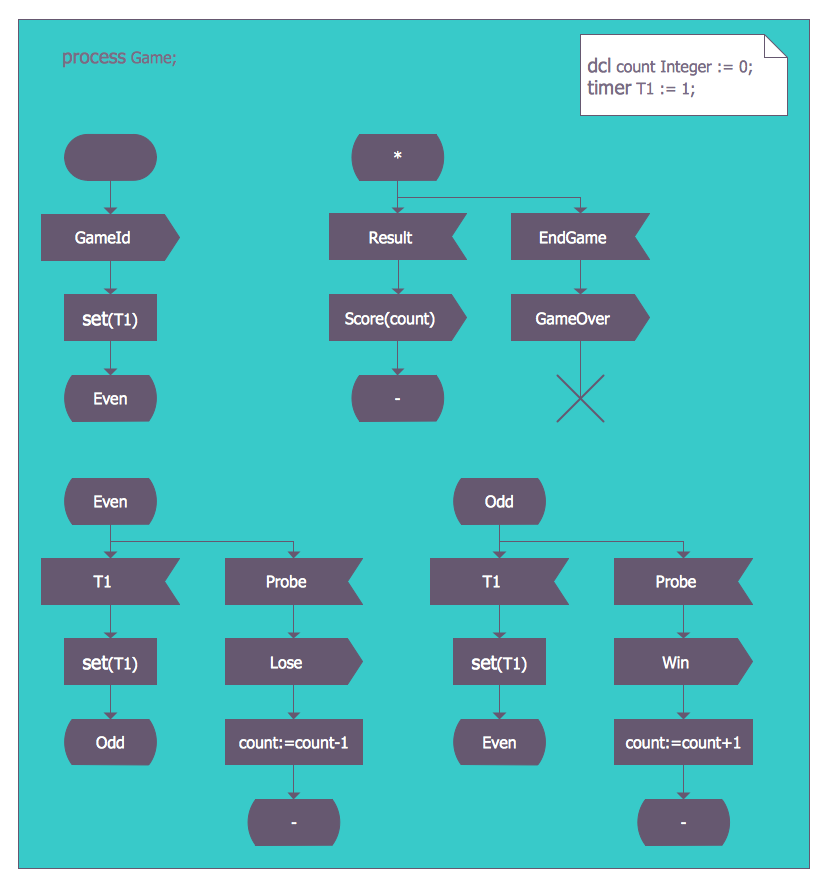
SDL Process Game

Example 3. SDL Process Game

Each of the process agents is simply a state machine which contributes to the action, which is carried out by the system itself. A message stimulus is known to be coming from the environment to an agent and it is known to be called as a “signal”. By the way, such message stimulus can also come from another agent as well. All the signals which are received by a process agent are all placed on the first place in a queue, which is also sometimes known to be called as the “input port”.

When the state machine is known to be waiting in a state, in case the first signal in the previously mentioned input port is enabled for that state, then it starts a transition, which is expected to be leading to the following states. Transitions are also known to be able to output the signals to the environment as well as to the other agents. Any process agent is known to be allowed to contain any needed procedure types, resulting in the same actions being able to get invoked from the different places. It is also important to mentioned that it is always allowed to call a remote procedure type in order to invoke a procedure in another agent (or sometimes in another system) and later to wait for a response.

TEN RELATED HOW TO's:
The innovative ConceptDraw DIAGRAM is a powerful drawing tool that changes the way diagrams are produced. While making diagrams has never been easier. This is more than enough versatility to draw any type of diagram with any degree of complexity.Making Diagrams Has Never Been Easier *
Picture: Making Diagrams Has Never Been Easier
If we divide computer networks by scale, we get several main categories. The smallest network is PAN, as it connects personal devices themselves, and as the number of users grows, a local area network can be recognized, and campus area networks (CAN) connects several local networks located within some area like a university or a corporation. Computers connected to CAN share public educational materials and list of CAN network examples includes such prestigious universities like Stanford and Carnegie Mellon. This is an example of a computer network diagram created for a campus area network. It was created using using ConceptDraw solution for the Computer and Network diagramming. The specific of this sample campus network is its distribution. It is rather broad to embrace a big campus territory. This diagram can be applied as a template for designing custom area network topology diagram for a particular educational institution.Campus Area Networks (CAN). <br>Computer and Network Examples *
Picture: Campus Area Networks (CAN). Computer and Network Examples
Related Solution:
This sample was created in ConceptDraw DIAGRAM diagramming and vector drawing software using the Organizational Charts Solution from the Software Development area of ConceptDraw Solution Park. This sample shows the organizational chart in the field of Architect Engineering. Create your own orgchart professional drawings using ConceptDraw.Business Board Org Chart *
Picture: Business Board Org Chart
Related Solution:
ConceptDraw DIAGRAM diagramming and vector drawing software enhanced with Electrical Engineering Solution from the Industrial Engineering Area of ConceptDraw Solution Park offers you powerful tools and libraries with incredibly large quantity of predesigned electrical symbols as electrical schematic symbols for easy designing professional looking Electrical Schematics.Electrical Symbols, Electrical Schematic Symbols *
Picture: Electrical Symbols, Electrical Schematic Symbols
Related Solution:
A competent delegation of responsibilities between workers guarantees business success in most cases. At first sight, it might seem that workflow diagram symbols are quite similar to a regular flowchart. But workflow diagram is a more accurate way to present working processes. Workflow diagrams are helpful for a working process analyzation, to depict a pathway of process issues, personalize responsibilities and identify resources that will help to optimize a workflow. Generally, Workflow diagram deploys flowchart symbols for displaying work process steps and relationships. But, often it require some additions and improvements to become more professional and illustrative. The Workflow solution for ConceptDraw DIAGRAM provides the user with a big library of symbols that are designed especially for workflow diagrams.Workflow Diagram Symbols *
Picture: Workflow Diagram Symbols
Related Solution:
There are several types of insulated gate field-effect transistors (IGFETs) in common use. The early term metal oxide semiconductor field-effect transistor (MOSFET) is still in use, and MOSFET is usually acceptable as a generic term for IGFETs. The metal oxide, and the insulation in the IGFET, is the insulating material between the gate terminal and the substrate between the source and drain terminals. This insulator must have very low leakage, of course, but another requirement for good performance of the transistor is that the dielectric constant of the material must be very high. 26 libraries of the Electrical Engineering Solution of ConceptDraw DIAGRAM make your electrical diagramming simple, efficient, and effective. You can simply and quickly drop the ready-to-use objects from libraries into your document to create the electrical diagram.Electrical Symbols — IGFET *
Picture: Electrical Symbols — IGFET
Related Solution:
This diagram represents the electrical floor plan. This is a common practice - to draw the electrical plan on the floor plan. The outlets, fixtures and other electrical equipment are depicted on the floor plan with special symbols. This drawing was created using the possibilities of ConceptDraw DIAGRAM as CAD software. Computer-aided design software is intended to replaces manual engineering drafting with an automated process. CAD software is used by engineers, architects, and others to make high-precision technical drawings and illustrations. CAD software allows technical specialists to develop, examine and manage various engineering projects. It is almost impossible nowadays to imagine mechanical engineering without digital technologies. Finding a suitable CAD software for creating mechanic diagram and electrical diagram architectural designs can take a lot of time and effort. However, with ConceptDraw DIAGRAM you can create any diagram that you want and later convert it to the most popular graphic formats like.vsdx,.png,.pptx etc.ConceptDraw DIAGRAM software for making mechanic and electrical diagrams for architectural design
Picture: CAD Drawing Software for Making Mechanic Diagram and Electrical Diagram Architectural Designs
Related Solution:
Electrical Engineering Solution used together with ConceptDraw DIAGRAM drawing facilities makes short a work of drawing various electrical and electronic circuit schemes. A library of vector objects composed from symbols of Analog and Digital Logic elements of electric circuit includes 40 symbolic images of logic gates, bistable switches of bi-stable electric current, circuit controllers, amplifiers, regulators, generators, etc. All of them can be applied in electronic circuit schemes for showing both analog and digital elements of the circuit. Electrical Engineering Solution used together with ConceptDraw DIAGRAM drawing facilities makes short a work of drawing various electrical and electronic circuit schemes. A library of vector objects composed from symbols of Analog and Digital Logic elements of electric circuit includes 40 symbolic images of logic gates, bistable switches of bi-stable electric current, circuit controllers, amplifiers, regulators, generators, etc. All of them can be applied in electronic circuit schemes for showing both analog and digital elements of the circuit.Electrical Diagram Symbols
Picture:
Electrical Diagram Symbols F.A.Q.
How to Use Electrical ConceptDraw Diagram Software
Related Solution:
The diagrams and schemes are effective way to visualize the Cloud computing, the differences in their types and how Cloud computing works. Thanks to the ConceptDraw DIAGRAM diagramming and vector drawing software extended with Cloud Computing Diagrams solution from the Computers and Network area of ConceptDraw Solution Park, you can design diagrams as easy and quickly as you need.How Cloud Computing Works *
Picture: How Cloud Computing Works
Related Solution:
You can use many tools to create a representation of a system behavior or a scheme of objects relationships. Some of them are quite abstract and useless, and some, like UML tools help clarifying both the structure and the behavior of a system. There are various types of uml diagrams and tons of examples explaining the difference between them. UML 2.2 specification has many kinds of diagrams. They are divided into two groups( structure and behavior diagrams). This class diagram shows the hierarchical structure of UML 2.2 specification. Class diagram - the most suitable tool for this task because it is designed to describe basic structure of a system. This diagram can be use as a visual aid for learning UML.UML Tool & UML Diagram Examples *
Picture: UML Tool & UML Diagram Examples
Related Solution:
ConceptDraw
DIAGRAM 18