SWOT Analysis
ConceptDraw OfficeConceptDraw Office is an integrated set of visualization products and document exchange technologies. ConceptDraw OFFICE consists of a diagramming platform, a mind mapping, and a project management tool. These tools are essential to generate business diagrams, mind maps, project plans, dashboards, presentations, schematics, and any other business visualizations. These tools have access to an online service, ConceptDraw Solution Park that will deliver additional product extensions in the future. This is a time saving assistant for generating your business documents and presentations. ConceptDraw Office consists of a diagramming platform, a mind mapping, and a project management tool. These tools are essential to generate business diagrams, mind maps, project plans, dashboards, presentations, schematics, and any other business visualizations. ConceptDraw MINDMAP TemplatesPredesigned templates covering a variety of themes that can help you get started faster when working on projects and can help to inspire ideas when suffering from Blank Page Syndrome. |
Mind map template of a strategy map that can help you display a variety of performance measures that can have an impact on your organization.
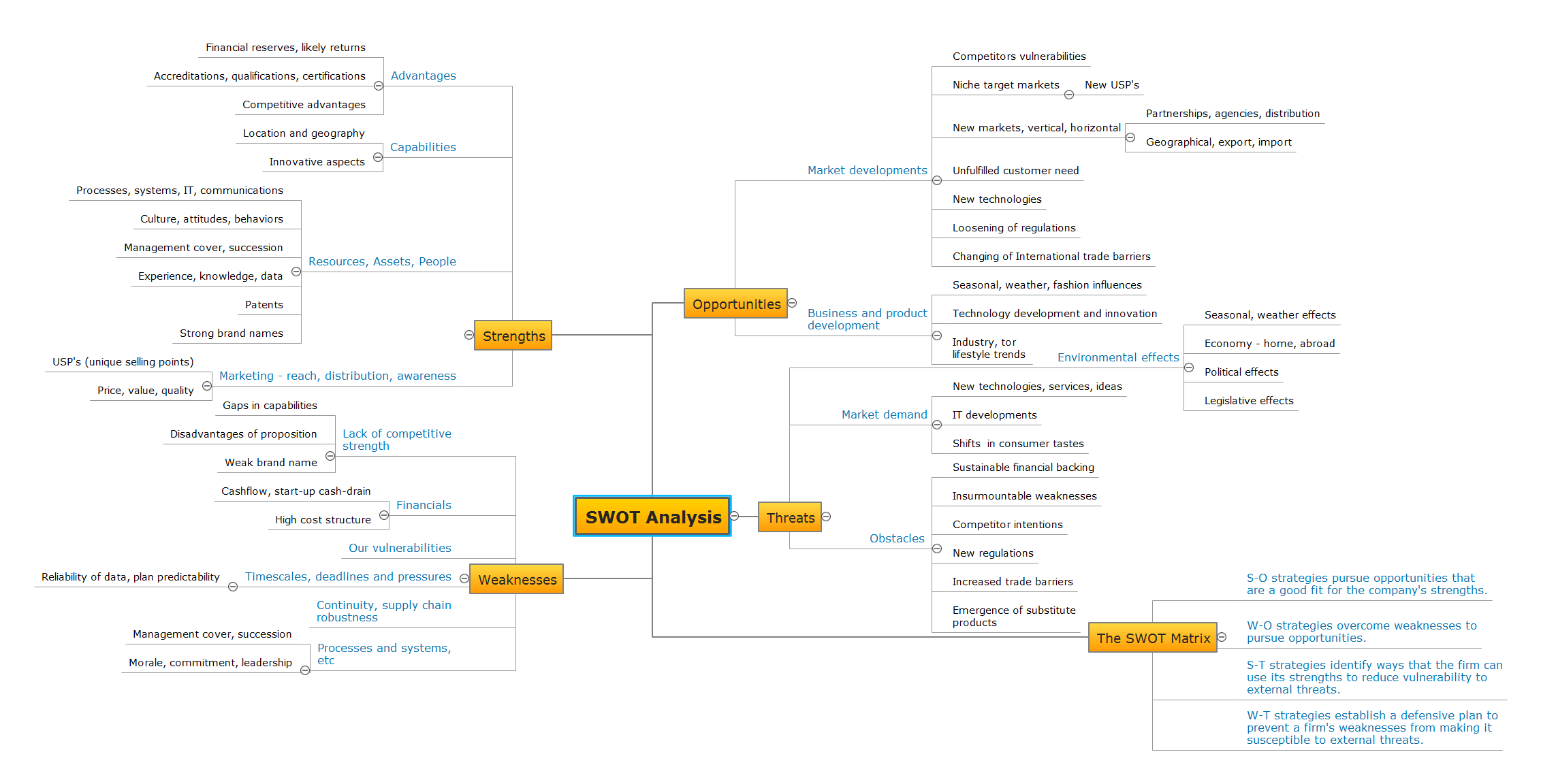
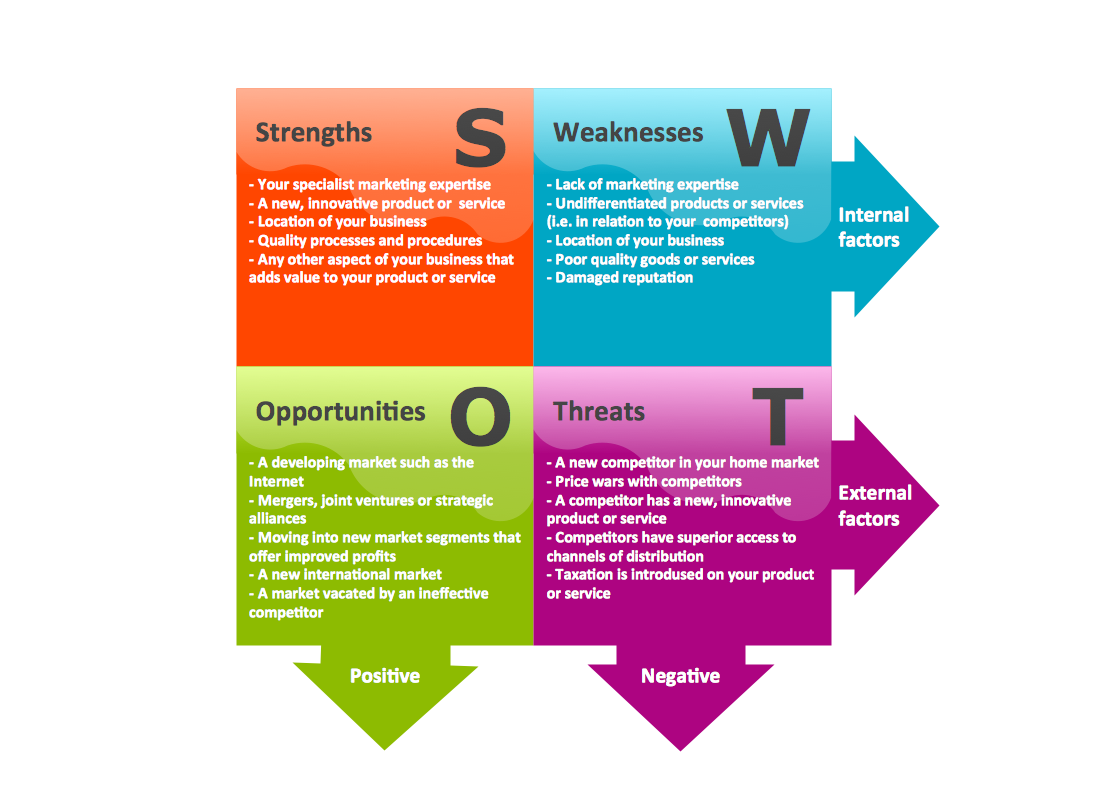
Example 1. SWOT Analysis
Export to Outline
SWOT Analysis
-
Opportunities
-
Market developments
- Competitors vulnerabilities
-
Niche target markets
- New USP's
-
New markets, vertical, horizontal
- Partnerships, agencies, distribution
- Geographical, export, import
- Unfulfilled customer need
- New technologies
- Loosening of regulations
- Changing of International trade barriers
-
Business and product development
- Seasonal, weather, fashion influences
- Technology development and innovation
- Industry, tor lifestyle trends
-
Market developments
-
Threats
-
Environmental effects
- Seasonal, weather effects
- Economy - home, abroad
- Political effects
- Legislative effects
-
Market demand
- New technologies, services, ideas
- IT developments
- Shifts in consumer tastes
-
Obstacles
- Sustainable financial backing
- Insurmountable weaknesses
- Competitor intentions
- New regulations
- Increased trade barriers
- Emergence of substitute products
-
Environmental effects
-
The SWOT Matrix
- S-O strategies pursue opportunities that are a good fit for the company's strengths.
- W-O strategies overcome weaknesses to pursue opportunities.
- S-T strategies identify ways that the firm can use its strengths to reduce vulnerability to external threats.
- W-T strategies establish a defensive plan to prevent a firm's weaknesses from making it susceptible to external threats.
-
Weaknesses
-
Lack of competitive strength
- Gaps in capabilities
- Disadvantages of proposition
- Weak brand name
-
Financials
- Cashflow, start-up cash-drain
- High cost structure
- Our vulnerabilities
-
Timescales, deadlines and pressures
- Reliability of data, plan predictability
- Continuity, supply chain robustness
-
Processes and systems, etc
- Management cover, succession
- Morale, commitment, leadership
-
Lack of competitive strength
-
Strengths
-
Advantages
- Financial reserves, likely returns
- Accreditations, qualifications, certifications
- Competitive advantages
-
Capabilities
- Location and geography
- Innovative aspects
-
Resources, Assets, People
- Processes, systems, IT, communications
- Culture, attitudes, behaviors
- Management cover, succession
- Experience, knowledge, data
- Patents
- Strong brand names
-
Marketing - reach, distribution, awareness
- USP's (unique selling points)
- Price, value, quality
-
Advantages
The Benefits for ConceptDraw MINDMAP Brainstorming Software
- ConceptDraw MINDMAP is effective for brainstorming, designing mind maps, idea generating, creative and lateral thinking, creativity and problem solving.
- ConceptDraw MINDMAP is ideal for team and personal work in Business, Marketing and Project Management.
- The libraries with large quantity of vector objects help to illustrate your mind maps and to make them bright, visual and comprehensible.
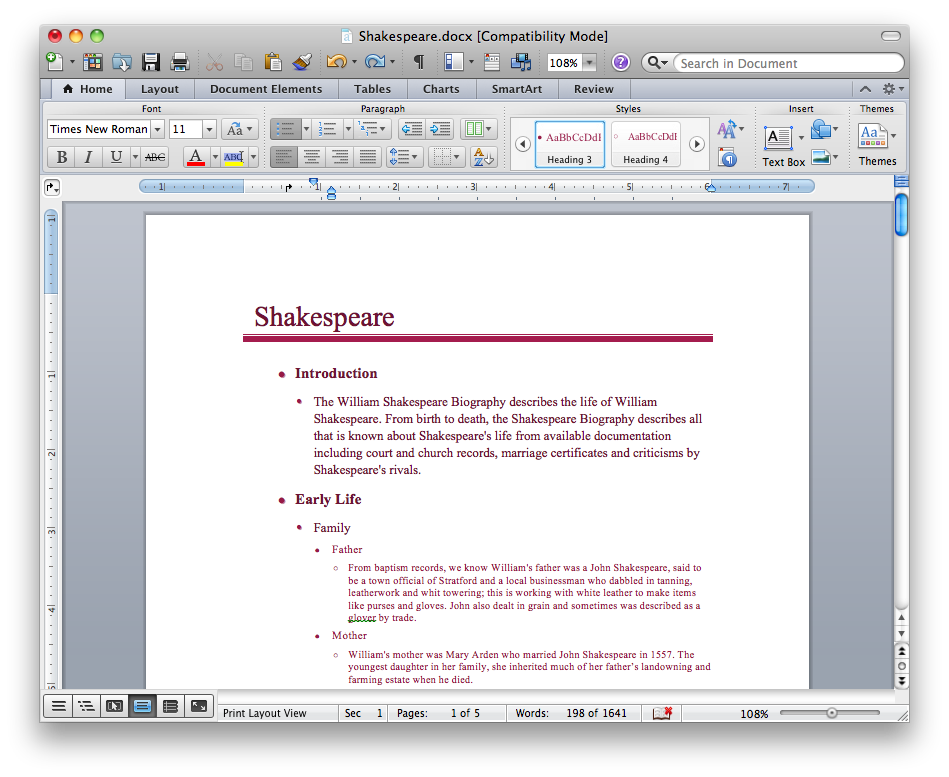
- Use of View Navigator tool lets create presentations from a mind map: you can simply select the map parts you want to present, sequence your slides, and preview the presentation.
- ConceptDraw MINDMAP provides wide capabilities of importing and exporting in various formats: Microsoft PowerPoint, Microsoft Word, MS Excel, Mindjet MindManager, image, HTML, PDF file.