6 sigma
QualityIn Solutions from Quality Management Area we support quality and manufacturing managers with visualization tools for production quality control and improvement. The solutions from Quality Management Area extend ConceptDraw DIAGRAM software with Quality Diagrams. Quality mind mapsThis solution extends ConceptDraw MINDMAP software with Quality Management Mind Maps (Presentations, Meeting Agendas, Problem to be solved). |
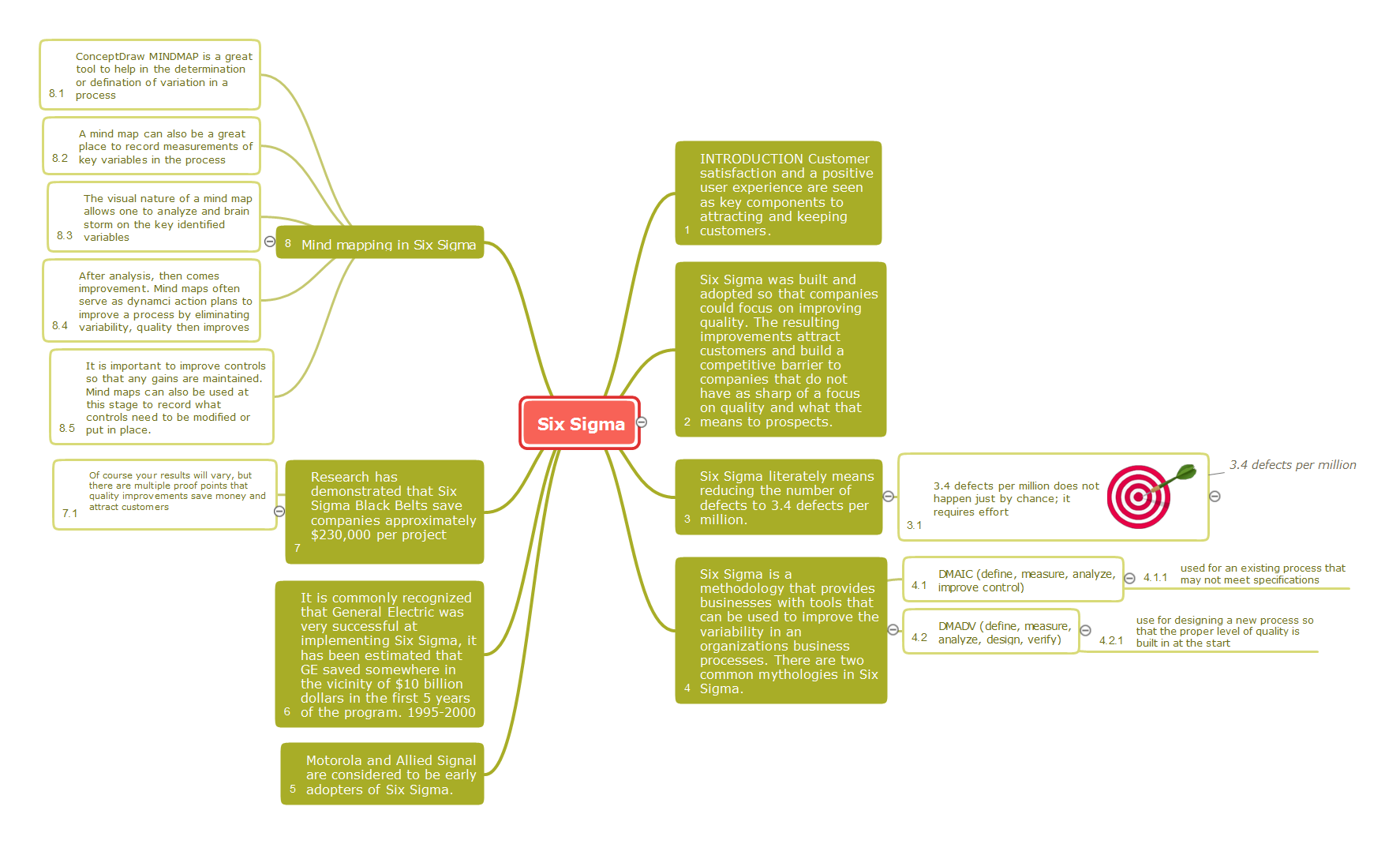
This mind map shows how Six Sigma methodology be represented as a mind map. Six Sigma is a quality management methodology allows reducing the number of defects to 3.4 defects per million.
Example 1. 6 sigma
Export to Outline
Six Sigma
- INTRODUCTION Customer satisfaction and a positive user experience are seen as key components to attracting and keeping customers.
- Six Sigma was built and adopted so that companies could focus on improving quality. The resulting improvements attract customers and build a competitive barrier to companies that do not have as sharp of a focus on quality and what that means to prospects.
-
Six Sigma literately means reducing the number of defects to 3.4 defects per million.
-
3.4 defects per million does not happen just by chance; it requires effort
- 3.4 defects per million
-
3.4 defects per million does not happen just by chance; it requires effort
-
Six Sigma is a methodology that provides businesses with tools that can be used to improve the variability in an organizations business processes. There are two common mythologies in Six Sigma.
-
DMAIC (define, measure, analyze, improve control)
- used for an existing process that may not meet specifications
-
DMADV (define, measure, analyze, design, verify)
- use for designing a new process so that the proper level of quality is built in at the start
-
DMAIC (define, measure, analyze, improve control)
- Motorola and Allied Signal are considered to be early adopters of Six Sigma.
- It is commonly recognized that General Electric was very successful at implementing Six Sigma, it has been estimated that GE saved somewhere in the vicinity of $10 billion dollars in the first 5 years of the program. 1995-2000
-
Research has demonstrated that Six Sigma Black Belts save companies approximately $230,000 per project
- Of course your results will vary, but there are multiple proof points that quality improvements save money and attract customers
-
Mind mapping in Six Sigma
- ConceptDraw MINDMAP is a great tool to help in the determination or defination of variation in a process
- A mind map can also be a great place to record measurements of key variables in the process
- The visual nature of a mind map allows one to analyze and brain storm on the key identified variables
- After analysis, then comes improvement. Mind maps often serve as dynamci action plans to improve a process by eliminating variability, quality then improves
- It is important to improve controls so that any gains are maintained. Mind maps can also be used at this stage to record what controls need to be modified or put in place.
The Benefits for ConceptDraw MINDMAP Brainstorming Software
- ConceptDraw MINDMAP is effective for brainstorming, designing mind maps, idea generating, creative and lateral thinking, creativity and problem solving.
- ConceptDraw MINDMAP is ideal for team and personal work in Business, Marketing and Project Management.
- The libraries with large quantity of vector objects help to illustrate your mind maps and to make them bright, visual and comprehensible.
- Use of View Navigator tool lets create presentations from a mind map: you can simply select the map parts you want to present, sequence your slides, and preview the presentation.
- ConceptDraw MINDMAP provides wide capabilities of importing and exporting in various formats: Microsoft PowerPoint, Microsoft Word, MS Excel, Mindjet MindManager, image, HTML, PDF file.
SEVEN RELATED HOW TO's:
ConceptDraw MINDMAP - an excellent tool for exporting mind maps to PowerPoint to visualize and presenting your project. You can simply generate, change, update your mindmap and then make a presentation in PowerPoint.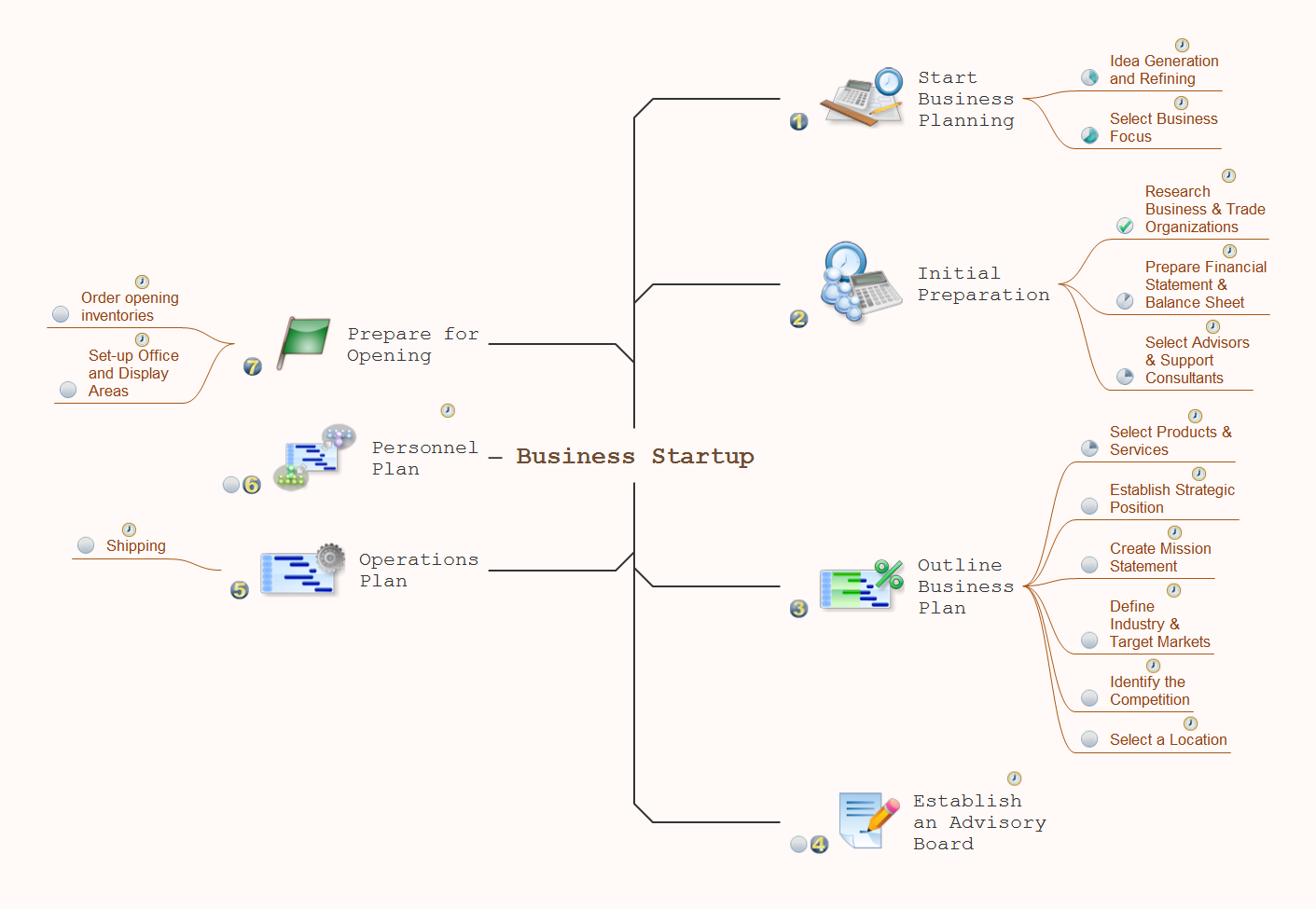
Picture: How To Do A Mind Map In PowerPoint
Related Solution:
ConceptDraw Value Stream Maps visualize for a manufacturing plant the material and information flow required to deliver a product/service to customers.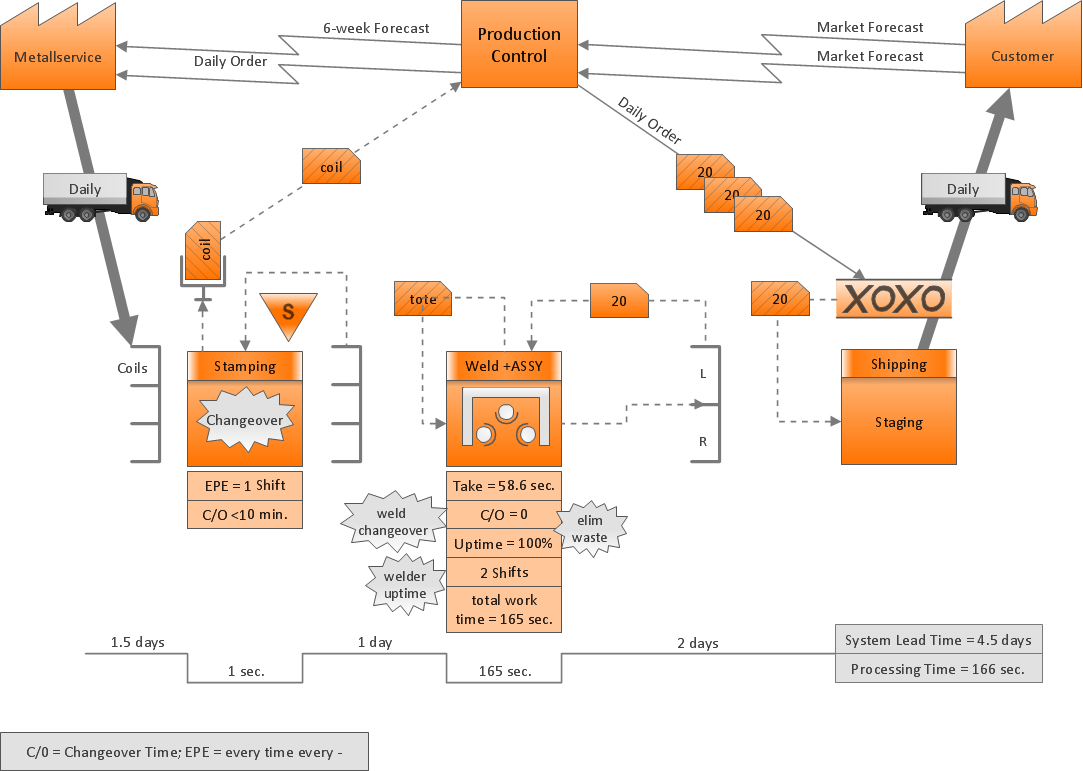
Picture: Purposes of a Value Stream Management Tool
Related Solution:
Any building project must respond to some requirements. Moreover, finding a drawing software for developing a waste water plan is significant. Designing plumbing plans may be difficult in the beginning, but practice makes perfect.
Layout of plumbing fixtures and, kitchen equipment a is a very important part of the home's interior design. If you do not want to find out suddenly the bath in your kitchen, or stove in your bathroom, you need to pay due attention to this plan. ConceptDraw Building Plans libraries give you a number of vector objects. Using them you can quickly and professionally sketch a plan of kitchen or bathroom in proper scale and with objects depicting your desired equipment. Then your contractor never will confuse a bath with a stove and a washing machine with a toilet and your house will be really a home of your dreams.
Picture: Building Drawing Software for Designing Plumbing
Related Solution:
Creating diagrams and schemes is a pleasure with proper software. You don’t need any additional skills to create organizational chart quick and effectively with our diagramming tool. Create your ConceptDraw account today and start your diagramming experience.
This is the most regular type of organizational chart - hierarchical. It is created using the ConceptDraw Organizational Charts solution. Its composition can be displayed as a pyramid, with an only person in authority at the top, with sub-levels of management below them. According to hierarchy, an employee communicates only to his immediate head or subordinates. A hierarchical organizational structure may be choice for a businesses that work on multiform markets or any other organization that has a workflow requiring a multilevel structure of middle management.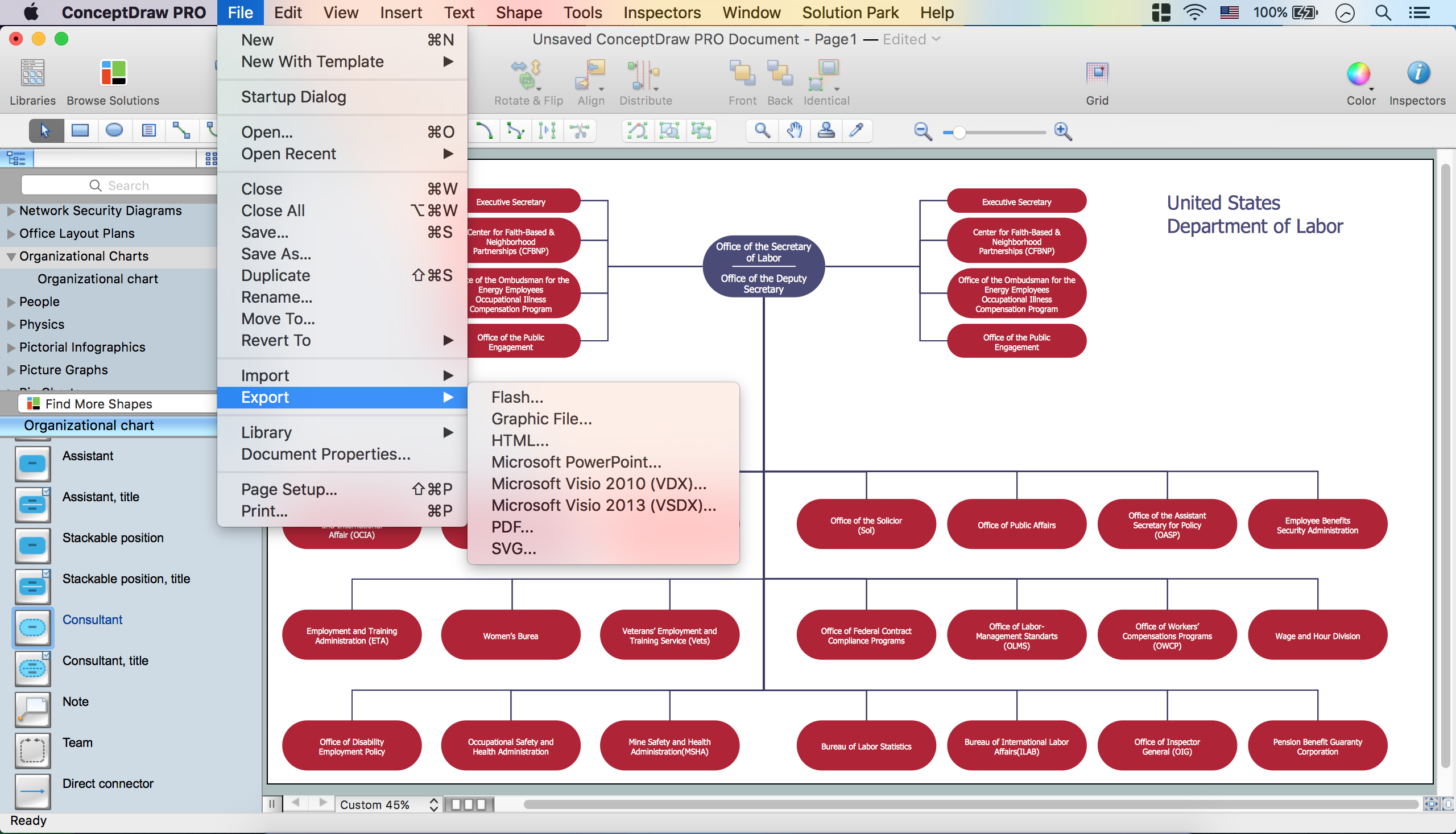
Picture: Create Organizational Chart
Related Solution:
The SWOT Analysis solution contains easy-to-use mind map templates that help identify Strengths, Weaknesses, Opportunities, and Threats, as well as outputs to ConceptDraw DIAGRAM for presenting analysis results.
Picture: SWOT Analysis
Related Solution:
The onion diagram is a type of diagram which shows the dependencies among parts of an organization or process. The items are displayed at the concentric circles, where the items at the bigger rings depend on the items at the smaller rings.
ConceptDraw DIAGRAM diagramming and vector drawing software extended with Stakeholder Onion Diagrams Solution from the Management Area of ConceptDraw Solution Park is a professional Onion Diagram Maker.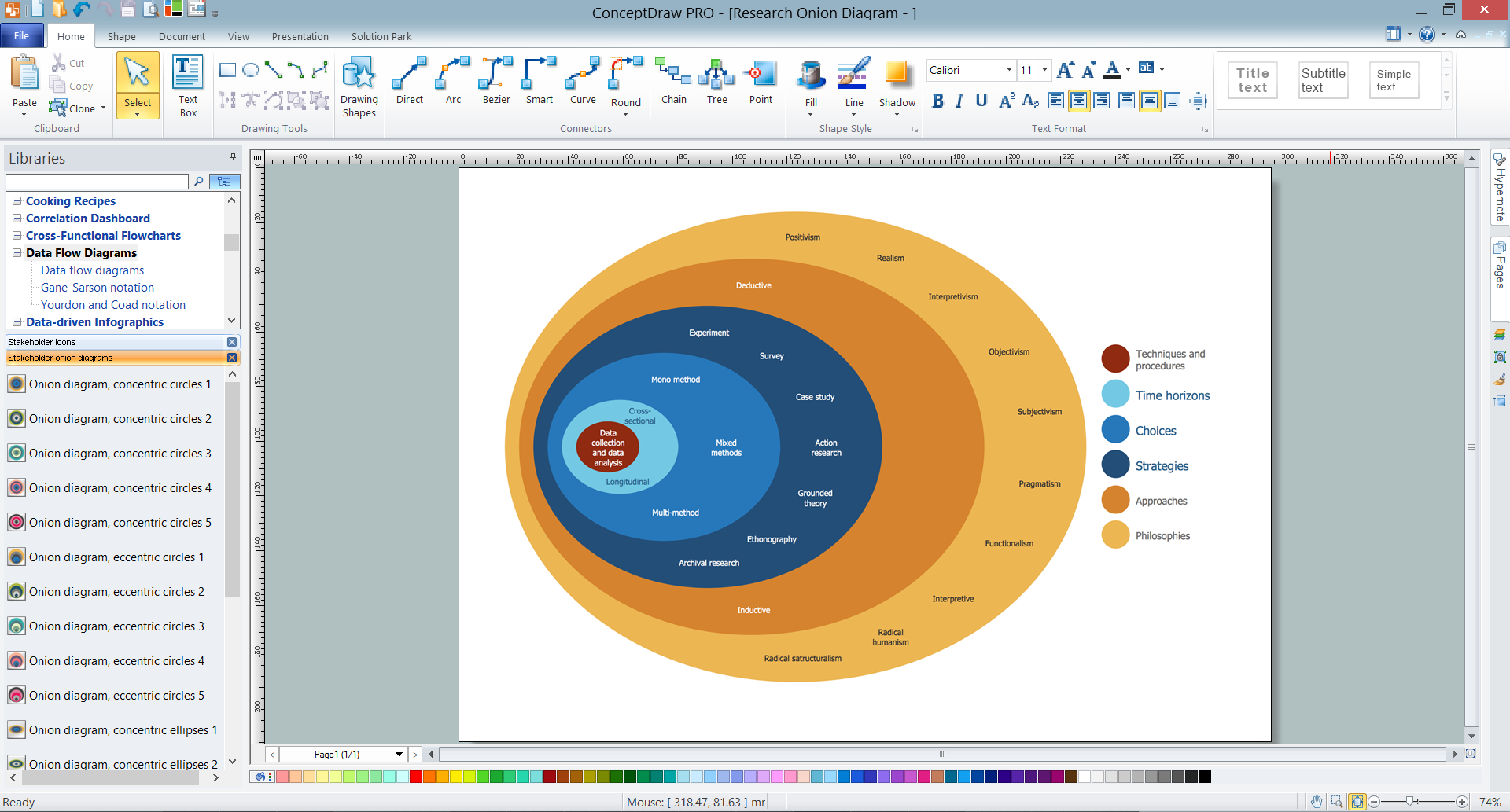
Picture: Onion Diagram Maker
Related Solution:
The Total Quality Management Diagram solution helps your organization visualize business and industrial processes. Create Total Quality Management diagrams for business process with ConceptDraw software.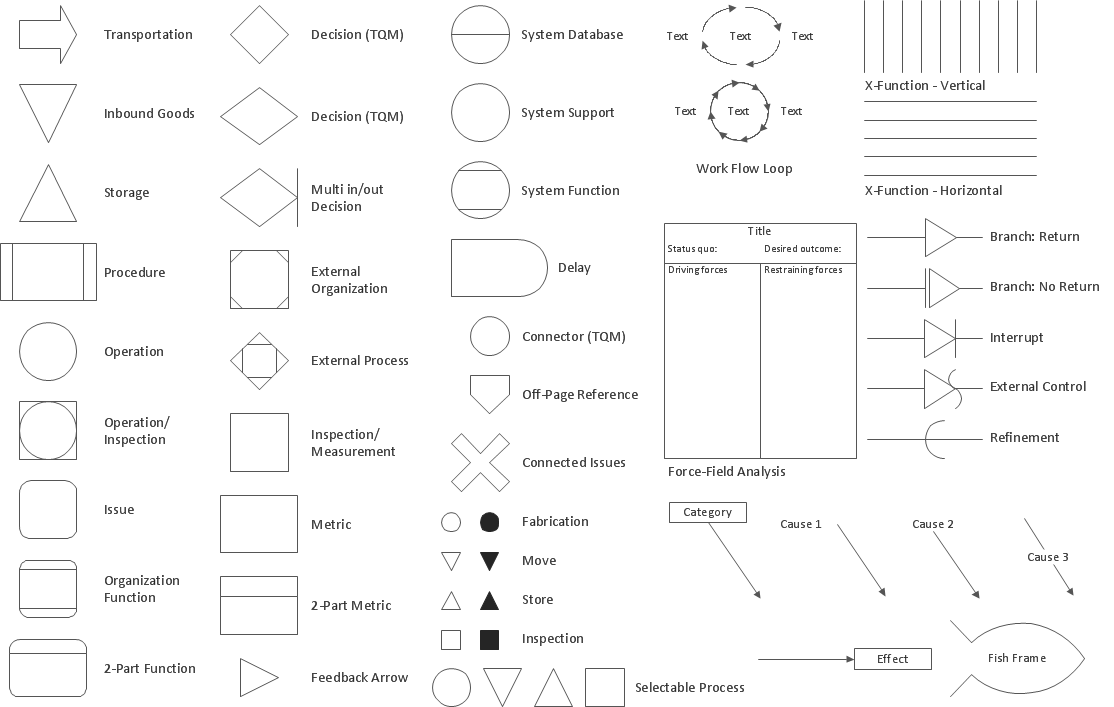
Picture: The Fifty Two Elements of TQM
Related Solution:
ConceptDraw
MINDMAP 16