Made with
ConceptDraw
DIAGRAM 18

Interior Design. Site Plan — Design Elements

Site plan — Design elements libraries

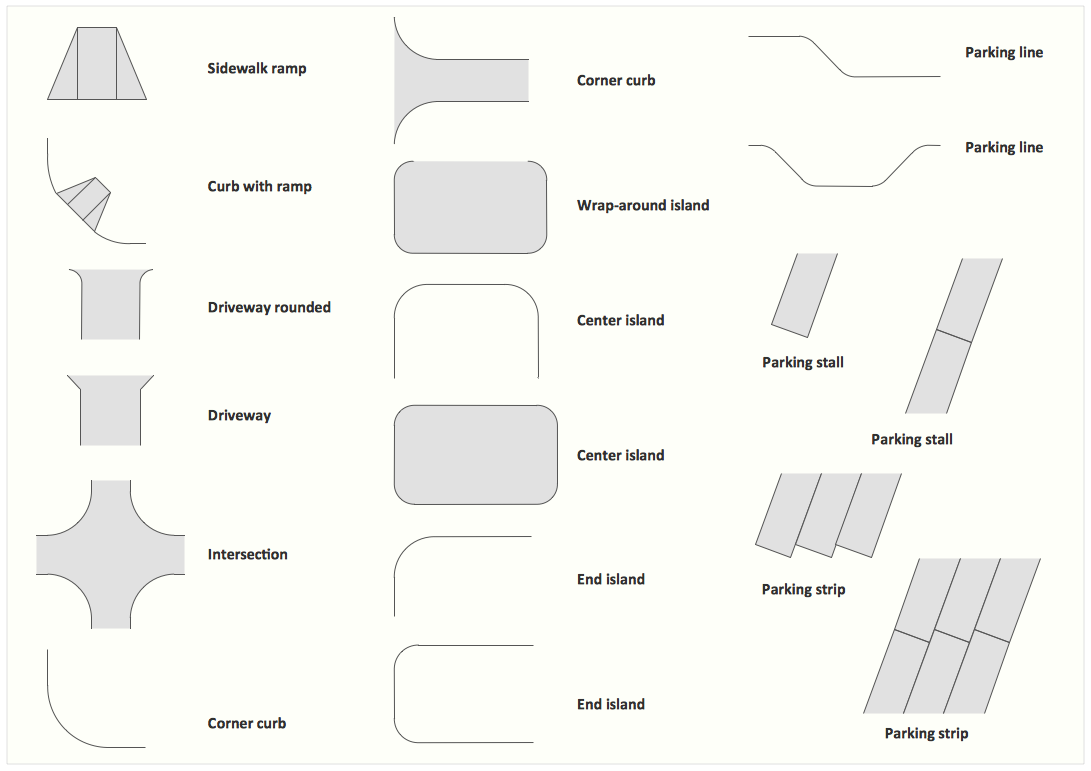
The vector stencils library Parking and roads contains shapes of parking lots and strips, parking spaces, driveways, street junctions, and interchanges for drawing site plans of parking facilities, on-street and off-street parking, and traffic management.

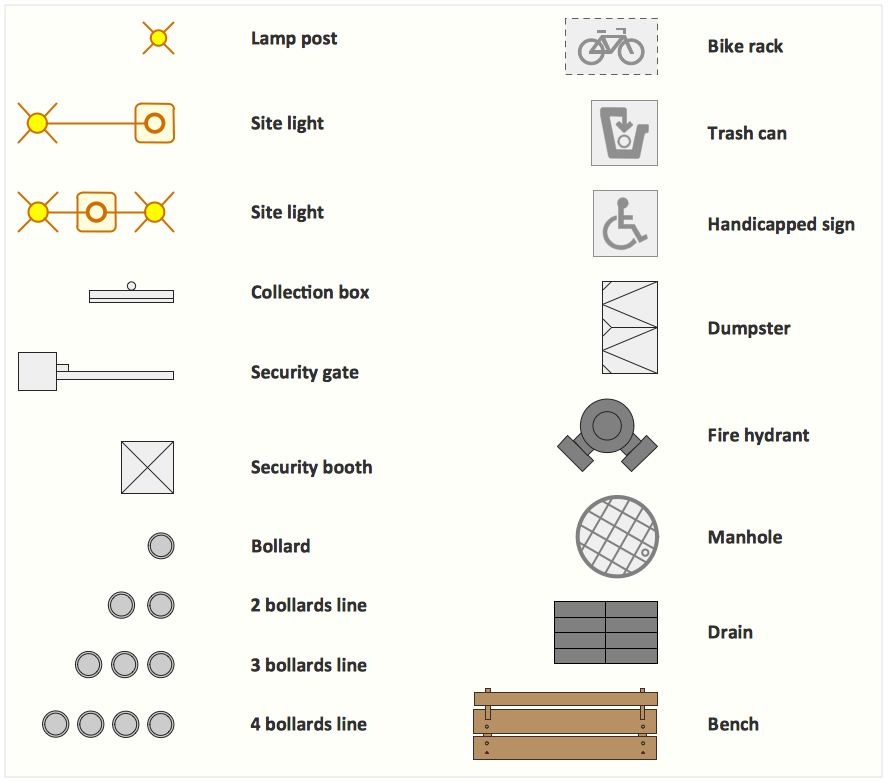
The library Site accessories contains shapes of vehicle access control equipment (tollbooth, tollgate, parking fees payment box), a handicapped sign, outdoor lighting, and garbage receptacles for drawing site plans of parking lots and site management.

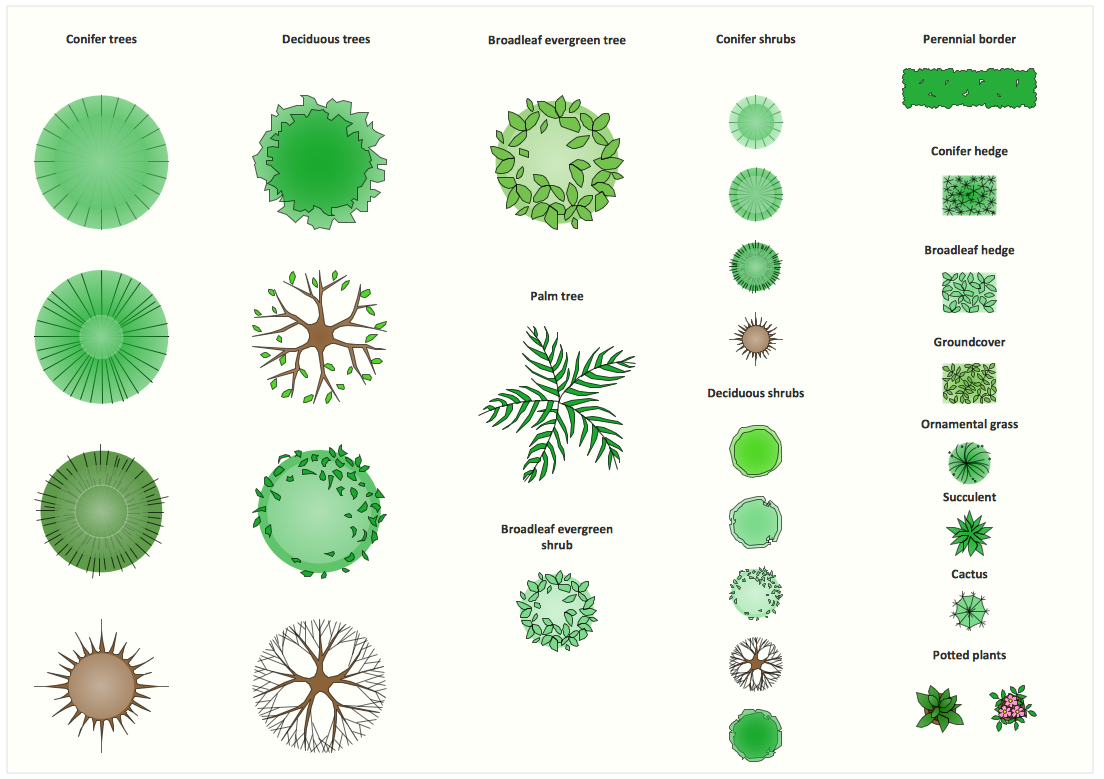
The library Trees and plants contains shapes of trees, hedges, groundcovers, greenery, and shrubbery for drawing site plans, landscape architecture, lawns, gardens, yards, parks planning, groundskeeping, landscape design, and arboretums.

Use these 3 libraries for ConceptDraw DIAGRAM diagramming and vector drawing software to draw site design plans and equipment layouts.

These design elements library are included in Site Plans solution from Building Plans area of ConceptDraw Solution Park.

The Parking and roads library contains 18 symbols:

  • Driveway rounded
  • Driveway
  • Wrap-around island
  • Sidewalk ramp
  • Curb with ramp
  • Intersection
  • Corner curb
  • End island
  • Center island
  • Parking line
  • Parking stall
  • Parking strip

The Trees and plants library contains 29 symbols:

  • Broadleaf evergreen tree
  • Potted plant
  • Cactus
  • Ornamental grass
  • Succulent
  • Perennial border
  • Groundcover
  • Conifer hedge
  • Broadleaf hedge
  • Broadleaf evergreen shrub
  • Deciduous shrub
  • Conifer shrub
  • Palm tree
  • Deciduous tree
  • Conifer tree

The Site accessories library contains 18 symbols:

Interior Design. Site Plan — Design Elements * Interior Design Software.  Design Elements — Trees and Plants Interior Design Software.  Design Elements — Site Accessories

Sample 1. Interior Design Software. Design Elements — Site Plan
for macintosh and windows

Solution Building Plans from ConceptDraw Solution Park provides vector stencils libraries with design elements for drawing Site Plans.

Use ConceptDraw DIAGRAM diagramming and vector drawing software enhanced with Building Plans solution to draw your own residential and commercial landscape design, parks planning, yard layouts, plat maps, outdoor recreational facilities, and irrigation systems.

Read more about Home and Landscape design

TEN RELATED HOW TO's:
The Microsoft Windows Azure platform is a highly flexible cloud-based solution with variety of services which supports not only the execution of.NET applications, but also allows developers to use programming languages like Java, PHP, Node.js, or Python. ConceptDraw DIAGRAM diagramming and vector drawing software provides the Azure Architecture Solution from the Computer and Networks area of ConceptDraw Solution Park with a lot of useful tools which make easier: illustration of Windows Azure possibilities and features, describing Windows Azure Architecture, drawing Azure Architecture Diagrams, depicting Azure Cloud System Architecture, describing Azure management, Azure storage, documenting Azure services.Windows Azure *
Picture: Windows Azure
Related Solution:
Video tutorials on ConceptDraw products. Try it today!How to Draw a Bubble Chart *
Picture: How to Draw a Bubble Chart
Related Solution:
An architectural design is a technical drawing of a building. Creating of the architectural design is the important part in the architecture and building. It is a way for the architects to represent their ideas and concepts, to develop the design idea to the concrete proposal. It' very convenient for architects to create the architectural design using the computer software. СonceptDraw DIAGRAM is a powerful CAD drawing software. Using the Floor Plans Solution from the Building Plans area of ConceptDraw Solution Park you can create professional looking architectural designs quick, easy and effective.CAD Drawing Software for Architectural Designs
Picture: CAD Drawing Software for Architectural Designs
Related Solution:
The Building Plans area of ConceptDraw Solution Park includes a set of solutions of Interior Design. The Interior Design solutions for ConceptDraw DIAGRAM allow you simply and quickly create the professional looking Building Plans that will help you to design, redesign your room, flat, home, office, cafe or any other building. Having the ready plan of the rooms you can easy rearrange the furniture, interior objects on the plan and see the future result at once.interior design
Picture: Interior Design Software. Building Plan Examples
Related Solution:
Tool to draw Metro Map styled inforgraphics. Los Angeles Metro Rail and Liner sample. This is a one-click tool to add stations to the map. It lets you control the direction in which you create new stations, change lengths, and add text labels and icons. It contains Lines, Stations, and Landmarks objects.Los Angeles Metro Rail and Liner
Picture: How to draw Metro Map style infographics? (Los Angeles)
Related Solution:
UML Composite Structure Diagram shows the internal structure of a class and the possible interactions at this structure.UML Composite Structure Diagram *
Picture: UML Composite Structure Diagram
Drawing an electric circuit plan with all the wiring might seem very complex. If you ever felt afraid to ask how to use electrical and telecom plan software, then it’s time to actually start from altering the templates from the Solution Park. You won’t even notice the moment when you would become an experienced user. This electrical and telecommunication floor plan plan presents electrical and telecommunication devices located in a country house floor plan. Each electrical or telecom device on this plan is indicated with the particular symbol. Using standard Electrical and Telecommunication symbols makes this floor plan clear for anybody who will be involved into construction process. All the electrical and telecom symbols used in the current floor plan are placed to a legend. This electrical and telecom floor plan can be included as a separate piece into a package of building documentation.Electrical and Telecom Plan Software
Picture: How To use Electrical and Telecom Plan Software
Related Solution:
No security system cannot be constructed without detailed security plan, or even a set of plans in some cases. ConceptDraw DIAGRAM software offers the Security and Access Plans Solution from the Building Plans Area to help you design the Security Plans for any premises and of any complexity.Security Plans *
Picture: Security Plans
Related Solution:
ConceptDraw DIAGRAM diagramming and vector drawing software extended with Gym and Spa Area Plans solution from Building Plans area of ConceptDraw Solution Park is the best for simple and fast drawing the Fitness Plans.Fitness Plans *
Picture: Fitness Plans
Related Solution:
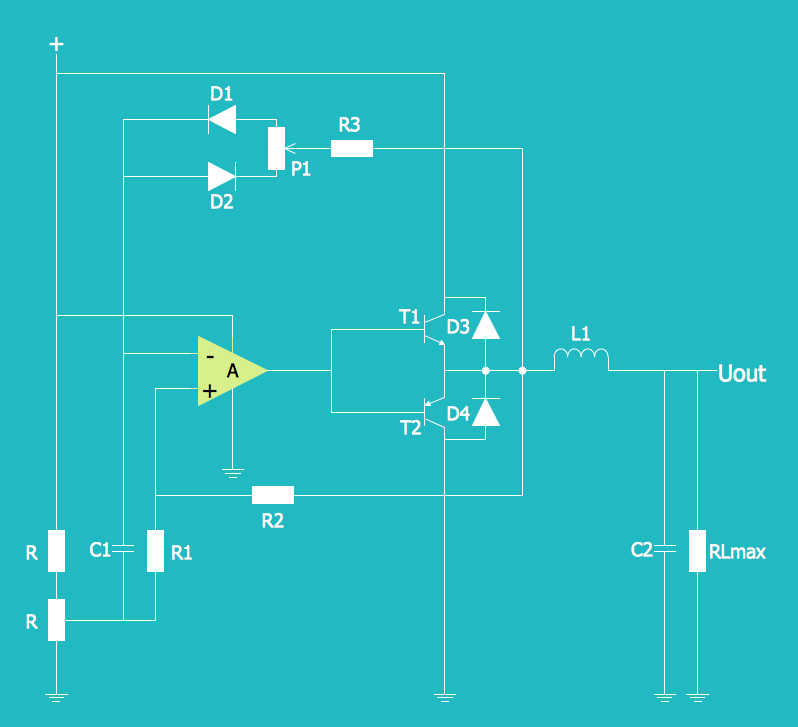
Electrical Diagram is a visual graphical representation of an electrical circuit. ConceptDraw DIAGRAM diagramming and vector drawing software supplied with unique Electrical Engineering Solution from the Industrial Engineering Area will help you design Electrical Diagram of any complexity without efforts.Electrical Diagram *
Picture: Electrical Diagram
Related Solution:
ConceptDraw
DIAGRAM 18