Infographic design elements, software tools
Subway and Metro style
Use ConceptDraw DIAGRAM software extended with Metro Map solution from ConceptDraw solution park.
This is a one-click tool to create new stations, change lengths, and add text labels and icons. It contains Lines, Stations, and Landmarks objects. This is great tool to create metro maps, route maps, bus and other transport schemes, or even subway style (tube style) infographics.
Smart Vector Objects and Tools for Subway-style Infographics

About infographic design elements
- This is screen capture of few design elements used ConceptDraw DIAGRAM software with Metro Map solution to demonstrate major design elements and the results you can achieve using this solution.
- Includes Smart Objects with shape-switching capabilities.
- Metro Map Solution is part of ConceptDraw Solution Park extentions for ConceptDraw software products.
- All final documents are vector graphic documents and can be exported to major graphic data formats. They are samples which available for reviewing, modifying or converting to a variety of formats (PDF file, Power point Presentation, image or MS Visio) from the Template Gallery of ConceptDraw DIAGRAM for all users who have installed Metro Map solutions.
See also:
Video Tutorial "How to draw Metro Map style infographics?"
Tutorial explains Metro Map tools, demonstrate how to add stations to the map, control the direction in which you create new stations, change lengths, add text, Lines and Landmarks objects. This video demonstrate ConceptDraw Metro Map Solution.
TEN RELATED HOW TO's:
The VMware vNetwork Distributed Switch (vDS) is the new virtual switch (vSwitch) with vSphere 4 that extends the set of features of the VMware vNetwork Standard Switch (vSS). The VMware vSS is the base-level virtual networking alternative that extends the capabilities, configuration and appearance of the standard vSwitch in VMware ESX 3.5 to ESX 4.0 and vSphere 4.
This example was created in ConceptDraw DIAGRAM using the Computer and Networks Area of ConceptDraw Solution Park and shows the VMware vDS network diagram.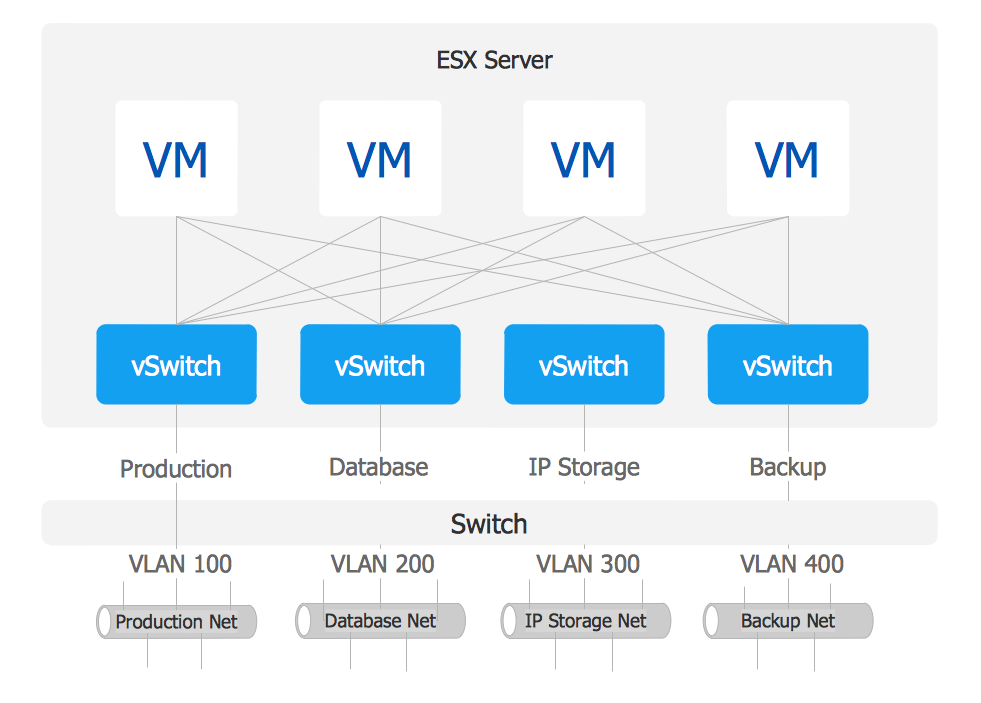
Picture: VMware vNetwork Distributied Switch (vDS). Computer and Network Examples
Related Solution:
ConceptDraw is a visualization Software for making transportation infographics. Infographics design vector elements and vector graphics which will surely help you in your design process.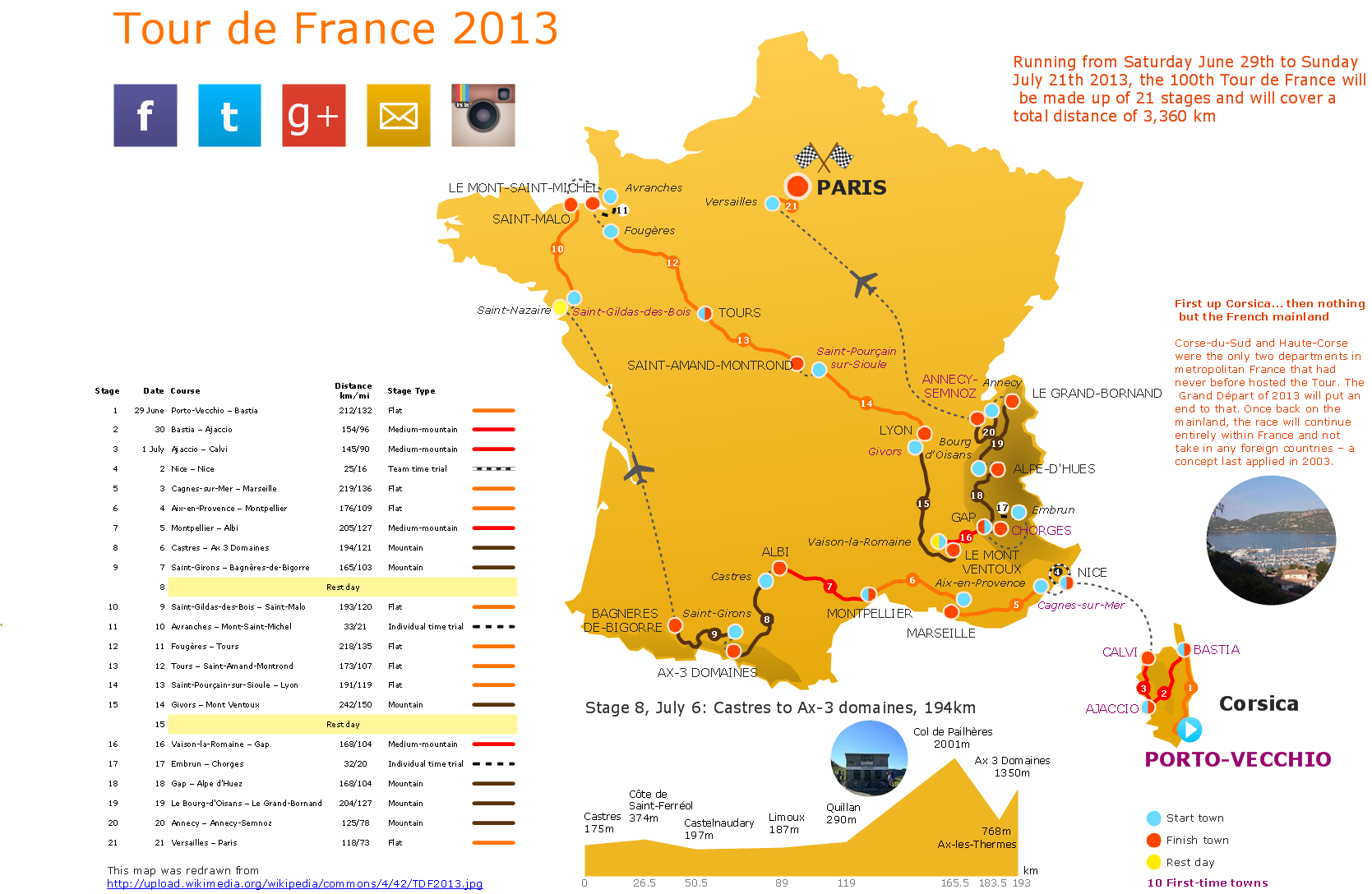
Picture: Transportation Infographics
The vector stencils library Chen ERD from the solution Entity-Relationship Diagrams (ERD) contains specific symbols of the Chen ERD notation including entity symbols and relationship symbols for ConceptDraw DIAGRAM software.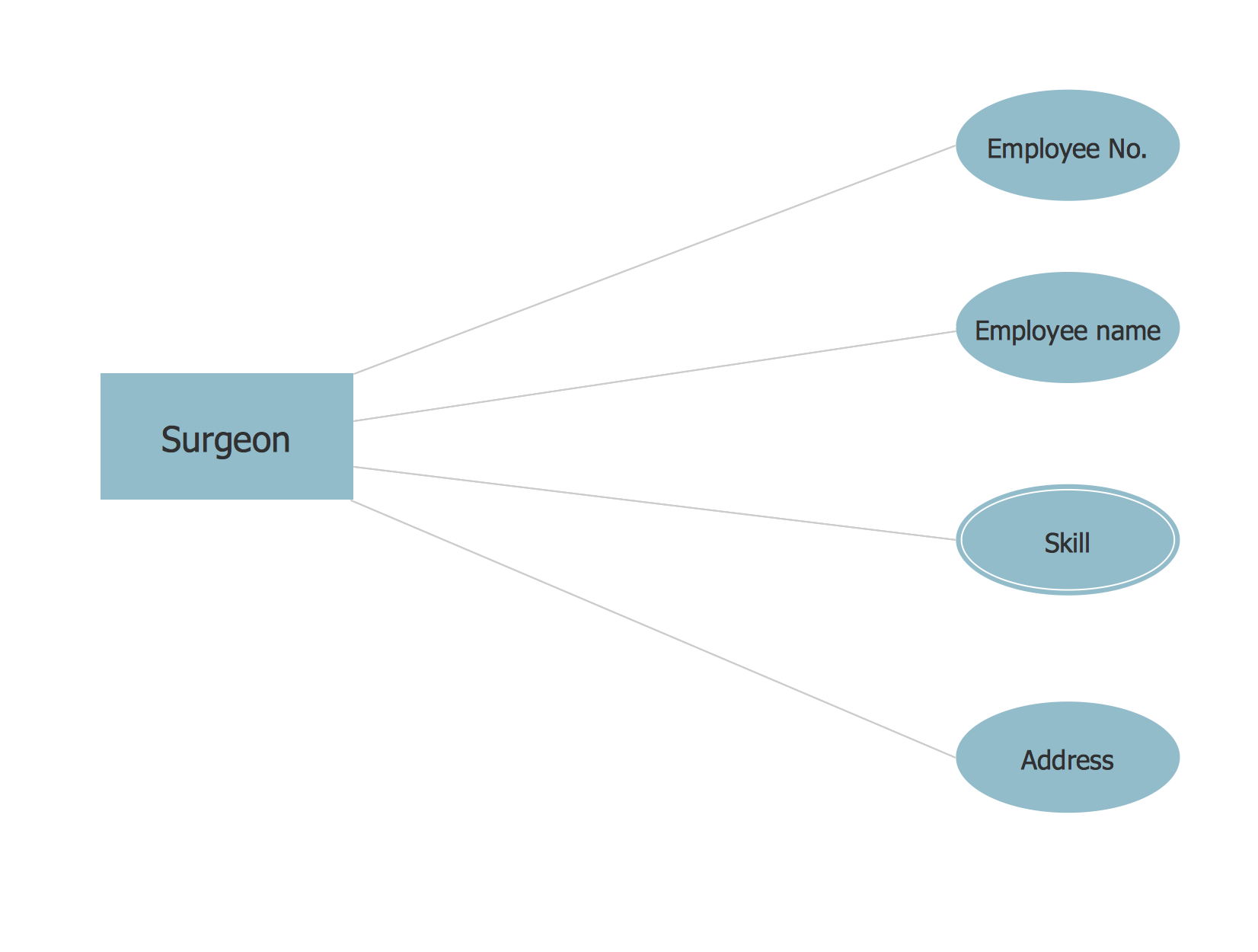
Picture: Chen ERD Diagram
Related Solution:
ConceptDraw DIAGRAM diagramming and vector drawing software is the best choice for making professional looking Subway Map. ConceptDraw DIAGRAM provides Metro Map Solution from the Maps Area of ConceptDraw Solution Park.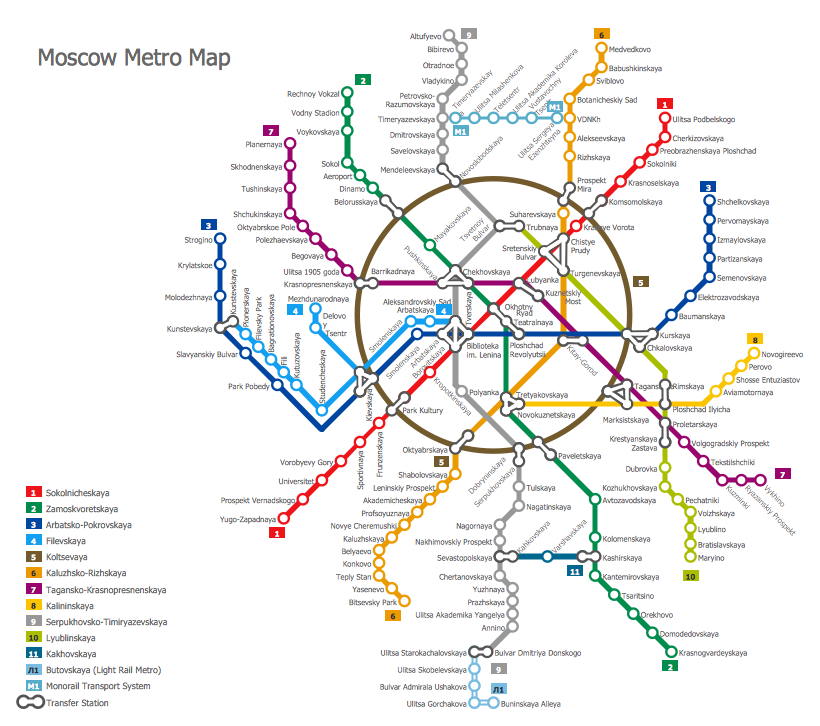
Picture: Subway Map
Related Solution:
Complexity of databases increases day by day, due to this the Entity relationship models and E-R diagrams become more and more popular, and now are an important part of database design. E-R diagrams created at ConceptDraw DIAGRAM allow visually and graphically represent structure and design of databases.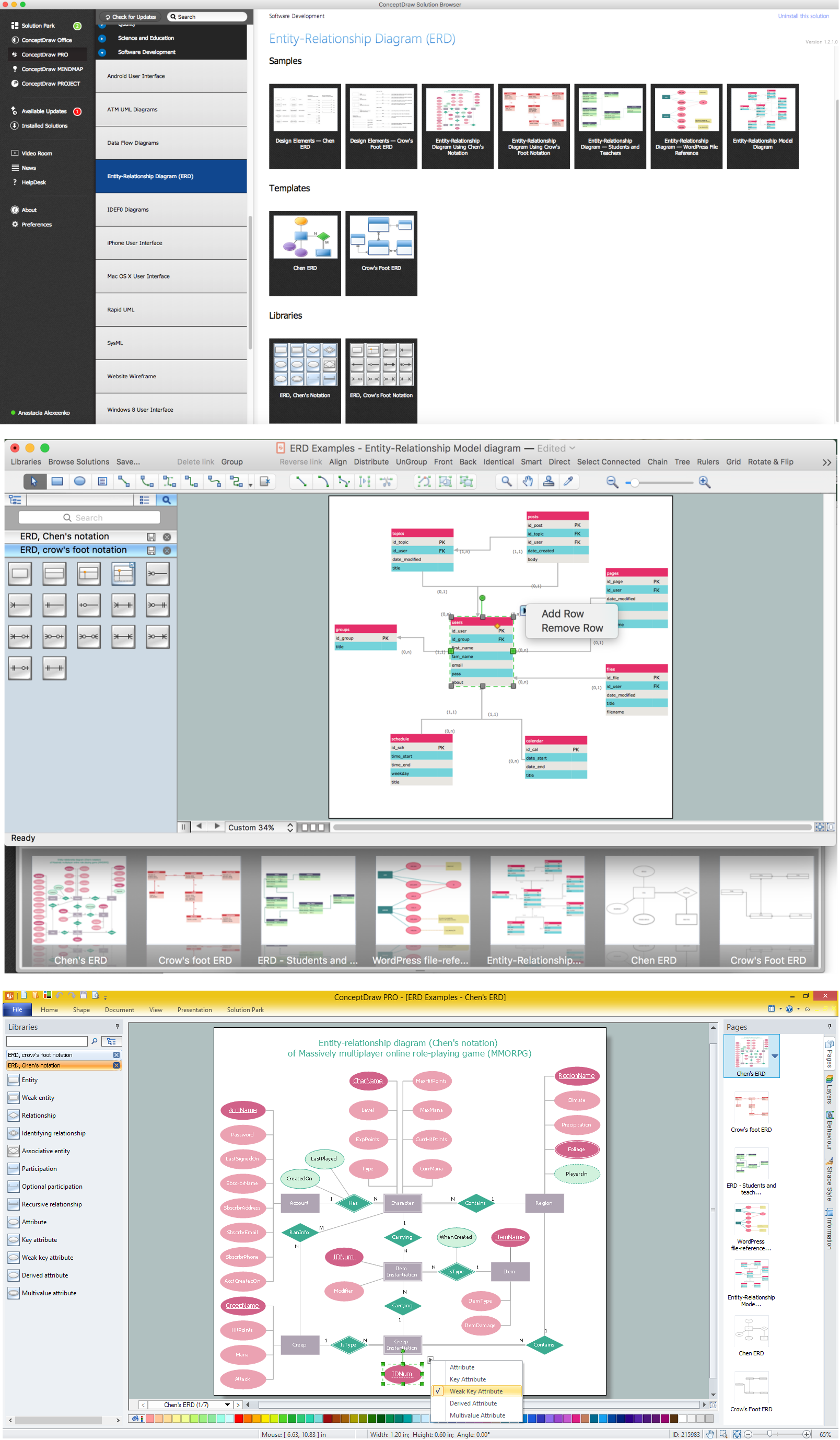
Picture: E-R Diagrams
Related Solution:
One of the key roles at the attracting visitors in catering establishments of different formats plays their visual solution, design of advertising elements of fast foods and restaurants.
ConceptDraw DIAGRAM software enhanced with unique Food Court solution from the Food and Beverage area of ConceptDraw Solution Park allows to design inviting and attractive signboards, pictorial menus with appetizing food pictures.
Picture: Food Pictures
Related Solution:
The Value Stream Mapping solution extends ConceptDraw DIAGRAM software with a new library that contain vector objects, samples and templates.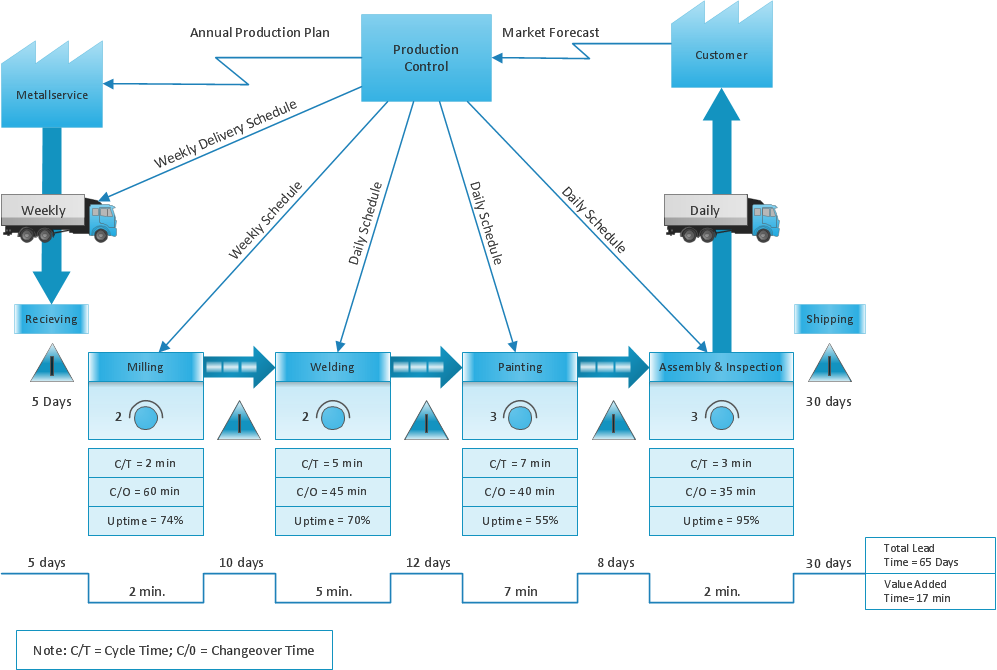
Picture: Sections of the Value Stream Map
Related Solution:
Using the ConceptDraw DIAGRAM software you will find it really simple to design thematic maps.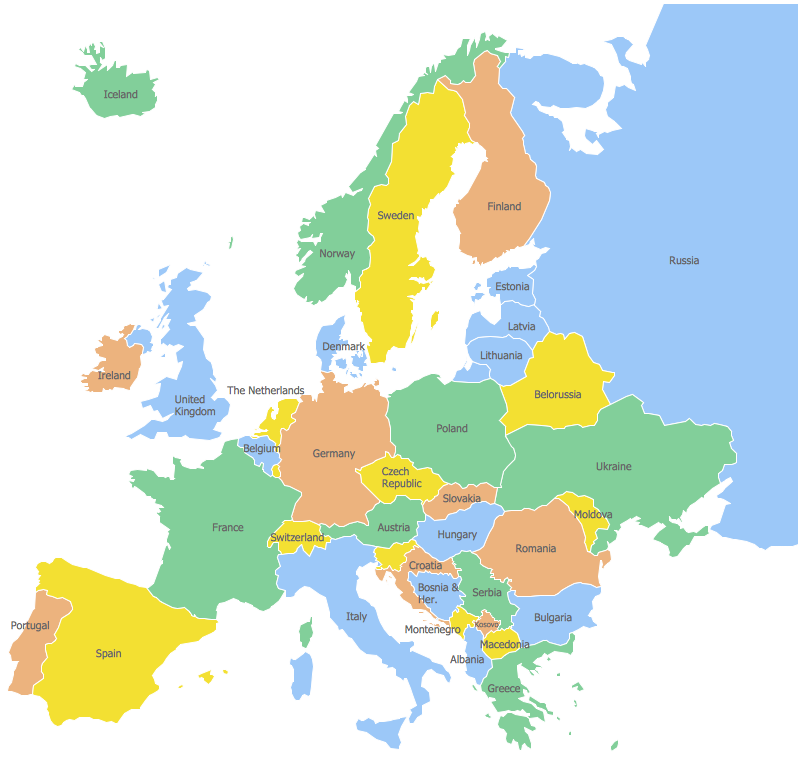
Picture: Geo Map — Europe
Related Solution:
The most worked out and commonly used methodology of business processes description is IDEF methodology. Besides business processes it allows to describe functional blocks, for example production and marketing. ConceptDraw lets creation of business processes description using IDEF0 and IDEF2 methods.
Picture: Business Processes
Related Solution:
The ConceptDraw vector stencils library Cisco People contains symbols for drawing the computer network diagrams.
Vector stencils library Cisco People contains 17 pictogram symbols and clipart for drawing the computer network diagrams using the ConceptDraw DIAGRAM diagramming and vector drawing software.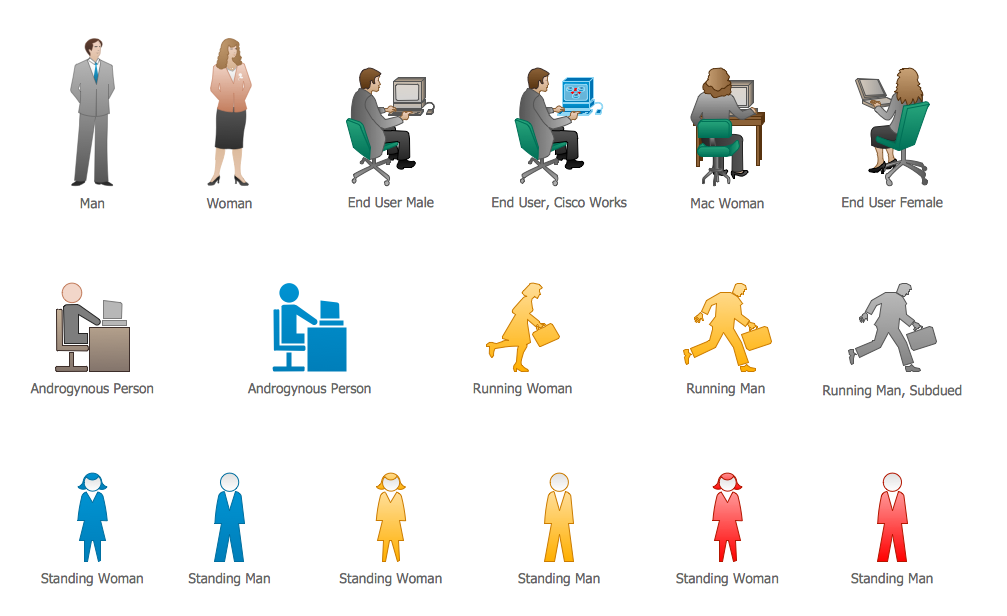
Picture: Cisco People. Cisco icons, shapes, stencils and symbols
Related Solution:
ConceptDraw
DIAGRAM 18