Made with
ConceptDraw
DIAGRAM 18

Electrical Symbols — Inductors

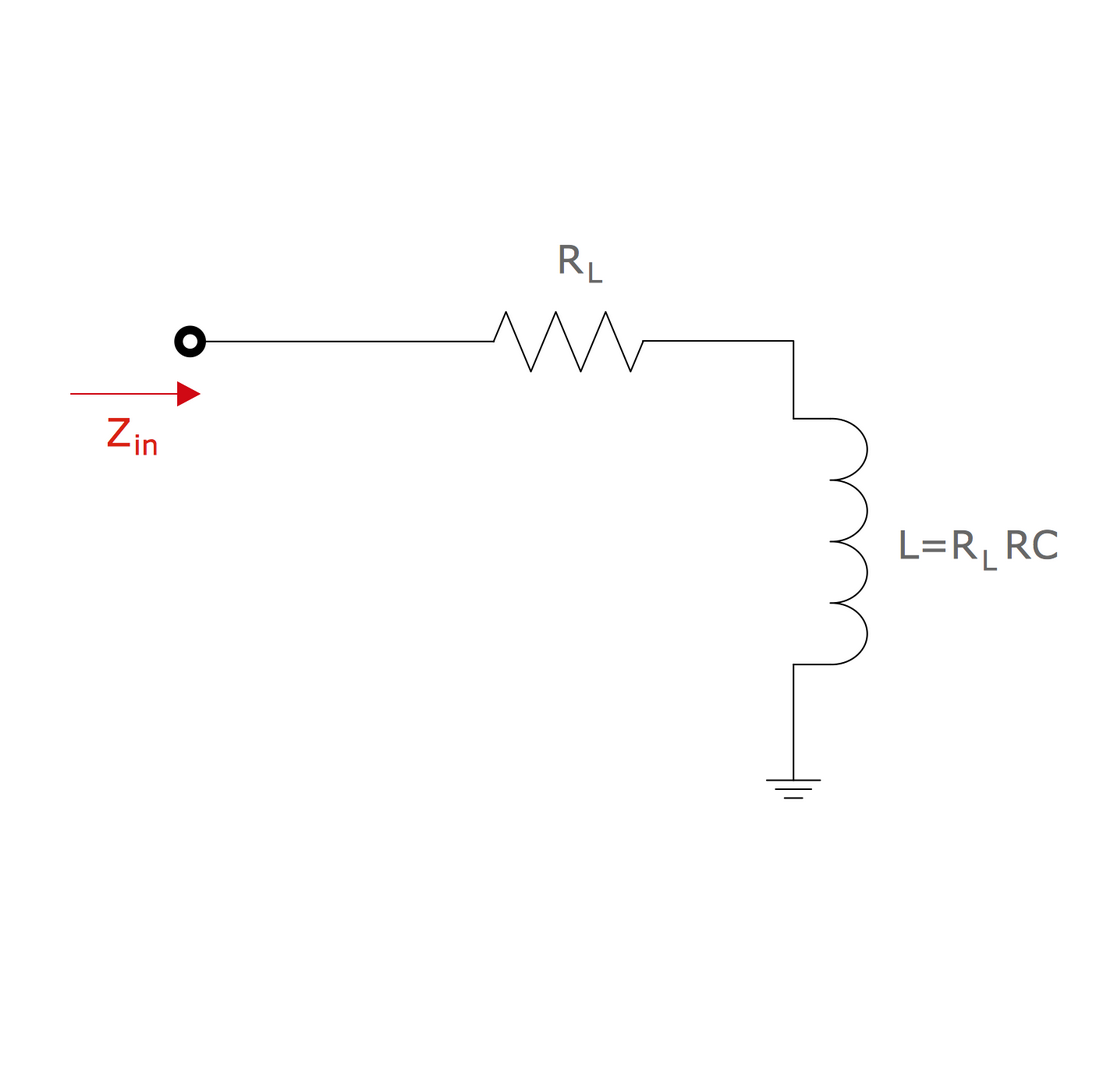
An inductor, also called a coil or reactor, is a passive two-terminal electrical component which resists changes in electric current passing through it. It consists of a conductor such as a wire, usually wound into a coil. Energy is stored in a magnetic field in the coil as long as current flows. When the current flowing through an inductor changes, the time-varying magnetic field induces a voltage in the conductor, according to Faraday’s law of electromagnetic induction.
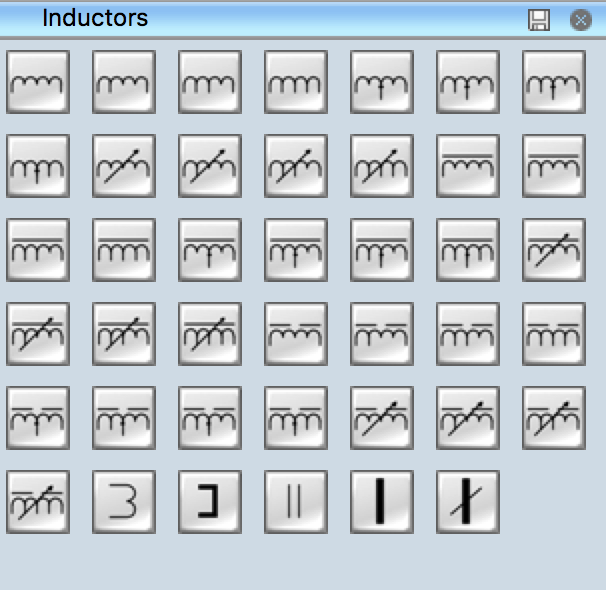
Electrical Symbols - Inductors

Pic. 1. Inductors Library

ConceptDraw DIAGRAM is a powerful software for creating professional looking electrical diagram quick and easy. For this purpose you can use the Electrical Engineering solution from the "Engineering" area of ConceptDraw Solution Park.

Electrical Engineering Solution for ConceptDraw DIAGRAM provides the stencils libraries of ready-to-use predesigned 926 vector symbols, templates and samples that make your electrical drawing quick, easy and effective.

26 libraries of the Electrical Engineering Solution of ConceptDraw DIAGRAM make your electrical diagramming simple, efficient, and effective. You can simply and quickly drop the ready-to-use objects from libraries into your document to create the electrical diagram.
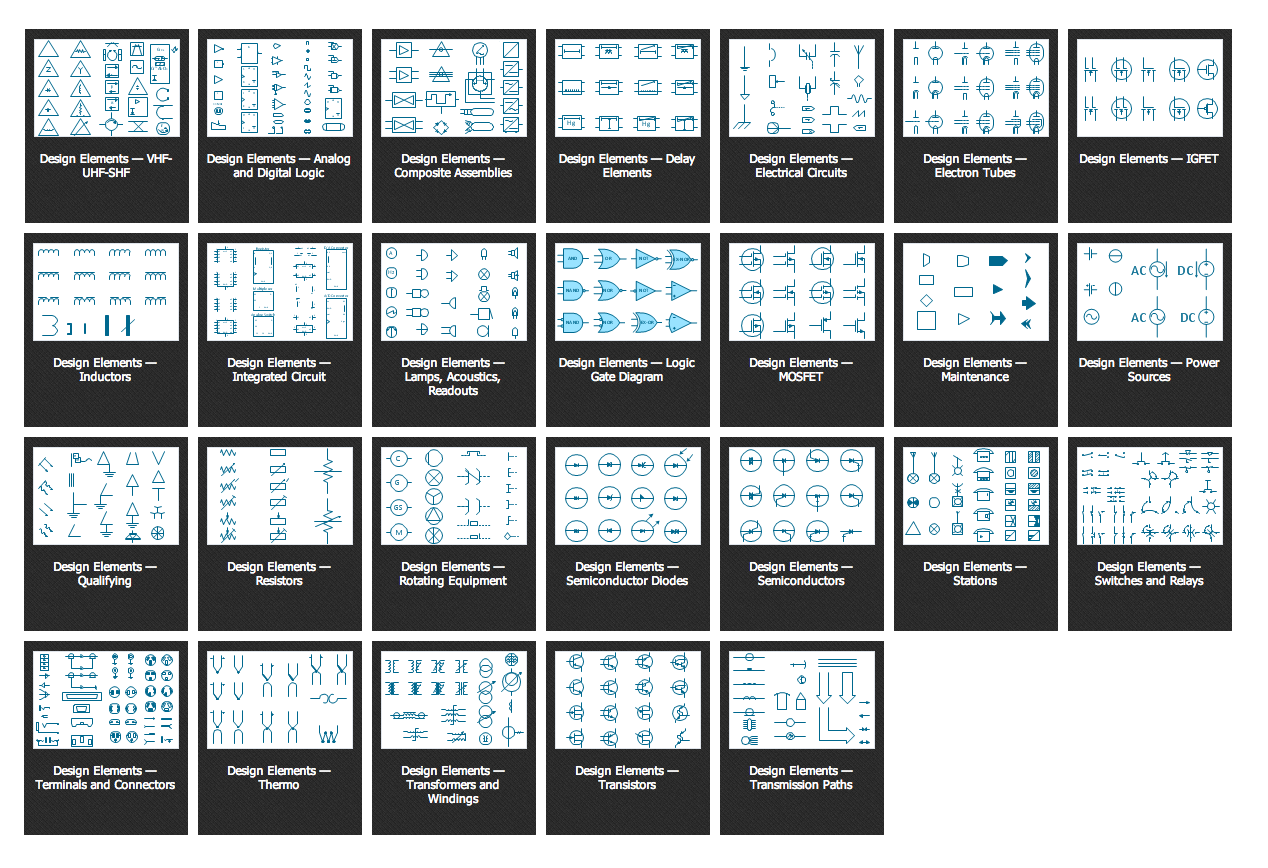
Electrical Symbols

Pic. 2. Electrical Engineering symbols

Electrical diagram software will assist you in drawing your electrical diagrams with minimal effort and makes it very easy for beginners. Electrical symbols and smart connectors help present your electrical drawings, electrical schematic, wiring diagrams and blue prints.
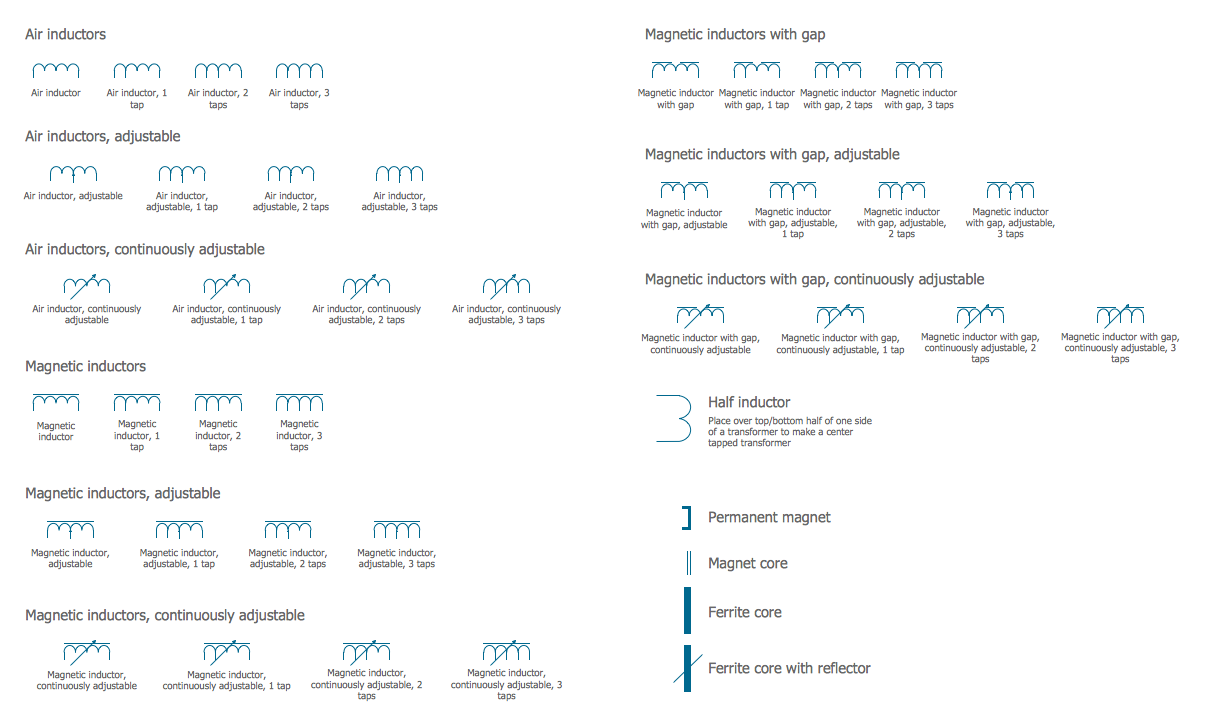
Electrical Symbols — Inductors *

Pic. 3. Electrical Symbols — Inductors

Most of the electrical symbols can be changed in their appearance, styles and colors according to users' requirements. Electrical symbols are used to represent various electrical and electronic devices in a schematic diagram of an electrical or electronic circuit.

The following table lists some inductors electrical symbols in our electrical diagram software.

Symbol Meaning
Electrical Symbols — Inductors
Air inductorAir inductor
Air inductor, 1 tapAir inductor, 1 tap
Air inductor, 2 tapsAir inductor, 2 taps
Air inductor, 3 tapsAir inductor, 3 taps
Air inductor, adjustableAir inductor, adjustable
Air inductor, adjustable, 1 tapAir inductor, adjustable, 1 tap
Air inductor, adjustable, 2 tapsAir inductor, adjustable, 2 taps
Air inductor, adjustable, 3 tapsAir inductor, adjustable, 3 taps
Air inductor, continuously adjustableAir inductor, continuously adjustable
Air inductor, continuously adjustable, 1 tapAir inductor, continuously adjustable, 1 tap
Air inductor, continuously adjustable, 2 tapsAir inductor, continuously adjustable, 2 taps
Air inductor, continuously adjustable, 3 tapsAir inductor, continuously adjustable, 3 taps
Magnetic inductorMagnetic inductor
Magnetic inductor, 1 tapMagnetic inductor, 1 tap
Magnetic inductor, 2 tapsMagnetic inductor, 2 taps
Magnetic inductor, 3 tapsMagnetic inductor, 3 taps
Magnetic inductor, adjustableMagnetic inductor, adjustable
Magnetic inductor, adjustable, 1 tapMagnetic inductor, adjustable, 1 tap
Magnetic inductor, adjustable, 2 tapsMagnetic inductor, adjustable, 2 taps
Magnetic inductor, adjustable, 3 tapsMagnetic inductor, adjustable, 3 taps
Magnetic inductor, continuously adjustableMagnetic inductor, continuously adjustable
Magnetic inductor, continuously adjustable, 1 tapMagnetic inductor, continuously adjustable, 1 tap
Magnetic inductor, continuously adjustable, 2 tapsMagnetic inductor, continuously adjustable, 2 taps
Magnetic inductor, continuously adjustable, 3 tapsMagnetic inductor, continuously adjustable, 3 taps
Magnetic inductor with gapMagnetic inductor with gap
Magnetic inductor with gap, 1 tapMagnetic inductor with gap, 1 tap
Magnetic inductor with gap, 2 tapsMagnetic inductor with gap, 2 taps
Magnetic inductor with gap, 3 tapsMagnetic inductor with gap, 3 taps
Magnetic inductor with gap, adjustableMagnetic inductor with gap, adjustable
Magnetic inductor with gap, adjustable, 1 tapMagnetic inductor with gap, adjustable, 1 tap
Magnetic inductor with gap, adjustable, 2 tapsMagnetic inductor with gap, adjustable, 2 taps
Magnetic inductor with gap, adjustable, 3 tapsMagnetic inductor with gap, adjustable, 3 taps
Magnetic inductor with gap, continuously adjustableMagnetic inductor with gap, continuously adjustable
Magnetic inductor with gap, continuously adjustable, 1 tapMagnetic inductor with gap, continuously adjustable, 1 tap
Magnetic inductor with gap, continuously adjustable, 2 tapsMagnetic inductor with gap, continuously adjustable, 2 taps
Magnetic inductor with gap, continuously adjustable, 3 tapsMagnetic inductor with gap, continuously adjustable, 3 taps
Half inductorHalf inductor
Permanent magnetPermanent magnet
Magnet coreMagnet core
Ferrite coreFerrite core
Ferrite core with reflectorFerrite core with reflector

Inductors are widely used in alternating current (AC) electronic equipment, particularly in radio equipment. They are used to block AC while allowing DC to pass; inductors designed for this purpose are called chokes. They are also used in electronic filters to separate signals of different frequencies, and in combination with capacitors to make tuned circuits, used to tune radio and TV receivers.


How to Create an Electrical Diagram Using Inductors Library

  • Open ConceptDraw DIAGRAM new document page.
  • Select libraries from Electrical Engineering section.
    Libraries from Electrical Engineering section

  • There are a few different ways to place an object into your drawing:

    • Click on an object and then click on the document, at the place you want the object to be inserted.
    • Perform a drag-and-drop from the library to your document.
    • Double click on an object’s icon in the library to place an object in the center of your document.
  • Select the Smart Connector tool Smart Connector. To connect elements using this tool, drag the connector from one connect dot to another.You can use Layers to place connections on different layers.
  • Result: Electrical Diagram.

    Electrical Diagram


NINE RELATED HOW TO's:
Diagramming is an astonishing way to visualize business processes. The list of the most common business process flowchart symbols is quite long starting from basic flowcharts, continuing with SIPOC diagrams. Business process modeling was never easier than now, with special ConceptDraw Business Process Mapping solution. To carry out all professional standard requirements for business processes mapping, it is necessarily to follow the special graphical notations. ConceptDraw Business Process Mapping solution offers an exhaustive suite of tools to aid business process mapping. There are three vector libraries SIPOC Diagrams, Business Process Flowcharts, and Swim Lanes that contains totally more than 50 symbols of standard BPM notations. This is all that professionals need to effectively evaluate and manage quality in business processes.Business Process Flowchart Symbols *
Picture: Business Process Flowchart Symbols
Related Solution:
There are several types of insulated gate field-effect transistors (IGFETs) in common use. The early term metal oxide semiconductor field-effect transistor (MOSFET) is still in use, and MOSFET is usually acceptable as a generic term for IGFETs. The metal oxide, and the insulation in the IGFET, is the insulating material between the gate terminal and the substrate between the source and drain terminals. This insulator must have very low leakage, of course, but another requirement for good performance of the transistor is that the dielectric constant of the material must be very high. 26 libraries of the Electrical Engineering Solution of ConceptDraw DIAGRAM make your electrical diagramming simple, efficient, and effective. You can simply and quickly drop the ready-to-use objects from libraries into your document to create the electrical diagram.Electrical Symbols — IGFET *
Picture: Electrical Symbols — IGFET
Related Solution:
An abstract representation is usually the first thing you will need while developing a database. To understand the ways that databases are structured, you should look through entity-relationship diagram examples and see the notations features and attributes. With an entity-relationship model you can describe a database of any complexity. This Entity-relationship diagram is a tool for software developers. It enables every element of database to be managed, communicated and tested before release. This ERD was created using symbols advocated by Chen's notation. Because of a linguistic origin of the Chen’s notation, the boxes representing entities could be interpreted as nouns, and the relationships between them are in verb form, shown on a diagram as a diamond.Entity Relationship Diagram Examples
Picture: Entity Relationship Diagram Examples
Related Solution:
A transistor is a semiconductor device used to amplify or switch electronic signals and electrical power. It is composed of semiconductor material usually with at least three terminals for connection to an external circuit. A voltage or current applied to one pair of the transistor's terminals changes the current through another pair of terminals. Because the controlled (output) power can be higher than the controlling (input) power, a transistor can amplify a signal. Today, some transistors are packaged individually, but many more are found embedded in integrated circuits. 26 libraries of the Electrical Engineering Solution of ConceptDraw DIAGRAM make your electrical diagramming simple, efficient, and effective. You can simply and quickly drop the ready-to-use objects from libraries into your document to create the electrical diagram.Electrical Symbols — Transistors *
Picture: Electrical Symbols — Transistors
Related Solution:
Near field communication (NFC) is a wireless communication technology that allows smartphones and other similar devices to establish the radio communication with each other on the short distance around 10 centimeters (4 inches). This example was created in ConceptDraw DIAGRAM using the Computer and Networks Area of ConceptDraw Solution Park and shows the Near field communication (NFC) network.Near field communication (NFC). <br>Computer and Network Examples *
Picture: Near field communication (NFC). Computer and Network Examples
Related Solution:
This sample shows the Flowchart of the testing the work of the lamp and decision making about what to do to lamp will work.Samples of Flowchart *
Picture: Samples of Flowchart
Related Solution:
There are many ways to describe a database structure. One of the most usual is to draw an entity relationship diagram (ERD) using a Crow’s Foot notation to represent database elements. If you don’t want to draw it on paper, you should use an appropriate software. An entity-relationship (ER) diagram is used to show the structure of a business database. ERD represents data as objects (entities) that are connected with standard relationships symbols which Illustrate an association between entities. ERD, there is a wide range of ERD notations used by data bases architects for reflecting the relationships between the data entities. According to the crow’s foot notation relationships are drawn as single labeled lines designating a certain kinds of relationship. Crow foot notation is a most frequently used ERD standard, because of improved readability of diagrams, with a more accurate use of space on the page.Entity Relationship Diagram - ERD - Software for Design  <br>Crows Foot ER Diagrams *
Picture: Entity Relationship Diagram - ERD - Software for Design Crows Foot ER Diagrams
Related Solution:
UML Object Diagram shows the structure of a modeled system at a specific time. ConceptDraw Rapid UML solution delivers libraries contain pre-designed objects fit UML notation, and ready to draw professional UML Object Diagram.Diagramming Software for Design <br>UML Object Diagrams *
Picture: Diagramming Software for Design UML Object Diagrams
Related Solution:
Invented in 1904 by John Ambrose Fleming, vacuum tubes were a basic component for electronics throughout the first half of the twentieth century, which saw the diffusion of radio, television, radar, sound reinforcement, sound recording and reproduction, large telephone networks, analog and digital computers, and industrial process control. From the mid-1950s solid-state devices such as transistors gradually replaced tubes. However, there are still a few applications for which tubes are preferred to semiconductors; for example, the magnetron used in microwave ovens, and certain high-frequency amplifiers. 26 libraries of the Electrical Engineering Solution of ConceptDraw DIAGRAM make your electrical diagramming simple, efficient, and effective. You can simply and quickly drop the ready-to-use objects from libraries into your document to create the electrical diagram.Electrical Symbols — Electron Tubes *
Picture: Electrical Symbols — Electron Tubes
Related Solution:
ConceptDraw
DIAGRAM 18