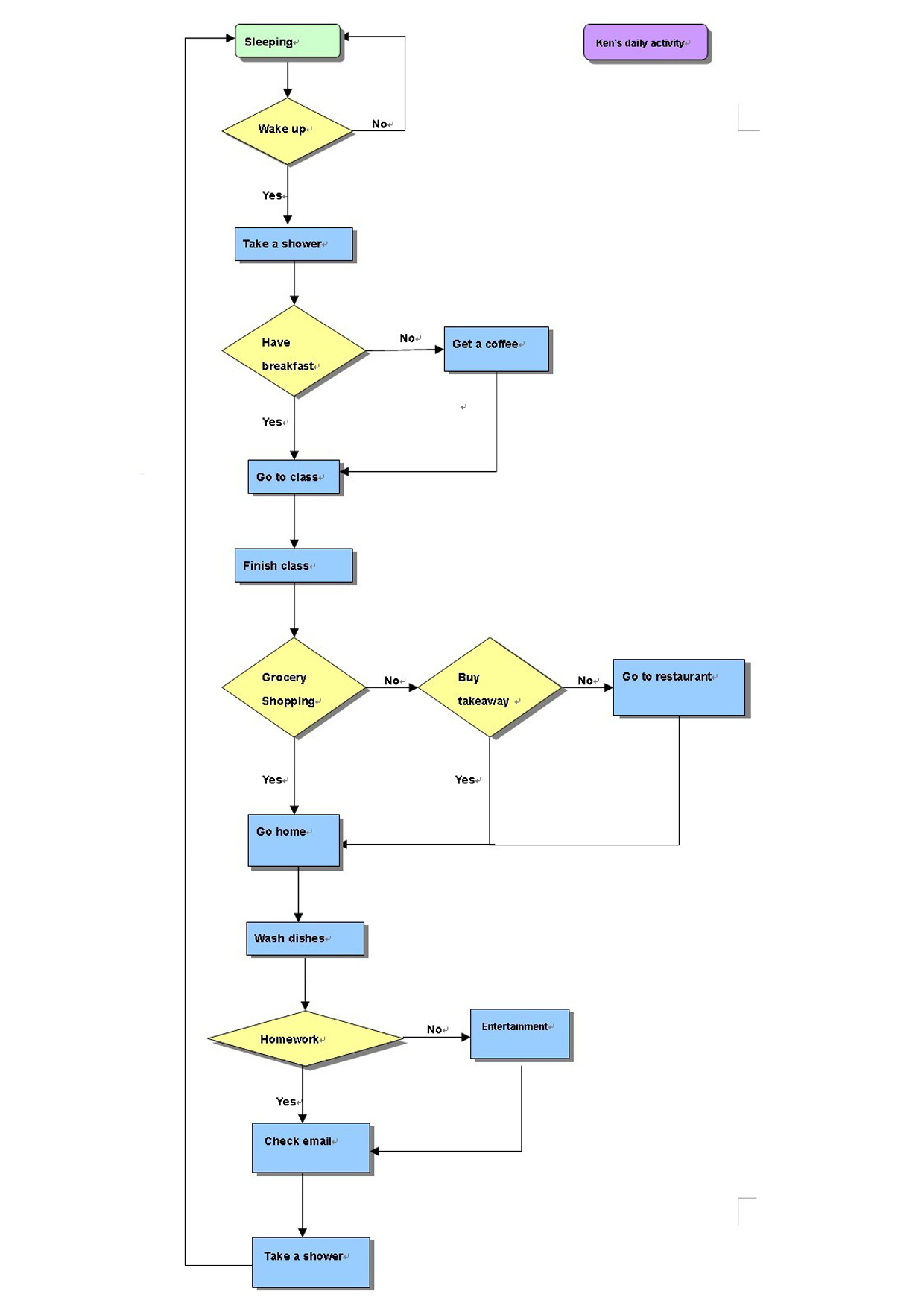
Horizontal Org Flow Chart
Horizontal Org Flow Chart is a diagram that helps you to show the structure of an organization, different levels of management, hierarchy, and relationships of organization parts or positions in terms of authority and responsibility. Orgcharts are perfect to be used for providing a “snapshot” picture of the reporting relationships, divisions of work, and levels of management both to employees and individuals outside of the organization.
The construction of an Org Flow Chart in a horizontal view is incredibly convenient in many cases. A lot of organizations introduce the horizontal organizational model in their work. Typically, these are the organizations without middle management level, only a top manager and employees directly subordinated him. Moreover, it is an employee-centered approach and this has a great impact on the way of solving important issues, collaboration, and communication.
A horizontal organizational structure is used by the companies with a quite flexible approach to work, where the employees play a dominant role, have freedom of actions while operating in the company's interests. The independent daily decision-making by employees and communication with management only in the most important and responsible issues is involved.
As a rule, a horizontal organizational structure has a few layers, but there are a lot of exceptions and ConceptDraw DIAGRAM software allows designing charts depicting both simple and complicated hierarchies, as well as viewing the entire chart at once using customizable zoom settings.
The use of common flowchart notation elements is the aptly way to depict graphically the business processes, to present visually the way the processes work in a company's organizational structure to depict their complexity, to identify possible failures and to develop the ways to improve the company's work.

Example 1. Horizontal Org Flow Chart
This example was redesigned from the file [openobject.org]
This sample was created in ConceptDraw DIAGRAM charting and vector drawing software using the Organizational Charts solution from the Management area and Flowcharts solution from the Diagrams area of ConceptDraw Solution Park. It shows the Horizontal Organizational Flow Chart. The special objects from the solutions' libraries were used in this diagram and represent the sequence of the steps or actions in the flow process and the relationships between them.
Use the predesigned objects, templates and samples of the Organizational Charts and Flowcharts solutions for ConceptDraw DIAGRAM to create your own professional Organizational flow charts and diagrams quick and easy.
All the diagrams produced with ConceptDraw DIAGRAM are vector graphic documents and are available for reviewing, modifying, and converting to a variety of formats (image, HTML, PDF file, MS PowerPoint Presentation, Adobe Flash or MS Visio).
See also Samples:
TEN RELATED HOW TO's:
Event-Driven Process Chain Diagrams for improvement throughout an organisation.
ConceptDraw DIAGRAM - software that reduces the time needed to create a business process model.
Picture: Beauty of Event-driven Process Chain (EPC) diagrams
Related Solution:
Activity diagram describes the business and operational step-by-step workflows of components in a system. An activity diagram shows the overall flow of control.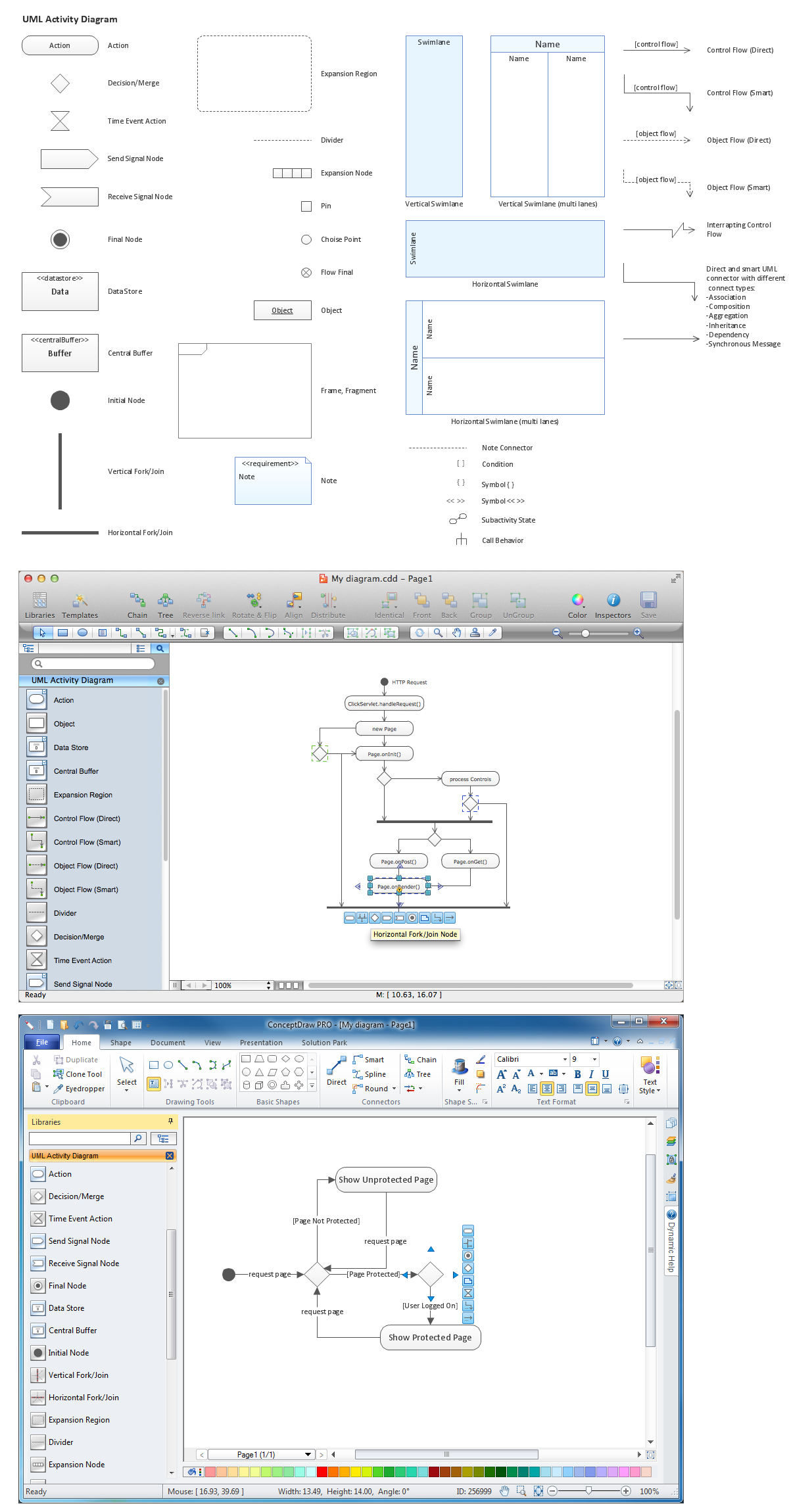
Picture: Diagramming Software for Design UML Activity Diagrams
ConceptDraw Solution Park creates a single information space for messaging to teams. PM Teams provides project participants and organizations with better tools that assist in task understanding, timeframe understanding, and project events in the entire organization. Improved communication fosters positive team spirit throughout.
Picture: Org Chart Diagram
Related Solution:
Use the advantages of hierarchical tree structure of mind map while developing the organizational structure of your organization. Create an Organizational Chart from your map. Double click the icon to create an Organizational Chart.
The diagram is created automatically from the active page of your map by ConceptDraw DIAGRAM and will be opened in Slideshow mode.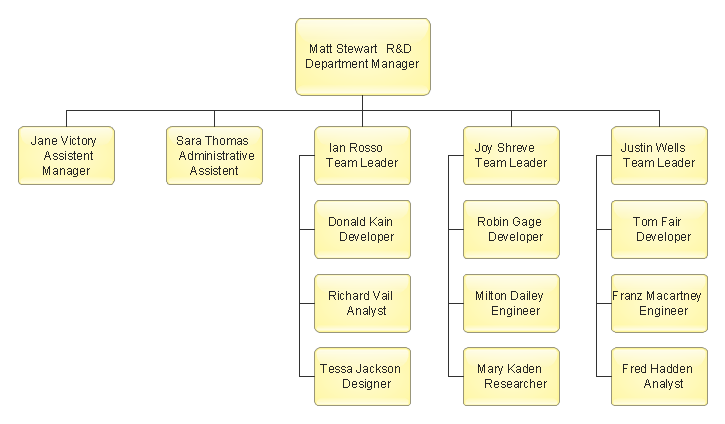
Picture: Organizational Chart
Related Solution:
Waterfall chart shows the changing of the value from one state to another through the series of intermediate changes. The waterfall diagrams are widely used in the business. They are used to represent the set of figures and allow link the individual values to the whole.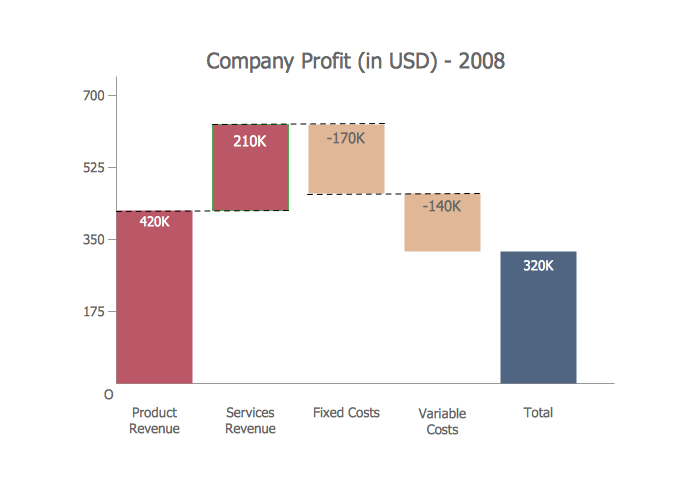
Picture: Waterfall Bar Chart
Related Solution:
This sample was created in ConceptDraw DIAGRAM diagramming and vector drawing software using the Flowcharts solution from the Diagrams area of ConceptDraw Solution Park.
This sample shows the Flowchart of the Subprime Mortgage Crisis. This Flowchart describes the decline in housing prices when the housing bubble burst and what it caused on the housing and financial markets. You can also see the Government and Industry responses in this crisis situation.
Picture: Flowchart on Bank. Flowchart Examples
Related Solution:
Flowcharts can be used in designing and documenting both simple and complex processes or programs and, similar to the other types of diagrams, they can help visualize what happens and so help understand some definite process, and, as a result, find flaws, bottlenecks and other features within it.
Picture: Flowchart Programming Project. Flowchart Examples
Related Solution:
This sample shows the Bar Chart of the leverage ratios for two major investment banks. The leverage ratio is the ratio of the total debt to the total equity; it is a measure of the risk taken by the bank. The higher of the leverage ratio denotes the more risk, the greater risks can lead to the subprime crisis.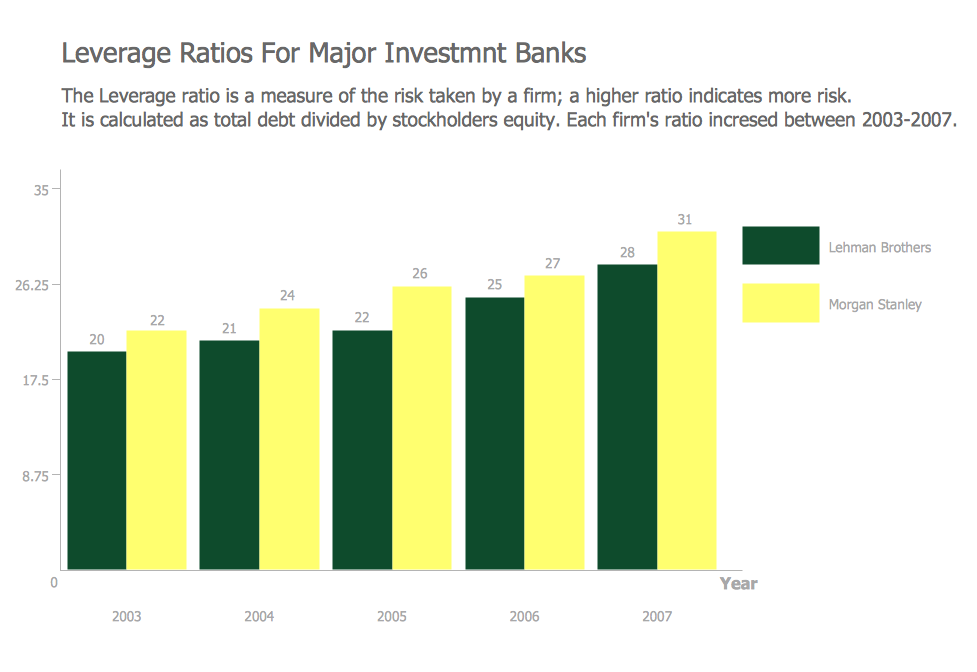
Picture: Financial Comparison Chart
Related Solution:
Automatically create a presentation-quality diagram in one click with ConceptDraw DIAGRAM.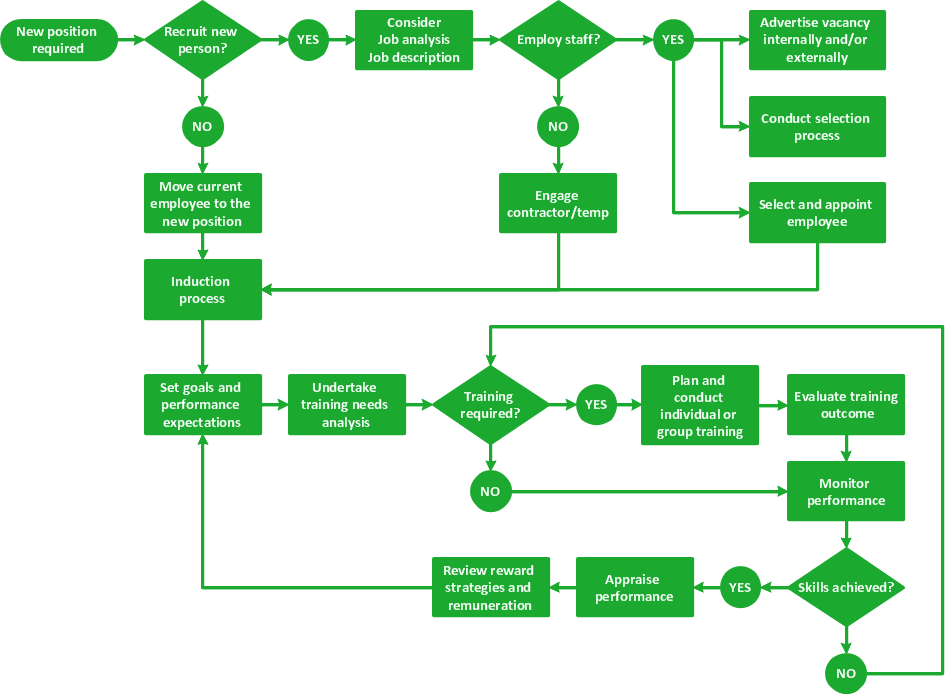
Picture: Visual Presentations Made Easy with Diagramming Software
Related Solution:
A requisition form is one of the documents used for accounting in different manufacturing processes. There are two main types of requisition: a purchasing requisition and material requisition and difference between them is significant. Creating a flowchart might help you in understanding all the details of accounting process.
Flowcharts are a best visual method for dividing a large and complicated procedure into a several little clear pieces. The main value-ability of an effective flowchart is its simpleness. Material requisition flowcharts are used to document the process of relationships between the different departments and the purchasing department within an organization. The flow chart gives the step-by-step guide on how is carried out the procurement process of the materials necessary for the functioning of the organization. This type of flowchart along with many other business flowcharts, one can easy create using ConceptDraw Flowcharts solution.
Picture: Material Requisition Flowchart. Flowchart Examples
Related Solution: