Entity Relationship Diagram Examples
Crow’s Foot and Chen's notation examples
Creating the entity-relationship (ER) model by visually representing the structure of some database, mainly the business one, which data equates to its entities (or objects) that are connected by relationships showing requirements and dependencies, you need proper software to provide you with the symbols necessary in this case.
ConceptDraw DIAGRAM мector drawing and diagramming software allows you to make any of needed models, plans, charts, diagrams with help of our application STORE where lots of layouts can be found as well as samples and templates of the flowcharts depending on the business sphere you work in and requirements you have. You can also find examples of ERD in Solutions here on this site in order to make it look really smart. Making entity-relationship diagram based on the Chen ERD notation is simple now having ConceptDraw DIAGRAM and you can check it yourself once you download and use it. Advice your colleagues and your friends, business partners, in order to simplify their lives as well as yours making the charts looking professional and simply sophisticated. Because we guarantee the quality of our great software developed to please everyone who needs this product in their work.
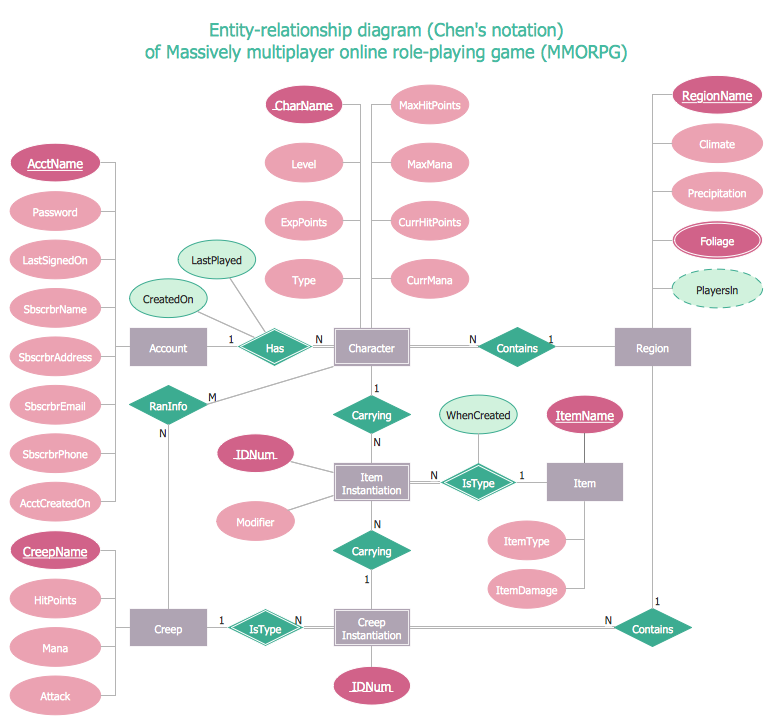
Example 1. ERD Example — Chen Diagram
This sample diagram is one of ER Diagram examples included to Entity-Relationship Diagram (ERD) solution. It shows the type of icons and graphics you can use to develop a model of a database of arbitrary complexity according to Chen's notation.
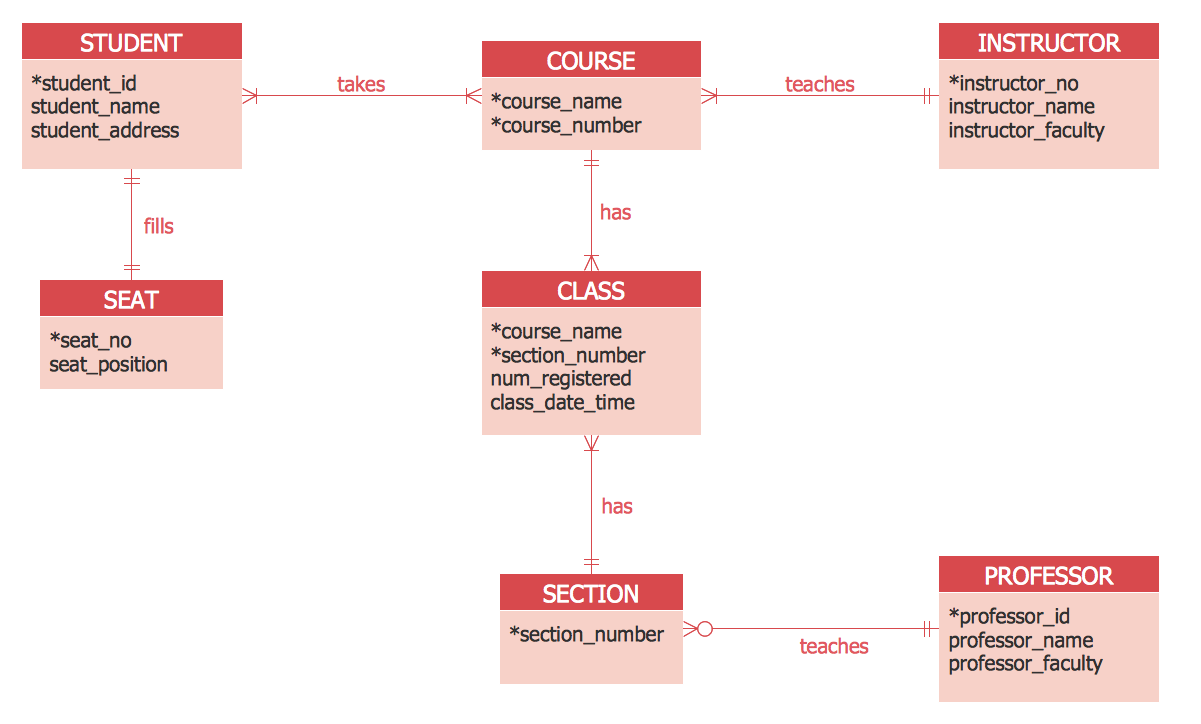
Example 2. ERD Example — Crows's Foot diagram
This sample diagram was created using the drawing tools of Entity-Relationship Diagram (ERD) solution and shows the type of icons and graphics you can use to develop a model of a database of arbitrary complexity using Crow's Foot notation.
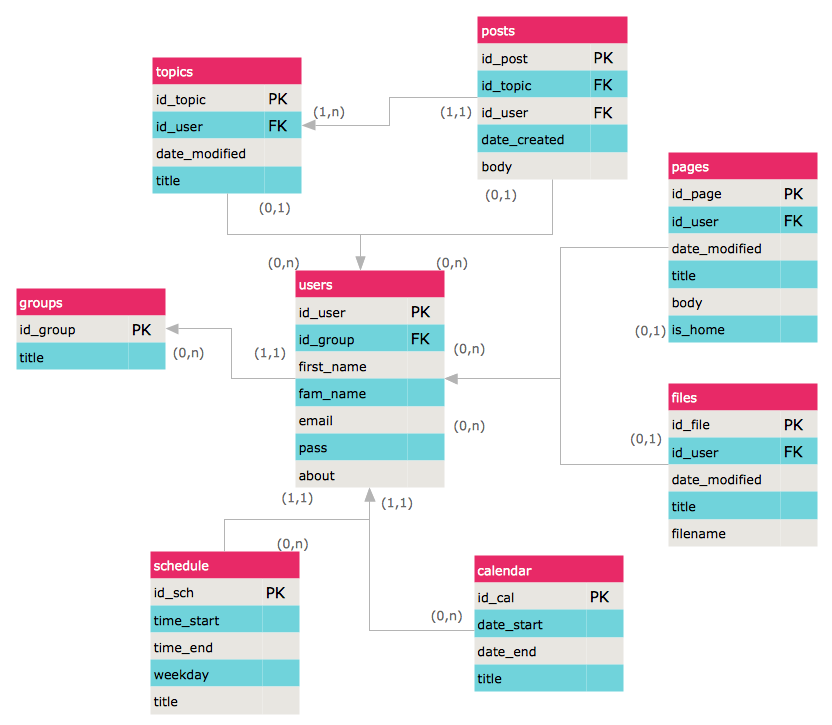
Example 3. Entity Relationship Model Diagram — Crows's Foot notation
This sample demonstrates an Entity-relationship model diagram. Highlight the boxes in the ERD diagram with bright colors to make it attractive and easy to remember.
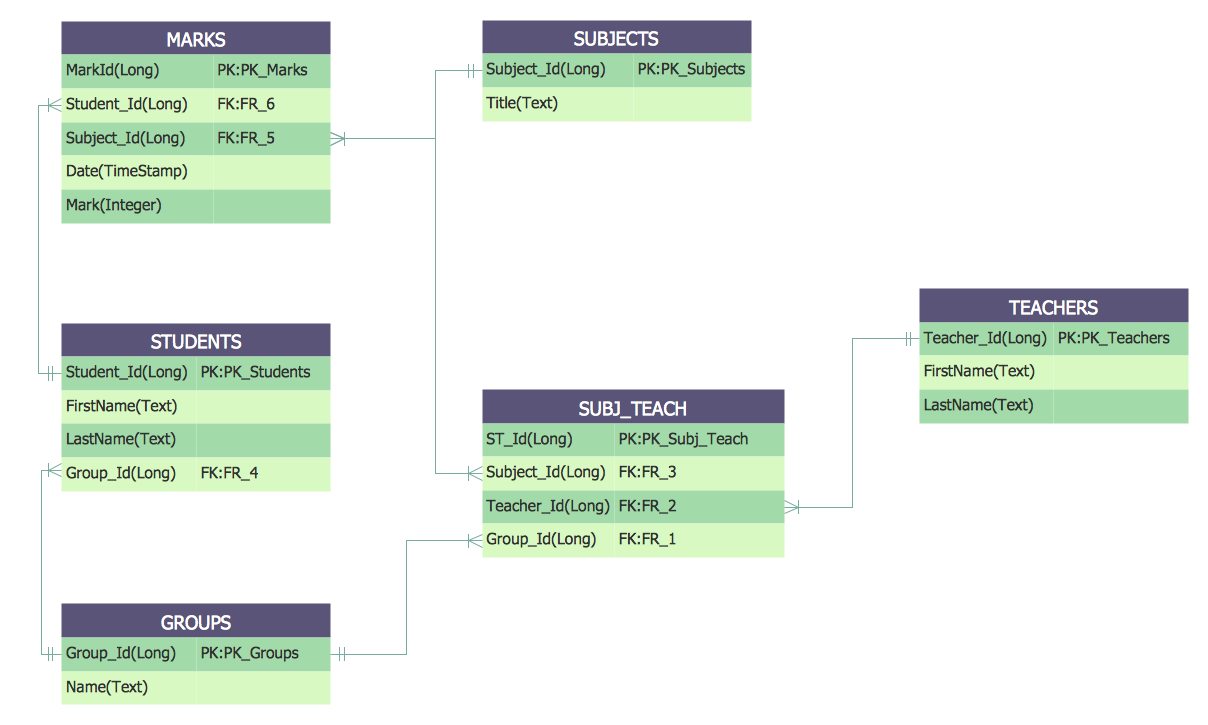
Example 4. Crows's Foot ERD notation — Students and Teachers
This Entity-Relationship Diagram shows the relationships between the Students and Teachers entities. Drawing all entities of ER-diagram in one color spectrum, highlighting the headers, you will make your diagram look stylish and then successfully use it in different conferences, discussions, publications.
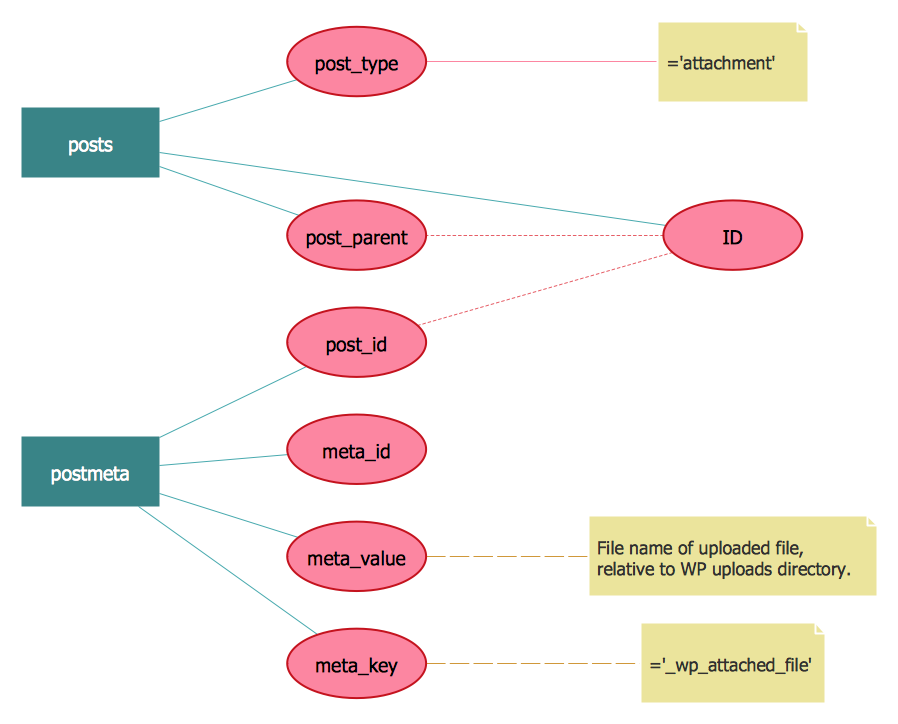
Example 5. Chen ERD notation — WordPress File reference
This ERD example shows an Entity-Relationship Diagram of a WordPress file reference using Chen’s Notation, which represents the entities as rectangles and attributes as ovals. Creating similar Entity Relationship Diagram examples and diagrams in ConceptDraw DIAGRAM will take just minutes.
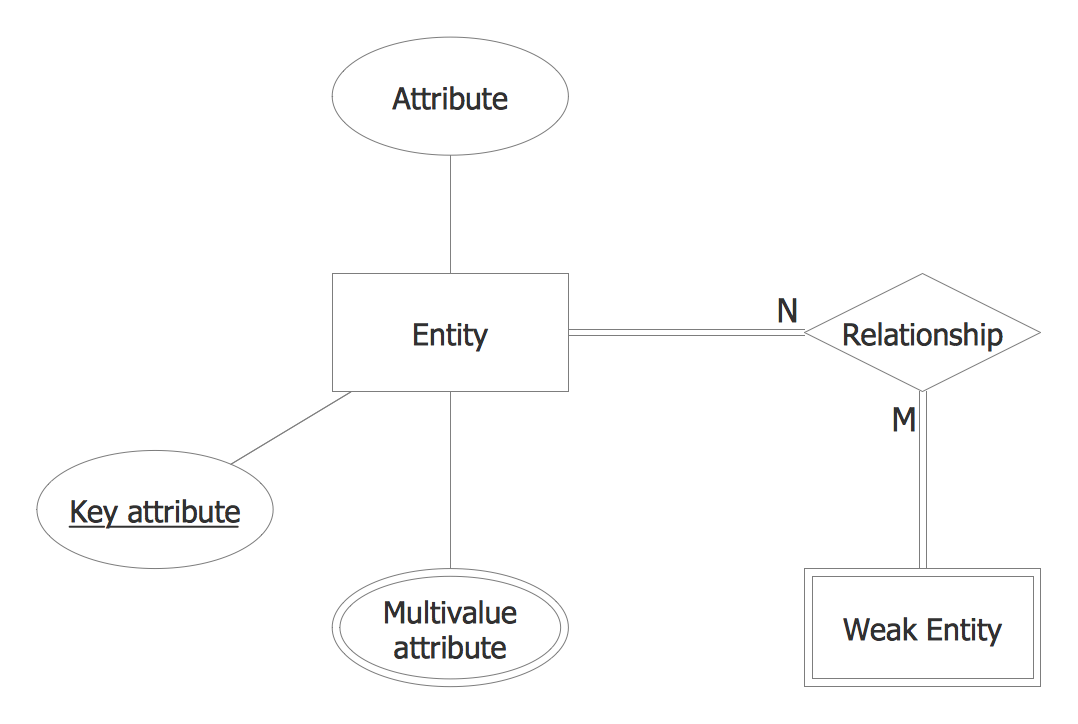
Example 6. Chen ERD Template
This template from Entity Relationship Diagram (ERD) solution contains special objects and settings for creating entity relationship diagrams based on the Chen ERD notation.
How to Create an ERD Diagram
The ability to describe a database using the Entity-Relationship model is delivered by the Entity-Relationship Diagram (ERD) solution.
Open ConceptDraw STORE, check the ERD solution and click “Install”.
This solution extends ConceptDraw DIAGRAM with 2 libraries that contains 45 objects advocated by Chen's and Crow’s Foot notations that can be used when describing a database.
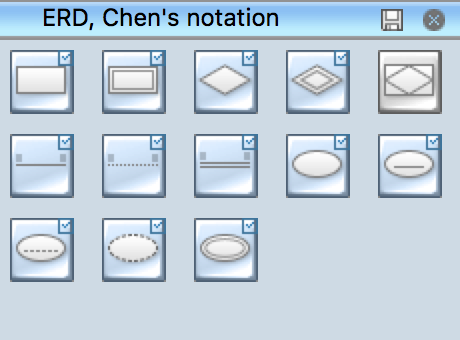
Pic. 1. ERD symbols - Chen's notation

Pic. 2. ERD symbols - Crow's Foot notation
- From the ConceptDraw STORE open the Chen's ERD, or the Crow's Foot ERD template from the ERD section.
- Add objects to the diagram by dragging them from the Chen's ERD, or the Crow's Fot ERD library to the document page.
- Use Clone tool
 (Mac),
 (Win) to quickly add copies of the selected object.
- Select the Smart Connector tool
 . To connect elements using this tool, drag the connector from one connect dot to another.
- Use Line, Fill, Shadow and Text tools to format diagram objects.

Example 6. Entity Relationship Diagram Examples
The ERD solution from ConceptDraw Solution Park extends ConceptDraw DIAGRAM ector graphics and diagramming software with the ability to describe a database using the Entity-Relationship model.
The ERD solution provides entity relationship diagram examples, templates and library of vector stencils.
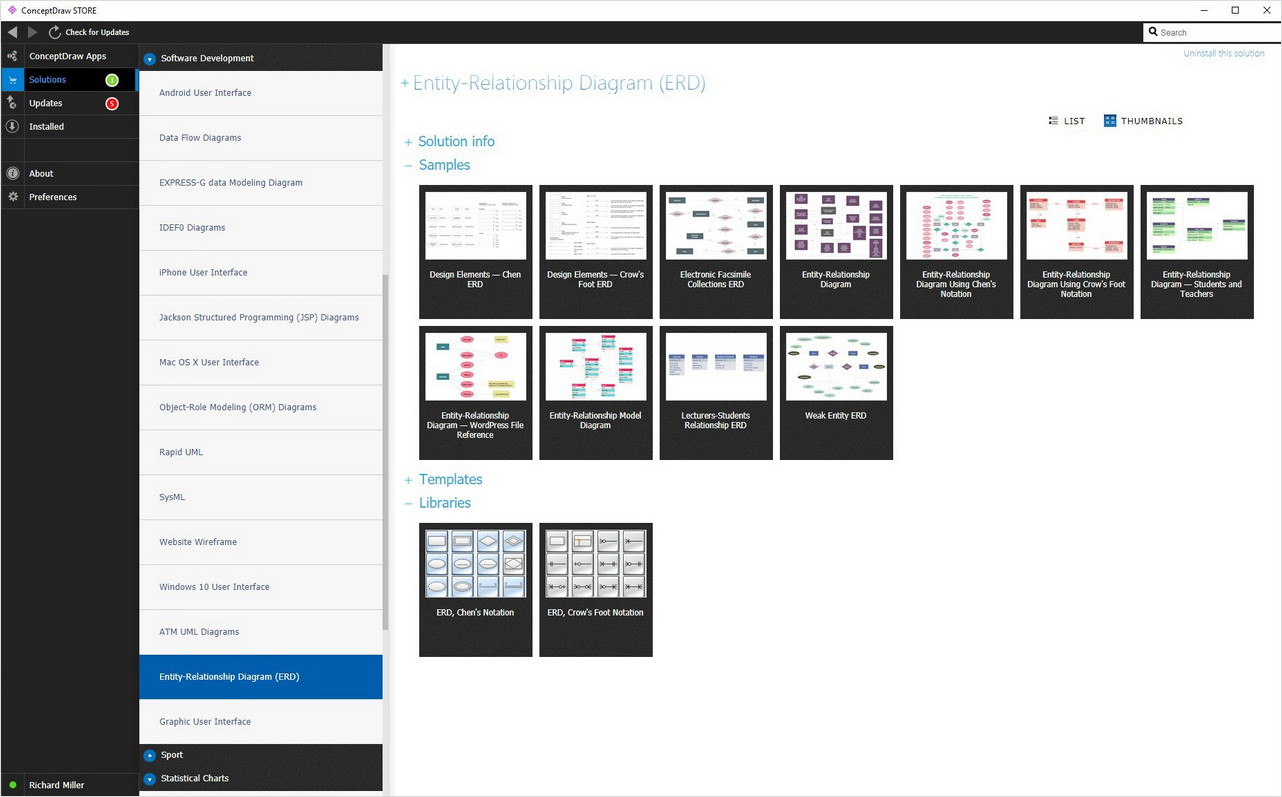
Example 7. Entity Relationship Diagram solution
Entity Relationship Diagram examples from ERD solution for ConceptDraw DIAGRAM can be used as a start point for professional ERD drawing. Entity Relationship Diagram examples can be simply modified to illustrate the logical structure of exact database.
TEN RELATED HOW TO's:
It can be tough to get straight into business papers and processes.Otherwise, you can learn how to create flowcharts for an accounting information system and visualize these documents. Accounting diagrams are clear and easy to understand for all the participants of the process.
There are symbols used for creating accounting flowcharts using ConceptDraw DIAGRAM and its Accounting Flowcharts solution. Accounting flow charts are a special kind of flow charts. Actually a variety of flowcharts are often used to facilitate many aspects of a workflow of accounting department. Accounting flowcharts are utilized to support creating accounting documentation, to depict positions responsible for fulfillment of each phase of accounting workflow.
Picture:
How to Create Flowcharts for an
Accounting Information System
Related Solution:
The critical importance of house electrical plans. 🔸 Learn how to create efficient electrical layouts using the ConceptDraw DIAGRAM app. Enhance ✔️ safety, ✔️ functionality, and ✔️ compliance with electrical codes in your home projects with our comprehensive guide
Picture:
Importance of House Electrical Plans
How to Create Electrical Layouts
with ConceptDraw DIAGRAM App
Related Solution:
DataBase icons - Amazon AWS pro diagrams - AWS diagrams are part of architecturing tools provided with ConceptDraw Solution Park.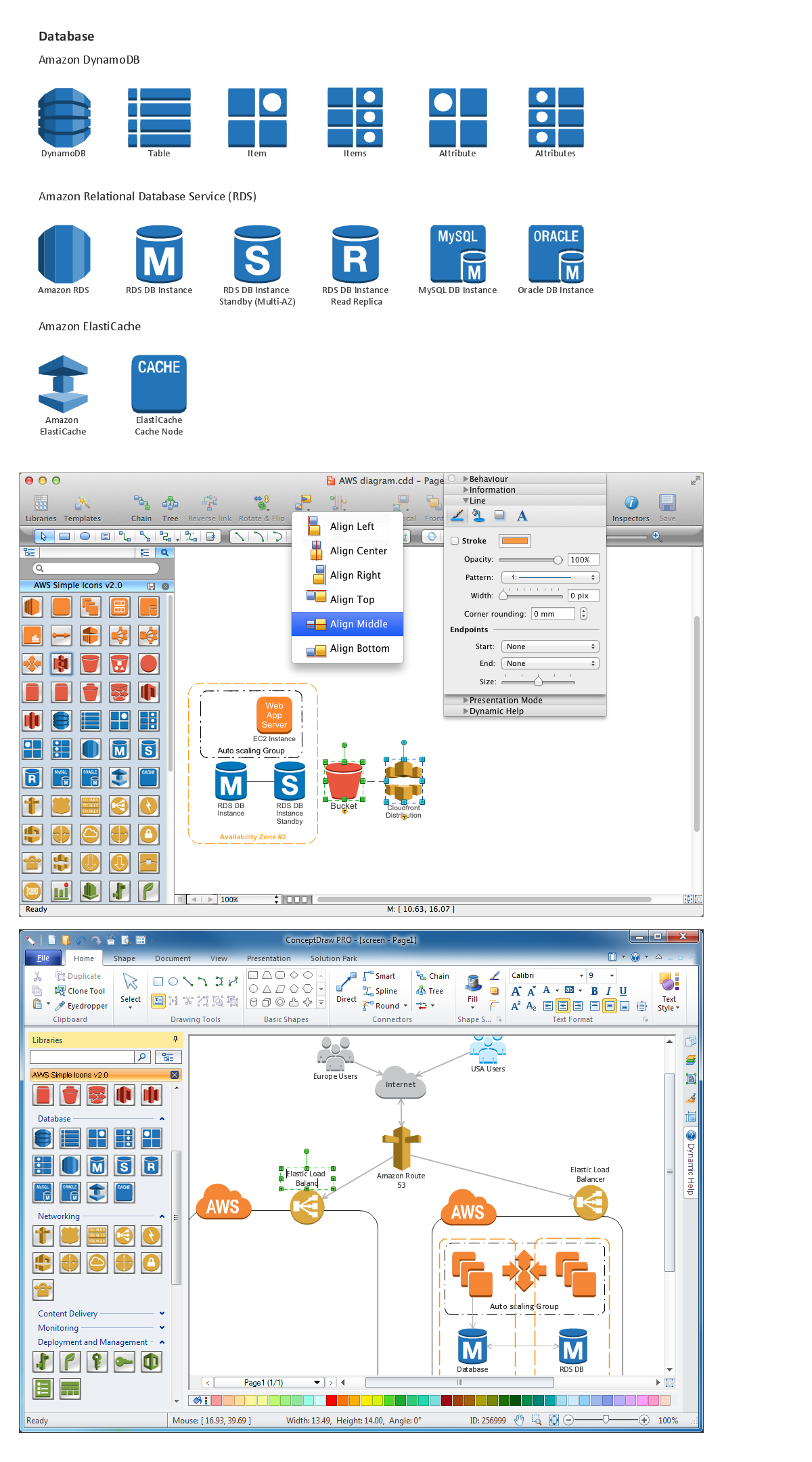
Picture: Diagramming software for Amazon Web Service icon set: Data Base
When describing any computer network, we imagine a set of devices and nodes, arranged in some way. Talking about network structures, we should distinguish physical and logical network topologies, as physical topology is about devices location and logical topology illustrates data flow. In the same time, they do not have to match, and some devices, such as repeaters, may have a physical star layout, but a bus logical topology.
There are two main types of computer network topologies: Physical topology that show the physical organization of a network - equipment and types of connections. Star network topology involves a set of devices that is connected to a single hub (router). Ring network topology means that, devices connected according this topology have two connections, connecting with nearby devices to make a loop. Bus network topology is the topology presented at the current diagram. It is similar to a ring topology. The difference is that data moves up and down a linear connection, copying itself where network equipment works as bus-stations along the way. This network topology can be used for small network, or when adding an extra device into a network.
Picture: Network Topologies
Related Solution:
Business Process Flow Diagram is one of the main tool of business analysis and business process re-engineering that lets identify and easy understand process flows within organization. Sign up and start today.
Picture: Business Process Flow Diagram
Related Solution:
eLearning Solutions: Free Platform for Remote Learning. Skype as a remote education tool. Digital Learning Technologies.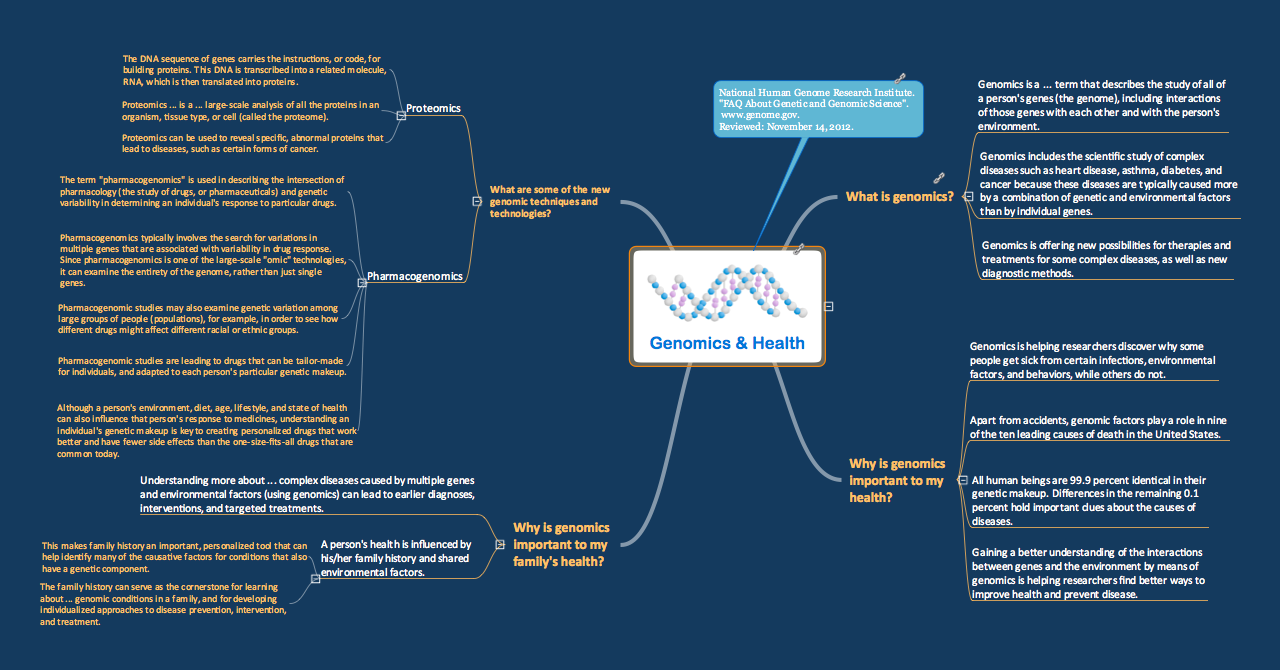
Picture: Skype as eLearning Platform
Related Solution:
The Stakeholder Onion Diagram is a popular and widely used way to view the relationships of stakeholders to a project goal. The Onion Diagram focuses on the project goal, most of other diagram styles focus on the project, stakeholders, and timeline. This difference favorably distinguishes and separates the Onion Diagram from other types of diagrams.
Design fast and easy Stakeholder Onion Diagrams of any complexity in ConceptDraw DIAGRAM diagramming and vector drawing software using the powerful tools of Stakeholder Onion Diagrams Solution from the Management Area of ConceptDraw Solution Park.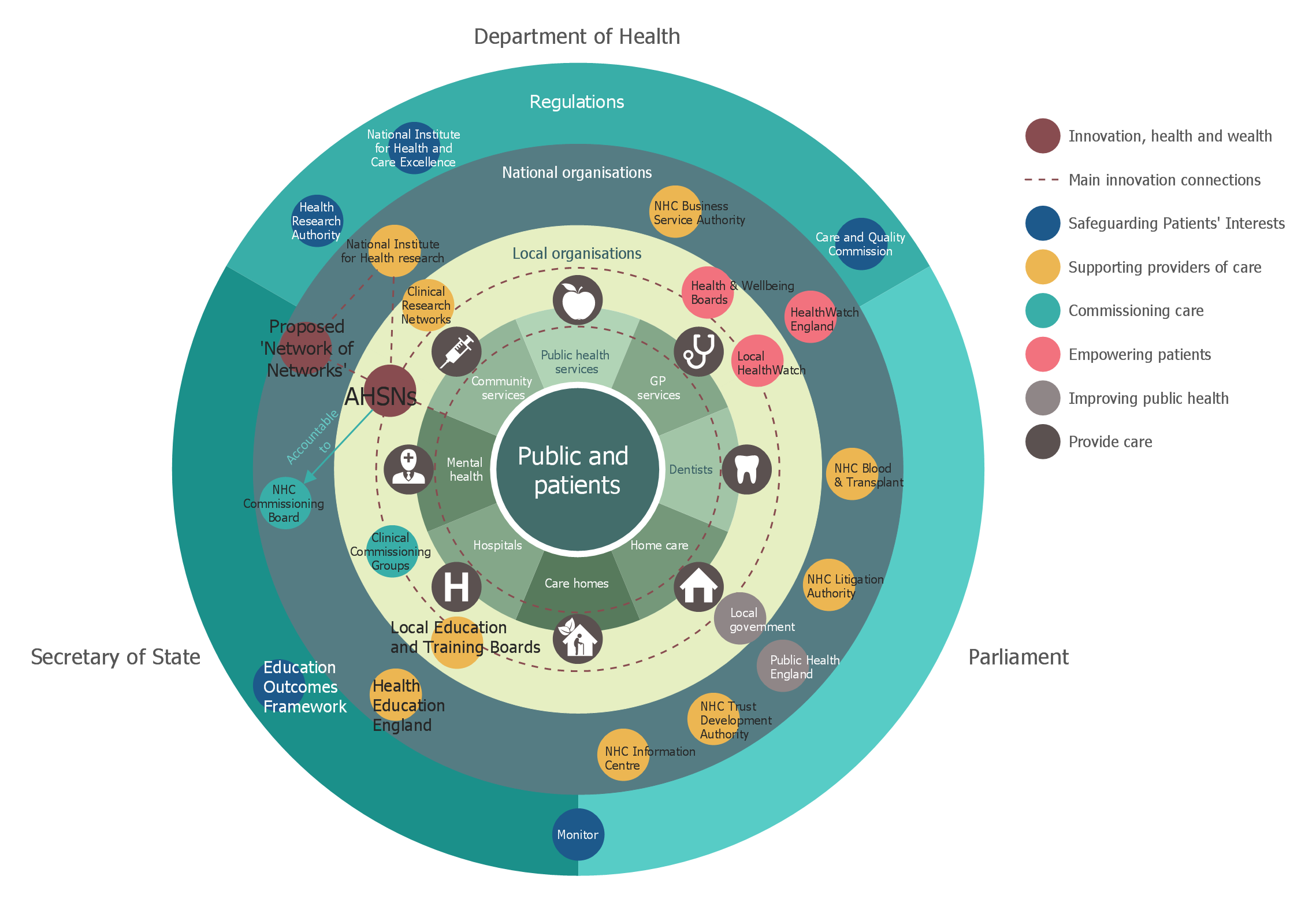
Picture: Stakeholder Onion Diagrams
Related Solution:
Food courts are one of the most rapidly developing areas of the restaurant business. ConceptDraw DIAGRAM diagramming and vector drawing software offers a Food Court solution from the Food and Beverage area with wide capabilities for planning, design, developing and advertising of a Food Court.
Picture: Food Court
Related Solution:
Professional Mind Mapping. ConceptDraw MINDMAP professional software to create documents. Mac and PC compatible. MS Office Exchange Solutions. Skype Collaboration. Presentation Tools.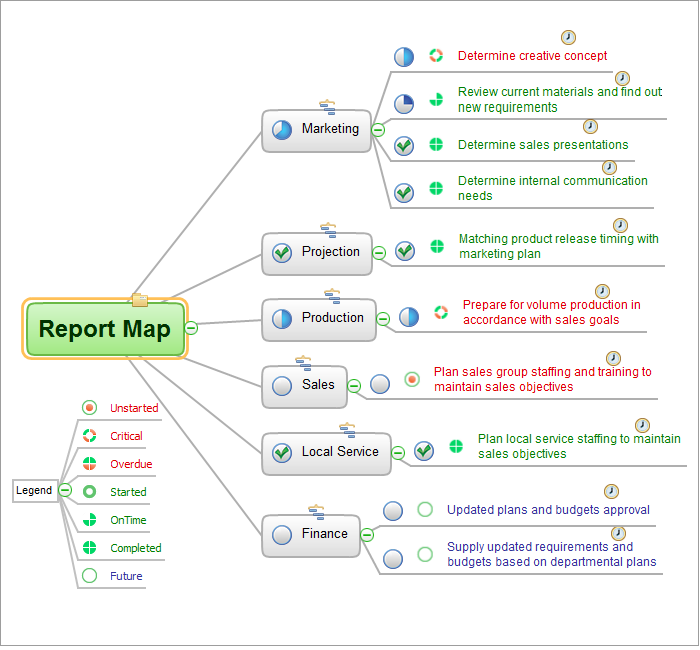
Picture: One formula of professional mind mapping :input data + output data + make great presentation
Related Solution:
ConceptDraw DIAGRAM is a very easy-to-use and intuitive database design tool which can save you hundreds of work hours. See database diagram samples created with ConceptDraw DIAGRAM database modeling database diagram software.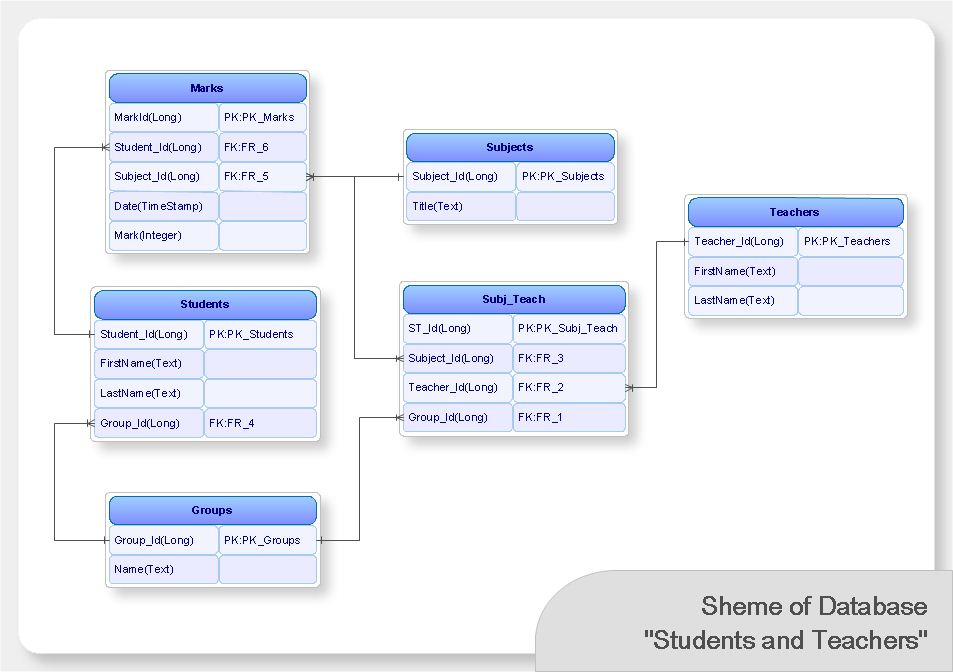
Picture: ConceptDraw DIAGRAM Database Modeling Software







