Made with
ConceptDraw
DIAGRAM 18

Create Process Flowcharts

What is a Process Flowchart?

A process flowchart is a picture of the separate steps of a process in sequential order.

When to Use a Flowchart:

  • Analyzing complex processes
  • Designing complex processes
  • Communication in Complex processes
  • Managing complex processes
  • Representing process operations
  • Plan the process steps

Use ConceptDraw DIAGRAM

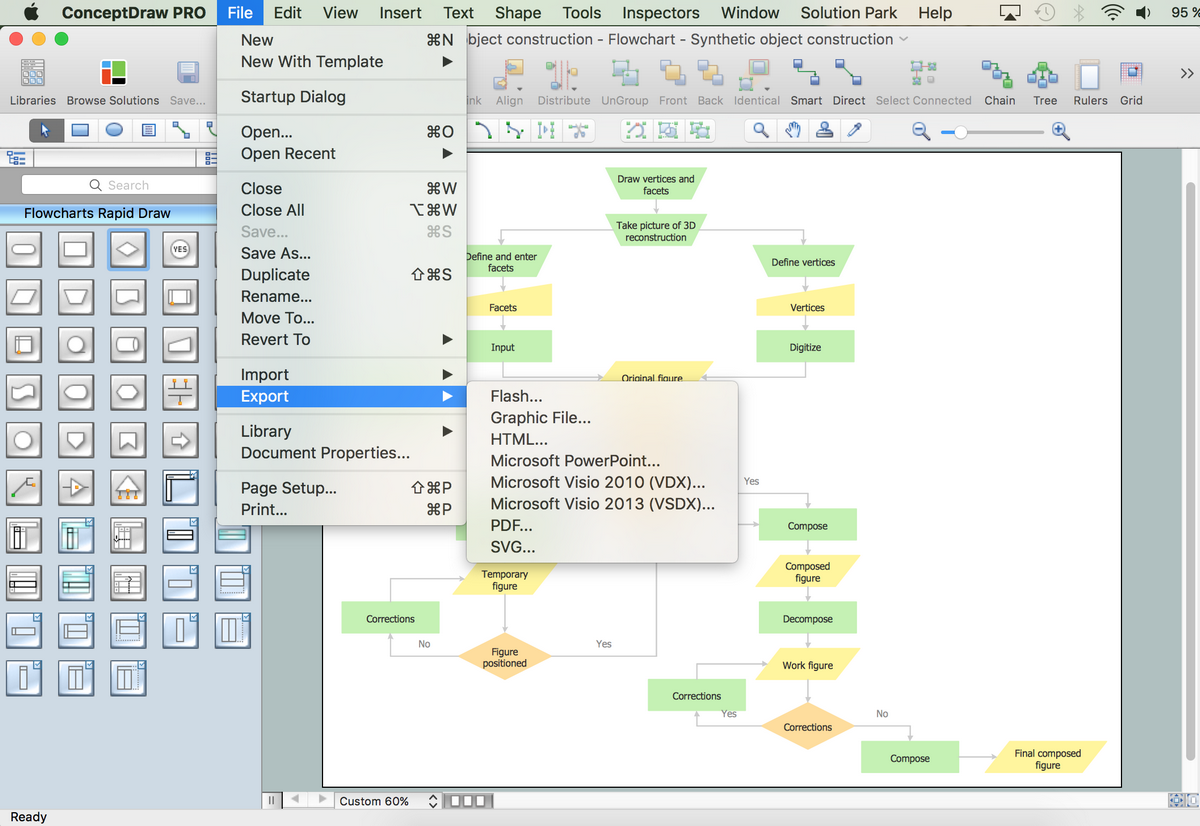
ConceptDraw DIAGRAM is Process Flowcharts creating software. The built-in examples allow users to start drawing any type of flowchart simply. The vector stencils from object libraries are designed objects you can use adding to process flowcharts for the best result.

Commonly Used Symbols in Detailed Process Flowcharts:

Symbol Shape Name Symbol Description
Common Symbols
Business Process Flowchart Symbols - Process Process Show a Process or action step. This is the most common symbol in both process flowcharts and business process maps
Business Process Flowchart Symbols - Flow Line Flow Line (Arrow, Connector) Flow line connectors show the direction that the process flows
Business Process Flowchart Symbols - Decision Decision Indicates a question or branch in the process flow. Typically, a Decision flowchart shape is used when there are 2 options (Yes/No, No/No-Go, etc.)
Business Process Flowchart Symbols - Connector Connector (Inspection) In process maps, this symbol is full sized and shows an Inspection point in the process flow
Business Process Flowchart Symbols - Document Document Pretty self explanatory - the Document flowchart symbol is for a process step that produces a document
Business Process Flowchart Symbols - Delay Delay The Delay flowchart symbol depicts any waiting period that is part of a process. Delay shapes are common in process mapping

Process Flowchart Example

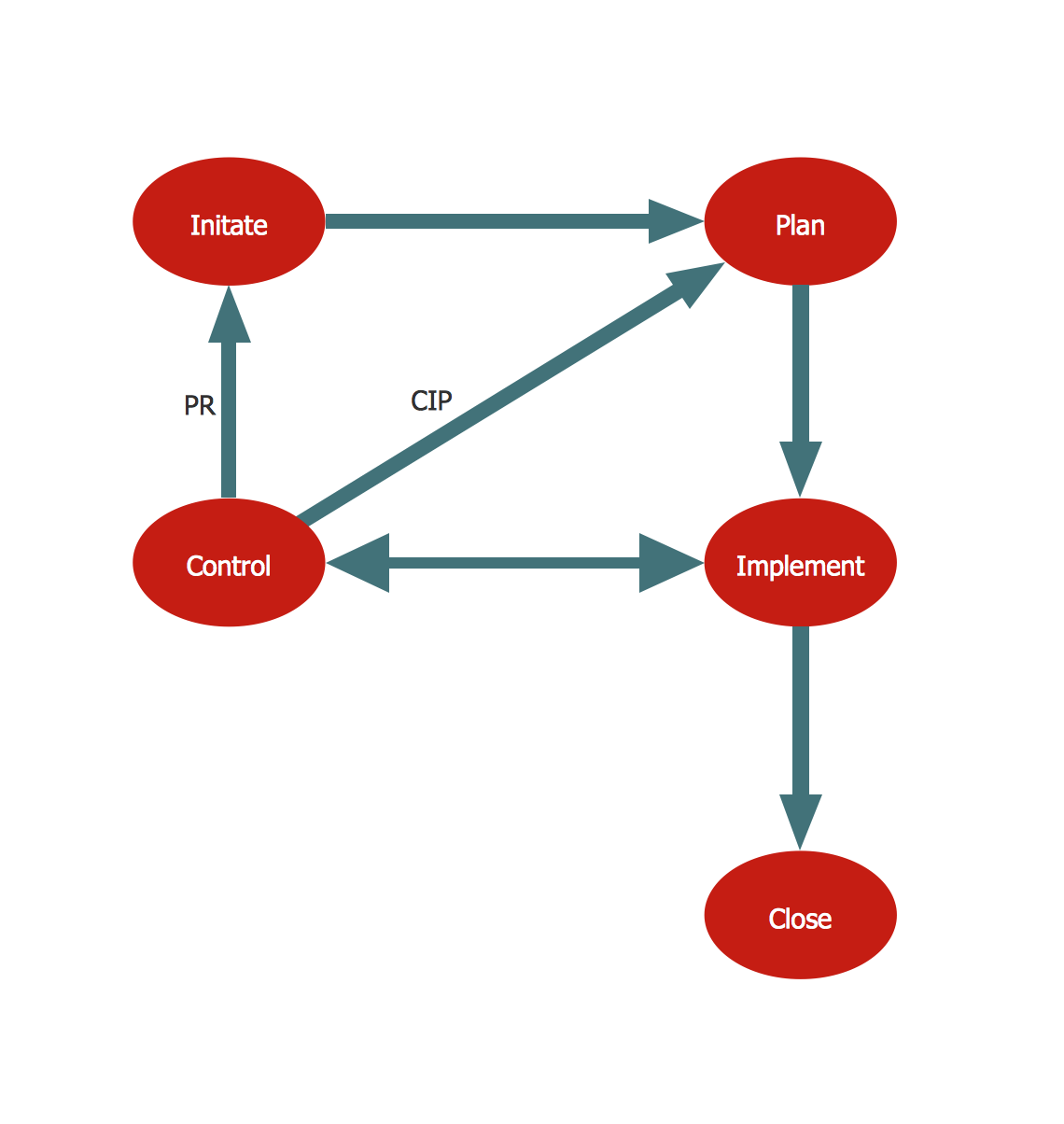
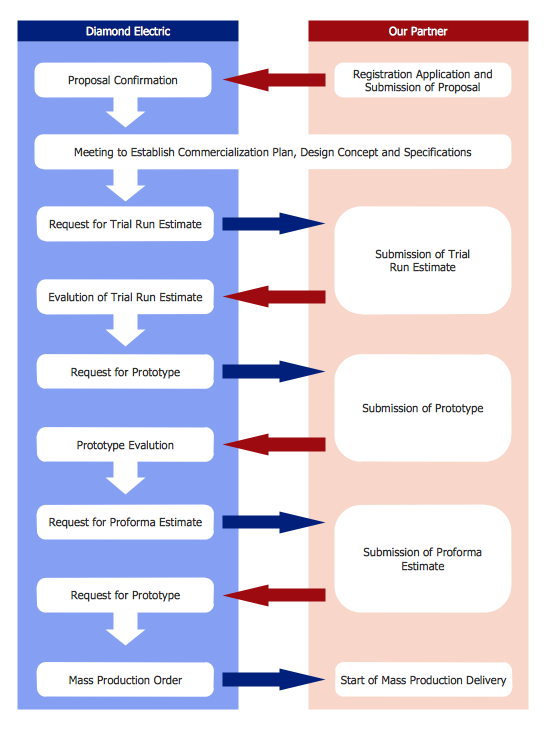
This flowchart sample provides a structure for business analysis that identifies a set of common stages in the life of a commercial product. This diagram is visually divided by blocks that describe the life cycle phases. For easier reading of the process definition each shape has its own color.

Create Process Flowcharts *

Example 1. Process Flowchart: Product life cycle process

Product life cycle is a business analysis that attempts to identify a set of common stages in the life of commercial products, for example, introduction, promotion, growth, maturity and decline. (Product lifecycle, Wikipedia)

Use ConceptDraw DIAGRAM software for drawing your own product life cycle flowcharts.


TEN RELATED HOW TO's:
Describing a workflow or approval process can take hours and be too complicated, especially since there are options to do it quickly and vividly. Diagrams called flowcharts replace long paragraphs of boring text and represent information in a graphic way. You can draw one on paper or you can use flowchart software to do it quickly and scalable. This kind of software is easy to use and you don’t need any special skills to start using it. In addition, there are a lot examples and predesigned templates on the Internet. Flowcharts are a best tool for staking out a huge and complex process into some small readable parts. Surely, flowcharts can be drawn manually but the use of standard symbols that make it clear for a wide audience makes a software tool preferred for this task. The core for a successful flowchart is its simplicity. That is why often before beginning making flowchart through software, people draw the sketch on a piece of paper. Designing an effective flowchart means the combination of the data needed to be shown and the simplicity with which you depict it.Flowchart Software
Picture: Flowchart Software: A Comprehensive Guide
Related Solution:
When thinking about data visualization, one of the first tools that comes to mind is a flowchart design. You can find flowchart symbols, shapes, stencils and icons easily on the Internet, but it might take time to systematize this information. Nevertheless, once you start flowcharting, you’ll love its simplicity and efficiency. This diagram consists from standard flowchart symbols, approved by ANSI (American National Standard Institute) for drawing flowcharts. A flowchart is a diagram that represents a step-by-step algorithm of any process, displaying the process stages as boxes that are connected with arrows. Flowchart design makes it clear and readable. Flowchart designed using ConceptDraw DIAGRAM flowchart software allows to make attractive and clear process presentation, it makes interpretation of the business process flow fresh and versatile. Great flowchart design view is a big advantage over the diagram created manually on a paper.Flowchart design
Picture:
Flowchart Design
Flowchart Symbols, Shapes, Stencils and Icons
Related Solution:
A flowchart is a powerful tool for examining processes. It helps improving processes a lot, as it becomes much easier to communicate between involved people, to identify potential problems and to optimize workflow. There are flowcharts of different shapes, sizes and types of flowchart vary from quite basic process flowcharts to complex program flowcharts. Nevertheless, all these diagrams use the same set of special symbols like arrows to connect blocks, parallelogram to show data receiving or rectangles for showing process steps. Basic flowcharts are used to represent a simple process algorithm. A basic flowchart notation consists of rectangles (business processes), arrows (the flow of information, documents, etc.). The same notation is used in items such as the "decision", which allow you to do the branching. To indicate the start of the entire business process and its termination can be used the "Terminator" element. The advantages of Basic Flowchart are simplicity and clarity. With it you can quickly describe the business process steps. Creating of Basic Flowchart does not require any special knowledge, as easily understand by employees with different levels of education and IQ.Types of Flowchart — Overview
Picture: Types of Flowchart: Comprehensive Overview
Related Solution:
Looking for the line graph examples you can simply go to the Line Graphs solution of ConceptDraw STORE to get those which were previously created especially for the ConceptDraw DIAGRAM users in order to simplify their work of making such charts.Line Graph *
Picture: Line Graph
Related Solution:
Accounting is a cornerstone of any business, it’s basement. If you want to have a visual representation of your finance management, use audit flowchart symbols to document the money flow. Although some would say that accounting is boring, it is very a responsible duty. The audit flowchart symbols is supplied with ConceptDraw Audit Flowcharts solution as a vector objects library. Together with Conceptdraw Drawing capabilities it forms the helpful tool for audit process planning and setting the steps of audit by designing audit flow charts. Audit Flow charts are used to organize fiscal information tracking process as well as in accounting, finance and investment management.Audit Flowchart Symbols
Picture: Audit Flowchart Symbols
Related Solution:
The Nature Solution addition to ConceptDraw Solution Park for ConceptDraw DIAGRAM includes new libraries that provide a wide range nature objects and it can be used in many areas.Drawing Illustration‎ *
Picture: Drawing Illustration‎
UML Timing Diagram as special form of a sequence diagram are used to explore the behaviors of objects throughout a given period of time.Diagramming Software for Design UML Timing Diagrams *
Picture: Diagramming Software for Design UML Timing Diagrams
Create bar graphs for visualizing economics problem solving and financial data comparison using the ConceptDraw DIAGRAM diagramming and vector drawing software extended with the Bar Graphs Solution from the Graphs and Charts area of ConceptDraw Solition Park.Bar Diagrams for Problem Solving.<br>Create economics and financial bar charts with Bar Graphs Solution *
Picture: Bar Diagrams for Problem Solving.Create economics and financial bar charts with Bar Graphs Solution
Related Solution:
There are many ways to define the flow of information within a system. Structured-systems analysis method often uses data flow diagrams to show data flow, data storages and data processing visualization. These diagrams are easy to develop and quite useful. Here is a dataflow diagram presenting an example of the manufacturing process flow. The oval process shapes represent a process that controls data within the current system. The process may produce data or make some action based on data. Data flows are represented by lines. They show the movement of information through the system. The direction of the data flow is depicted by the arrow. The external entities are shown by rectangles. They represent the external entities interacting with the system. The data store objects (unclosed rectangles) are used to show data bases participating in a process flow.Data Flow Diagram *
Picture: Data Flow Diagram
Related Solution:
A flowchart maker is a software showing the interaction, sequence or organization. It also known as flowchart maker or ConceptDraw DIAGRAM standard supplied with different types of symbol collections: standard symbols, branded set and authored. It used strictly for enhancing scientific or business documents with abstract explanatory pictures. Business graphic applications show a special knowledge representations and include many features for creating schematic pictures. These graphic tools are known as flowchart maker or flowchart maker software.Flowchart Maker *
Picture: Flowchart Maker
Related Solution:
ConceptDraw
DIAGRAM 18