

ConceptDraw PROJECT / Micro ReportsSmall updates.
Small updates.
Focused conversations.
Use concise reports to communicate the status of a task, budget, or resource—and keep the discussion connected to the project.
- Task status
- Budget updates
- Resource information
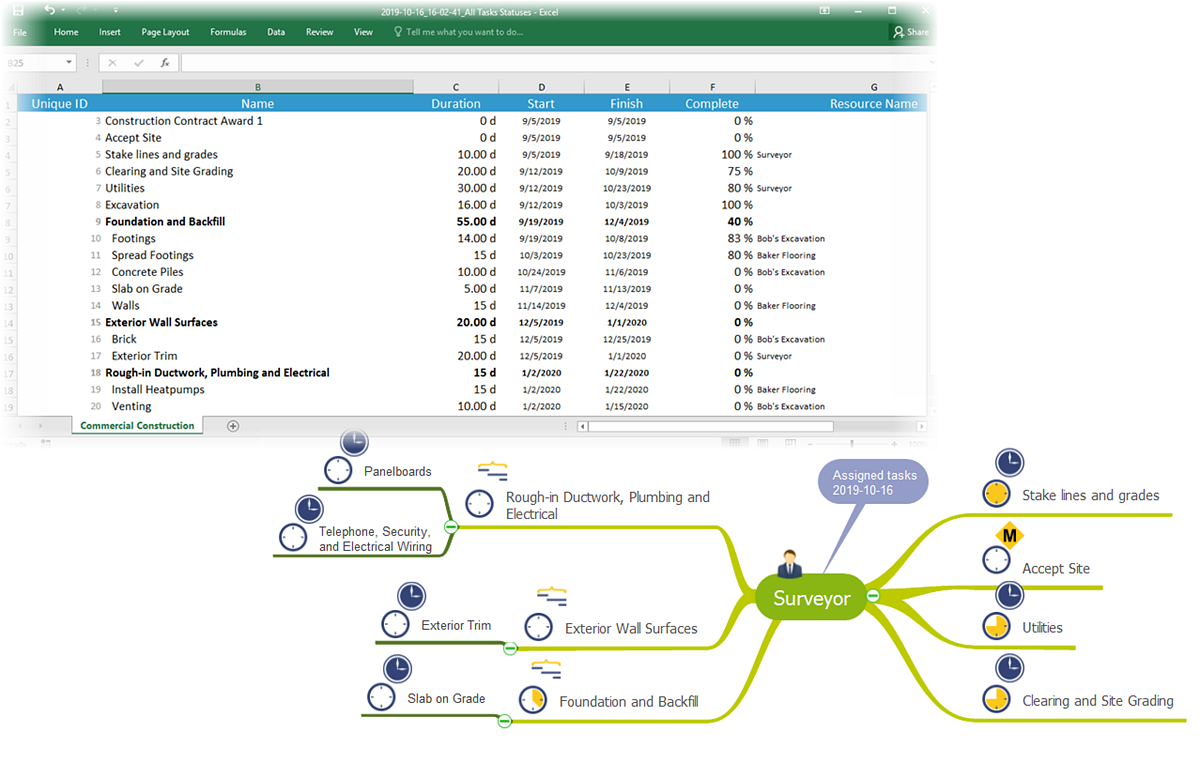
Bring the right detail to the discussion.
Micro reports isolate the information that needs attention, helping people understand what has changed.
Make the change clear.
Review a specific status change with the person involved. Use the report as a shared reference when discussing adjustments.
Keep the agenda focused.
Generate micro reports before key meetings to review current issues and focus on problem solving within the project timeline.
A practical reporting routine.
- 01 / Choose the focus
Select the task, budget, or resource to discuss.
- 02 / Review the status
Keep the update concise and relevant.
- 03 / Discuss the response
Agree on what needs attention next.
Make each update useful.
Give the conversation a clear starting point with micro reports in ConceptDraw PROJECT.