This site uses cookies. By continuing to browse the ConceptDraw site you are agreeing to our Use of Site Cookies.

Basic of Flowchart: Meaning and Symbols


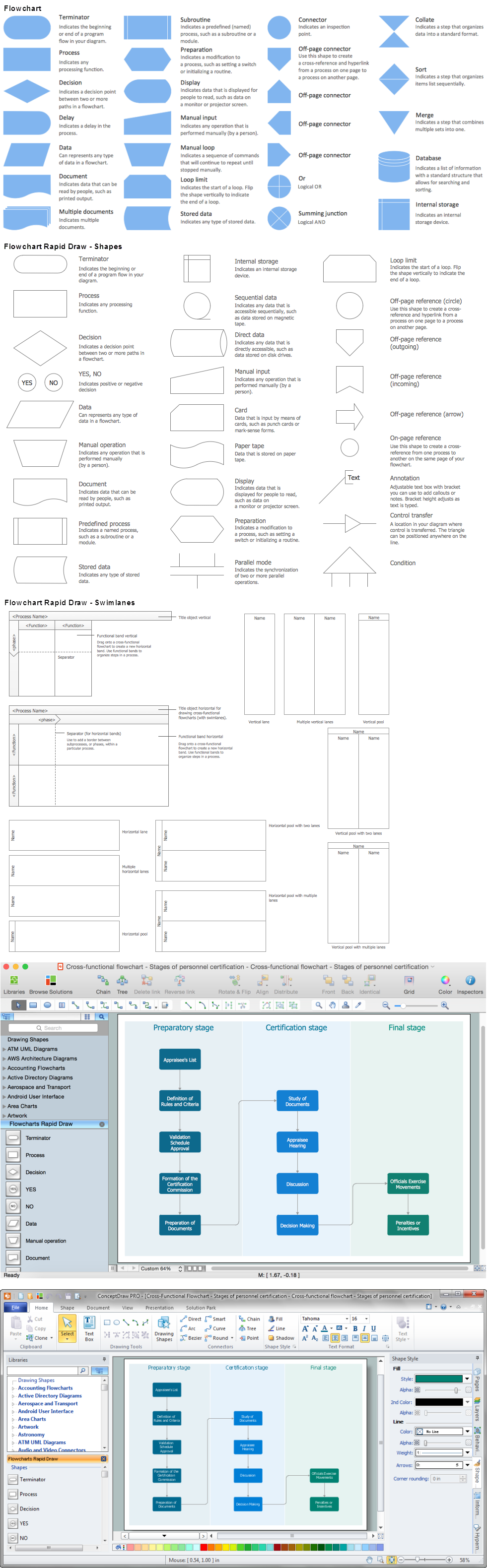
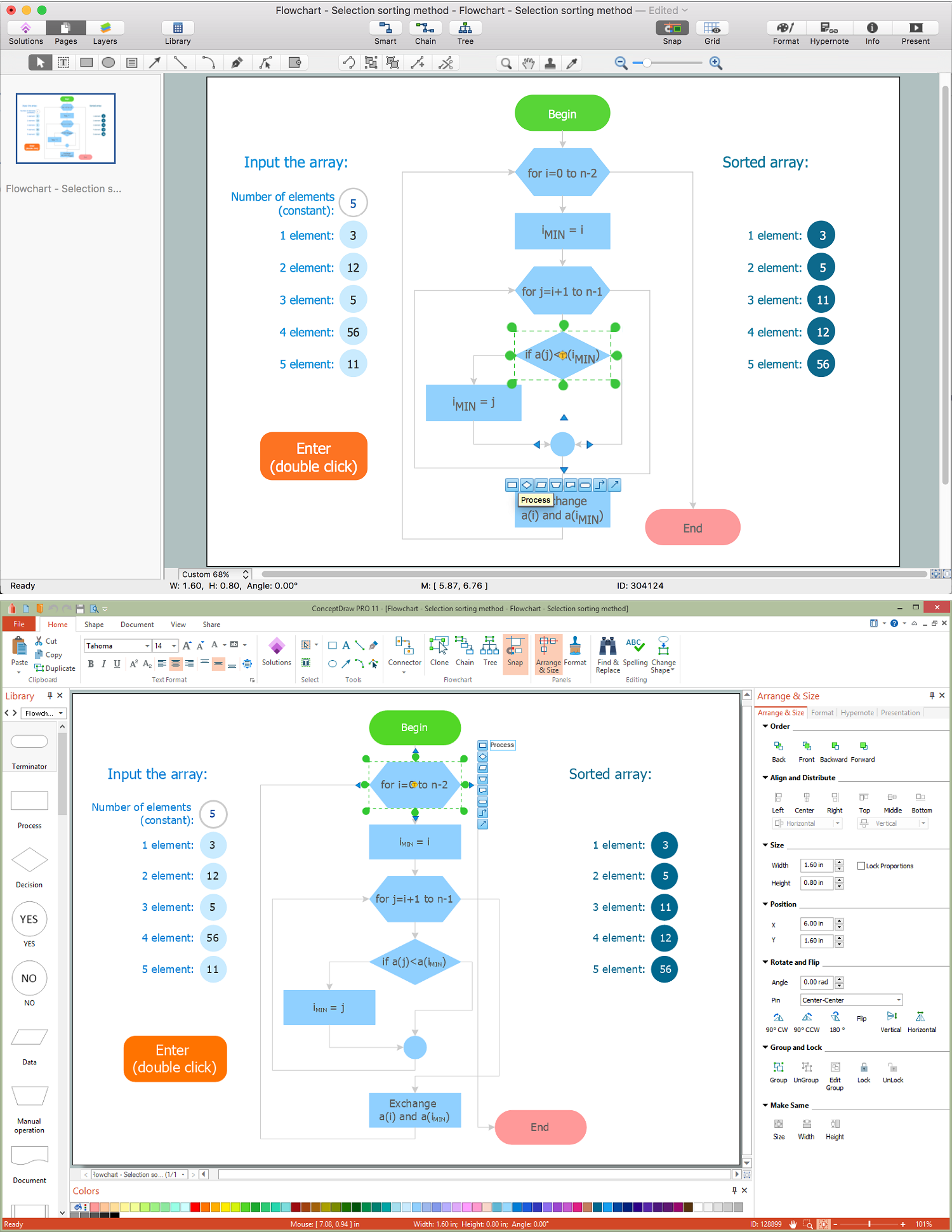
Flowcharts are the best for visually representation the business processes and the flow of a custom-order process through various departments within an organization. ConceptDraw DIAGRAM diagramming and vector drawing software extended with Flowcharts solution offers the full set of predesigned basic flowchart symbols which are gathered at two libraries: Flowchart and Flowcharts Rapid Draw. Among them are: process, terminator, decision, data, document, display, manual loop, and many other specific symbols. The meaning for each symbol offered by ConceptDraw gives the presentation about their proposed use in professional Flowcharts for business and technical processes, software algorithms, well-developed structures of web sites, Workflow diagrams, Process flow diagram and correlation in developing on-line instructional projects or business process system. Use of ready flow chart symbols in diagrams is incredibly useful — you need simply drag desired from the libraries to your document and arrange them in required order. There are a few serious alternatives to Visio for Mac, one of them is ConceptDraw DIAGRAM. It is one of the main contender with the most similar features and capabilities.
How to Build a Flowchart

Business Process Flowchart Symbols

Business process modeling is known in the corporate world as an excellent tool which can speak. Business process flowcharts, diagrams and maps are used to define the business processes in terms of inputs and outputs, to visually represent and effectively explain complex business processes of an enterprise, and also showcase decisions on a single piece of paper. The process of business process mapping supposes the use of special business process flowchart symbols predefined by Business Process Modeling Notation (BPMN) and taking their roots from the data processing diagrams and programming flow charts. In other words the BPMN standard notation is a common language used for business process design and implementation, that guarantees a clarity of designed Business Process Flowcharts for all business analysts, technical developers and business managers. The ability to create professionally-looking Business Process flowcharts, maps and diagrams, is provided by powerful ConceptDraw DIAGRAM software and the Business Process Mapping solution included to ConceptDraw Solution Park.

Accounting Flowchart Symbols

Accounting is a well known and popular tool used for gaining full quantitative information about the finances. The accounting process includes extensive set of activities that begins with transactions and ends with closing of books. It contains all financial information for a given organization, the data about incomes, expenditures, purchases, sales, return, payroll, and many other numerical information. The excellent possibility to create great-looking Accounting Flowcharts is offered by professional ConceptDraw DIAGRAM diagramming and vector drawing software. It includes the Accounting Flowcharts solution containing wide variety of predesigned accounting flowchart symbols. All symbols are easy recognizable, commonly used, vector and professionally designed, so are capable effectively save your time and efforts when representing all stages of accounting work process, the flow of data in an organization, accounting procedures and processes, documents, tasks, responsible people, users, components and authorizations.

Flowcharts

We have a lot of samples of flowchart diagrams for your needs.

Accounting Information Systems Flowchart Symbols
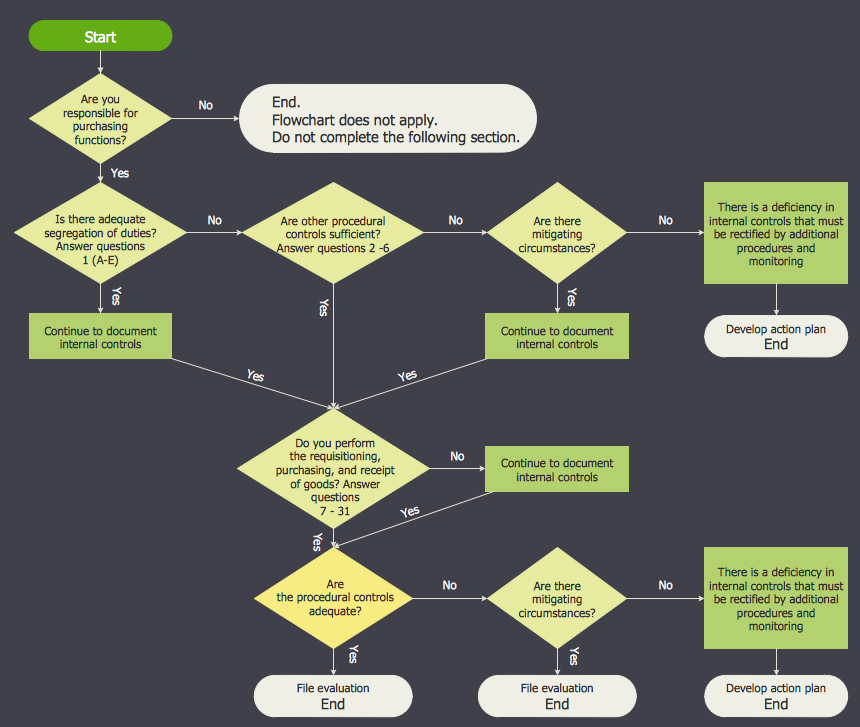
The excellent possibility to create professional-looking Accounting Flowcharts is offered by powerful ConceptDraw DIAGRAM software and its Accounting Flowcharts solution. This solution contains wide variety of predesigned accounting flowchart symbols commonly used when representing the flow of data, documents, tasks and people responsible for performance each stage of accounting work process.
The vector stencils library "Flowchart" contains 26 symbols for drawing flowcharts.
Use these shapes to draw your flow charts in the ConceptDraw PRO diagramming and vector drawing software extended with the Flowcharts solution from the area "What is a Diagram" of ConceptDraw Solution Park.
www.conceptdraw.com/ solution-park/ diagram-flowcharts
Terminator

Terminator, terminator, start, end,
Process
Process, process, action,
Decision
Decision, decision,
Delay
Delay, delay,
Subroutine
Subroutine, subroutine, predefined process,
Data
Data, data, input, output,
Document
Document, document,
Multiple documents
Multiple documents, multiple documents,
Preparation
Preparation, preparation,
Display
Display, display,
Manual input
Manual input, manual input,
Manual loop
Manual loop, manual loop,
Loop limit
Loop limit, loop limit,
Connector
Connector, connector,
Off-page connector
Off-page connector, off page,
Off-page connector
Off-page connector, off page,
Off-page connector
Off-page connector, off page,
Off-page connector
Off-page connector, off page,
Or
Or, or,
Summing junction
Summing junction, summing junction, summing,
Collate
Collate, collate,
Sort
Sort, sort,
Merge
Merge, merge, store,
Stored data
Stored data, stored data, data storage,
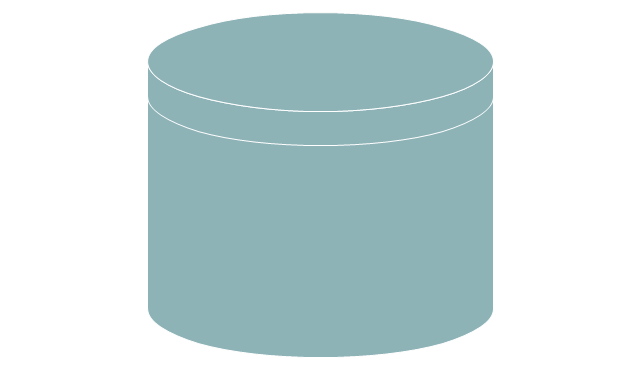
Database
Database, database, disk,
Internal storage
Internal storage, internal storage,

Why flowchart is important to accounting information system?

Flowcharts are used to represent accounting information in a system. There are special symbols which are used to create accounting flowcharts.

Database Flowchart Symbols

Data base diagrams describes inter-related data and tables. It describes roles and relationships, internal and external dependencies, data exchange conventions and structures of knowledge domain. ConceptDraw Software provides number of data-base chart libraries including major 49 vector symbols. Use these DFD flowchart symbol libraries to design data-base structure and models, use it to design data base process-oriented models, or simple data-oriented models. The are special drawing tools for making data flowcharts, data process diagrams, structured analysis diagrams, and information flow diagrams.

Flow Diagram

A flowchart can take any process and distil it into a series of actions or decisions; it is a versatile and simple form of diagram that can be used to describe situations in any field, and is easily understood by everyone. They are used frequently in business to document workflows from all areas of a company - they can show accounting purchase orders, human resource recruitment strategy, or a product life cycle. ConceptDraw DIAGRAM diagramming and vector drawing software extended with Flowcharts Solution from the "Diagrams" Area of ConceptDraw Solution Park is a perfect powerful tool for extremely easy designing professional looking Flow Diagram.

Diagram Flow Chart

ConceptDraw DIAGRAM is a software for producing flow charts.
The vector stencils library "HR flowchart" contains 62 flowchart symbols.
Use it to draw your HR flowcharts, workflow diagrams and process charts with the ConceptDraw PRO diagramming and vector drawing software.
The flow chart symbols library "HR flowchart" is included in the HR Flowcharts solution from the Management area of ConceptDraw Solution Park.
Annotation
Annotation, annotation,
Card
Card, card,
Check / audit (diamond)
Check / audit (diamond), check, audit,
Check / audit (square)
Check / audit (square), check, audit,
Collate
Collate, collate,
Comment / note symbol (brace)
Comment / note symbol (brace), brace callout, comment, note,
Communication link
Communication link, communication link,
Compare (diamond)
Compare (diamond), compare,
Compare (square)
Compare (square), compare,
Completed form
Completed form, completed form, document,
Concurrency symbol (fork / join)
Concurrency symbol (fork / join), concurrency symbol,
Conditional selector
Conditional selector, conditional selector,
Control transfer
Control transfer, control transfer,
Data input / output
Data input / output, data input, data output,
Database
Database, database,
Decision
Decision, decision,
Decision indicator - No
Decision indicator - No, decision indicator, no,
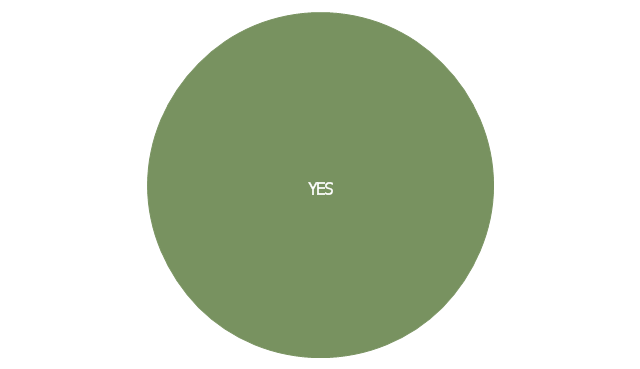
Decision indicator - Yes
Decision indicator - Yes, decision indicator, yes,
Delay
Delay, delay,
Direct access storage
Direct access storage, direct access storage,
Disk storage
Disk storage, disk storage,
Display
Display, display,
Divided process (table view)
Divided process (table view), divided process,
Document
Document, document,
Entity (rounded)
Entity (rounded), entity,
Event
Event, event,
Extract
Extract, extract, part, device,
Flow line
Flow line, flow line, arrow, connector,
Internal storage
Internal storage, internal storage,
Junction symbol
Junction symbol, junction symbol,
Lined document
Lined document, lined document,
Lined / shaded process
Lined / shaded process, lined process, shaded process,
Loop limit
Loop limit, loop limit,
Manual file
Manual file, manual file,
Manual input
Manual input, manual input,
Manual operation
Manual operation, manual operation,
Merge
Merge, merge,
Multi document
Multi document, multi document,
Multi process
Multi process, multi process,
Off-page reference - arrow
Off-page reference - arrow, off-page reference,
Off-page reference - incoming
Off-page reference - incoming, off-page reference,
Off-page reference - outgoing
Off-page reference - outgoing, off-page reference,
On-page reference/ Inspection point
On-page reference/ Inspection point, on-page reference, inspection point,
Or
Or, or,
Page
Page, page,
Paper tape
Paper tape, paper tape,
Predefined process
Predefined process, subroutine, predefined process,
Prepare conditional
Prepare conditional, preparation, prepare conditional,
Process step
Process step, process step,
Reference point
Reference point, reference point,
Sequential access storage
Sequential access storage, sequential access storage,
Sort
Sort, sort,
Start (circle)
Start (circle), start,
Start (ellipse)
Start (ellipse), start,
Stickman pictogram
Stickman pictogram, stickman pictogram,
Stored data
Stored data, stored data,
Summary
Summary, summary,
Tagged document
Tagged document, tagged document, document,
Tagged process
Tagged process, tagged process,
Terminal point
Terminal point, terminal point,
Title block
Title block, title block,
Torso pictogram
Torso pictogram, torso pictogram,

Diagram Flow Chart

ConceptDraw DIAGRAM is a software for producing flow charts.
The vector stencils library "Sales flowchart" contains 62 sales process flow chart symbols.
Use these flow chart icon set to draw your sales flowcharts, workflow diagrams and process charts with the ConceptDraw PRO diagramming and vector drawing software.
The sales process flowchart symbols library "Sales flowchart" is included in the Sales Flowcharts solution from the Marketing area of ConceptDraw Solution Park.
Annotation
Annotation, annotation,
Card
Card, card,
Check / audit (diamond)
Check / audit (diamond), check, audit,
Check / audit (square)
Check / audit (square), check, audit,
Collate
Collate, collate,
Comment / note symbol (brace)
Comment / note symbol (brace), brace callout, comment, note,
Communication link
Communication link, communication link,
Compare (diamond)
Compare (diamond), compare,
Compare (square)
Compare (square), compare,
Completed form
Completed form, completed form, document,
Concurrency symbol (fork / join)
Concurrency symbol (fork / join), concurrency symbol,
Conditional selector
Conditional selector, conditional selector,
Control transfer
Control transfer, control transfer,
Database
Database, database,
Data input / output
Data input / output, data input, data output,
Decision
Decision, decision,
Decision indicator - No
Decision indicator - No, decision indicator, no,
Decision indicator - Yes
Decision indicator - Yes, decision indicator, yes,
Delay
Delay, delay,
Direct access storage
Direct access storage, direct access storage,
Disk storage
Disk storage, disk storage,
Display
Display, display,
Divided process (table view)
Divided process (table view), divided process,
Document
Document, document,
Entity (rounded)
Entity (rounded), entity,
Event
Event, event,
Extract
Extract, extract, part, device,
Flow line
Flow line, flow line, arrow, connector,
Internal storage
Internal storage, internal storage,
Junction symbol
Junction symbol, junction symbol,
Lined document
Lined document, lined document,
Lined / shaded process
Lined / shaded process, lined process, shaded process,
Loop limit
Loop limit, loop limit,
Manual file
Manual file, manual file,
Manual input
Manual input, manual input,
Manual operation
Manual operation, manual operation,
Merge
Merge, merge,
Multi document
Multi document, multi document,
Multi process
Multi process, multi process,
Off-page reference - arrow
Off-page reference - arrow, off-page reference,
Off-page reference - incoming
Off-page reference - incoming, off-page reference,
Off-page reference - outgoing
Off-page reference - outgoing, off-page reference,
On-page reference/ Inspection point
On-page reference/ Inspection point, on-page reference, inspection point,
Or
Or, or,
Page
Page, page,
Paper tape
Paper tape, paper tape,
Predefined process
Predefined process, subroutine, predefined process,
Prepare conditional
Prepare conditional, preparation, prepare conditional,
Process step
Process step, process step,
Reference point
Reference point, reference point,
Sequential access storage
Sequential access storage, sequential access storage,
Sort
Sort, sort,
Start (circle)
Start (circle), start,
Start (ellipse)
Start (ellipse), start,
Stickman pictogram
Stickman pictogram, stickman pictogram,
Stored data
Stored data, stored data,
Summary
Summary, summary,
Tagged document
Tagged document, tagged document, document,
Tagged process
Tagged process, tagged process,
Terminal point
Terminal point, terminal point,
Title block
Title block, title block,
Torso pictogram
Torso pictogram, torso pictogram,

DFD Flowchart Symbols

A Data Flow Diagram (DFD) is a graphical technique which allows effectively model and analyze the information processes and systems. The ability to fast and easy create the DFDs is made possible with Data Flow Diagrams solution from the Software Development area of ConceptDraw Solution Park. For designing the Data Flow Diagrams are used simple DFD flowchart symbols which are connected each other by arrows depicting the data flow from one step to another.

Accounting Flowchart

Accounting flowchart is a system of processes to represent accounting system of an organization. If you need to know how accounting processes work and how each operation is done, the Accounting Flowcharts Solution for ConceptDraw DIAGRAM has a predesigned library, tips, methods and symbols for easy drawing an Accounting Flowchart.

Technical Flow Chart Example

What illustrates a technical flow chart? Technical flow chart is a diagrammatic representation which visually illustrates the sequence of operations that must to be performed to get the problem's solution. ConceptDraw DIAGRAM enhanced with Flowcharts Solution from the "Diagrams" Area of ConceptDraw Solution is a perfect software for drawing Technical Flow Chart Example illustrating the essence and importance of the technical flow chart use.
The vector stencils library "Sales flowchart" contains 62 sales process flow chart symbols.
Use these flow chart icon set to draw your sales flowcharts, workflow diagrams and process charts with the ConceptDraw PRO diagramming and vector drawing software.
The sales process flowchart symbols library "Sales flowchart" is included in the Sales Flowcharts solution from the Marketing area of ConceptDraw Solution Park.
Annotation
Annotation, annotation,
Card
Card, card,
Check / audit (diamond)
Check / audit (diamond), check, audit,
Check / audit (square)
Check / audit (square), check, audit,
Collate
Collate, collate,
Comment / note symbol (brace)
Comment / note symbol (brace), brace callout, comment, note,
Communication link
Communication link, communication link,
Compare (diamond)
Compare (diamond), compare,
Compare (square)
Compare (square), compare,
Completed form
Completed form, completed form, document,
Concurrency symbol (fork / join)
Concurrency symbol (fork / join), concurrency symbol,
Conditional selector
Conditional selector, conditional selector,
Control transfer
Control transfer, control transfer,
Database
Database, database,
Data input / output
Data input / output, data input, data output,
Decision
Decision, decision,
Decision indicator - No
Decision indicator - No, decision indicator, no,
Decision indicator - Yes
Decision indicator - Yes, decision indicator, yes,
Delay
Delay, delay,
Direct access storage
Direct access storage, direct access storage,
Disk storage
Disk storage, disk storage,
Display
Display, display,
Divided process (table view)
Divided process (table view), divided process,
Document
Document, document,
Entity (rounded)
Entity (rounded), entity,
Event
Event, event,
Extract
Extract, extract, part, device,
Flow line
Flow line, flow line, arrow, connector,
Internal storage
Internal storage, internal storage,
Junction symbol
Junction symbol, junction symbol,
Lined document
Lined document, lined document,
Lined / shaded process
Lined / shaded process, lined process, shaded process,
Loop limit
Loop limit, loop limit,
Manual file
Manual file, manual file,
Manual input
Manual input, manual input,
Manual operation
Manual operation, manual operation,
Merge
Merge, merge,
Multi document
Multi document, multi document,
Multi process
Multi process, multi process,
Off-page reference - arrow
Off-page reference - arrow, off-page reference,
Off-page reference - incoming
Off-page reference - incoming, off-page reference,
Off-page reference - outgoing
Off-page reference - outgoing, off-page reference,
On-page reference/ Inspection point
On-page reference/ Inspection point, on-page reference, inspection point,
Or
Or, or,
Page
Page, page,
Paper tape
Paper tape, paper tape,
Predefined process
Predefined process, subroutine, predefined process,
Prepare conditional
Prepare conditional, preparation, prepare conditional,
Process step
Process step, process step,
Reference point
Reference point, reference point,
Sequential access storage
Sequential access storage, sequential access storage,
Sort
Sort, sort,
Start (circle)
Start (circle), start,
Start (ellipse)
Start (ellipse), start,
Stickman pictogram
Stickman pictogram, stickman pictogram,
Stored data
Stored data, stored data,
Summary
Summary, summary,
Tagged document
Tagged document, tagged document, document,
Tagged process
Tagged process, tagged process,
Terminal point
Terminal point, terminal point,
Title block
Title block, title block,
Torso pictogram
Torso pictogram, torso pictogram,
The vector stencils library "Flowchart" contains 26 symbols for drawing flowcharts.
Use these shapes to draw your flow charts in the ConceptDraw PRO diagramming and vector drawing software extended with the Flowcharts solution from the area "What is a Diagram" of ConceptDraw Solution Park.
www.conceptdraw.com/ solution-park/ diagram-flowcharts
Terminator
Terminator, terminator, start, end,
Process
Process, process, action,
Decision
Decision, decision,
Delay
Delay, delay,
Subroutine
Subroutine, subroutine, predefined process,
Data
Data, data, input, output,
Document
Document, document,
Multiple documents
Multiple documents, multiple documents,
Preparation
Preparation, preparation,
Display
Display, display,
Manual input
Manual input, manual input,
Manual loop
Manual loop, manual loop,
Loop limit
Loop limit, loop limit,
Connector
Connector, connector,
Off-page connector
Off-page connector, off page,
Off-page connector
Off-page connector, off page,
Off-page connector
Off-page connector, off page,
Off-page connector
Off-page connector, off page,
Or
Or, or,
Summing junction
Summing junction, summing junction, summing,
Collate
Collate, collate,
Sort
Sort, sort,
Merge
Merge, merge, store,
Stored data
Stored data, stored data, data storage,
Database
Database, database, disk,
Internal storage
Internal storage, internal storage,

Technical Flow Chart

Flow chart is a diagrammatic representation of an algorithm and essential part of planning the system. Flow charts are widely used in technical analysis and programming for easy writing programs and explaining them to others. So, one of the most popular type of flow charts is Technical Flow Chart. Technical Flow Chart can be drawn by pencil on the paper, but it will be easier to use for designing a special software. ConceptDraw DIAGRAM diagramming and vector drawing software extended with Flowcharts Solution from the "Diagrams" Area of ConceptDraw Solution Park will be useful for this goal.

Android User Interface

Android is a mobile operating system (OS) based on the Linux kernel and currently developed by Google. One of the most important features of any Android app is, of course, its Android User Interface. It is all what the user sees on the screen of its device and interacts with. Creating of successful Android User Interface and developing Android UI prototypes may be the mighty task. But we recommend you to make it fast and easy in ConceptDraw DIAGRAM specially extended with Android User Interface Solution from the Software Development Area.