This site uses cookies. By continuing to browse the ConceptDraw site you are agreeing to our Use of Site Cookies.

How To Draw Building Plans

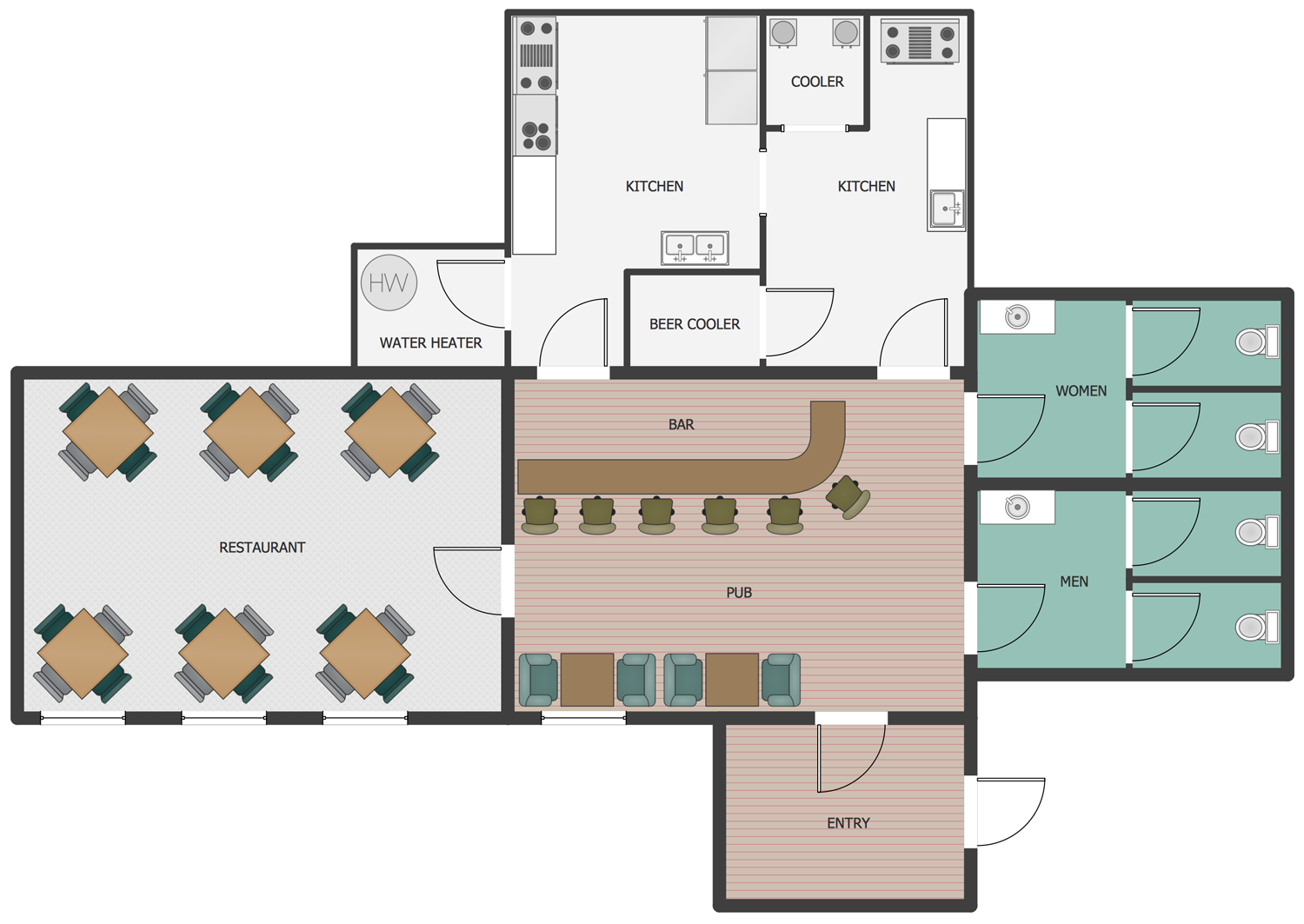
Building Plan is the basis for implementation construction and repair works. Creation of Building Plans is the main purpose of architects and designers. They are required and even obligatory for builders to accurately implement your wishes and ideas during the building, designing or redesigning your home, flat, office, or any other premise. ConceptDraw DIAGRAM is a powerful quick building plan software for creating great-looking Office layouts, Home floor plans, Commercial floor plans, Storage building plans, Expo and Shopping mall building plans, School and Training building plans, Cafe or Restaurant plans, Gym and Spa area plans, Sport field plans, House interior designs, Electric and Telecom building plans, Fire and Emergency plans, HVAC plans, Security and Access plans, Plumbing and Piping plans, Plant layouts, etc. Use helpful samples, templates and variety of libraries with numerous building design elements from Floor Plans solution for ConceptDraw DIAGRAM software to facilitate design drawing process.

How to Draw a Building Plans

ConceptDraw DIAGRAM is a world-class diagramming platform that lets you display, communicate, and present dynamically. It′s powerful enough to draw everything from basic flowcharts to complex engineering schematics.
HelpDesk

How to Create a HVAC Plan

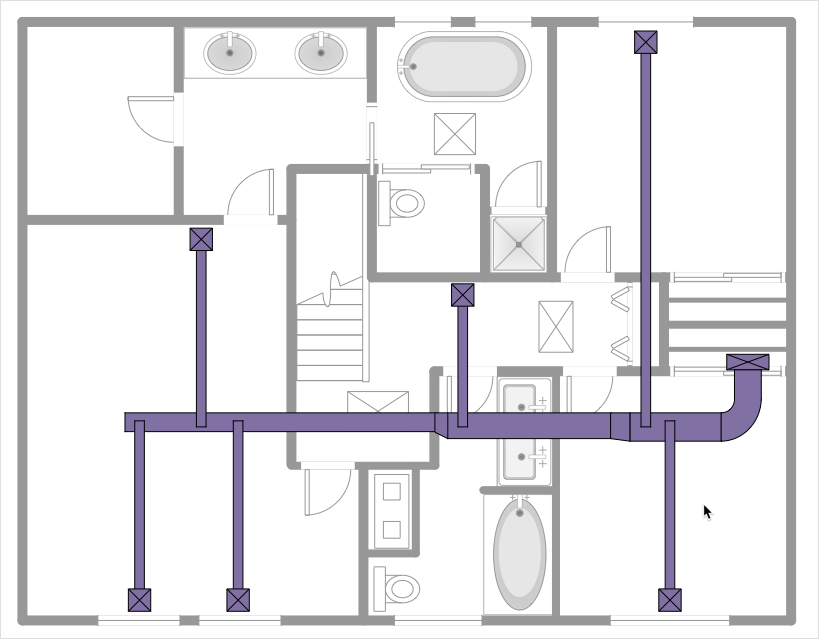
HVAC plans are used to make and maintain systems of heating and air conditioning. HVAC plan is an important part of building planning. It is developed for private family houses as well as for apartment and public buildings. Making HVAC plans as a part of construction documentation package essential requirement for any building project. Making a plan that shows the location and connection of HVAC equipment involves many different elements that can be managed using ConceptDraw DIAGRAM reinforced with HVAC Plans solution. With ConceptDraw DIAGRAM you can easily create and communicate HVAC plans of any complexity.
HelpDesk

How to Draw a Floor Plan for SPA
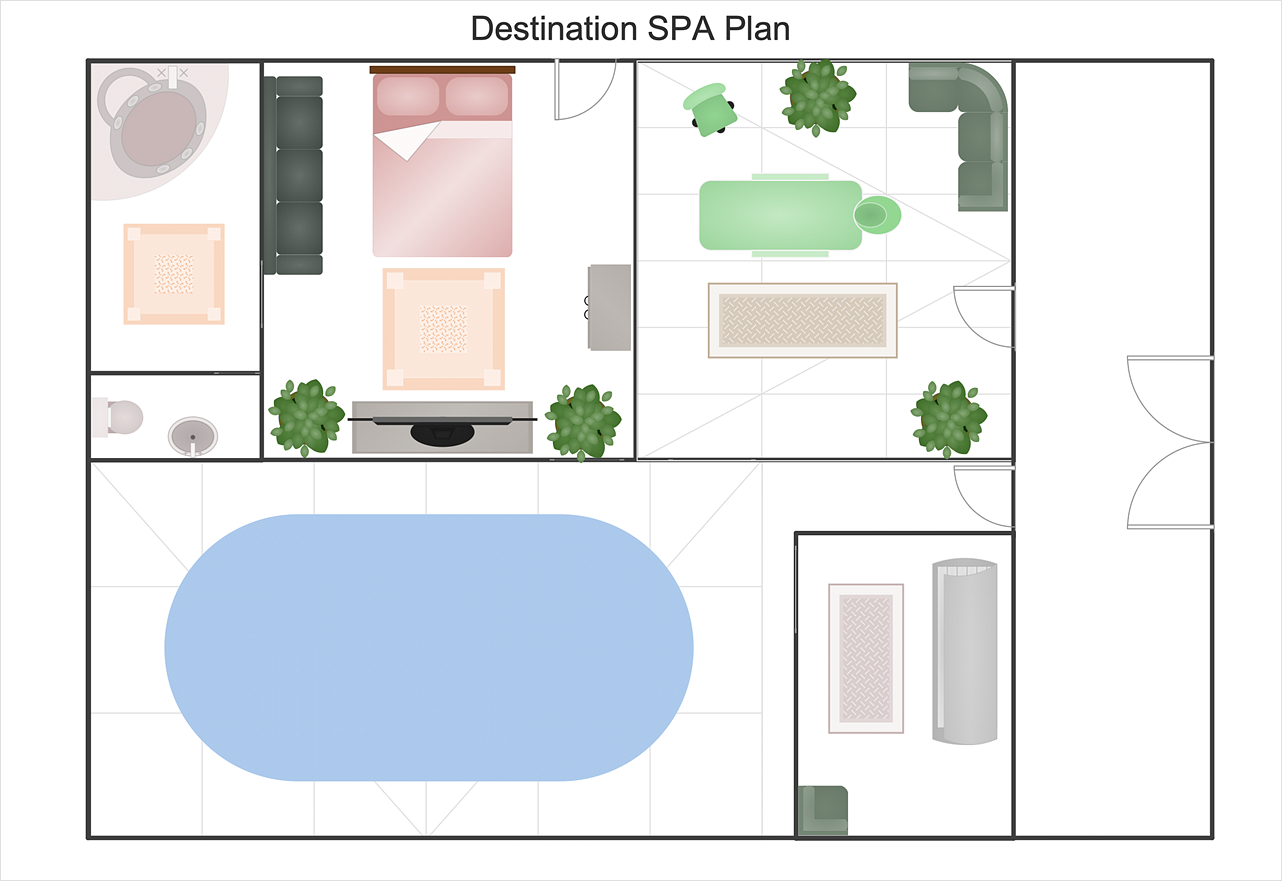
The key to a successful spa is a well-designed floor plan. It should seamlessly combine both comfort and functionality. ConceptDraw DIAGRAM allows you to draw the floor Plan for your SPA or salon design using a special equipment library as well as a set of special objects that displays the sizes, corners, squares, and other floor plan details. You can use ConceptDraw DIAGRAM to make the SPA and Gym plans simple, accurate and easy-to-read. ConceptDraw DIAGRAM allows you to draw the floor Plan for your SPA or salon design using a special equipment library as well as a set of special objects that displays the sizes, corners, squares, and other floor plan details.
HelpDesk

How to Use Basic Floor Plans Solution
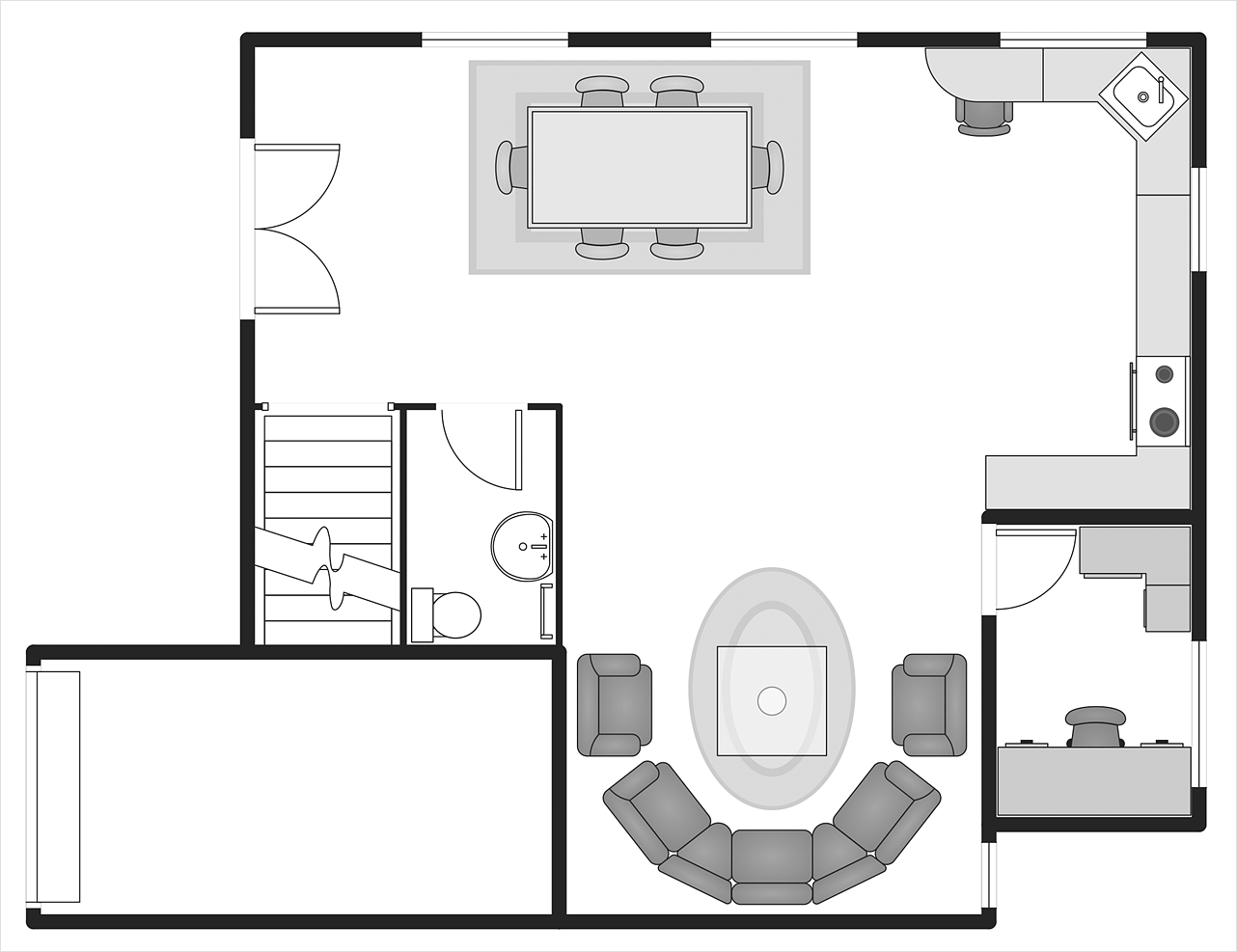
Making a home or apartment floor plans involves many different elements that can be managed using ConceptDraw DIAGRAM. The ability to design different floor plans is delivered by the Floor Plans solution. Using this solution you can easily create and communicate floor plans of any complexity.

building, plan, floor, site, landscape, garden, design, fire, emergency, interior design, equipment, layout, electrical, telecom, HVAC, plumbing, piping, reflected, ceiling, security, access Building Plans

building, plan, floor, site, landscape, garden, design, fire, emergency, interior design, equipment, layout, electrical, telecom, HVAC, plumbing, piping, reflected, ceiling, security, access
Easily create the architectural and building engineering drawings: floor plans, restaurant plans, plans of building services, fire and emergency plans, furniture and equipment layouts.

Building Drawing Software for Design School Layout

Classroom is the place where the pupils spend most of time, so it must to attract, arouse the interest, to be comfortable that the pupils wanted to go here and to stay longer. The psychologists say that the look of a class greatly affects the children. The first important characteristic is a color, the correct choice of color palette for the training premise helps adjust pupils and students on the right mood, promotes a thinking, activity, creativity and concentration. The most favorable colors are yellow, peach, beige, they attract attention and stimulate mental activity. As for the desks and other furniture, they should to be safe, quality, and to be arranged taking in account the room's size, lighting and age of pupils. For the primary classes are perfectly suited various illustrations on the walls. Use ConceptDraw DIAGRAM building drawing software tools and vector design elements from School and Training Plans solution for development School layouts and floor plans, furniture and equipment plans for School or Training offices, Design plans for classrooms, auditoriums and cabinets.

Building Drawing Software for Design Site Plan

Site plan is a detailed architectural plan or document, landscape architecture project for considered object. It is a part of technical design documentation that illustrates the arrangement of buildings, trails, roads, parking, lighting, water lines, sanitary sewer lines, drainage facilities, landscape and garden elements. Site plans are constructed by architects, landscape designers or licensed design engineers, and used by the builders, contractors and installers when constructing or making improvements to some property. They reflect the main design ideas and give an instantly vision of future result after the plan's implementation. They have special value for the large projects of single or multi-floor buildings, and for accomplishment the whole districts. ConceptDraw DIAGRAM extended with Site Plans solution offers the powerful building drawing software tools and vector design elements for development and drawing Site plans and Landscape design drawings, Residential and Commercial landscape designs, Parks and Landscaping territories plans, Yard layouts, etc.

Building Drawing Software for Design Office Layout Plan

The building plans and blueprints are useful for designing and construction various premises, including definitely offices, small and large office buildings, and whole business centers. Comfort and convenience are the most important for office premises, they let configure on a working mood and increase the work productivity, so the architects and designers need to consider carefully all details. Often their construction on the paper is painstaking and labourious process, which doubly faster and easier to realize with the availability of specialized software, such as ConceptDraw DIAGRAM. Design of simple and extensive detailed Office Layout Plans, effective allocation a working space are easily with ConceptDraw DIAGRAM powerful vector diagramming and building drawing software tools, and ready-to-use vector design objects. Use they to develop the Office floor plans, Office layout plans, Blueprints for office space planning and furniture placement, Office electrical plans, Office emergency plans, etc. Thought Visio is not available for Mac, there are Visio alternatives which support MS Visio file formats. Try ConceptDraw DIAGRAM for both PC and Mac platforms to see its perpetual license privilege.
How to Draw a Floor Plan

Building Drawing Software for Designing Plumbing

The construction project for any building obligatory must include the plans for systems of water supplying, sewerage, lighting and heating. From one side these are the documents required and indispensable for the construction, but from the other side this is a way of correct and effective selection of equipment, and subsequent its installation. Correctly performed calculations for these systems ensure a reliable, energy-efficient and cost-effective work. At this each project is fully individual decision taking into account all nuances - from the features of building to the personal preferences. ConceptDraw DIAGRAM is a powerful building drawing software for designing Plumbing, Piping, Lighting and other building plans thanks to the included Plumbing and Piping Plans solution and other solutions from Building Plans area. Plumbing and Piping Plans solution includes variety of libraries with different design elements of pipes, valves and other sanitary equipment and helps easy develop the annotated schematics and diagrams of plumbing systems, piping, and waste water.

Building Drawing. Design Element Site Plan

Site Plan is a part of a development project. It is a visual graphic representation of the arrangement of buildings, parking for cars and bikes, drives, landscaping, parks, flowerbeds, benches and other structural elements on the plan. Depending on the degree of detailing you can see on the Site plan more or fewer of building constructions and landscape design elements. ConceptDraw DIAGRAM Solution Park includes a specially developed Site Plans solution from the Building Plans area, which offers templates, samples, examples, and a lot of predesigned building drawing design elements for Site plan. The set of design elements contains the exclusive vector shapes of site accessories, parking, roads, trees, plants, etc. So, with confidence we can say that ConceptDraw DIAGRAM software with Site Plans solution is the best help for all in development and drawing your own Residential and Commercial landscape designs, Site plans, Park plans, Yard layouts, Outdoor recreational facilities and Irrigation system plans, and many others.

Building Drawing. Design Element — Plumbing
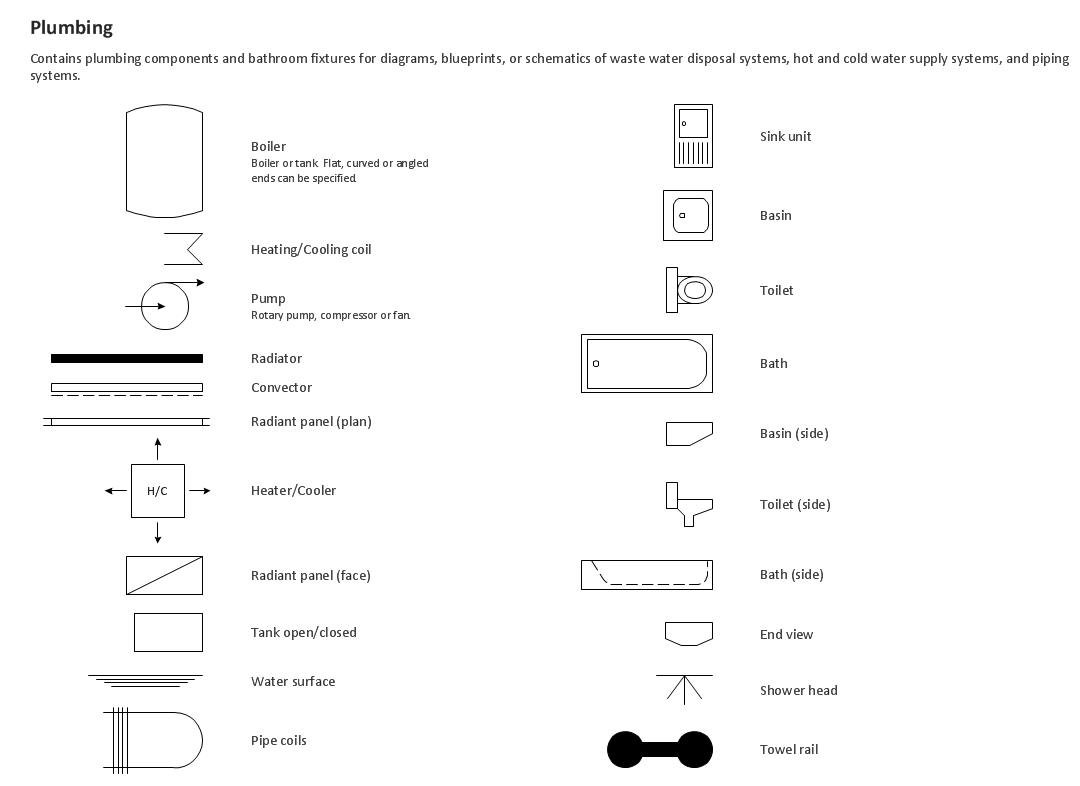
Any repair or replanning usually requires a work with engineering communications and sanitary equipment. This can be the new system's construction or the dismantling of old pipes and plumbing, and then installation the new ones. The reliability of plumbing system depends on many factors, but in any case, a prerequisite is careful planning, competent and qualified project's development, design of necessary Plumbing diagrams, creation the plan of plumbing works, high-quality laying of pipes and correct installation of engineering communications, plumbing and sanitary equipment according to the developed schemes. The key point at the development schemes and plans is the necessity to clearly think over all required plumbing equipment, to choose the types of pipes, a way of montage and to count their quantity. ConceptDraw DIAGRAM software extended with Plumbing and Piping Plans solution is the ease way to create professional-looking Plumbing plans, Piping plans, Water supply system plans, Plumbing system layout plans, thanks to the included plumbing and piping vector design elements.
HelpDesk

How to Create a Floor Plan

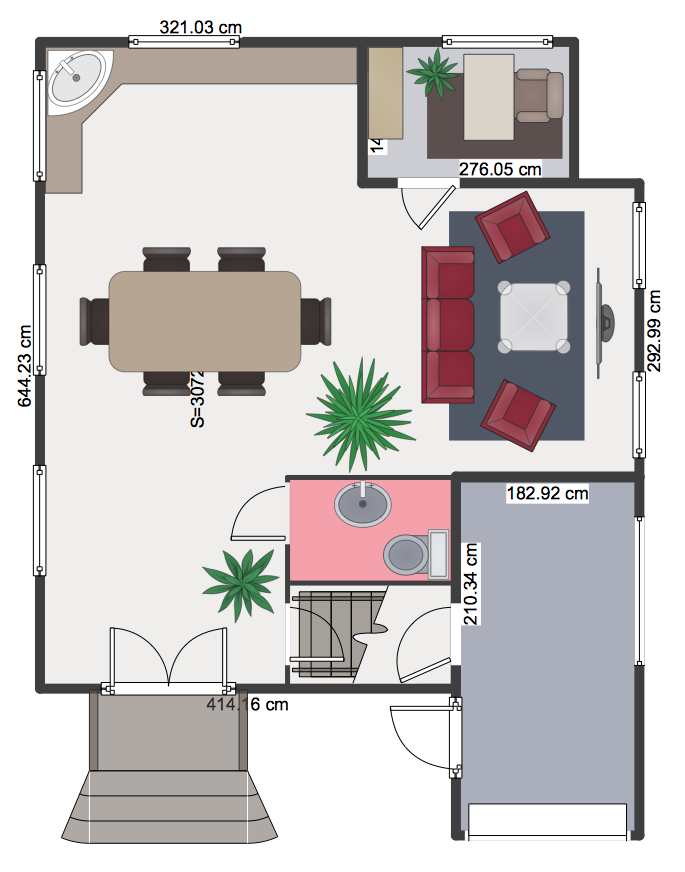
Making a floor plan is the best way to get a handle on how to organize your living space and find out what could be changed. Creating a floor plan to scale is a challenge of the home and interior design process and can be noticeably helpful for visualizing things like furniture layout. You can use ConceptDraw DIAGRAM to produce layouts of real estate properties. ConceptDraw DIAGRAM contains the large quantity of pre-designed vector objects that you can use for quick and easy designing such floor plans. You can easily determine the size of the rooms and distances in your drawing. The ability to create a floor plan is delivered by the Floor Plans solution. This solution extends ConceptDraw DIAGRAM with libraries that contain over 500 objects of floor plan elements. There is a set of special objects that display the sizes, corners, squares and other technical details using the current measurements of units.
HelpDesk

How to Draw a Security and Access Floor Plan
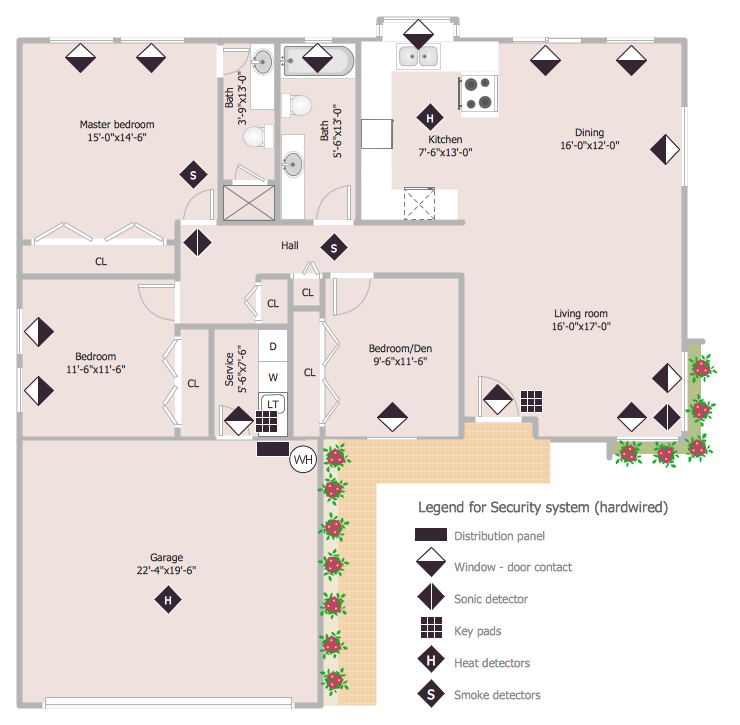
When you are dealing with floor plans for your office or home, it's good to have a security and access plan as well. Any equipment that is responsible for certain aspects of security can be incorporated into a security and access floor plan. Any equipment that is responsible for certain aspects of security can be incorporated into a security and access floor plan. Ability to create a security and access plan in ConceptDraw DIAGRAM is contained in the Security and Access Plans solution. You can use ConceptDraw DIAGRAM to make the security and access plans for your office simple, accurate and easy-to-read.
HelpDesk

How to Draw a Fire Evacuation Plan for Your Office
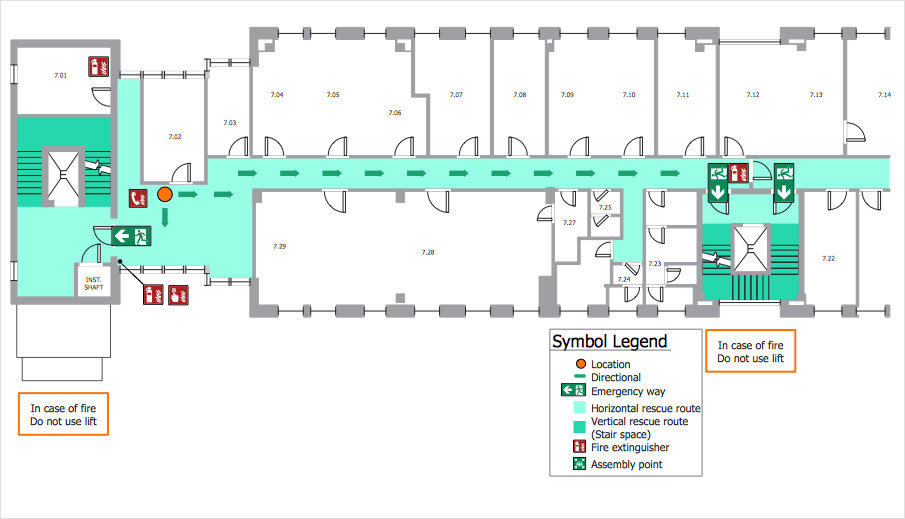
Emergency Floor Plan is important to supply office staff with a visual safety solution. Emergency Floor Plan diagram presents a set of standard symbols used to depict fire safety, emergency, and associated information. Using clear and standard symbols on fire emergency plans delivers the coherence of collective actions, helps to avoid embarrassment and improves communications in an emergent situation. The fire emergency symbols are intended for the general emergency and fire service, as well as for building plans, engineering drawings, and insurance diagrams. They can be used during fire extinguishing and evacuation operations, as well as training. It includes vector symbols for emergency management mapping, emergency evacuation diagrams and plans. You can use ConceptDraw DIAGRAM to make the fire evacuation plans for your office simple, accurate and easy-to-read.
HelpDesk

How to Draw Tilt and Turn Windows
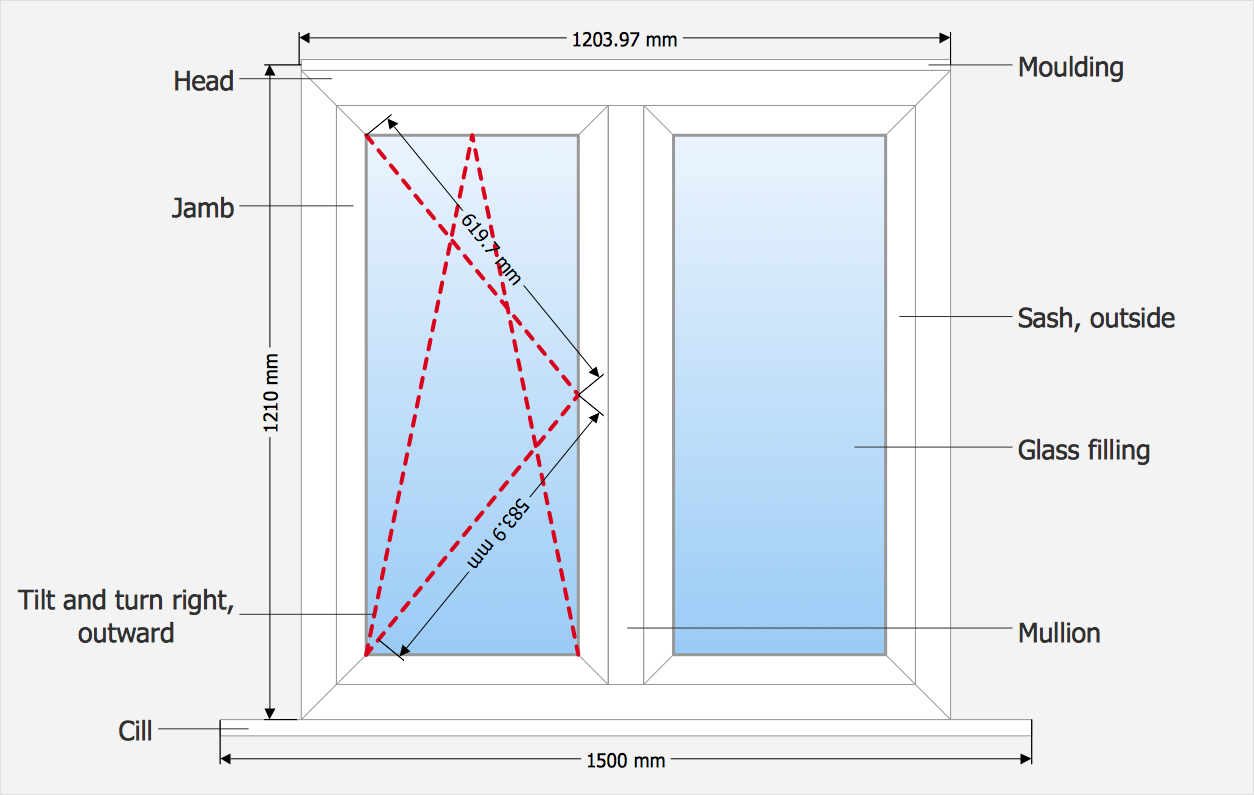
The variety of types and styles of windows' constructions and designs, the variants of coats and modern technologies of filling the glazing units with gases effective for energy saving, lets to find easily the right option for particular conditions of use. ConceptDraw Tilt and Turn Windows solution provides you with professional tools and ready-to-use vector design objects making the process of window design simple and comfortable.
HelpDesk

How to Draw a Floor Plan for Your Office
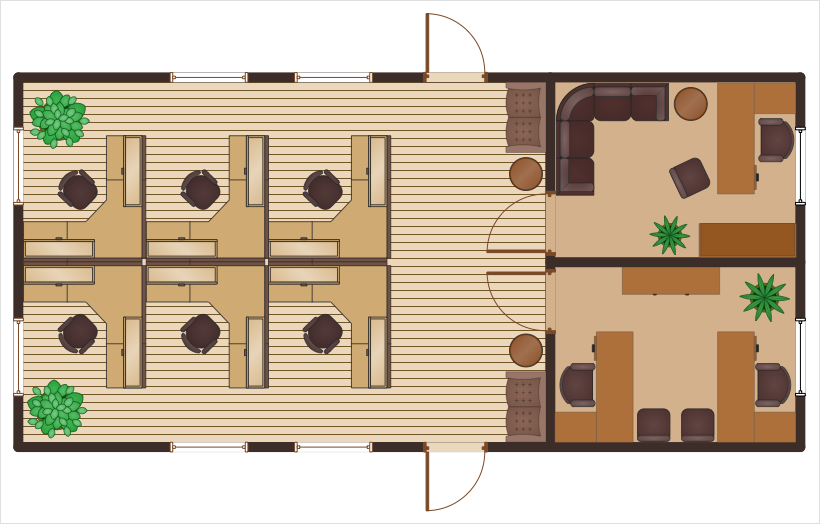
Designing the right office space is is an essential factor of business productivity. An office floor plan should reflect the needs of both employees and customers. ConceptDraw DIAGRAM allows you to draw the Floor Plan for your office using a special office equipment library as well as set of?special objects that?displays the?sizes, corners, squares and other floor plan details.

fire emergency floor plan, evacuation floor plan Fire and Emergency Plans

fire emergency floor plan, evacuation floor plan
The Fire and Emergency Plans solution was developed in order to provide all ConceptDraw DIAGRAM users with most common tools that might be needed for creating both Fire and Emergency Plans. Apart from the emergency managers, the Fire and Emergency Plans solution suits for electricians, interior designers, telecommunications managers, builders and other technicians.

Create Floor Plan
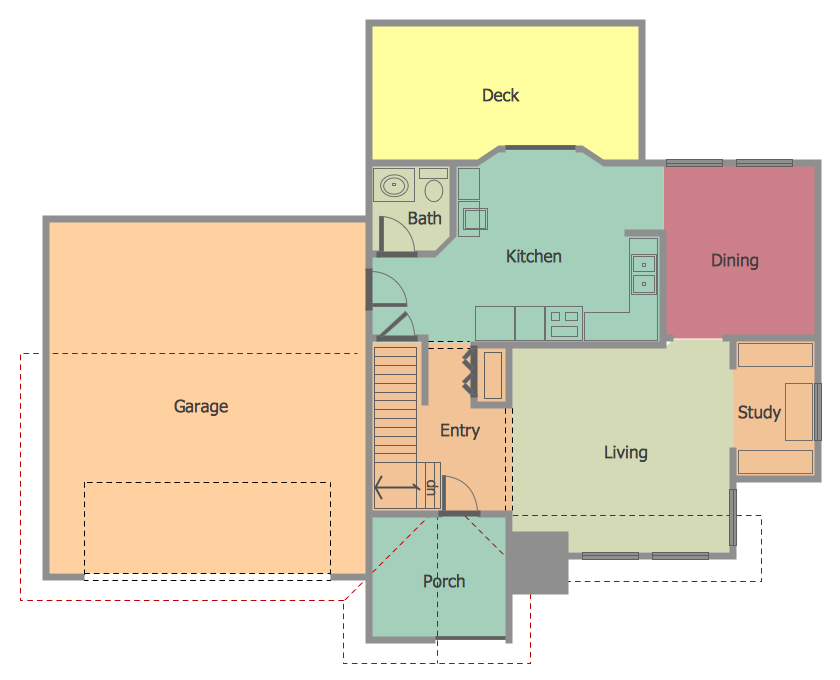
ConceptDraw DIAGRAM diagramming and vector drawing software extended with Floor Plans Solution from the Building Plans area of ConceptDraw Solution Park lets you the possibility to create Floor Plan of any complexity in minutes.
HelpDesk

How to Create a Floor Plan for the Classroom
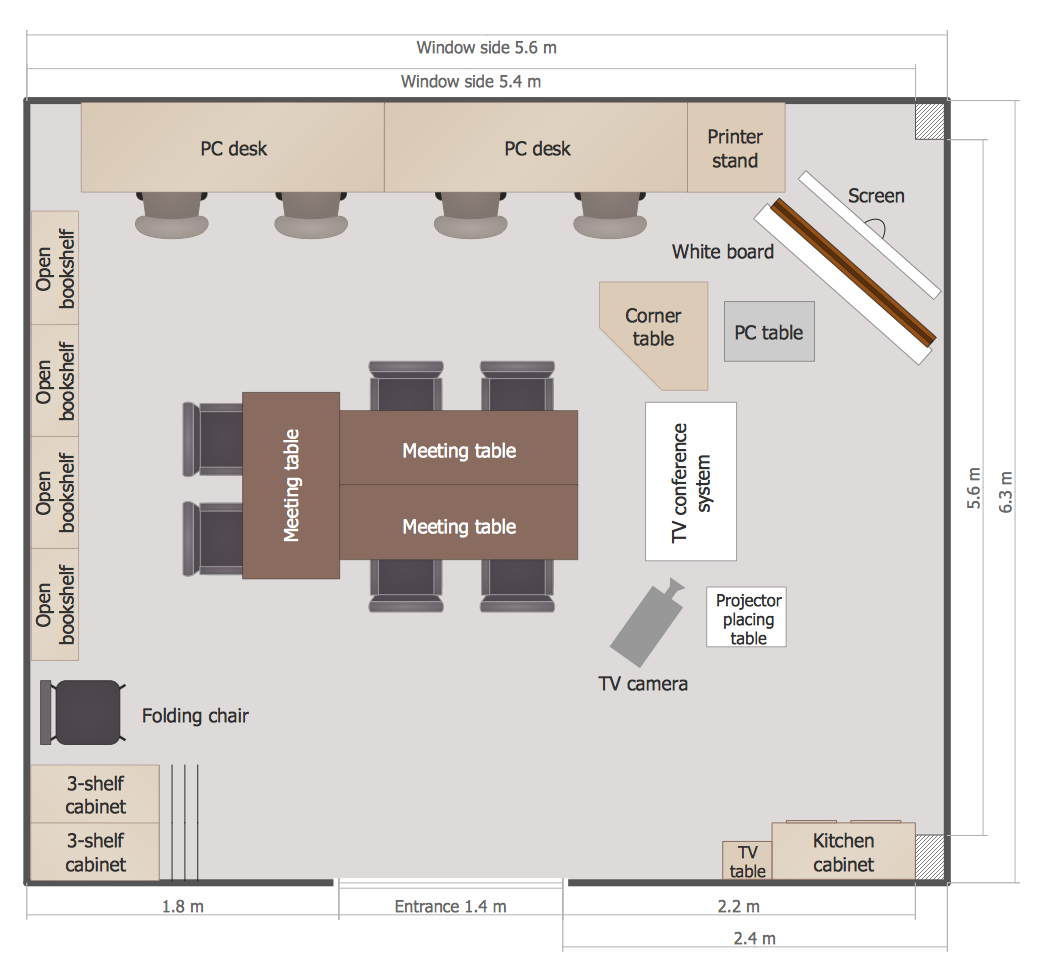
The classroom environment is very important for students. Classroom layout has a big influence on the learning process. The size of the classroom and interior areas, the type of furniture the lightning, and the desk arrangement all influence how students learn. ConceptDraw enables you to build an effective classroom arrangement. Using ConceptDraw School and Training Plans solution you can quickly sketch the Floor Plan for your classroom. It provides you with a special library that contains the set of vector objects that represent desks, tables, storage and more. You can even change your classroom size and print your layout.