Restaurant Floor Plans
How-to use Restaurant Floor Plans Software
Opening any restaurant, cafe or a bar begins with understanding the main concept and careful planning. The restaurant owner should decide on what kind of audience the restaurant will be targeted, which place is better for the institution, the possible attendance and the size of the average check. Thus, at the idea stage, the entrepreneur makes a restaurant business plan in advance.
In general, restaurant business is characterized by a fairly high level of competition. Still, despite the market saturation, catering services are and will always be in demand. Especially in the establishments with more democratic prices, which include low-cost fast food restaurants and cafes. If we divide the market of inexpensive cafes in segments, we'll see that saturation changes in each of them. According to statistics, the most promising categories are coffee shops, children's and vegetarian cafes. There are a few of these cafes, and opening one gives a chance to get the audience fairly quickly.
However, much depends on the city or particular district, where you plan to organize a restaurant. In general, it is a moot point to decide what to do first: to choose the place or the concept of a cafe. If you have a great idea, it can be difficult to find a suitable premise and vice versa.
Mostly, the business owner can afford writing a business plan for a cafe on his own. You can find and download a ready restaurant business plan of an usual cafe or any other similar business on the Internet, and then adjust to fit your specific conditions.
Savvy business plan should contain a detailed description of both the project and its financial component.
You need to describe the project, determine the number of seats. Then you should identify your target audience, what level of visitors income you expect. Decide whether you will serve only individual visitors, or will you be providing services of the organization of small banquets, events and ceremonies.
Next thing you need to take care of is to consider the visual design of your restaurant: show-windows, interior, furniture. You can also think about the marketing component, and place advertising on the Internet, or to conduct any local promotions.
You can use many of build-in templates and examples of our Restaurant Floor Plans Software. Start with the exact template you need then customize it to fit your needs with 1000+ stencils and you will find expected result in minutes.
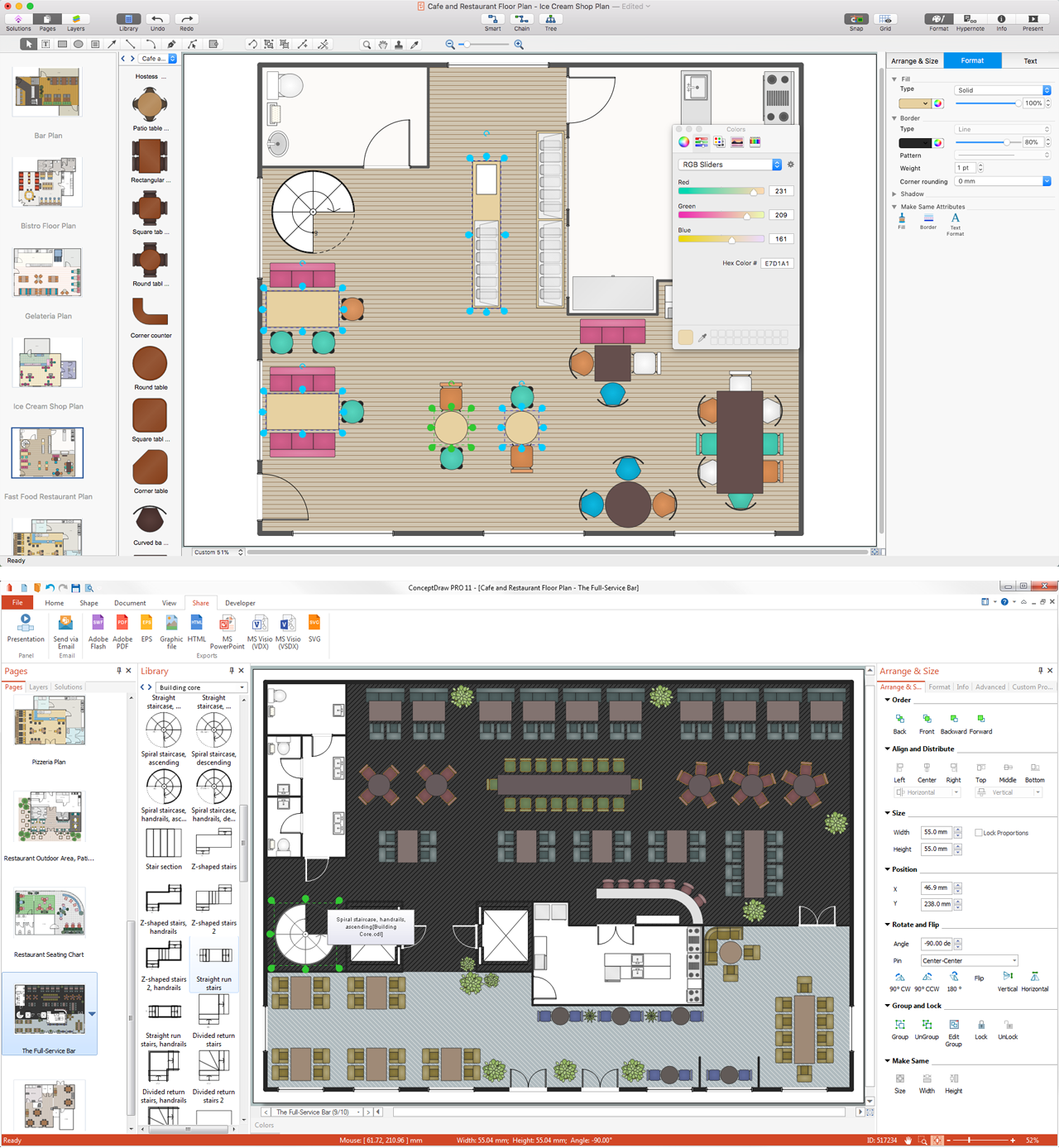
Sample 1. Restaurant Floor Plans Software
Cafe and Restaurant Plans Solution from ConceptDraw Solution Park provides samples, templates and vector stencils libraries with design elements for drawing restaurant and cafe floor plans.
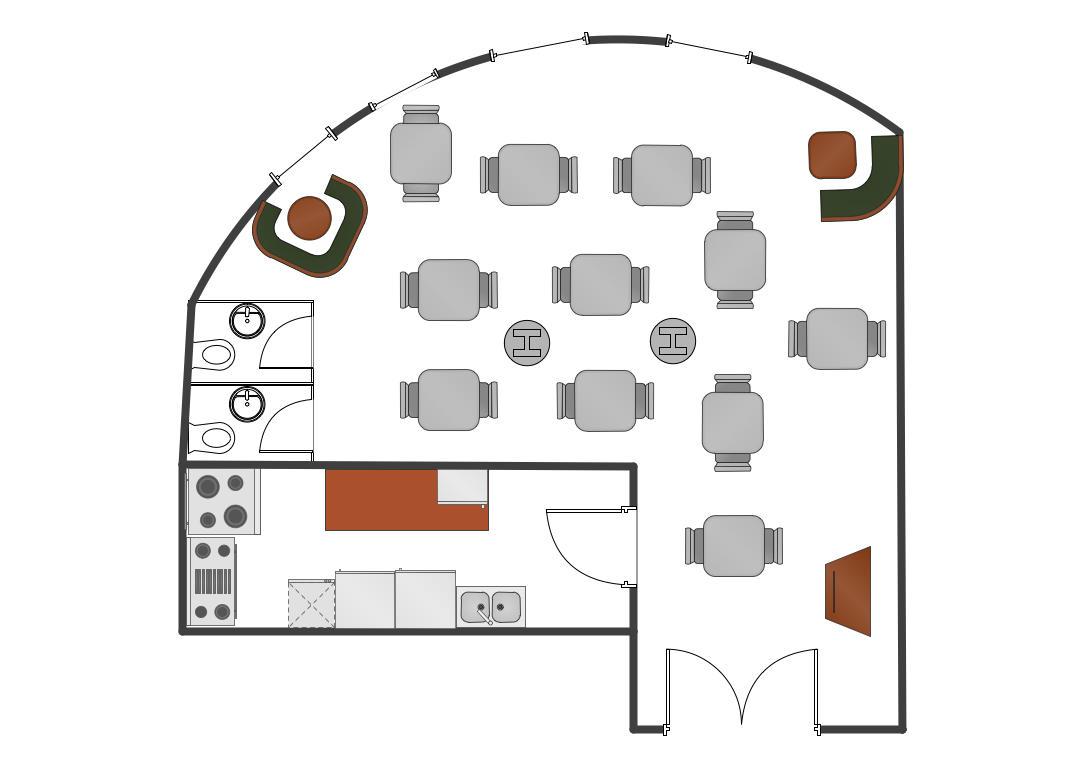
Sample 2. Restaurant floor plan
Planning your own business is catering or having your own coffee shop, steak house or vegetarian café, restaurant or pub, you must be thinking of making the template of the way it should look, including furniture and all necessary elements. Making design interior restaurant or café floor plan can be hard and very complicated unless you have ConceptDraw DIAGRAM software which can do all drawing for you offering lots of templates, samples of floor plans and many other plans and schemes, including even examples of numerous charts, flowcharts and diagrams. Try to use our libraries full of stencil elements today, and you’ll find them very useful in making your professionally looking very smart and beautiful floor plans which can be helpful in building the very popular café, restaurant or coffee shop.
NINE RELATED HOW TO's:
From all the auxiliary business process tools, SWOT analysis always remains in the top place. It is difficult to answer what SWOT Analysis is in marketing in several paragraphs. This is a very powerful tool to understand all the circumstance of your business, it is important part of small business project management.
This SWOT analysis was carried out to discover strengths and weaknesses of the marketing strategy, as well as identify its opportunities. This SWOT diagram (matrix) was drawn in Conceptdraw DIAGRAM using its SWOT and TOWS Diagrams solution. Investigations of all constituents of a certain case will assist in considering strategy statements and during and making a decision. The SWOT analysis is the good tool for specifying marketing objectives discovering external and internal influences on accomplishing marketing objectives, this is critical tool for small business project management. ConceptDraw Office suite delivers SWOT diagram samples and tools in illustrative part of marketing project management software and project report software.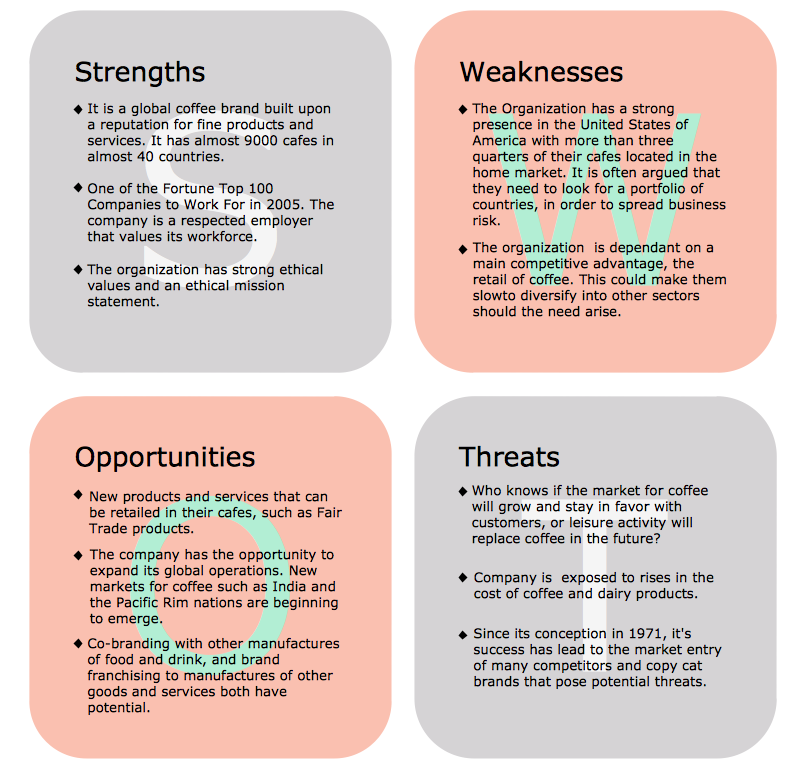
Picture: What is SWOT Analysis in Marketing
Drawing of Family Emergency Plan is quite complex process. How can you make it? Usually you draw it accurately on the sheet of paper and this process takes much time. ConceptDraw DIAGRAM diagramming and vector drawing software offers you Fire and Emergency Plans Solution - the new method of quickly drawing Family Emergency Plan of any complexity.
Picture: Family Emergency Plan
Related Solution:
A database is a data collection, structured into some conceptual model. Two most common approaches of developing data models are UML diagrams and ER-model diagrams. There are several notations of entity-relationship diagram symbols and their meaning is slightly different. Crow’s Foot notation is quite descriptive and easy to understand, meanwhile, the Chen notation is great for conceptual modeling.
An entity relationship diagrams look very simple to a flowcharts. The main difference is the symbols provided by specific ERD notations. There are several models applied in entity-relationship diagrams: conceptual, logical and physical. Creating an entity relationship diagram requires using a specific notation. There are five main components of common ERD notations: Entities, Actions, Attributes, Cardinality and Connections. The two of notations most widely used for creating ERD are Chen notation and Crow foot notation. By the way, the Crow foot notation originates from the Chen notation - it is an adapted version of the Chen notation.
Picture: ERD Symbols and Meanings
Related Solution:
A family evening in a restaurant can be just charming, the problem is to find a one. If you spend an extra day to create a good restaurant floor plan, that will surely brings more clients. By the time your restaurant gets more popular, don’t forget about the quality of service.
The restaurant floor plan you see on this page was made with ConceptDraw DIAGRAM in accompanied with Cafe and Restaurant Plans solution. It introduces facilities of the solution and demonstrates the results, you can obtain if you deploy ConceptDraw tools for generating floor plans and interior designs for cafe, restaurants or other catering establishments. A little less than three hundred vector objects, and a set of built-in templates and a set of examples will maintain your creativeness.Picture: Restaurant Floor Plans
Related Solution:
You need create Reflective Ceiling Plan? What can be easier with ConceptDraw DIAGRAM diagramming and vector drawing software extended with Reflected Ceiling Plans Solution from the Building Plans Area.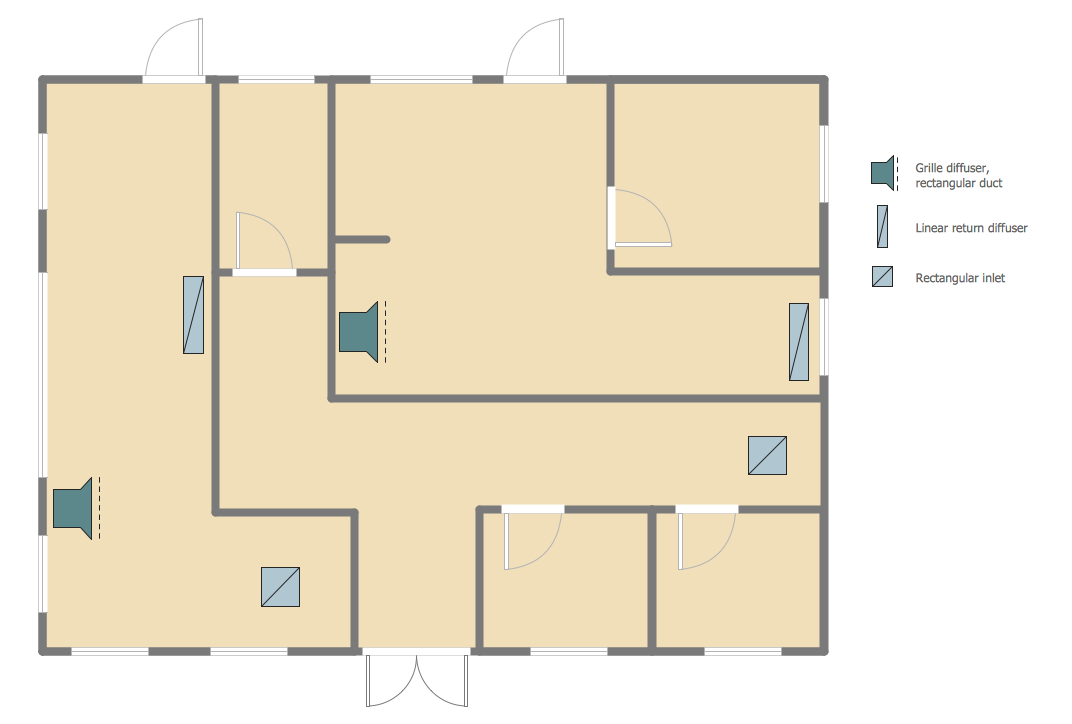
Picture: Reflective Ceiling Plan
Related Solution:
Any project is a complex system which rarely goes without some problems, even the most minor. But the success of the project mostly depends from the ability effectively solve appearing problems. There are many methods for problem solving, one of the most effective is the use a Fishbone diagram to attack complex problems.
Use ConceptDraw DIAGRAM diagramming software with Fishbone Diagrams Solution to attack any complex problems with fishbone diagrams graphic method. Construct Fishbone diagram to help users brainstorm and break down a complex problem.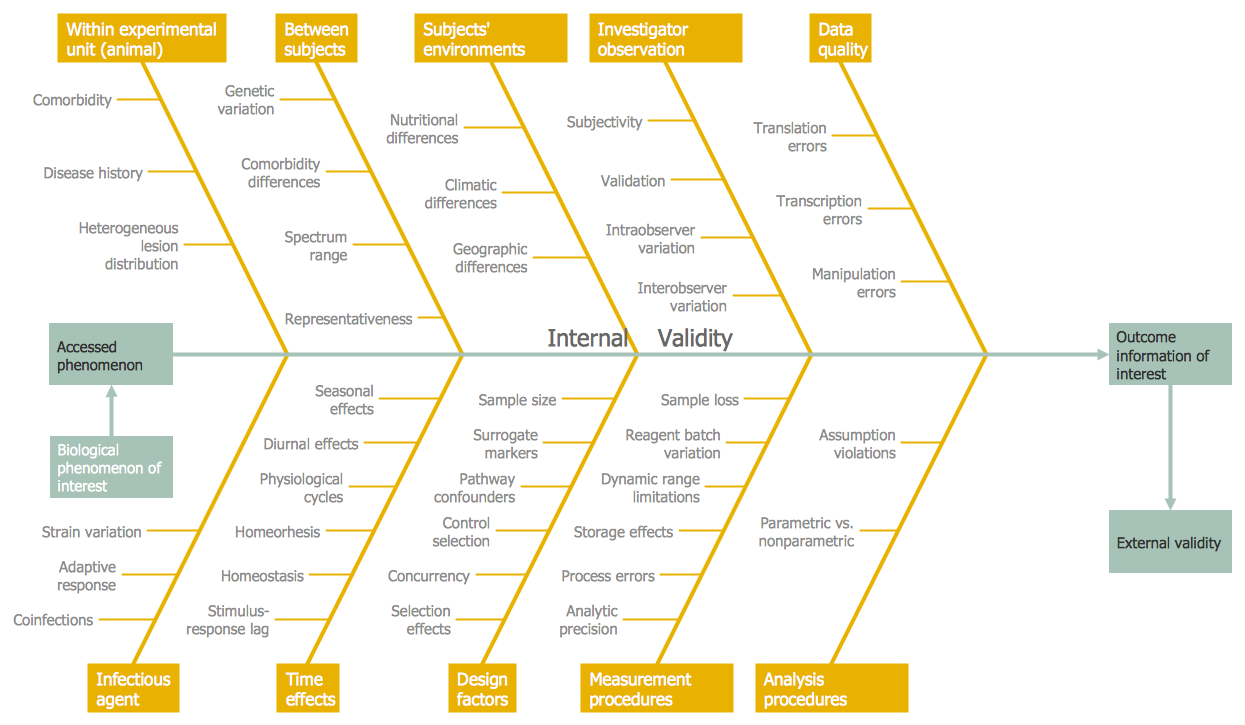
Picture: Use a Fishbone Diagram to Attack Complex Problems
Related Solution:
ConceptDraw DIAGRAM diagramming and vector drawing software extended with Floor Plans Solution from the Building Plans area of ConceptDraw Solution Park lets you the possibility to create Floor Plan of any complexity in minutes.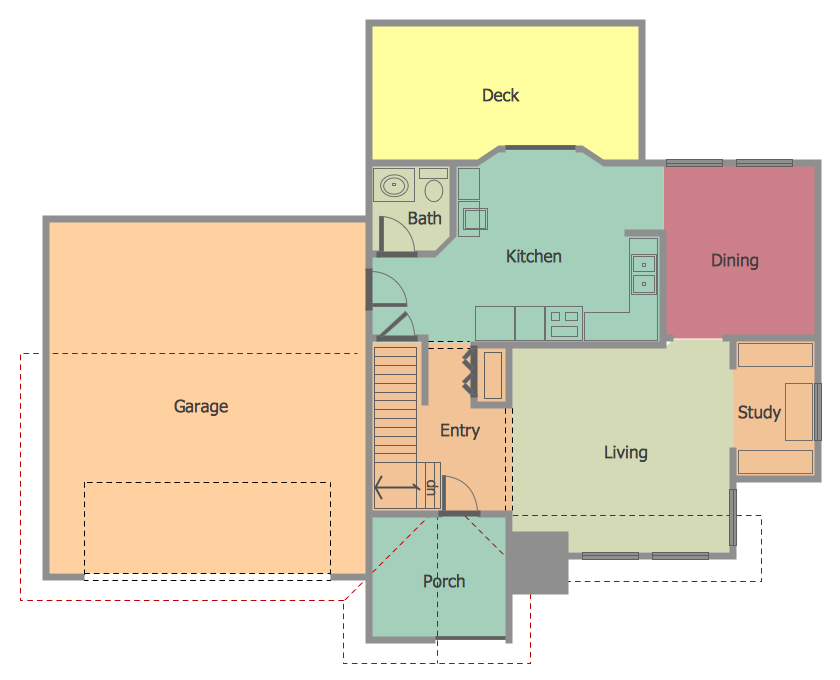
Picture: Create Floor Plan
Related Solution:
Stakeholder management is a critical component to the successful delivery of any project, programme or activity.
ConceptDraw DIAGRAM is a powerful diagramming and vector drawing software. Now, thanks to the Stakeholder Onion Diagrams Solution included to the Management Area of ConceptDraw Solution Park, ConceptDraw DIAGRAM became also unique stakeholder management system design software.
Picture: Stakeholder Management System using Onion Diagram
Related Solution:
Unified Modeling Language (UML) is a graphical modeling language for describing, visualizing, projecting and documenting of object oriented systems. UML digram is used for modeling of organizations and their business processes, for development the big projects, the complex software applications. Comprehensive UML diagram allows to create the set of interrelated documents that gives the complete visual representation of the modeling system.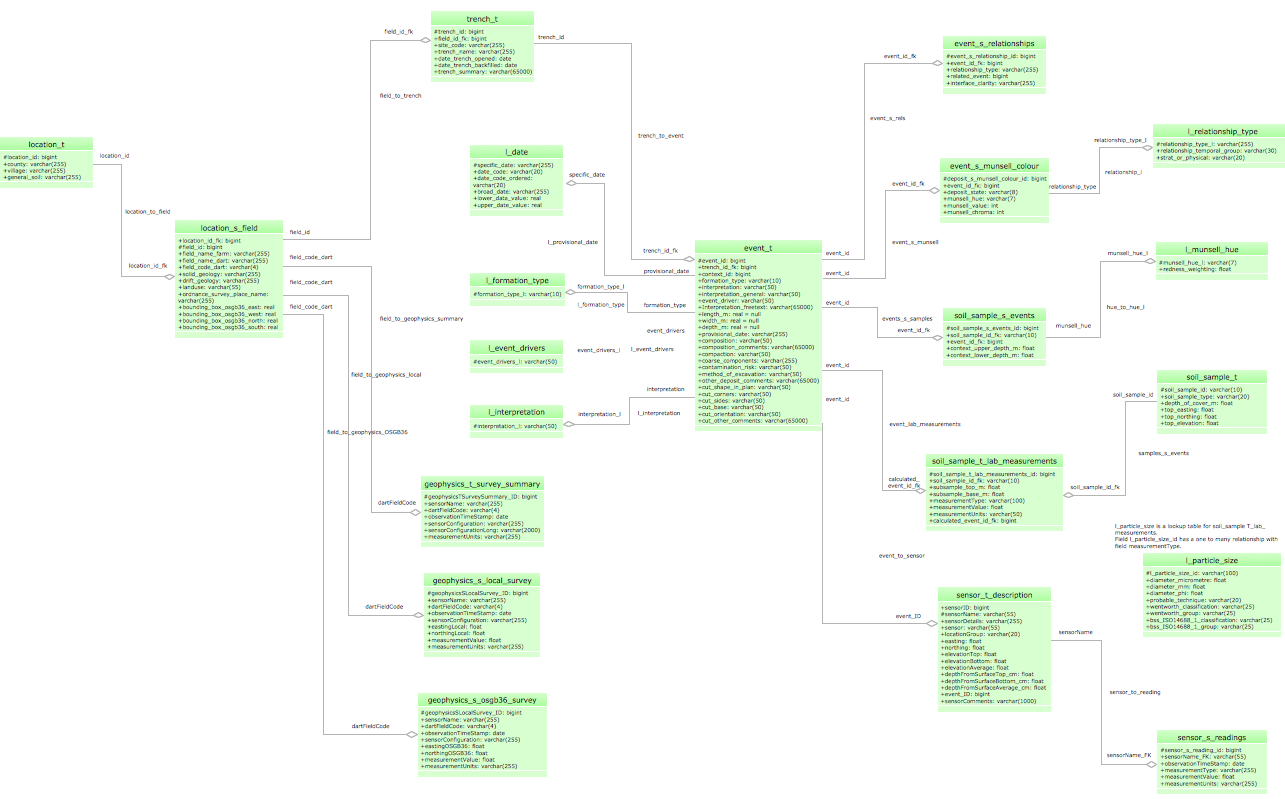
Picture: UML Sample Project
Related Solution: