Cisco Network Design
How To Design Cisco Computer Network Diagrams
In terms of Cisco Express Forwarding Sample, Cisco ISG Topology Diagram, Roaming Wireless Local Area Network, Network Organization Chart, Wireless Mesh Network and many other Cisco network design diagrams, ConceptDraw DIAGRAM software can be very helpful as once you download it you will get access to so many stencil libraries and pre-made samples and templates to make your own great looking plans, schemes, charts, flowcharts and, of course, many sophisticated diagrams. There are over 13 libraries, such as Cisco Basic one, Cisco IBM, Cisco Buildings, Cisco LAN, Cisco Media, Cisco WAN, Cisco Optical, Cisco People, Cisco Security, Cisco Switches&Hub, Cisco Routers,Cisco Telepresence and others which are available for your use.
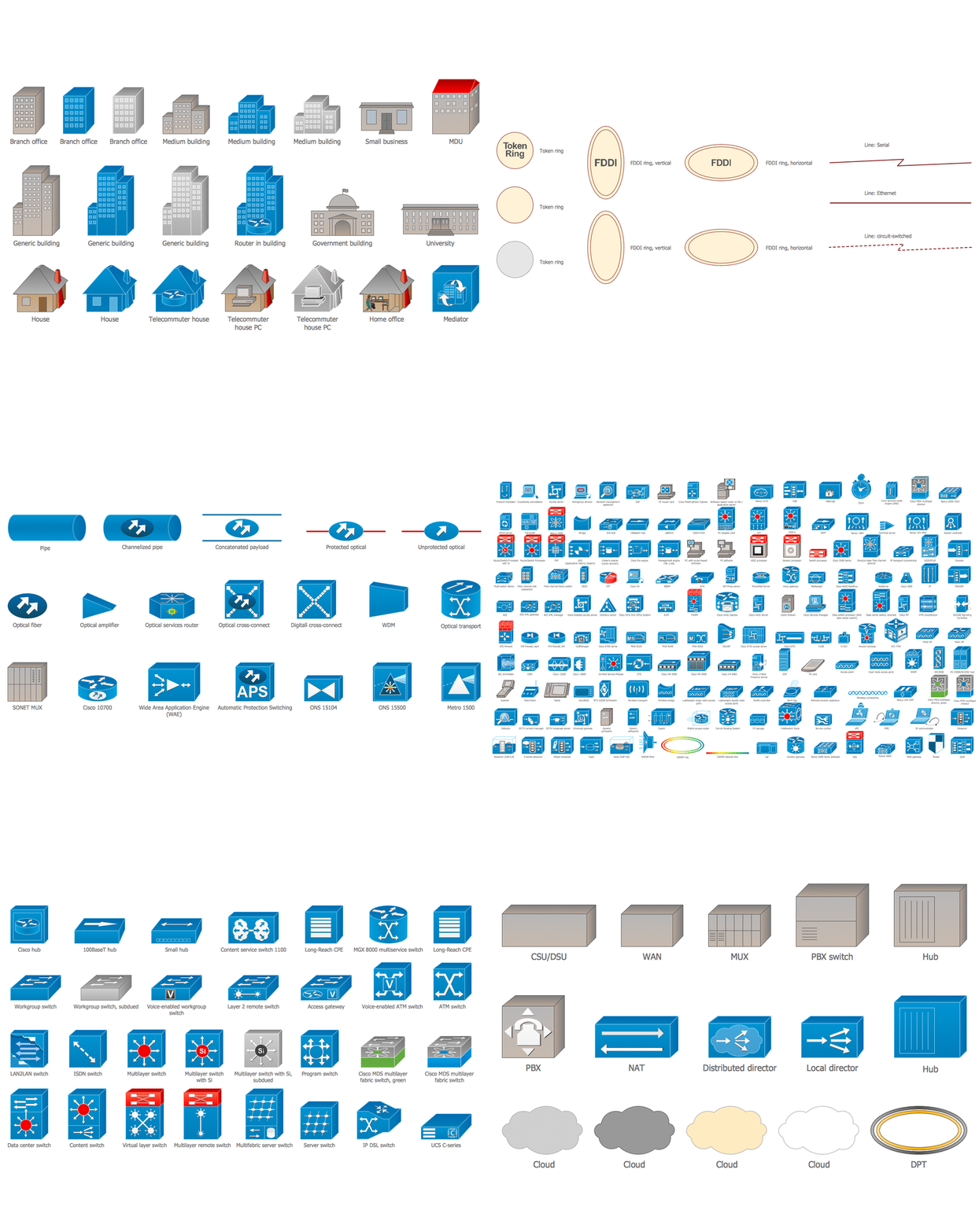
Example 1. Cisco Network Design
Useful for IT engineers as well as telecom ones, designers, stakeholders and any other end-users, ConceptDraw DIAGRAM is a unique application which is good enough for making any Cisco network design.
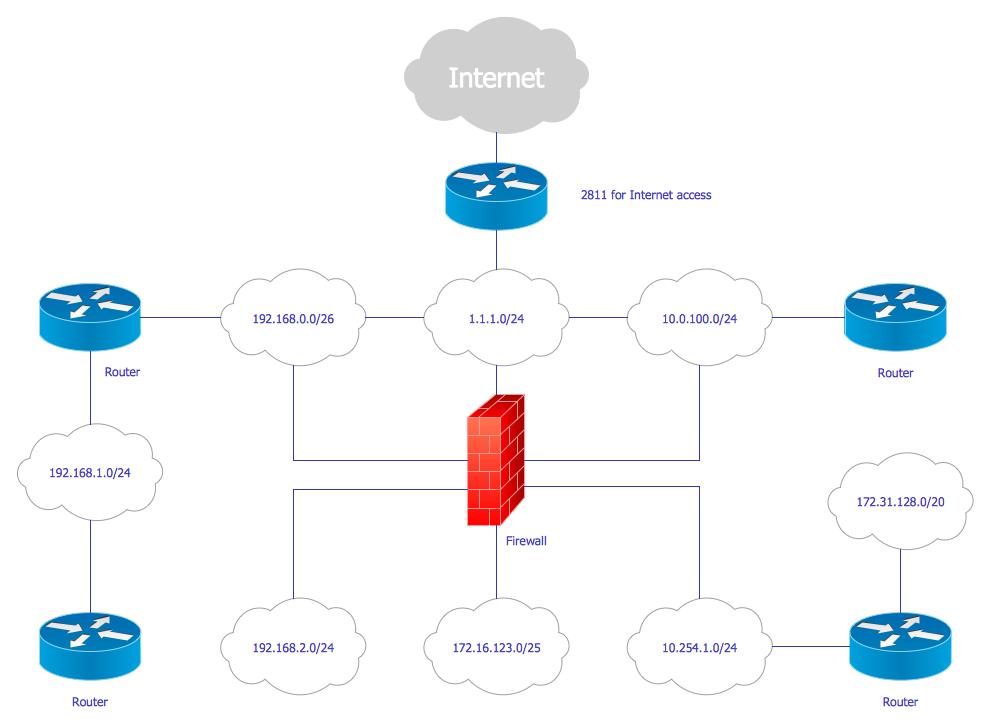
Example 2. Cisco network diagram — Network diagram example
This Cisco network diagram sample is created using ConceptDraw DIAGRAM diagramming and vector drawing software enhanced with Computer & Networks solution from ConceptDraw Solution Park.
Computer & Networks solution also provides libraries of Cisco symbols for network components and points, LAN and WAN, schematic and wiring drawings.
Use ConceptDraw DIAGRAM program with of Computer & Networks solution as tool to draw professional-looking Cisco network architecture, topology, and design diagrams quickly and easily, and to clearly present and communicate it to IT and telecom engineers, designers, stakeholders and end-users.
TEN RELATED HOW TO's:
When describing any computer network, we imagine a set of devices and nodes, arranged in some way. Talking about network structures, we should distinguish physical and logical network topologies, as physical topology is about devices location and logical topology illustrates data flow. In the same time, they do not have to match, and some devices, such as repeaters, may have a physical star layout, but a bus logical topology.
There are two main types of computer network topologies: Physical topology that show the physical organization of a network - equipment and types of connections. Star network topology involves a set of devices that is connected to a single hub (router). Ring network topology means that, devices connected according this topology have two connections, connecting with nearby devices to make a loop. Bus network topology is the topology presented at the current diagram. It is similar to a ring topology. The difference is that data moves up and down a linear connection, copying itself where network equipment works as bus-stations along the way. This network topology can be used for small network, or when adding an extra device into a network.
Picture: Network Topologies
Related Solution:
Use ConceptDraw MINDMAP for creative thinking, planning, organization, problem solving, presentations, decision making, note taking, team brainstorming and other tasks.
Picture: Applications
ConceptDraw MINDMAP mind mapping software can help professionals and students alike, whatever sphere they are involved in, to organize their work more effectively. The mind maps created with Macintosh version of ConceptDraw MINDMAP can be freely shared with Windows users without any limitation of your opportunities in communications.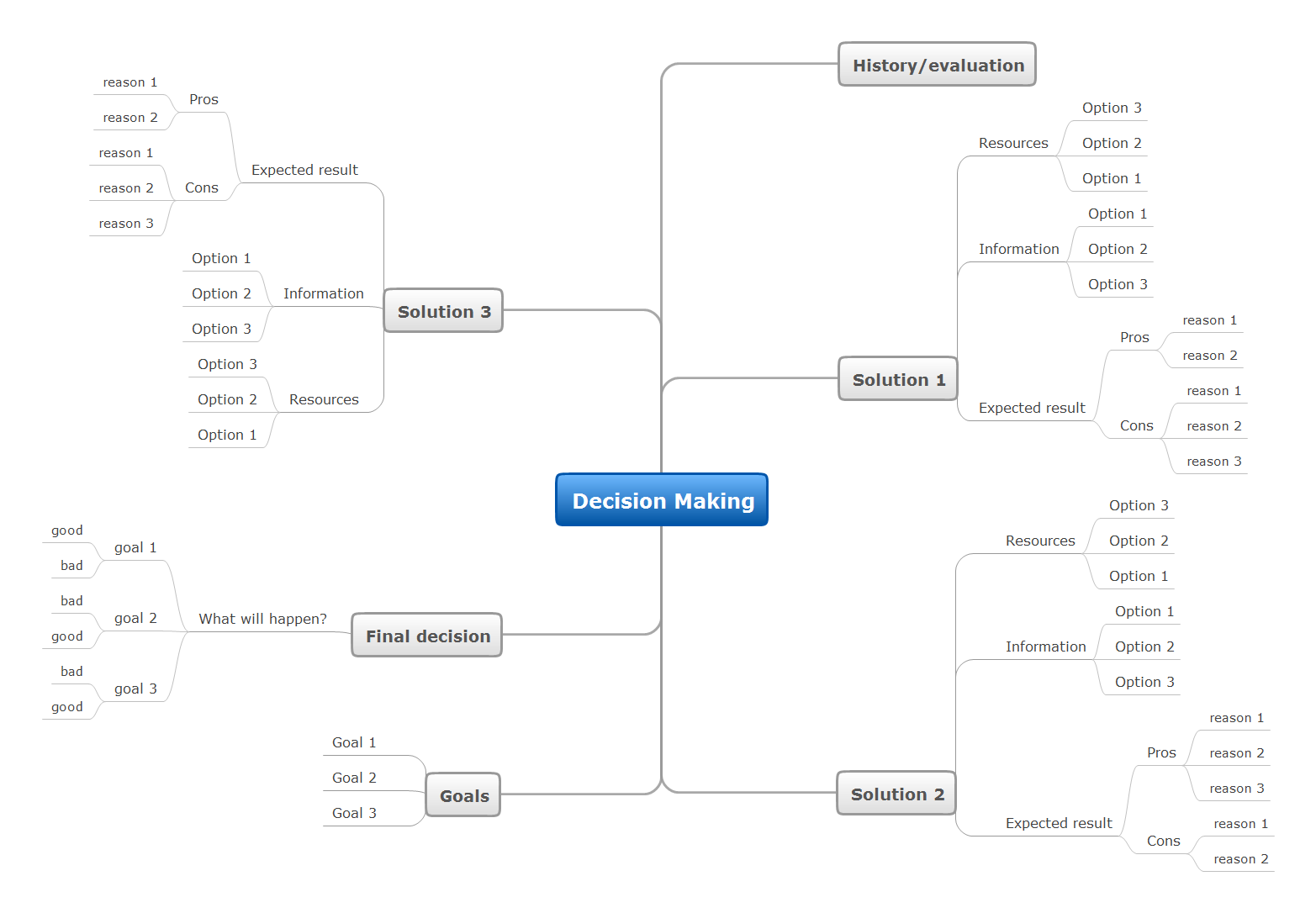
Picture: Exercise your brain
There are many ways to describe a database structure. One of the most usual is to draw an entity relationship diagram (ERD) using a Crow’s Foot notation to represent database elements. If you don’t want to draw it on paper, you should use an appropriate software.
An entity-relationship (ER) diagram is used to show the structure of a business database. ERD represents data as objects (entities) that are connected with standard relationships symbols which Illustrate an association between entities. ERD, there is a wide range of ERD notations used by data bases architects for reflecting the relationships between the data entities. According to the crow’s foot notation relationships are drawn as single labeled lines designating a certain kinds of relationship. Crow foot notation is a most frequently used ERD standard, because of improved readability of diagrams, with a more accurate use of space on the page._Win_Mac.png)
Picture: Entity Relationship Diagram - ERD - Software for Design Crows Foot ER Diagrams
Related Solution:
The Wireless Network solution helps users to quickly transition from an idea to the implementation of a wireless computer network.
ConceptDraw DIAGRAM is well placed to provide experienced and comprehensive assistance in the workplace.
The vector stencils, examples, and templates included to solution is a strong toolset for network engineer.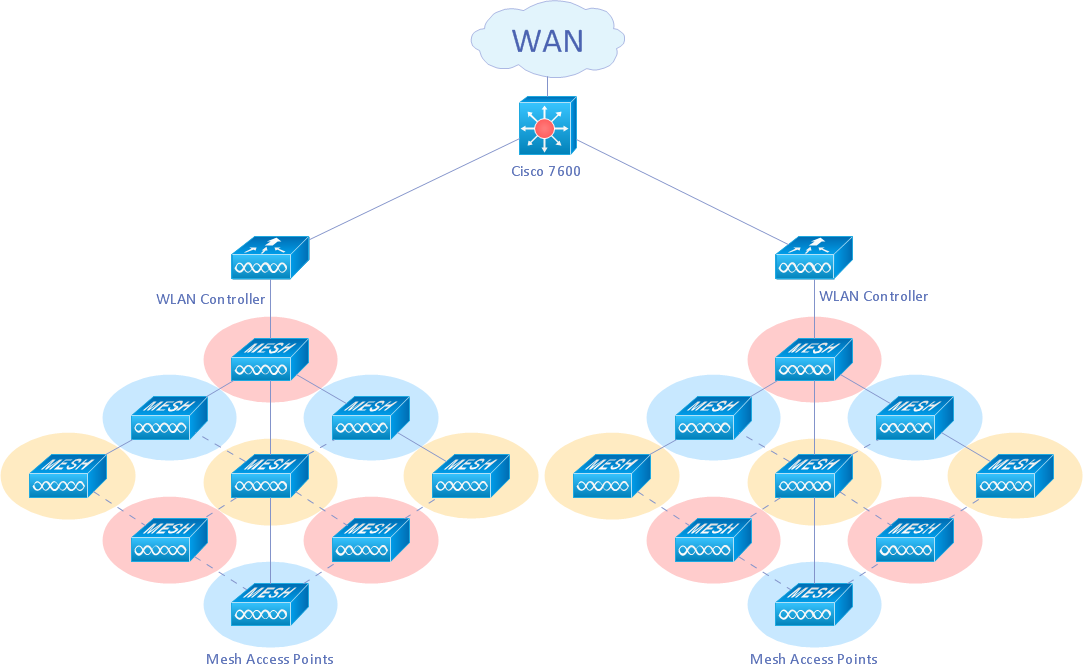
Picture: Wireless Network Drawing
Related Solution:
Network Diagrams visualize schematically the computer networks topology, equipment nodes and different types of their logical and physical connections. They are widely used by IT professionals to visually document the topology and design of computer and telecommunication networks.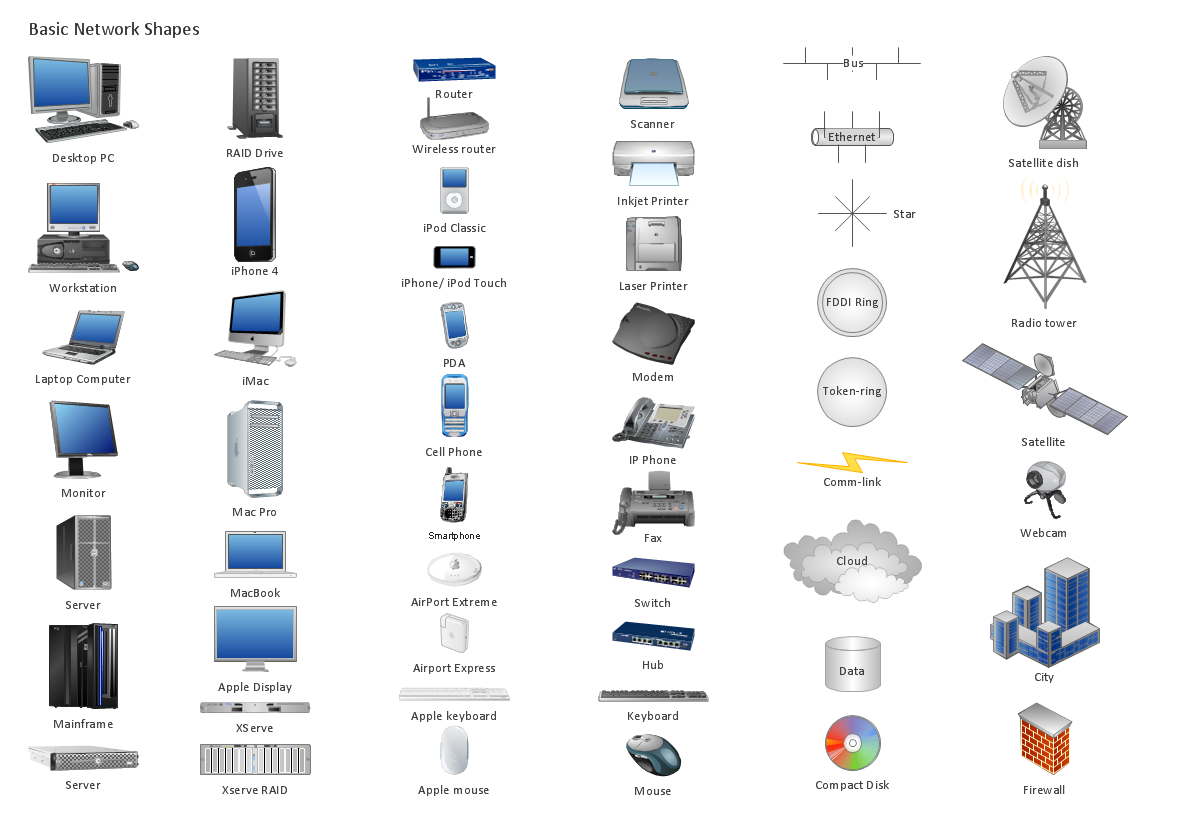
Picture: Computer Networking Tools List
Related Solution:
ConceptDraw DIAGRAM is a powerful electrical design software. The Electrical Engineering solution from the Engineering area of ConceptDraw Solution Park allows you easy, quick and effective draw the professional looking electrical, circuit and wiring diagrams and schemes, maintenance and repair diagrams for electronics and electrical engineering, and many other types of diagrams.
Picture: Electrical Design Software
Related Solution:
Perfect Network Diagramming Software with examples of LAN Diagrams. ConceptDraw Network Diagram is ideal for network engineers and network designers who need to draw Logical Network diagrams.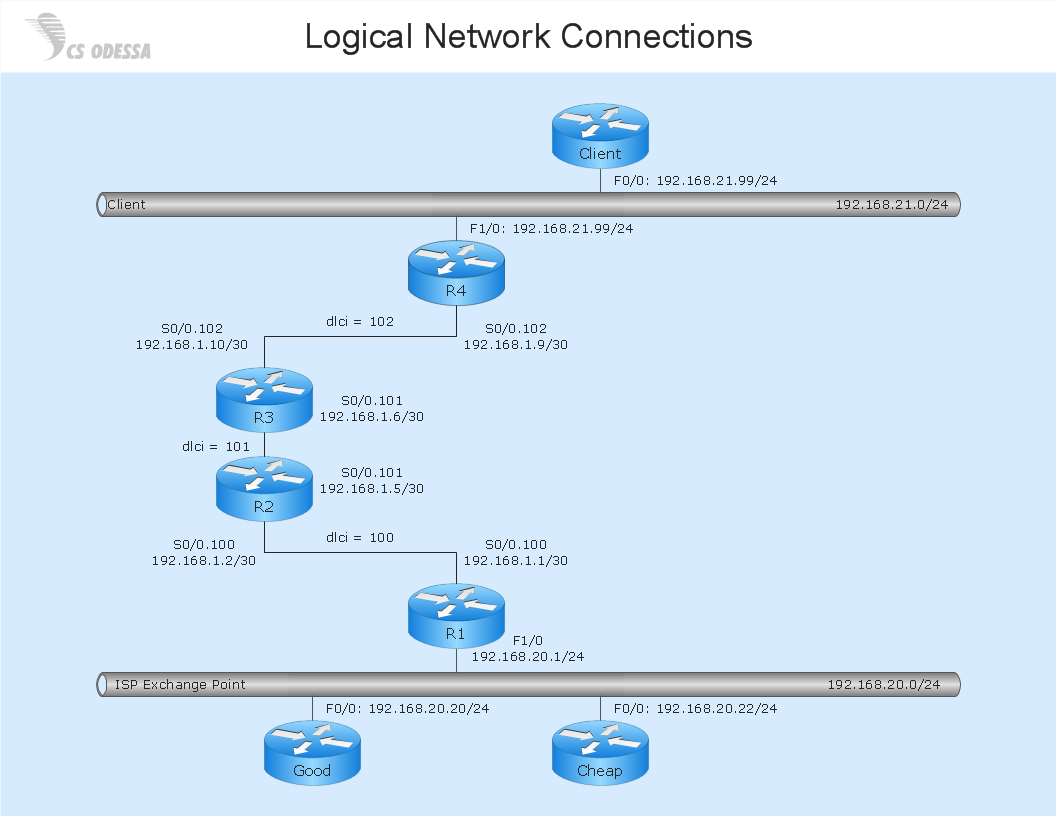
Picture: Network Diagram SoftwareLogical Network Diagram
Wireless networking is useful visual tool for identification of all required equipment, and calculation the cost of creating or updating wireless computer networks. ConceptDraw DIAGRAM extended with Wireless Networks Solution from the Computer and Networks Area is the best wireless network diagramming software.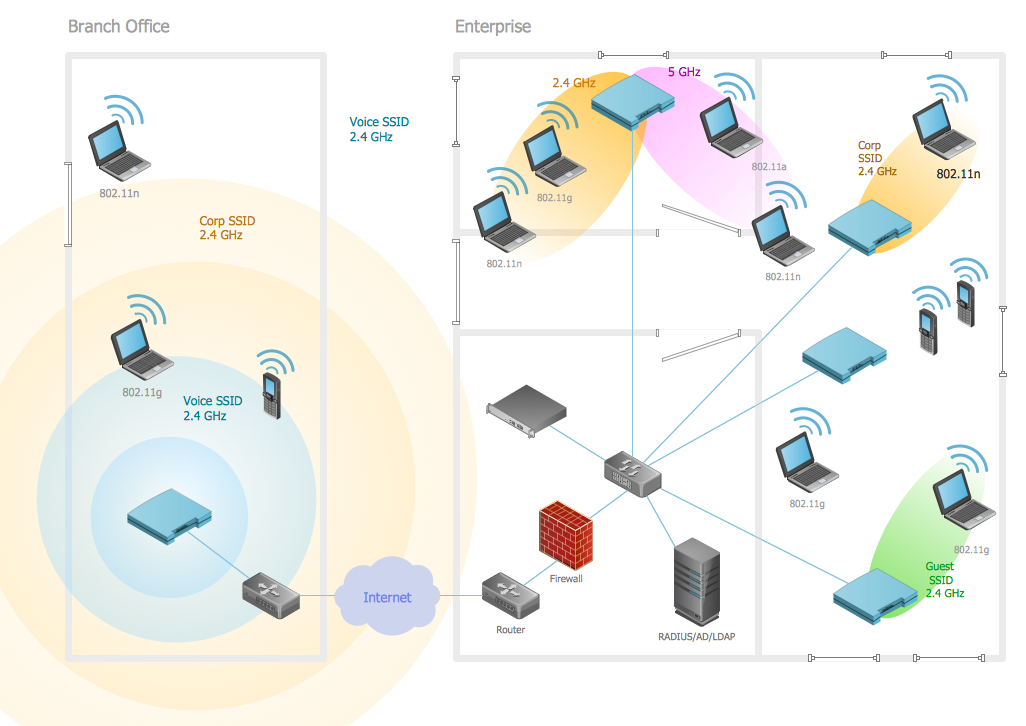
Picture: Wireless Networking
Related Solution:
ConceptDraw DIAGRAM is perfect for software designers and software developers who need to draw Network Layout Diagrams._Win_Mac.png)
Picture: Network Diagramming Software for Design Network Layout Diagrams
Related Solution: