Multi Layer Venn Diagram
Venn Diagram Example
A set is one of the key concepts of mathematics. The concept of the set is usually taken as one of the axiomatic concepts, that is, it can not be reduced to other concepts, and therefore has no definition. However, you can give a description of the set, as a collection of different elements, perceived as a whole.
Venn diagram shows all the possible relationships between sets or events of a certain family.
If element X belongs to a set M that is denoted by X ∈ M, and non-membership - X ∉ M. If the sets A and B are composed of the same elements, it is said that they are equal: A = B. Otherwise, the A and B sets are not equal (is denoted by A ≠ B). The set A is called a subset of the set B (denoted A ⊆ B), if every element of the set A is contained in the set B. In this case we also may say that B comprises the A or is a superset of A (denoted by B ⊇ A). The set A is called a proper subset of B (denoted A ⊂ B), if A ⊆ B and A ≠ B, i.e. B has elements that are not contained in A.
A set containing a finite number of elements is called finite, otherwise - infinite. The number of elements of a finite set M is called its power.
The set which doesn’t contain any elements is called empty (denoted by ∅). By definition, ∅ is equal to zero. It is believed that the empty set is a subset of any set. The basic operations on sets are union, intersection, difference and addition.
Union of sets A and B (denoted by AUB) is a set of elements, each of which belongs to either A or B. Thus, a random element X ϵ АUВ if and only if either X ϵ A, and X ϵ B.
Intersection of sets A and B (denoted by A∩B) is the set consisting of all those and only those elements which belong to both set A and set B.
Difference between the sets A and B (denoted by A B) is the set of all those and only those elements of A that are not contained in B.
A logical complement of A (denoted Ā or ¬A) is the set of all those elements that do not belong to the set A.
This sample was created in ConceptDraw DIAGRAM software using the Business Diagrams Solution from the Management area of ConceptDraw Solution Park.
This example shows the radially-symmetrical 5 set Venn Diagram. The Venn Diagrams visualize all possible logical relations between several sets and are widely used in mathematics, logic, statistics, marketing, sociology, philosophy, etc.
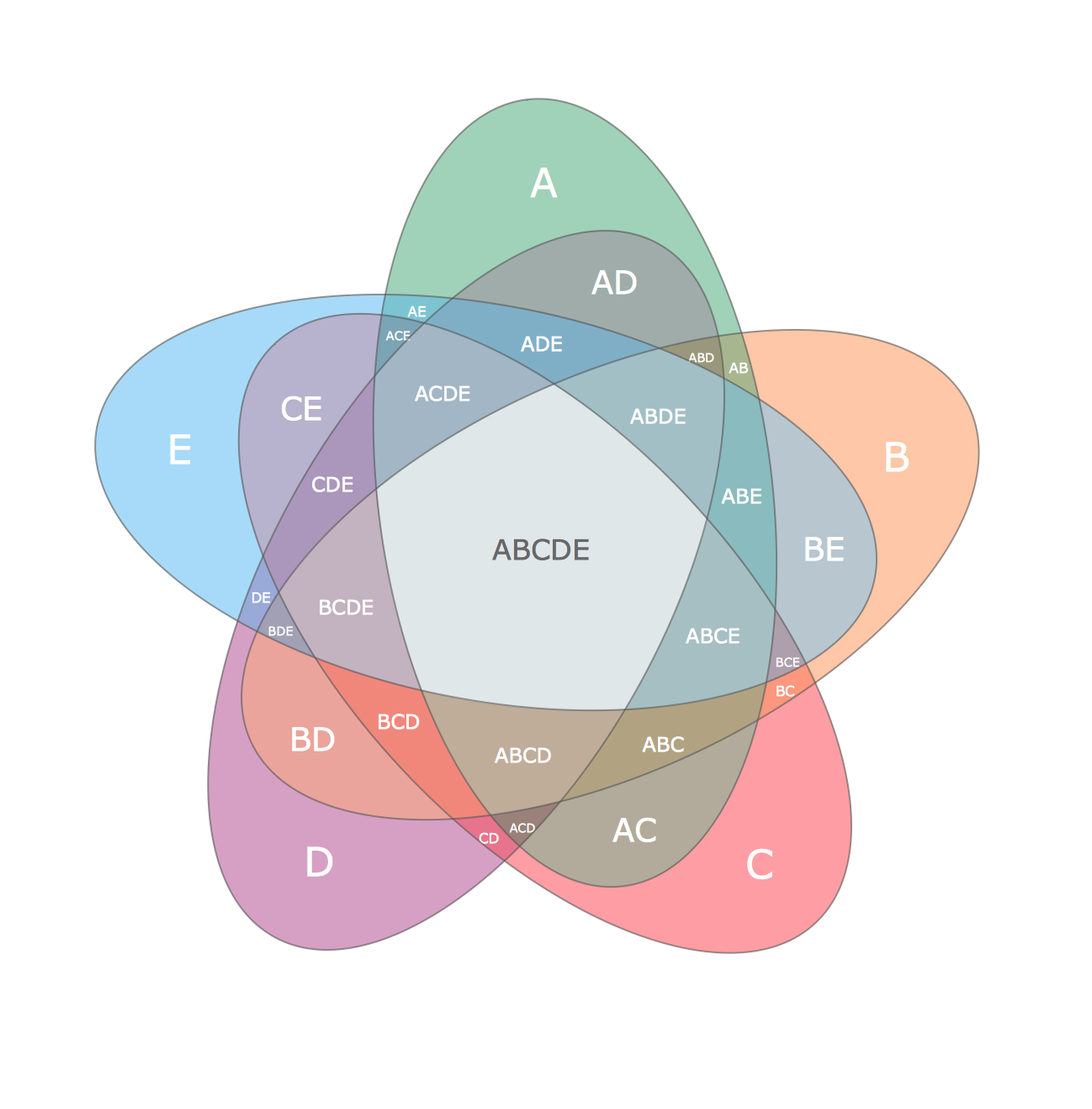
Example 1. Multi Layer Venn Diagram
Using the ready-to-use predesigned objects, samples and templates from the Business Diagrams Solutionn for ConceptDraw DIAGRAM you can create your own professional-looking Venn Diagrams quick and easy.
The Venn Diagrams produced with ConceptDraw DIAGRAM are vector graphic documents and are available for reviewing, modifying, and converting to a variety of formats (image, HTML, PDF file, MS PowerPoint Presentation, Adobe Flash or MS Visio).
TEN RELATED HOW TO's:
ConceptDraw DIAGRAM is a flowchart creating software. This software includes over 20 vector stencils in libraries. These objects allow you to create well-designed flowcharts.
Put an initial object from library to a page and use RapidDraw technology clicking on direction arrows to add new objects to the flowchart. This way you can make flowchart quickly.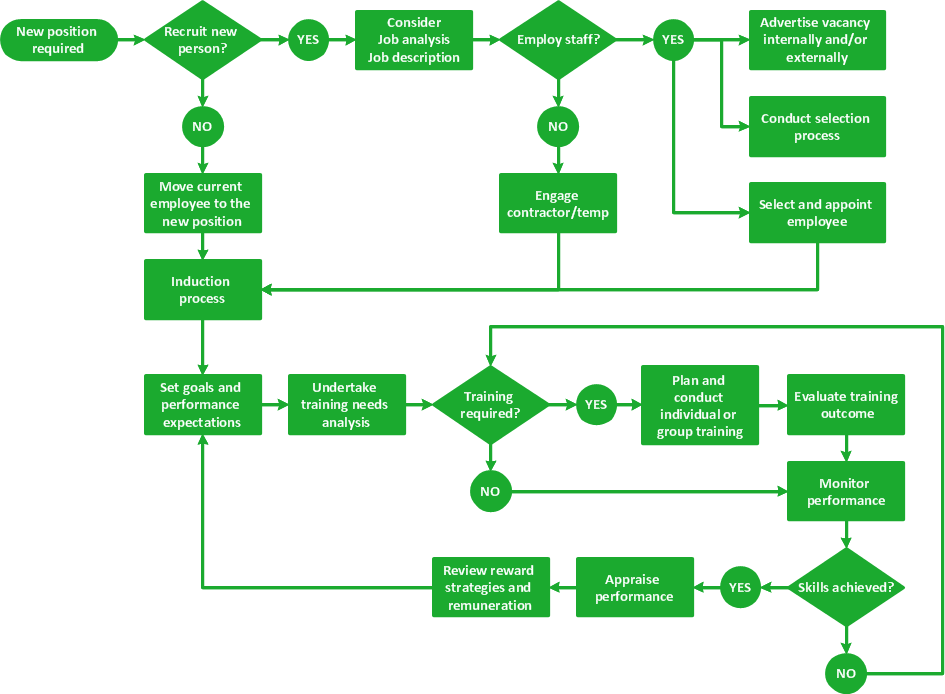
Picture: How To Create a Flow Chart in ConceptDraw
Related Solution:
This sample was created in ConceptDraw DIAGRAM diagramming and vector drawing software using the Line Graphs Solution from Graphs and Charts area of ConceptDraw Solution Park.
This sample shows the Line Chart of annual percentage change. The Line Chart allows you to clearly see the changes of data over the time.
Picture: Line Chart Template for Word
Related Solution:
What Is a Circle Spoke Diagram? It is a diagram which has a central item surrounded by other items in a circle. The Circle Spoke Diagrams are often used to show the features or components of the central item in marketing and management documents and presentations. ConceptDraw DIAGRAM extended with Business Diagrams Solution from the Management Area is the best software for creating Circle-Spoke Diagrams.
Picture: What Is a Circle Spoke Diagram
Related Solution:
Onion diagram is a type of circular diagram that consists of the core circle representing the product/solution and concentric circles around it, which dependent on the core and look like the cross sections of onion.
ConceptDraw DIAGRAM diagramming and vector drawing software supplied with Stakeholder Onion Diagrams Solution from the Management Area of ConceptDraw Solution Park is an ideal software for effective Onion diagram process design.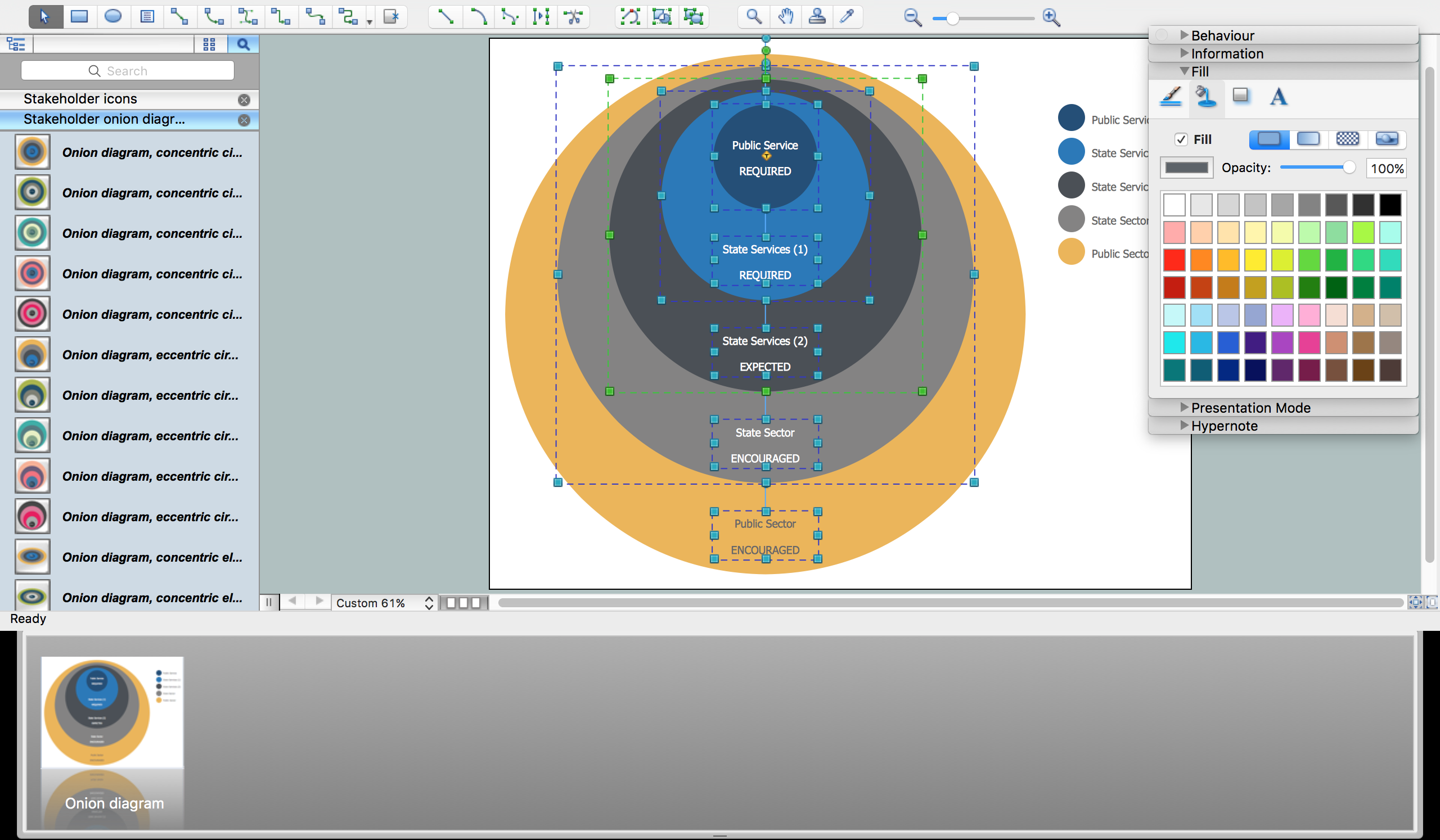
Picture: Onion Diagram Process Design
Related Solution:
Using the ready-to-use predesigned objects, samples and templates from the Business Diagrams Solution you can create your own professional-looking Venn Diagrams quick and easy.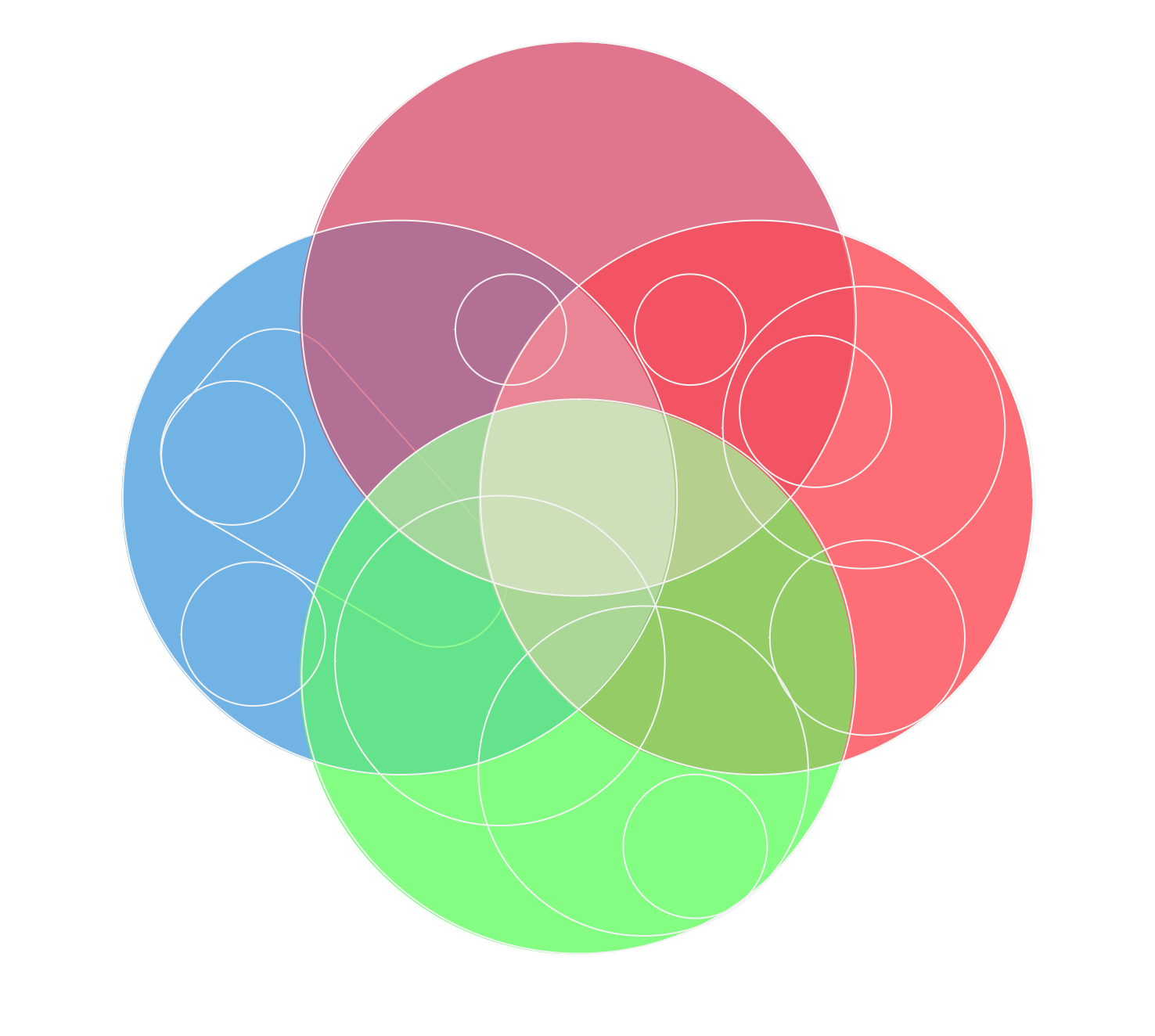
Picture: Circles Venn Diagram
Related Solution:
Process mapping helps with sharing business results and reorganizing workflow. In almost every case, after creating a sales process flowchart the steps that are redundant become obvious for a manager. It's easy to find a flowchart examples that will help in developing one for your business.
This sales process flowchart consists of a sequence of steps that represent a simple sale process. Each step is shown graphically by a rectangle representing processing steps or an activity, or a diamond representing a decision. These rectangles are linked by arrows, that indicate the direction of the sales workflow. ConceptDraw Sales Flowcharts solution delivers a the full set of classical flowchart notation symbols, along with sales-related icons and pictograms.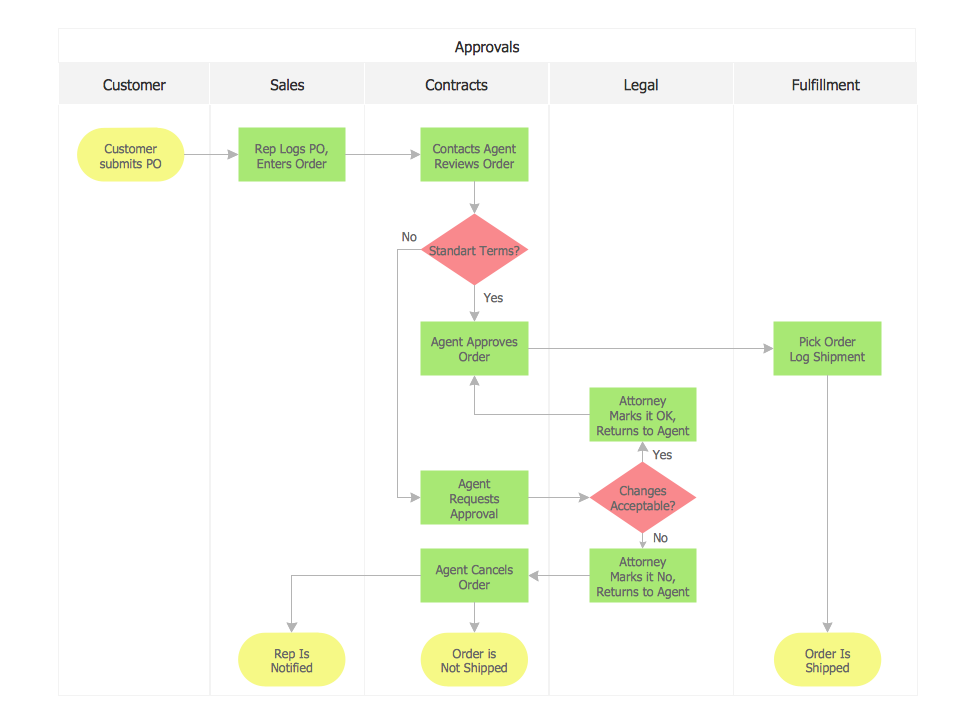
Picture:
Sales Process Flowchart
Flowchart Examples
Related Solutions:
Using the ready-to-use predesigned objects, samples and templates from the Business Diagrams Solution you can create your own professional-looking Venn Diagrams quick and easy.
Picture: 3 Circle Venn. Venn Diagram Example
Related Solution:
These vector illustrations and cliparts are created for drawing the Project management Illustrations and contain plenty of project management design elements. The clipart library Project management includes 35 icons.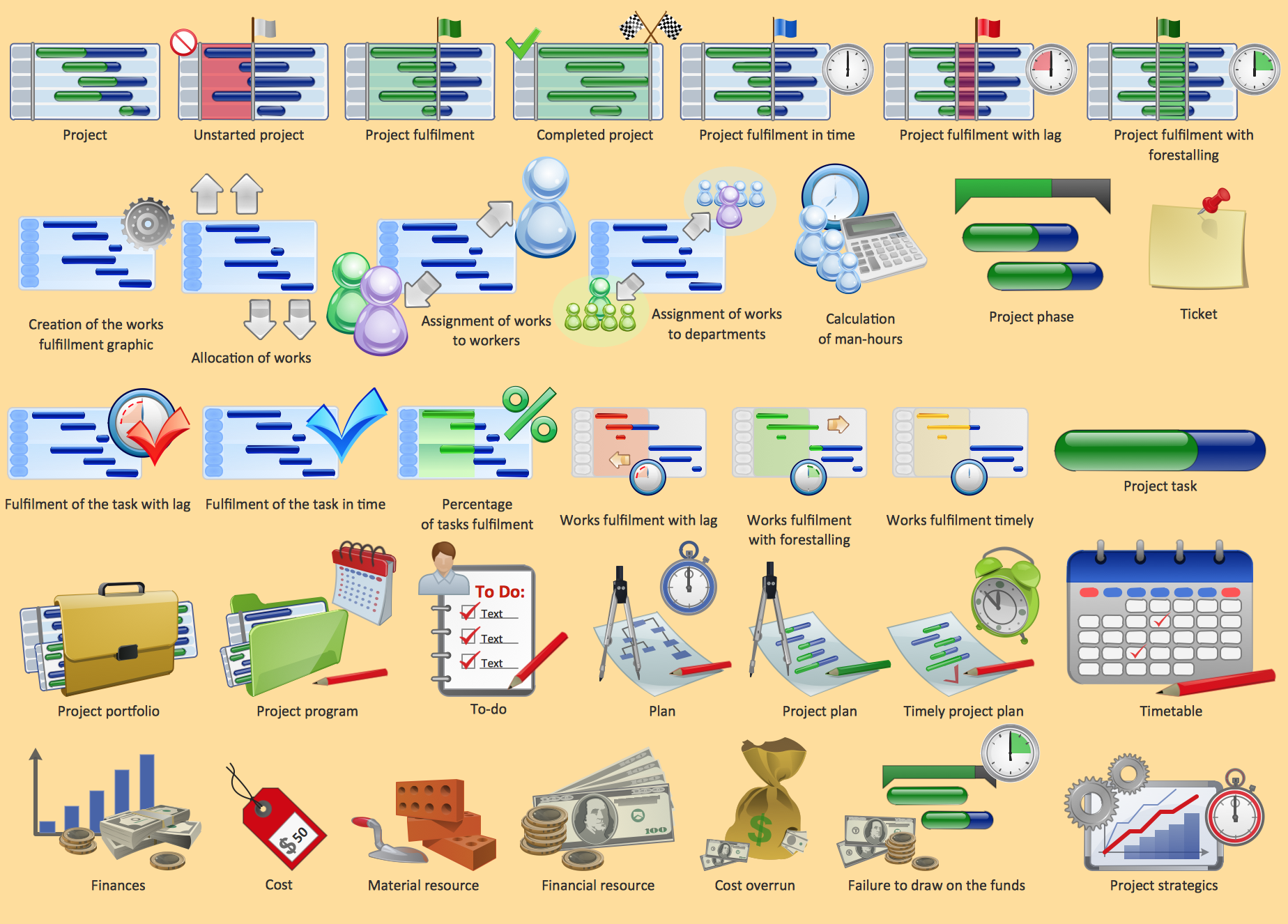
Picture: Project management - Design Elements
Related Solution:
One of the three main constituents of any enterprise is the Control and Information Architecture. The rest two are Production facilities and People and Organization.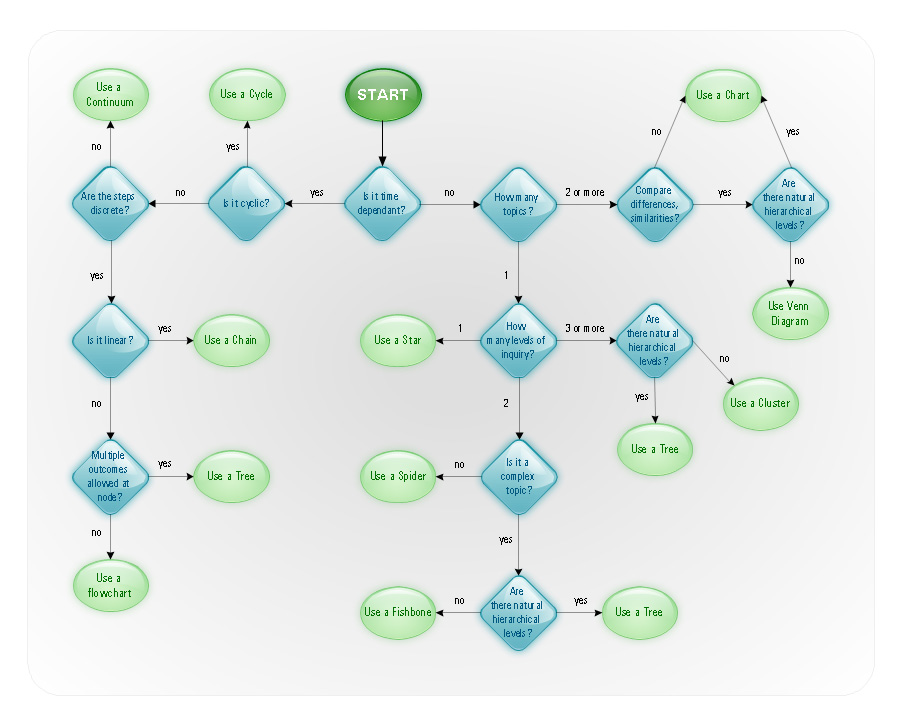
Picture: Control and Information Architecture Diagrams (CIAD) with ConceptDraw DIAGRAM
The Ishikawa diagram, Cause and Effect diagram, Fishbone diagram — all they are the names of one and the same visual method for working with causal connections. Originally invented by Kaoru Ishikawa to control the process quality, the Ishikawa diagram is well proven in other fields of management and personal scheduling, events planning, time management. It is a chart in the form of a fish, whose head is a problem, the fins are variants for its causes.
To design easily the Fishbone diagram, you can use a special ConceptDraw DIAGRAM vector graphic and diagramming software which contains the powerful tools for Fishbone diagram problem solving offered by Fishbone Diagrams solution for the Management area of ConceptDraw Solution Park.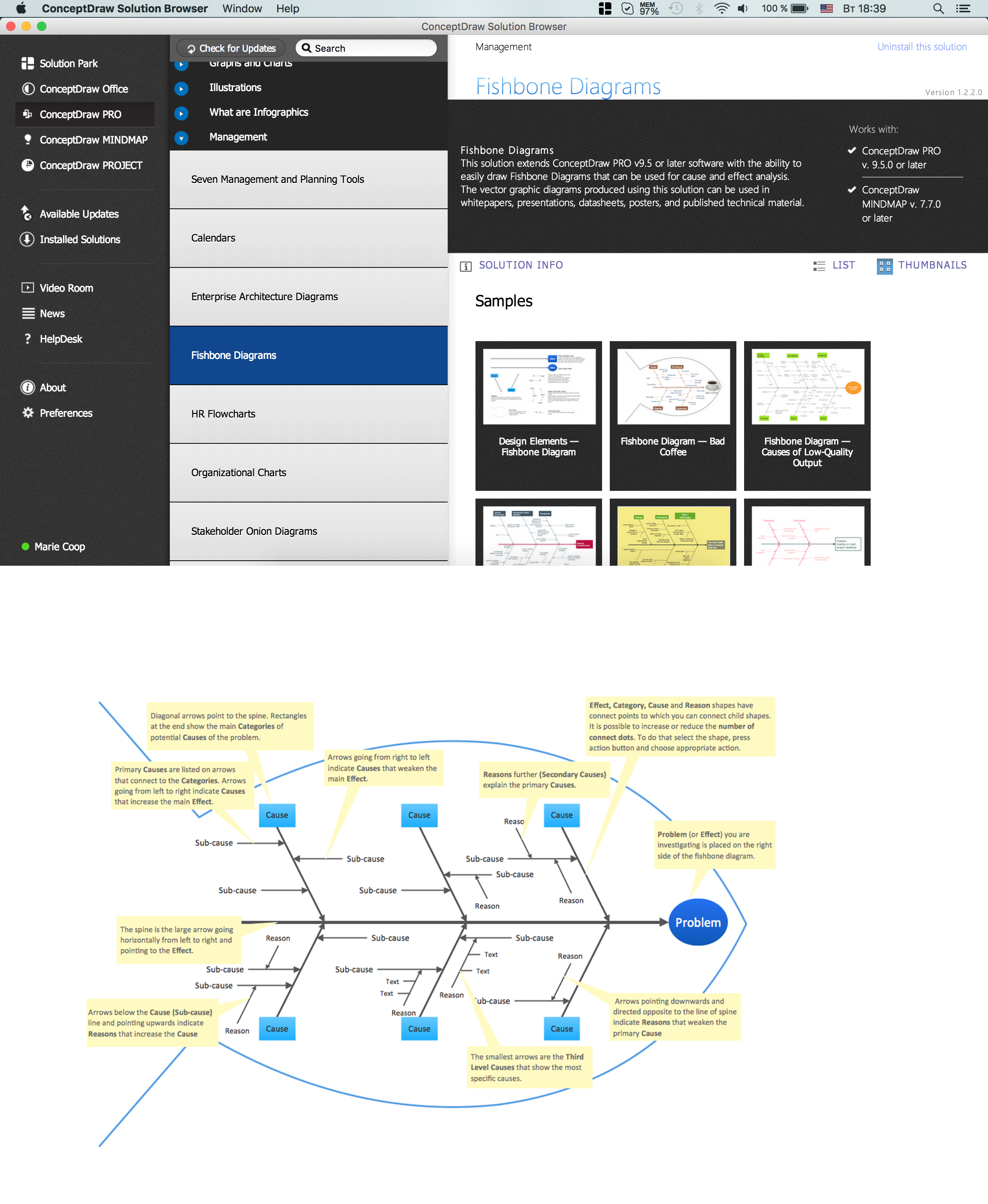
Picture: Fishbone Diagram Problem Solving
Related Solution: