Made with
ConceptDraw
DIAGRAM 18

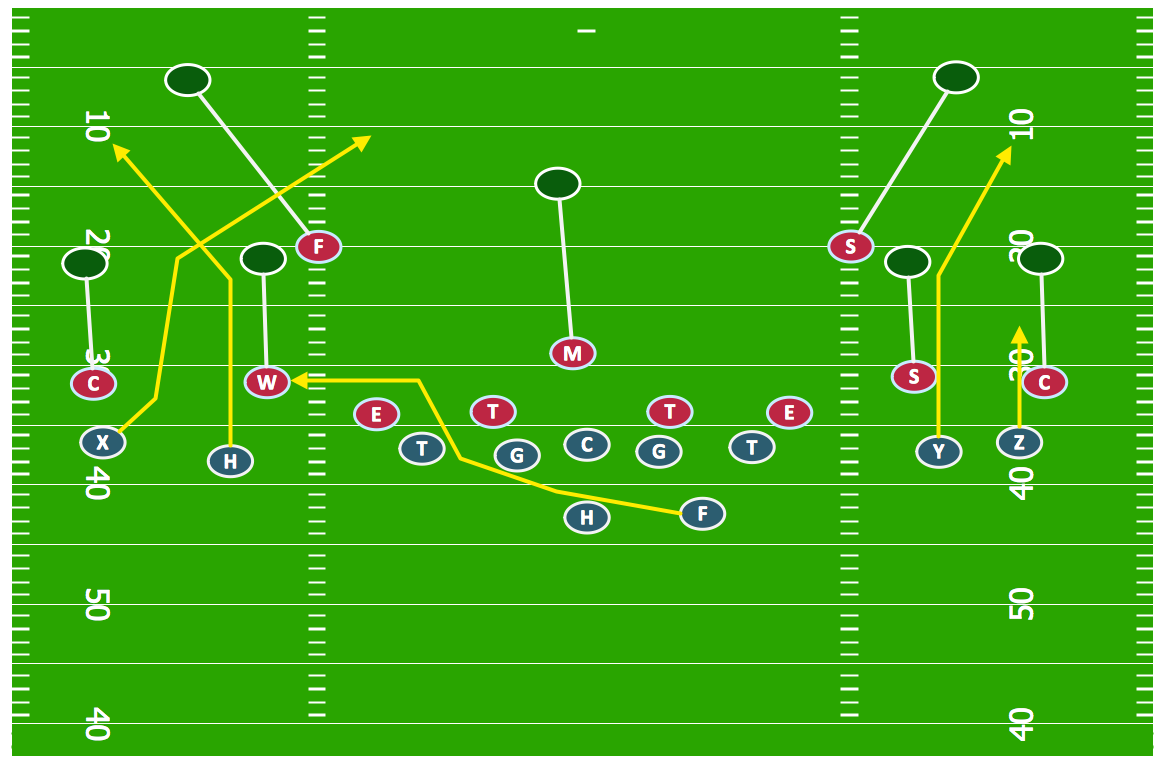
Offensive Play – Double Wing Wedge – Vector Graphic Diagram

A “single wing” is known to be an archaic formation which was very popular for most of the first 50 years of American football, although not as much today. There are at least a few variations of the “single wing”, containing two tight ends and four backs. The quarterback within this mentioned formation is also known to be sometimes called as the "single-wing tailback". The other three backs are known to be lined up on the very same side of the “QB” in different arrangements. The mentioned formation is often featured as a so called “unbalanced line”, where the centre was not in the very centre of the line, but close enough to the so called “weakside”. The described formation was originally designed as the one called the “brute-force running formation”, having seven players to one side of the centre and only two on the other.

The most of the most popular and famous variations on the single wing offense is a "Notre Dame Box” that Knute Rockne ran with the “Four Horsemen” – a comprised group of the American football players at the University of Notre Dame. The mentioned variation of the single wing offense is different from the traditional single-wing having its line balanced with the option of shifting out to the wing. This and another changes made the backs' formation hence the "box", making the formation itself not as predictable, allowing the offenses to run simply to the "weak" side. American football teams are known to be often adopting the so called Notre Dame Box in case they lack a true "triple threat" tailback, known to be necessary for using a single-wing effectively.

Another variation of the single wing was the so called “A formation” and the “double wing” is known to be another formation, widely acknowledged to be invented in 1912 by Glenn "Pop" Warner. After, it became an important formation up to the so called and well-known “T formation era”. Within a modern offensive system the invention of Don Markham is widely regarded, revolving the so called “off-tackle power play”, “trap” and “power sweep”. Don Markham ran not so many plays, but he blocked them in accordance to the tendencies and the defensive fronts. Although the double-wing formation had the lack of the line splits all across the front, the Double Wing was still a popular combination, which Markham ran the offense from. Breaking lots of the state records everywhere Markham coached the "Markham Rule" was eventually put into place for keeping his team from winning as a result of gaining too many points. Nowadays he is a well-known offensive coordinator in the state of Idaho in the United States of America at Hillcrest High School.

Following the Markham's success, many converts came to his offense and so many variations of the offense came over the years. One of the most known Markham's converts is Hugh Wyatt — the player who brought more “Wing-T” to the offense as well as a greater ability to market the offense, similar to Jerry Valloton who marketed the offense well when he wrote his first book about the offense. Since then, Tim Murphy, Jack Greggory, Robert McAdams, Steve Calande and a few other coaches developed the coaching materials and the offense, having their materials be seen on their respective websites.

The so called “Double Wing” is a widely used technique, especially at the youth level. Nowadays it’s becoming more popular at the high school level, being used at the college level at American Sports University by Don Markham. There are many other techniques which are used during the so called American football offensive play. Another one is a “short punt”, which is one of the oldest formation popular while scoring is harder. Thus, in such cases, a good “punt” is an offensive weapon. This formation differs in two ways, coming from the described above “single wing”, being known as a balanced formation, having the backs on both sides of the tailback, leading to the offering a better pass protection. As a result, a “short punt” was considered as a much better passing formation rather than running. Although, the single wing was still considered as the “premiere running formation”. Nevertheless, a “short punt” was still regarded as a good formation for the so called “trap plays”, being extensively used by Fielding Yost's Michigan Wolverines in their early history, as well as in 1931 being the base formation for the Benny Friedman led New York Giants.

The “short punt” is an older formation, which is popular in case the scoring is harder and a good punt is known to be an offensive weapon. Long time ago, when punting on a second as well as third down was a common thing, the football teams would offer the dual threat of punt or pass and line up in the short punt formation. In 1915 Harper's Weekly called this “short punt” formation "the most valuable one known to football" as it differs in two ways from another one — the “single wing”. The “short punt” is known to be a quite balanced formation, where the backs are on both sides of the tailback in order to offer a better pass protection. Thus, the “short punt” was considered as a much better passing formation to compare to the running one, because the premiere running one was the so called “single wing”, described earlier in this article. The “short punt” formation was widely used by Fielding Yost's Michigan Wolverines being the base formation in 1931 for the Benny Friedman led New York Giants. In 1956 while NFL Championship the Chicago Bears shifted into such “short punt formation” after falling way behind in the third quarter.

Having ConceptDraw DIAGRAM software can enable you to mention any needed formation described in this article as well as any other existing as a part of your football plan. It is especially simple to create such plan mentioning the needed formations by using the Football solution from ConceptDraw STORE application — another product of CS Odessa, offering its users to have all the previously created templates from the solutions as the drafts for all the ConceptDraw DIAGRAM users’ drawings.
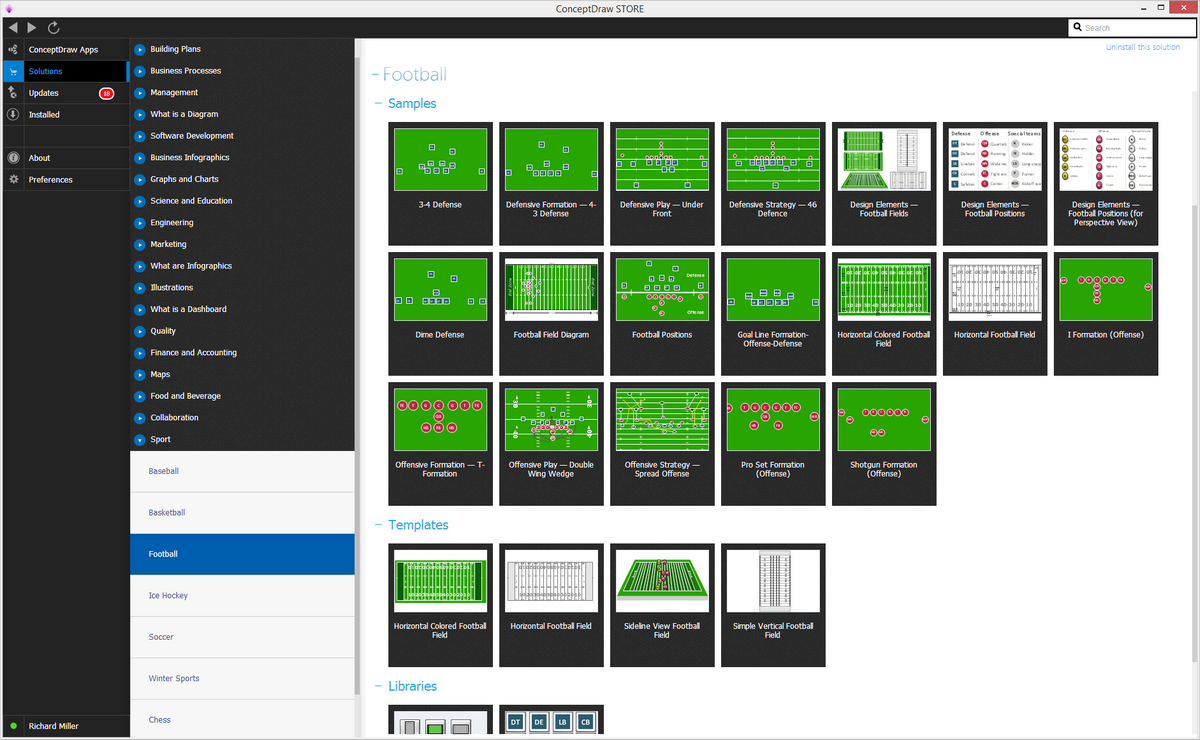
Football solution

Example 1. Football solution

A combination of the "Football Fields" and "Football Positions" libraries gives you an ability to create a football-related drawing in seconds. Follow next steps to create you own football schema:

  • From the "Football Fields" library drop a field object to your document
  • From the "Football Positions" library drop all positions object you need to your document
  • Place positions on the field according to your drawing idea
  • Add arrows or text labels if needed.

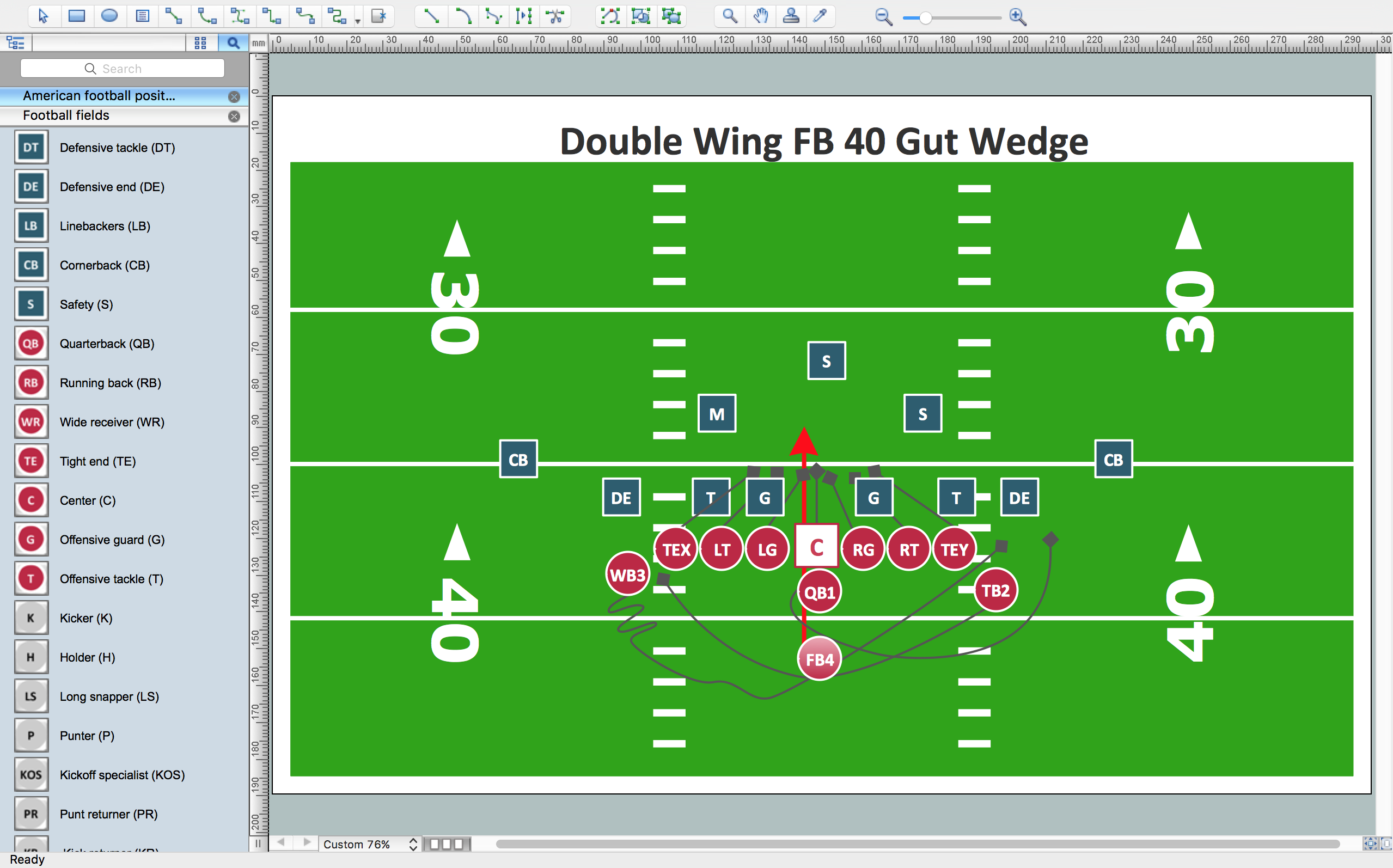
To display players moves use Connectors tool. On sample below we used Spline Connectors allows draw a freeform line depicts player moves close to reality. Then you are able to change Line Style, Line Weight, Line Color, and select Arrows on the ends.
How to Use ConceptDraw Connectors on PCHow to Use ConceptDraw Connectors on Mac

Sport – Football – Offensive Play – Double Wing Wedge – Sample

Offensive Play – Double Wing Wedge – Vector Graphic Diagram *

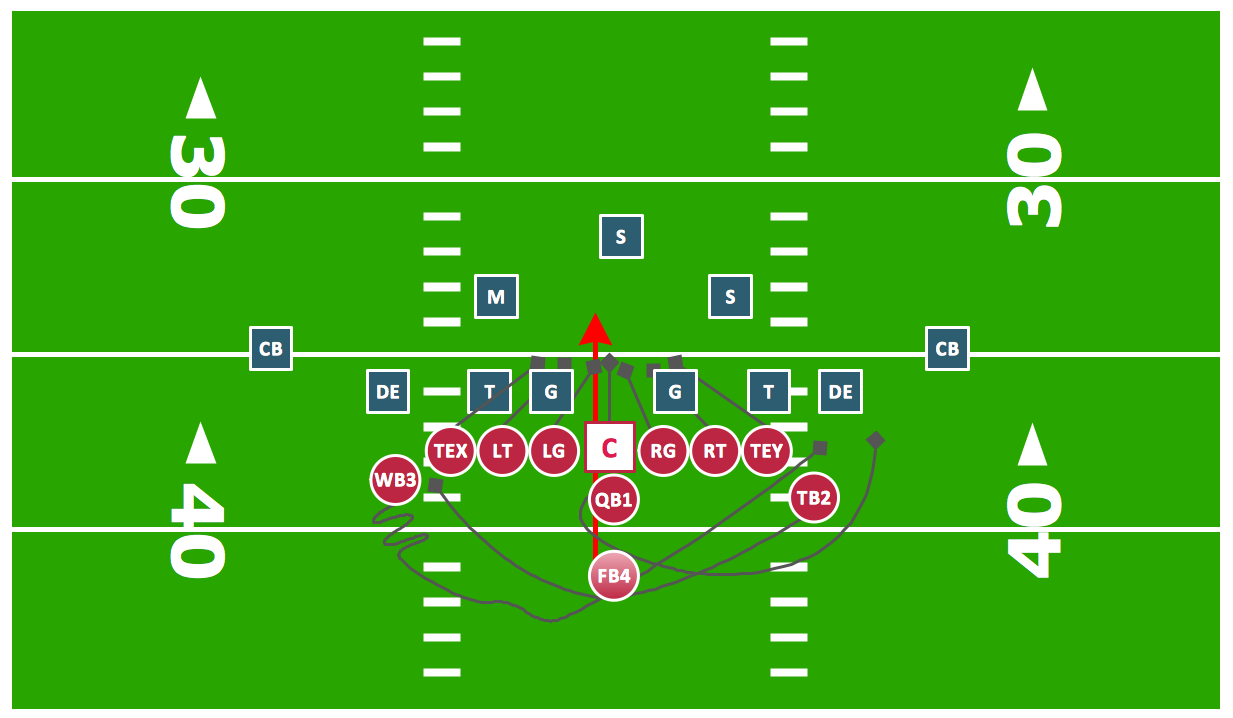
Example 2. Football — Offensive Play — Double Wing Wedge.

This diagram was created in ConceptDraw DIAGRAM using the "Football Fields" and "Football Positions" libraries from the Football solution. An experienced user spent 30 minutes creating this sample.

The samples you see on this page were created in ConceptDraw DIAGRAM using the Football Solution; they demonstrate a portion of the solution's capabilities and the professional results you can achieve.

All source documents are vector graphic documents. They are available for reviewing, modifying, or converting to a variety of formats (PDF file, MS PowerPoint, MS Visio, and many other graphic formats) from the ConceptDraw STORE. The Football Solution is available for all ConceptDraw DIAGRAM or later users.



TEN RELATED HOW TO's:
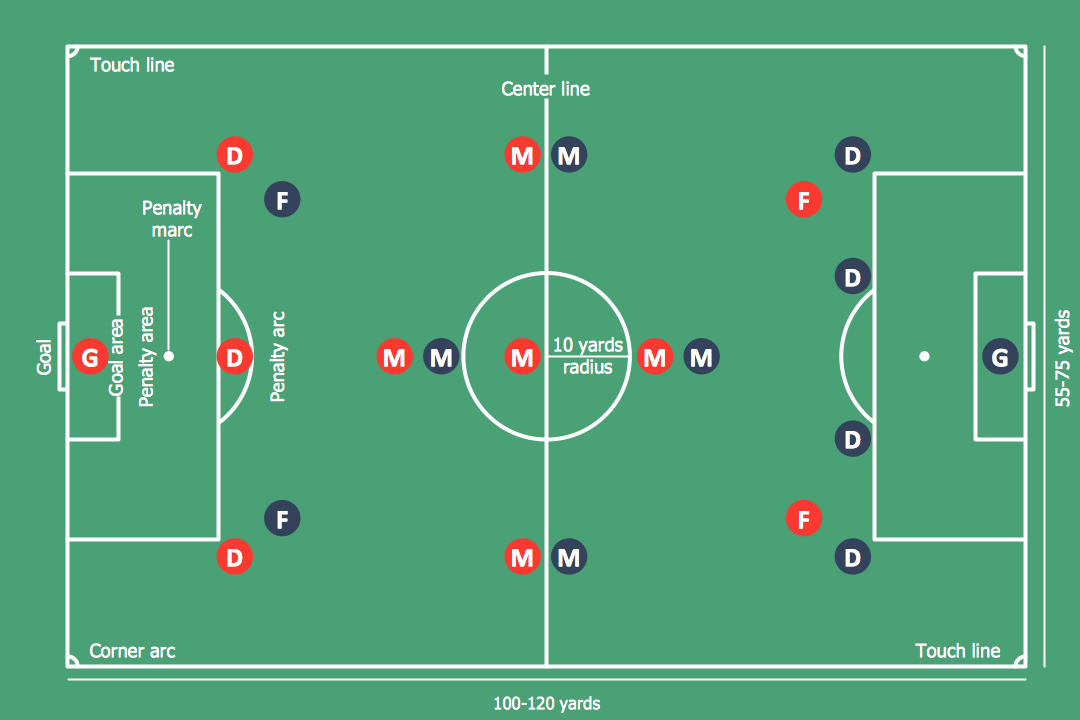
The Soccer (Football) Fields library from the Soccer solution from the Sport area of ConceptDraw Solution Park provides a complete set of predesigned fields: horizontal and vertical located, colored or not, end zone view soccer field.Design a Soccer (Football) Field *
Picture: Design a Soccer (Football) Field
Related Solution:
It's obvious that any building has a plan, and it is a hard and diligent work to draw one. And it's great that nowadays there are software tools for those purposes. For instance, ConceptDraw Pro contains design elements depicting different parts of sport fields. It's easy to use them and it facilitates your work exponentially. Planning of athletic facilities, playgrounds and Leisure Centers, needs thoughtful and creative approach. Any layout regarding to sport facilities should satisfy the requirements of both athletes and spectators. Well designed sport fields , playgrounds and recreation spaces attract people to sport activities in the cities and countryside. ConceptDraw Sport Field Plans solution is useful and convenient professional drawing tool. It delivers the kit of vector libraries that can be used for representing sport fields, sportgrounds and recreation spaces: football, hockey, volleyball, cricket, basketball , swimming pool, etc.Building Drawing Software for Design Sport Fields
Picture: Building Drawing Software for Design Sport Fields
Related Solution:
Designing of Continents Map is a quite complex and labour-intensive process. But now we have a way to make it easier - ConceptDraw DIAGRAM diagramming and vector drawing software extended with useful drawing tools of Continent Maps Solution from the Maps Area.Continents Map, Canada Regions Map
Picture: Continents Map
Related Solution:
Tracking Olympic results in visual format is the most modern way to deliver statistics to a broad audience. This is a good example of an illustrated table you may easily modify, print, or publish on web from ConceptDraw Winter Sports solution.Winter Sports Vector Clipart. <br>Medal Map. Spatial Infographics *
Picture: Winter Sports Vector Clipart. Medal Map. Spatial Infographics
Related Solution:
When thinking about data visualization, one of the first tools that comes to mind is a flowchart design. You can find flowchart symbols, shapes, stencils and icons easily on the Internet, but it might take time to systematize this information. Nevertheless, once you start flowcharting, you’ll love its simplicity and efficiency. This diagram consists from standard flowchart symbols, approved by ANSI (American National Standard Institute) for drawing flowcharts. A flowchart is a diagram that represents a step-by-step algorithm of any process, displaying the process stages as boxes that are connected with arrows. Flowchart design makes it clear and readable. Flowchart designed using ConceptDraw DIAGRAM flowchart software allows to make attractive and clear process presentation, it makes interpretation of the business process flow fresh and versatile. Great flowchart design view is a big advantage over the diagram created manually on a paper.Comparison of bad and good flowchart design showing zigzag flow, crossed connectors, and aligned elements
Picture: Flowchart Design: Principles, Layout, Symbols and Best Practices
Related Solution:
While creating flowcharts and process flow diagrams, you should use special objects to define different statements, so anyone aware of flowcharts can get your scheme right. There is a short and an extended list of basic flowchart symbols and their meaning. Basic flowchart symbols include terminator objects, rectangles for describing steps of a process, diamonds representing appearing conditions and questions and parallelograms to show incoming data. This diagram gives a general review of the standard symbols that are used when creating flowcharts and process flow diagrams. The practice of using a set of standard flowchart symbols was admitted in order to make flowcharts and other process flow diagrams created by any person properly understandable by other people. The flowchart symbols depict different kinds of actions and phases in a process. The sequence of the actions, and the relationships between them are shown by special lines and arrows. There are a large number of flowchart symbols. Which of them can be used in the particular diagram depends on its type. For instance, some symbols used in data flow diagrams usually are not used in the process flowcharts. Business process system use exactly these flowchart symbols.Flowchart example showing a customer request approval process with start, input output, process steps, decision branches, and end
Picture: Flowchart Symbols: Meaning and Examples
Related Solution:
In order to be successful, you have to promote your business on the market. One of the ways for planning this promotion is to create a social media DFD Flowchart which will contain all the details of your business strategy. Social media is a very influential tool, and it's a mistake to ignore it. The following flowchart represents a best way to estimate social media posts, and gives a strategy of responses. This flowchart is designed in the format of cross-functional flowchart. With this format, we can divide the process into three distinct phases. This approach helps to generate well-considered and balanced response on social networks activities. Using ConceptDraw solution for Social Media Response, your reaction to social media posts will positively mirror the values and mission of your business.How to Create a Social Media DFD Flowchart *
Picture: How to Create a Social Media DFD Flowchart
Related Solution:
ConceptDraw DIAGRAM extended with IDEF0 Diagrams solution from the Software Development area of ConceptDraw Solution Park is a powerful diagramming and vector drawing IDEF0 software. All IDEF0 diagrams created in ConceptDraw DIAGRAM are vector graphic documents and can be reviewed, modified and converted to MS Visio XML format. To obtain the IDEF0 Visio documents from ConceptDraw DIAGRAM documents use the wide export possibilities of ConceptDraw DIAGRAM.IDEF0 Visio *
Picture: IDEF0 Visio
Related Solution:
ConceptDraw DIAGRAM diagramming and vector drawing software offers the Timeline Diagrams solution from the Management area which is rich for the timeline examples, samples, templates and ready-to-use vector shapes.Timeline Examples *
Picture: Timeline Examples
Related Solution:
The art of arranging furniture and other decorations in space is called interior design. Some sites, like sport fields have tight restrictions in dimensions, but there's still a lot of work for a designer. You can help yourself to design such a plan with ConceptDraw DIAGRAM solution Sport Field Plans that contains elements of sport equipment and recreation plans. This drawing represents the set of vector graphic objects that compose the Sport fields and Recreation library, supplied by ConveptDraw Sport Fields Plans solution. It can be used for drawing interior designs and layouts of sport fields and recreation zones. By using ConceptDraw with Sport Field Plans solution you can create professional plans for different sport fields: basketball, volleyball, football, tennis, golf, etc. Moreover, the use of this solutions enables making a site plans including green zone, pools, parkings - in short, what makes the recreation area, that usually accompanies sports facilities.Interior Design. Sport Fields — Design Elements *
Picture: Interior Design. Sport Fields — Design Elements
Related Solution:
ConceptDraw
DIAGRAM 18