E-R Diagrams
Complexity of databases increases day by day, due to this the Entity relationship models and E-R diagrams become more and more popular, and now are an important part of database design. E-R diagrams allow visually and graphically represent structure and design of databases.
You can use so popular Chen's notation to represent all components of database and their relationships on the ER diagram. This notation was developed and implemented by Peter Chen in 1976. The main components of the E-R diagrams are:
- entities,
- attributes that describe these entities,
- relationships among these entities that describe associations between the data,
- cardinalities that describe the number of relationship participants: one-to-many (1:M), many-to-many (M:N), and one-to-one (1:1).
In a Chen's notation, entities are represented by rectangles on the diagram with the entity names written inside and relationships are represented by diamonds. Another popular type of E-R diagrams is known as Crow's Foot notation that is derived from the Chen's notation.
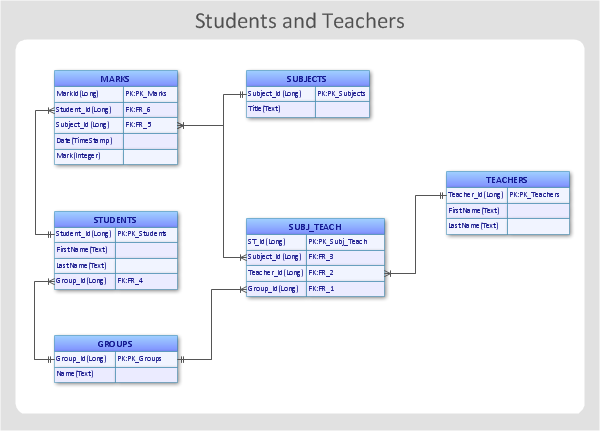
Example 1. E-R Diagram - Students and teachers
Use of ConceptDraw DIAGRAM for professional ERD drawing includes using the predesigned components of ER diagram, such as entity relationship symbols, work flow shapes, entity relationship stencils. All they are provided for easy use by 2 libraries of Entity-Relationship Diagram (ERD) Solution from the Software Development Area for ConceptDraw Solution Park.
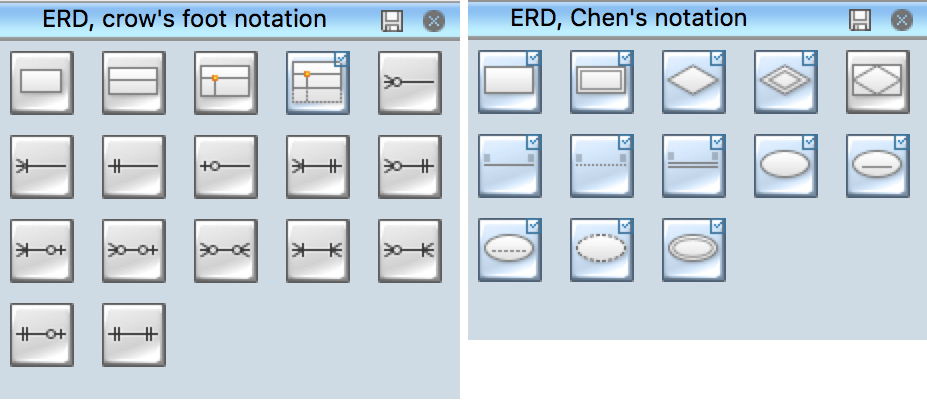
Example 2. ERD Libraries
There is also wide collection of predesigned E-R Diagrams which is represented at ConceptDraw STORE. All E-R Diagrams samples and templates are well thought-out, professionally designed, can be easy changed according to your needs and further successfully used.
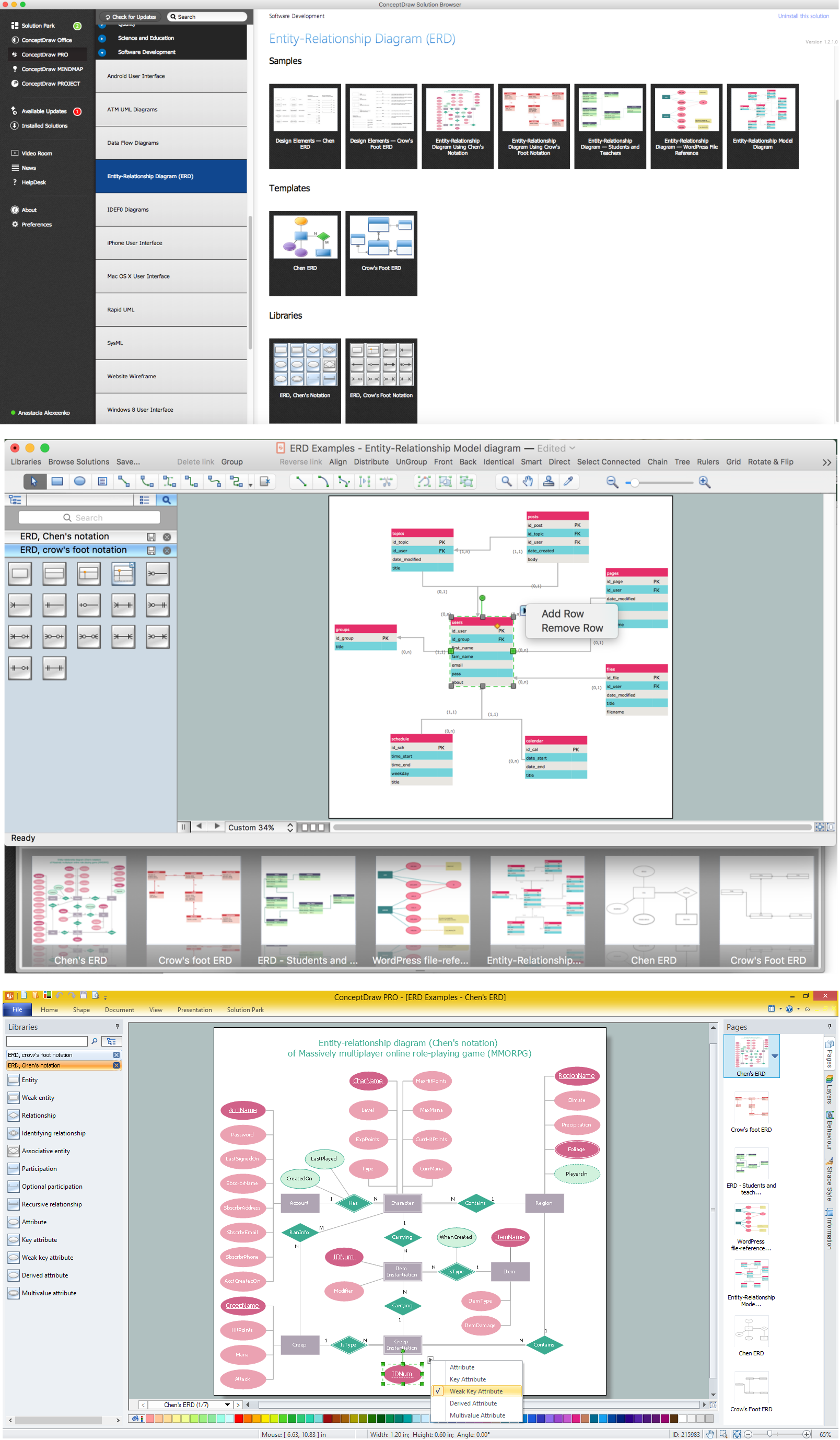
Example 3. E-R Diagrams in ConceptDraw DIAGRAM
The following features make ConceptDraw DIAGRAM extended with the Entity-Relationship Diagram (ERD) solution the most effective E-R diagrams design software:
- You don't need to be an artist to draw professional looking diagrams in a few minutes.
- Large quantity of ready-to-use vector objects makes drawing your diagrams quick and easy.
- Extensive collection of pre-designed templates and samples give you a great start for your own diagrams.
- ConceptDraw DIAGRAM provides you with the possibility to use the grid, rules and guides. You can easily rotate, group, align, and arrange objects, and use different fonts and colors to make your diagram stand out.
- All ConceptDraw DIAGRAM documents are vector graphic files and are available for reviewing, modifying, and converting to a variety of formats: image, HTML, PDF file, MS PowerPoint Presentation, Adobe Flash, MS Visio.
- Using ConceptDraw STORE you can navigate through ConceptDraw Solution Park, managing downloads and updates. You can access libraries, templates and samples directly from ConceptDraw STORE.
- If you have any questions, our support is free of charge and always ready to come to your aid.
TEN RELATED HOW TO's:
The export options in ConceptDraw MINDMAP allow mind maps to be exported in various graphical formats such as images, webpages, or PDF files. They can also be exported into Microsoft Office applications or into different mindmapping programs.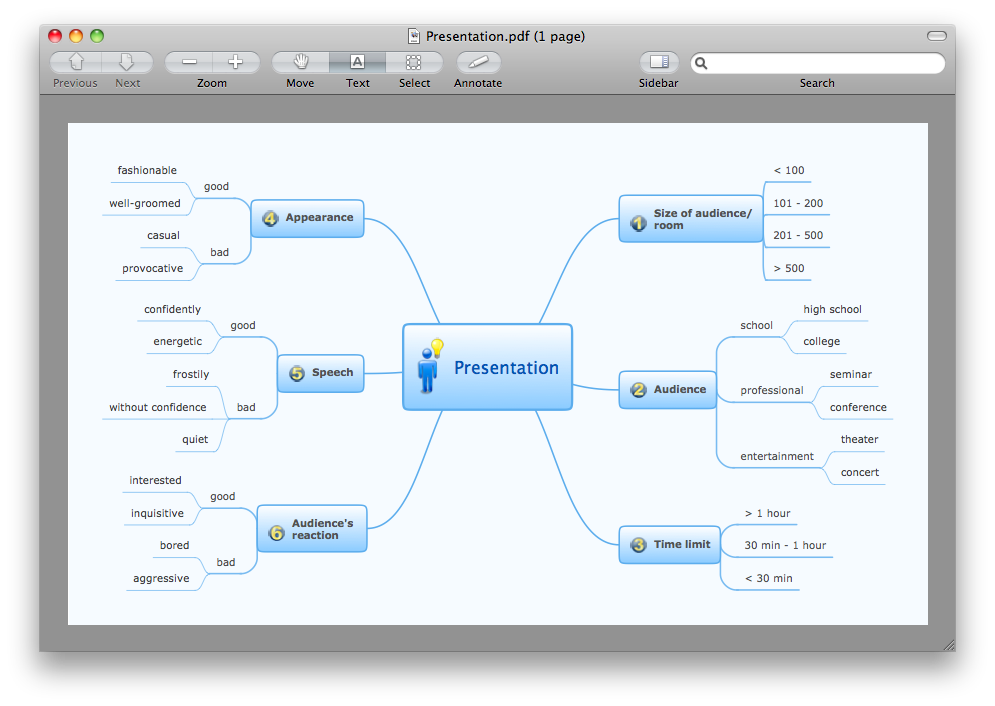
Picture: Export from ConceptDraw MINDMAP to PDF (Adobe Acrobat®) File
Related Solution:
SIPOC is a tool that summarizes the inputs and outputs of one or more processes in table form.
You need to draw professional looking SIPOC Diagram quick and easy? Pay please your attention on ConceptDraw DIAGRAM diagramming and vector drawing software. Extended with Business Process Mapping Solution from the Business Processes Area of ConceptDraw Solution Park, it suits ideal for this.
Picture: SIPOC Diagram
Related Solution:
You need design a Bank UML Diagram? Now, thanks to the ConceptDraw DIAGRAM diagramming and vector drawing software extended with ATM UML Diagrams Solution from the Software Development Area, you can design without efforts any type of Bank UML Diagram you want - Class, Activity, Communication, Component, Composite structure, Deployment, Interaction overview, Object, Package, Profile, Sequence, State machine, Timing, Use case.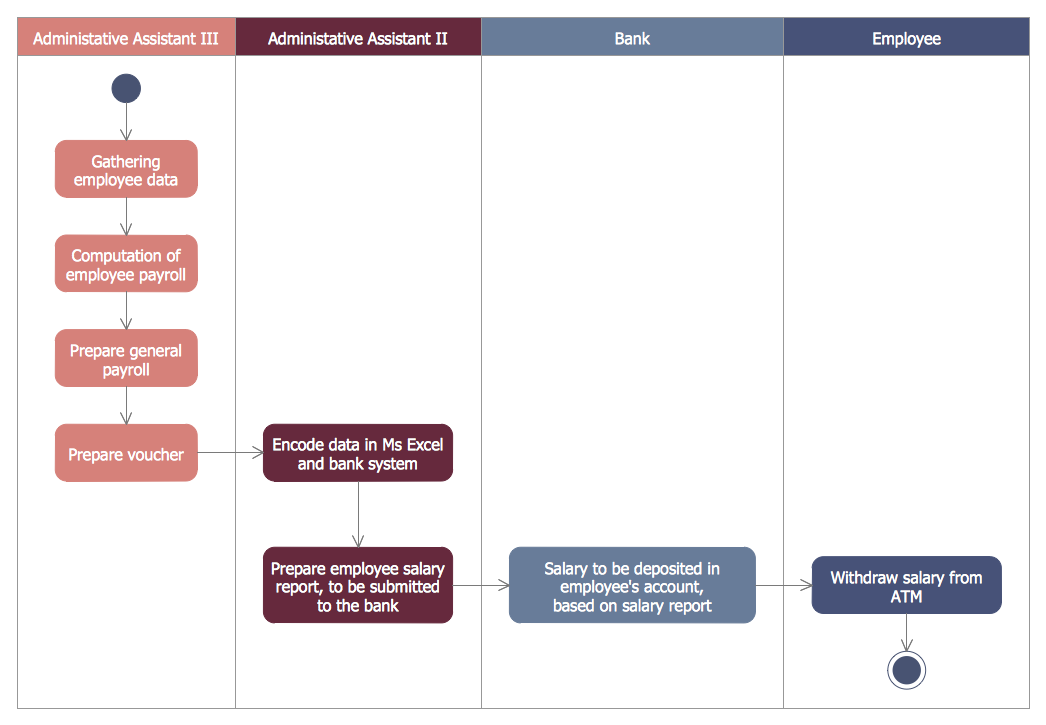
Picture: Bank UML Diagram
Related Solution:
ConceptDraw DIAGRAM is a very easy-to-use and intuitive database design tool which can save you hundreds of work hours. See database diagram samples created with ConceptDraw DIAGRAM database modeling database diagram software.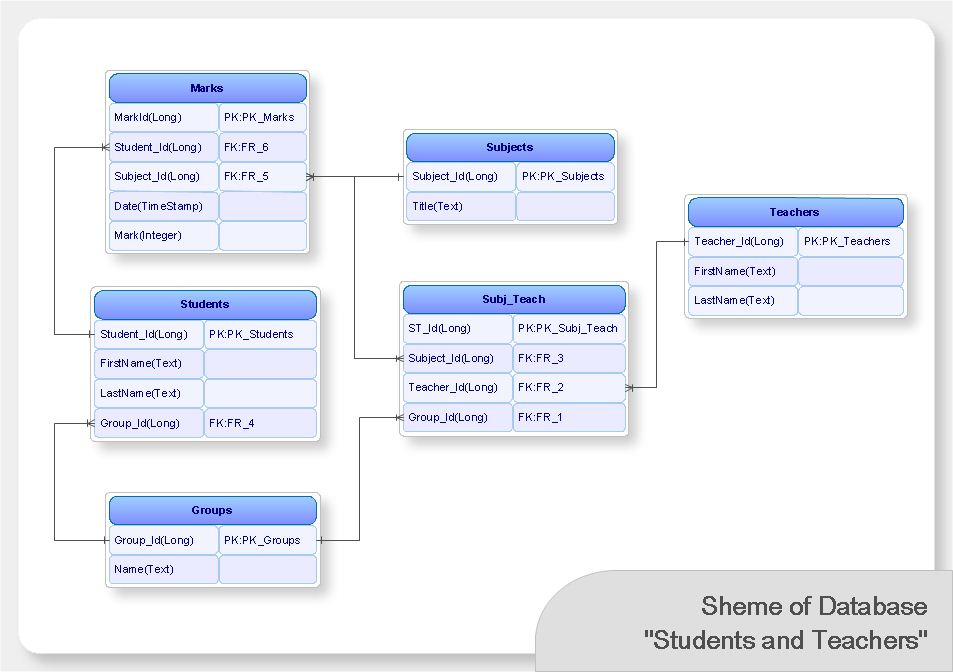
Picture: ConceptDraw DIAGRAM Database Modeling Software
Website wireframe is a detailed view of design or its skeleton. It shows all the important elements of the final website, the main groups of contents, information structure, describes the user's interaction with interface and its estimated visualisation.
ConceptDraw DIAGRAM extended with Website Wireframe solution from the Software Development area is the best wireframing software. Using the wireframe tools, libraries of vector objects, template and examples which offers a Website Wireframe solution, you will easily design the websites wireframes of any complexity.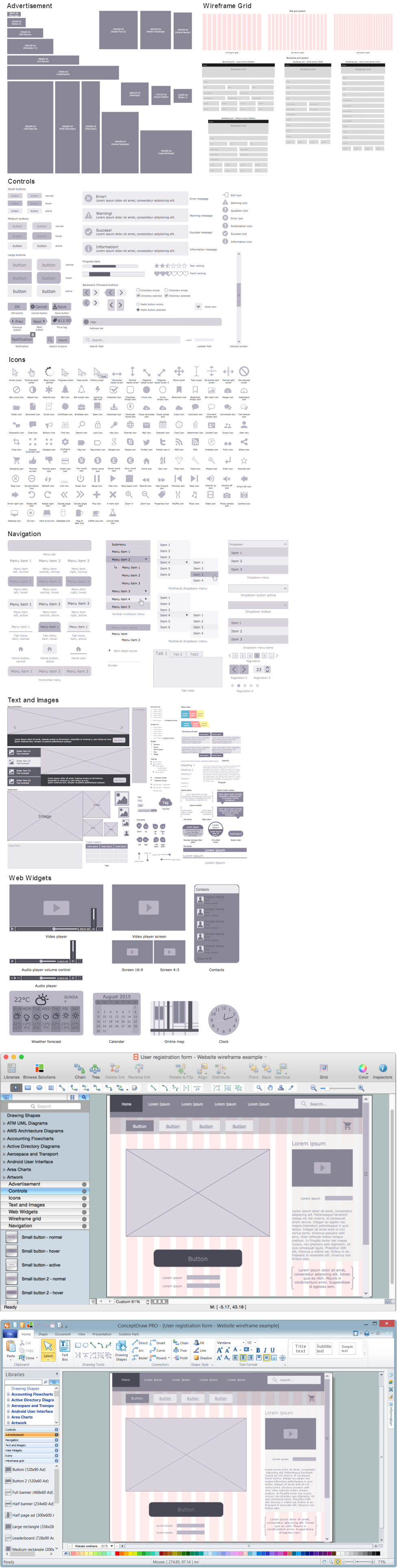
Picture: Wireframing
Related Solution:
Every interior design project starts from a deep understanding of all the utilities used in the building. In the first place, plumbing projection stage is crucial for the future design because it is very important to fit all the elements in their places correctly. Kitchen interior, for instance, will depend on the plumbing very much.
Planning the layout of bathroom facilities, plumbing and sanitary equipment is a critical stage of the interior design of the entire house. Suppose, you do not need to see grill in your bathroom and the toilet in your kitchen, you need to give the proper consideration to the plumbing and piping planning. The ConceptDraw Plumbing and Piping Plans solution delivers the kit of 4 vector libraries containing more than 120 elements as pumps, tanks, pipes, boilers and other bathroom equipment for depicting Plumbing & Piping Plans. Using the Plumbing library, enables designing plumbing and piping interior designs, schemes and blueprints of water supply and sewerage systems.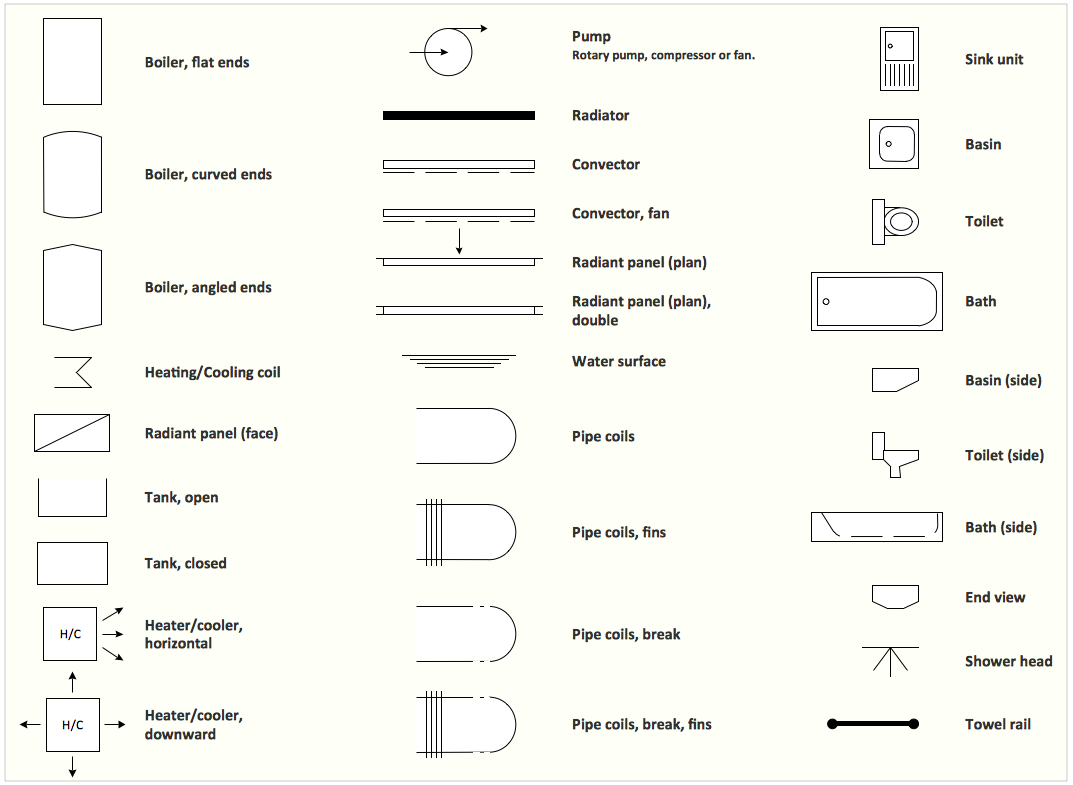
Picture: Interior Design. Plumbing — Design Elements
Related Solution:
Use Case Diagrams technology. IDEF1x standard - for work with relational data bases. IDEF1x standard is meant for constructing of conceptual schemes which represent the structure of data in the context of the concerned system, for example, a commercial organization.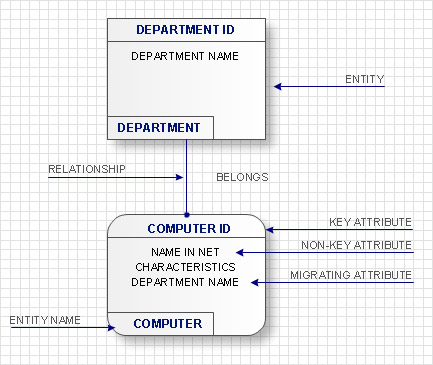
Picture: IDEF1X Standard
Sometimes, when it is difficult to create a functional space plan or to rearrange existing one, the art of interior design comes in. It doesn't matter, if you need a cozy bedroom or an office layout plan, you should use appropriate tools to make your design great.
While making a floor plan of a new office it could be useful to apply some design elements such as furniture and office equipment. This diagram presents an office furniture objects that can be used for office interior design planning, or making office furniture and equipment layouts. This vector stencils library is supplied with ConceptDraw Office Layout Plans solution. It contains more then 30 vector objects of office interior for making office floor plans including an office space layout plans and furniture arrangement.
Picture: Interior Design. Office Layout Plan Design Element
Related Solution:
ERD drawing becomes easier with predesigned entity relationship symbols, work flow shapes, entity relationship stencils. All variety of ERD symbols you may need for ERDs design is packed into libraries and templates from Entity-Relationship Diagram (ERD) Solution for ConceptDraw DIAGRAM diagramming and vector drawing software.
But anyone have an ERD symbols quick reference? Detailed reference information for them is represented at the tables.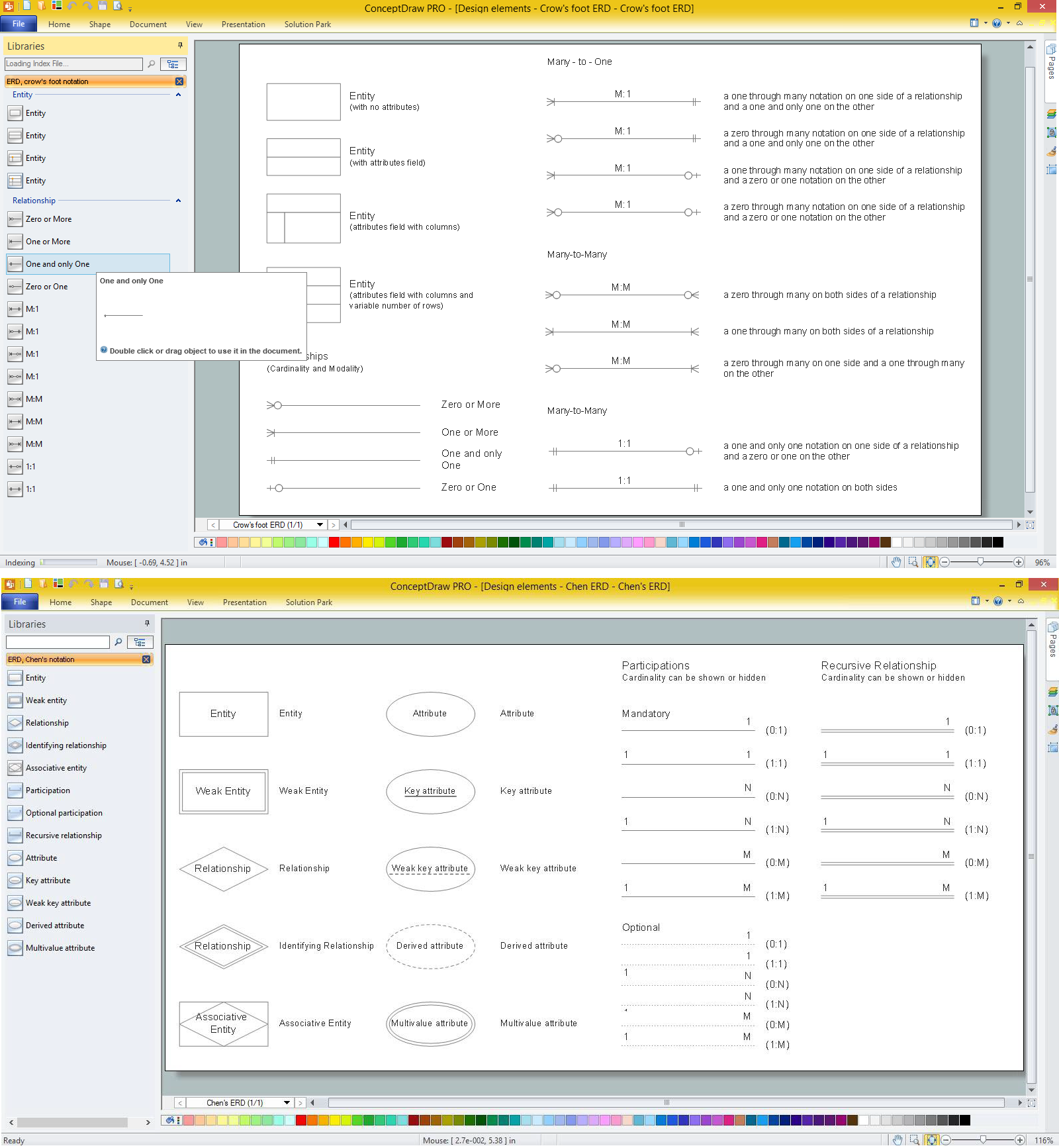
Picture: Anyone Have an ERD Symbols Quick Reference?
Related Solution:
Since the most applications keep their data in databases, the database design and database modeling play highly important role during the process of applications development. The ConceptDraw DIAGRAM software enhanced with EXPRESS-G data Modeling Diagram solution perfectly suits for construction the database models and designing the Database model diagram using EXPRESS-G notation, for representing the data structures required to design and create the databases permitting to retrieve and write data quickly.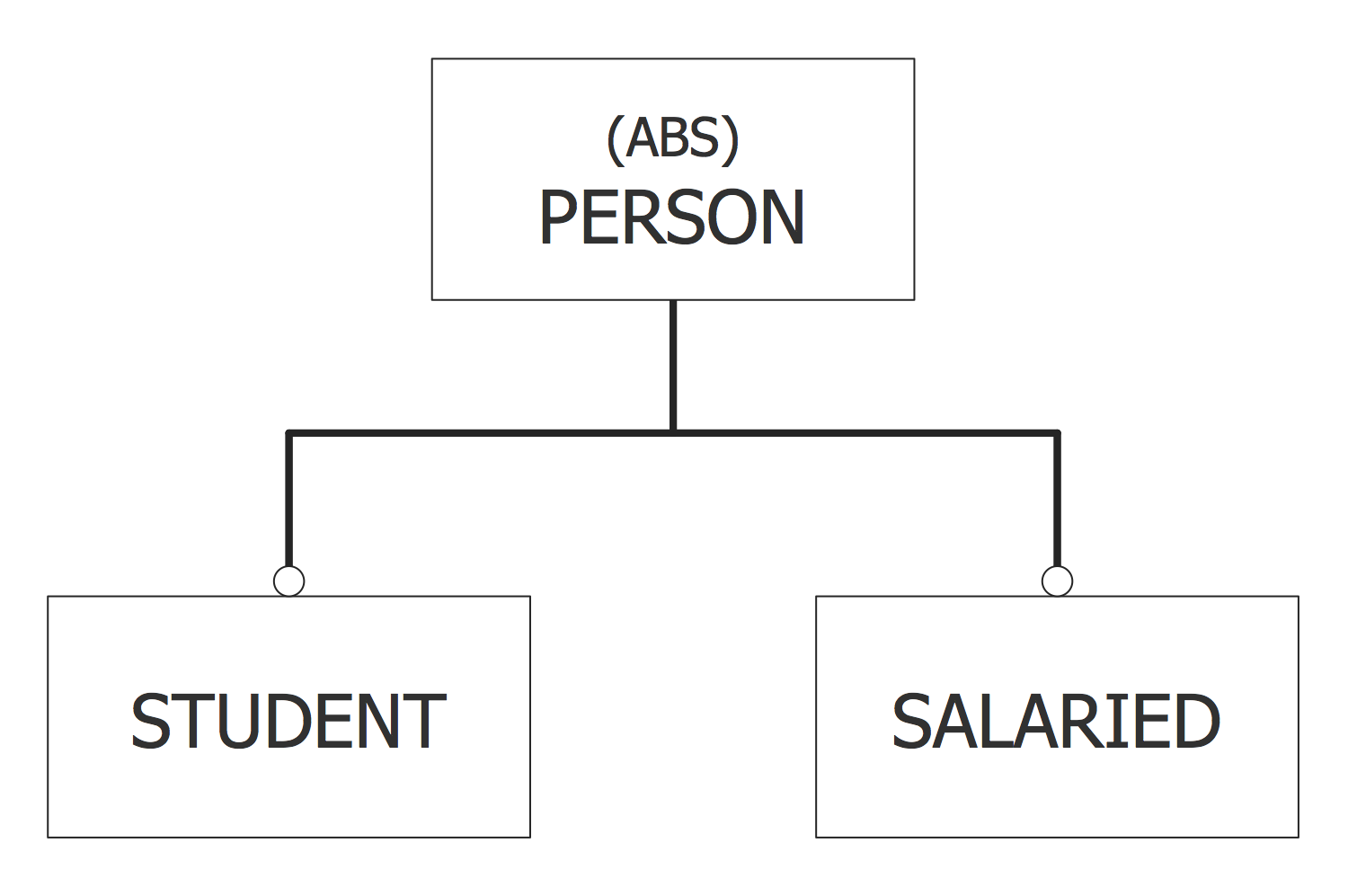
Picture: Database Model Diagram
Related Solution:

