Diversity
What is ESG Diversity?
Modern companies strive to achieve success and increase their profits, to become leaders in the market on diversity, equity, and inclusion (DEI). These goals require the implementation of effective approaches and modern technologies and innovations. They also matter to investors that strive to invest the most profitably, they carefully select the companies to invest in. The financial indicators, environmental, social, and governance factors (ESG) also matter for investors to assess future success. Because the environmental state, climate change, social diversity, sustainable living, and sustainable development are at the focus today.
The approach with the main goals of diversity, equity, and inclusion helps to improve performance, effectively solve business issues, collaborate, and enhance investment. The DEI indicators are closely related to the environmental, social, and governance (ESG) processes. They improve long-term performance, are useful for business and ESG performance, increase profits, enable growth and development, drive innovations and robust strategies development.
Diversity is a term that refers to offering variety and choice. It concerns all fields, including nature, people, services, culture, education, business, and others. Diversity helps to establish an inclusive company strategy, reach a wider audience, identify new markets, develop new ways and directions of work, improve products and services, and finally increase profits. Diversity is a key component of innovations and a direct way to sustainable growth. It helps to reduce risks, ensure a competitive edge, and boost ESG performance.
The companies with greater diversity become leaders in business and achieve higher profits. The diversity of working methods applied by ESG-centred businesses ensures improvement in environmental, social, and corporate governance scores, and finally companies' growth.

Example 1. Diversity
Design effectively the infographics and diagrams for your company in ConceptDraw DIAGRAM software enhanced with Environmental, Social, and Corporate Governance solution. Illustrate the principles of work, develop robust ESG strategy and ways to improve the performance of your company, enhance decision-making, business, and financial performance, and as a result, gain greater interest from investors.
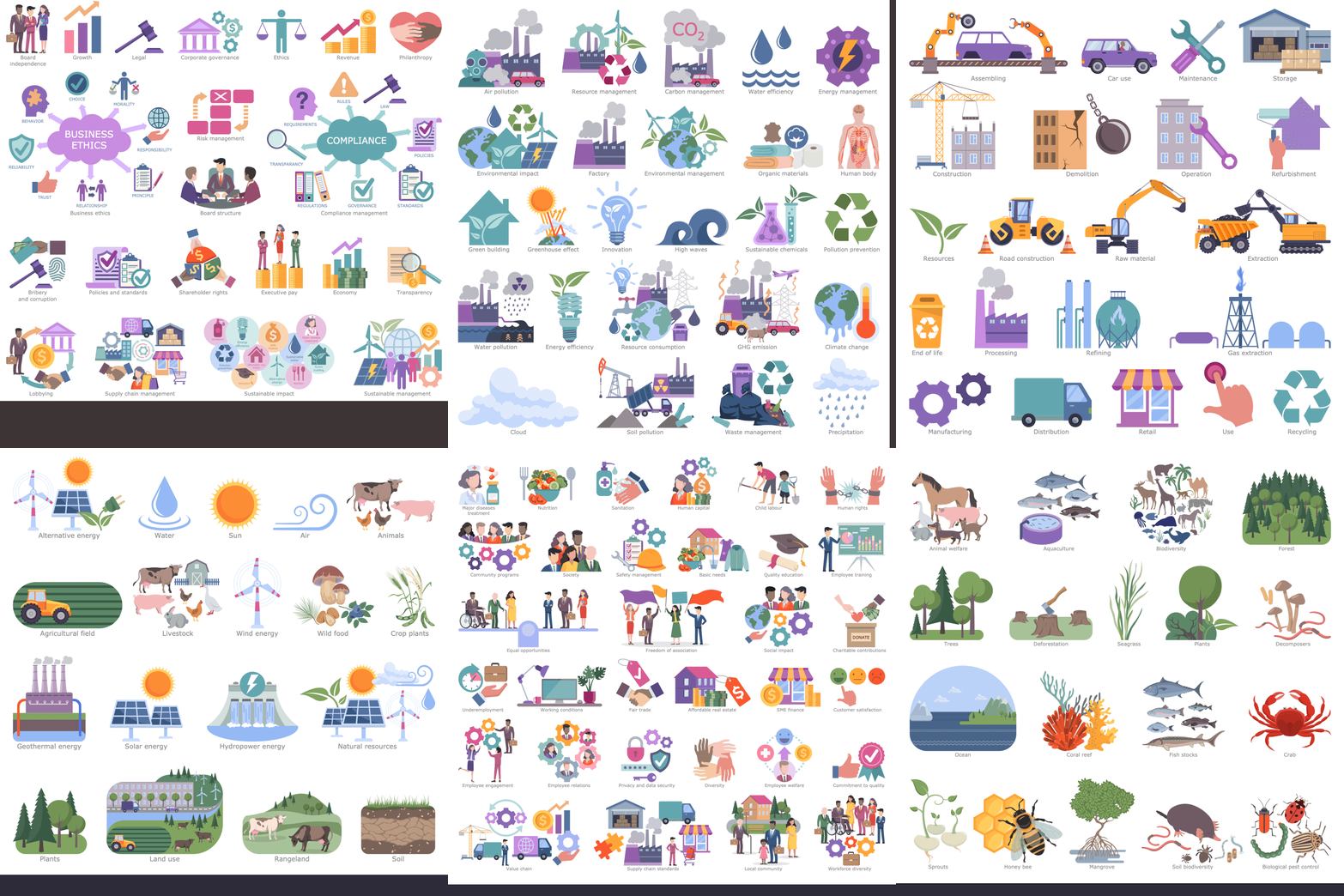
Example 2. ESG Solution Libraries Design Elements
Environmental, Social, and Corporate Governance solution includes a collection of pre-made samples and 6 libraries of vector design elements to create professional-looking infographics and diagrams:
- Design Elements — Corporate Governance
- Design Elements — Environmental Impact
- Design Elements — Life Cycle Assessment
- Design Elements — Renewable Energy and Resources
- Design Elements — Social Impact
- Design Elements — Sustaining Biodiversity
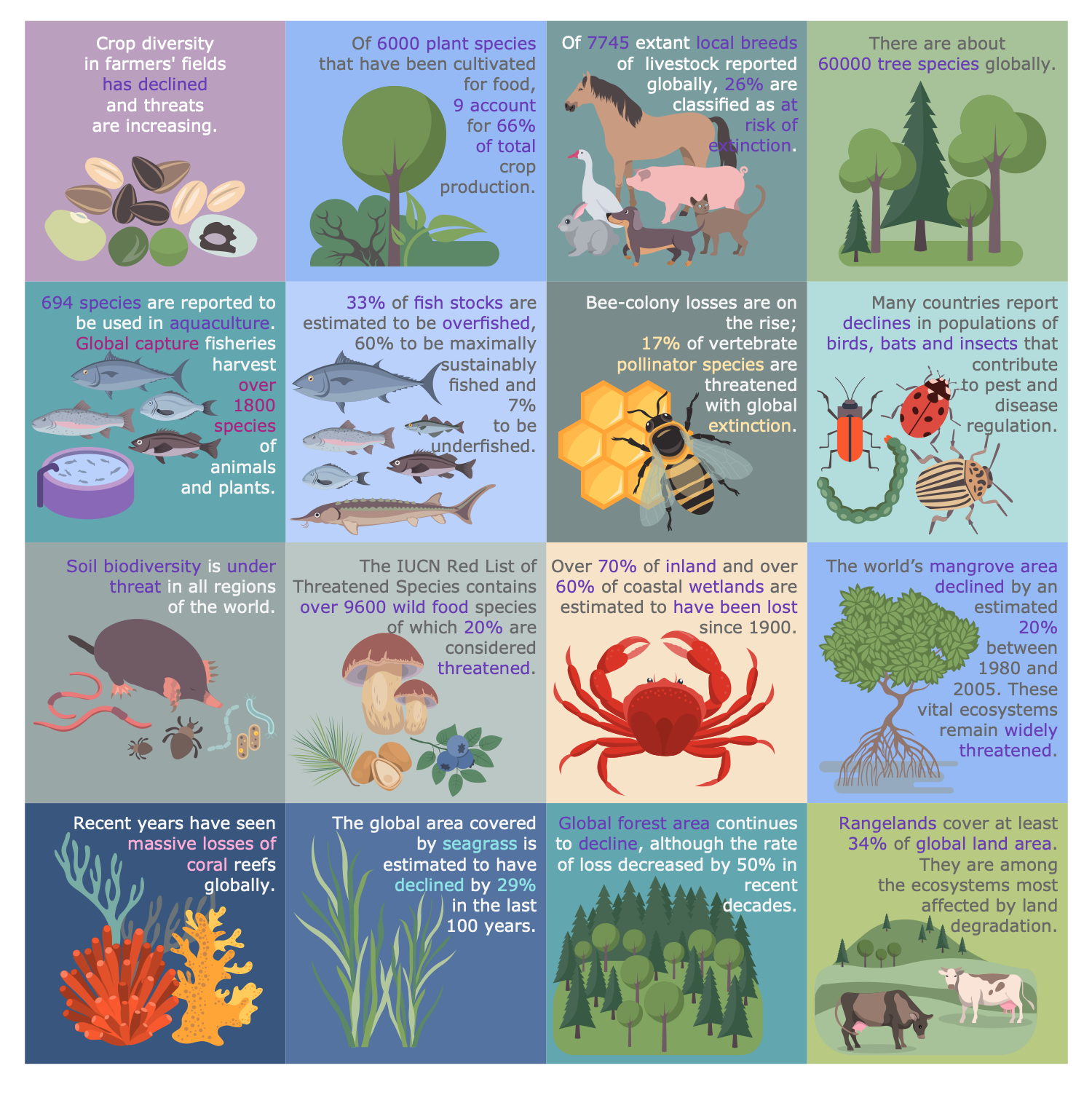
Example 3. ESG Infographics — Biodiversity and Food
The ESG infographic samples you see on this page were created in ConceptDraw DIAGRAM software using the drawing tools of the Environmental, Social, and Corporate Governance Solution. These examples successfully demonstrate the solution's capabilities and professional results you can achieve using it. An experienced user spent 5-10 minutes creating each of these samples.
Use the drawing tools of the Environmental, Social, and Corporate Governance solution to design your own ESG Infographics quick, easy, and effective.
All source documents are vector graphic documents. They are available for reviewing, modifying, or converting to a variety of formats (PDF file, MS PowerPoint, MS Visio, and many other graphic formats) from the ConceptDraw STORE. The Environmental, Social, and Corporate Governance Solution is available for ConceptDraw DIAGRAM users.
TEN RELATED HOW TO's:
ConceptDraw - feature-rich flowchart software allows you create professional looking flowcharts.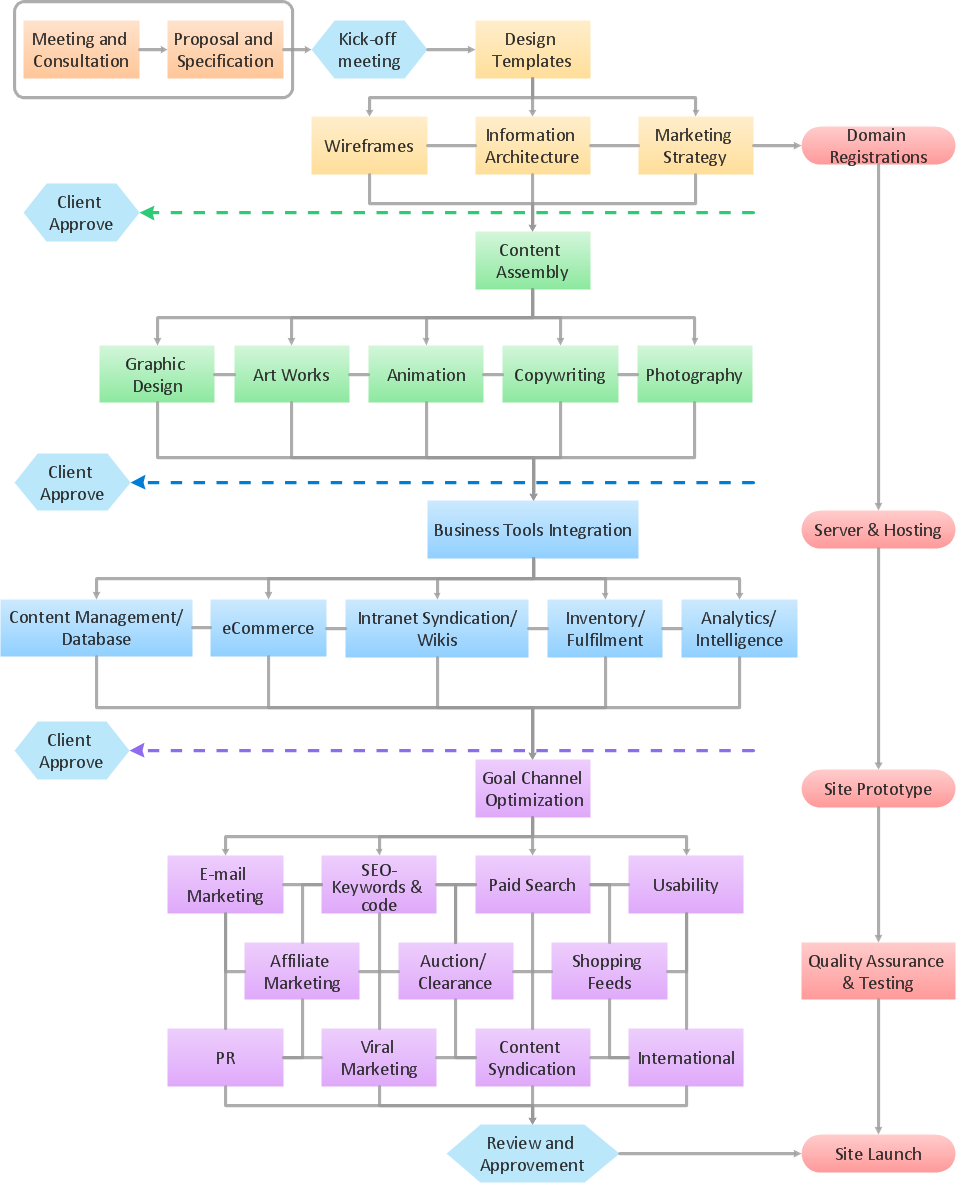
Picture: Best Program to Create a Flowchart
Related Solution:
Bar charts represent data in different categories or groups.
Create bar graphs for visual solving your scientific problems and data comparison using the ConceptDraw DIAGRAM diagramming and vector drawing software extended with the Bar Graphs Solution from the Graphs and Charts area of ConceptDraw Solition Park.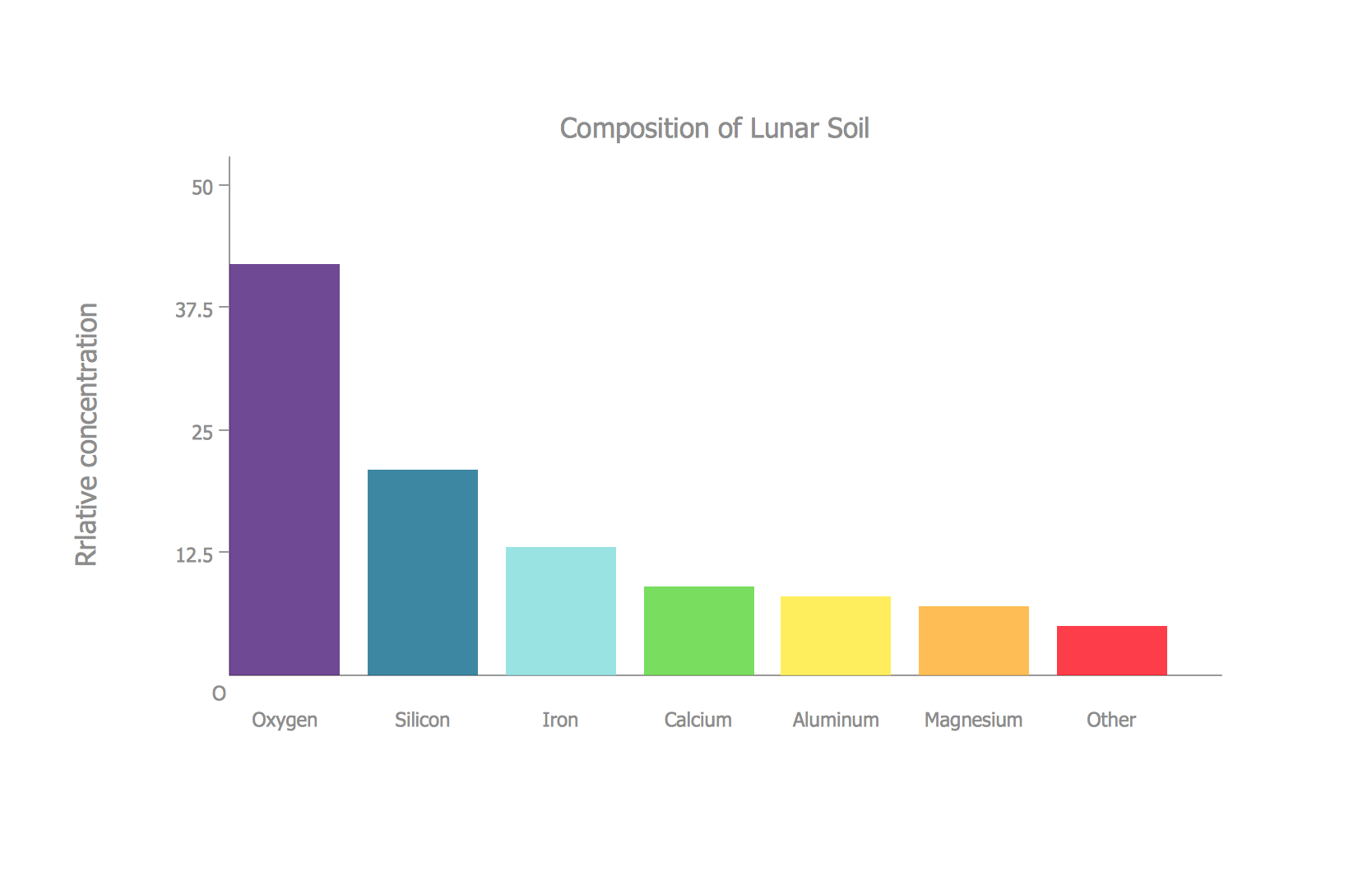
Picture: Bar Diagrams for Problem Solving.Create space science bar charts with Bar Graphs Solution
Related Solution:
Why do you need network visualizations? 🔸 Unlock the full potential of network visualization with our in-depth guide on using the ConceptDraw Network Visualization Tool. ✔️ Explore features, tips, and best practices to create stunning visual representations of your network architecture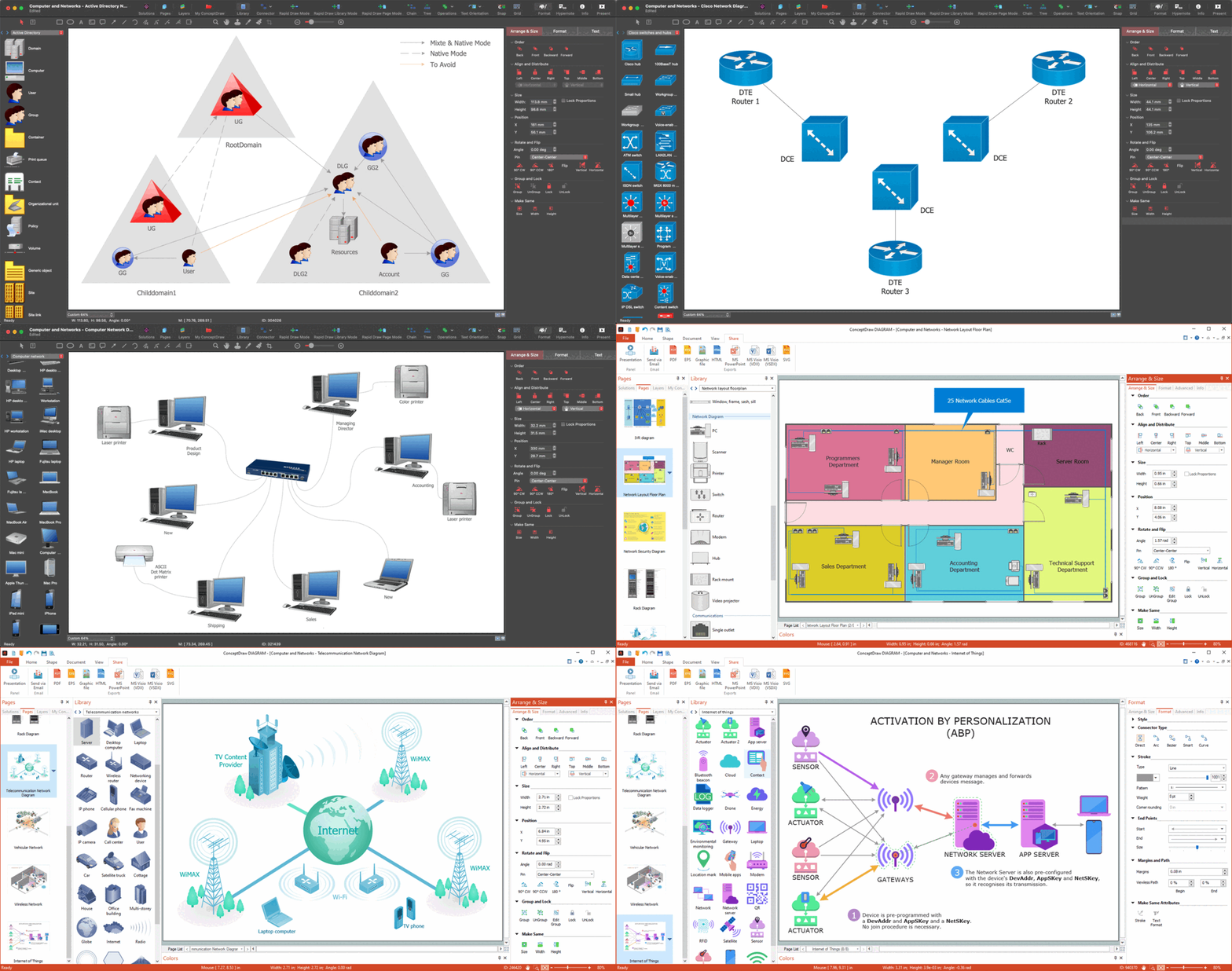
Picture:
Network Visualization Guide.
How to Use ConceptDraw Network Visualization Tool
Related Solutions:
Working with personnel might be difficult if you are not prepared enough. To explain your workers all the details of communication with customers, you can draw an order process flowchart which will describe every step of the process and answer all the questions that might appear. You can view a lot of business process mapping diagram examples here, in ConceptDraw Solution Park.
This business process flow chart is created to illustrate the sample work order process. Before an organization can make some work for a person, the customer work order request must be completed. It is needed for tracking and accountability objectives. We used this business process flowchart to show a certain tasks and actions assumed by an organization. This flowchart depicts the outside inputs that are needed to launch a process, and ways the organization delivers its outputs. This business process flowchart was created with a help of ConceptDraw Business Process Mapping solution.
Picture: Work Order Process Flowchart. Business Process Mapping Examples
Related Solution:
Root Cause Analysis Tree Diagram. Use the Root Cause Diagram to perform visual root cause analysis. Root Cause Analysis Tree Diagram is constructed separately for each highly prioritized factor. The goal of this is to find the root causes for the factor and list possible corrective action.
ConceptDraw Office suite is a software for problem analysis.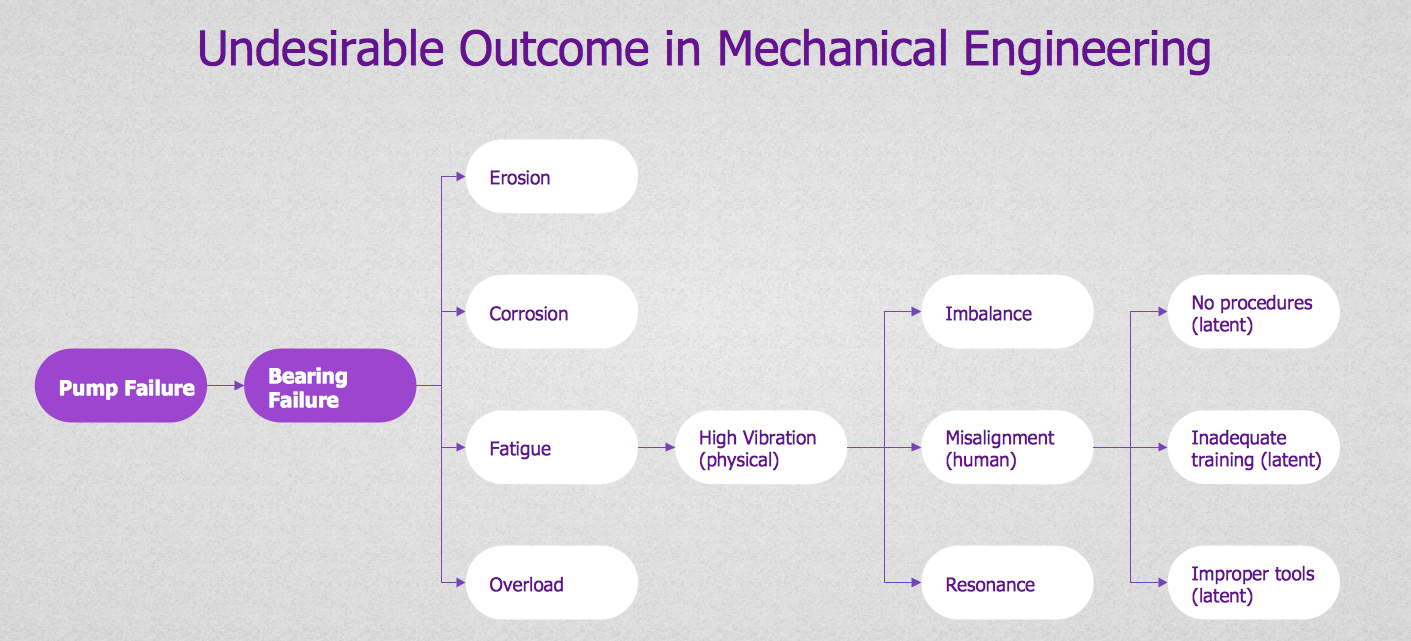
Picture: PROBLEM ANALYSIS. Root Cause Analysis Tree Diagram
Event-Driven Process chain Diagrams for improvement throughout an organisation. Best software for Process Flow Diagram. The Event-driven Process Chain (EPC) Diagrams allows managers to plan processes and resources.
Picture: Business process Flow Chart — Event-Driven Process chain (EPC) diagrams
Related Solution:
While creating flowcharts and process flow diagrams, you should use special objects to define different statements, so anyone aware of flowcharts can get your scheme right. There is a short and an extended list of basic flowchart symbols and their meaning. Basic flowchart symbols include terminator objects, rectangles for describing steps of a process, diamonds representing appearing conditions and questions and parallelograms to show incoming data.
This diagram gives a general review of the standard symbols that are used when creating flowcharts and process flow diagrams. The practice of using a set of standard flowchart symbols was admitted in order to make flowcharts and other process flow diagrams created by any person properly understandable by other people. The flowchart symbols depict different kinds of actions and phases in a process. The sequence of the actions, and the relationships between them are shown by special lines and arrows. There are a large number of flowchart symbols. Which of them can be used in the particular diagram depends on its type. For instance, some symbols used in data flow diagrams usually are not used in the process flowcharts. Business process system use exactly these flowchart symbols.
Picture: Flowchart Symbols: Meaning and Examples
Related Solution:
ConceptDraw DIAGRAM is ideal for software designers and software developers who need to draw Booch OOD Diagrams.
Picture: Booch OOD Diagram
Visual information is easier to perceive. You can teach even a child to make diagrams with a good flowchart example that would be interesting for it. Flowcharts can be fun, it’s not about business processes or programming algorithms.
This flowchart shows step by step process of manufacturing of Nixtamal The product which is obtained by processing maize with calcium hydroxide. We must assume that the Aztecs were very fond of this product, if the recipe of its production came to our times. This flow chart was designed using ConceptDraw DIAGRAM with its solution for designing flowcharts of various types, sizes and purposes. ConceptDraw Flowcharts solution consists from the library of flowchart symbols, containing the set vector objects. Also there are a lot of diverse templates and samples of flow charts.
Picture: Flowchart Examples and Templates
Related Solution:
This sample shows the Flowchart that displays the architecture of SQL Exception Translation.
This sample was created in ConceptDraw DIAGRAM diagramming and vector drawing software using the Flowcharts solution from the Diagrams area of ConceptDraw Solution Park.
Picture: Sample Project Flowchart. Flowchart Examples
Related Solution:

