Database Design
Being engaged in the database design, you can always find the ConceptDraw DIAGRAM diagramming and drawing software a very useful tool for making the database design related drawings, such as an architecture framework, having the examples as well as the stencil libraries from the IDEF Business Process Diagrams solution downloaded from another product of CS Odessa — the ConceptDraw STORE application.
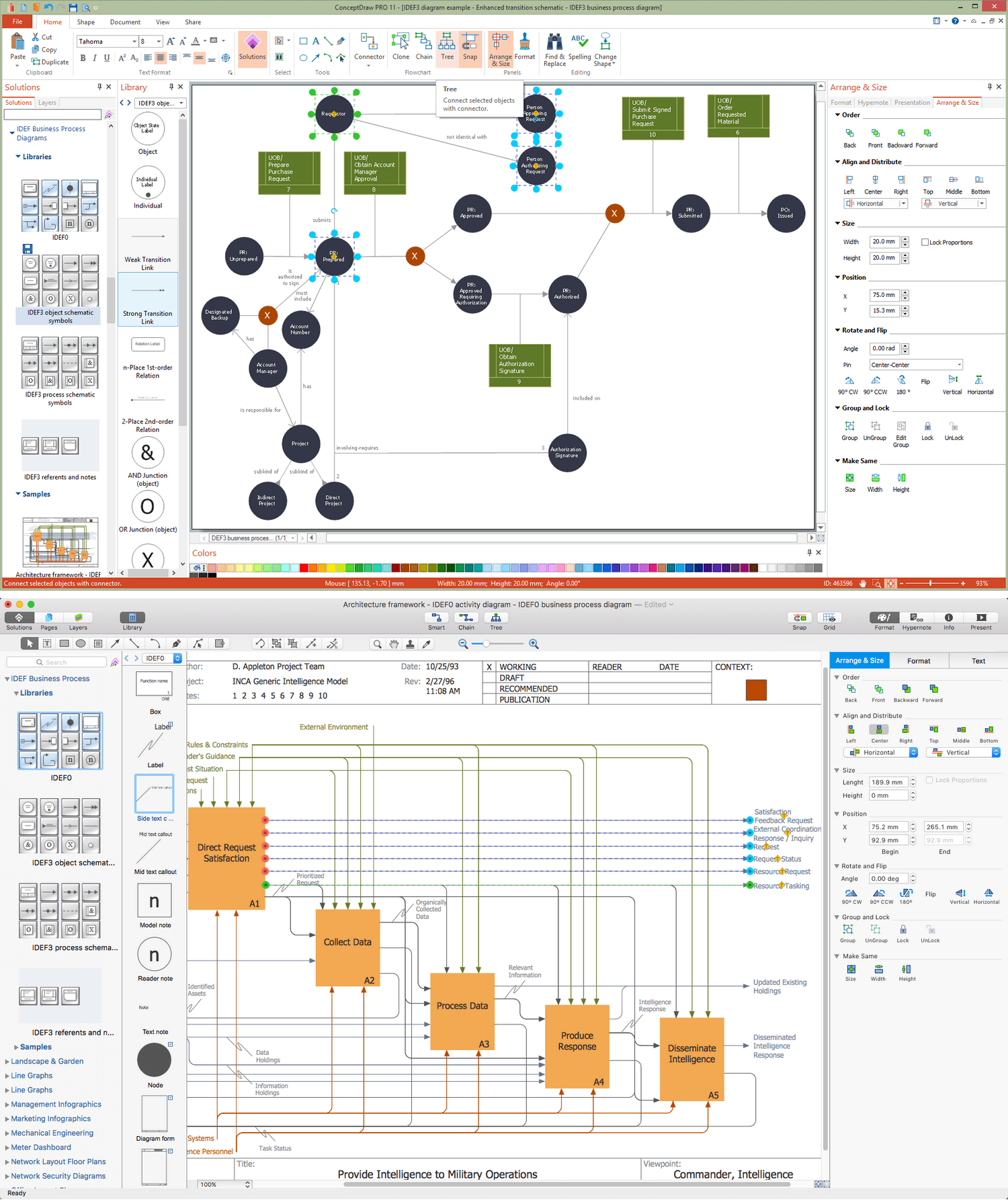
Example 1. Database Design in ConceptDraw DIAGRAM
Database design itself is known to be the process of producing some detailed data model of some particular database, which should contain all the needed physical as well as logical design choices and all the needed physical storage parameters for being able to generate some definite design in a data definition language, that can be used in order to create a database after. Any fully attributed data model is expected to be containing the detailed attributes for each of the existing entities.
The term “database design” itself can be also used for describing lots of different parts of the design of some database system. Any database design can be also called a logical design of some base data structures, which are used for storage of the data, such as the views and the tables in the relational model. At the same time, the relationships as well as the entities in some object database can map directly to the named relationships and the object classes with no intermediation.
The term of “database design” can also be used for applying to the process of designing, not only the base data structures, but also the queries and the forms that are used as part of the database application within some particular database management system. The process of designing the database design usually consists of a few steps which will can be carried out by the database designer, who has to, first of all, determine the data which is to be stored in the database, determine the relationships between lots of different data elements and to superimpose a logical structure on the data, based on the mentioned relationships.

Example 2. Architecture Framework — IDEF0 Activity Diagram
The final step mentioned above can be broken down into 2 further steps within any relational model: determining the grouping of information within the given system by determining what exactly the basic objects are about which that information is being stored, and determining the relationships between the described groups of objects or information, which is never as necessary within one type of databases — an Object one.
In most of the cases, that person who is responsible for the design of some database is that person who has the necessary expertise in the area of database design, but he may have not as much of it in the domain from which the data is about to be stored, such as biological information or financial information. Thus, any data which is expected to be stored in the database, has to be determined in co-operation with a person who has enough expertise in that particular domain, being aware of what data should be stored within the system.
The mentioned process is the one, which can be usually considered as a part of the requirements analysis, requiring skill on the part of the database designer for eliciting the necessary information from those who have enough domain knowledge, as such people cannot express what their system requirements for the database are in a clear way, being unaccustomed to thinking in terms of the discrete data elements that must be stored. All the data to be stored can be always determined by the so-called “Requirement Specification”.
As long as a database designer knows about the data which has to be stored in the database, he must determine where the dependency is within the mentioned data. In case data is changed, then he can change other data which is invisible. In a list of addresses and names, for instance, assuming a situation where different people can have the same address, but one of them cannot have more than one address, the address is known to be dependent on the name. Once the name is provided, then the address can be determined. The inverse situation cannot happen, though, because many different people can reside at the same address. But once an address can be determined by a name, then it can be considered as the one dependent on a name.
Once the dependencies and the relationships between different pieces of information are determined, then it becomes possible to arrange any data into some logical structure which can always be mapped into the storage objects after, being supported by the database management system. In any Object database the storage objects are known to be corresponding directly to the objects, which are used by the Object-oriented programming language. The described language is usually used for writing the applications that will access and manage the data. Any relationships can be always defined as the attributes of the object classes, which are involved. They also can be defined as methods which operate on the object classes.
The way the mentioned mapping is usually performed is such that each of the sets of the related data which depends on a single object, whether it is abstract or actually real, is placed in one of the tables. The relationships between the dependent objects can after be stored as links between different objects. Each of the tables can represent some implementation of either a relationship joining one or more than one instances of a few logical objects or one single logical object. All the relationships between the existing tables can always be stored as links, which are connecting child tables with their parents. As the complex logical relationships are tables, they can have links to more than only one parent.
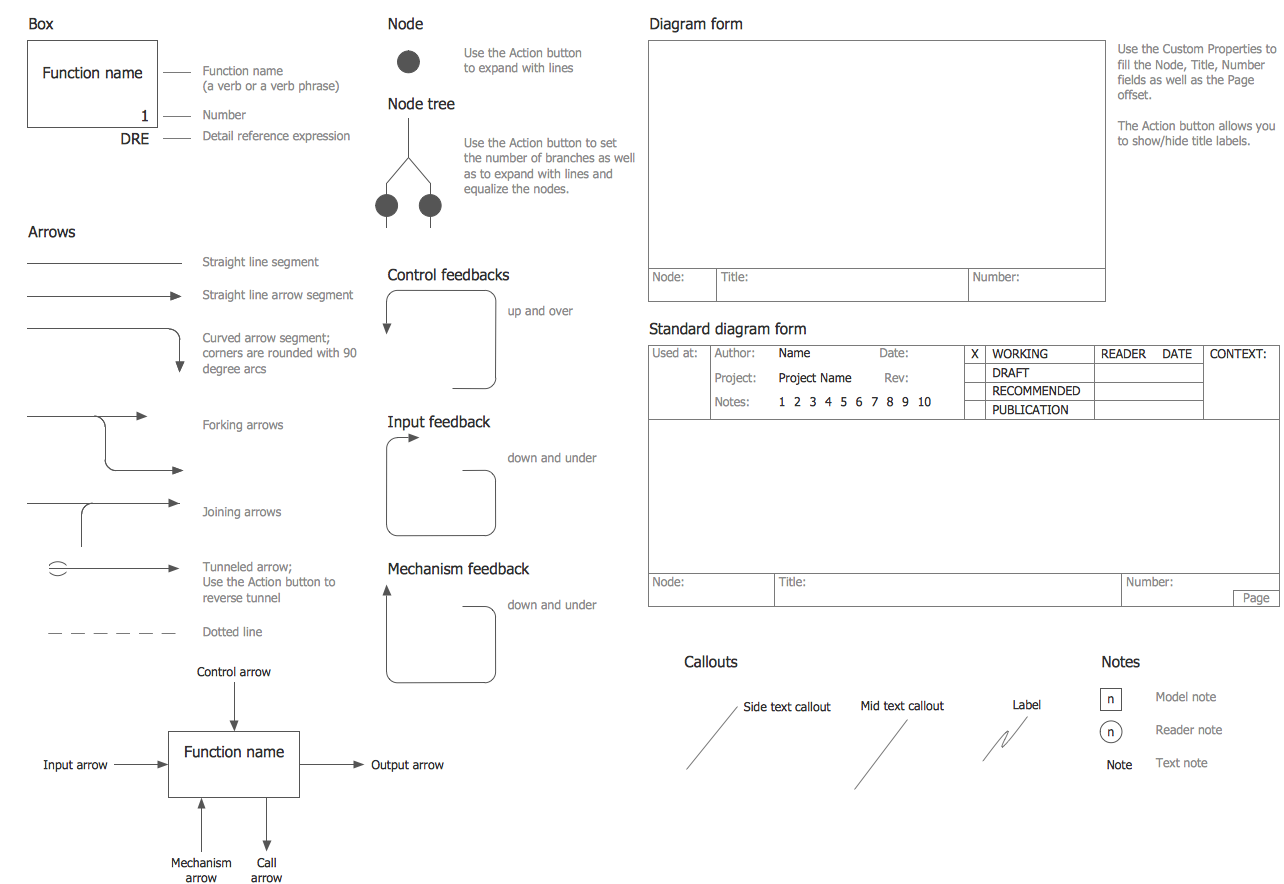
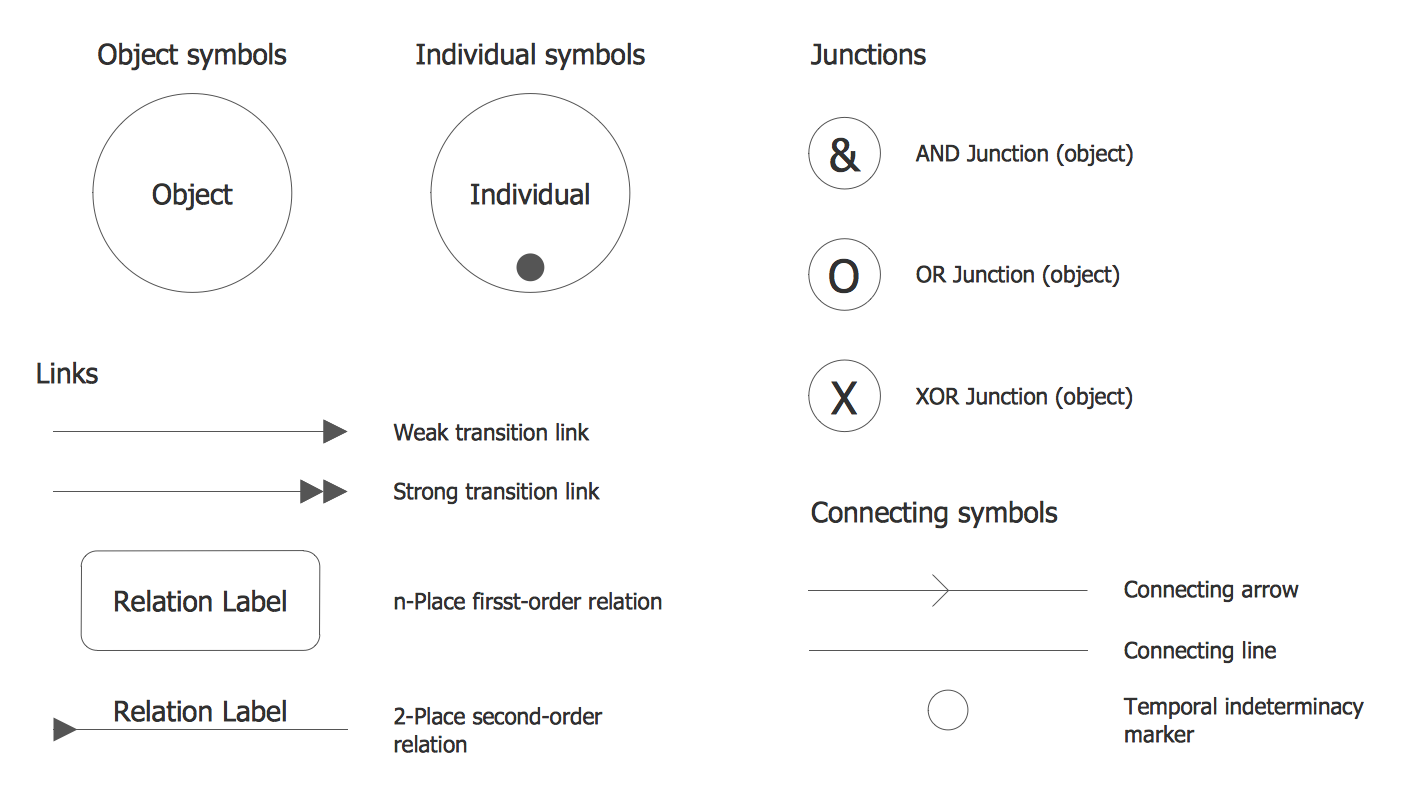
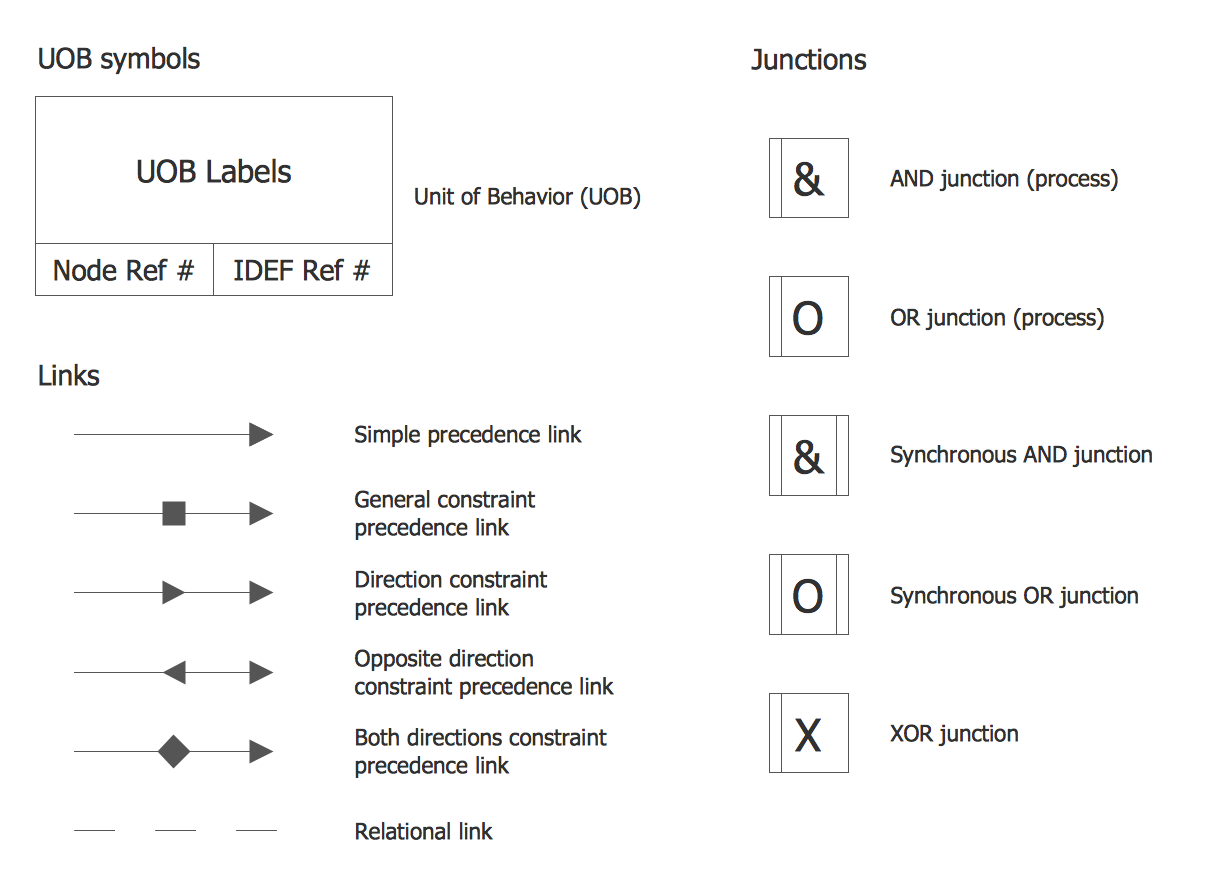
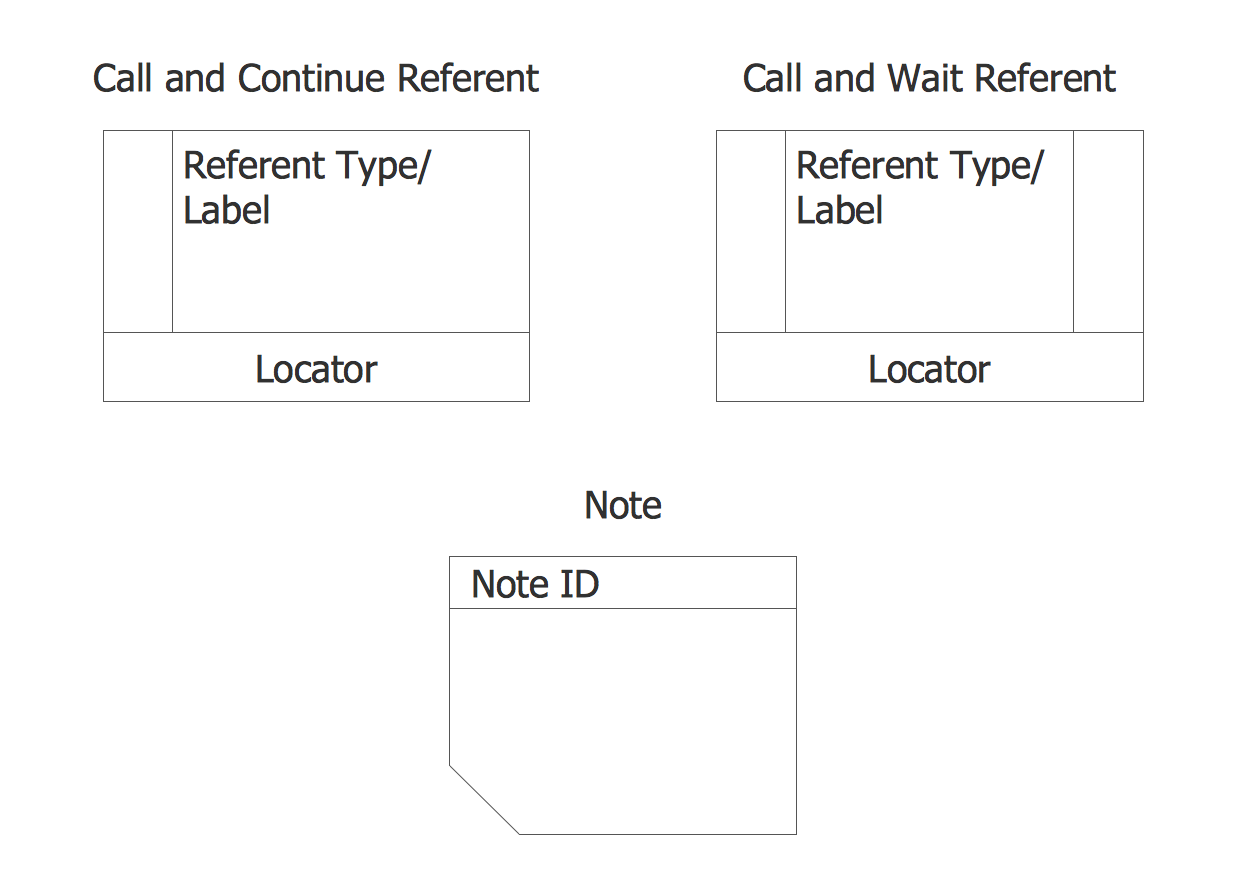
Example 3. Libraries of Database Design
Having an IDEF Business Process Diagrams solution, which is available for all the ConceptDraw DIAGRAM users means having all the necessary tools, such as the design symbols and the pre-made examples of the needed drawings which all can be used as the base for some other ones. The stencil libraries of the mentioned solution are full of the design elements, representing such terms as “Call and Continue Referent” (referent type/label in Locator), “Call and Wait Referent” (referent type/label in Locator), “Note” (Note ID), “UOB symbols” (unit behaviour - UOB labels), Junctions: AND junction (process), OR junction (process), Synchronous AND junction, Synchronous OR junction, XOR junction; and Links: Single precedence link, etc.