Data Flow Diagram (DFD)
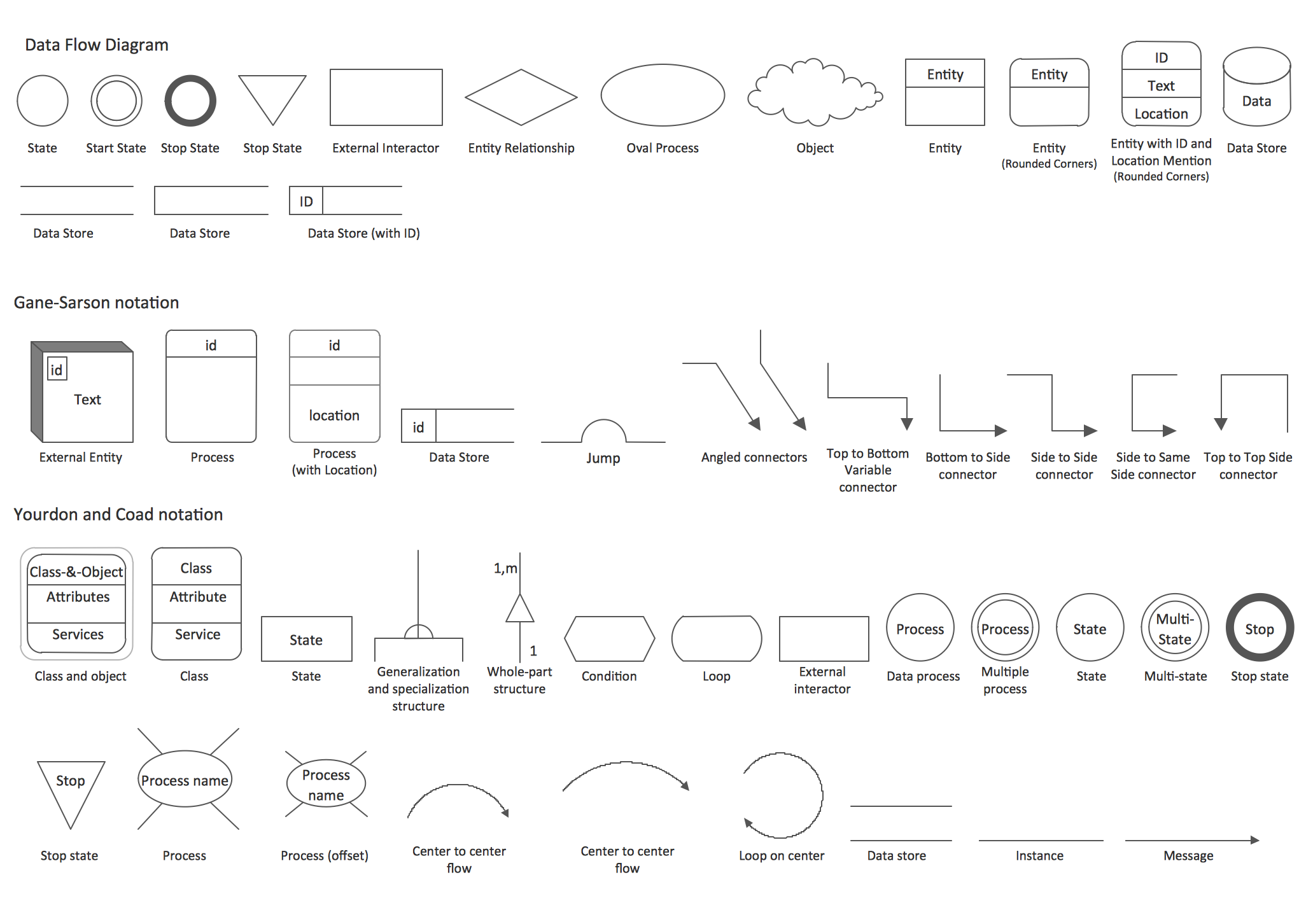
Data flow diagrams (DFD)The Data Flow Diagrams solution from the Software Development area of ConceptDraw Solution Park provides the DFD templates, examples and libraries of vector stencils for drawing the DFDs according to either Gane and Sarson or Yourdon and Coad notation using the ConceptDraw DIAGRAM diagramming and vector drawing software. “Flow Chart” is usually used for the purpose of illustrating a flow of some particular data and it includes the term of “data flow diagrams”. “Flow diagrams” can be “Unified Modelling Language” (or “UML”) diagrams, “Entity Relationship Diagrams” (or “ERD”), “Data Flows Diagrams” (or “DFD”), “Structured Systems Analysis and Design Method” (“SSADM”) or “Windows and Macintosh Graphics User Interface (GUI)” design diagrams. One of the most popular is a “data flow diagram”. “DFD” is simply a graphical representation of the "data flow" in an “information system”. With its help you can illustrate a system overview without going into details, but in outline. The “data flow diagram” can also be used for the visualization and illustration of the data processing in a structured design. Any of the ConceptDraw DIAGRAM users can make any needed “data flow diagram” any time they want with a simplicity and in a very short period of time having the right solution especially. “Data flow diagrams” are popular for the reason: they show what particular kind of information can be input to as well as output from a system. They also show the way how this data, which has to be illustrated, can advance via this system. With the help of “data flow diagram” you can also show where this data can be stored. These “data flow diagrams” are also known as “bubble charts”. The “context-level data flow diagram” includes a “Level 1 DFD”, which can be created for a purpose of showing some of the system details, which are being modelled. The “Level 1 data flow diagrams” show the way some system is or can be divided into the smaller “sub-systems”. They also allow to follow the way, in what each of these “sub-systems” deals with these “data flows”. “Data flow diagram” can also identify the internal data stores. These stores usually have to be presented in a way of such diagram. “Data flow diagrams” are the ones of the three in total perspectives of the “SSADM”. The sponsor of the project and the end user can be consulted at each of the stages of a system's evolution and it is always convenient to tack this “evolution” with the aid of such DF diagram. Using this type of diagram, it is simpler to represent in what way this system can operate, what it accomplishes and how the plans for this system can be implemented. These diagrams can be also used for providing the end user with the information about the inputting data, in what the system can be developed both in analysis and design phases. There are a few different notations, which you can use for drawing any of the needed data flow diagrams (for example, “Gane and Sarson”, “Yourdon and Coad” one). Use these notations to define the different visual representations for the data stores, data flows, external entities and different processes. You can always make so-called “Logical Data Flow Diagram”, with the help of which you can capture the data flows, which are necessary for the system to operate. With this type of Data flow diagrams it is so simple to describe the needed processes as well as the data required. Another type of “Data flow diagrams” is so-called “Physical Data Flow Diagram”. With the help of this type you can show the way, in what some system is implemented at the moment and it is also known as a “Current Physical Data flow diagram”. Using it, it is also simple to show how the designer wants the system to look in the future: “Required Physical Data flow diagram”. To sum up, “Data flow diagrams” are well known and commonly used for a reason of the need of representing some data flow in a system as a part of the “Structured Systems Analysis and Design Methodology”. These diagrams may consist of the different components (e.g., functions and processes), representing actions happened in an information system. All main “data flow diagram” elements are: processes, external entities, data flow and store (data store). “Yourdon – de Marco” notation can be used for illustration of the ”Data Flow Diagram” objects. These “objects” are interpreted in a way of processes transforming the input data flows into the output data flows as well as data depositories serving them only for keeping the “ingoing” data but no changing them; and “data flows” changes in external entities may not be considered. In order to make any needed “flow chart” or “data flow diagram”, you need only to download ConceptDraw DIAGRAM software and start using it having very relaxing and entertaining process of creating any needed type diagrams, including those mentioned above. Using ConceptDraw DIAGRAM software as well as the needed solution from ConceptDraw STORE application, you can be sure that your final result will look simply great as well as professionally looking. The “Data Flow Diagrams Solution” will be very helpful for those ConceptDraw DIAGRAM users, who intend to make a great looking and smart diagrams, including the “data flow” ones. There is an “Object Library”, included in the “Data Flow Diagram Solution”. It contains lots of stencils, alongside all of the needed design symbols, such as icons, that can be used for representing data flows, processes, data storage, objects and other data flow entities.
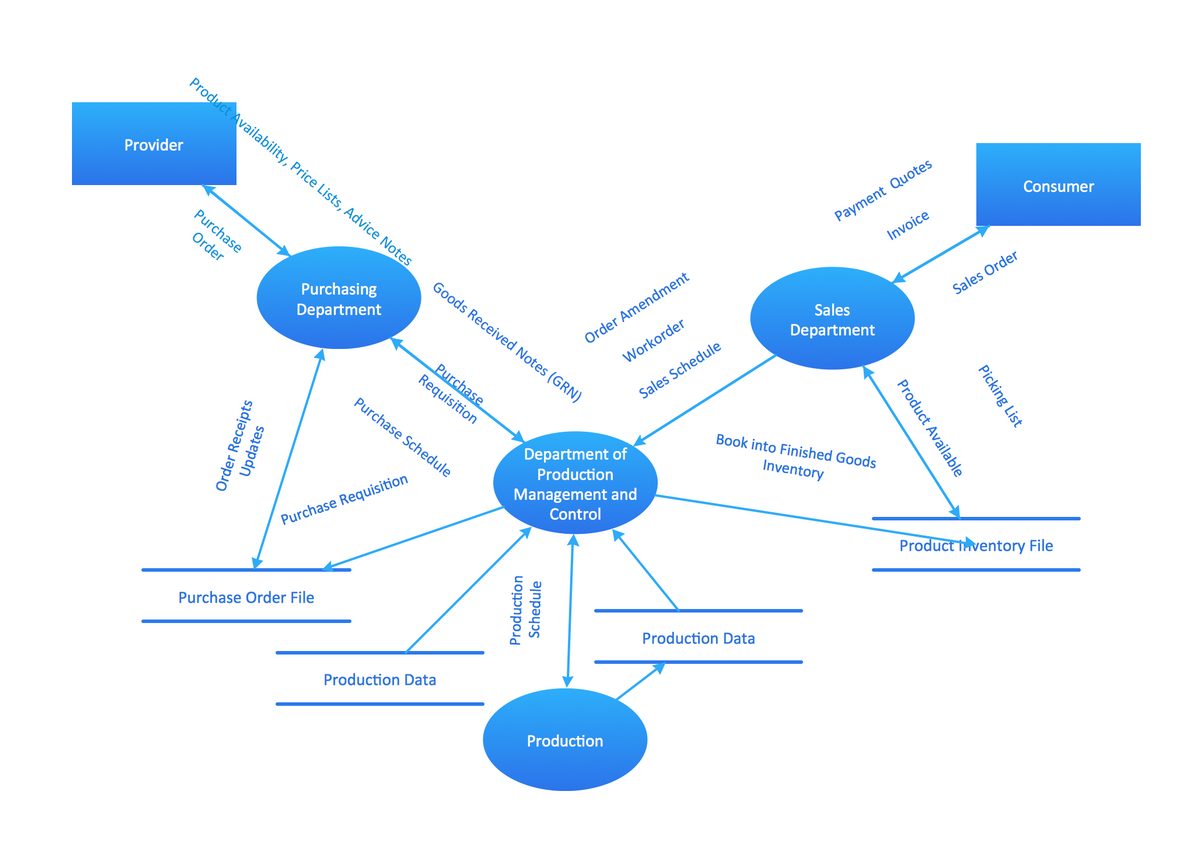
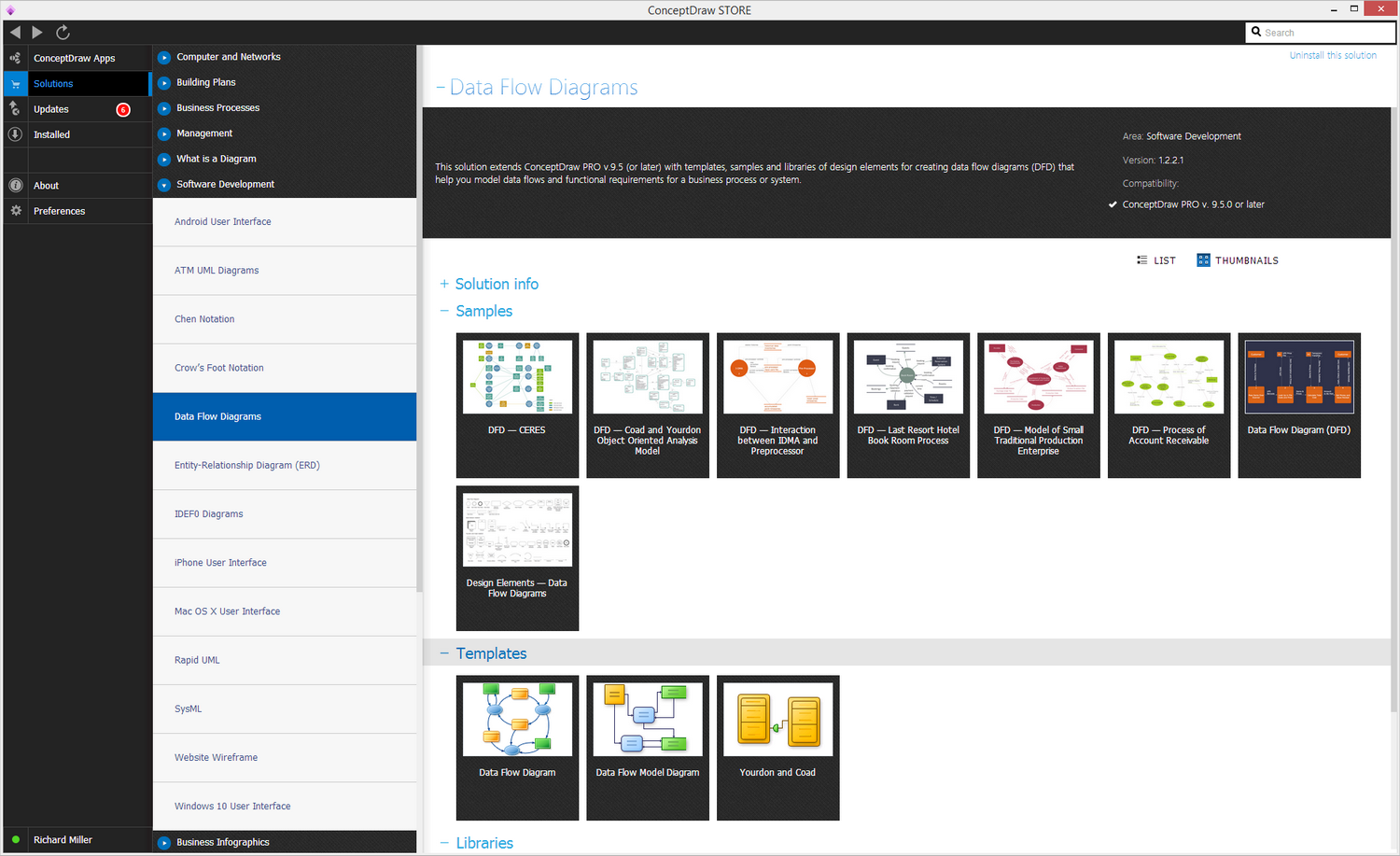
Example 1. Data Flow Diagrams (DFD) Solution You can always use this “Data Flow Diagrams” solution, which can be found and downloaded from the Software Development area of ConceptDraw Solution Park on this site, or either from ConceptDraw STORE application (which can be also downloaded from this site) for drawing your own “context-level” and other DFDs while working in ConceptDraw DIAGRAM diagramming and vector drawing software. You will definitely find the “Data Flow Diagrams” solution from the Software Development area of ConceptDraw Solution Park very useful as it provides the “DFD” templates, samples as well as mentioned vector stencils libraries for drawing the “DFDs”, according to “Gane and Sarson” or “Yourdon and Coad” notation. Get this unique software today and make sure you get the right solution so you have no problems after to make the needed diagram, but to use the pre-made examples from the solution as your drafts. |

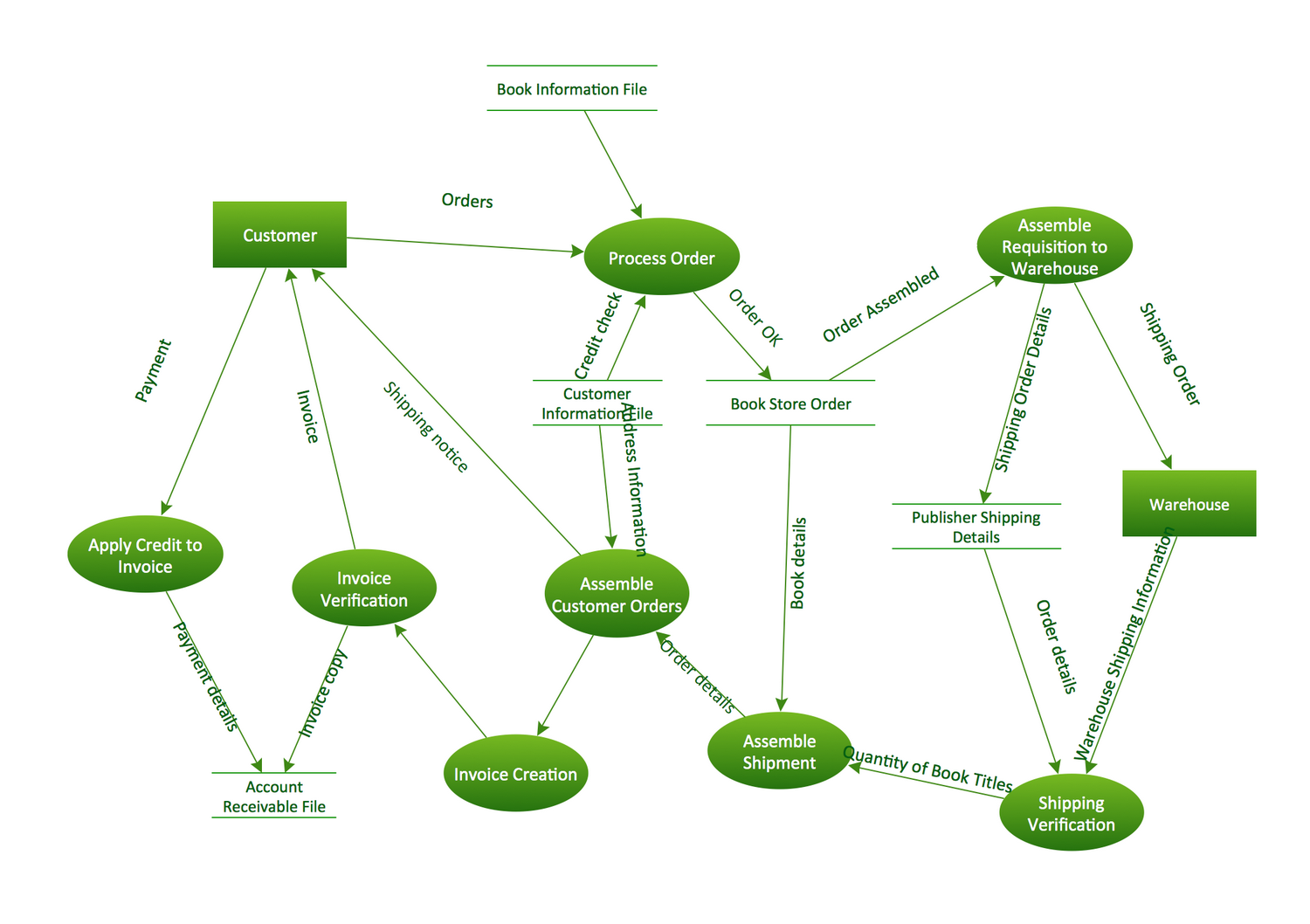
Example 2. Data Flow Diagram (DFD)
This example is created using ConceptDraw DIAGRAM enhanced with solution Data Flow Diagrams. This diagram shows one of the business processes to simplify and accelerate understanding, analysis, and representation.
Data Flow Diagrams Sample: